


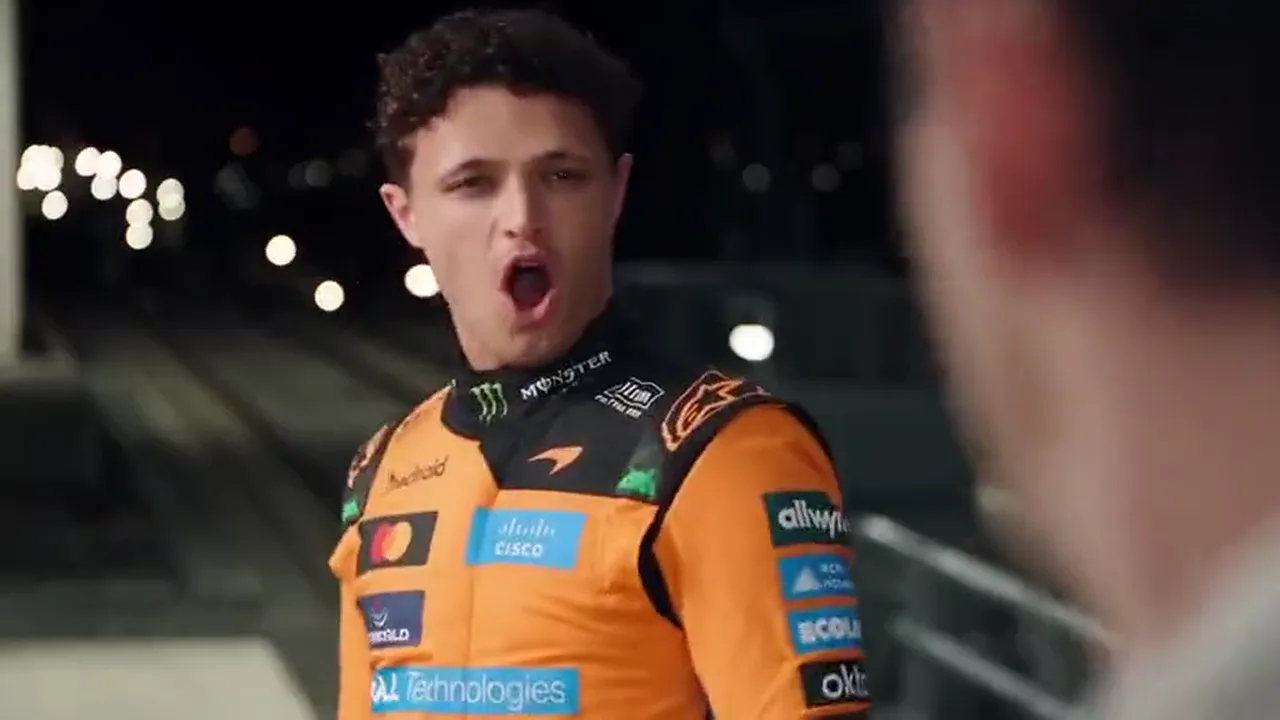
Teammates after a race
Turn a team debrief into the moment when one teammate discovers the other has a dance move ready.
Caption to try: The race ended. The debrief turned into a duet.
Two photos for Wow You Can Really Dance F1 AI: trade lines with a friend in the F1 drivers dancing AI duet, then pick the split-screen cut or the wide dance.
PNG / JPG / WebP · up to 10 MB · at least 512px on the short side
0/2 photos
Orange suit sings first, red suit answers. Add one clear solo portrait per suit. The full take adds a wide dance after the split screen.
Video settings
No prompt needed. Only upload photos of yourself or people who agreed to be featured; celebrity photos and film stills aren't allowed.
This F1 driver AI filter uses a fixed cut. Fill both photo slots to play the two driver roles. Swap the portraits to give the other person the opening line.
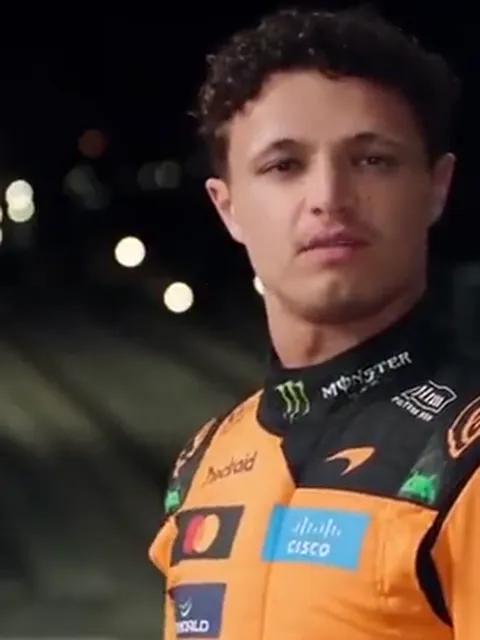
Photo 1Orange suit sings first
Your portrait supplies the face and hair of the driver in orange team colors who sings first in the over-the-shoulder shot.
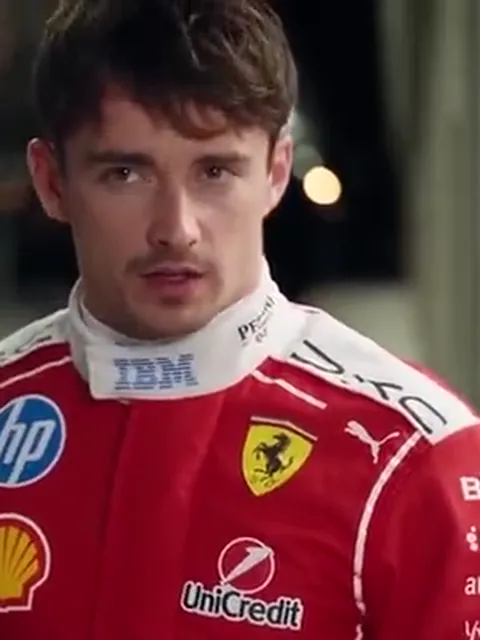
Photo 2Red suit sings back
Your portrait supplies the face and hair of the driver in red team colors who answers in the reverse angle.
Choose these photos
 Use one person per photo, with the full face evenly lit.
 Wear everyday clothes in your photo. The racing suits, team crests and sponsor patches come from the clip.
Skip these photos
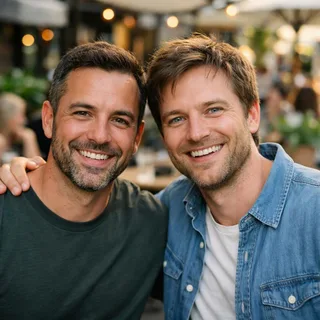 Use separate portraits instead of a group selfie.
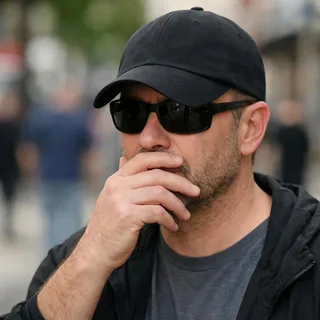 Skip sunglasses, low caps and hands over the mouth.
Upload the portraits
Use a separate portrait of each person with their permission.
Generate the duet
Choose a cut and resolution. Read the exact credit cost on Generate before starting the duet.
Download and share
Download the duet and caption it as a race-weekend POV.
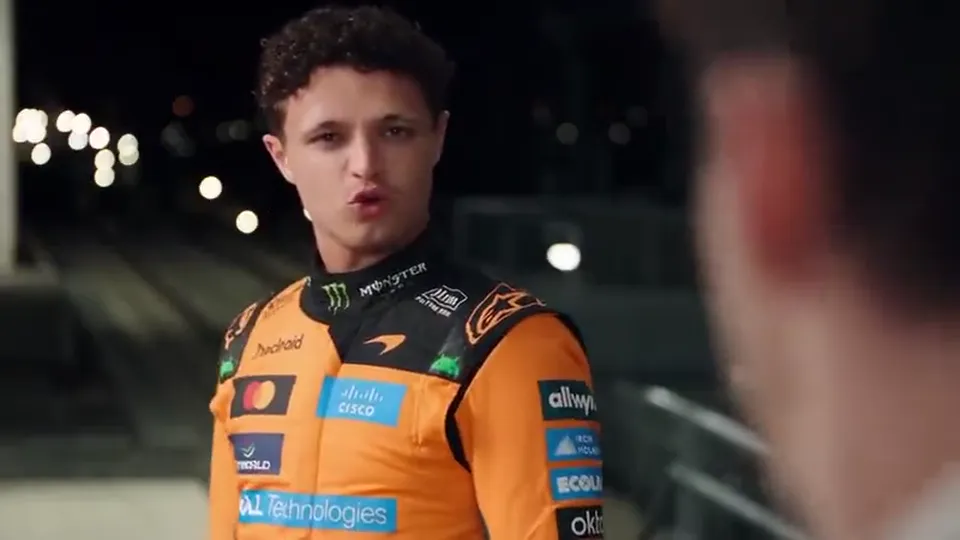 10:00–0:03
After a flash of red, the camera looks over the red-suited singer’s shoulder as the orange-suited lead delivers the opening line.
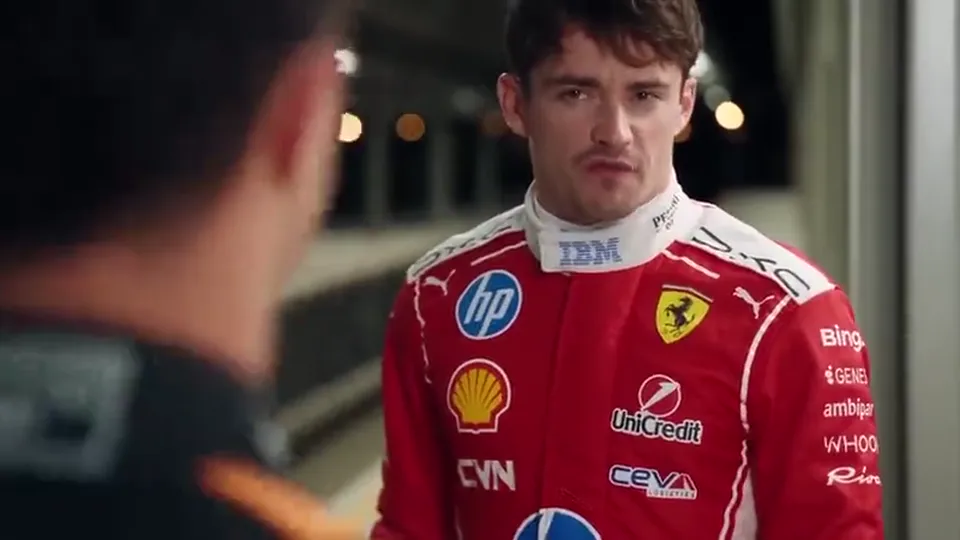 20:03–0:08
The camera reverses to the red suit for the reply. A few quick looks and another line carry the exchange into the reaction shots.
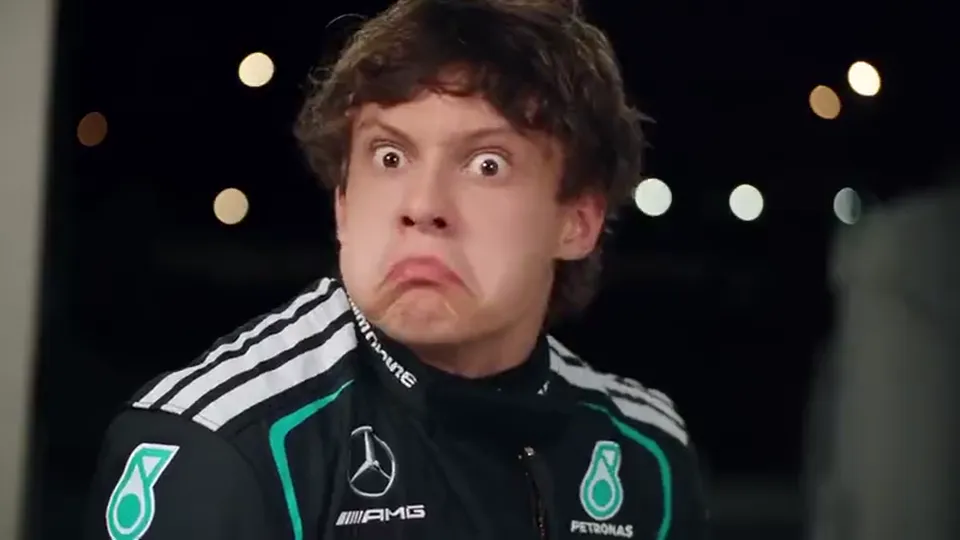 30:08–0:14
Two quick inserts catch the man in black pulling faces between lines. A split screen puts both singers back in view just before the dance.
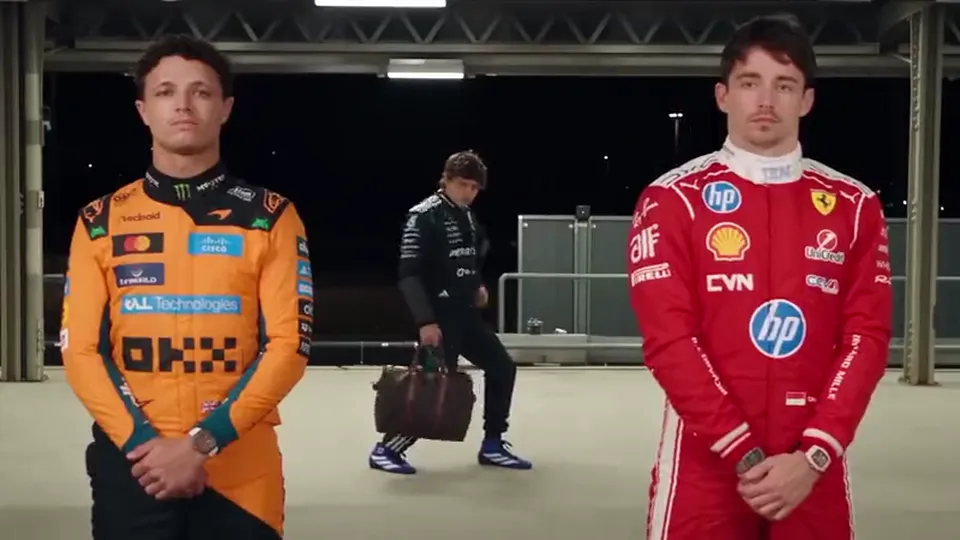 40:14–0:22
The camera cuts wide. Orange stands left, red stands right, and both rock their shoulders and hips in sync before turning toward the camera.
Give the exchange a reason to happen: a team debrief, a compliment taken too seriously, or two rivals briefly in sync.
Turn a team debrief into the moment when one teammate discovers the other has a dance move ready.
Caption to try: The race ended. The debrief turned into a duet.
Cast two friends who could turn a single compliment into a contest. The reverse shot gives the second friend an instant comeback.
Caption to try: I said you had moves. You took that as a challenge.
Cast two rivals who spend the whole race trying to outdo each other, then give them the same dance steps.
Caption to try: Fought for every tenth. Hit the same beat.
Handsome Dancer’s “Coincidance” music video, published on YouTube on June 30, 2015, supplied the song and its call-and-response. The F1 take imagines a Vegas race-weekend duet on a night platform, with racing suits in team colors and sponsor patches on the chest and shoulders.
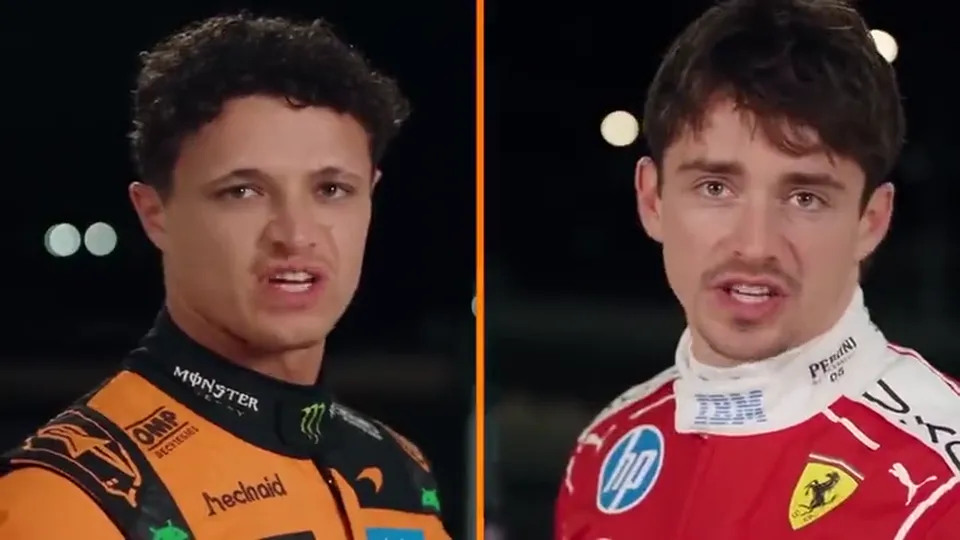
MakeViral presents the circulating clip’s two leads as AI takes on F1 drivers Lando Norris and Charles Leclerc.
“What a coincidance” blends “coincidence” and “dance.” The joke is that each singer has just found out the other one can dance too.
By November 24, @clarkkent.ae14’s first TikTok edit had 256.7K likes and the second had 116.2K.
@clarkkent.ae14 posted two Vegas race-weekend POVs on TikTok at 07:52 and 09:06 UTC, 74 minutes apart, with a different pairing in each.
About 83 TikTok works had used the sound from @clarkkent.ae14’s first edit.
44 TikTok works had used the sound from @clarkkent.ae14’s second edit.
For a Kling edit, choose your own source cut by how you want the exchange to end. A Seedance re-shoot uses the portraits to stage new lines and music.
Kling 4.0 Video Edit
Prompt length 1136
Use @Video1 as the source cut. Replace the lead in the orange racing suit who sings first with the person in @Image1. Replace the lead in the red racing suit who sings back with the person in @Image2. Match the face, hair and skin tone to each photo and keep each identity on its assigned suit through the over-the-shoulder cuts, the split screen and the wide shot.

Follow the source performance in order: the opening line, the reply, the black-suited onlooker's reaction inserts, the split screen and, if present in the cut, the two singers' synchronized shoulder and hip steps. Preserve each person's gaze, expressions, mouth timing, gestures and blocking. Keep the black-suited onlooker's source appearance, expressions and bag walk. Keep both uploaded faces off the onlooker.

Keep the platform, cool overhead light, warm lights in the distance, camera, framing, edit points, playback speed, duration and original soundtrack of @Video1. Preserve each suit's team colors, livery, crests, lettering and sponsor patches in their original positions through the reverse angles and the split screen. Add no people, graphics or new sound.Seedance 2.5 Reference to Video
Prompt length 1140
Cast the person from @Image1 as the orange-suited lead and the person from @Image2 as the red-suited lead. Keep their faces and hair consistent. Stage an F1 race-weekend duet at a night platform, filmed horizontally under cool overhead LEDs with warm lights in the distance. Give the two fictional drivers orange and red team liveries with crests and sponsor patches.

Start over the red-suited lead's shoulder. Hold on the orange-suited lead as they sing, “You've got a move.” Cut to the reverse angle as the red-suited lead sings back, “So do you.” Cut briefly to a fictional onlooker in black team kit raising his eyebrows. Put the two leads in split screen for one beat, then cut to a wide shot with orange on the left and red on the right. Have them step side to side, rock their shoulders and hips in sync and turn toward the camera while the onlooker walks behind them carrying a bag.

Generate an original light dance beat and time each lead's mouth movements to their own line. Keep the lighting, team colors, patch placement and identities consistent across shots. Cast only these three people. Give the onlooker an original face.Identify the leads by team colors
The leads switch positions in the reverse angles. Identify them by the orange and red team colors and keep the patches on the same suit across cuts.
Name the cuts you want to keep
Call out the reverse angle and the split screen so the performance keeps its alternating turns.
Avoid collapsing the exchange into one wide shot
A single wide shot drops the alternating close-ups. Keep the cut from orange to red and leave space for the reaction insert.
Replace everyone
Replace everyone in @Video1 with the people in @Image1 and @Image2.
Cast by team colors
In @Video1, replace the orange-suited lead with @Image1 and the red-suited lead with @Image2. Preserve the team livery and sponsor patches on both suits. Keep the onlooker’s own face and reaction.
Keep the onlooker’s own face and use team colors to track the two portraits as the camera switches angles.
Every template works the same way: add your photos, press Generate and get a shareable video without writing a prompt.
View all effectsUpscale the duet or extend its ending. Open Motion Control to build a separate clip around the dance.
Generate a clip from a prompt, a still image, a reference or existing footage.
Open toolA CapCut tutorial for this trend uses one photo. The Oeneo AI duet takes two solo portraits, one for each lead.
The duet circulated as an AI performance set around a race weekend. In Oeneo AI’s independent fan effect, you and your friend play fictional drivers.
The edit is set up to keep the onlooker’s own appearance, his reaction, and his walk with the bag. The two uploaded faces are for the leads.
Compare the close-up to the first wide frame, where each face takes up fewer pixels. If an identity jumps to the wrong suit in a reverse angle, compare the two close-ups and check that each uploaded portrait shows a clear face and hairline.
The edit redraws the mouths while keeping the soundtrack. Listen for the start of the reply and check whether the answering singer’s mouth moves at the same moment.
The template already supplies the instructions for the cast and the performance. The copyable prompts are for running a separate edit or re-shoot.
The line comes from Handsome Dancer’s “Coincidance.” The cut comes with its soundtrack. Use the separate re-shoot prompt if you want new dialogue and music.
Generation uses credits. The quote depends on the cut and resolution. Check the exact price on the Generate button before you click.
Send the finished duet to the friend who starred with you.