

Boom Clap Confetti AI Trend

One selfie, two confetti bursts: sing Boom Clap to the camera and let the paper fall on the beat. No prompt, no real confetti, no editing.

  • No prompt
  • Two bursts
  • Sound kept
Example · Boom Clap Confetti AI

PNG / JPG / WebP · up to 10 MB · at least 512px on the short side

0/1 photos

One clear, front-facing photo of one person, chest up. Your face becomes the singer, so keep hair and hands away from the mouth.

Video settings

No prompt needed. Only upload photos of yourself or people who agreed to be featured; celebrity photos and film stills aren't allowed.

What is the Boom Clap TikTok trend?

The Boom Clap confetti trend is a phone-shot lip-sync: one person sings the chorus of Boom Clap to the camera and two confetti cannons fire from off camera on the beat, so paper covers the face while the performance keeps going.

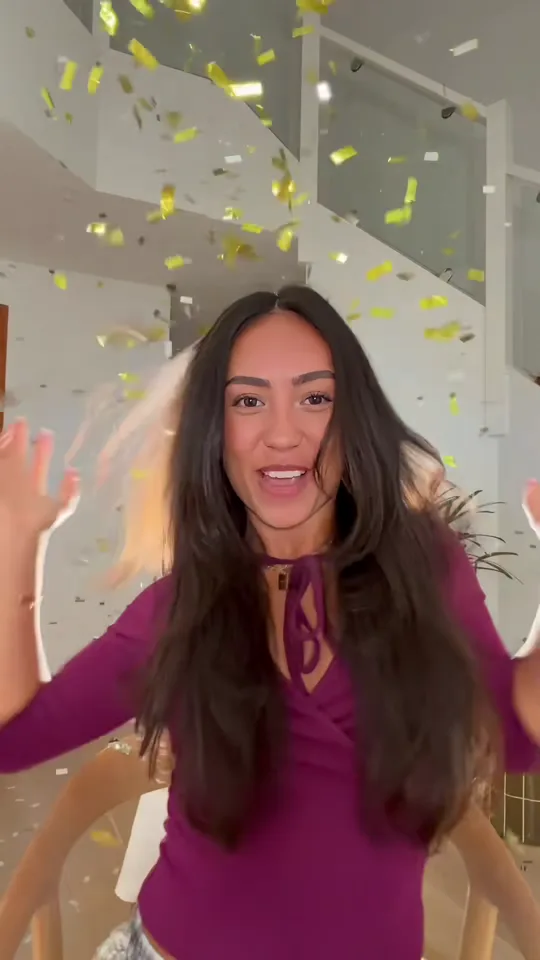
A person in a plum top singing as silver confetti falls around their head in a bright living room

The two bursts split the joke. The first, in silver pieces, interrupts the singing; the second, in gold, lands after the shrug and the laugh, and the clip ends with hands up to the lens while the paper is still falling. Everyone films it indoors and close, with the cannons out of frame, so the paper looks like it comes from the ceiling.

It spread because the setup is one phone and one friend holding a cannon, and the fail is part of it: the paper hits the face and the singer carries on. That is also why one photo is enough here. The room, the shot and both bursts are filmed once, and only the singer changes.

From the 2014 track to a one-photo effect

  1. Charli XCX releases "Boom Clap" on The Fault in Our Stars soundtrack.

  2. Indoor phone remakes appear on TikTok: one singer, confetti fired from off camera.

  3. A front-facing living-room take fixes the order others copy: silver first, then gold.

  4. Single-photo effect pages and tutorials for the same clip go up on several sites.

Song release from Charli XCX’s official audio and the film soundtrack listing; post dates read from TikTok on 20 November 2026; tool pages read the same day.

How the two confetti cannon bursts land

One unbroken 12-second take at 9:16: the first cannon fires silver pieces, the second fires gold, and the singing never stops.

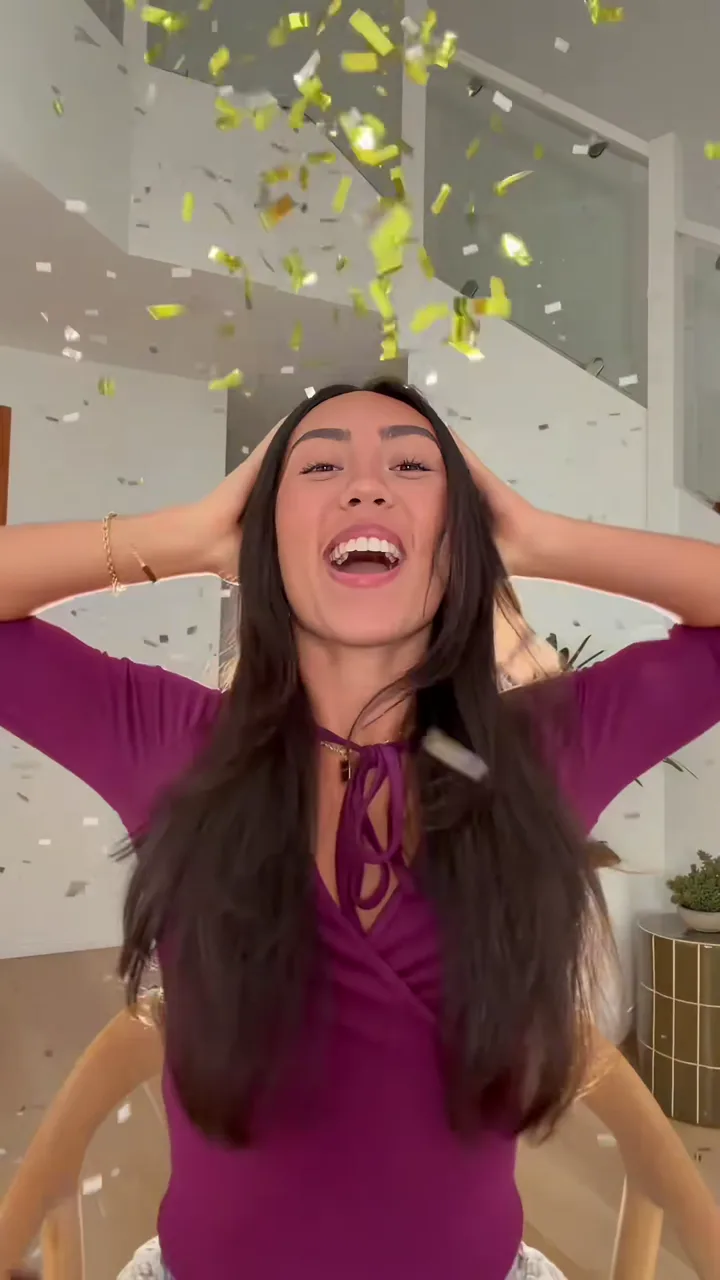
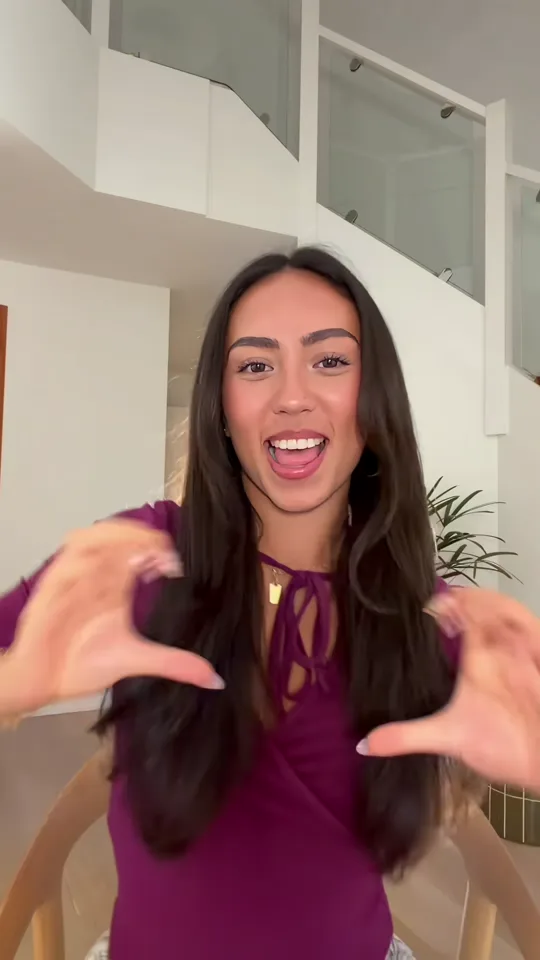
  1. A person in a plum top singing into a phone camera with both hands raised10:00–0:02

    Sing to the phone

    Close to the lens in a bright living room, hands framing the face in a plum top.

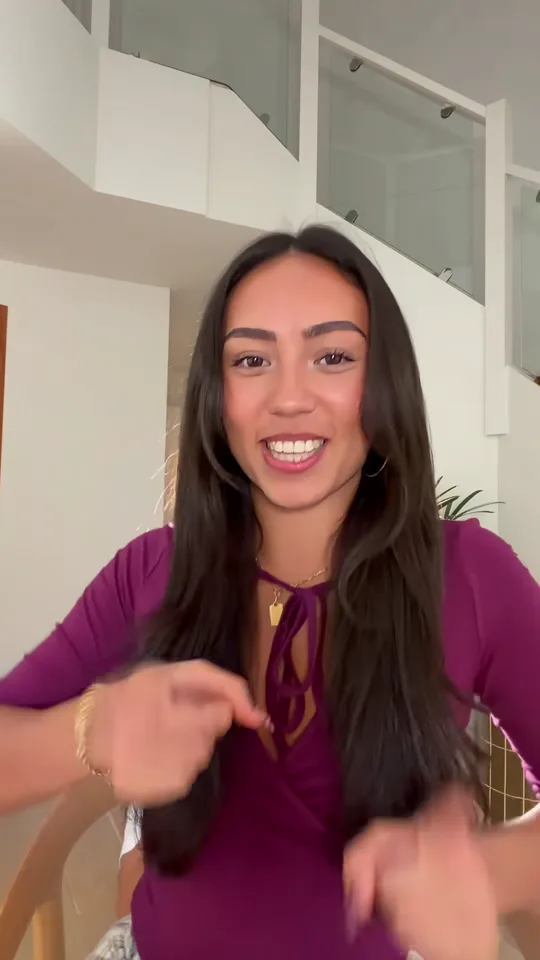
  2. Silver confetti falling as a laughing person in a plum top holds their hands to their hair20:02–0:04

    First cannon: silver

    Silver-white pieces drop through the frame and both hands go up into the hair while the laugh takes over.

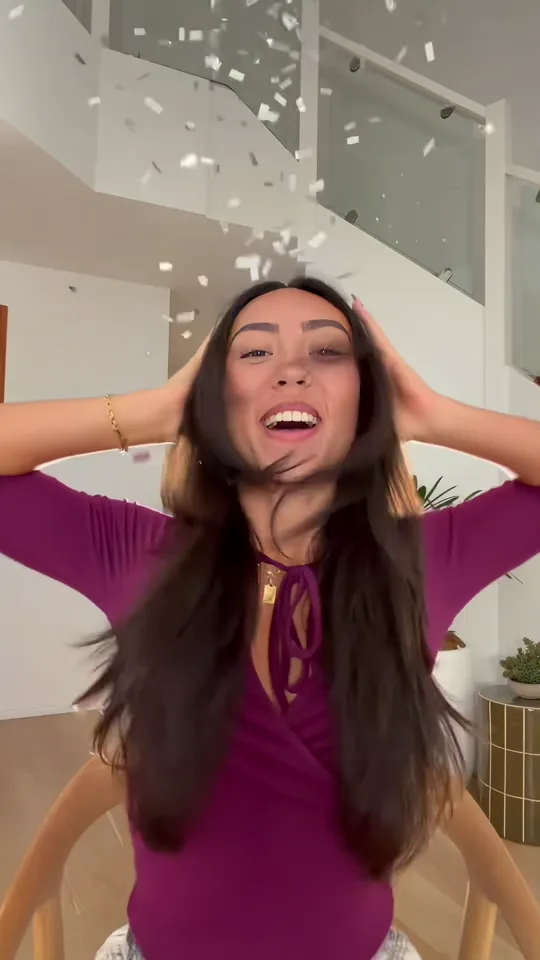
  3. The same singer pointing at the camera with a shrug as white confetti pieces settle30:04–0:06

    Keep going under the paper

    She points at the lens, shrugs and keeps the lyric going while the last white pieces settle on her shoulders.

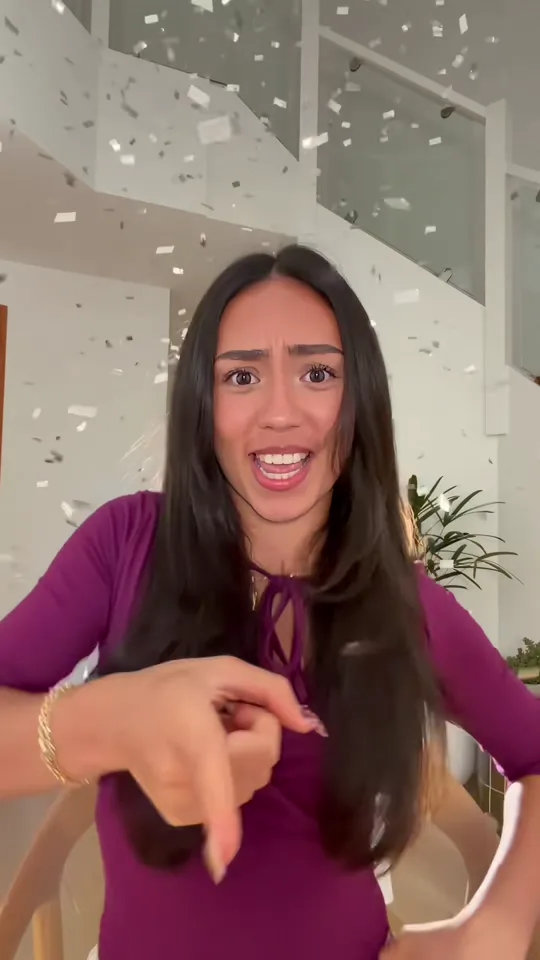
  4. Gold confetti falling over a laughing person in a plum top with both hands up40:06–0:12

    Second cannon: gold

    Gold streamers pour in from above; the last frames are hands up to the lens with the paper still falling.

The camera never moves and there is no cut, so the paper enters from above the frame and nobody steps in to fire it. No second shot, no outfit change, no cannon in frame.

How to make the Boom Clap confetti trend

The clip supplies the bright living room, the plum top, the fixed close camera and both cannons; your photo supplies the face, hair and build of the singer.

  1. A person in a plum top singing to the camera in a bright living room

    Photo 1Singer

    Your photo replaces the one person singing in the middle of the frame. The plum top, the room, the camera and both confetti bursts stay from the clip, so nothing of your own room or outfit carries over.

    • Face lit and front-on with the mouth clear: the whole take is sung to the camera and the paper crosses that mouth twice.
    • Chest up with the head near the middle of the frame; a full-body shot leaves the face too small to swap.

Photo checklist

Works well

  • A curly-haired woman in a mustard sweater, chest up, smiling at the cameraFront-facing, evenly lit face
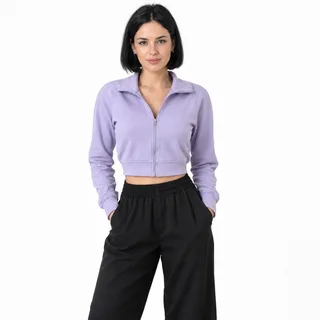
  • A woman in a lilac cropped jacket, head to thighs, hands in her pocketsChest-up or half-body framing

Avoid

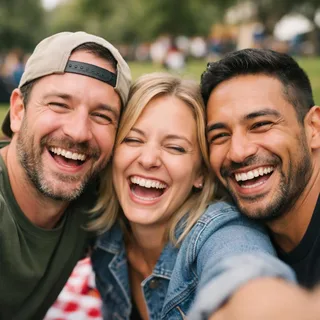
  • Three friends squeezed into one selfie at a picnicTwo or more people in one photo
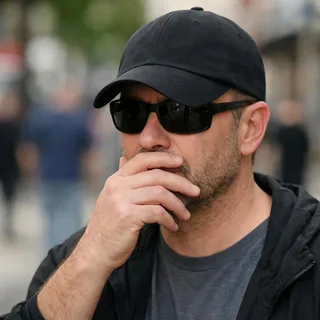
  • Man in sunglasses and a low cap with a hand over his mouthSunglasses, a cap or a hand over the face
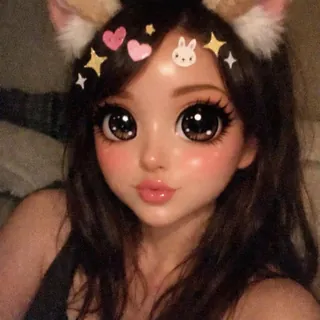
  • A selfie under a cartoon filter with cat ears, huge eyes and stickersA beauty filter that moves the eyes and mouth

From upload to a posted clip

  1. Upload one photo

    Add one clear photo of the person who should be singing.

  2. Pick a resolution and generate

    Pick 720p or 1080p, then click Generate; the button shows the exact credit price first.

  3. Download and post

    Download the clip and post it as it is — the track is already in it.

Boom Clap confetti AI prompt

Nothing to write here: the template is already set up. If you rebuild the same swap in a tool of your own, start from this instruction.

Any video edit tool

Prompt length 965

Use the reference clip as the source. Replace only the person singing in the centre of the frame — the single performer in the plum top with the laced neckline — with the person in photo 1.

Keep photo 1's face, hair, age, gender and build, and keep the plum top on the replacement, with one steady identity from the first frame to the last. Transfer the lip movement on the lyric, the hand gestures, the hands into the hair, the shrug, the point at the lens and the hands up at the end, frame by frame.

Keep everything else from the reference clip: the bright white living room, the staircase with its glass rail, the plants, the fixed close camera, the framing, the single take, the two confetti bursts — silver pieces at the first, gold at the second — the way the paper falls across the face, the timing and the built-in track. One person only: no second person, no pet, no confetti cannon inside the frame, no cut. No face blending, text, watermarks or logos.

Keep these in the Boom Clap prompt

  • Name the person by what is visible

    "The single performer in the plum top" finds the right body; "the singer" is not enough once the paper fills the frame.

  • Give the moves in order

    Lip movement, hands, shrug, hands through the hair, hands up at the end: each one binds the replacement to a moment of the take.

  • Protect both bursts and the mouth

    Say the paper crosses the face twice and the singing carries on; that is the shot, not a fault to clean up.

Leave these out of the Boom Clap prompt

  • "Make me a Boom Clap video"

    With no clip and no photo reference the model invents a room, a stranger’s face and its own song.

  • Ask for a cannon in frame

    The whole clip is one close shot; a cannon or a friend at the edge breaks the take.

  • Add a song or a mute instruction

    A video edit keeps the clip’s audio; asking for a track only invites a second audio pass.

A one-line wish vs an instruction the model can run

Too vague

Put me in the Boom Clap confetti video.

Works better

Use the reference clip and replace only the performer in the plum top with photo 1; keep the living room, the close camera, the silver and gold confetti bursts, the lip-sync, the timing and the track, and keep the cannons out of frame.

The second one names the performer, the photo and everything that has to stay; the first leaves the model guessing.

Boom Clap confetti AI video specs

Boom Clap confetti AI video specs
Photos
1 photo
Photo files
PNG / JPG / WebP, up to 10 MB, at least 512 px on the short side
Length
One 12-second take; both bursts are inside it
Frame
9:16 vertical, the clip’s own frame
Resolution
720p or 1080p, 720p by default
Sound
The clip’s own track is kept, so the lip-sync and both bursts stay on the beat
Credits
462 credits at 720p, 693 at 1080p
Visibility
Videos made on a free account are public. On a paid plan they are private by default.
If a run fails
The credits go back to your balance automatically

FAQ

Boom Clap confetti AI: FAQ

What is the Boom Clap confetti AI trend?+

A fixed indoor clip: one person sings Boom Clap to the camera and two confetti cannons fire from off camera. Your photo replaces that singer; the room, the camera, both bursts and the track stay.

What song is in it?+

Boom Clap, by Charli XCX, from 2014 and the soundtrack of The Fault in Our Stars. The template keeps the clip’s own track, so there is no music to add afterwards.

Is this the same as the Baby Boom or party popper trend?+

No. Baby Boom runs on a different track, Maybe Baby’s "sH1pu4Ka!", and the performer fires the popper at themselves before walking up to the lens. Here the paper comes from off camera and the song is Boom Clap.

Is this the night rooftop confetti version?+

No. The rooftop version is dark, with gold dust and a blown kiss. This template is the indoor take with two bursts, silver first and gold second, in one close shot.

Do I need CapCut or a real confetti cannon?+

No. Both bursts are already in the clip the template sends, so one photo and a click is the whole workflow. Nothing is edited afterwards and nobody has to stand beside you with a cannon.

Do I have to write a prompt?+

No. This is a preset effect: the room, the shot, both bursts and the track are fixed, and your photo only decides who is singing.

Does it work for a group photo?+

Only one person is on screen, so a group photo gives the model nothing to choose between. Crop to the person who should sing and keep the face and mouth clear.

What happens when the confetti covers my face?+

The paper crosses the face twice and a few frames are hard to read. That is the trend. Check how the face recovers after each burst when you preview the result, and start from a bright, front-on photo if it drifts too far.

Can I make it longer or change the frame?+

Not here. The clip’s own 12 seconds and 9:16 frame are kept so the bursts stay on the beat; resolution is the one setting you can change. A longer or landscape version belongs in the on-site video generator.

Will the export keep the same track?+

Yes. The finished video carries the clip’s track and the lip-sync stays on it; nothing is swapped for library music.

Can I use a photo of my pet?+

Not with this template. The shot is a person lip-syncing to the track, and the face is read through a mouth shaped for a lyric. Pet effects on the site are the place for a pet face.

Is this an official Charli XCX effect?+

No. It recreates a TikTok trend on a preset clip; it is not made with, licensed by or endorsed by the artist or the label.

Is Boom Clap Confetti AI free?+

No, each video costs credits. The price follows the resolution you pick, and the Generate button shows it before you start. New accounts start with 10 credits.

Your turn

Make your Boom Clap confetti video

One photo in, one vertical clip out — both bursts, the lip-sync and the track are already in it.