


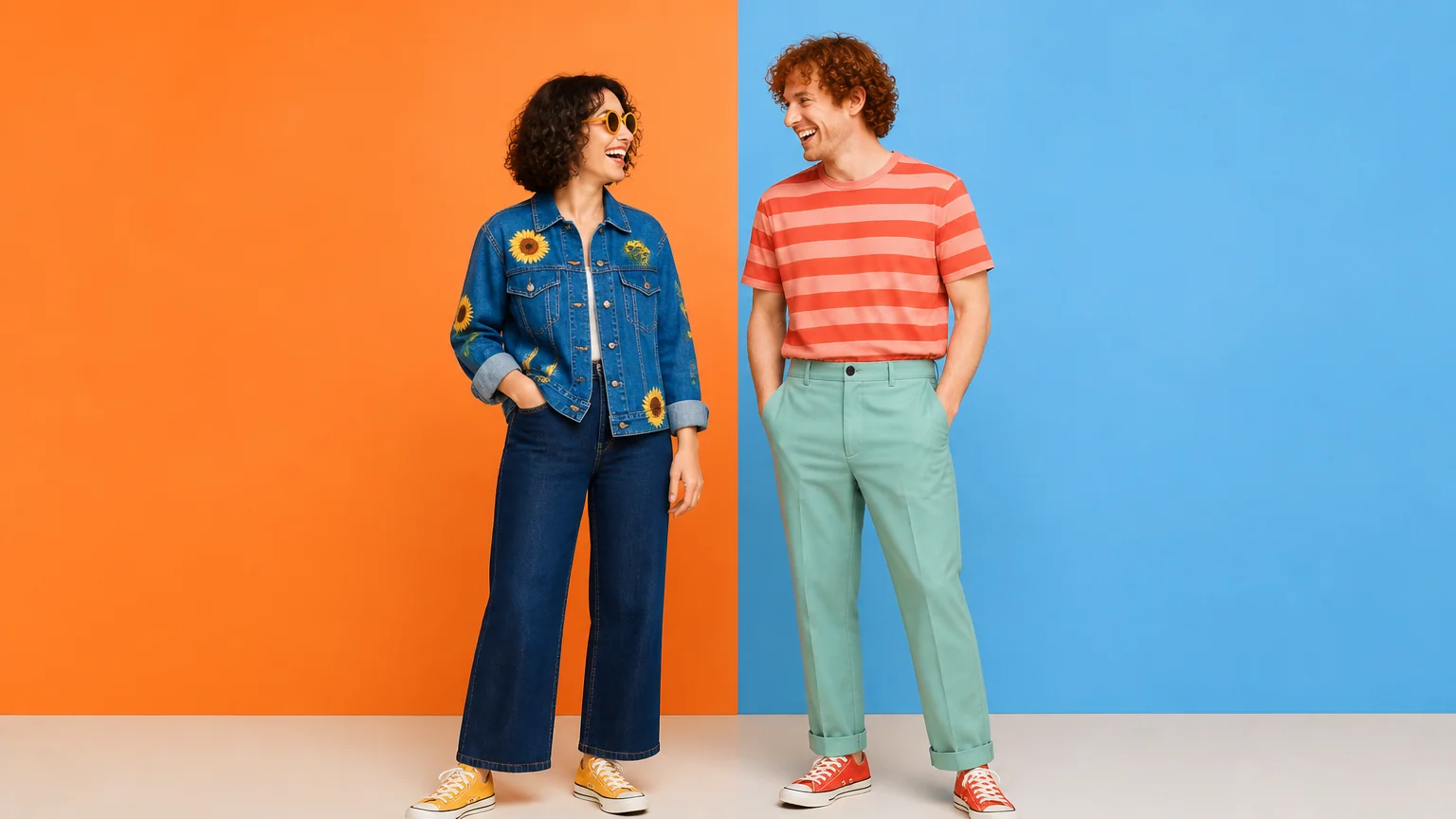
Character series with a consistent cast
Upload one reference per character and give each a role. Nano Banana 2.1 carries faces, hair and outfits into new scenes — the area where Google's model card shows its largest gain over Nano Banana 2.
Create and edit images with Google's Nano Banana 2.1. Add up to 14 reference images to keep a character consistent across scenes, place a product in a new setting, or design a poster around exact short text — in 1K, 2K or 4K, from 8 credits per image.
What you can make
Character series, product photography, text-led designs and portrait edits are the tasks Google highlights for 2.1. Describe what to keep and what to change, then review the details before you publish.
Upload one reference per character and give each a role. Nano Banana 2.1 carries faces, hair and outfits into new scenes — the area where Google's model card shows its largest gain over Nano Banana 2.
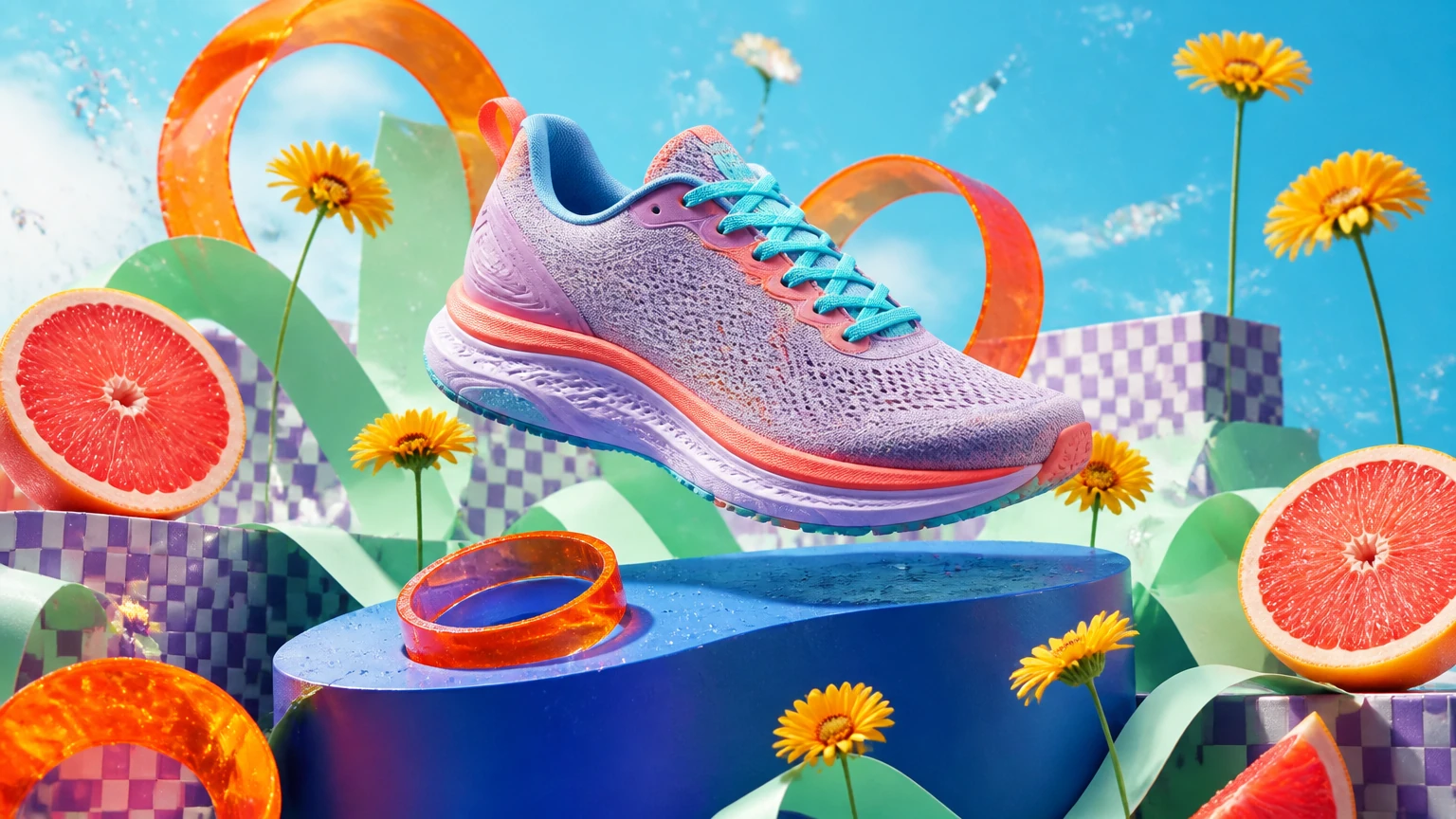
Combine a product photo with separate references for styling, props or setting. Say what each image contributes, then check the silhouette, materials and label in the result.
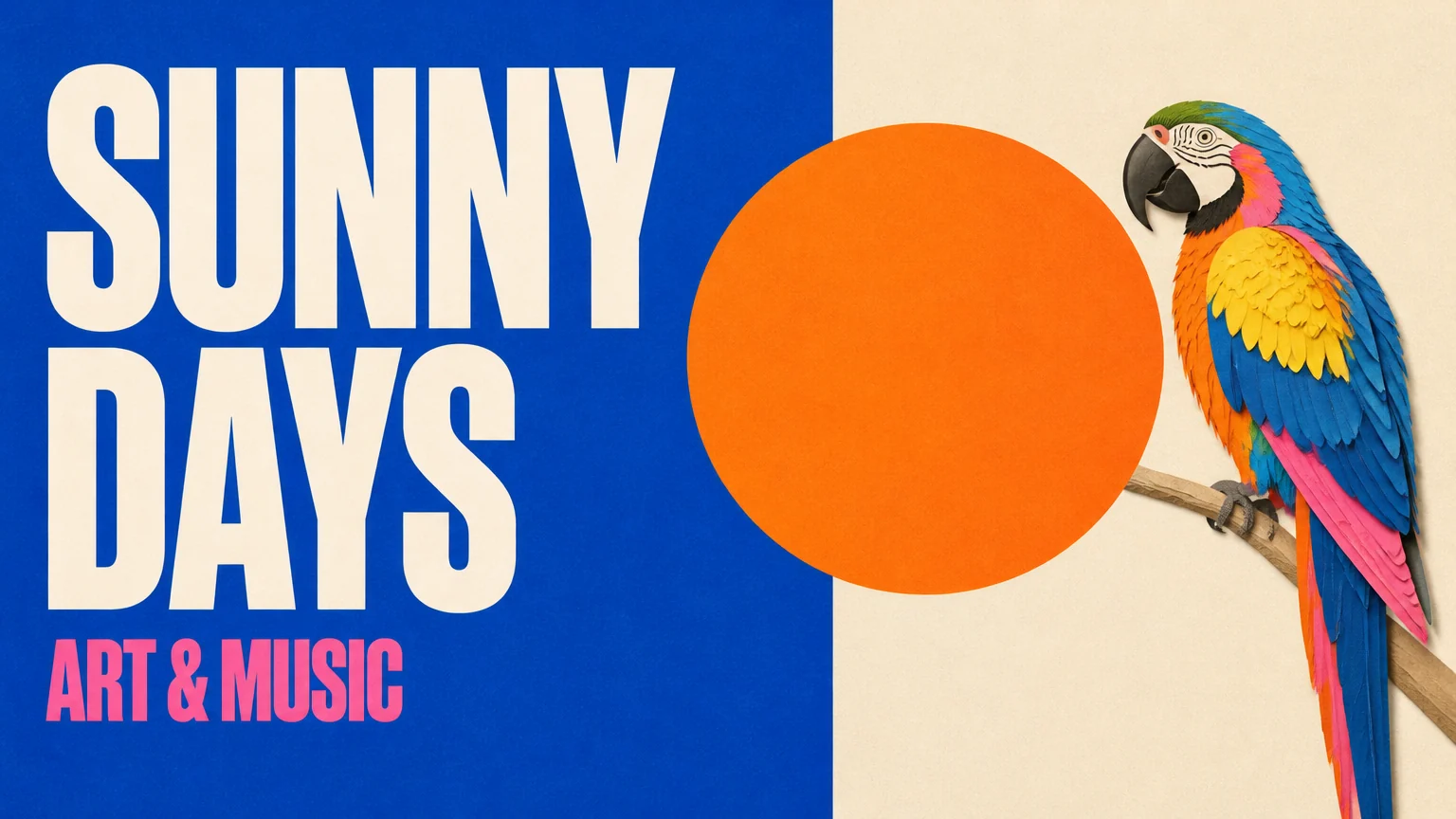
Put the exact headline in quotes and describe the hierarchy. Google reports better text rendering and infographic layout in 2.1; short lines such as SUNNY DAYS remain the most reliable.
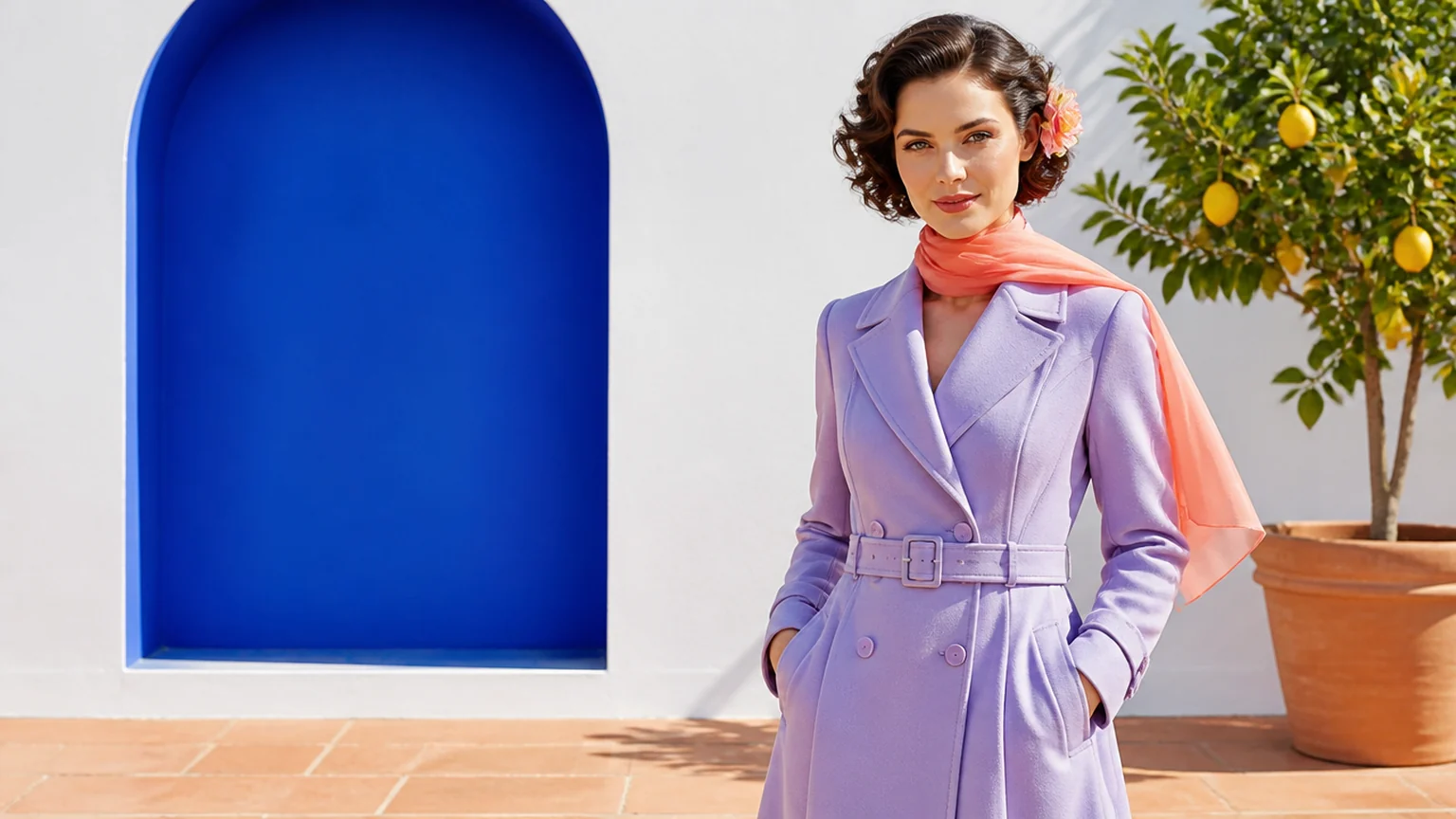
Upload a portrait, describe the new location and list what must stay — face, hairstyle and outfit. Compare the result with the original before you use it.
Reference to result
Each example shows the reference images on the left and the result on the right. The prompt says what every image contributes, what to keep and what to change.
Character reference
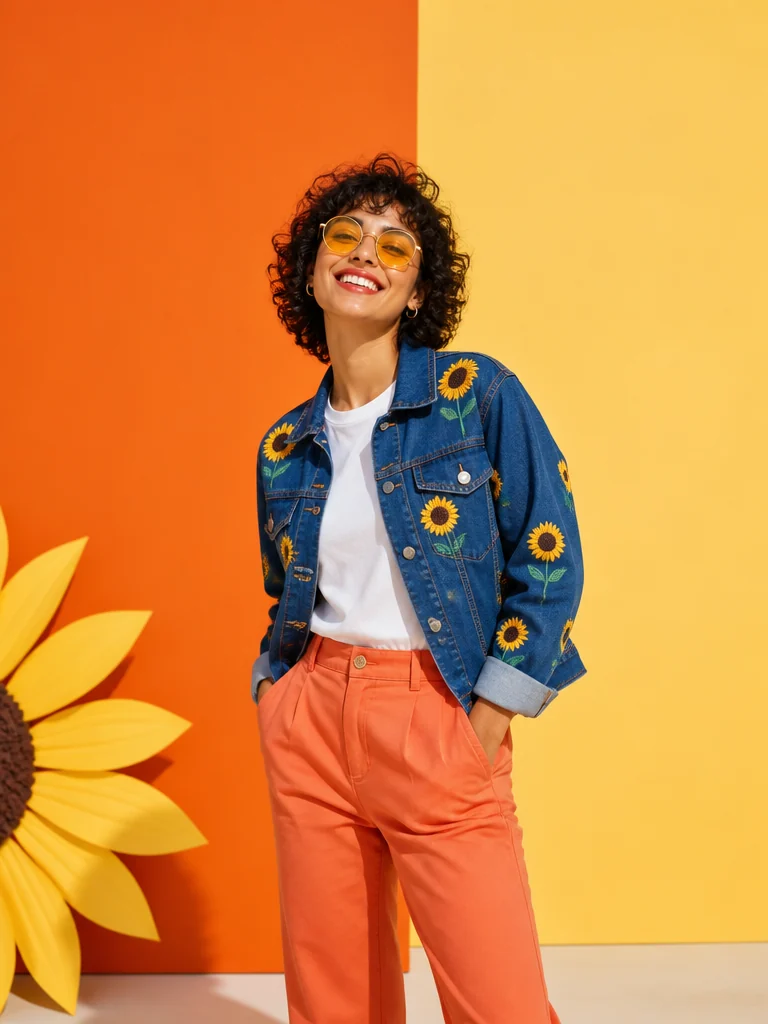
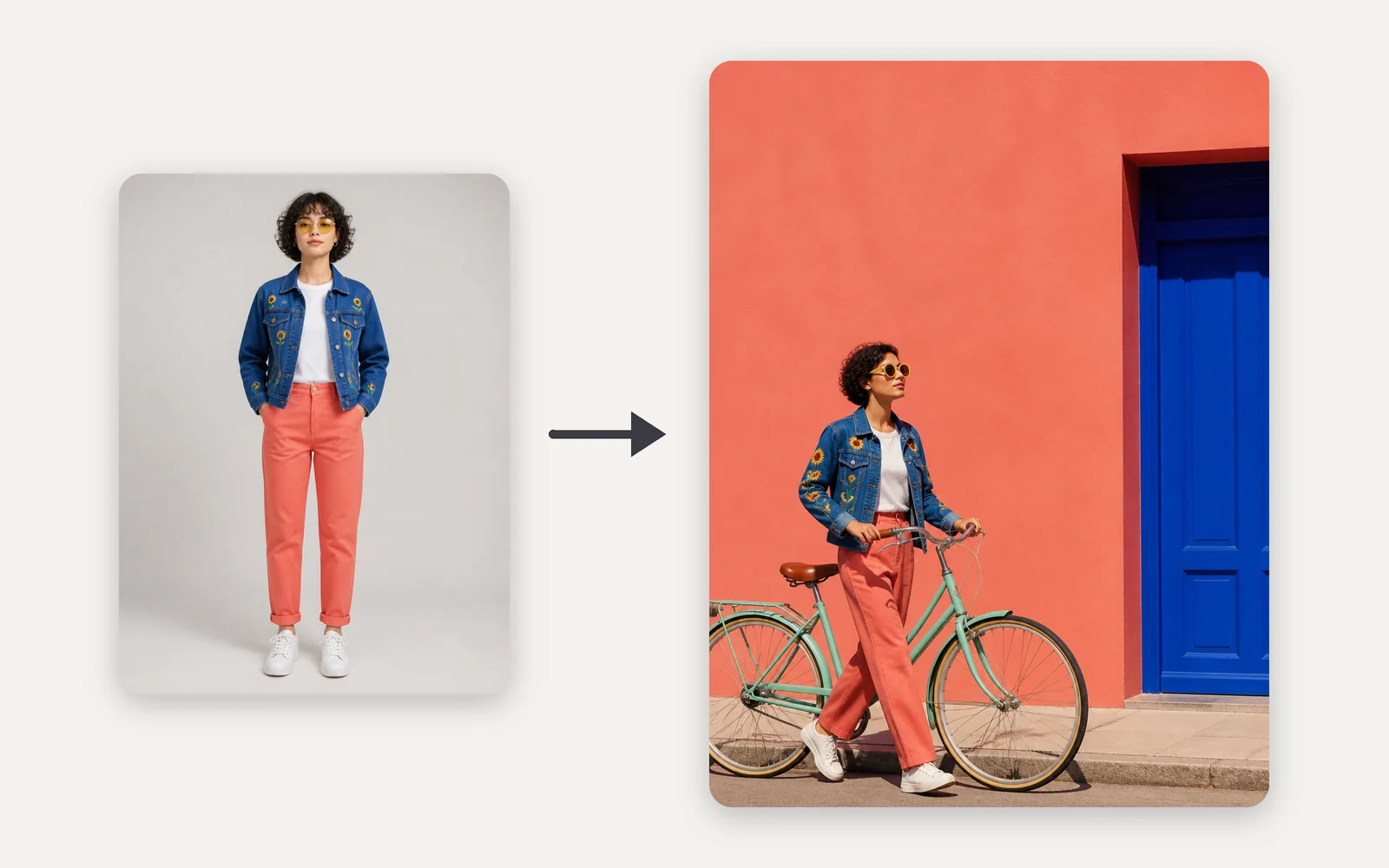
A full-length reference fixes the person, hair and outfit. The prompt changes only the location and action: walking a bicycle past a coral wall. Check the face, embroidery and colors against the reference.
Multi-image fusion
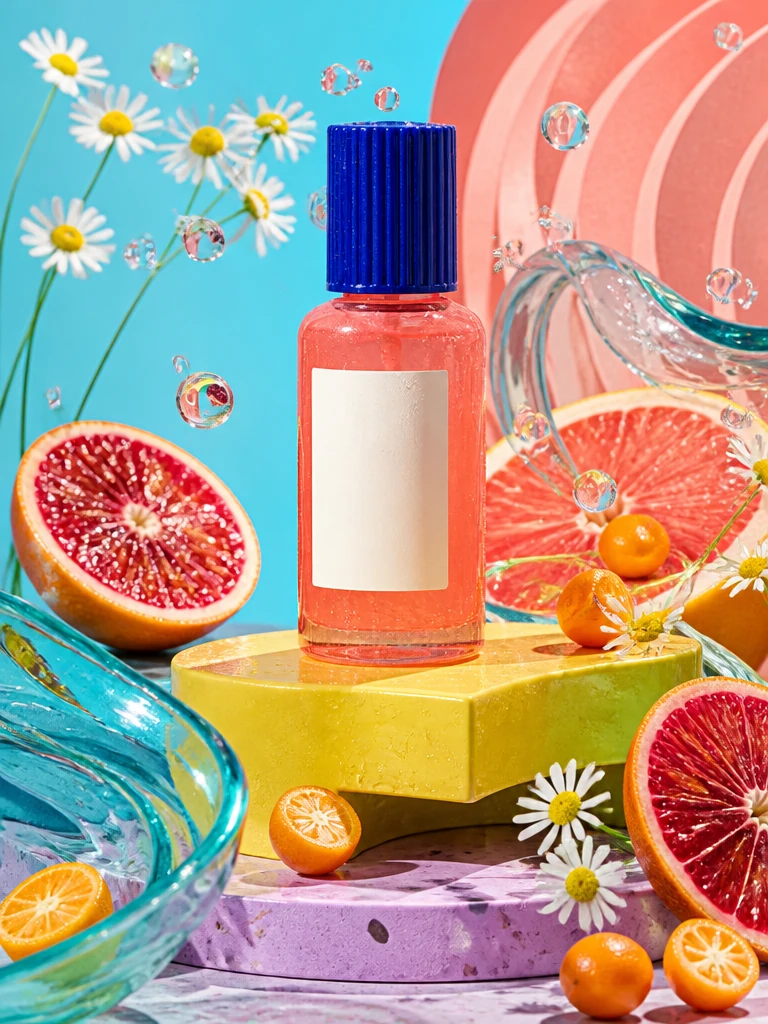
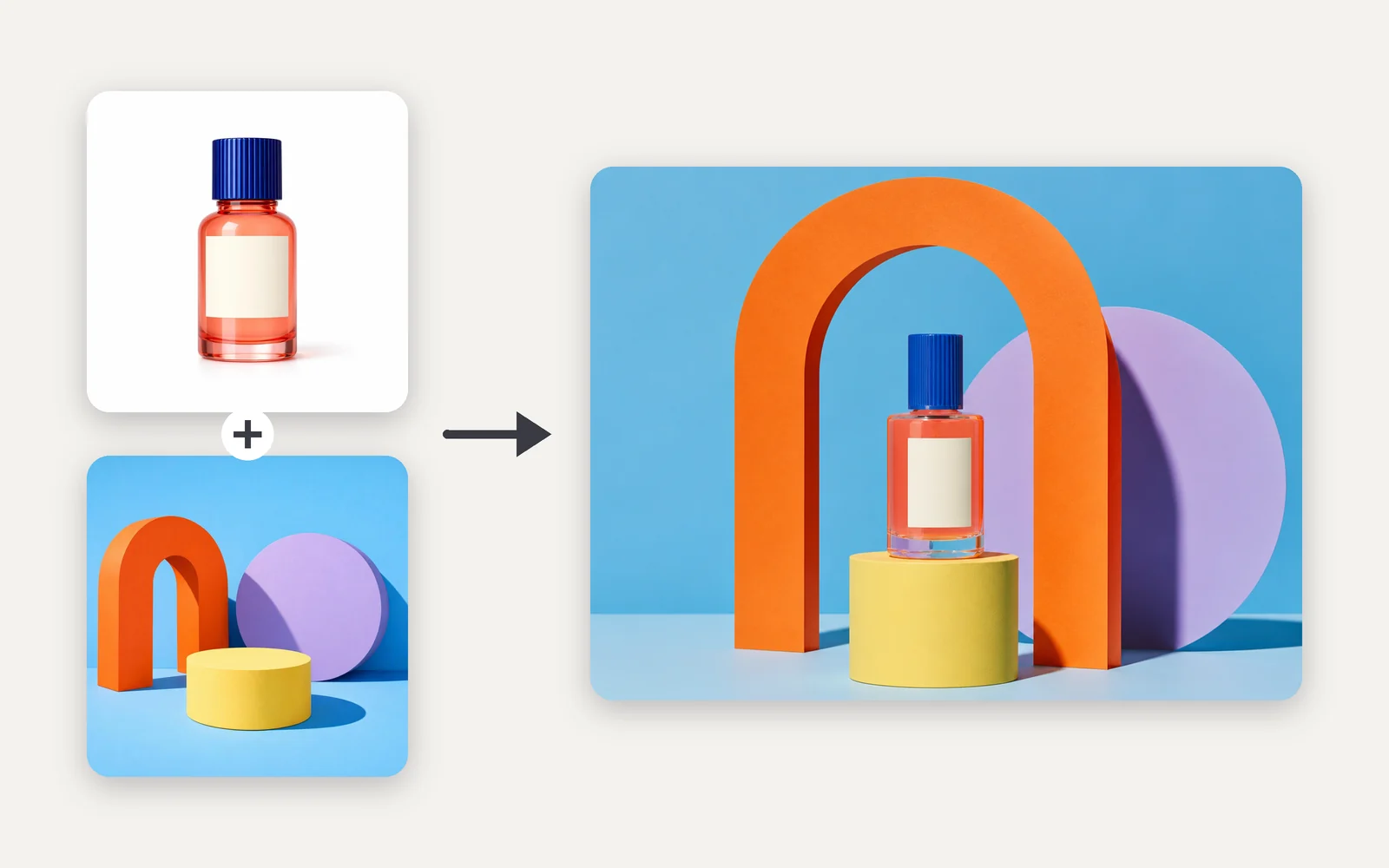
Image 1 supplies the bottle; image 2 supplies the set, colors and light. Nano Banana 2.1 places the product into that art direction while keeping its cap, shape and label area.
Sketch to design
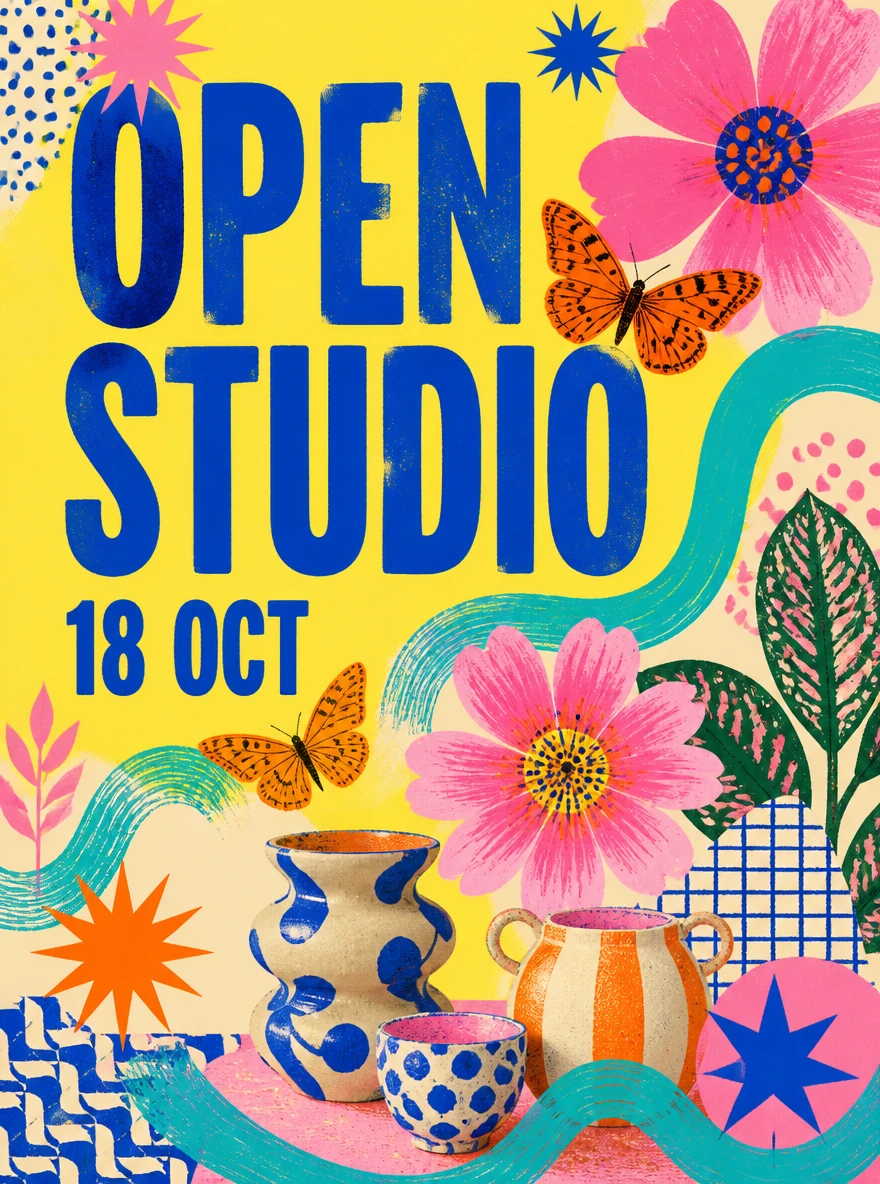
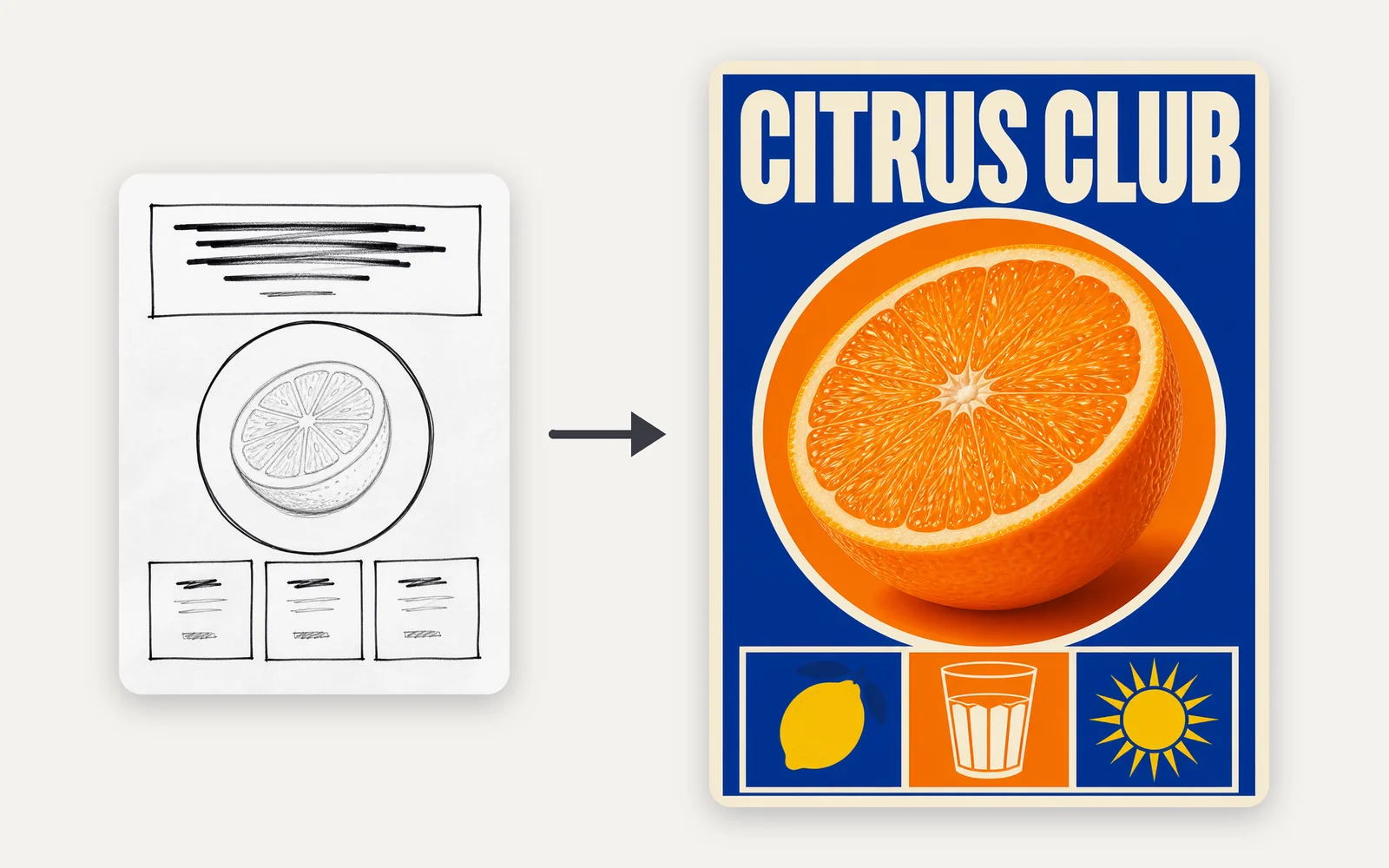
Upload a quick sketch as a reference to fix the layout, then supply the exact headline and colors. The result keeps the headline band, central circle and three-tile footer. Here the sketch is an ordinary reference image, not a mask.
Arena leaderboards
In the Arena charts published on October 6, 2026, Nano Banana 2.1 outscored Nano Banana 2 in text-to-image, image editing and multi-image editing. Arena scores come from public blind votes and keep changing, so read these as a launch-day snapshot.
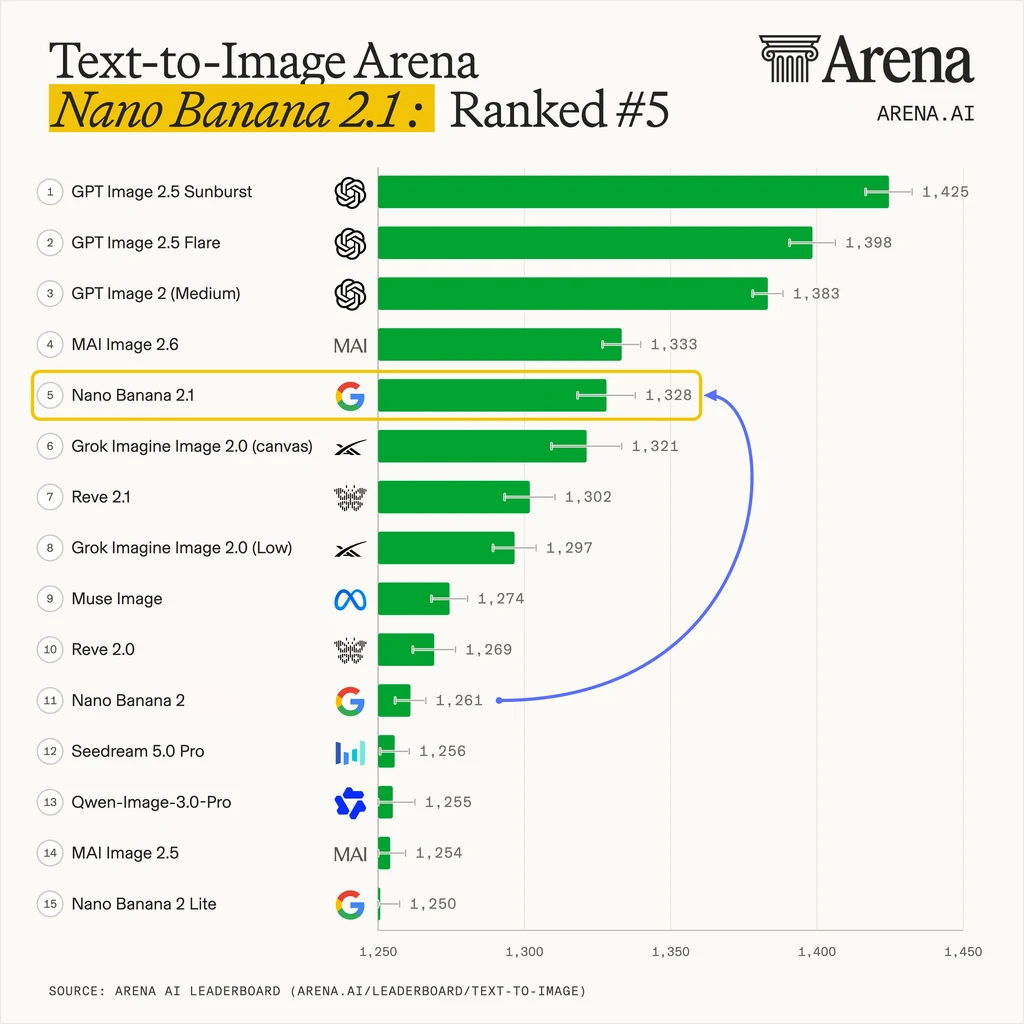
+67 points · 6 places higher
Nano Banana 2.1 scores 1,328 at #5, compared with Nano Banana 2 at 1,261 and #11: 67 more points and six places higher. For text-led creative work, it is a useful signal when choosing which version to try for a new scene or campaign concept.
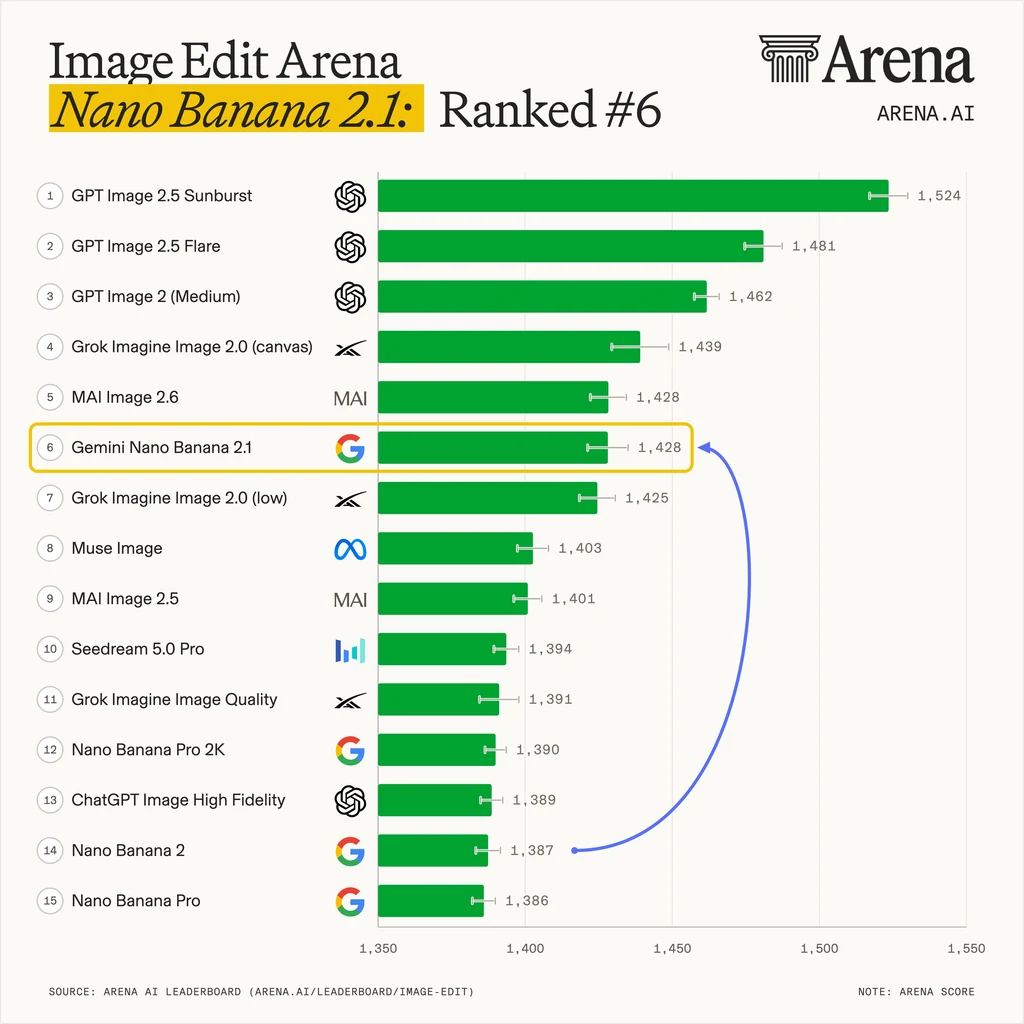
+41 points · 8 places higher
Nano Banana 2.1 scores 1,428 at #6, while Nano Banana 2 scores 1,387 at #14: a 41-point lead and an eight-place gap. It also sits above Nano Banana Pro at #15 with 1,386 points — relevant when you revise images with natural-language instructions.
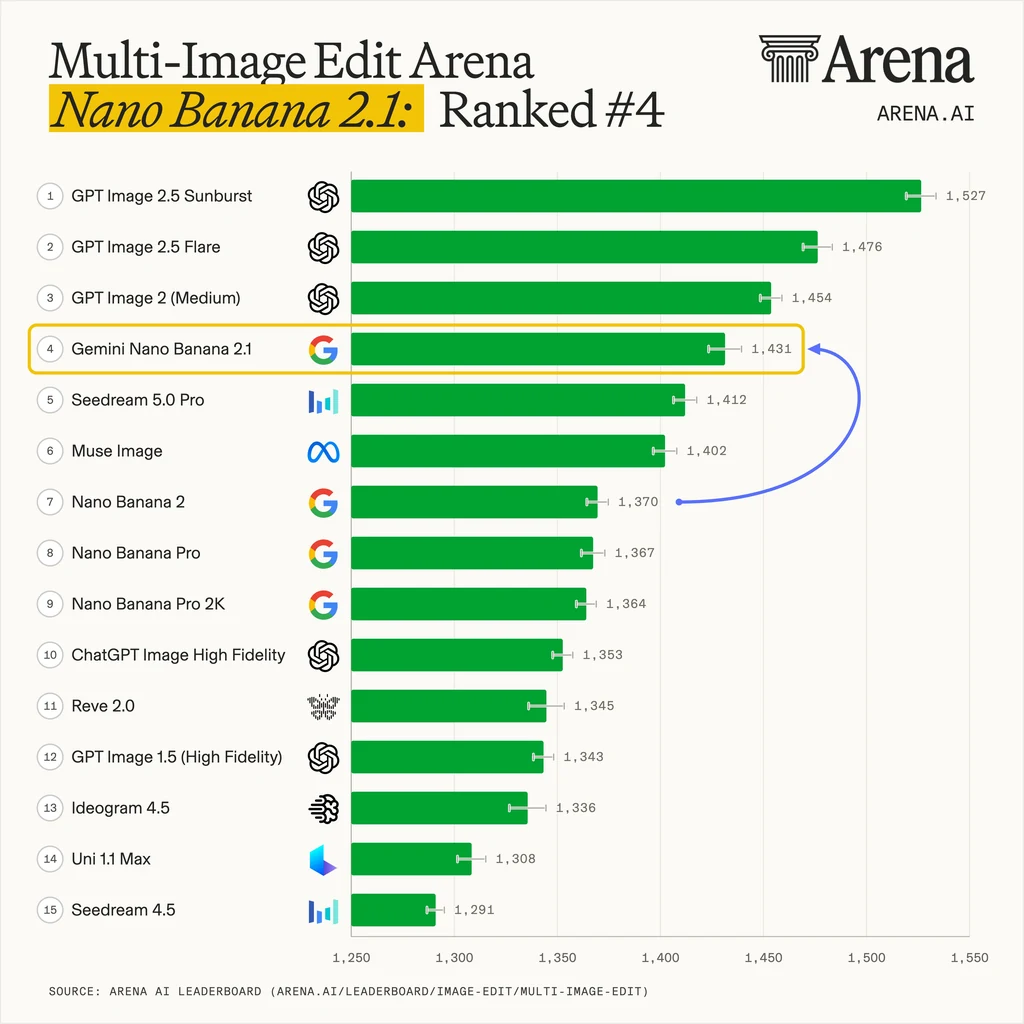
+61 points · 3 places higher
Nano Banana 2.1 scores 1,431 at #4, ahead of Nano Banana 2 at 1,370 and #7, and Nano Banana Pro at 1,367 and #8. Multi-image editing is its highest position of the three charts — the closest match to combining subject, product and style references.
Give every image a job, separate what stays from what changes, and quote any text exactly. A short, specific brief works better than a long list of adjectives.
Name the role of every reference
Say whether each image supplies the person, product, setting, palette or layout — for example, "use image 2 only for lighting".
List what stays, then what changes
Name the face, hairstyle, outfit, label wording or camera angle to keep first; then describe the new background, light or composition.
Quote the exact words
Put headlines in quotes, keep them short and say where they go. Proofread every character in the result.
Don't leave references unexplained
With several unlabeled images, the model has to guess which one sets the subject and which one sets the style.
Don't ask it to supply facts
Provide the numbers, dates and labels for an infographic yourself, and check them in the result.
Don't expect pixel-locked edits
Generative edits can shift details outside the requested change. Compare the result with the original.
Example prompt: "Use image 1 as the product and image 2 only for lighting and color. Place the bottle on a yellow pedestal in front of an orange arch. Keep the cap, shape and label area exactly as in image 1. Leave empty space above the product and add no text."
Base model, Oeneo AI credits and Google DeepMind's model-card benchmarks side by side. Benchmark rows are Elo scores from human side-by-side preference tests with thinking enabled; higher is better. They are Google's results, not Oeneo AI tests.
| Compare | Nano Banana 2.1 | Nano Banana 2 | Nano Banana Pro |
|---|---|---|---|
| Base model and release | Gemini 3.6 FlashOctober 6, 2026 | Gemini 3.1 Flash ImageFebruary 26, 2026 | Gemini 3 Pro ImageNovember 20, 2025 |
| Credits per image | 1K: 8 · 2K: 12 · 4K: 27 | 1K: 16 · 2K: 24 · 4K: 32 | 1K: 30 · 2K: 30 · 4K: 60 |
| Text-to-image preference (Elo) | 1050 | 990 | 935 |
| General editing (Elo) | 1026 | 938 | 939 |
| Multi-character consistency (Elo) | 1106 | 978 | 1011 |
| Multi-reference editing (Elo) | 1066 | 988 | 989 |
| Product consistency (Elo) | 1024 | 955 | 965 |
| Infographic design (Elo) | 1048 | 961 | 912 |
| Choose it when | Casts, multi-image edits, text designs | Matching earlier Nano Banana 2 work | Matching existing Pro work |
These are the settings Oeneo AI offers for Nano Banana 2.1. The workbench shows the exact credit total for your resolution, image count and references before you generate.
Nano Banana 2.1 is Google's image generation and editing model, released on October 6, 2026 and built on Gemini 3.6 Flash. It updates Nano Banana 2 with stronger multi-character consistency, multi-reference editing and visual design. Its Gemini API model ID is gemini-nano-banana-2.1; it is not another name for Gemini 3.1 Flash Image, which is Nano Banana 2.
Google's model card rates 2.1 above Nano Banana 2 in every image evaluation it reports. The largest gaps are multi-character consistency (1106 vs 978 Elo), general editing (1026 vs 938) and multi-reference editing (1066 vs 988). On Arena's launch-day leaderboards, 2.1 ranked #6 in image editing versus #14 for Nano Banana 2. Known limits remain: small text, long paragraphs and left-right placement can still go wrong.
1K: 8 · 2K: 12 · 4K: 27 credits per image, compared with 1K: 16 · 2K: 24 · 4K: 32 for Nano Banana 2. Edits with reference images cost slightly more, and the workbench shows the exact total before you generate. New accounts get 10 free credits to try it.
Up to 14 per request. Google's guidance describes keeping up to 4 characters and 10 objects consistent from references, so give each image one clear job, such as the person, the product or the lighting. More images do not guarantee that every detail carries over.
Yes. It is the area where Google reports the biggest gain over Nano Banana 2. Reuse the same reference for every scene, list what must stay — face, hair and outfit — and change only the setting or action. Results are close rather than identical, so compare each image with the reference.
It renders text in many languages, including Chinese, and can replace a poster's headline when you supply the confirmed translation. Short headlines work best; small type, long paragraphs and rare characters can still contain errors, and the layout may shift. Proofread every character.
Not in Oeneo AI yet. Google reports better mask and doodle-based editing for the model, but the workbench edits through text instructions and reference images. Describe the area in words, or upload a rough sketch as a layout reference.
Not always. State what must stay the same and compare the result with the original. Generative editing can change details outside the requested area; use a non-generative editor when you need pixel-exact preservation.
No. Web search is off, and each request is a separate generation or edit without chat memory. To continue from a result, upload it as a reference for the next edit.
Not on their own. Google reports better infographic layout, but numbers and claims still need checking. Supply the exact data and labels yourself and verify them before publishing.
Describe the scene or edit, pick 1K, 2K or 4K, and check the credit quote before you generate.