Coming soon to Oeneo AI

Kling 4.0

Plan product videos and character scenes with images, motion references and key story moments. Explore Kling 4.0's announced Omni Reference and multi-keyframe features, then start creating with available models in Oeneo AI.

  • Omni Reference
  • Keyframe-guided stories
  • Audio-visual performance

What can you create today?

Kling 4.0 is not connected yet. This workbench starts with Kling 3.0 Standard, with the selected model's own inputs, limits and credit estimate shown before you generate. Open the AI video generator

Kling 4.0 official video examples

Short previews of Kling's character, product and portrait examples, plus a separate Flash clip. They are published showcase material, not Oeneo AI generations or ready-to-use recipes.

  • Ensemble cast on set

  • Product in motion

  • Portrait-led long take

  • Flash character exchange

When will Kling 4.0 be available?

Kling announces an October 2026 launch for the full model. Flash entered limited early access on September 28. Neither version is connected to Oeneo AI yet; the workbench above starts with Kling 3.0 Standard.

Source: Kling AI's official release note

Oeneo AI's editorial summary of published specifications and official examples. Access, pricing and output quality have not been independently tested here.

01 / Give every reference a role

How does Kling 4.0 use Omni Reference?

Give each reference a job: an image can define a product or character, while a video can guide movement, camera direction or pacing. Kling says Omni Reference can combine these signals in one generation.

These videos and reference images come from Kling AI's official release note, not from Oeneo AI generations. We show them as published examples; Kling 4.0 capabilities are not available in the workbench yet.

View Kling's official release note

Use multiple references for a character scene

The official reference grid brings together character portraits, vehicles and a lighting setup. These inputs show how Omni Reference can define who is in the scene and what surrounds them. Check the published result for appearance and composition; consistency still needs review.
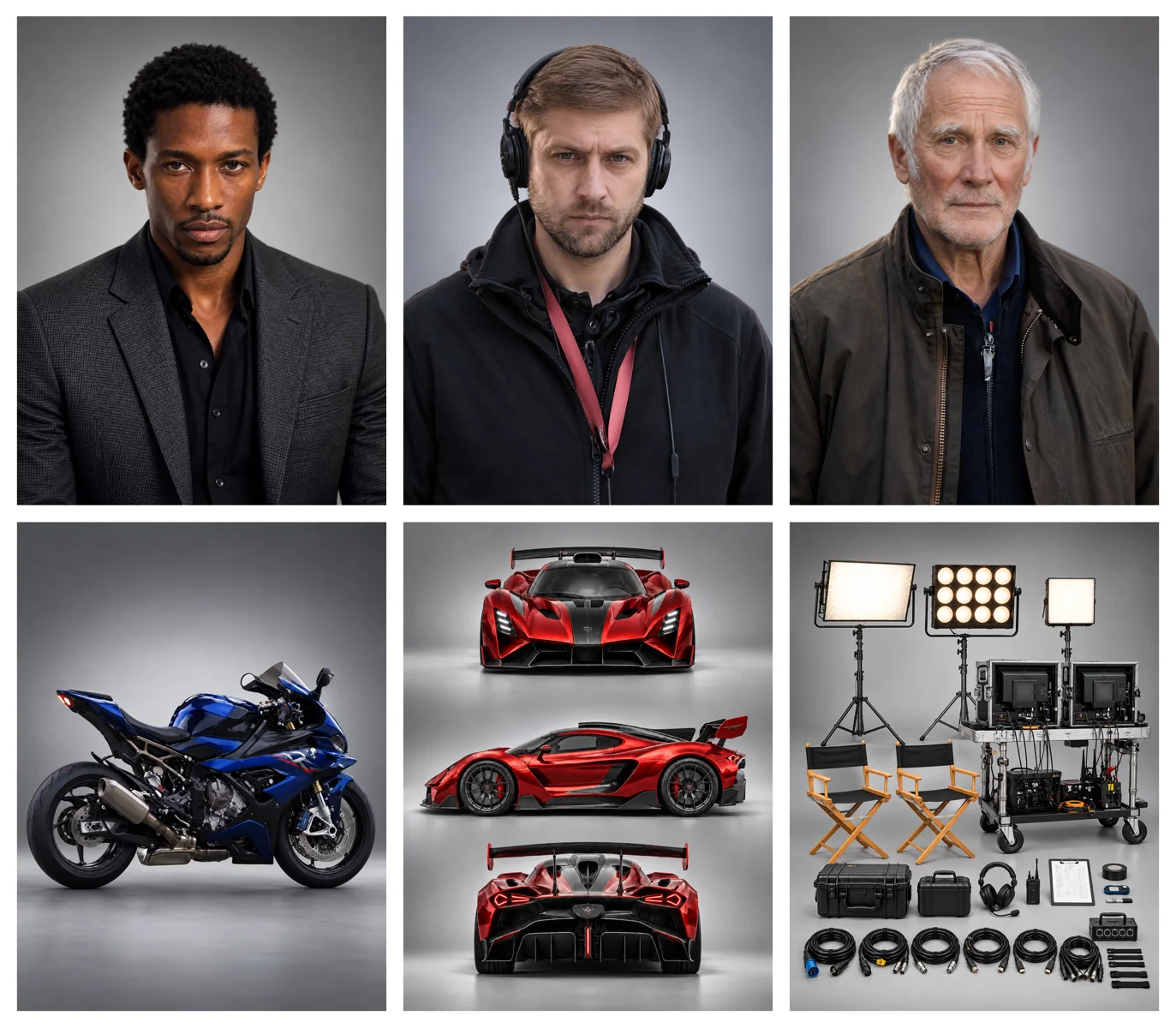
Official reference grid with three character portraits, a motorcycle, a red sports car and film-set equipment
Cast, vehicles & set references
A scene built from the referencesKling AI official example

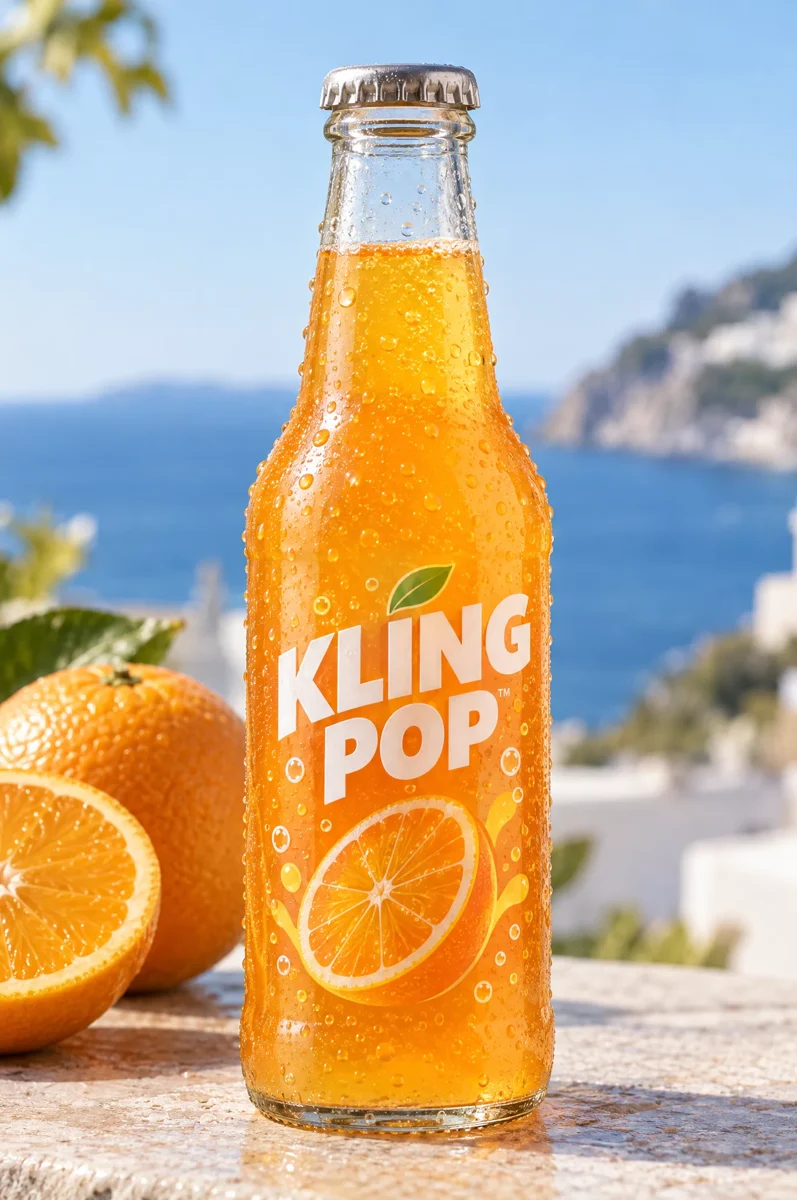
Turn a product photo into a video ad

A bottle image defines the product; a reference video suggests movement and pacing. This official example shows the two inputs beside a product video, so you can inspect the packaging, camera movement and composition.

Kling Pop orange drink bottle on a sunlit terrace beside oranges
Product appearance
Video reference
The product in a new sceneKling AI official example

02 / Shape the moments between

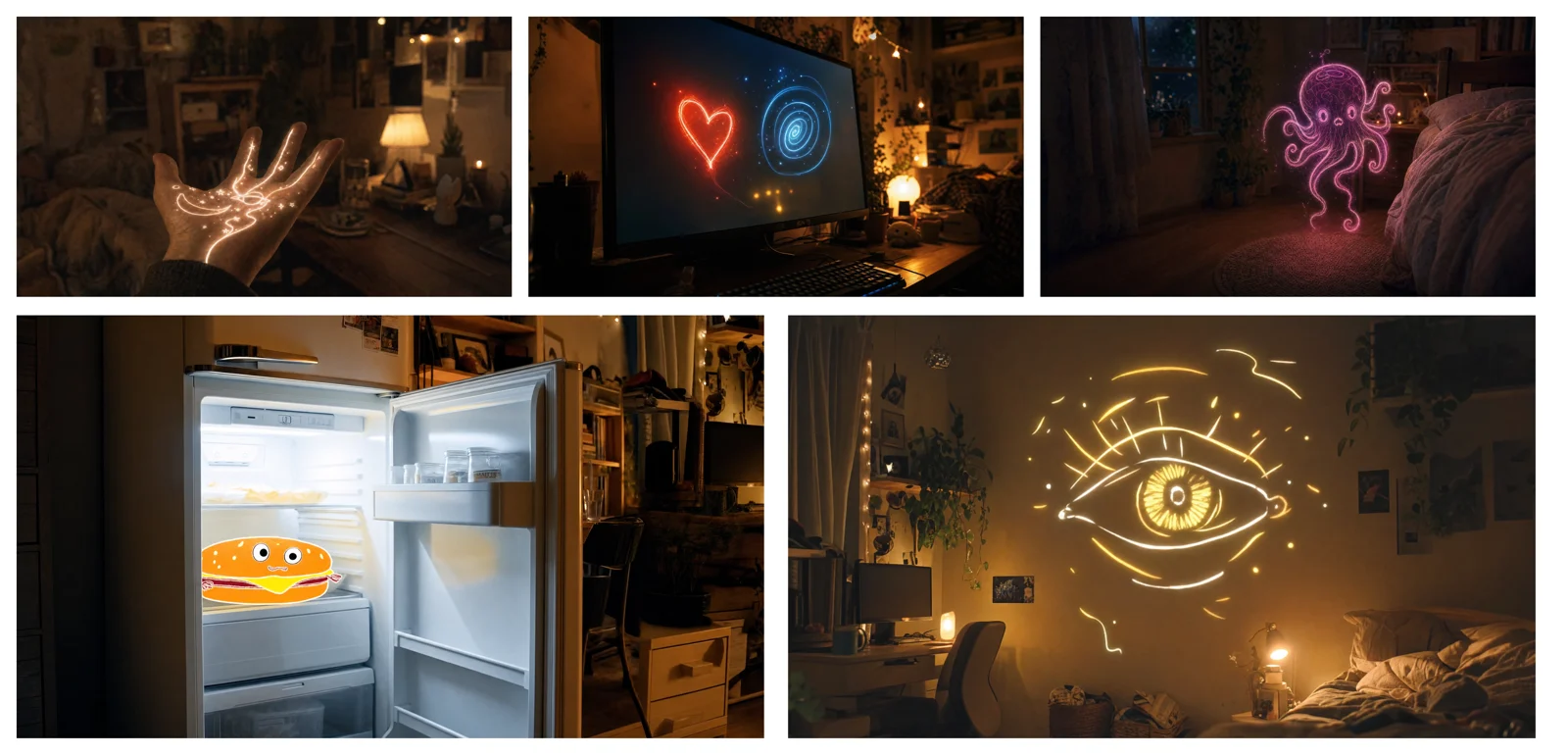
How can multi-keyframes guide a 30-second scene?

Kling 4.0 announces up to 10 keyframe images and 3–30 seconds per generation. First and last frames set the endpoints; additional keyframes describe the changes in between, such as an entrance, a reveal or a scene transition.

Five keyframe panels showing a glowing hand, neon shapes, a jellyfish, an open fridge and a luminous eye in a room
The official keyframe reference sheet

This is the reference sheet published by Kling, not a set of editable uploads. Multi-keyframe input is not available in the workbench above.

Watch the moments connectKling AI official example
  1. Establish the scene

    Give the model a clear visual starting point: the subject, the room and the mood.

  2. Place the turning points

    Use key images to communicate the changes that matter, rather than describing every detail in prose.

  3. Let the sequence unfold

    Review how motion and camera direction connect the moments. Exact timing and continuity still need a creative eye.

Explore Kling 4.0 performance and Flash examples

Inspect facial expression, body movement and scene direction in these excerpts from Kling's published examples. They are shortened previews, not independent Oeneo AI tests or evidence of the model's maximum duration or resolution.

Kling AI official example

Character performance in a longer scene

Kling describes longer takes, more expressive faces and closer dialogue-to-lip synchronization. This excerpt shows part of the official portrait-led example. The full-model duration is an announced specification, not the length of this preview.

View Kling's official release note

Kling AI official example

Flash: a different starting point

Kling positions Flash for frequent creation. This official Flash example is separate from the full model's showcase: its published specification is 720p, with videos from 3 to 20 seconds. Flash is also not connected on Oeneo AI yet.

View Kling's official release note

What is the difference between Kling 4.0 and Flash?

This table reflects Kling's published specifications. It does not describe the settings of the Oeneo AI workbench, and a capability listed for the full model should not be assumed for Flash.

Published specificationKling 4.0Kling 4.0 Flash
Official availabilityOctober launch announcedLimited early access from September 28
Video duration3–30 seconds3–20 seconds
Resolution720p / 1080p / 4K720p
Multi-keyframesUp to 10 imagesNot specified separately
Dynamic range10-bit HDR at 1080p / 4K — coming soon8-bit SDR
On Oeneo AIComing soon — not connectedComing soon — not connected

How can you start creating with Kling 3.0?

The workbench on this page uses available video models. It starts with Kling 3.0 Standard and does not submit to Kling 4.0.

  1. Choose your starting point

    Start from text or switch to image-to-video with your own image. Check the selected model before continuing.

  2. Describe the scene

    Name the subject, action and camera movement. Choose from the duration, resolution and audio settings that the selected model actually supports.

  3. Review the cost, then generate

    Check the credit estimate before submitting. Review the result and use the available video tools when you want to keep editing.

What are the published Kling 4.0 specs?

These are the full-model limits published in Kling's release note, checked September 30, 2026. They are reference information, not current Kling 3.0 workbench settings or an Oeneo AI availability promise.

What are the published Kling 4.0 specs?
Starting points
Text, first image, first and last frames, multiple keyframes, or Omni Reference.
Reference budget
Up to 15 items in total across images, videos, voice references and elements. Image references: up to 10. Video references: up to 5, with a combined duration of up to 30 seconds.
Subjects & voice
Up to 7 elements, including up to 3 video-based elements. Audio reference is voice-only; the total reference budget still applies.
Targeted video editing
Up to 5 input clips including one primary video. Each clip is 3–30 seconds; all clips together must not exceed 30 seconds. Announced edits include subjects, expressions, movement, style and backgrounds.
Framing & sound
21:9, 16:9, 1:1, 9:16 or Auto framing; two-channel stereo audio. Exact combinations need confirmation when the model is connected.
Prompt length
Up to 8,000 tokens—not 8,000 characters. Prompt limits in the current workbench belong to the selected model.

Keep working on your video

Explore the video generator and editing tools already available on Oeneo AI. These tools have their own models and limits; they are not a Kling 4.0 integration.

  • AI Video Generator

    Generate a clip from a prompt, a still image, a reference or existing footage.

    Open tool
  • Video Upscaler

    Raise a clip to 1080p or 4K and sharpen detail frame by frame.

    Open tool
  • Video Extender

    Add seconds before or after a shot while its motion and subject carry on.

    Open tool
  • Motion Control

    Give a character image the performance from a reference clip.

    Open tool

Kling 4.0 questions, answered

Find the release status, published limits, Flash differences and the exact boundary between Kling's announcement and what Oeneo AI supports today.

When is Kling 4.0 being released, and can I use it here?+

Kling's release note announces an October 2026 launch for the full model and limited Flash early access from September 28. Oeneo AI has not connected either version, and no Oeneo AI availability date is confirmed. This workbench starts with Kling 3.0 Standard and generates with the model you select.

What is the difference between Kling 4.0 and Flash?+

The full model is announced with 3–30 second videos and 720p, 1080p and 4K outputs. Flash is positioned for faster, frequent creation, with 3–20 second videos at 720p and 8-bit SDR. Full-model features such as 10 keyframes should not be assumed to work in Flash. We do not yet have an Oeneo AI speed or pricing comparison.

How many keyframes does Kling 4.0 support?+

First and last frames specify the opening and ending images. Multiple keyframes can guide important moments between them; Kling announces up to 10 for the full 4.0 model. Ordinary reference images instead describe appearance or content. The Kling 3.0 workbench above does not provide Kling 4.0 multi-keyframe input.

How many Omni Reference inputs can I combine?+

Kling announces a combined maximum of 15 reference items. Within that budget, the limits include 10 images, 5 videos totaling up to 30 seconds, and 7 elements including up to 3 video-based elements. These limits cannot all be added together. Audio inputs are voice references, not unrestricted music or sound-effect references.

Can Kling 4.0 generate a two-minute video?+

The announced single-generation limit is 30 seconds for the full model and 20 seconds for Flash. Kling also describes repeated video extension up to two minutes as coming soon. That is not a two-minute single generation, and it is not a feature of this preview workbench.

Does Kling 4.0 support dialogue, lip sync and text generation?+

Kling's release note lists stereo audio, improved lip sync and dialogue and text in Chinese, English, Japanese, Korean, Spanish, Portuguese, German, French, Hindi and more. It also describes regional accents. Oeneo AI has not independently tested these claims; review pronunciation, mouth movement, brand names and on-screen text when using the model.

Does Kling 4.0 support 4K HDR?+

4K appears in the full model's published resolution list. The release note describes 10-bit HDR at 1080p and 4K as coming soon. Flash is listed as 720p, 8-bit SDR. We will confirm the actual output options when Kling 4.0 is connected; the current workbench shows the selected model's settings instead.

What will Kling 4.0 cost on Oeneo AI?+

Oeneo AI pricing and credit rates for Kling 4.0 and Flash have not been set. Generations in the current workbench use the credit estimate for your selected model. The official examples are for viewing only; their reference assets are not submitted on your behalf.

Explore the preview, then create today

Start your next video scene

Kling 4.0 is coming soon to Oeneo AI. Review the official examples, then use the shared video workbench with the models and settings currently available.