Google video model · November 5, 2026

Gemini Omni 1.2 Flash

Google's newest Omni Flash video model. Start from a prompt, a single photo, or reference photos with short clips, and get up to 15 seconds with sound and dialogue built in, from 360p drafts to 4K. Clips start at 17 credits.

  • Up to 15s per clip
  • Sound and dialogue built in
  • 360p to 4K

Gemini Omni 1.2 Flash video examples

A science explainer, a drone flight, a crash zoom-out and a product shot, each with the sound the model generated alongside the picture.

  • Explainer with labelled callouts

  • One unbroken drone flight

  • Crash zoom-out in one shot

  • A product shot from one photo

What's new in Gemini Omni 1.2 Flash?

Compared with 1.1, version 1.2 runs longer, holds closer to your references, delivers lines more naturally and costs fewer credits per second.

15 seconds in one generation

1.1 stopped at 10 seconds; 1.2 runs to 15, set in one-second steps. That is room for a full social ad, a product explainer or a scene with several beats in a single clip, so you no longer stitch two generations together. Give each beat a time range in the prompt and the camera can carry one continuous take through all of them.
Closer to your reference images

1.2 keeps faces, garments, packaging type and brand colors closer to the images you give it, from the first frame to the last. In this side-by-side the left panel is the reference poster, the middle is 1.1 and the right is 1.2, both building the same vertical poster layer by layer.

Lines that match the lips

Put the line in quotes and say who speaks it. 1.2 delivers dialogue more naturally, with clearer lip-sync, and keeps several speakers apart in one scene. Here a host built from one reference photo lifts a vase from a second photo, turns to the lens and says her line.

Gemini Omni 1.2 Flash vs 1.1 Flash

Both versions take text, a first frame or references with short clips, generate sound with every clip and offer the same resolutions and framings. They differ in length, the last frame, reference limits and price.

SpecificationGemini Omni 1.2 FlashGemini Omni 1.1 Flash
ReleasedNovember 5, 2026August 27, 2026
Length3–15 s3–10 s
Reference imagesUp to 6Up to 10
Last frameNoYes
Credits, 10 s at 720p164 credits200 credits
Credits, 15 s at 720p246 creditsStops at 10 s
Best forMost new clips, up to 15 sLanding on a set last frame, or more than 6 reference images

What can every Gemini Omni Flash model do?

1.1 and 1.2 share these abilities, so moving a project to 1.2 doesn't change how you work.

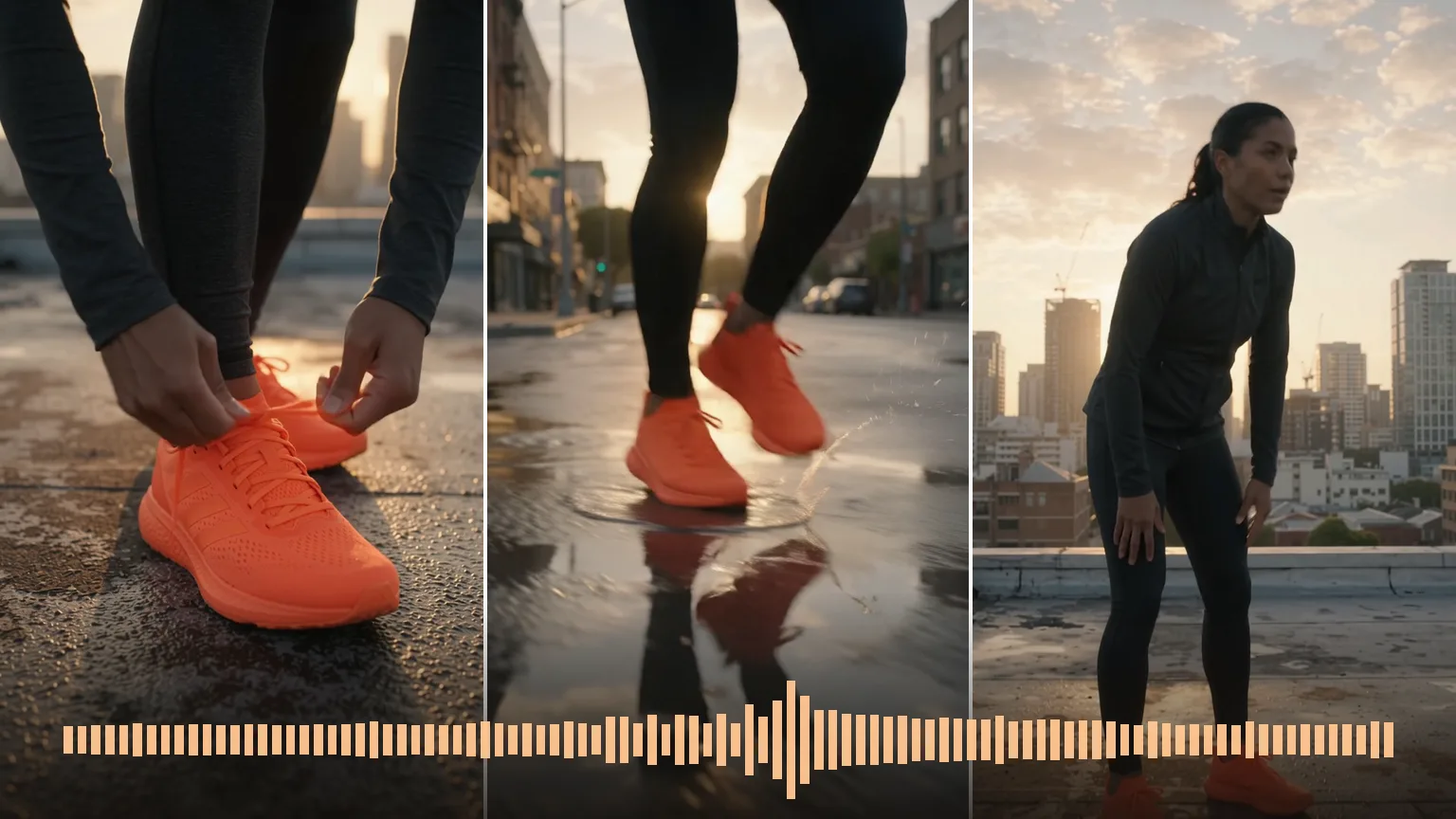
Three shots of a runner in bright orange shoes on a rooftop at sunrise, lacing up, splashing through a puddle and catching her breath, above the clip's sound waveform.

Sound comes with every clip

Sound effects, ambience and speech are generated together with the picture, so there is no separate audio pass and no switch to remember. Describe what should be heard in the prompt to steer the mix.

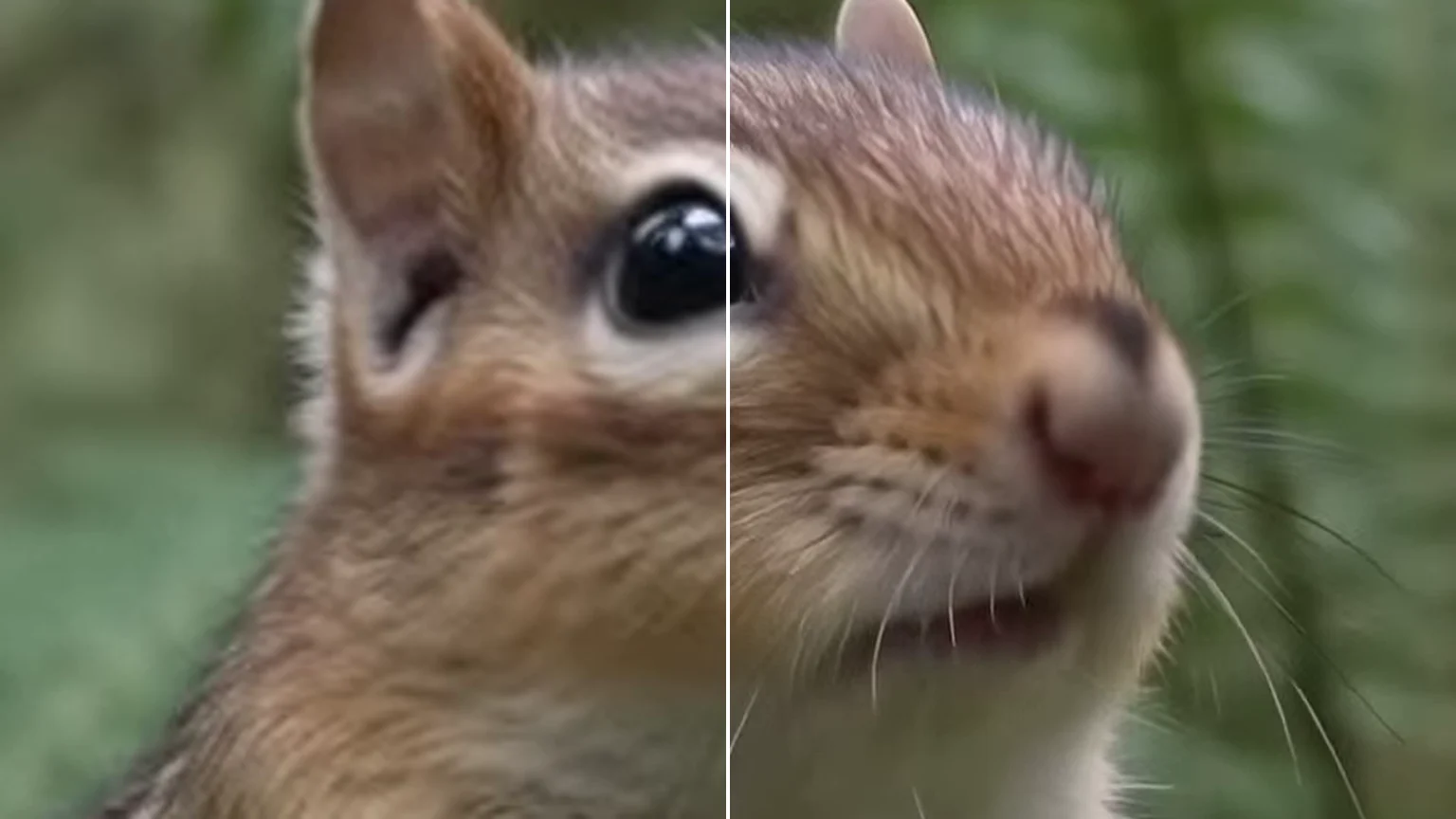
Close-up of a chipmunk split down the middle: the left half is soft at low resolution, the right half shows crisp whiskers and fur at 4K.

Draft small, deliver at 4K

Test framing, timing and lines at 360p, then render the version you like at a higher tier, up to 4K; the top tiers are upscaled from the model's render. Each render is a new generation, so details can change between draft and final.

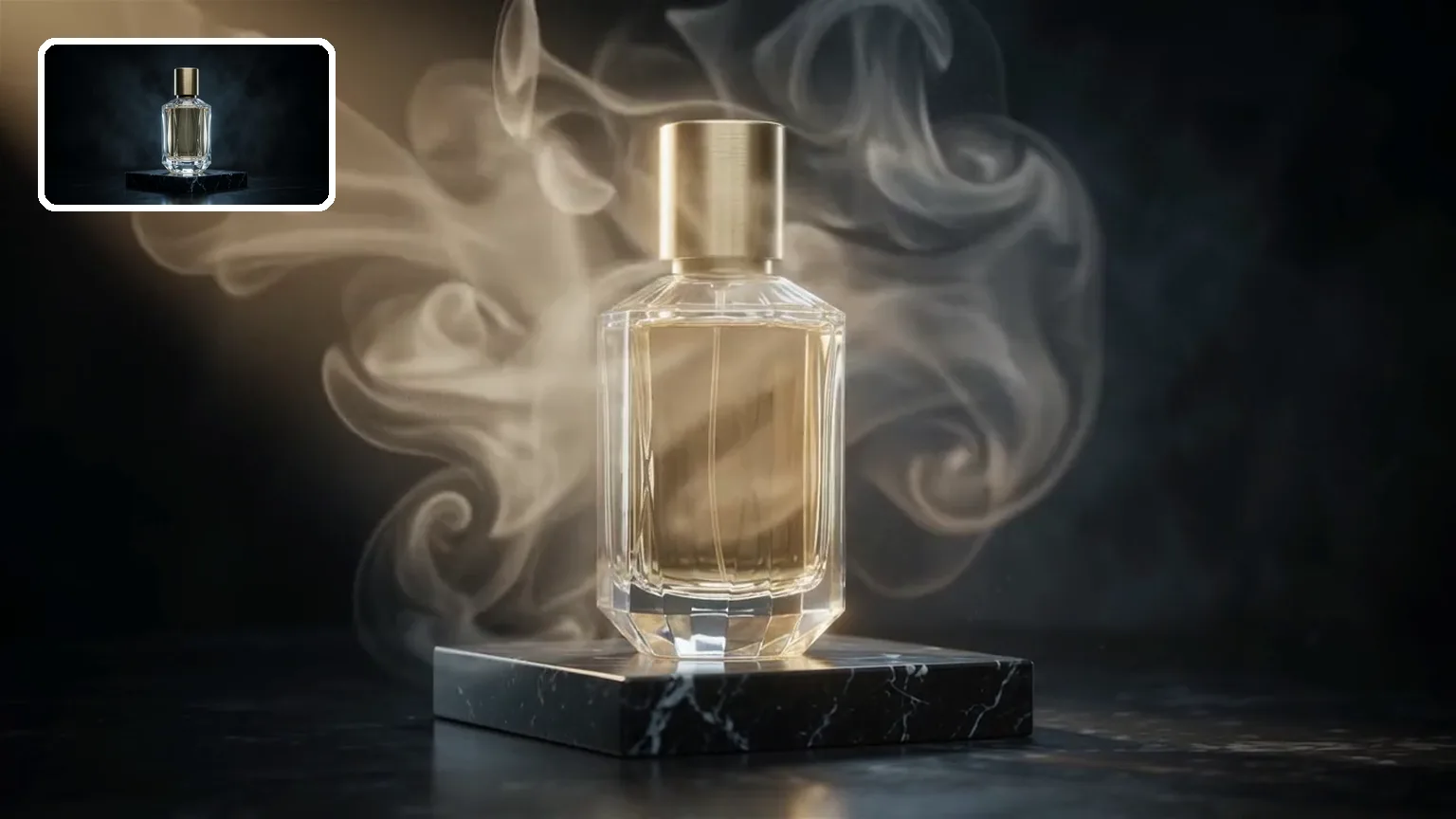
A glass perfume bottle on a black marble block as warm light and smoke drift past, with a small card in the corner showing the still photo it started from.

Bring one photo to life

Upload one image as the opening frame and describe what moves. The video starts on your shot, which suits product reveals, portraits and stills that need motion.

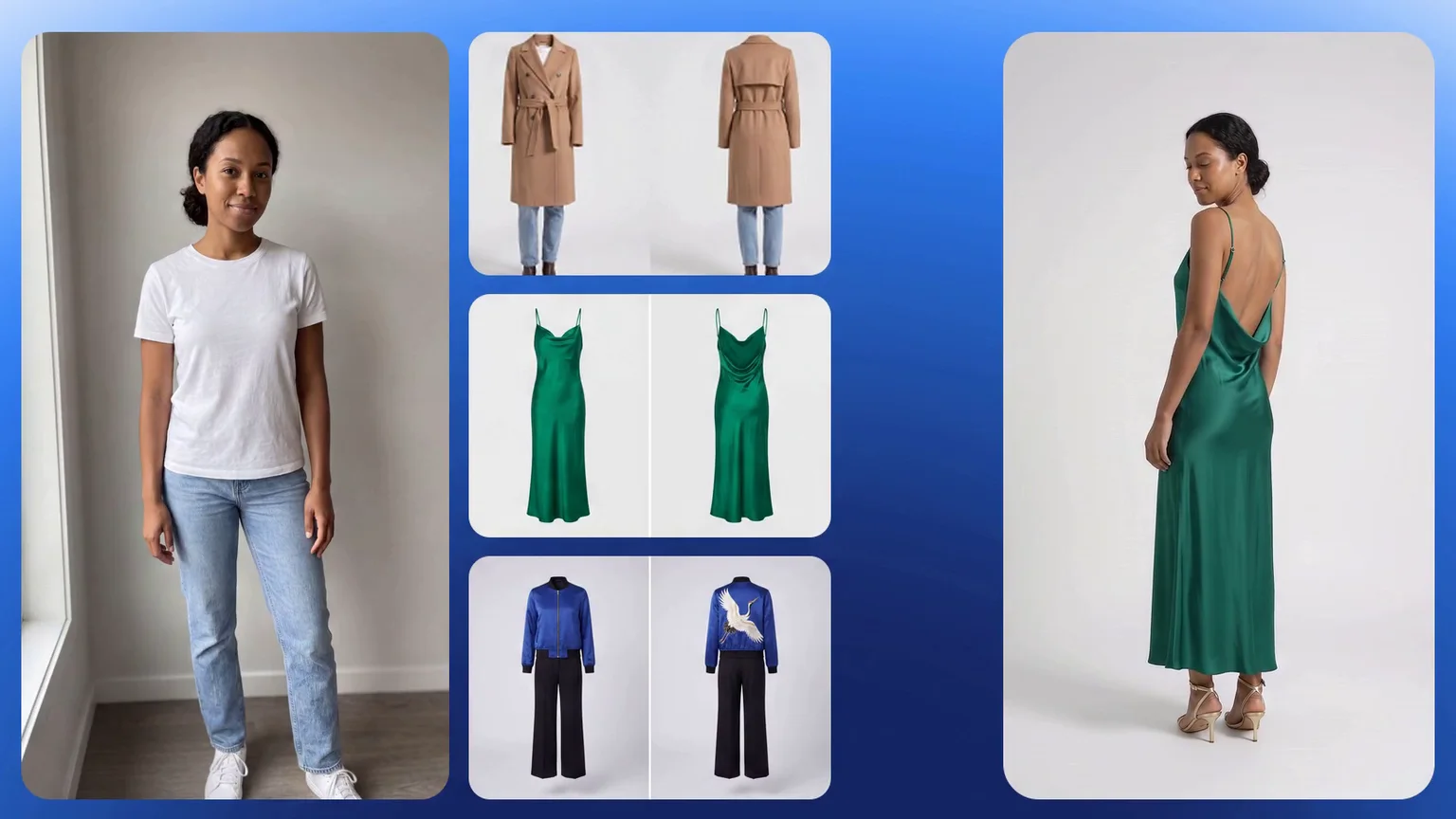
Reference images of a woman in a white T-shirt and jeans and front-and-back shots of a camel coat, a green slip dress and a blue jacket with black trousers, beside a frame of her in the green dress seen from behind.

Reference photos plus short clips

Give it character, product or style photos and a few seconds of footage for motion or camera, then say in the prompt which file plays which part. Faces, outfits and products stay recognizable across angles and cuts, which is what virtual try-ons and catalog clips need.

Gemini Omni 1.2 Flash vs Veo 3.1, Seedance 2.5 and Kling 4.0

All four run in the same Workbench on Oeneo AI, so you can switch models without leaving the page. Credits are for a 8-second 720p clip with sound, a length all four offer.

SpecificationGemini Omni 1.2 FlashVeo 3.1Seedance 2.5Kling 4.0
DeveloperGoogleGoogleByteDanceKling
Length3–15 s4, 6, 8 s4–30 s3–30 s
Resolution360p–4K720p–4K480p–1080p720p–1080p
Aspect ratios16:9, 9:1616:9, 9:1621:9, 16:9, 4:3, 1:1, 3:4, 9:1616:9, 9:16, 1:1, 21:9
SoundAlways onOn or offOn or offAlways on
Last frameNoNoYesYes
Reference inputs6 images, 3 clipsNo30 images, 10 clips, 10 audio10 images, 5 clips
Edit a video you haveNoNoNoYes
Credits, 8 s at 720p132 credits640 creditsVeo 3.1 Fast: 240757 credits252 credits
Best forLow-cost clips up to 15 sShort shots with a negative promptLong clips with many referencesEditing a clip you already have

How do you write a Gemini Omni prompt?

Copy a prompt, paste it into the Workbench above under the matching task, then swap in your own subject and setting. Gemini Omni follows plain descriptions; what makes the difference is naming the camera move, the sound and any spoken line.

Text to Video

Prompt length 450

A single continuous 15-second shot on a rainy neon street at night. 0–5 s: close-up of a street musician tuning a red electric guitar under a shop awning, raindrops bouncing off his amp. 5–10 s: the camera slowly pulls back to reveal a small crowd gathering under umbrellas. 10–15 s: he strikes the first chord, the crowd cheers, and the camera rises above the umbrellas. Sound: rain, the guitar, the crowd. No music bed, no on-screen text, no logos.

Do

  • Name the camera move

    Push in, pull back, orbit, rise: one clear verb per shot keeps the take steady.

  • Spell out the sound

    List the effects, the ambience and who speaks; anything you leave out is the model's guess.

  • Say what must stay blank

    Write no logos, no text and no brand marks when a product or outfit has to stay plain.

Avoid

  • Counting on an end frame

    On Oeneo AI, 1.2 starts from one image. Describe the final shot in the prompt, or switch to Gemini Omni 1.1 Flash when the clip has to end on a picture you supply.

  • 15 seconds from references

    Reference to video stops at 10 s. For a longer take, start from text or a single photo.

  • Lines without a speaker

    When two people talk, a quote with no name in front of it can come out of the wrong mouth.

Close off the details you don't want

Left open

A runner laces up bright orange sneakers on a rooftop at sunrise, then sprints toward the camera.

Closed off

A runner laces up plain bright orange running shoes with no logos, no stripes and no brand marks on a rooftop at sunrise, then sprints toward the camera.

Details you leave open get filled in, sometimes with stripes or marks that look like a real brand's. Naming what has to stay plain keeps product and clothing shots clean.

What are Gemini Omni Flash's prices and limits?

Values for Gemini Omni 1.2 Flash. The length, reference limits and prices of Gemini Omni 1.1 Flash are in the version table above.

What are Gemini Omni Flash's prices and limits?
Ways to start
Text to video, image to video from a first frame, reference to video
Length
3–15 s in one-second steps; reference to video up to 10 s
Resolution
360p, 720p, 1080p, 4K; the top two tiers are upscaled
Aspect ratios
16:9, 9:16, landscape and vertical
References
Up to 6 images and 3 clips of ≤3 s each
Audio
Always generated with the picture: effects, ambience and speech
Credits, 5-second clip
360p 28 · 720p 82 · 1080p 123 · 4K 246
Credits, 15-second clip
360p 82 · 720p 246 · 1080p 369 · 4K 738
Not available here
A last frame; editing, extending or upscaling a video you upload; multi-turn edits; audio or voice input
Prompt length
Up to 20,000 characters
Failed runs
Credits return automatically if a generation fails.

Extend, upscale or restage an Omni clip

Take a finished clip further: make it longer, sharpen it, move a character with its motion, or try the same idea on other models.

  • AI Video Generator

    Generate a clip from a prompt, a still image, a reference or existing footage.

    Open tool
  • Video Upscaler

    Raise a clip to 1080p or 4K and sharpen detail frame by frame.

    Open tool
  • Video Extender

    Add seconds before or after a shot while its motion and subject carry on.

    Open tool
  • Motion Control

    Give a character image the performance from a reference clip.

    Open tool

Gemini Omni 1.2 Flash FAQ

What is Gemini Omni 1.2 Flash?+

Gemini Omni 1.2 Flash is a video generation model from Google, released on November 5, 2026 as the successor to Gemini Omni 1.1 Flash. It turns a text prompt, a single photo, or a set of reference images and short clips into a video of 3 to 15 seconds, with sound generated alongside the picture. On Oeneo AI it runs in the Workbench at the top of this page.

Is Gemini Omni free?+

No. Each generation costs credits, and the price depends on the resolution and length you pick; the Generate button shows the exact amount before you start. New accounts get 10 credits when they sign up.

How do I use Gemini Omni 1.2 Flash on Oeneo AI?+

Choose text to video, image to video or reference to video in the Workbench above, write your prompt or upload your photo and references, set the length, resolution and aspect ratio, then click Generate. You don't need an API key or a Google account, and finished clips are saved to your creations.

Can Gemini Omni edit or extend a video I already have?+

Not on Oeneo AI: here Gemini Omni only makes new clips, and multi-turn editing isn't offered. To change an existing clip, switch the Workbench to video to video and pick a model that edits, such as Kling 4.0. To make a clip longer or sharper, use the Video Extender or the Video Upscaler.

Can I upload my own audio or voice?+

No. Gemini Omni writes the soundtrack itself, so describe the sounds, the kind of voice and the exact lines in your prompt instead.

Does Gemini Omni add a watermark?+

Google embeds an invisible SynthID watermark in every Gemini Omni video so it can be identified as AI-generated. It doesn't change how the video looks, and Oeneo AI doesn't remove it.

Why was my Gemini Omni prompt or image rejected?+

Google's safety filters block some prompts and reference images before a video is made. Reword the description or try a different image, then generate again.

What does Gemini Omni still get wrong?+

Google says fast sports action and complex physics are still being improved, so scenes like a sprint finish or objects colliding may take a few tries. You can also run the same prompt on another model, such as Kling 4.0 or Seedance 2.5, from the same Workbench.

Make a 15-second Gemini Omni video

Describe the scene, add a frame or references if you have them, and get a clip with its own sound.