


Use multiple references for a character scene
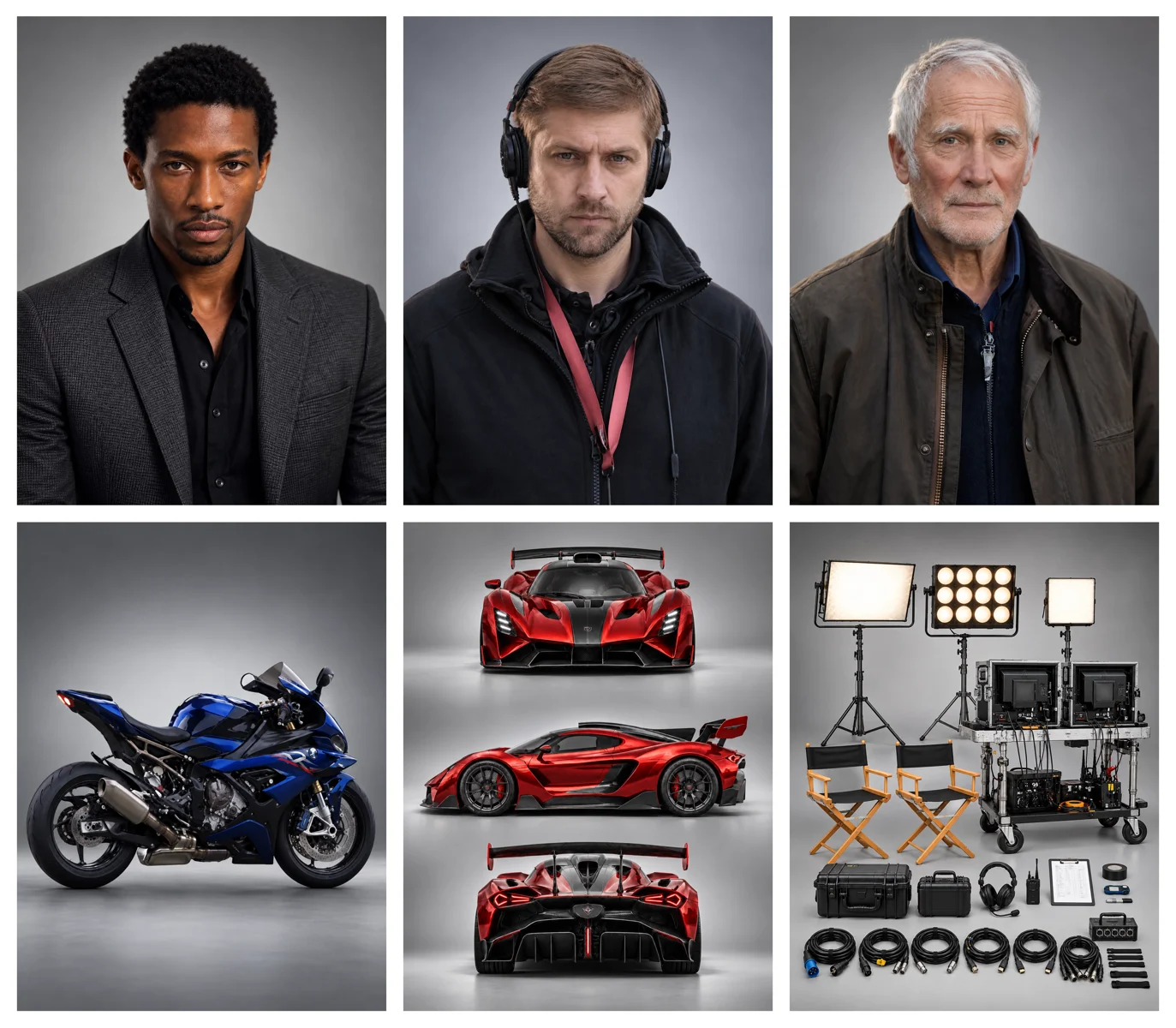
Put a whole cast in one shot. Character portraits decide who appears, vehicle and set references fill in the world around them, and Kling 4.0 builds the scene with every reference in its place.
Now on Oeneo AI
Build scenes from text, an image, image and video references, or a clip you already have. The workbench starts on Kling 4.0 for longer, sharper takes; switch to Kling 4.0 Flash for faster, lower-cost drafts.
Ensemble scenes, product videos, portrait-led long takes and quick Flash character exchanges.
01 / Give every reference a role
Omni Reference gives each input a job: an image fixes a product or a character, a video sets movement, camera direction or pacing. Kling 4.0 and Kling 4.0 Flash both combine them in one generation.
Put a whole cast in one shot. Character portraits decide who appears, vehicle and set references fill in the world around them, and Kling 4.0 builds the scene with every reference in its place.
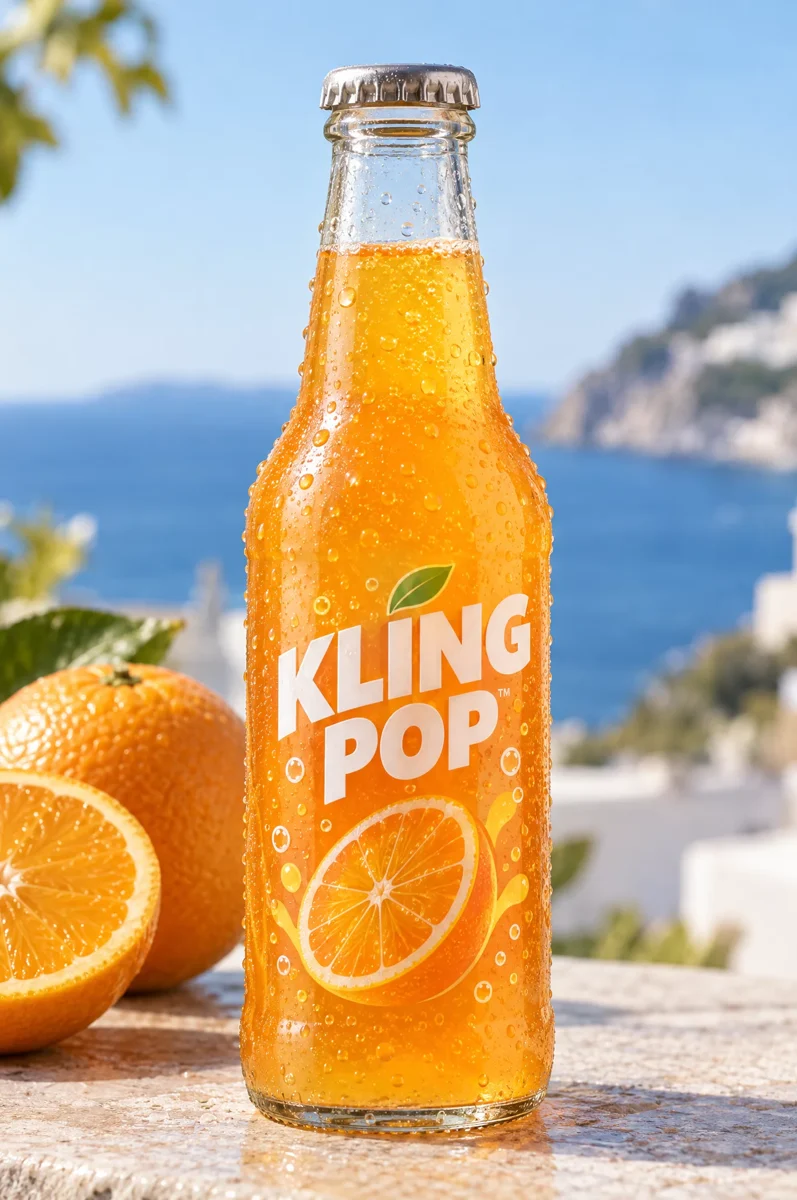
One product photo fixes the bottle, the label and the colors; a reference clip sets the movement and pacing. Kling 4.0 stages the product in a new scene with that motion, ready for ads and social posts.
Same family, same Omni Reference and built-in sound. Kling 4.0 gives you longer, sharper takes and an end frame; Flash trades those for speed and a lower price. Each row shows what the workbench on this page offers.
| Specification | Kling 4.0 | Kling 4.0 Flash |
|---|---|---|
| Released | October 15, 2026 | Early access Sep 28 · open Nov 4 |
| Best for | Final takes and longer scenes | Fast drafts, tests and batches |
| On Oeneo AI | Text, first + last frame, references, edit | Text, first frame, references, edit |
| Video length | 3–30 seconds | 3–20 seconds |
| Resolution | 720p / 1080p | 720p |
| Reference videos | Up to 30 s in total | Up to 20 s in total |
| 5 s video, 720p | 157 credits235 credits at 1080p | 94 credits |
| Edit a 10 s clip, 720p | 376 credits | 252 credits |
| Try it | Open Kling 4.0 | Open Kling 4.0 Flash |
Flash is the quick, lower-cost member of the Kling 4.0 family, made for frequent creation. It keeps text, image, reference and video-edit modes with sound, and trades the full model's higher resolution, longer clips, end frames and multi-keyframes for speed and price.
Test a camera move, a location or a mood on Flash and compare a few versions for less. When one works, render it again on Kling 4.0 as a sharper or longer take.
Try Kling 4.0 FlashFlash starts from a single first-frame image: the photo opens the video and your prompt sets the camera. Run it once per product shot and a catalog becomes a set of short clips, such as a slow orbit around each item.
Flash also edits video: upload a clip, add reference images and describe what should change. A rough grey blockout animation, for example, can become a gravel rally stage, and the result keeps the clip's length and aspect ratio.
02 / Shape the moments between
The full Kling 4.0 model takes up to 10 keyframe images and generates 3–30 seconds at a time. First and last frames set the endpoints; the keyframes between them describe the changes, such as an entrance, a reveal or a scene transition.
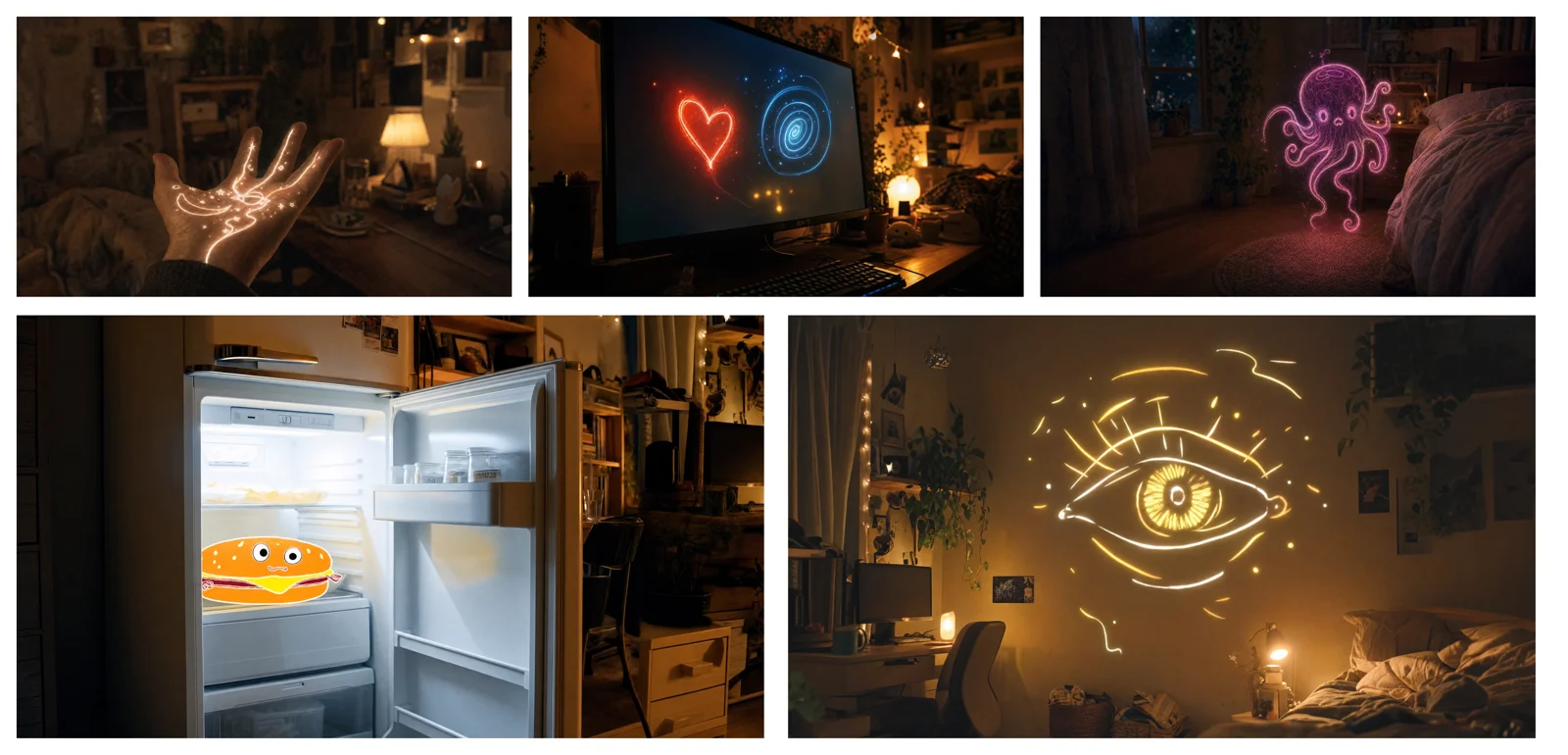
The workbench on Oeneo AI doesn't support multi-keyframe input.
Give the model a clear visual starting point: the subject, the room and the mood.
Use key images to communicate the changes that matter, rather than describing every detail in prose.
Review how motion and camera direction connect the moments. Exact timing and continuity still need a creative eye.
Both models act out a scene with expressive faces, full-body movement and generated sound. Kling 4.0 holds a character through longer takes; Flash turns quick exchanges around at a lower price.
Kling 4.0 holds a character through longer takes, with more expressive faces and dialogue that lines up more closely with the lips.
Flash can turn one reference still into a sparring exchange with sound, a quick way to block out a fight, a dance or a sports moment before you shoot the longer take.
The workbench on this page starts with Kling 4.0. Pick a model and a mode, add your prompt and inputs, and check the credits before you generate.
Keep Kling 4.0 for final takes, or switch to Kling 4.0 Flash in the model menu for quicker, cheaper drafts. Then start from text, an image, references or a clip to edit.
Name the subject, action and camera movement, then pick a length and, on Kling 4.0, a resolution. The options follow the model you selected.
The credit price shows before you submit and changes with the model, length and resolution. A common pattern: try ideas on Flash, then render the keeper on Kling 4.0.
Both models share these limits on Oeneo AI; where they differ, both values are listed.
Explore the video generator and editing tools on Oeneo AI. Each tool has its own models and limits.
Generate a clip from a prompt, a still image, a reference or existing footage.
Open toolCut the subject out of any clip and export a transparent WebM or a solid colour.
Open toolRelease dates, limits, Flash trade-offs and what you can use on Oeneo AI.
Kling 4.0 launched on October 15, 2026. Kling 4.0 Flash opened to everyone on November 4, 2026, after an early-access period for Kling Ultra annual subscribers that began on September 28, 2026. Both are in the workbench on this page: it starts on Kling 4.0, and you can switch to Flash in the model menu.
Flash is tuned for speed and price rather than the longest or sharpest takes. It keeps Omni Reference, video editing and built-in sound and costs fewer credits, but it renders at a lower resolution, makes shorter clips and takes no end frame. A common workflow is to try ideas on Flash and render the final take on Kling 4.0.
Kling lists up to 10 keyframes for the full Kling 4.0 model; the frames between the first and last one guide the moments in the middle. On Oeneo AI, Kling 4.0 takes a first and last frame and Flash takes a first frame only; multi-keyframe input isn't supported. Ordinary reference images describe looks and content, not timing.
On Oeneo AI, each generation takes up to 10 reference images and 5 reference videos. The videos can add up to 30 seconds on Kling 4.0 and 20 seconds on Flash. Kling lists a larger budget for the full model, including voice references and elements; those aren't supported here.
No. One generation runs up to 30 seconds on Kling 4.0 and 20 seconds on Flash. Kling has announced extending a video several times up to two minutes; that is a chain of generations rather than one, and the workbench here doesn't offer it.
Yes. Kling 4.0 and Flash both return video with sound, and Kling 4.0 is tuned for closer lip sync, with dialogue and on-screen text in Chinese, English, Japanese, Korean, Spanish, Portuguese, German, French and more, including regional accents. Check pronunciation, mouth movement, brand names and on-screen text before you publish.
Not on Oeneo AI. Kling lists 4K for the full model and has announced 10-bit HDR at 1080p and 4K, but the workbench here renders Kling 4.0 at 720p / 1080p and Flash at 720p; 4K and HDR output aren't offered. To enlarge a finished clip, use the Video Upscaler.
Each generation costs credits, and Flash costs fewer than Kling 4.0 for the same length. The price depends on the model, mode, length, resolution and any reference or source video, and the workbench shows the exact credits before you generate.
Kling 4.0 on Oeneo AI
Start from text, images, references or your own clip: draft on Flash, finish on Kling 4.0.