Ideogram 4.6

Change one part of a photo and leave the rest as it was, then keep refining the same image. Ideogram 4.6 is built for precise, repeatable edits, and it also generates new images from text. Oeneo AI runs it at 1K, 2K and 4K.

  • Precise multi-turn edits
  • Exact brand colors
  • Consistent characters

Reference images (Optional)

0/5
0/5000

Model

Aspect ratio

Number of images

Resolution

Quality

Official 4.6 edit prompts

What an Ideogram 4.6 edit prompt looks like

Ideogram's own 4.6 demo changes one thing per turn and asks for the rest to stay the same. The prompts and results below come from the official model page; try the same wording on your own photo in the workbench above.

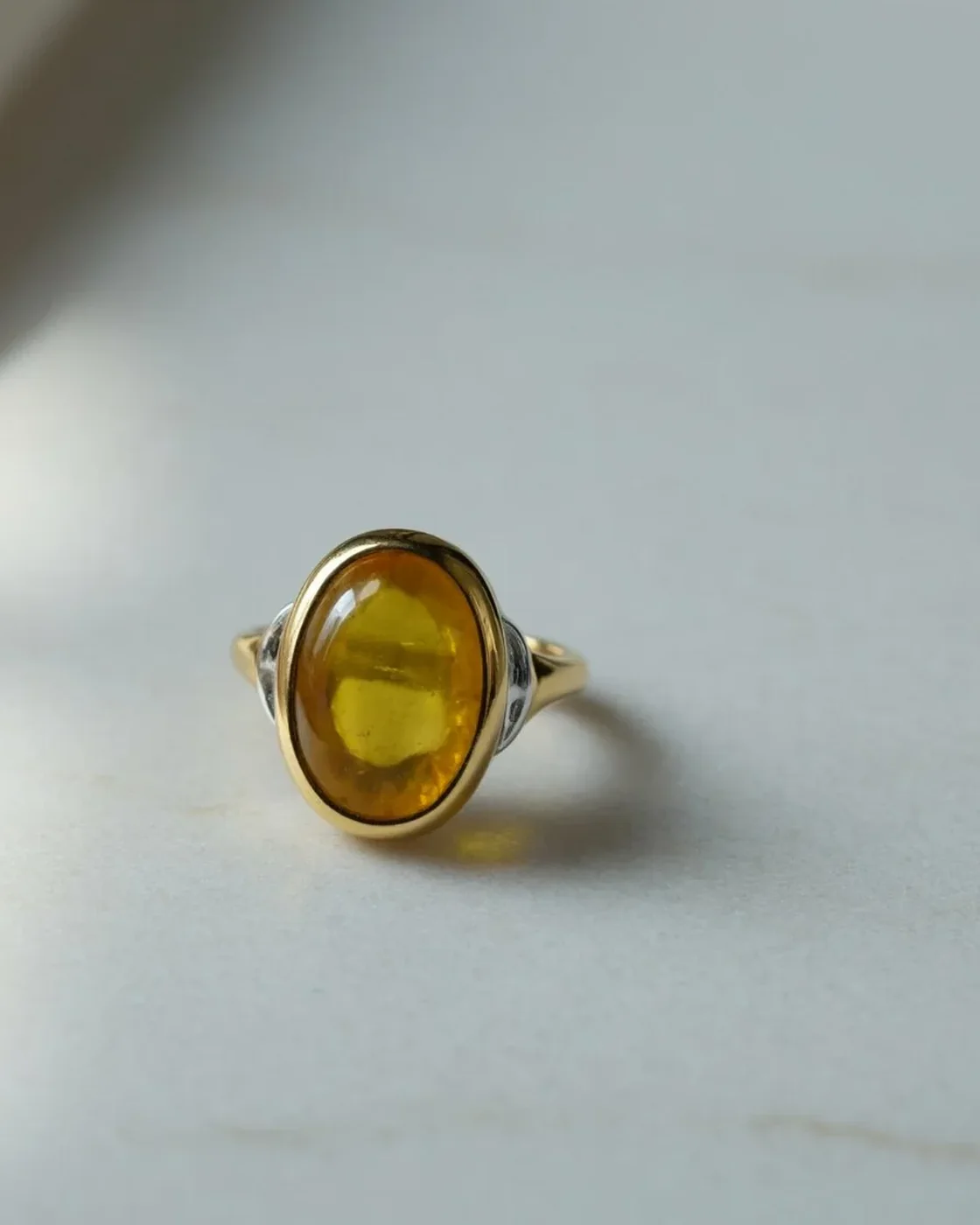
Gold ring with a citrine stone on folded white paper, the setting and shadows unchanged
Gemstone color

Swap a gemstone and keep the ring

Prompt: Change the large stone to a citrine. Keep everything else exactly the same.

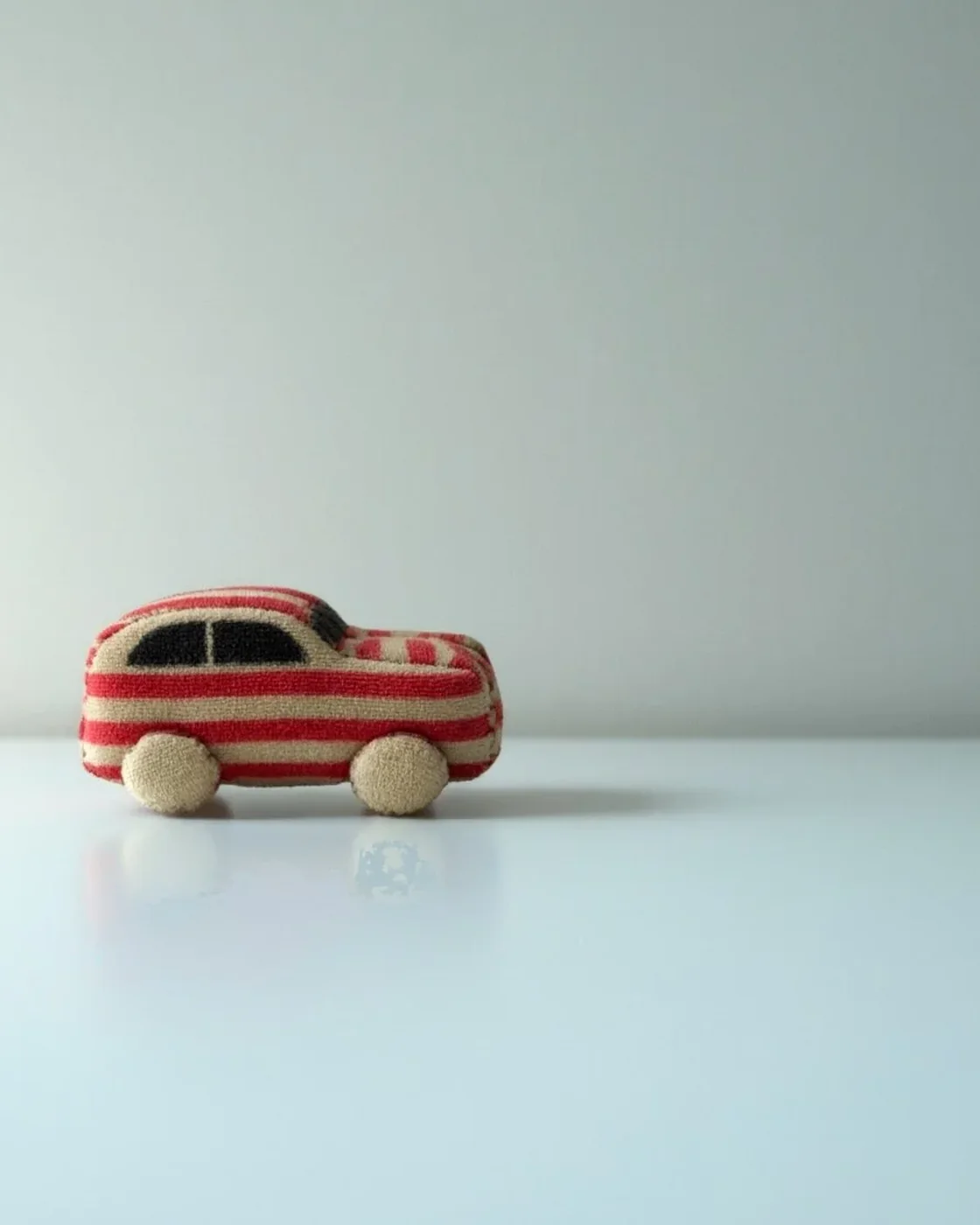
Red toy car rebuilt as a plush toy with cream stripes and stitched wheels
Plush fabric

Turn a toy car into soft fabric

Prompt: Turn the toy car into soft plush fabric.

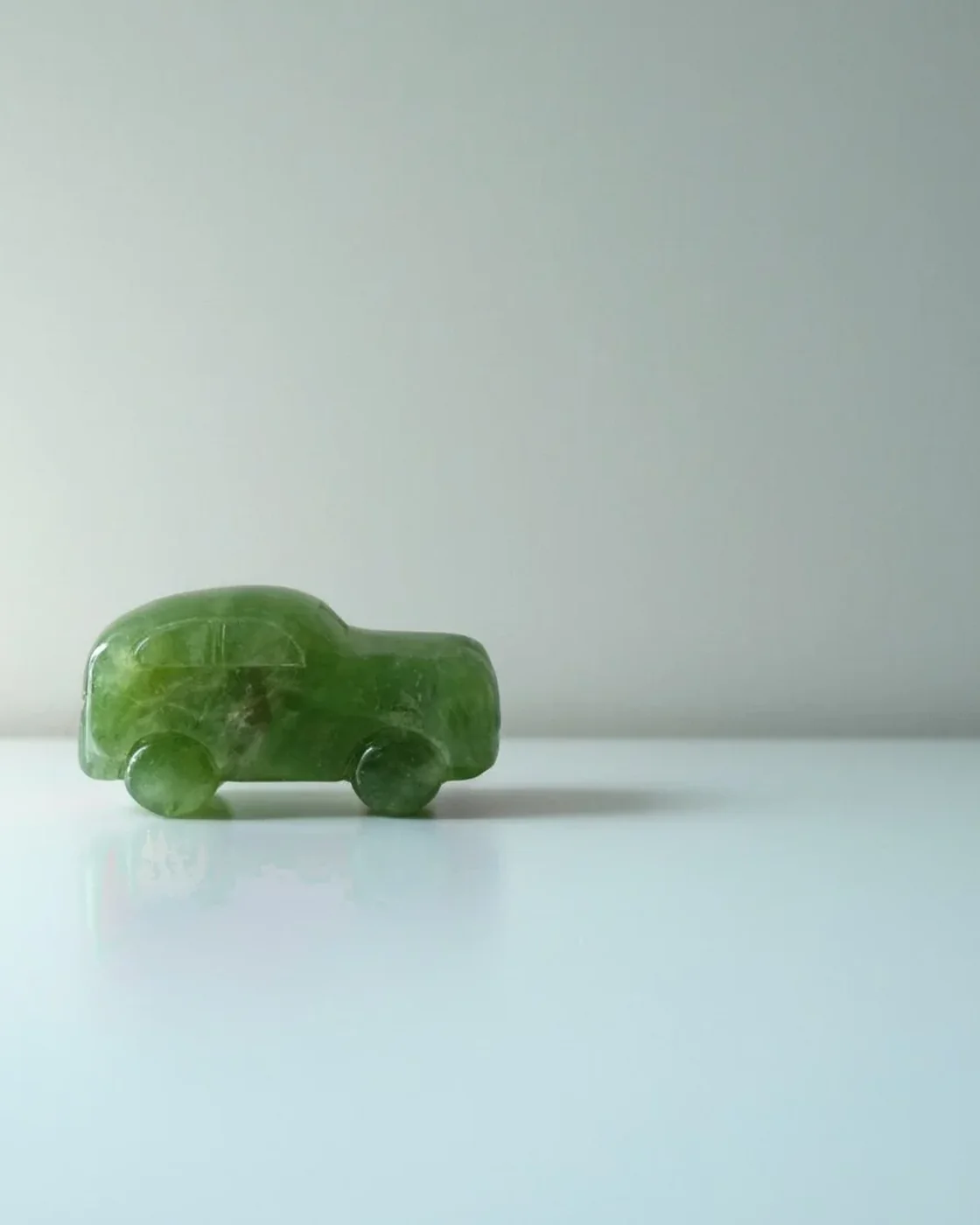
The same toy car shape carved from translucent green jade on a pale studio surface
Carved jade

Make the same toy carved jade

Prompt: Turn the toy car into carved jade.

Source: Ideogram, Ideogram 4.6 model page, November 19, 2026. Other images on this page are official 4.6 examples or 4.6 generations made on Fal.

In practice

From one brand color to a full lookbook

Two edits that keep the source photo intact, and two text-to-image examples that show the texture and product range 4.6 generates.

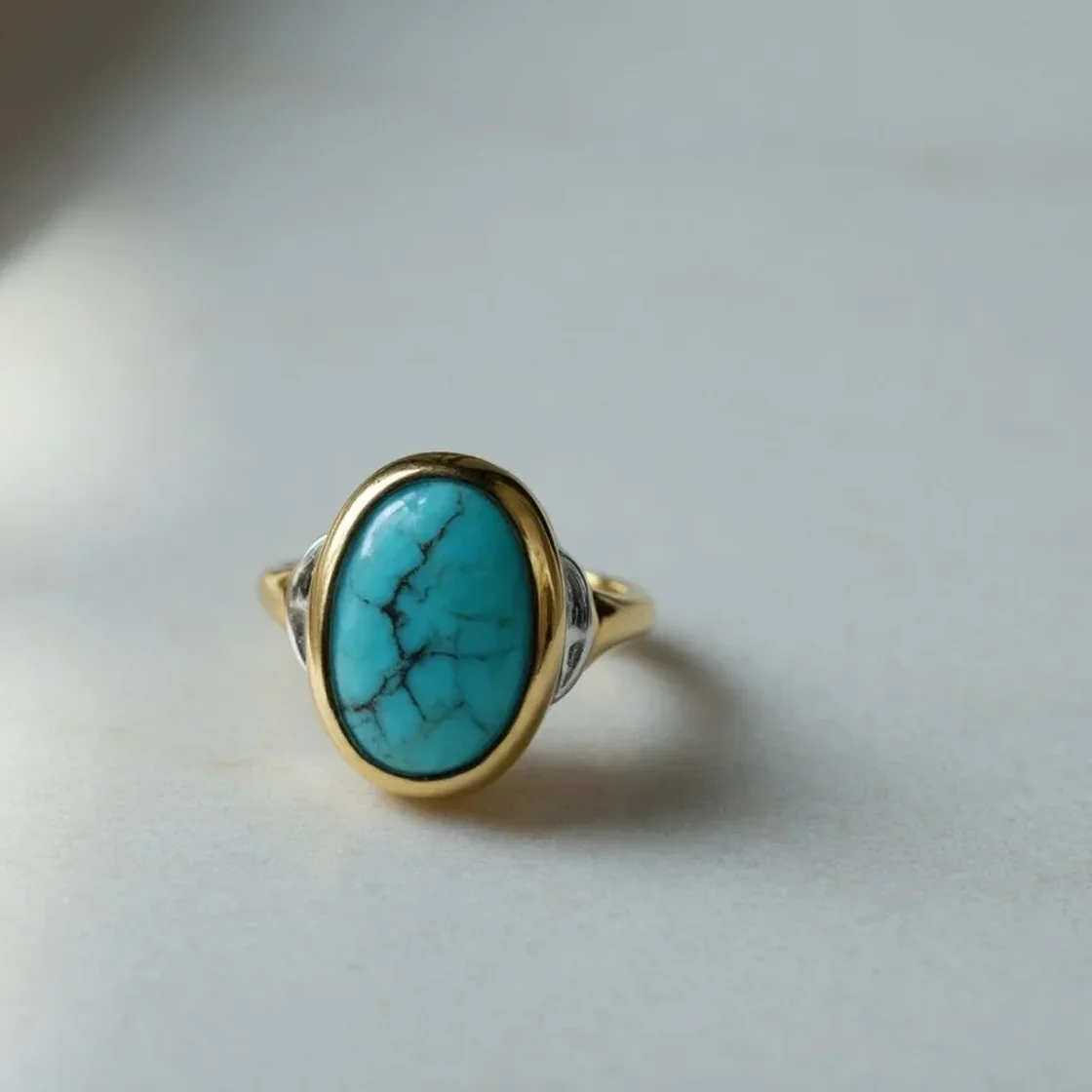
The same ring with the stone changed to turquoise, the setting and shadows untouched
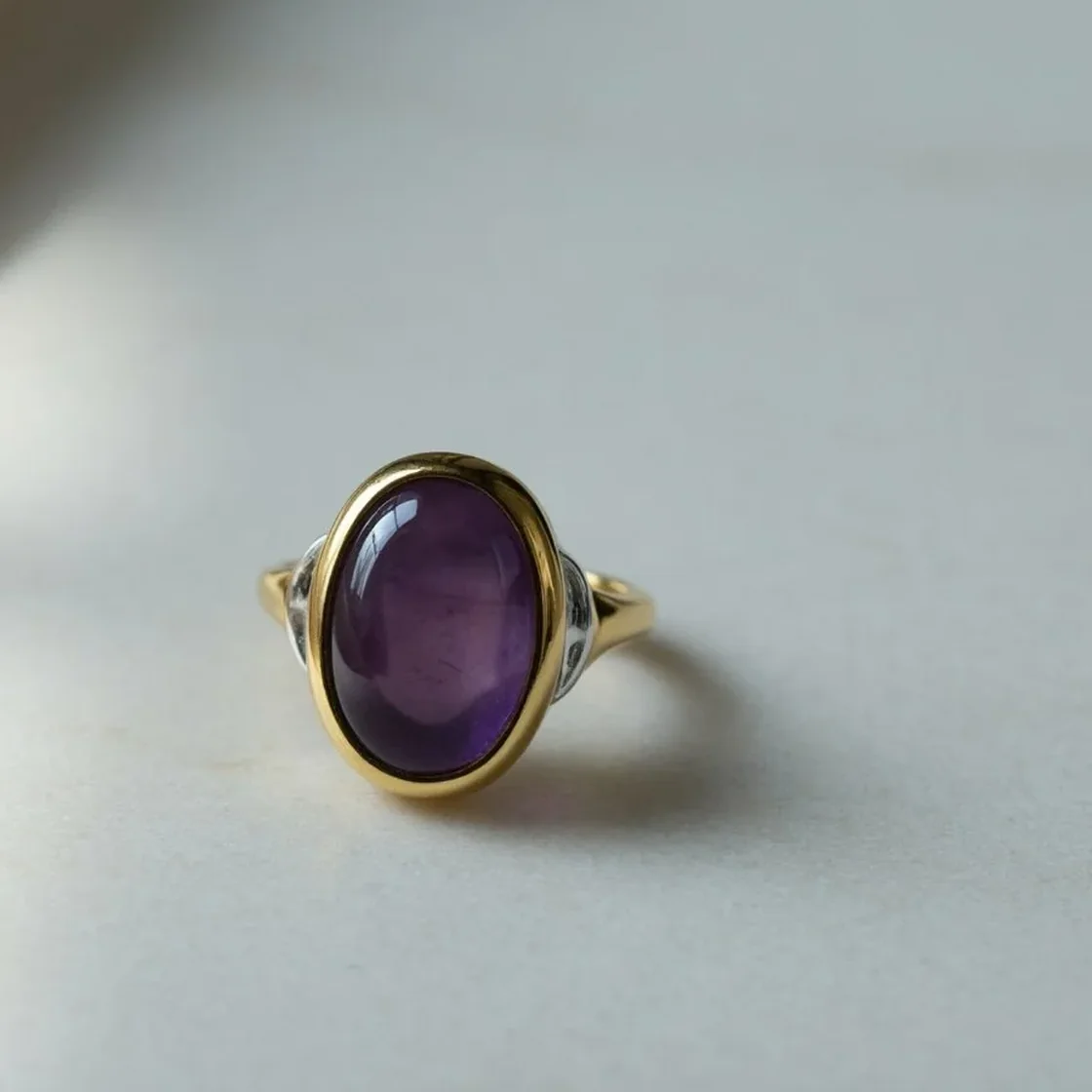
Gold ring with a purple stone on white paper
Original
Turquoise

Brand colors

Match a brand color without repainting the photo

Name the object and the color, then ask for everything else to stay. The stone swaps cleanly while the gold setting, paper and shadows hold, which is what makes 4.6 usable for colorways and campaign revisions. Ideogram reports exact color matching rising from 46% on 4.5 to 83% on 4.6 in its own high-quality tests.
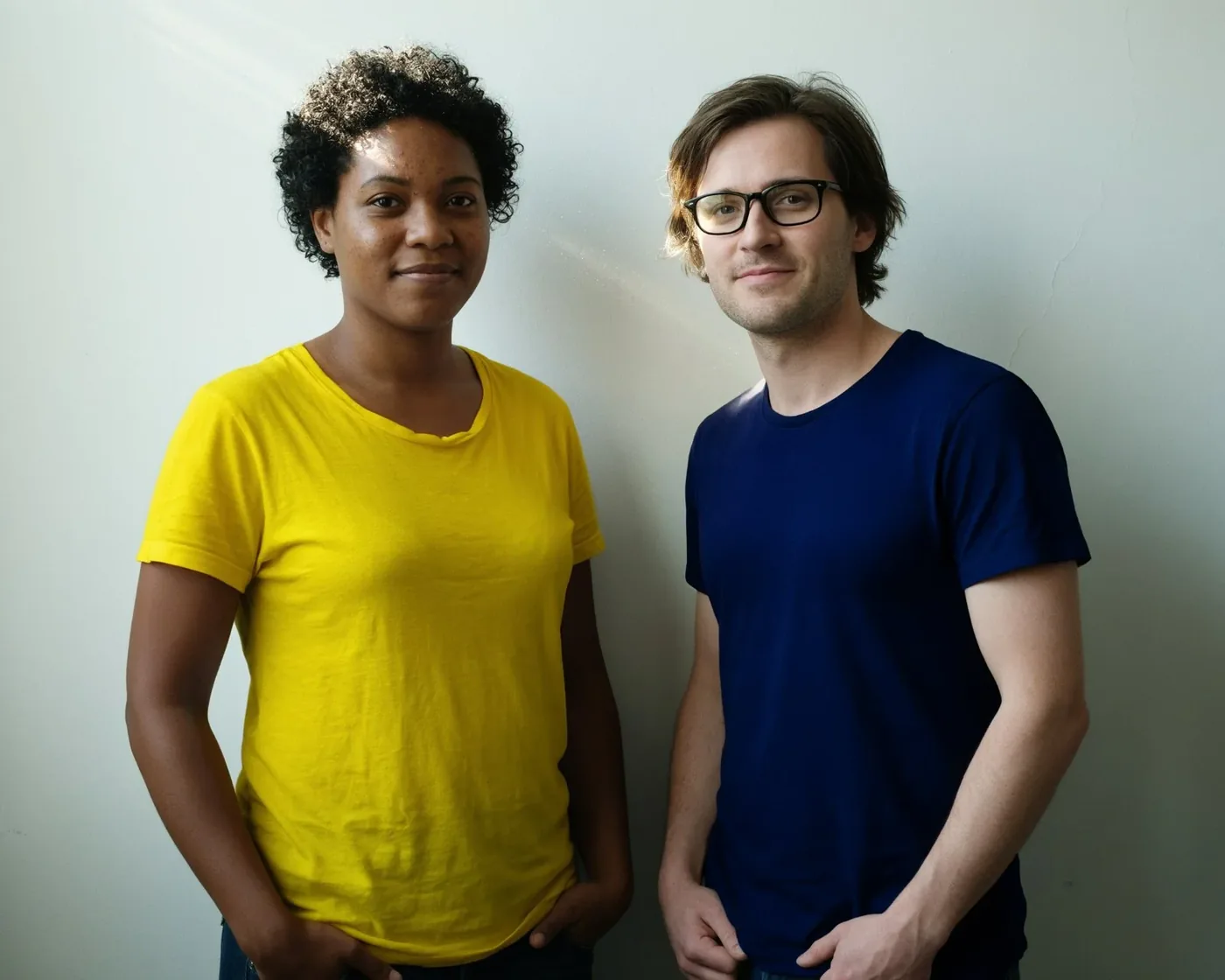
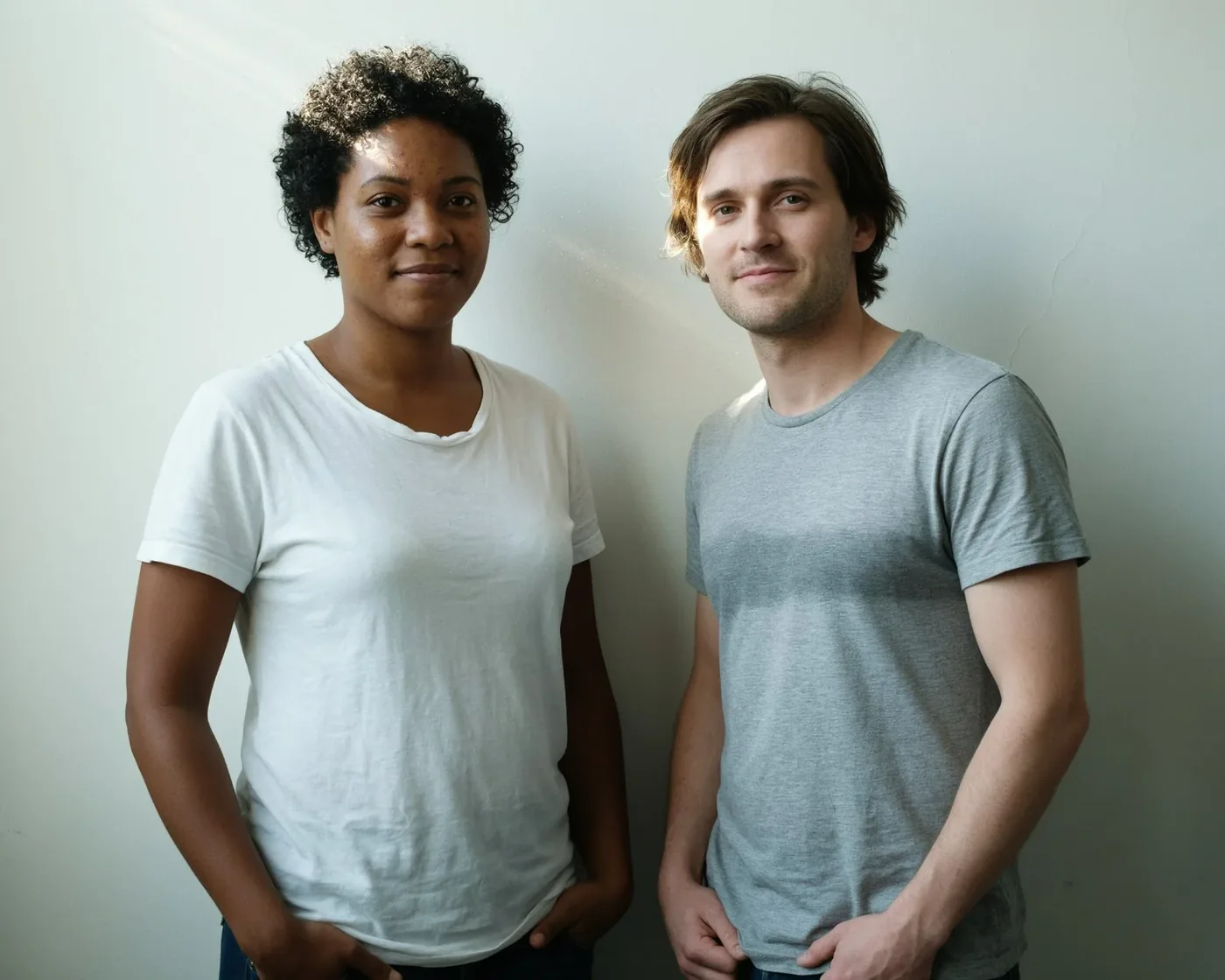
The same two people after recoloring both shirts, adding glasses and hoop earrings
Two people standing against a grey wall in white and grey t-shirts
Original
After three edits

People and characters

Change one person's details and keep both faces

Add glasses to one person, restyle a jacket, or adjust an expression without regenerating the pair. Ideogram's own tests put character consistency at 85% for 4.6 against 69% for 4.5, measured at high quality. Check faces and hands after every round anyway.

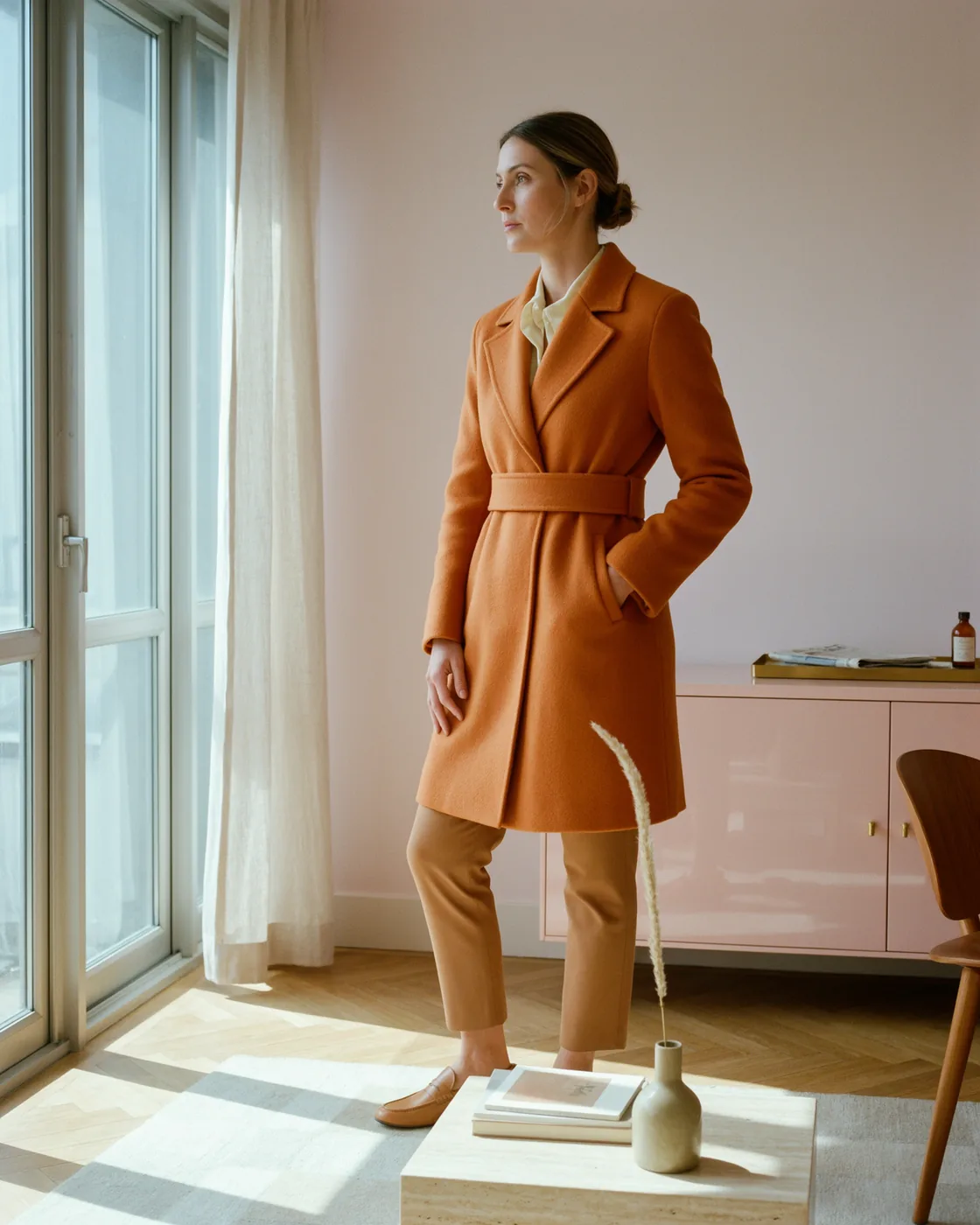
Woman in a saffron coat standing in a pale pink modern interior beside tall windows

Text to image

Generate the shot you cannot schedule

Leave the uploads empty to start from a prompt instead. 4.6 keeps skin, hair and fabric texture instead of smoothing them into an airbrushed look, so a lookbook frame can be planned before the shoot. Example prompt: “A fictional adult woman in a structured saffron coat inside a pale pink modernist interior, soft window light, relaxed pose, refined fashion editorial.”

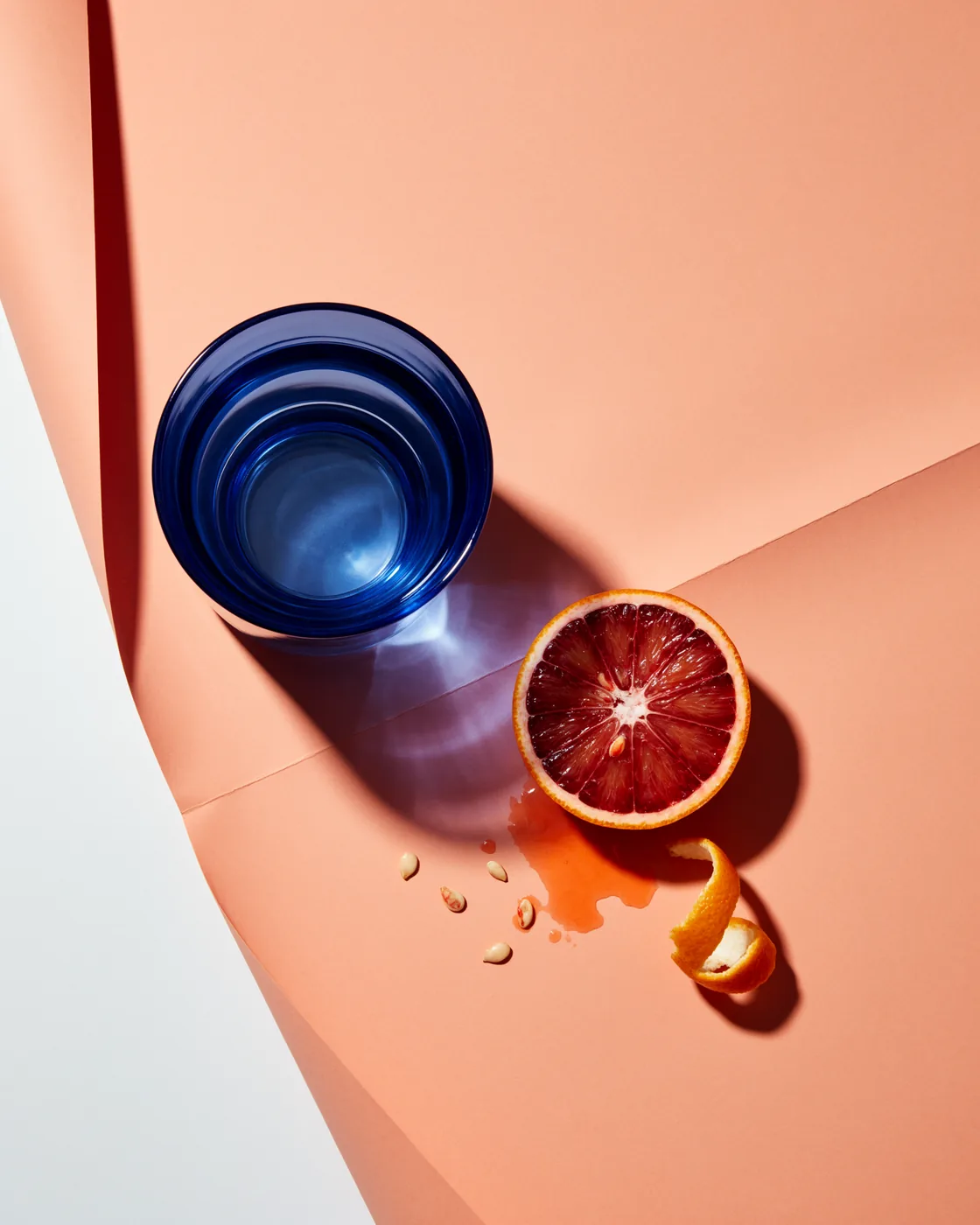
Blue glass tumbler and a halved blood orange on folded peach paper with hard directional shadows

Products and still life

Stage a product idea before the studio shoot

Describe the objects, the surface and the light. Text-heavy posters, packaging and signs are Ideogram's long-standing strength, and 4.6 adds cleaner reflections and grain. Example prompt: “Translucent cobalt glass and a cut blood orange balanced on folded peach paper, close-cropped from above. Hard directional light, luminous refractions and burgundy shadows; experimental editorial still life.”

How do you write an Ideogram 4.6 edit prompt?

Upload the source first, name the single thing to change, and say what must stay. Leave the uploads empty to generate a new image from text.

Make each turn reviewable

  1. Name one change and its object

    Try: “Change the large stone to a citrine. Keep everything else exactly the same.” One object and one change is easier to check than a paragraph of style notes.

  2. Quote the words and their place

    For a label or a sign, put the exact new wording in quotes and say where it sits. Ask for the surrounding layout to stay, then proofread spelling and typeface in the result.

  3. Give each reference a job

    The first upload is the image being edited. Every extra image supplies a material, a product detail, or a look, and it is not edited itself.

Keep the revision manageable

  1. Do not bundle five changes into one prompt

    One instruction changes one thing well; a prompt that moves the light, the background and three objects at once gives you nothing to compare. Change one thing, look, then continue.

  2. Do not expect a whole-scene restyle to stay local

    Changing the time of day or the lighting moves most of the frame. Save scene-level changes for the last turn and keep the detail edits for earlier rounds.

  3. Do not overwrite an approved version

    Keep every file you approve. If a later turn drifts, go back to the last good image instead of piling more corrections on top of it.

Start at low or medium quality to test the instruction, then use high for the final pass. The credit quote updates before every run.

How Ideogram 4.6 compares with 4.5 and other image models

Pick by task instead of a generic winner. This table describes each model's current role in the Oeneo AI image workbench; results still depend on the source image and the prompt.

ModelBest fitText to imageImage editingMulti-turn work
Ideogram 4.6Precise edits that keep the rest intactRealistic portraits, products and postersInstruction edits at a chosen 1K–4K sizeBuilt for long edit chains with less drift
Ideogram 4.5Workflows already tuned on 4.5Posters, labels and readable textEdit at a chosen output sizeFocused revisions, one change per round
GPT Image 2.6General generation and instruction editsScenes, products and art directionEdit with reference imagesReview each round, keep approved constraints
Nano Banana ProFast concepts and reference-driven changesConcepts, scenes and variantsReference-guided editsExplore directions with new references

Ideogram 4.6 image editing and generation settings

Text-to-image generation uses a selected 1K, 2K or 4K size, with 4K up to 4096×4096 pixels. Editing starts from one source image and renders at the size you pick.

Ideogram 4.6 image editing and generation settings
What you can do
Generate from text, or edit an uploaded image with a written instruction.
Image inputs
One source image, followed by up to 4 reference images.
Text-to-image sizes
1K / 2K / 4K; aspect ratios: 1:1, 4:3, 3:4, 16:9, 9:16.
Edit output size
Edits render at the selected 1K / 2K / 4K size on a 32px grid, using the source image's ratio when Auto is chosen.
Quality choices
low / medium / high
Images per request
1–4 images, with credits charged per requested output.
Credits
1K or 2K: 6 / 12 / 44 credits per image at low / medium / high, whether you generate or edit. Reference images add nothing.
4K credits
12 / 40 / 120 credits per image at low / medium / high. Anything above 2048×2048 pixels bills at the 4K rate.

How precise is Ideogram 4.6, and what does it cost?

What is Ideogram 4.6?+

Ideogram 4.6 is Ideogram's image model released on November 19, 2026, presented as the next step in precise editing. It edits an image from a written instruction, keeps the areas it judges unchanged, and also generates new images from text. On Oeneo AI it runs at 1K and 2K with low, medium and high quality.

Is Ideogram 4.6 better than Ideogram 4.5?+

In Ideogram's own high-quality tests, 4.6 returned more usable results than 4.5: character consistency 85% versus 69%, exact brand color 83% versus 46%, product details 86% versus 61%. On Rapidata's multi-step editing leaderboard it scores 1,892 against 1,866 for 4.5, a 26-point gap that overlaps the published error margins. These are vendor and benchmark figures, not Oeneo AI results, so compare both on your own photos.

Will it leave the rest of my image unchanged?+

Uploaded images are edited from your written instruction and render at the size you choose. Broad changes such as relighting or a new background still move most of the frame, so compare the result with the source before you download it.

Can I generate and edit in 4K here?+

Yes. Both generation and editing run at 4K in this workbench, up to 4096×4096 pixels on a 32px grid, and the generate button shows the exact quote before each run. A 4K image costs 12 credits at low quality, 40 at medium and 120 at high, whether you generate or edit; anything above 2048×2048 pixels bills at that rate.

Can I draw a mask or ask for 4K output here?+

Masks are not available here: there is no mask canvas. Seed control, very low quality and transparent backgrounds are also unexposed; generation and editing run at 1K, 2K or 4K.

How many images can I upload, and which one gets edited?+

Upload the source image first, then up to 4 references—5 images in total. Only the first image is edited; the rest guide a material, a product detail or a look. To keep editing a result, download it and upload it as the next source.

Can I replace or translate text inside an image?+

Yes. Ask for a headline, label or sign to change, quote the exact new wording and say what layout must stay. Ideogram lists text and layouts as a supported edit task. Proofread the result: spelling, small lettering and matching an original typeface are not guaranteed.

Can I generate an image without uploading a photo?+

Yes. Leave the uploads empty, write a prompt and choose a size, quality and output count. 4.6 is built for realistic faces, textures and product shots, and it still handles posters and text-led layouts. Adding an image switches the request to editing, with the first upload as the source.

Why use Ideogram 4.6 for multi-turn editing?+

Ideogram designed it for chains of small changes: recolor, then add a detail, then adjust the scene, checking each result before the next request. Its 4.6 page reports fewer unintended changes outside the edited area than 4.5. Long chains still drift, so keep the files you approve and restart from them when needed.

How much does Ideogram 4.6 cost, and can I try it free?+

At 1K or 2K one image costs 6 credits at low quality, 12 at medium and 44 at high, whether you generate or edit. At 4K the same tiers cost 12 / 40 / 120. New accounts start with 10 free credits, so a low-quality 1K image fits inside the welcome balance.

Can I use an edited photo or a generated image commercially?+

Ideogram permits commercial use of its outputs under its terms of service, and Oeneo AI does not add restrictions of its own. You are responsible for the rights to your source images, logos and reference material. Check text, branding and recognizable people before publishing.

Edit a photo one step at a time with Ideogram 4.6

Upload a source image and describe the single change you want, or leave the uploads empty to generate a new image with Ideogram 4.6.