


Three friends, one group photo
Use one clear photo of each friend, left to right, and the template re-shoots the railing shot with your three faces.
Caption idea: When the group photo gets a sequel 🌊
Put three photos into the Tidal Wave AI video: friends at a night seafront railing, a giant wave breaks over them, and two of you walk out through the foam as a second wave rolls in.
PNG / JPG / WebP · up to 10 MB · at least 512px on the short side
0/3 photos
Three photos, left to right: the patterned-shirt friend, the yellow-top friend, then the light-blue-top friend. One person per photo, face clear.
Video settings
No prompt needed. Only upload photos of yourself or people who agreed to be featured; celebrity photos and film stills aren't allowed.
The AI Tidal Wave video is a fixed 13-second clip that recasts three friends at a night seafront railing: a giant wave breaks over the group, the foam clears, and the two on the left and middle rise and walk toward the camera as a second wave rolls in. Your three photos take the friends' places; the railing, the lit tower across the water, both waves and the walk toward the lens stay from the clip.
The clip's Turkish caption, “Su gibi git su gibi gel,” means literally “go like water, come back like water.” It is a farewell wish for a smooth journey and a safe return, said to someone setting off on a trip.
The joke is the mismatch: the caption wishes a calm, water-like journey, while the video delivers that wish as a wall of water that soaks all three friends at the railing — a return that is more literal than anyone asked for.
It is not a tsunami warning, a storm-news clip, a surfing video, a song, a Geometry Dash level or a car wash. Those searches mean different things; this page only covers the AI group-photo wave joke.
@yusuftimya posted the seafront reel on Instagram; it had about 1.9 million likes by November 18.
The first AI template pages for the effect appeared, which is the supply date this draft uses.
Several more tool pages with the same three-friend railing setup were live.
Sources: the original Instagram reel and its like and comment counts read on November 18, 2026; template pages first observed on November 16, 2026.
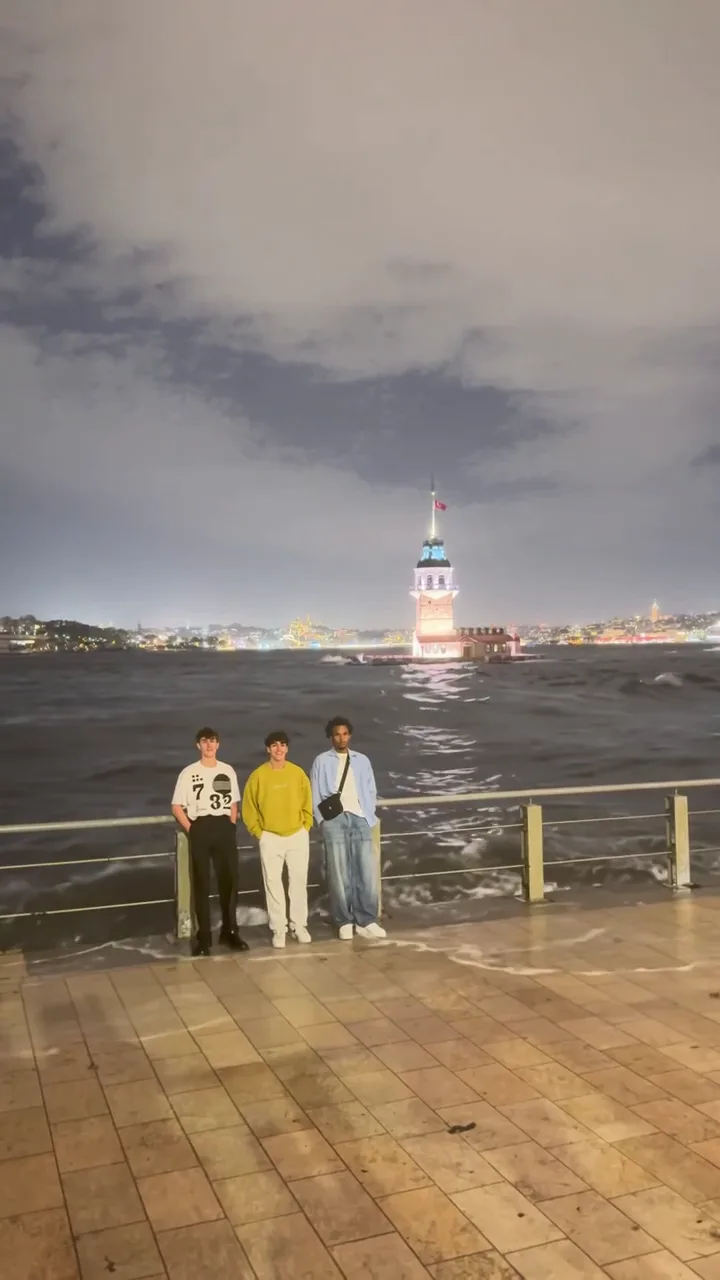
One 13.03-second take: a calm group photo at the railing, one giant wave, then a second wave and the walk out through the foam.
 10:00
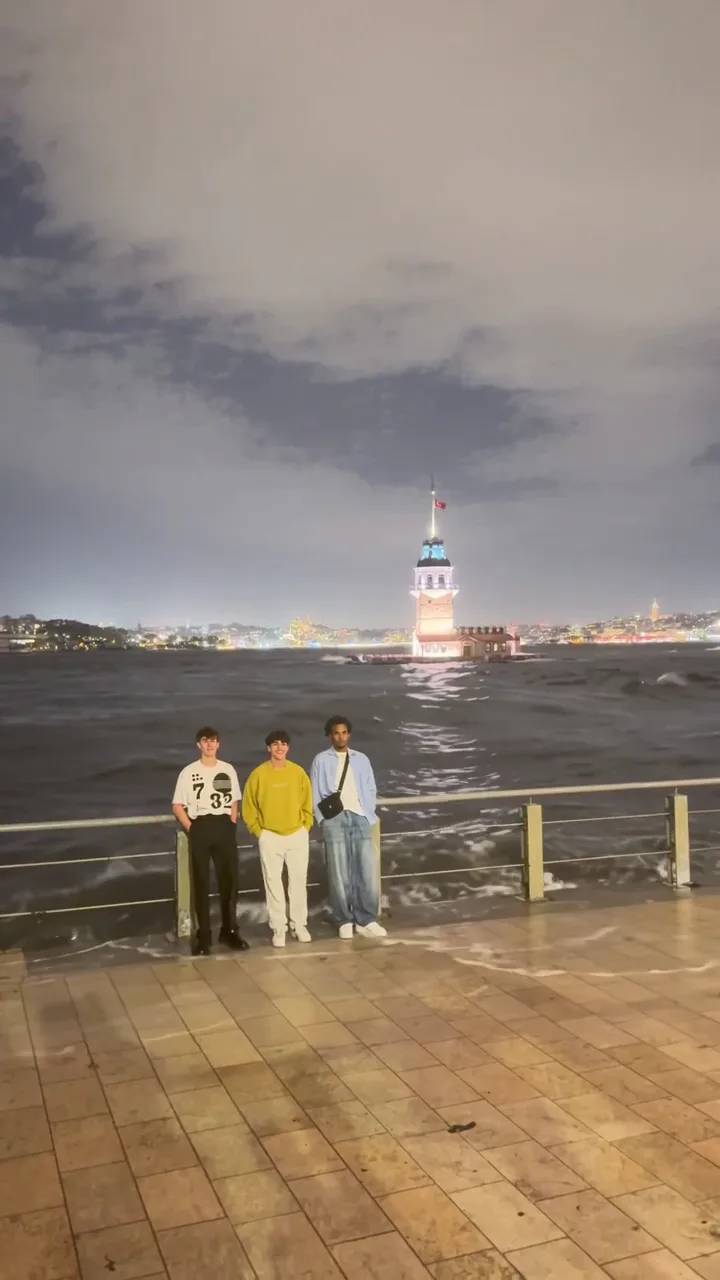
The left friend in the patterned shirt, the middle friend in yellow and the right friend in light blue stand side by side, the lit tower across the water.
 20:02
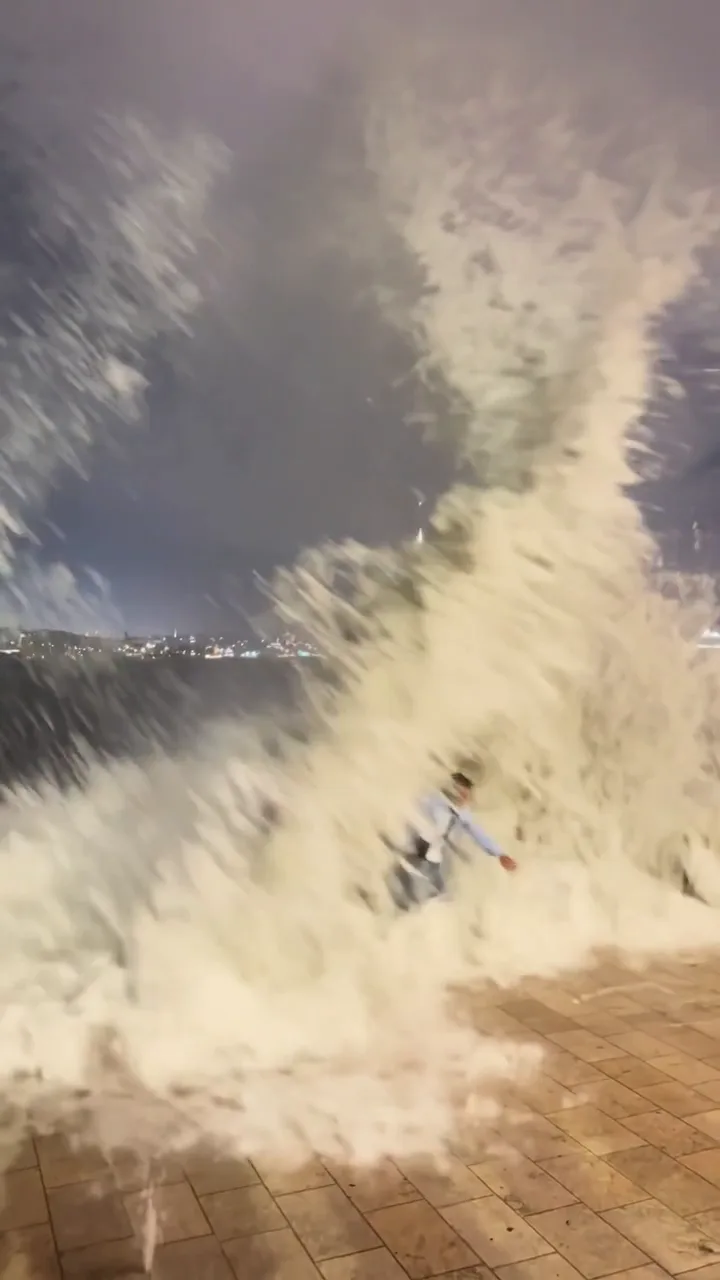
A giant wave rises above their heads, crosses the railing and covers the group in white foam.
 30:04
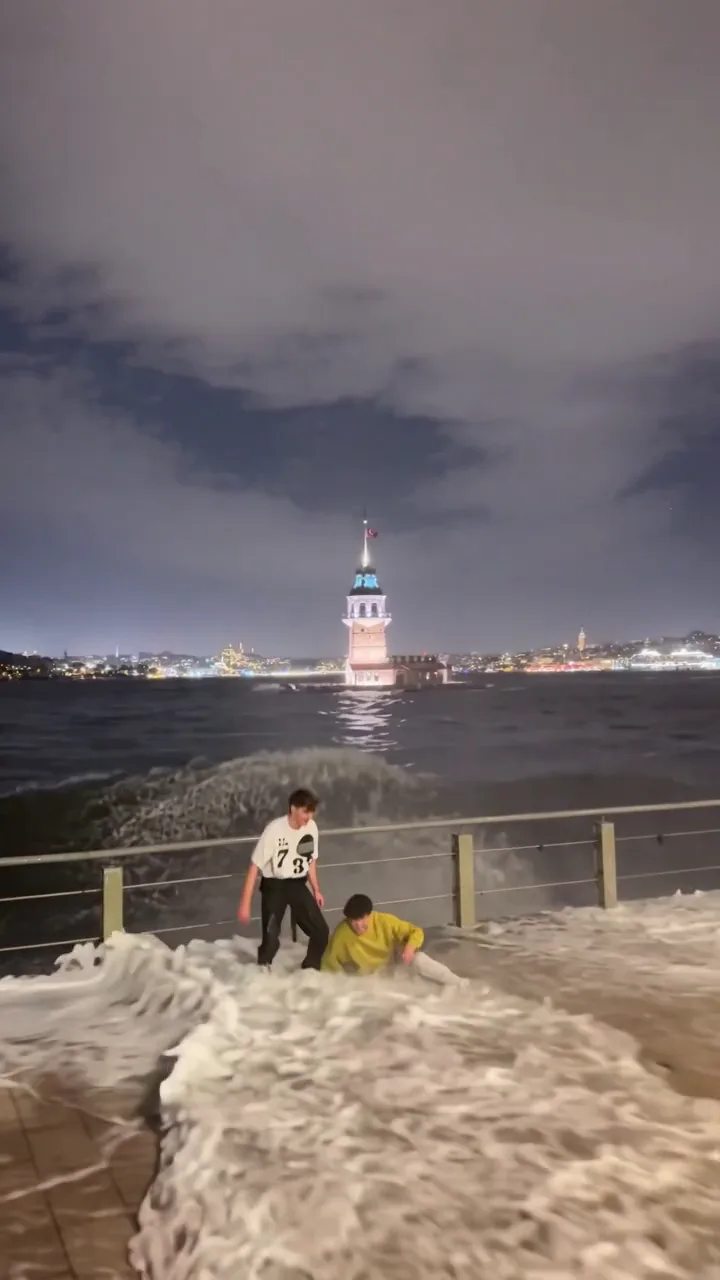
The left and middle friends rise out of the water and start walking toward the camera; the right friend is no longer in the shot.
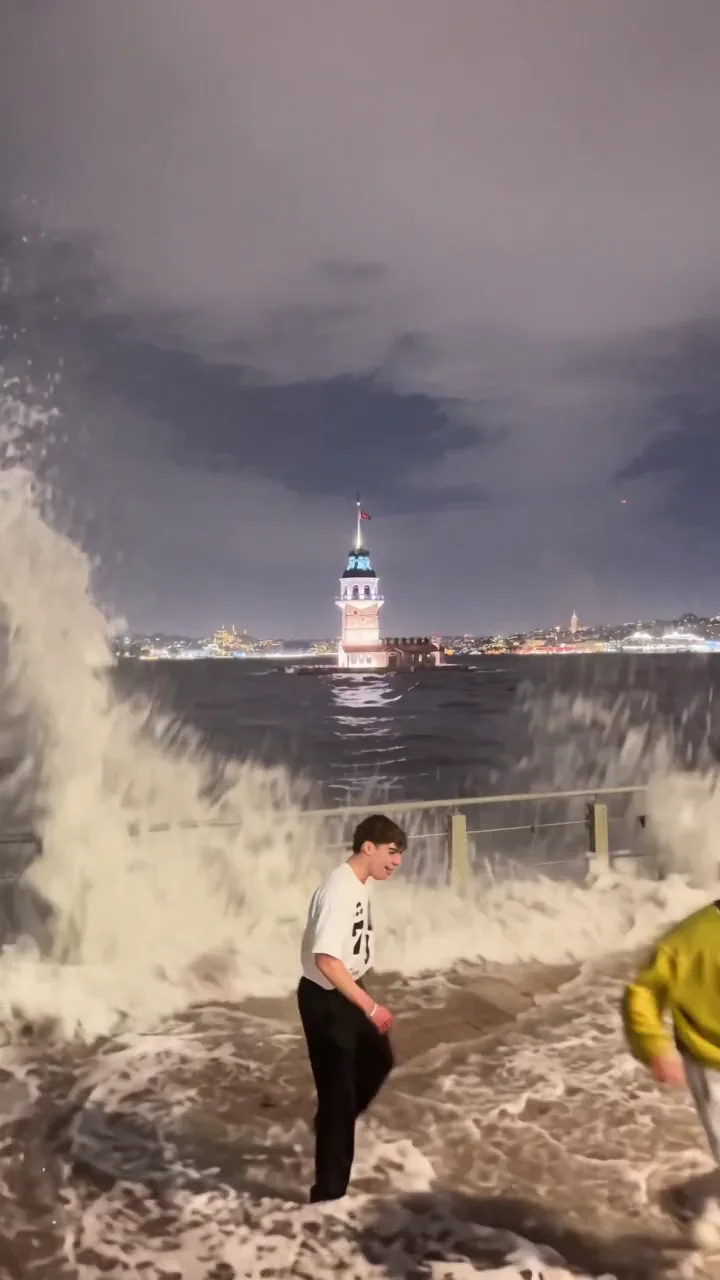 40:08
A second wave breaks behind them while the left and middle friends keep walking closer to the lens.
The clip ends on an empty flooded walkway. The right friend only appears before the first wave and does not come back.
One photo per friend, then upload, generate and download the 13-second clip.
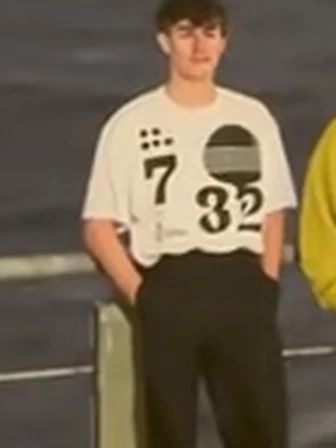
Photo 1Left
This photo plays the friend on the left in the light patterned shirt. They stand at the railing, are covered by the wave, then rise and walk toward the camera.
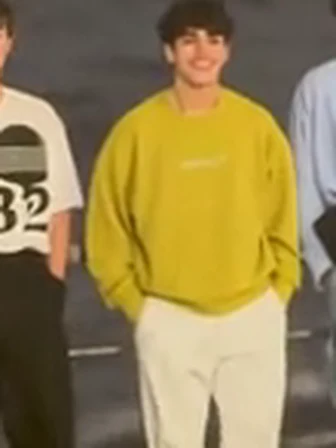
Photo 2Middle
This photo plays the friend in the middle in the yellow top. They stand at the railing, are covered by the wave, then rise and walk toward the camera beside the left friend.
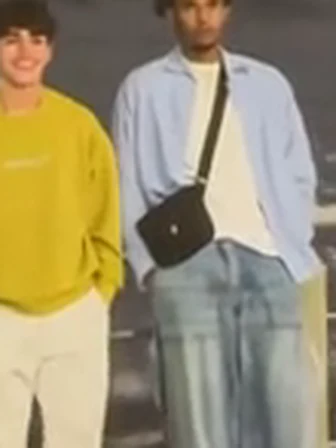
Photo 3Right
This photo plays the friend on the right in the light blue top. They only appear in the opening shot at the railing; after the first wave the clip has no shot of them.
Works well
 One person facing the camera, face clear
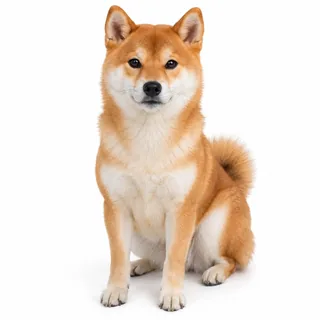 A pet facing the camera, one per photo
Avoid
 Two or more people in one photo
 Sunglasses, caps or hands over the face
 Dark, blurry or heavily filtered shots
Add the three photos
Drop one photo each into Left, Middle and Right.
Generate the clip
Pick 720p or 1080p, then click Generate. The button shows the exact credit price before you start.
Download and post
Save the MP4 and post it as it is, or write your own caption.
What you notice when a run misses, why it happens, and what to change before the next attempt.
Three ways to use the same 13-second clip, each with a caption to post it with.
Use one clear photo of each friend, left to right, and the template re-shoots the railing shot with your three faces.
Caption idea: When the group photo gets a sequel 🌊
Three family members each take a spot for a vertical family joke; the clip keeps the night seafront and both waves.
Caption idea: Family vacation, one giant wave later
Put someone new on the left or middle to give them the walk-out close-up — the right spot only appears before the first wave.
Caption idea: Your turn to walk out of the foam
Two public versions of the same instruction: one edits the source take with three photos, the other re-shoots the scene in a reference tool. Paste either one and keep every sentence about what must not change.
Kling 4.0 video edit
Prompt length 1117
Use @Video1 as the source take. Replace all three friends at the railing: the friend on the left in the light patterned shirt with @Image1, the friend in the middle in the yellow top with @Image2, and the friend on the right in the light blue top with @Image3.

Keep each person's own face, hair colour, hair length, skin tone, age and gender from their photo, and never mix the three looks. Carry each friend's own pose and gaze frame by frame: standing in a row at the night railing, the wave breaking over them, the left and middle friends rising out of the water and walking toward the camera through the foam, then bearing the second wave.

Keep everything else from @Video1: the seafront railing, the lit tower across the water, both waves, the night lighting, the camera, framing, pacing and the built-in sound. After the first wave covers the group, only the left and middle friends come back, so do not bring the right friend back into the walk-out, do not add a fourth person and do not move one face onto another body.

Hold a stable face through the foam and the close-up; no face blending, text or logos.Reference-clip tool
Prompt length 849
Use @Video1 as the scene, the timing and the sound, and @Image1, @Image2 and @Image3 as the three friends. Recreate the same night seafront take: three friends stand in a row at the railing with the lit tower across the water, a giant wave breaks over the railing and covers them in foam, then the two on the left and middle rise out of the water and walk toward the camera as a second wave rolls in behind them.

The friend from @Image1 takes the left spot, the friend from @Image2 takes the middle spot and the friend from @Image3 takes the right spot, each keeping their own face, hair, skin tone and age. Keep the camera height, framing, night lighting, the order of the two waves, the walk toward the lens and the built-in sound. After the foam clears, only the left and middle friends appear; no fourth person, no face blending, text or logos.Name each friend by spot and shirt
Left + patterned shirt, middle + yellow top, right + light blue top; “the three friends” alone gets vague.
Put the wave beats in order
Railing, wave, rise out, second wave: each tells the model which second belongs to which friend.
Protect the scene
The railing, the lit tower and both waves are what make it recognizable; say they stay.
Ask for a new beach or daylight
A different place tells the model to re-shoot instead of replacing three people.
Bring the right friend back
The clip has no shot of them after the foam, so don't ask for one.
Promise a custom sound or voice
The clip's sound is what it is; no prompt swaps it for a track.
Too vague
Put my friends in the wave video.
Works better
Use @Video1 and replace the left friend in the patterned shirt with @Image1, the middle friend in yellow with @Image2 and the right friend in light blue with @Image3; keep the railing, both waves and the sound, and do not bring the right friend back after the foam.
The second names each friend, the photos and what must stay; the first gives the model nothing to hold on to.
Every template works the same way: add your photos, press Generate and get a shareable video without writing a prompt.
View all effectsFAQ
The original reel and its date are verified — it was posted on Instagram on November 13, 2026 — but how it was filmed has not been independently authenticated. The version you make here is AI: your photos replace the three friends in a fixed clip.
Three, one for each friend. The left, middle and right slots all require a photo; this version has no option to leave one empty.
Not in this version. The template needs three separate photos, one per position, and empty slots are not supported. A solo or duo version would be a different clip and is not offered here.
The chosen clip only shows the right friend in the opening shot at the railing. After the foam clears it has no shot of them, so the template does not add a new recovery shot — it is the clip itself, not a failed run or an injury.
No, each video costs credits. The price follows the resolution you pick, and the Generate button shows it before you start. New accounts start with 10 credits.
No. The length and the 9:16 framing follow the clip. A different length or a landscape edit is a different job, which the video generator can do with your own material.
The built-in clip has sound, but the generated result's sound is not guaranteed to keep it. There is no track you choose; the page's sound note explains what to expect.
The foam fully covers the group, then the shot moves from wide to close, which makes identity harder to hold. Check the rise-out and close-up frames; a sharp front-on photo and 1080p hold more detail.
Clothing is a request, not a guarantee. The model tries to follow your photo's outfit, but the source person's shirt, hair or facial hair can stay. A waist-up or full-body photo gives it more to copy.
This page's three slots are all for people at the railing, and pet behavior in the wave has not been verified for this clip. Use three people, one per photo.
No. Upload three photos and pick a resolution; the clip, the prompt and the scene are already set. The prompt section is for people who want to run the same edit in Kling or Seedance.
A real tsunami clip is storm or disaster footage. This is a staged three-friend joke at a night railing with your photos edited into it — it does not claim to show a real event.
Three photos in, one 13-second 9:16 clip out — the railing, both waves and the walk through the foam stay from the template.