

James Bond Reveal AI

Upload one photo and step into the 007 reveal: a pistol in the dark, then a half-lit face in the black tuxedo and bow tie of a fixed 16-second spy scene.

  • No prompt
  • Tuxedo kept
  • One photo
Example · James Bond Reveal AI

PNG / JPG / WebP · up to 10 MB · at least 512px on the short side

0/1 photos

One clear photo of the person who becomes the tuxedoed agent; a front-facing face in even light works best. The tuxedo, pistol and side light stay from the clip.

Video settings

No prompt needed. Only upload photos of yourself or people who agreed to be featured; celebrity photos and film stills aren't allowed.

What is the James Bond Reveal AI trend?

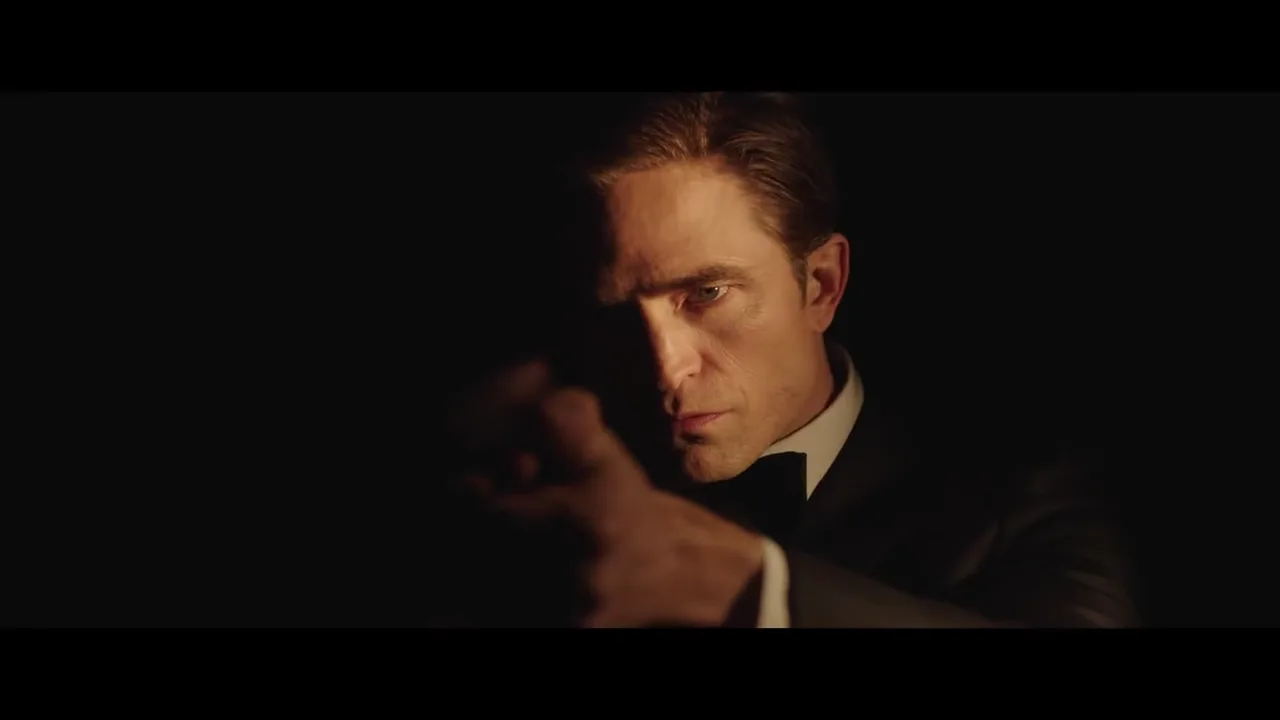
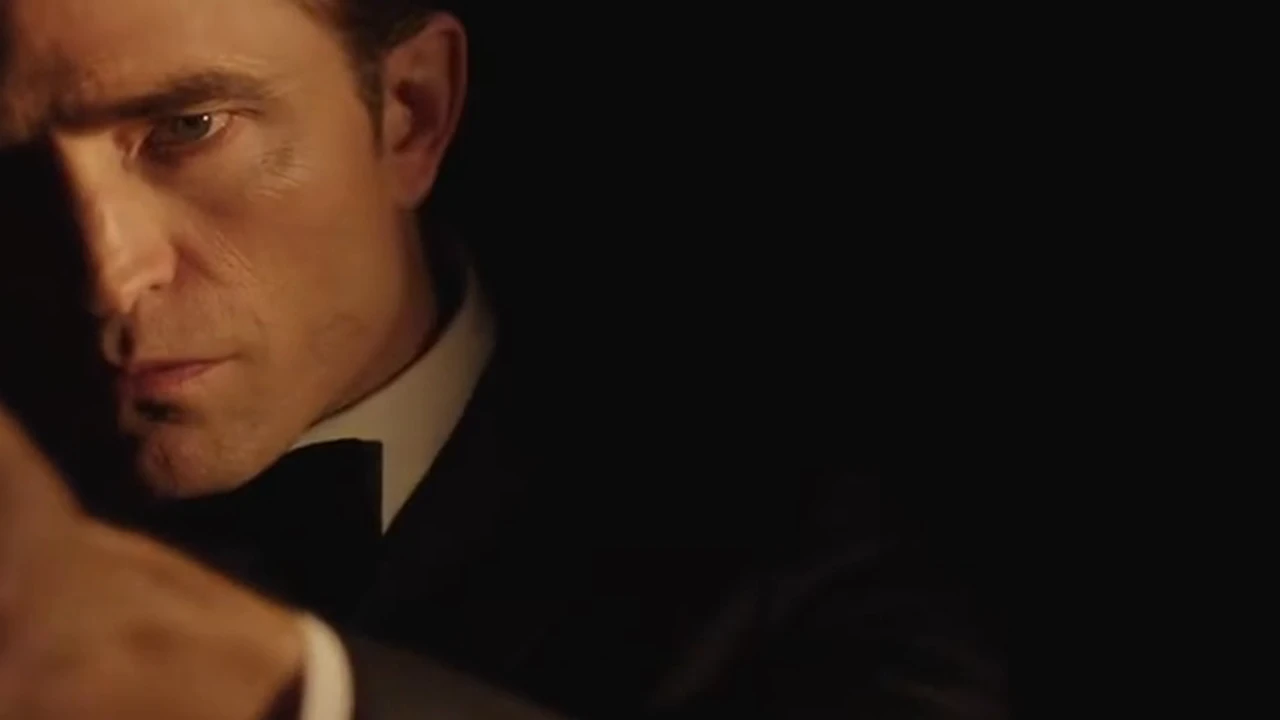
James Bond Reveal AI drops your photo into the dark-to-light 007 spy reveal: a pistol appears in near black, then the black-tuxedoed face turns into a single warm light before the shot fades back to dark.

Half-lit close-up of the tuxedoed agent from the 007 reveal

It follows the 007 announcement on November 16, 2026: Robert Pattinson was confirmed as James Bond, and @007 posted the "Identity Confirmed" reveal, which had drawn about 48 million views on X by November 19, 2026.

Viewers turned the "who will play Bond" suspense into "I play Bond": upload one photo and the dark-to-light reveal becomes your own entrance. This is an Oeneo AI effect, not an official tool, and it is not affiliated with the films or the actors.

It is not the circular gun-barrel opening, not a full trailer generated from a prompt, not casting news and not the 007 First Light game. It is one fixed 16-second clip, and your photo replaces only the single agent on screen.

How it spread

  1. 007 confirms Robert Pattinson as James Bond, and @007 posts the "Identity Confirmed" reveal.

  2. The first AI pages for the reveal go up, dated November 17.

  3. Several tools add James Bond reveal templates; footage, length and wardrobe differ from site to site.

007 announcement, Amazon announcement and @007's "Identity Confirmed" post; the view count was read on November 19, 2026.

The 007 reveal: darkness, hands, face

Five beats of the same take, 16 seconds from the near-black opening to the final fade.

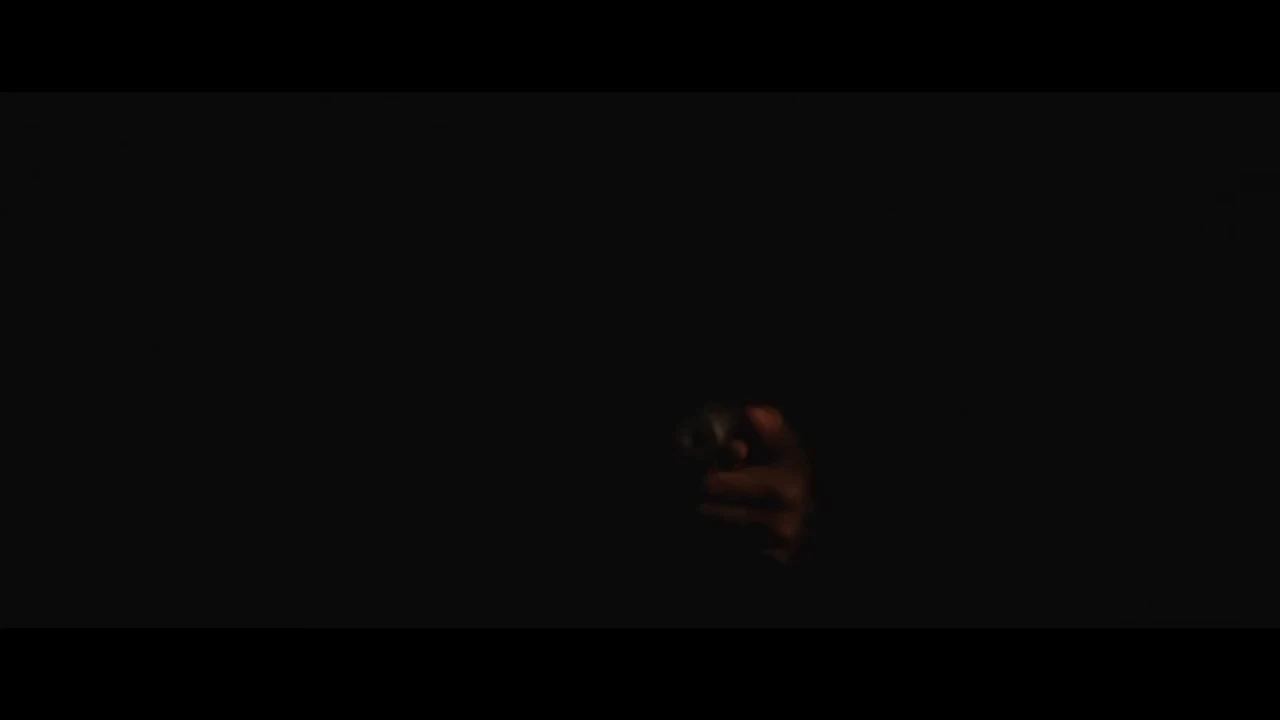
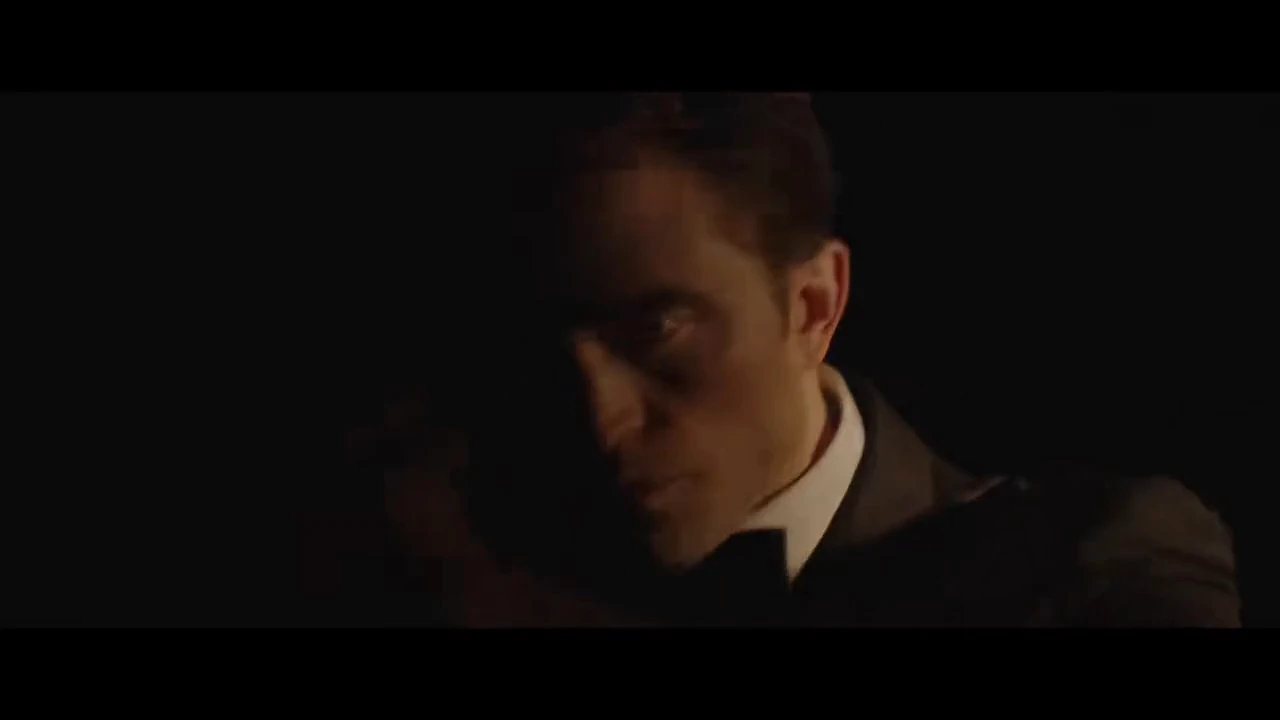
  1. A near-black frame with the faint outline of a hand and pistol10:06

    Near black, pistol outline

    The take opens in near black with only the faint outline of the hand and pistol.

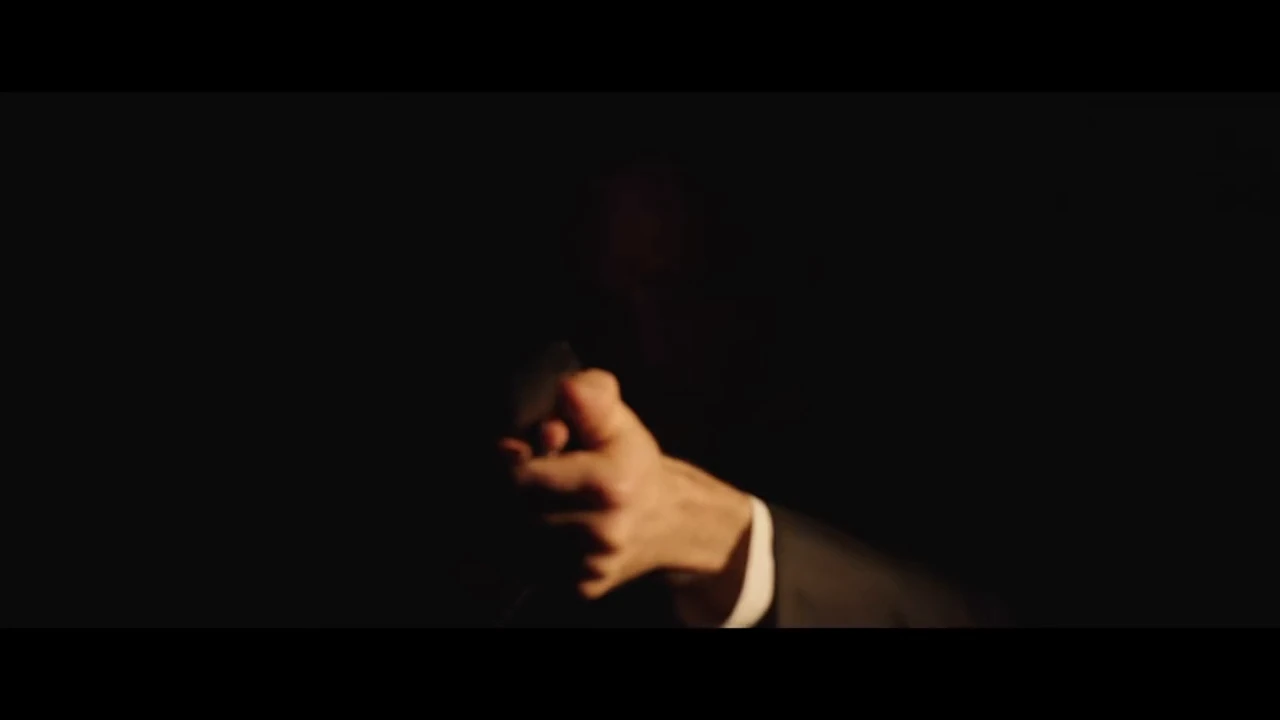
  2. Both hands raised holding a pistol, mostly in shadow20:08

    Both hands raise the pistol

    Both hands come up holding the pistol, still mostly in shadow.

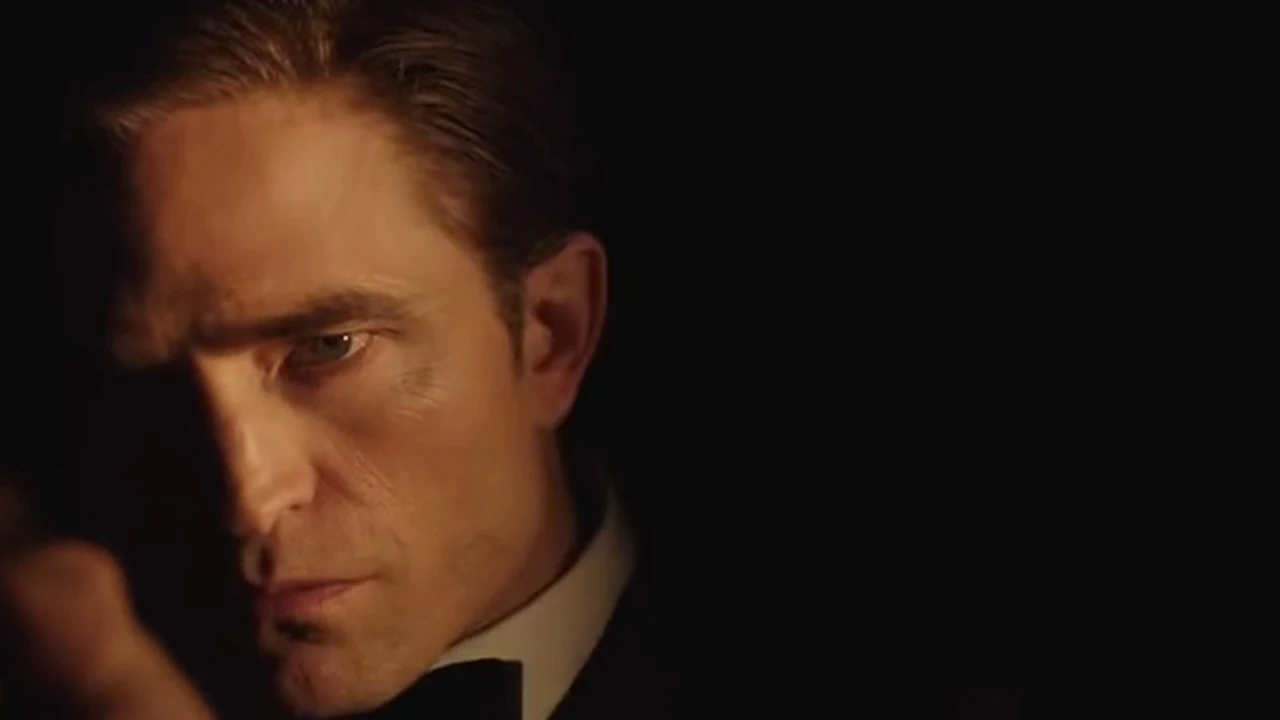
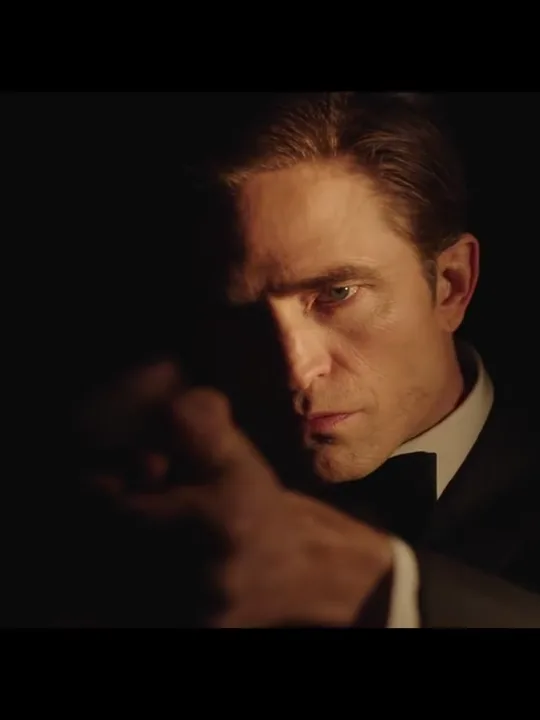
  3. A face lit on one side by a warm light, the other side in shadow30:10

    Half-lit warm side face

    The face turns into the frame, one side lit by a single warm light and the other in shadow.

  4. A black tuxedo, white shirt and bow tie on the lit side of the agent40:12

    Tuxedo and bow tie

    The black tuxedo, white shirt and bow tie come into focus on the lit side.

  5. The reveal dimming back toward black50:15

    Back to dark

    The shot dims back toward black as the take ends.

The first seconds stay near black on purpose; the pistol and the face appear a few seconds in.

James Bond photo filter or reveal video?

These searches get mixed together. This page makes the video; a portrait and a gun-barrel intro are different tasks.

ComparePhoto filterGun-barrel introThis reveal video
What you uploadOne selfieA photo or presetOne photo
What you getA still 007 portraitA circular introA 16s reveal video
SoundNone (still image)NoneModel-generated audio
Can it use my faceYesNoYes

How do you make a James Bond reveal video with your photo?

One photo plays the only role. The tuxedo, pistol, dark room and warm side light all come from the fixed clip.

  1. Half-lit close-up of the tuxedoed agent from the 007 reveal

    Photo 1Tuxedoed agent

    This photo becomes the tuxedoed agent on screen: the face, hair and body of the person in the reveal. Everything else comes from the clip.

    • A clear, front-facing face
    • One person, in even light

Photo checklist

Works well

  • A curly-haired woman in a mustard sweater, chest up, smiling at the cameraA clear, front-facing face
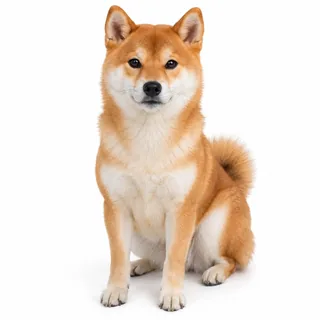
  • A Shiba Inu sitting and facing the camera on a white backgroundA dog or cat, whole body in view
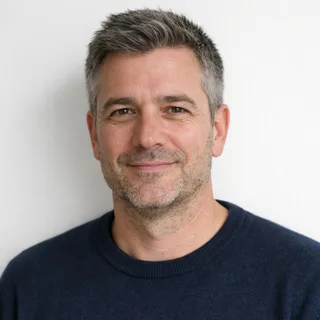
  • Grey-haired man in a navy sweater, chest up, in even lightEven, natural light

Avoid

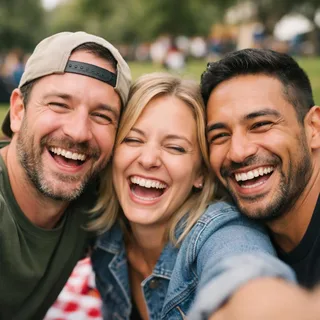
  • Three friends squeezed into one selfie at a picnicGroup or couple photos
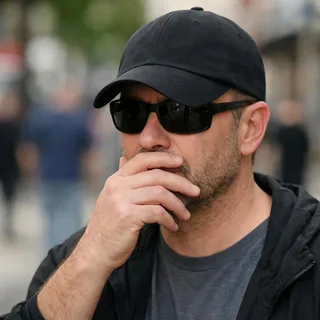
  • Man in sunglasses and a low cap with a hand over his mouthHair or a hand over the face
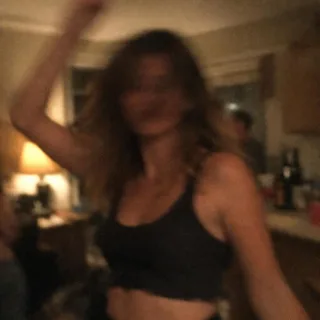
  • A dark, pixelated portrait that is hard to recognizeDark, blurry or backlit photos

From upload to a posted reveal

  1. Upload one photo

    Add one clear photo of the person who should become the agent.

  2. Pick a resolution and generate

    Pick 720p or 1080p and generate; the button shows the exact credits first.

  3. Download and post

    Download the finished reveal and post it wherever you like.

Why does my James Bond reveal not look like me?

The half-lit face, the pistol and the near-black opening are what make the effect; they are also where identity can drift. Here is why and how to fix it.

  • The half-lit face doesn't match

    Why
    The single warm light leaves one side of the face in shadow, so the model has less of your photo to work from.
    What to change
    Use a clear, front-facing photo and generate again; the side light is fixed by the template.
  • The hands or chin look like someone else

    Why
    The pistol and hands appear before the face, and the model can carry the reference actor's hands or skin tone into the shot.
    What to change
    A single, well-lit person in the photo helps; if the hands drift, run it again rather than cropping the photo.
  • The picture is too dark to see

    Why
    The opening is intentionally near black, so the first seconds will always be dark.
    What to change
    Wait for the face beat; the reveal brightens halfway through. The template keeps the dark opening.
  • A too-bright photo flattens the side light

    Why
    A heavily lit or overexposed selfie can flatten the single warm side light that sells the look.
    What to change
    Use a photo in even, natural light without strong flash, and let the template's lighting do the work.

James Bond reveal AI prompt tutorial

The Kling video-edit prompt keeps the source take; the Seedance reshoot prompt rebuilds the scene from scratch. Both are in English because that is what the models read.

Kling 4.0 video edit

Prompt length 910

Use @Video1 as the source take. Replace only the agent — the single man in the black tuxedo, white shirt and bow tie holding the pistol — with the person in @Image1.

Keep @Image1's face, facial features, age, gender, body proportions and hairstyle, and keep @Video1's black tuxedo, white shirt, bow tie and the pistol fitted to them. Carry the performance over frame by frame: the near-black opening, both hands raising the pistol, the slow turn of the head, the gaze into the lens and the half-lit expression before the fade back to dark.

Keep everything else from @Video1: the near-black opening, the single warm side light on one side of the face, the dark background, the static camera, the framing, the cuts, the pacing and the built-in sound. Do not brighten the shadowed side of the face, do not add muzzle flash, gunfire, wounds, blood, extra people or readable text. No face blending, text or logos.

Keep these in the reveal prompt

  • Pick the agent out by the tuxedo

    Say "the single man in the black tuxedo, white shirt and bow tie" so the face, hands and body are all replaced.

  • Keep the dark opening and side light

    Tell it not to brighten the shadowed side of the face and to keep the near-black start.

  • Write the beats in order

    Near black, both hands raising the pistol, the slow turn, the half-lit gaze, then the fade.

Leave these out of the reveal prompt

  • Don't write "put me in the Bond video"

    A vague instruction gives the model no person to find and no parts to preserve.

  • Don't add muzzle flash or gunfire

    The source has no gunfire; asking for it turns the reveal into an action shot.

  • Don't ask for text or the tail card

    The template's clip already drops the "JAMES BOND WILL RETURN" card, and the output should stay text-free.

A bare 007 line vs one the model can follow

Too vague

Put me in the James Bond reveal.

Works better

Use @Video1 and replace only the man in the black tuxedo with @Image1; keep the near-black opening, the warm side light, the pistol, the slow turn and the built-in sound.

The second names the agent, the photo and the parts that stay: the near-black opening, the side light, the pistol and the sound.

James Bond reveal video specs and credits

James Bond reveal video specs and credits
Photos
1 photo
Photo files
PNG / JPG / WebP, up to 10 MB, at least 512 px on the short side
Length
16 seconds
Frame
16:9, the same as the trend clip
Resolution
720p or 1080p; 720p by default
Sound
The clip carries its own audio; the generated video's sound is made by the model, so the source soundtrack is not guaranteed.
Credits
602 credits at 720p, 903 at 1080p
Visibility
Videos made on a free account are public. On a paid plan they are private by default.
If a run fails
The credits go back to your balance automatically

FAQ

James Bond Reveal AI FAQ

Is this an official James Bond tool?+

No. This is an Oeneo AI effect and it is not affiliated with the James Bond films, their makers or the actors.

Is it the gun-barrel intro?+

No. It is the dark-to-lit face reveal with a handheld pistol, not the circular gun-barrel opening.

Is it a photo or a video?+

It makes a video. A James Bond portrait or poster is a separate photo task.

Do I need more than one photo for the reveal?+

One. The photo supplies the face and body of the agent, and the clip keeps the tuxedo, pistol, room and lighting.

Do I need to wear a tuxedo?+

No. The template keeps the black tuxedo, white shirt and bow tie from the clip; the photo only supplies your identity.

Can a woman be the new 007?+

Yes. The identity is not limited to men; the template still uses its black tuxedo and fixed reveal scene.

Can I use a dog or cat photo?+

A pet photo can be the identity reference, but the human hands and body holding the pistol may adapt unevenly to an animal.

Can I pick vertical, a different length or 1080p?+

No. The template follows its fixed 16:9 clip at 16 seconds; the only choice is 720p or 1080p.

Does the video have sound?+

The clip carries its own audio, but the generated video's sound is made by the model and the source soundtrack is not guaranteed.

Is James Bond Reveal AI free?+

No, each video costs credits. The price follows the resolution you pick, and the Generate button shows it before you start. New accounts start with 10 credits.

Do I need to write a prompt?+

No. The effect uses a fixed template, so you just add a photo and pick the resolution.

Will "JAMES BOND WILL RETURN" appear?+

This template's clip already drops the text tail card, and the output does not promise any readable text.

Make your own 007 reveal video

Upload one photo, pick the resolution and generate the dark-to-lit 007 reveal.