


Your own gym selfie
The straight version: a chest-up photo from your last session, cut into a take you never filmed.
Caption idea: while they were out partying
This Huss Huss Huss video generator drops one photo into the gym take, so the talking, the turn and the dumbbell curl are yours — in a clip you never had to film.
PNG / JPG / WebP · up to 10 MB · at least 512px on the short side
0/1 photos
One clear, front-on photo of one person, chest up. Your photo sets the face, build and clothes; the gym, the mirror and the voiceover stay.
Video settings
No prompt needed. Only upload photos of yourself or people who agreed to be featured; celebrity photos and film stills aren't allowed.
The Huss Huss Huss meme is a gym lip-sync: one man talks to the camera in front of the mirror wall, turns to curl a dumbbell and comes back to the lens while the recording's voiceover and pushed-out breath carry the joke.
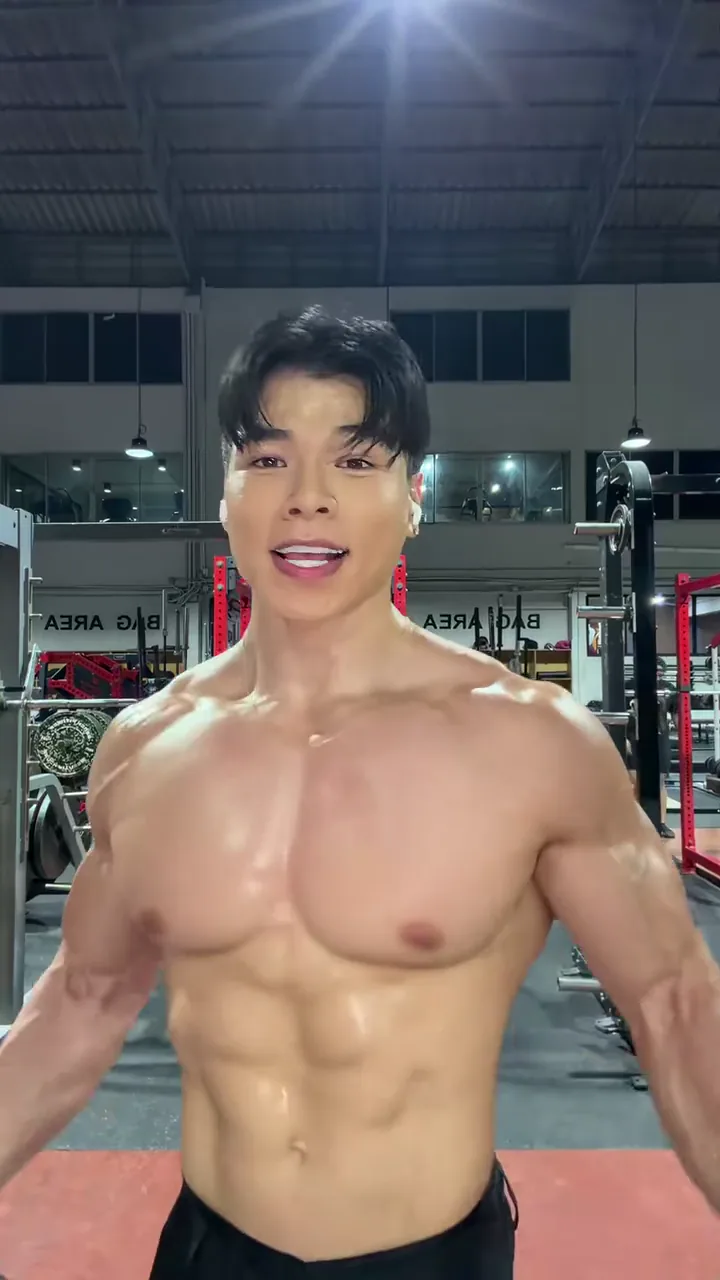
The joke is the contrast. The voiceover sets up a town that has gone out for the night and a man who stayed for one more set, and the lines land on that flat "huss" of air. The turn for the dumbbell is the proof he is not leaving.
It travels because the setup is a mirror, a rack and a phone, and because the breath does the work no caption has to. Study, work and gym versions reuse the same recording with a different person in front of the lens, which is exactly what this page does: room, camera and voiceover shot once, only the man changed.
larpniverse posts the Roblox original on TikTok: a character trains in an empty gym while the town is out, and the post collects about 8 million likes.
A second part from the same account follows four days later, and other posts pick up the recording.
A live-action gym take lip-syncs the same recording; the joke lands with a real body at a real rack.
Single-photo effect pages for the gym take appear on several sites.
Post dates and counts read from TikTok on 21 November 2026; the effect pages were read the same day.
One unbroken 15.63-second take at 9:16: the talk, the turn for the dumbbell, the breath into the lens and the last line, with no cut between them.
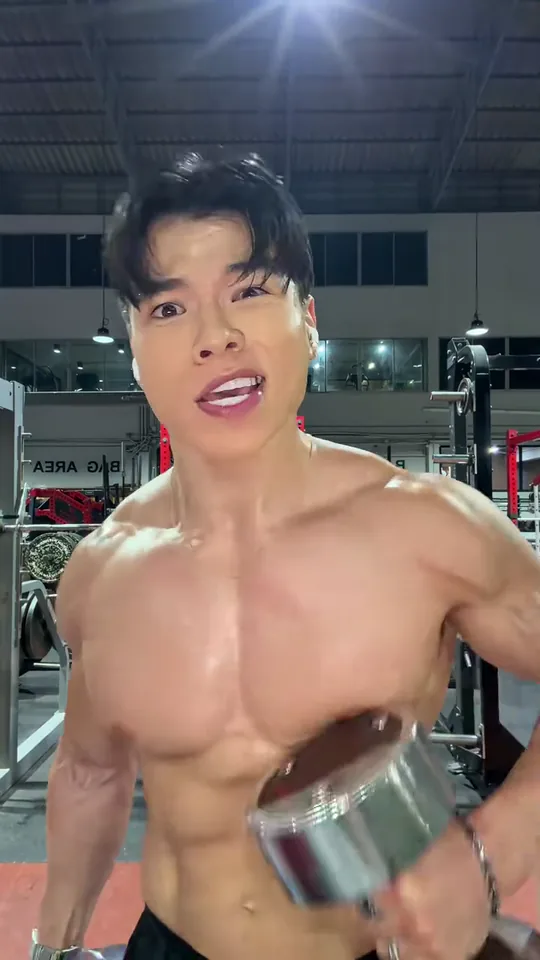 10:00–0:02
Front-on in black shorts, a dumbbell hanging low in one hand, already talking before the first second is out.
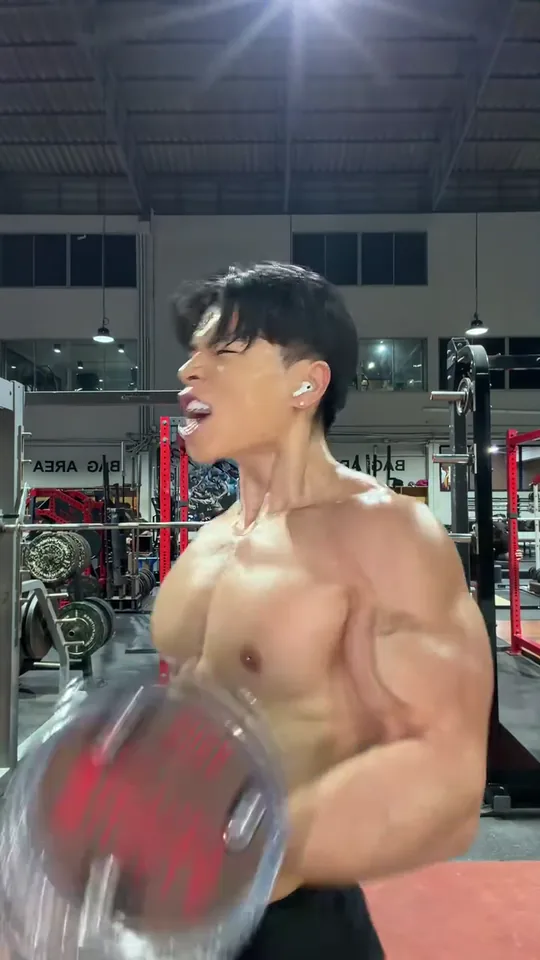 20:02–0:05
He looks away, turns side-on and lifts the dumbbell; at the top the back of his shoulder fills the frame.
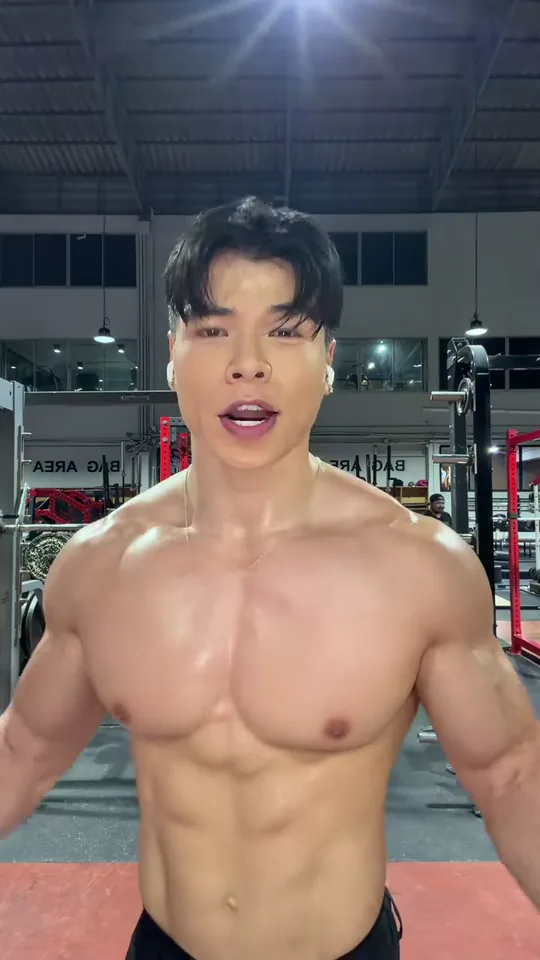 30:05–0:08
Swinging back to the lens, mouth wide on the pushed-out "huss" of air that gives the meme its name.
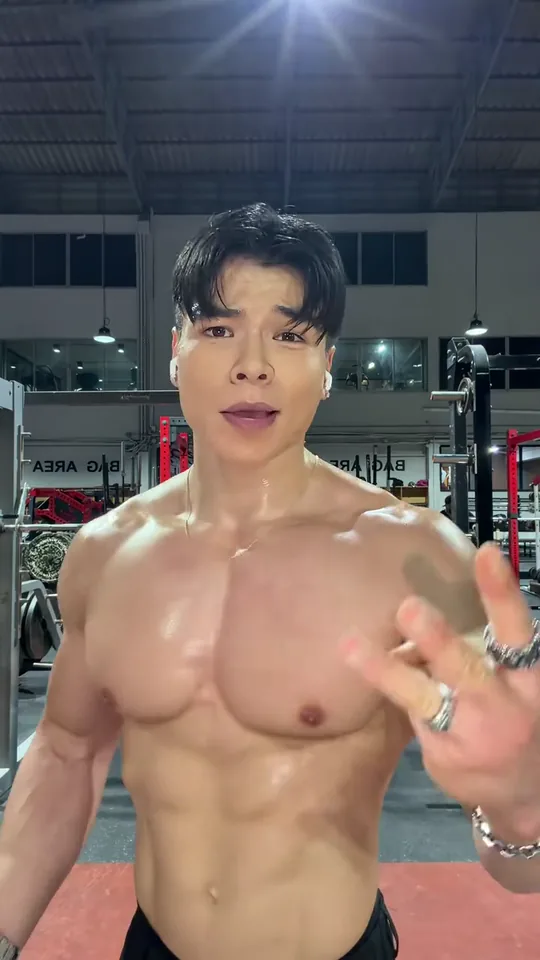 40:08–0:15
He counts something on his fingers, opens both palms and keeps the line going until the take ends on his face.
The camera never moves and the mirror wall never leaves the frame; the dumbbell is out of his hand by the time he swings back, and the recording runs underneath all four moves.
The clip supplies the gym hall, the mirror wall, the dumbbell, the fixed camera and the recording; your photo supplies the face, build and clothes of the man talking.
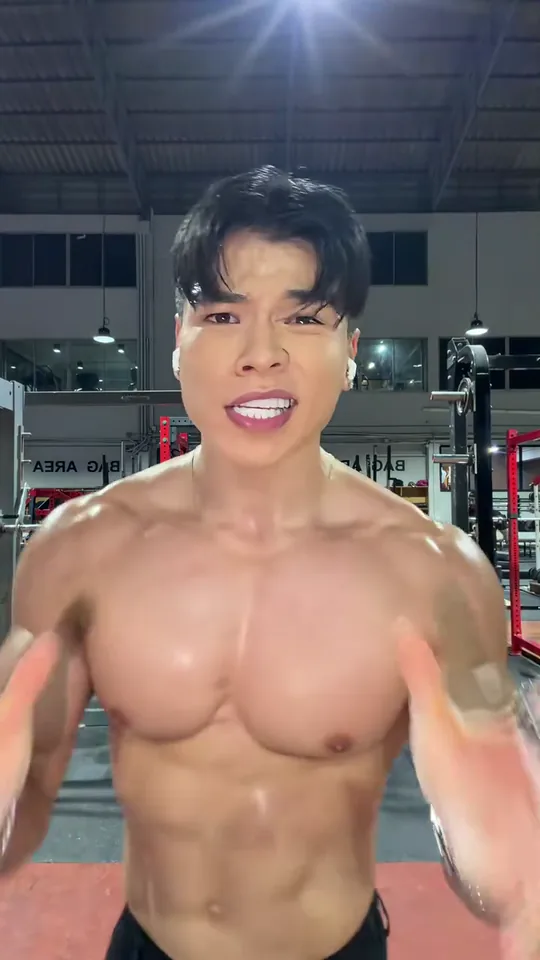
Photo 1Gym performer
Your photo replaces the one person in frame and brings its own clothes; the room, the racks, the dumbbell and the voiceover stay from the clip.
Works well
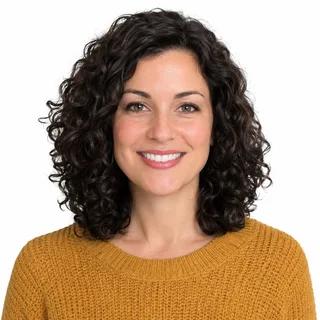 Front-on, evenly lit face
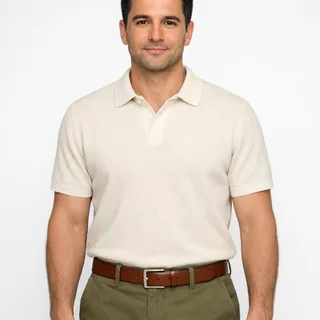 Chest up in the top you want
Avoid
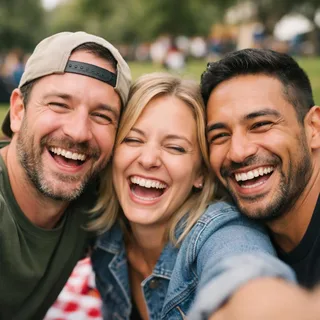 Two or more people in one photo
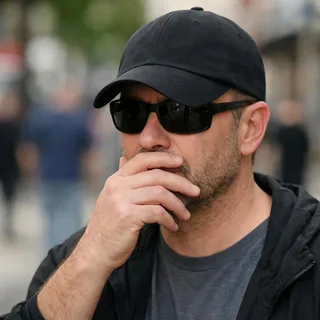 Sunglasses, a cap or a hand over the face
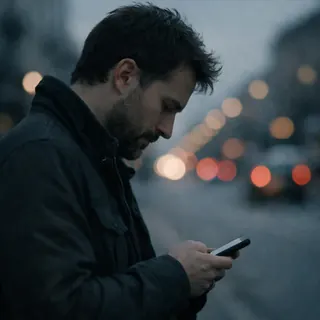 A photo already in side profile
Upload one photo
Add one clear photo of the person who should be talking to the camera.
Pick a resolution and generate
Pick 720p or 1080p, then click Generate; the button shows the exact credit price first.
Download and post
Download the clip and post it as it is — the recording is already in it, so there is nothing to add.
The scene never changes, so the joke is who is in it and what the caption says. Four ways people run it.
The straight version: a chest-up photo from your last session, cut into a take you never filmed.
Caption idea: while they were out partying
A photo of the person who actually turns up at 6am, doing the talking for once.
Caption idea: he only talks like this between sets
Tag the one who talks about training and never shows up: a clip of their face at the rack settles it.
Caption idea: sent him this and he has not replied
The photo dresses the body, so the top you upload is half the post: a work shirt, a suit or last night's outfit under gym lights at midnight.
Caption idea: fit check between sets
Both grew out of the same recording. Only one of them is a fixed gym take you drop a photo into.
| What to compare | This template | Roblox story video |
|---|---|---|
| What you start with | One photo | A story idea and lines |
| Who is on screen | You, in the gym take | Roblox characters |
| Sound | The clip's recording | Voices you record or generate |
| Length | The clip's 15.63 seconds | As long as the story runs |
| What you get | One vertical clip, joke built in | Scene-by-scene footage to edit |
The template needs no prompt. If you rebuild the same swap in a video-edit tool of your own, start from this instruction.
Kling 4.0 video edit
Prompt length 1179
Use @Video1 as the source clip. Replace only the one man in the frame — the shirtless gym-goer with the dark fringe, the silver chain and black shorts, standing in front of the mirror wall — with the person in @Image1.

Keep @Image1's face, hair, age, gender and build, and keep the clothes @Image1 is wearing on the replacement: a tee, a tank top, a hoodie or a jacket is what he wears from the first frame to the last. Do not copy the bare torso of the source.

Transfer his performance frame by frame: talking to the lens at the start, the turn to his right at 2.6s, the dumbbell curl side-on from 3s to 4.5s with the plates passing in front of his arm, the swing back to the camera at 5.2s, the open-mouth breath into the lens around 6.5s, the raised hand and the talking gestures from 8s, and the last line to the camera at the end.

Keep everything else from @Video1: the gym hall over his shoulder with its racks and the mirror wall, the red platform, the fixed low camera, the framing, the single take with no cut, the lighting, the pace, and the clip's own voiceover and breathing. One person only — no second person, no coach, no added text, caption, logo or watermark.Point at the man by what is visible
"The shirtless gym-goer with the dark fringe and silver chain" finds the body straight away; "the man" alone leaves the model choosing.
Keep the clothes clause
Say the top from the photo stays on. That sentence is the whole difference between a dressed result and the clip's bare torso.
Name the moves in order
Talk, turn, curl, breath, hands, last line: each move anchors the replacement to a moment of the take.
"Put me in the gym video"
With no clip and no photo reference the model invents a room, a stranger and a routine.
Ask for a workout montage
The take is one unbroken shot of talking and a single curl; a second angle or a set list is a different video.
Add a voice, a song or new lines
The recording is fixed and stays; asking for a new voice, a song or silence only invites a second audio pass.
Too vague
Put me in the huss huss huss gym video.
Works better
Use @Video1 and replace only the shirtless gym-goer in black shorts with @Image1; keep the clothes from the photo, the turn at 2.6s, the curl until 4.5s, the breath at 6.5s, the fixed camera and the clip’s own sound.
The second one names the body, the photo, the clothes clause and everything that has to stay; the first leaves all of it to chance.
Four places the swap usually breaks in this take, why it happens, and the change on your side that helps most.
Every template works the same way: add your photos, press Generate and get a shareable video without writing a prompt.
View all effectsFAQ
A fixed gym take: a man talks to the camera in front of the mirror wall, turns for a dumbbell curl and comes back to the lens while the recording's voiceover and breath carry the joke. Your photo replaces him; the gym, the camera and the sound stay.
It is the breath, written the way it sounds. The lines in the recording land on a pushed-out "huss" of air, and that exhale rather than a word is what people copied.
It started as a Roblox scene posted by larpniverse on TikTok on 13 November 2026: a character trains alone in an empty gym while the town is out. The recording then travelled into live-action versions, including the gym take this template uses.
The setup the clip lip-syncs: everyone has gone out for the night and the one left behind is still training. The take keeps that recording as it is, so there is no script to edit.
Yes. A video edit carries the source clip's audio, so the voiceover and the breath are in the result and nothing is swapped for library music.
The photo decides the clothes, and the clip's bare torso is not the target; a photo with the top clearly visible is the best insurance. Check the first seconds of the preview before you post.
He goes side-on for the curl, so for a couple of seconds there is more shoulder than face in the shot. A front-on, clearly lit photo keeps up best through that second.
No. This page is one fixed gym clip. Roblox characters, scenes and dialogue belong to a story tool, not to a photo dropped into this take.
Only one body gets recast here, so a group photo leaves the model guessing who does the talking. Crop to that person, chest up, before you upload.
No. The take is built around a person's shoulders, hands and a spoken line, so a pet photo has nothing to map onto here; the site's pet effects are built for a pet's face.
Not here. The take's 15.63 seconds and 9:16 frame are kept so the turn, the breath and the last line stay where they are; resolution is the one setting you can change.
No. This is a preset effect: the gym, the camera, the dumbbell and the recording are fixed, and your photo only decides who is talking.
No. It recreates the trend on a preset clip and is not made with, licensed by or endorsed by Roblox or the original creator.
No, each video costs credits. The price follows the resolution you pick, and the Generate button shows it before you start. New accounts start with 10 credits.
Your turn
One photo is enough: your face takes over the mirror wall, the turn and the curl, and the clip comes out vertical and ready to post.