



Your photo is the first frame
The video opens on your photo exactly as you uploaded it, filling the frame at full size, and holds it for about half a second before anything moves. Whatever sits behind the two of you is on screen for that moment too.
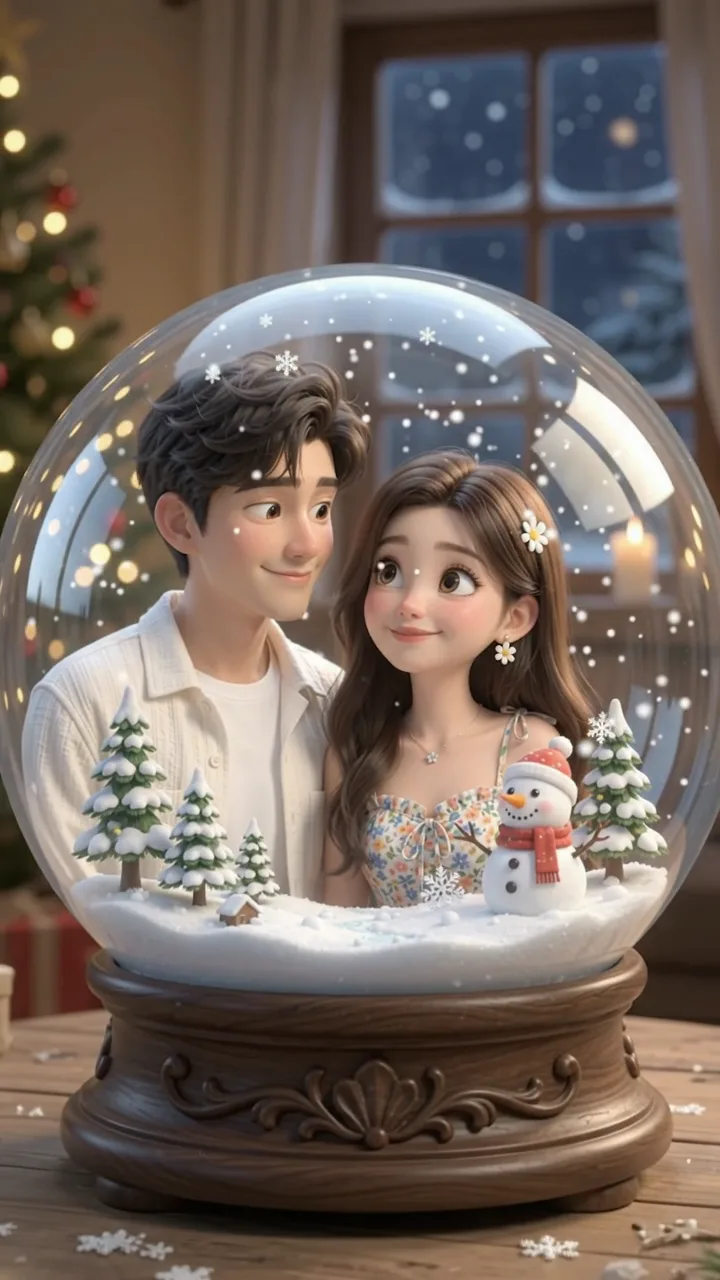
Your photo of the two of you opens the video, slides up out of frame, and the same pair come back as 3D cartoon figures inside a glass snow globe on a wooden table, snow falling.
PNG / JPG / WebP · up to 10 MB · at least 512px on the short side
0/1 photos
One clear photo; everyone in it comes along, so a couple selfie works. The globe, the snow, the pines and the snowman are generated around the people.
Video settings
No prompt needed. Only upload photos of yourself or people who agreed to be featured; celebrity photos and film stills aren't allowed. Make a snow globe photo instead
The Pixar snow globe trend turns one photo into a short video that shows that photo first and then slides it upward out of frame to reveal the same people as 3D cartoon figures standing inside a glass snow globe. Many people call it the Pixar snowglobe filter, though the output is a video, not a live camera filter. On this page the reveal is generated from your photo, with no template clip to apply. The CapCut template page names CapCut Core as the author and @aitrenddrop as an early demo account; which version came first is not established.
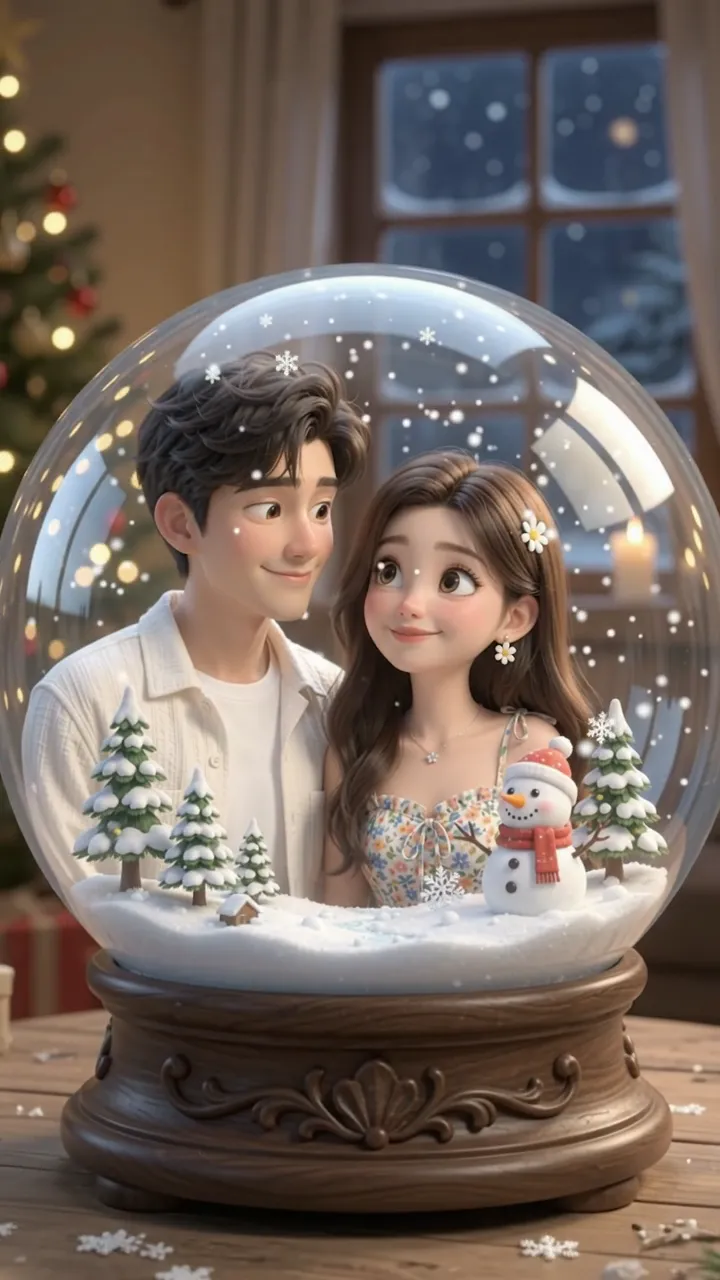
Pixar here names the look rather than a film: rounded bodies, big eyes, soft shading. Whoever is in your photo is the lead, and the winter scene inside the glass is generated around them, so the globe is built for your photo instead of being copied from a sample.
It travels because the opening second is a photo people recognise as their own, and the next seconds hand back a smaller, glossier version of those people inside a glass ball, with a window and a lamp glowing behind it. The videos that carry it also hold the participation caption, ‘Trying the pixar snowglobe trend’, so the trend arrives with its own invitation to copy it. That is also why this wave is still one interval of use counts rather than a curve.
CapCut publishes an 11-second template called Pixar Snowglobe Ai: a mirror selfie turning into figures inside a snow globe.
The same template starts a measurable climb, at 2,530 uses in the morning snapshot.
Media.io publishes an 11-second version of the same reveal, while its own template configs run 7 seconds at 720p and 9:16 with a single upload slot, and its downloaded demo is 7.04 seconds in a roughly 3:4 frame. The two configs share one prompt, which asks for no shake and no dissolve.
The template is read at 20,786 uses, still the same template throughout.
Sources: the CapCut template page for Pixar Snowglobe Ai, built on 14 November 2026 and read at 20,786 uses on 20 November, and Media.io's public template configs and preview files from 19 November.
One photo does both jobs: it is the first frame of the video, and it is what the model redraws as the figures in the glass. One upward slide joins the two.
The video opens on your photo exactly as you uploaded it, filling the frame at full size, and holds it for about half a second before anything moves. Whatever sits behind the two of you is on screen for that moment too.
Then the photo slides upward out of frame and the globe comes up in its place. Inside the glass: snowy ground, small snow-covered pines, a snowman in a red hat and falling snow, with the glass catching the light. The two of you stand on the snow as rounded 3D figures in the same clothes and colours, and a Christmas window of warm lights glows behind the globe.
One photo, and everyone in it comes along: no second shot to line up and no sample to match. A clear face and the outfit you want inside the globe are all it asks for.
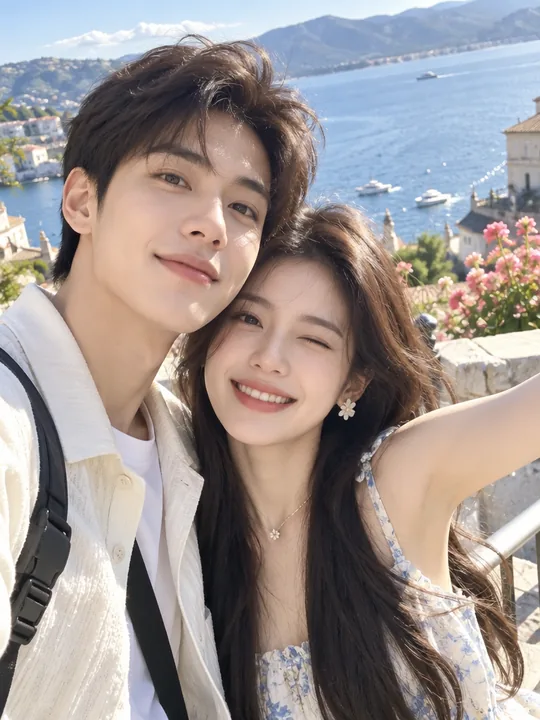
Photo 1Your photo
Your photo does both jobs: it is the frame the video opens on, and it is the model for the figures in the glass. Faces, hair, skin tones and the clothes you can see come back in 3D, everyone in the frame one for one.
Works well
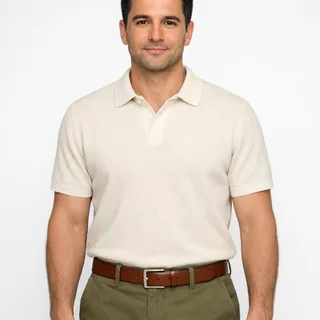 Head to waist, facing the camera
 A couple or two friends in one photo
 Bright, even light on the face
Avoid
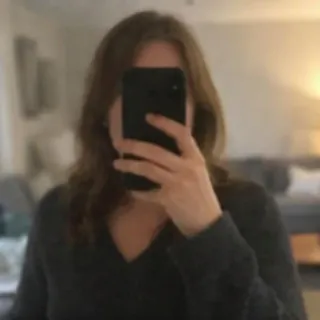 The phone covering your face
 A photo already in a cartoon filter
Add your photo
Drop one photo into the slot. Everyone in it appears in the globe, so a couple selfie or a photo with friends is fair game; the checklist below is the short version of what works.
Choose the length and resolution
The shape follows your photo, so there is no ratio to pick: upright stays upright, landscape stays landscape. The button shows the exact price for the length and resolution you picked before anything is charged.
Download the reveal
Download the video and post it as it is, or cut it together with the photo you started from, so the before and after sit in one post.
Both start from one photo. Take the video when you want the reveal to happen on screen, and the photo when you want one still image to keep.
| Reveal video | Snow globe photo | |
|---|---|---|
| Result | Short reveal video | Still photo, 3:4 |
| Opening frame | Your photo first | The globe itself |
| Motion | Photo slides up, snow falls | None, one still |
| Where to go | Generate below | Make a snow globe photo |
The stages below are the order the video goes through them; the marks show where each one starts in the 6-second example.
 10:00
The video opens on your photo at full size, before any glass appears, and holds it for about half a second so the viewer has met the people the ball is going to hold.
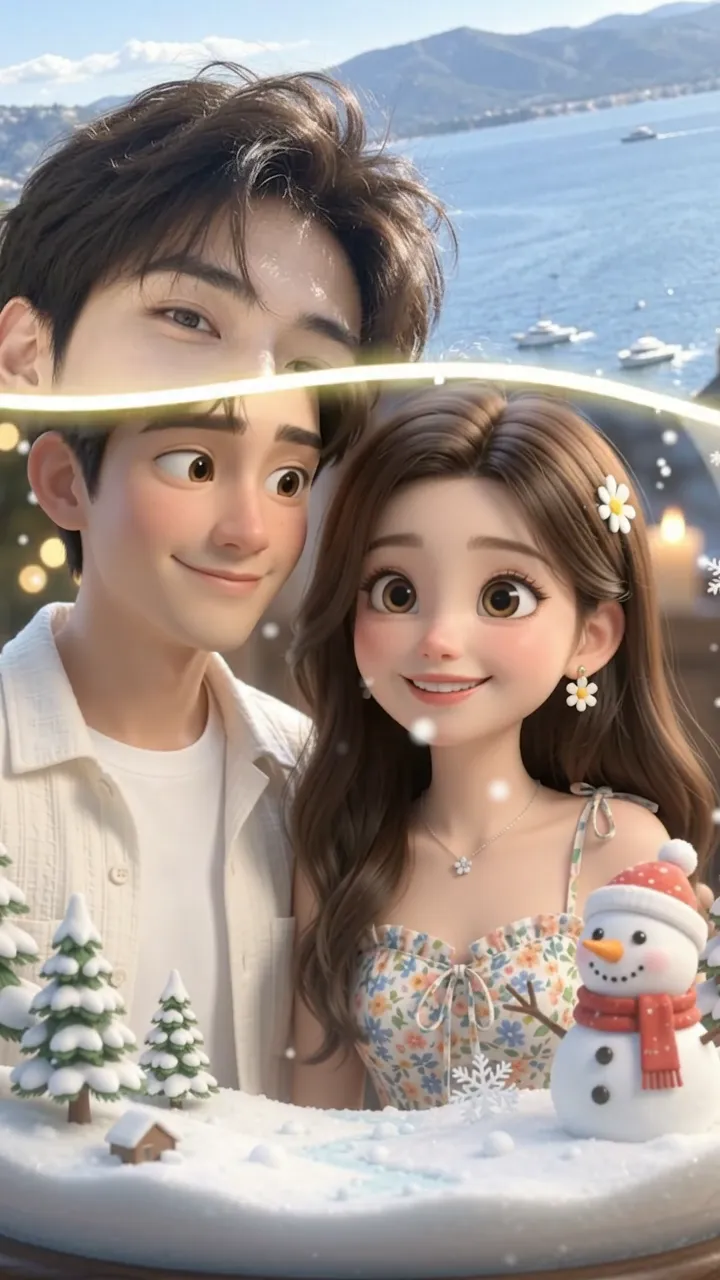 20:02
The photo itself slides upward out of frame, and the rim of the glass rises through it: the couple still fill the top of the picture while the snowy inside of the ball takes over from below.
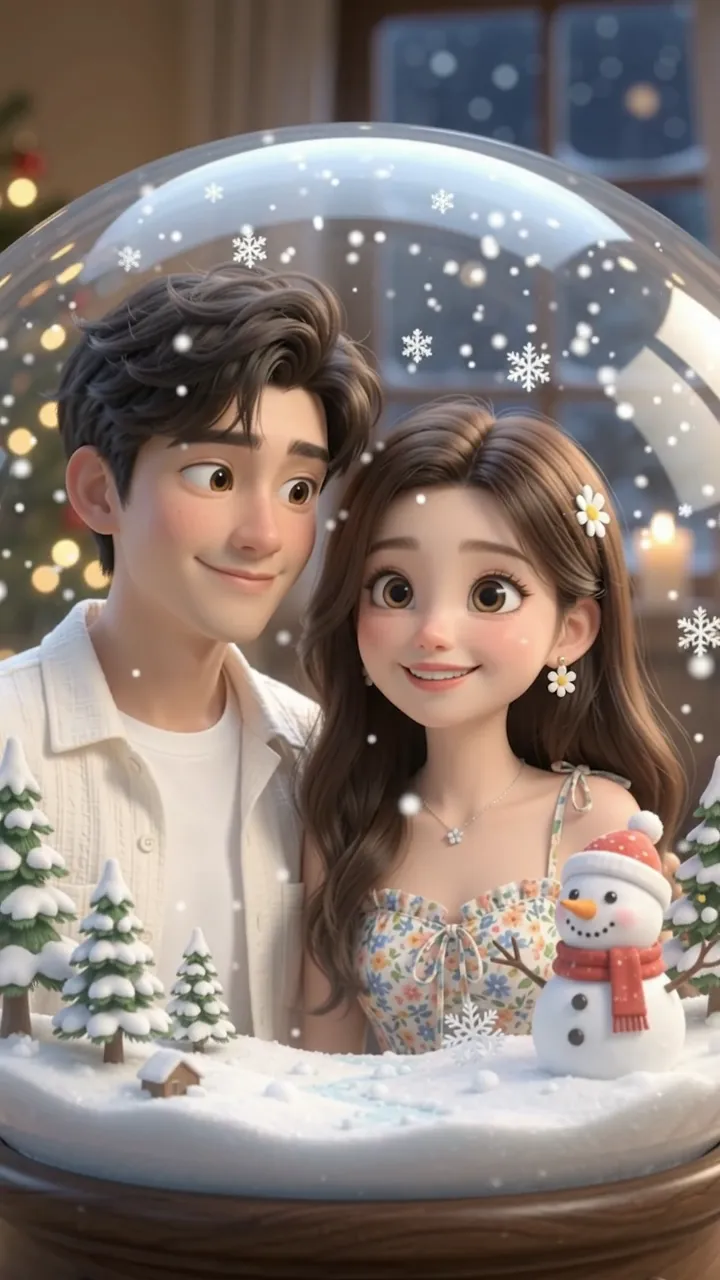 30:03
By now the photo has mostly left the frame and the two of you are already inside the glass, standing on the snow in the same clothes and colours, with small snow-covered pines around you and the glass edge across the top of the picture.
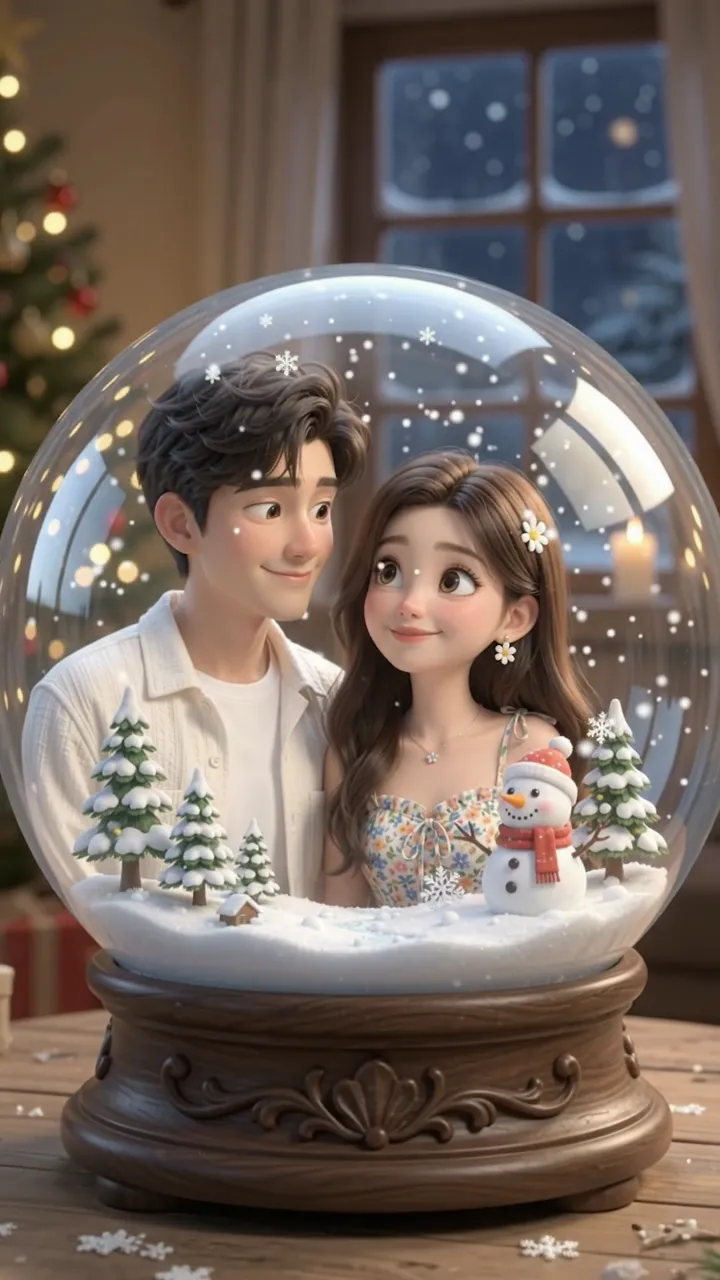 40:06
The ball is complete and the two figures stand in it: snowy ground underfoot, small snow-covered pines and a snowman in a red hat around them, snow falling, the glass catching the light, and behind the globe a Christmas window of warm lights.
Your photo is shown at full size first, so whatever sits behind the people fills the opening second.
There is nothing to write on this page: the photo slot carries the instruction. To run the same idea in a tool of your own, paste this into any image-to-video tool with your photo as photo 1.
Any image to video tool
Prompt length 1368
Photo 1 is the opening frame. Show it exactly as it is, filling the frame, and hold it still for the first half second.

Then the photo itself slides upward and out of frame. As it leaves, bring a Christmas snow globe up from the bottom edge into the empty frame: snowy ground, small snow-covered pine trees, a snowman in a red hat on one side, gentle falling snow, and the glass catching the light.

Everyone who appears in photo 1 appears inside the globe as a Pixar-style 3D cartoon figure, standing where they stood and wearing the same clothes in the same colours, simplified into the style. Keep each person recognisable: face shape, eye colour and eye shape, eyebrows, nose, mouth, skin tone, age, hairstyle, hair colour, glasses and facial hair. The cartoon is a warmer, rounder version of the photo, not a different character.

Then set the globe down on a wooden table with a Christmas window of warm lights behind it, and let the figures move in the same shot: they blink, look toward the camera with a small smile, one gives a slight nod, the snow keeps falling and the camera slowly pushes in. Soft cinematic 3D animation look: rounded shapes, big expressive eyes, smooth surfaces, shallow depth of field. One continuous reveal, no cuts.

No text, no captions, no logos, no watermarks, no film characters, and nobody in the globe who was not in the photo.Write the reveal as a sequence
Photo first and held still, then the slide up, then the globe: three steps in that order, not a fade.
List the scene, not the mood
Snowy ground, pines, snowman, lamp post, falling snow and the night window behind the glass: six things the viewer should still see in the last second.
Name who is inside
Say that everyone in photo 1 appears and nobody else does, so the ball holds exactly your cast instead of the strangers these prompts usually add.
Don't ask for a cut or a second angle
A second scene or a cut breaks the reveal; the whole effect is one unbroken move from the photo to the ball.
Don't describe the face in words
Point at photo 1 and ask for the features to be held; a paragraph of adjectives produces a stranger in your clothes.
Don't add characters or logos
Film characters, logos and artwork stay out of the globe: the model redraws what the photo shows and adds no characters of its own.
Wrong
Make me a pixar snow globe video.
Right
photo 1 opens the video and holds for half a second, then it slides up and the same two people come back as 3D cartoon figures inside a snow globe on a wooden table, with the snowy pines, the snowman in its red hat and the falling snow kept.
The short version leaves the reveal, the scene and the cast to the model, and it usually comes back with a ball full of people who are not yours.
The reveal is generated from your photo, so the only things to choose are how long the video runs and how sharp it is.
Every template works the same way: add your photos, press Generate and get a shareable video without writing a prompt.
View all effectsFAQ
It is a short video that opens on your photo, then slides that photo up out of frame to show the same people as 3D cartoon figures standing inside a glass snow globe. Pixar names the rounded, big-eyed look people search for, not a scene from a film.
One. The opening frame and the figures inside the globe come from the same file, so there is no second photo to prepare. Three different uploads behind this trend, a mirror selfie, a kitchen shot and an outdoor shot, each started from one photo and each came back with the people who were in it.
No. Head to waist is enough; the legs, the shoes and whatever the photo does not show are drawn by the model, in a style rather than as a copy of a real garment. A full-body shot matters only if you want those shoes and the whole outfit inside the ball.
The default is 11 seconds, and any whole number from 3 to 15 seconds is listed next to the Generate button. A longer run lets the photo hold longer before the slide; a shorter one reaches the globe sooner, so the reveal reads faster.
No. Every video gets its own generated audio track, so the sound the trend's videos share is not carried over, and it changes from run to run. Add your own sound when you post if you want a particular song.
Yes. Nothing has to be arranged by hand: the reveal, the winter scene and the instruction are set up on our side, so you add a photo and press Generate. The CapCut template is where the trend started, not a step you have to repeat.
The model redraws you in a rounded 3D style, so the likeness is a caricature: bigger eyes, a softer jaw, and invented detail wherever the photo has none, such as the legs, the shoes and the back of the head. A sharp, evenly lit photo with the faces clearly in view keeps the most of you. If a face drifts between the photo and the globe, the frame probably gave the model too little to hold: fewer people, more light and a closer view help.
Yes. Everyone in the photo appears inside the globe, one for one, so a couple selfie gives you two figures standing side by side as they were. Three or four people work too, though the more faces the model has to keep, the more likely one of them drifts. A pet comes back as the pet it is, not as a person.
No. The instruction is part of the template, so the photo and the settings are all you add. The prompt on this page is only for running the same idea in an image-to-video tool of your own.
No, each run costs credits. The price follows the length and resolution you pick, and the Generate button shows the exact amount before anything starts. New accounts start with 10 credits.
No. Oeneo AI is not affiliated with Pixar; the name is how people search for this style, and the template uses no film characters, logos or artwork.
One photo in, one reveal out: your photo opens the video, slides up, and the same two people come back as 3D figures in a snow globe on a wooden table, with pines, a snowman and falling snow.