

SmackDown AI Trend

Make a WWE AI video from one portrait with the SmackDown AI Trend template. Step from the front row into the ring to face a wrestler, with the original arena commentary.

  • No prompt
  • Arena commentary
  • Front-row role
Example · SmackDown AI Trend

PNG / JPG / WebP · up to 10 MB · at least 512px on the short side

0/1 photos

Add one clear portrait for the front-row fan who turns away from the camera and climbs into the ring.

Video settings

No prompt needed. Only upload photos of yourself or people who agreed to be featured; celebrity photos and film stills aren't allowed.

The SmackDown AI video, shot by shot

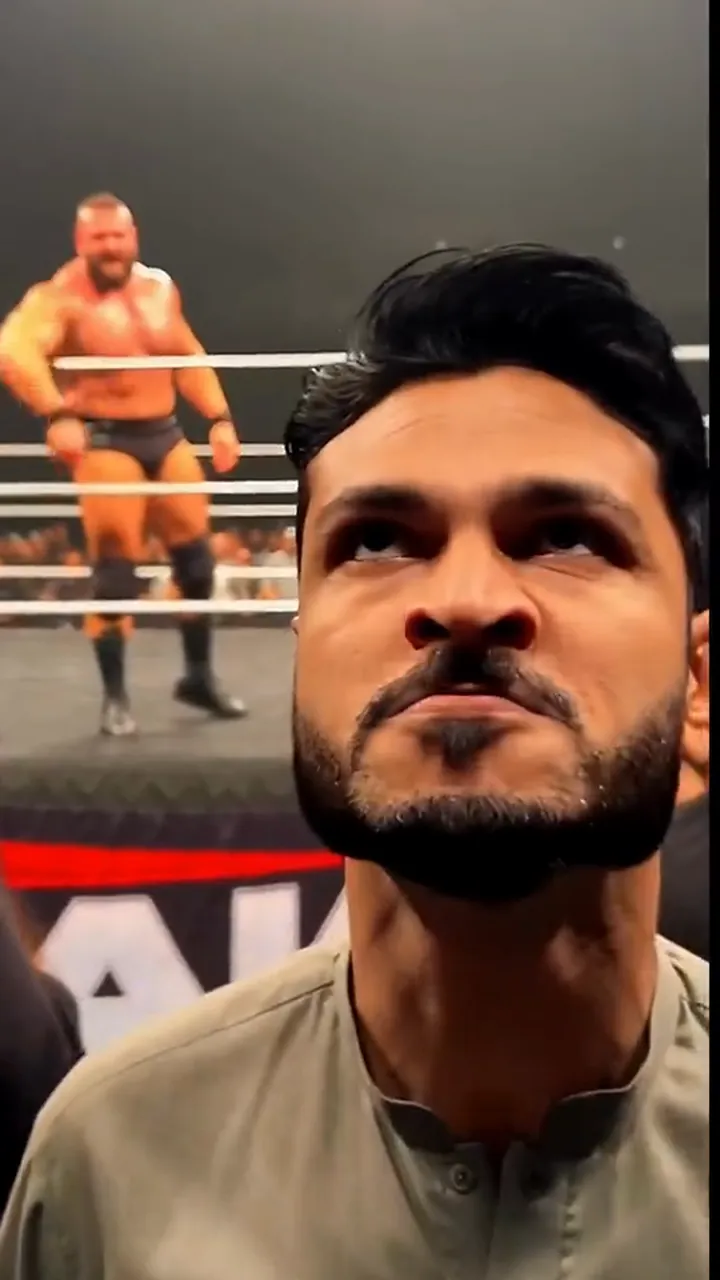
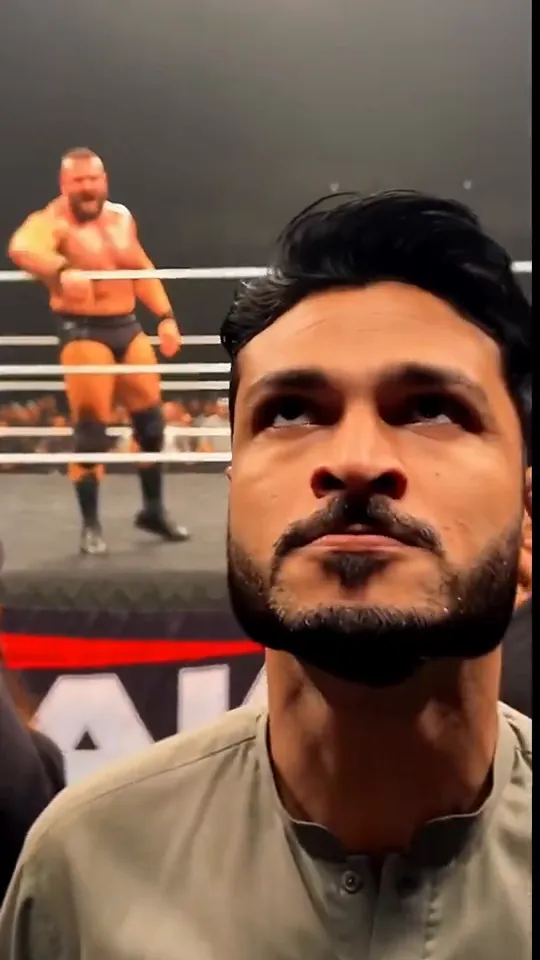
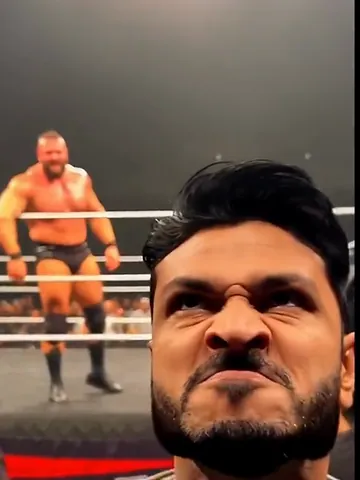
  1. A man in a grey tunic stares into the phone camera with the wrestler waiting in the ring behind him.10:00–0:03

    The front-row stare

    The opening holds on the fan in the grey tunic staring into the phone camera, with the wrestler already waiting between the ropes. He turns and heads for the ring.

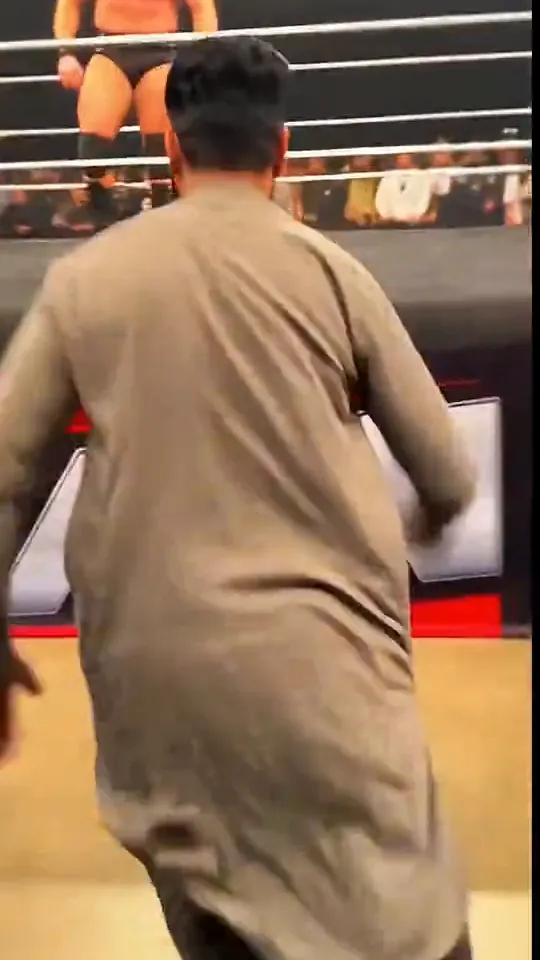
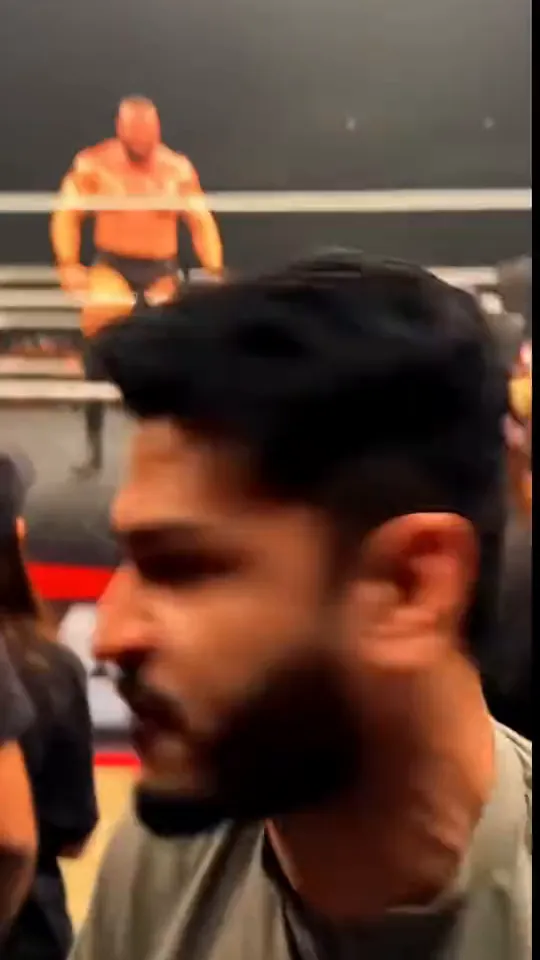
  2. The fan climbs between the ropes onto the mat while the wrestler waits inside.20:03–0:06

    Between the ropes and onto the mat

    He steps up to the apron, ducks between the ropes and lands on the mat, where the wrestler is already circling.

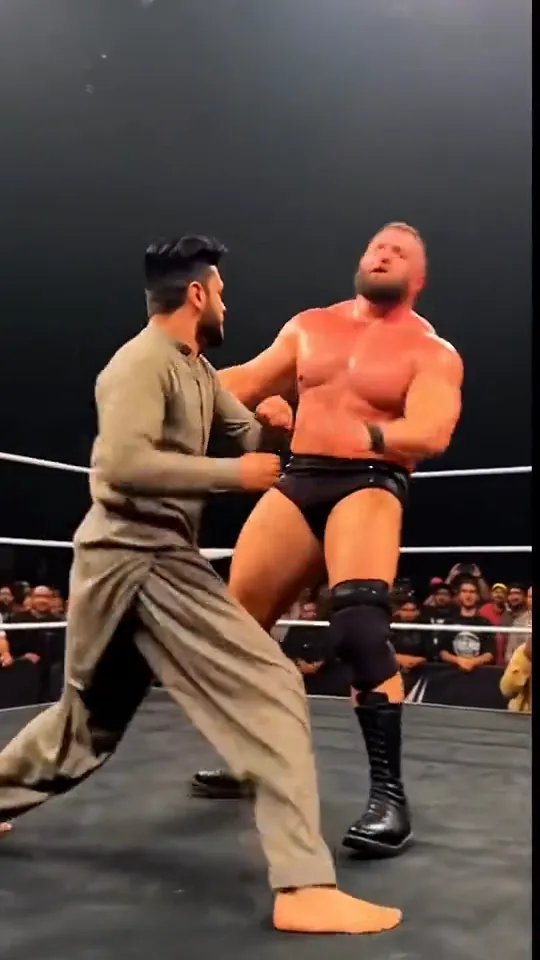
  3. The fan and the wrestler trade blows at rope height before the fan lifts him off the mat.30:06–0:11

    Blows at rope height, then the lift

    The camera drops to rope height. The two trade blows, then the fan backs the wrestler up and lifts him off his feet.

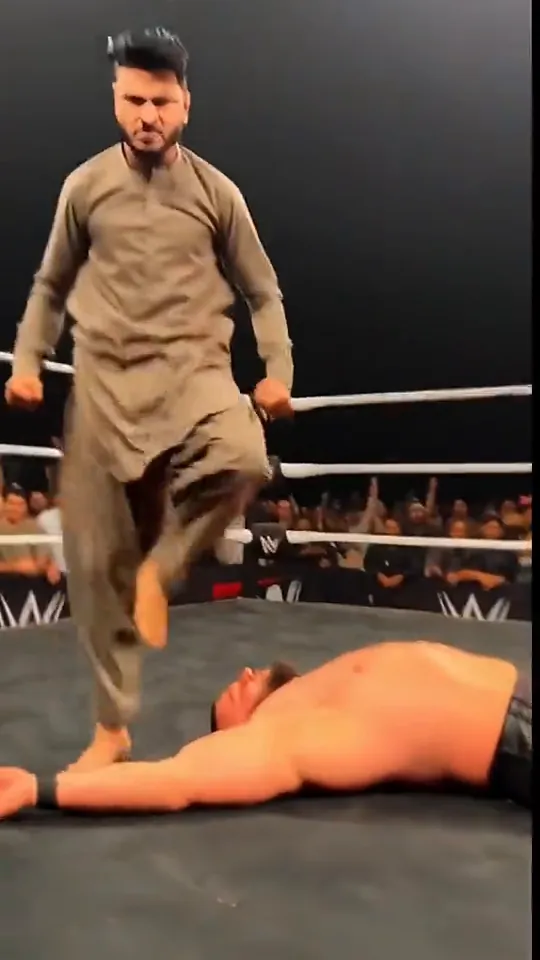
  4. The fan stands over the wrestler lying on the mat, then turns to the camera.40:11–0:15

    Standing over him

    The wrestler lands flat on the mat. The fan stands over him, faces the crowd, and the clip ends on a close-up of his face.

Where did WWE SmackDown AI start?

The WWE AI trend makes a fictional wrestling scene look like match footage. A front-row spectator leaves the crowd and faces a wrestler, filmed at phone level with deadpan commentary.

Spectators lift their phones toward the ring as the fan heads for the apron.

Viewers under two TikTok posts asked whether the wrestling scene was real. Replies took “real” as the start of Real Madrid, turning the fact check into a football joke.

CapCut created its WWE SmackDown template (7708262162434772242) on November 15. By November 24 it had reached 2,390,960 uses, and about 123K TikTok works had used the sound.

TikTok posts using the same CapCut template

  1. On TikTok, @guitargodking’s post linked the template and its original sound and had 386 likes.

  2. @erik2018antus’s TikTok video used the same template and had 13.7K likes.

  3. @user7453115952617’s TikTok tutorial showed how to use the template with one photo and had 50.3K likes.

How do you make a WWE AI video from one photo?

Use the opening close-up to see how much of your face the portrait should show.

  1. The front-row fan faces the camera in a grey tunic.

    Photo 1Front-row fan

    Your portrait plays the fan in the grey tunic who leaves the front row and climbs into the ring. The wrestler and the crowd keep their roles.

    • Keep the hairline and both sides of the face visible so the look reads when the fan turns away and faces the camera again.

What to look for in your wrestling portrait

Clear references

  • A woman in a mustard sweater looks at the camera against a white background.One person facing the camera in even light
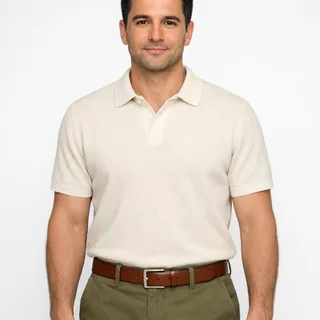
  • A man in a light polo shirt poses for a waist-up portrait.Waist-up with the hair and shoulders in frame

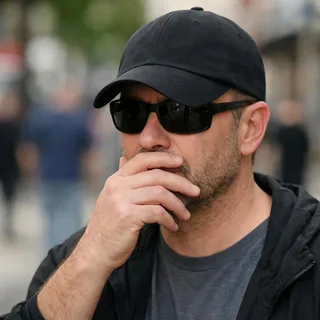
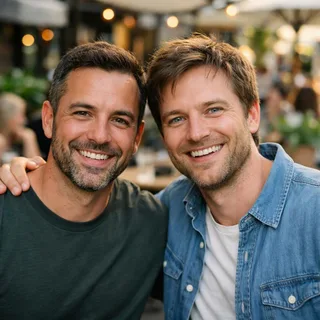
Harder to read

  • A man in a low cap and sunglasses covers his mouth with his hand.Face hidden by a hand or cap
  • Two men sit together in a cafe photo.Two people in the same frame

From portrait to ringside post

  1. Upload the portrait

    Add one portrait from your camera roll to the upload slot above.

  2. Generate the walk-in

    Choose the resolution for the wrestling clip. Check the exact quote on Generate, then click it.

  3. Share the ringside reveal

    Download the vertical video and share it as a ringside POV.

SmackDown AI prompt tutorial

Keep the fan identifiable through the rope crossing. This effect uses a built-in scene. For your own footage, start with Kling. With a portrait alone, use Seedance to stage a new skit.

Kling 4.0 Video Edit

Prompt length 893

Use @Video1 as the edit source. Replace only the front-row fan in the grey tunic who stares into the phone camera with the person in @Image1. Take facial features, hair and skin tone from @Image1, and keep the tunic's shape and fit from the clip.

Track the same fan as he faces the phone, turns for the apron, climbs between the ropes, trades staged blows, lifts the wrestler off his feet and stands over him on the mat. Restore the same face and hairstyle after the ropes cross the frame, during the lift and in the final close-up. Keep the bare-chested opponent in orange trunks and tall black boots, the spectators and their raised phones as they appear in @Video1.

Preserve the poses, expressions, gaze, arena, rope-height camera, framing, cut points, lighting, rhythm and original audio. Keep both faces distinct when the two bodies overlap. Leave the frame free of added text or logos.

Keep the casting clear

  • Name a visible cue before the turn

    The grey tunic and the front-row position identify the same performer until the camera follows him to the apron.

Keep the ring recognizable

  • Avoid asking Kling to remake the whole arena

    A general “wrestling crowd” instruction can restage the beat and redraw spectators. Reserve the generation for the fan and preserve the phones, ropes and lens height.

How to keep the opponent’s face distinct

Too broad

Put @Image1 into the wrestling match in @Video1.

Identify the fan

Replace the front-row fan in the grey tunic in @Video1 with @Image1. Keep the opponent in orange trunks and tall black boots as he appears, including when the two bodies overlap.

When the fan and the wrestler overlap, the grey tunic and the opponent’s trunks are the reliable cues, which is why the example names the opponent explicitly.

SmackDown AI video specs and credits

SmackDown AI video specs and credits
Input
1 portrait
Photo files
PNG / JPG / WebP, up to 10 MB, short side at least 512 px
Video length
15.08 seconds, fixed to the clip
Frame
9:16 vertical
Resolution
720p (default) or 1080p
Sound
Built-in arena sound and commentary
Credits per video
568 credits at 720p, 851 credits at 1080p

Sharpen or extend a ringside shot

Sharpen a soft ringside close-up, extend a finished shot, or build a wrestling skit with a new shot list.

  • AI Video Generator

    Generate a clip from a prompt, a still image, a reference or existing footage.

    Open tool
  • Video Upscaler

    Raise a clip to 1080p or 4K and sharpen detail frame by frame.

    Open tool
  • Video Extender

    Add seconds before or after a shot while its motion and subject carry on.

    Open tool
  • Motion Control

    Give a character image the performance from a reference clip.

    Open tool

SmackDown AI trend questions

Is this the WWE Shield triple threat match AI video?+

The video is a fictional one-on-one wrestling scene. A TikTok tutorial used “capcut effect for fight videos” and “wwe shield triple threat match” in its caption.

Is this the SmackDown CapCut template?+

The SmackDown CapCut template is an entry point for the same trend. Oeneo AI has its own browser-based effect, independent of CapCut and WWE.

Can I use my photo, a friend’s photo, or a pet photo?+

This one-photo wrestling template accepts a single human portrait. Use your own photo or get your friend’s permission. The pet clips are separate remixes.

Is this a live WWE AI filter?+

This WWE AI effect turns a still portrait into a prearranged wrestling video in your browser.

Does my outfit carry over from the photo?+

The clip supplies the cut and shape of the wrestling scene’s outfit. The portrait supplies facial features, hair and overall appearance.

Why can the face change after the rope crossing or lift?+

Compare the opening close-up with the first clear frame after the fan passes the rope. Then check both faces as the performers separate after the lift. If the fan’s identity shifts after the turn, use the photo checklist to find a portrait with a clear hairline and jaw.

Does the WWE AI video keep its sound?+

Yes. The WWE AI video keeps the built-in clip’s arena noise and sports commentary through the whole take.

Is the WWE AI video generator free?+

Each video uses credits. The price depends on whether you choose 720p or 1080p, and the Generate button shows the exact quote before you run it.

Make an AI wrestling video from your photo

Send the ringside reveal to the friend in the video.