

AI Cow Makeup Transition

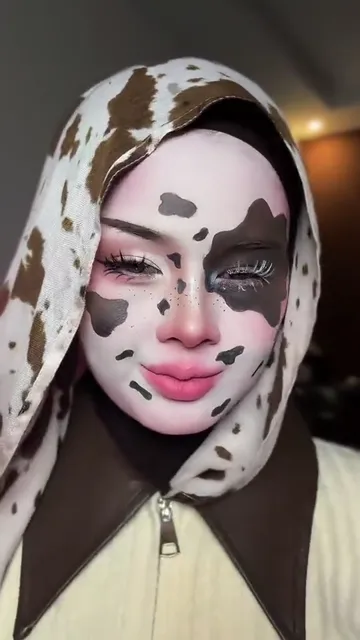
Turn one selfie into the vertical cow makeup transition. A quick nod cues the switch to a spotted headscarf, bold eye patches and a painted pink nose.

  • No prompt
  • Cow-print look
  • Sound included
Example · Cow makeup reveal

PNG / JPG / WebP · up to 10 MB · at least 512px on the short side

0/1 photos

Upload one person’s head-and-shoulders photo with both eyes and brows visible.

Video settings

No prompt needed. Only upload photos of yourself or people who agreed to be featured; celebrity photos and film stills aren't allowed.

See the four beats of the cow makeup transition

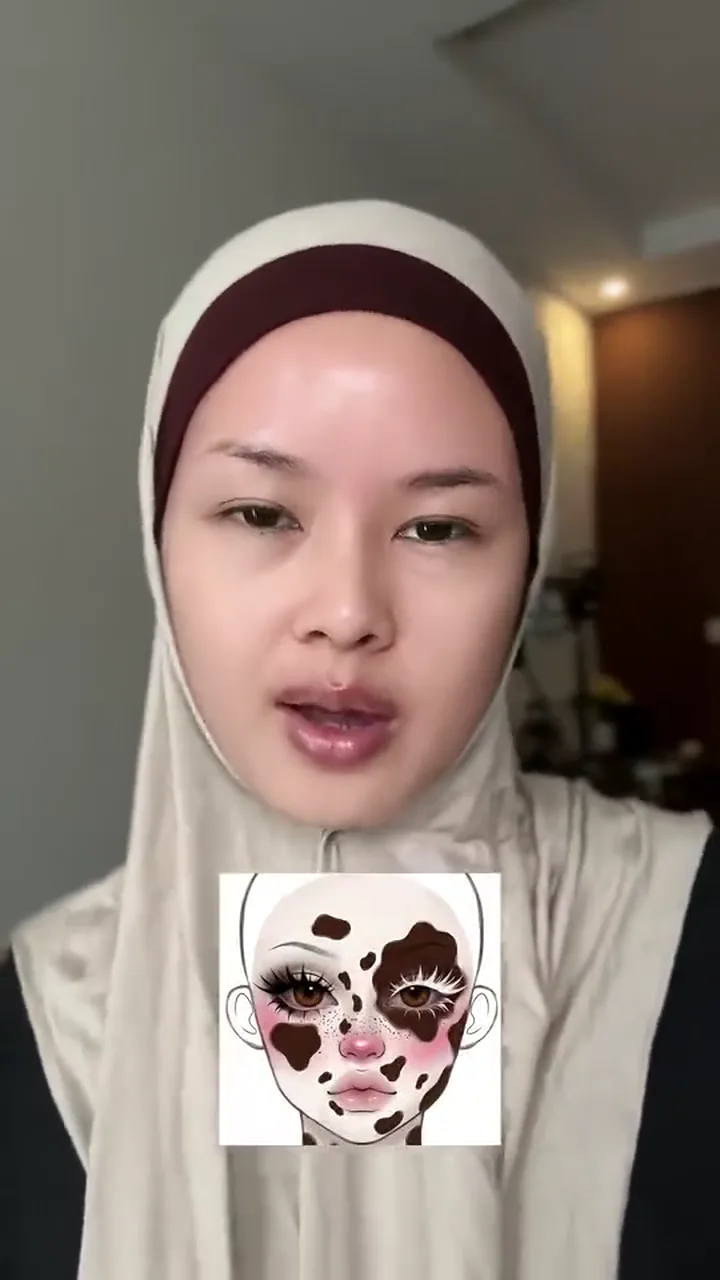
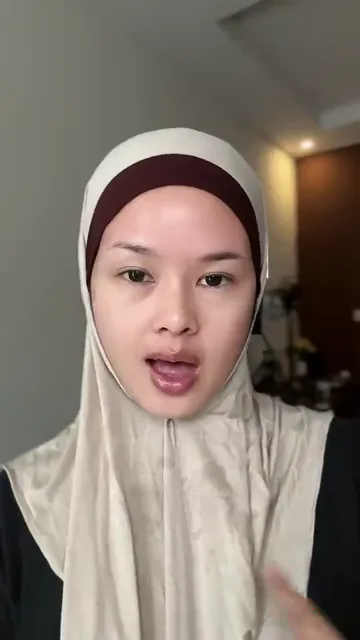
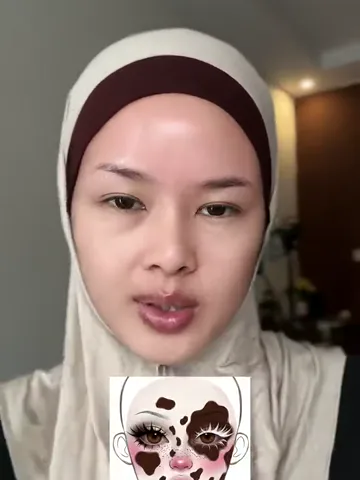
  1. Woman in a plain cream headscarf facing the camera10:00

    Start with the everyday look

    She faces the camera in a plain cream headscarf, with warm light in the background.

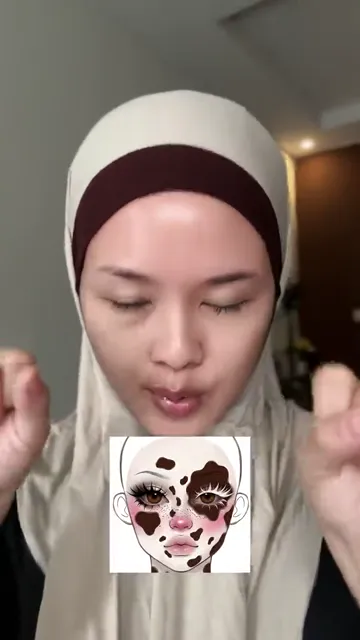
  2. Performer dips her chin and raises both hands before the cut20:07

    Dip the chin on the beat

    She lowers her gaze and lifts her hands beside her face just before the cut.

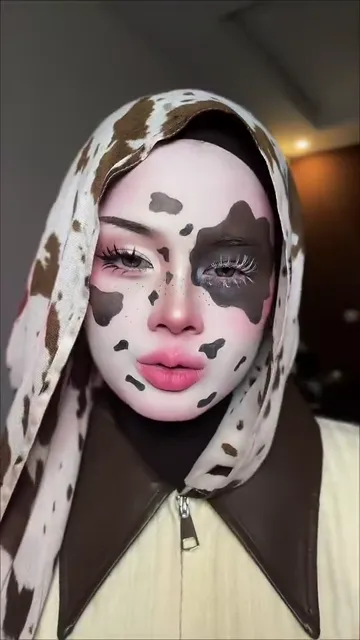
  3. Cow-print headscarf with a dark eye patch and painted pink nose30:08

    Reveal the cow-print makeup

    The cut swaps in a cow-print scarf, a dark patch around one eye, and pink makeup on the nose and lips.

  4. Close-up of the finished cow-print makeup40:11

    Hold the finished look

    She looks back into the camera, giving the spotted scarf and eye makeup a moment to register.

What is the cow makeup trend?

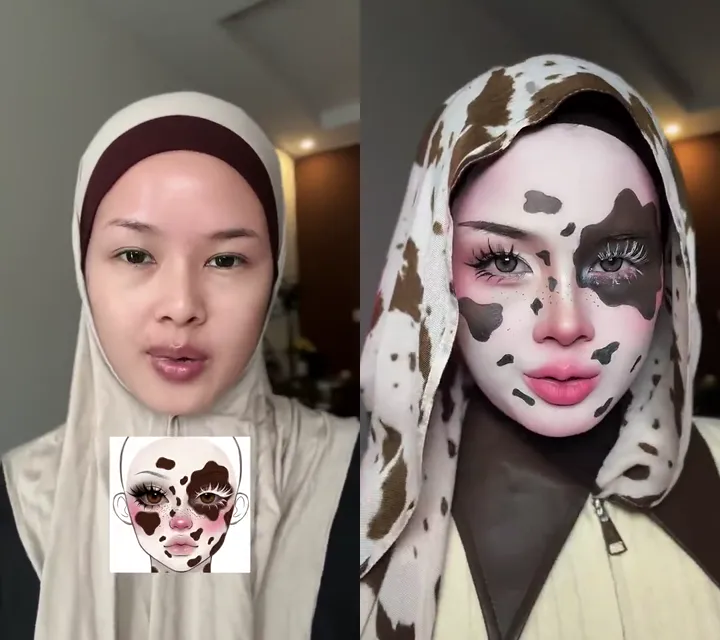
The cow makeup trend uses a quick gesture to cut from an everyday look to cow-print face paint on the beat.

The same woman wearing a plain headscarf before the cut and a cow-print headscarf with painted facial patches after it

The trend uses Doja Cat’s 2018 song “Mooo!” Early November 2026 TikTok examples paired face paint with a spotted scarf. On November 19, a TikTok creator revealed a prosthetic muzzle and a cowbell, then posted a making-of tutorial the next day.

How to make a cow makeup transition from a selfie

  1. Head-and-shoulders portrait of the performer in a plain cream headscarf

    PhotoPerformer

    Your selfie casts the performer in both shots. The preset supplies the outfit and the face paint.

    • Leave room around the face for the scarf and keep both sides of the jaw in frame.

Pick a selfie that reads under face paint

Do

  • Front-facing woman photographed in even lightUse even light so the jawline and cheeks read clearly.

Avoid

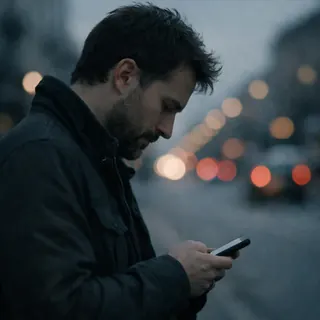
  • Man in a side profile looking at his phoneSkip hard side profiles that hide half the face.
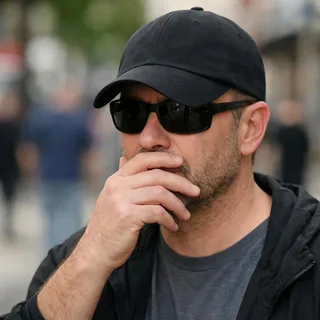
  • Man with sunglasses, low cap, and a hand covering his mouthLeave hats and props clear of the face.

From your camera roll to the reveal

  1. Add your selfie

    Pick a portrait from your camera roll. An everyday photo works without applying cow makeup first.

  2. Generate your transition

    Select a resolution and check the credit quote on Generate before starting.

  3. Watch it through and download

    Watch the cut and check that the eye patch and pink nose are clear before downloading the clip.

Cow makeup transition prompt for Kling

Use this prompt in Kling Video Edit with your own clip and portrait to plan the costume reveal.

Kling 4.0 video edit

Prompt length 334

Use @Video1 as the edit and @Image1 as the person appearing in both shots. Keep the same eye shape and jawline throughout. Start in a plain headscarf and everyday makeup. At the downward nod, cut to a spotted scarf with one dark eye patch and soft pink paint on the nose and lips. Match the timing and keep the face easy to recognize.

Do

  • Describe the makeup as two stages

    Describe the plain scarf and everyday look up front so the printed scarf and face paint have a clear reveal.

Avoid

  • Avoid “turn me into a cow”

    That instruction can replace the human face. Describe the makeup and costume pieces individually.

Cow makeup video format and credits

Cow makeup video format and credits
Photos
1 single-person selfie
Files
PNG / JPG / WebP, up to 10 MB, short side at least 512 px
Length
About 15 seconds
Frame
Vertical 9:16
Resolution
720p or 1080p; 720p by default
Credits
562 credits at 720p and 843 credits at 1080p

Tools to polish or extend your cow makeup video

Enhance the finished clip or build a new video with your own reference material.

  • AI Video Generator

    Generate a clip from a prompt, a still image, a reference or existing footage.

    Open tool
  • Video Upscaler

    Raise a clip to 1080p or 4K and sharpen detail frame by frame.

    Open tool
  • Video Extender

    Add seconds before or after a shot while its motion and subject carry on.

    Open tool

Questions about the cow makeup effect

What is the difference between this transition and a cow makeup filter?+

A cow makeup filter gives you a still image with cow-print markings. This template gives you a vertical clip with the plain look, the nod and the makeup reveal.

Does the cow makeup video include the trend’s sound?+

The video uses the built-in clip’s fixed soundtrack. There’s no custom audio upload for this effect.

Do I need a CapCut template for the cow makeup transition?+

Oeneo AI handles upload, generation and download. If you browse CapCut for the same look, check that the cut goes from a plain headscarf to cow-print makeup. Clips can share the song and use different edits.

Will the cow-print headscarf cover my hair?+

The preset follows the clip’s headscarf styling. A plain scarf frames the face at first, then a cow-print scarf replaces it at the cut.

What if the face looks different after the cow makeup reveal?+

Pause just before and after the nod. Compare the jawline and the eye that is clearer of the dark patch. If those features are hard to match, try a photo from the checklist above.

Can I make the cow makeup video in a different aspect ratio?+

The template uses the clip’s fixed portrait framing. You can choose the output resolution.

How much does the cow makeup transition cost?+

The quote depends on your selected resolution. You see the exact credit cost on the Generate button before submitting.

Can a pet photo be used for this cow makeup transition?+

Choose a photo of a person. The painted nose, eye patch and headscarf are framed around human facial features.

Make a cow makeup reveal with your selfie

Choose a portrait and make a short video that cuts to cow-print face paint and a matching headscarf.