


The friend who is always late
One of you is already in the lift, the other is still running for it. The pair reads best when the two of you look nothing alike.
Caption idea: “we agreed to leave at eight”
Two photos make the Sampagne 365 elevator AI trend: one person waits inside, the other walks in with their back to the camera and turns, and the fixed single take stays as performed.
PNG / JPG / WebP · up to 10 MB · at least 512px on the short side
0/2 photos
Two photos, one person in each: the one already waiting inside first, then the one who walks in. Clear face, at least head to waist.
Video settings
No prompt needed. Only upload photos of yourself or people who agreed to be featured; celebrity photos and film stills aren't allowed.
The 365 elevator trend is a two-photo AI video set inside a metal lift and cut to Sampagne's “365”: one person is already waiting when the doors part, the second walks in with their back to the camera, turns, and the two of them hold the shot together.
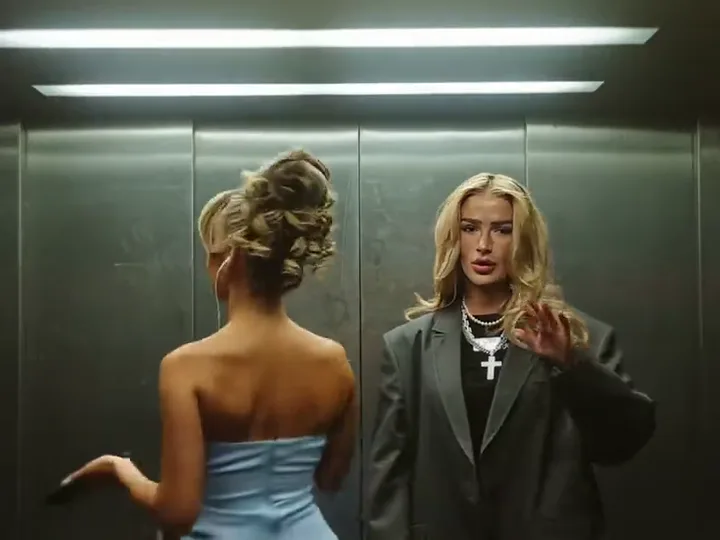
The joke is the pairing. One person is minding their own business in a lift, then the second one walks in as if the lift was always meant to hold both of them; the turn is where a quiet ride becomes a two-shot. There is no dance and no cut, so the entrance order is the whole performance.
The sound of the wave is Sampagne's single “365”, released on 12 November 2026. The template keeps the audio the clip ships with instead of laying a song over the result, so the sound arrives with the video.
Sampagne releases “365” as a single.
The first lift posts found in this wave go up on 19 and 20 November, both on the same fixed elevator shot; who started it is not established.
AI template pages and an English CapCut tutorial for the lift edit appear, which is where the AI version dates from.
Dates from the TikTok post IDs and Apple Music's single page; the template and tutorial dates come from the pages themselves, read on 22 November 2026.
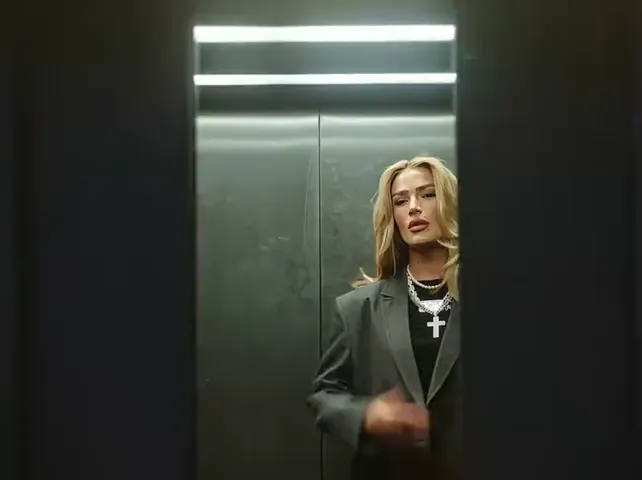
Five stops in the 14-second take: the wait, the back, the turn, the pair and the hold.
 10:00–0:00
One person is already inside, standing at the back of the lift in a dark blazer with one hand raised, waiting for the doors.
 20:00–0:02
The second person walks in with their back to the camera, hair pinned up and a strapless dress, and the person inside stays where they are.
30:02–0:04She turns to face the front, checks her hair and settles beside the first person. The camera never moves, so the whole reveal happens inside one frame.
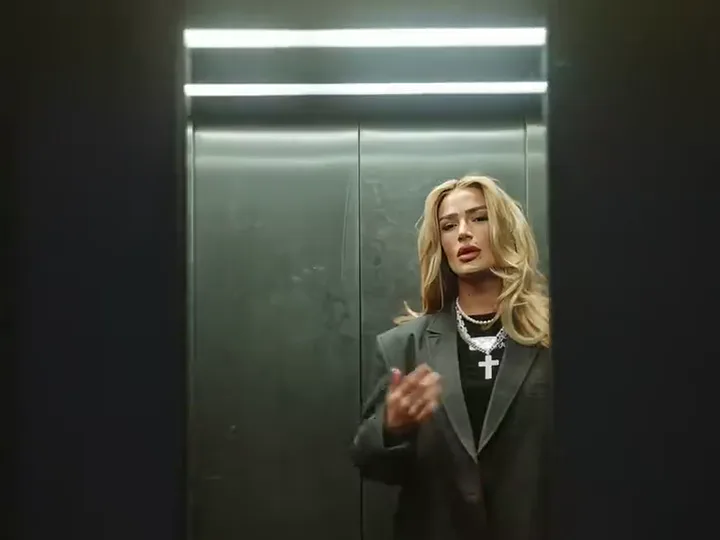
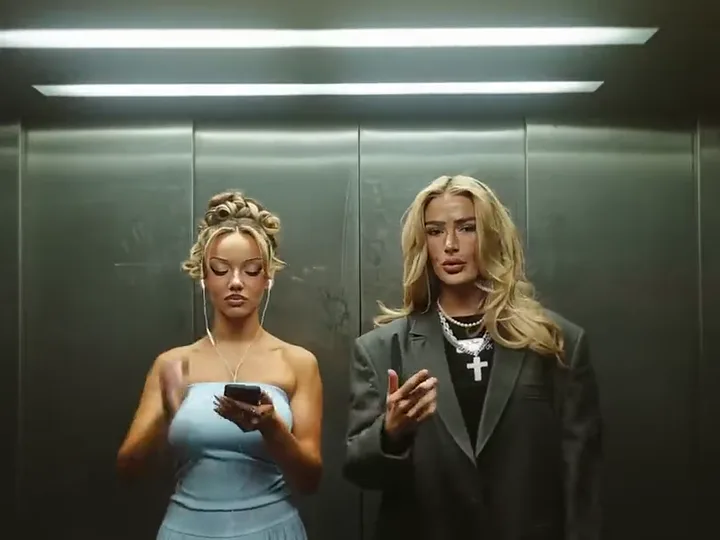 40:04–0:08
Both of them face the front now, one holding a phone and the other still talking with her hands. Nothing else in the lift changes.
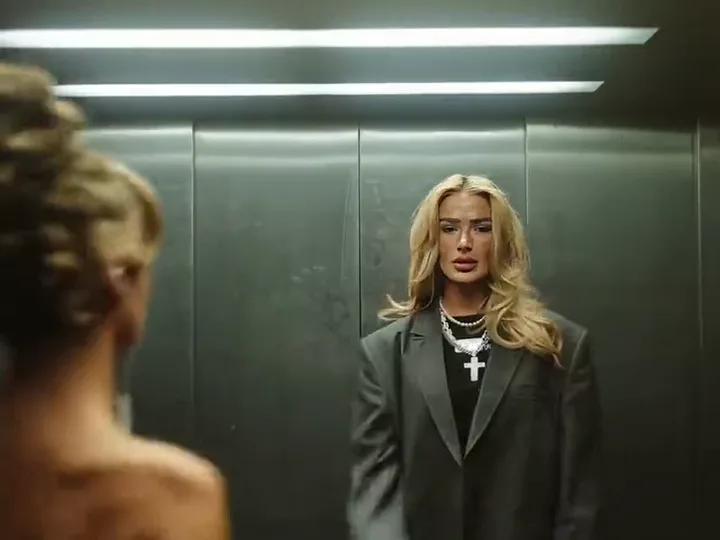
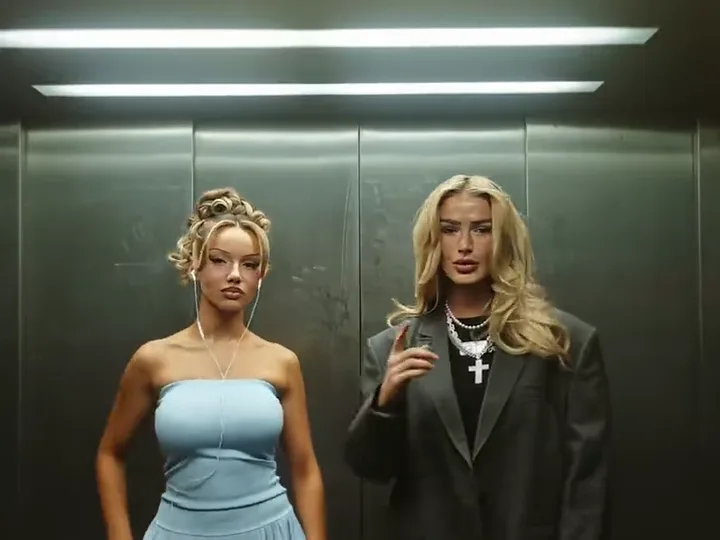 50:08–0:14
The take runs out with the two of them in frame, small shifts of weight and hands, and no cut, no walking out and no text on screen.
These searches also return the lift selfie and the outfit-change clip; the short version:
| Compare | 365 Elevator | AI elevator selfie | Elevator outfit change |
|---|---|---|---|
| What it is | Two people in one lift take | A still photo taken in a lift | One person, several looks |
| What you upload | Two single-person photos | One photo | One photo, plus the outfits |
| What you get | One clip with its own sound | A photo, nothing moves | Quick changes between floors |
| Where it is made | This page | Photo effect pages | Other video tools |
Two photos, one per role, and the template does the rest. The first slot is the person already inside and the second is the one who walks in; put them the other way round and the two parts swap. Each photo needs one person, head to at least the waist, and the two should read as different people.
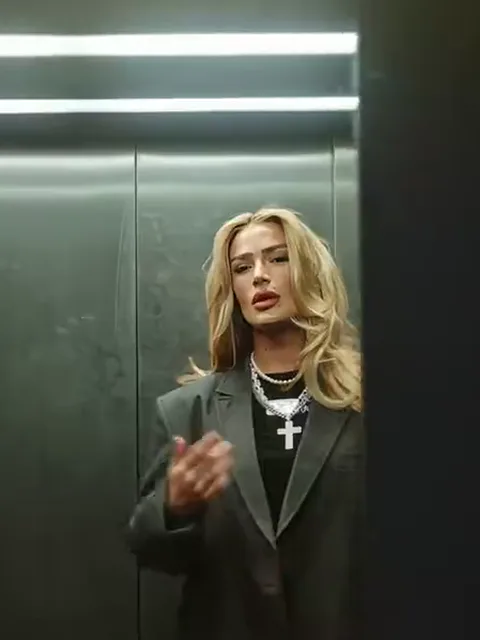
Photo 1Waiting inside
This photo plays the person standing in the lift before the doors open. She is on screen from the first frame, so a straight-on portrait reads best here.
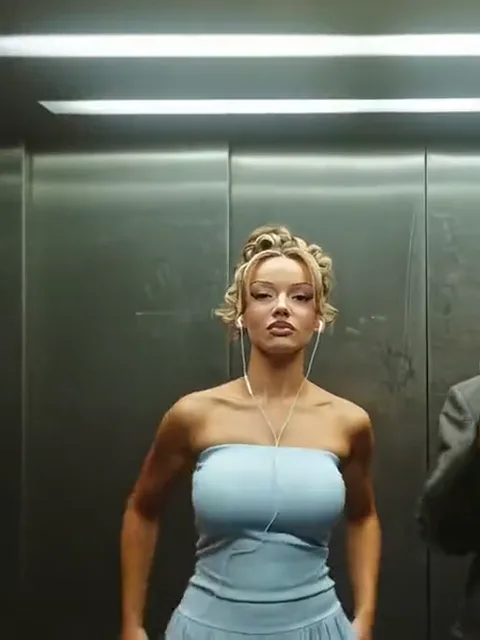
Photo 2Walks in
This photo plays the person who steps in with their back to the camera and turns around. The turn is where her face finally shows.
Works well
 Face lit, head to waist
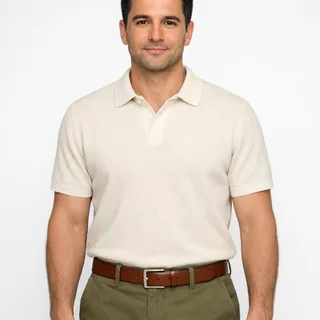 One person only, chest up
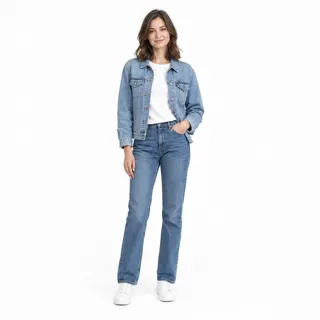 Full body works too
Avoid
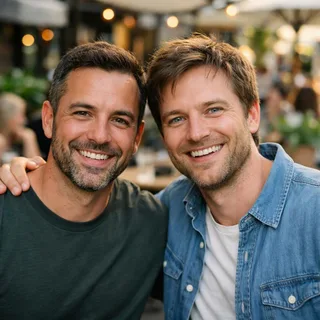 A photo with both of you in it
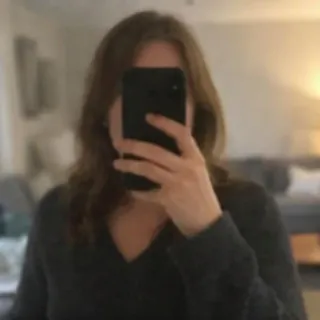 A phone or hand covering the face
 Dim, blurry shots
Add the two photos
One photo per role, one person in each, into the two slots under the preview.
Click Generate
The button shows the exact credit price for the resolution you picked before the run starts.
Post it
Download the clip and post it. The template's own track is already on it, so nothing needs adding in an editor.
The edit works on any two people who would be funny sharing a lift: a friend you never see, a partner, a younger you.
One of you is already in the lift, the other is still running for it. The pair reads best when the two of you look nothing alike.
Caption idea: “we agreed to leave at eight”
One waits, the other walks in, and a lift ride turns into a two-shot. It works for anniversaries, long-distance edits and posts that need no occasion.
Caption idea: “date night starts on floor one”
A school photo in one slot and a photo from this week in the other. After the turn it reads as the same person meeting themselves in a lift.
Caption idea: “13 and 23, same lift”
You take one photo, your friend or partner takes the other, and the template puts both of you in the same lift. No shared shoot needed.
Caption idea: “different cities, same elevator”
Two written routes for people working outside this template: a Kling video-edit prompt that keeps the lift clip, and a reference-to-video prompt that rebuilds the shot from the two photos. The template on this page needs neither.
Kling 4.0 video edit
Prompt length 924
Use @Video1 as the lift clip: a fixed front-on shot inside a metal service elevator, one person already waiting on the right, the doors opening behind the camera.

Replace the person waiting inside with the person in @Image1, and the person who walks in from the left with the person in @Image2. Take each face, hair, skin tone, build and clothing from its own photo, and keep the two of them apart.

Keep the performance in @Video1 frame by frame: the wait with one hand raised, the walk-in with the back to the camera and the hair pinned up, the turn to the front with a hand going to the hair, and the two of them standing side by side until the clip ends. Keep the fixed camera, the single take, the metal walls, the ceiling light strips, the framing and the pacing.

Keep each face stable through the back-facing entrance and the turn, and keep @Video1's own track. Do not add people, cuts, camera moves, text or logos.Reference-to-video
Prompt length 718
Use @Image1 and @Image2 as the two people in the scene, and keep each identity separate.

Create a fixed front-on shot inside a metal service elevator, lit by two horizontal ceiling light strips, framed from the chest up and holding the same frame for the whole clip. @Image1 is already standing on the right, waiting, one hand raised. @Image2 steps into frame from the left with their back to the camera, turns to face the front, and settles beside @Image1; both of them then stand and face the camera until the clip ends.

Keep the camera locked, with no cuts, no zoom and no camera moves. Keep the light, the metal walls and the framing the same from the first frame to the last. No other people, no text, no logos.Who walks in and who waits
Both photos are references, so the prompt has to say which one the entrance belongs to.
The fixed frame
“Locked front-on shot, one take” keeps the elevator still while the people move.
What the turn reveals
“Turns to face the front” is the moment the clip is built around; without it the second person just stands at the door.
“Make it cinematic”
A moving camera or a cut takes the video out of the lift and out of the trend.
“Put these two people in an elevator”
That loses the entrance order and the turn, and the result lands as a static group photo.
A third reference photo
Only the two photos go in; a third one reopens the question of who is who.
Too vague
Put my two photos in the 365 elevator trend.
Specific
In @Video1, @Image1 waits inside on the right with one hand raised and @Image2 walks in from the left, back to camera, turns to the front, then both hold the frame; keep the fixed camera and the clip's own track.
The second version names the entrance, the turn and what stays. That is what a model needs to keep the pair in one lift for the whole take.
Every template works the same way: add your photos, press Generate and get a shareable video without writing a prompt.
View all effectsFAQ
No, each video costs credits. The price follows the resolution you pick, and the Generate button shows it before you start. New accounts start with 10 credits.
The trend is cut to Sampagne's “365”, which came out as a single on 12 November 2026. This template keeps the lift clip's own audio instead of adding music later, so the sound is already on the video when you download it.
No. Both photos go in on this page and the video comes back here, with no template to hunt down, no project file and no editor step. CapCut routes for the same edit run on a separate template and a separate project.
No. The page sends the clip, the two photos and the settings for you; the only thing left to pick is the resolution. If you want to run the same idea in another tool, the prompt section has both routes written out.
Yes, as long as each photo has one person in it and they are happy for you to use it. There is no requirement that they are related to you, and two photos of the same person work just as well.
Yes. A school photo in one slot and a recent photo in the other is one of the most common versions of this edit; the pair then reads as the same person meeting themselves in a lift.
The walk-in is shot from behind for the first two seconds, and the turn is the first clear look at her face. Two photos with similar hair and clothes give the model less to hold on to, so start from two clear single-person photos with different looks; the photo checklist above has the rest.
No. That format is a still photo of two people posed in a lift. This one is a continuous 14-second clip with an entrance, a turn and sound, and both people come from your two photos.
No. “365 Days” is a film, and those edits cut its scenes to music. Nothing from the film is in this template; the “365” here is Sampagne's single.
No. The template follows the clip it was built on: 4:3 and 14 seconds. That frame and that length are what make the entrance and the turn land, so both stay fixed.
No, this one needs two. Each slot is a different person standing in the lift, and one photo cannot fill both of them.
It is built for two people: both roles stand, walk in and turn the way a person does, and the template keeps that performance.
No. It is an independent template built for the trend, and it is not made with or endorsed by the artist or the label.
365 elevator
Two photos, one lift, and the clip's own sound already on it.