Make a Hotel Lobby AI Video From Two Photos

Put two people, pets or characters into the viral Hotel Lobby AI trend: the orange booth, one hanging mic and a back-and-forth rap duet. Add one photo for each side and generate; no prompt, no filming together.

  • One click · no prompt
  • Orange booth, one hanging mic
  • Friends, pets or characters
Example · Hotel Lobby

PNG / JPG / WebP · up to 10 MB · at least 512px on the short side

0/2 photos

Two photos, one subject in each: the left performer and the right performer. Clear, front-facing half-body shots with similar lighting work best; no group photos.

Video settings

No prompt needed. Only upload photos of yourself or people who agreed to be featured; celebrity photos and film stills aren't allowed.

Hotel Lobby AI videos made from any two photos

Friends, rabbits, cartoon characters, even a boxer and a kangaroo: each Hotel Lobby AI video here started as two separate photos on this template. Press play to see how any two people, pets or characters trade lines under the hanging mic.

  • Two friends, one Hotel Lobby duet

  • A pet Hotel Lobby video with two rabbits

  • Cartoon characters on the orange stage

  • Boxer vs. kangaroo remix

The Hotel Lobby trend, from the COLORS show to AI remixes

What is Hotel Lobby AI? It’s a fan-made video trend that recasts the two rappers from Quavo and Takeoff’s “HOTEL LOBBY | A COLORS SHOW” with anyone you like. Creators keep the orange booth, the single hanging mic and the back-and-forth delivery, then swap in friends, family, pets or characters. It’s a video format, not an AI tool for designing hotel lobbies.

The original performance

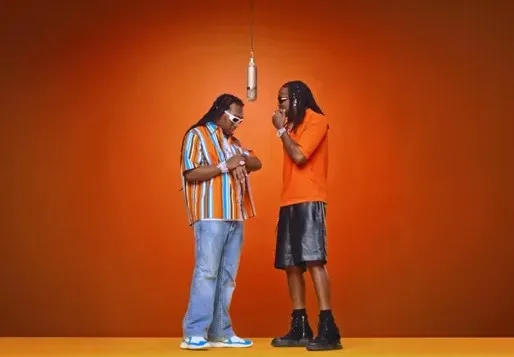
Quavo and Takeoff’s orange-booth Hotel Lobby session

This is the reference performance the template follows: a seamless orange booth, one vintage mic hanging between two rappers, a steady front-on camera and verses traded back and forth. Those four signals make the Hotel Lobby trend recognizable in a second, which is why remixes spread so fast on TikTok, Reels and Shorts.
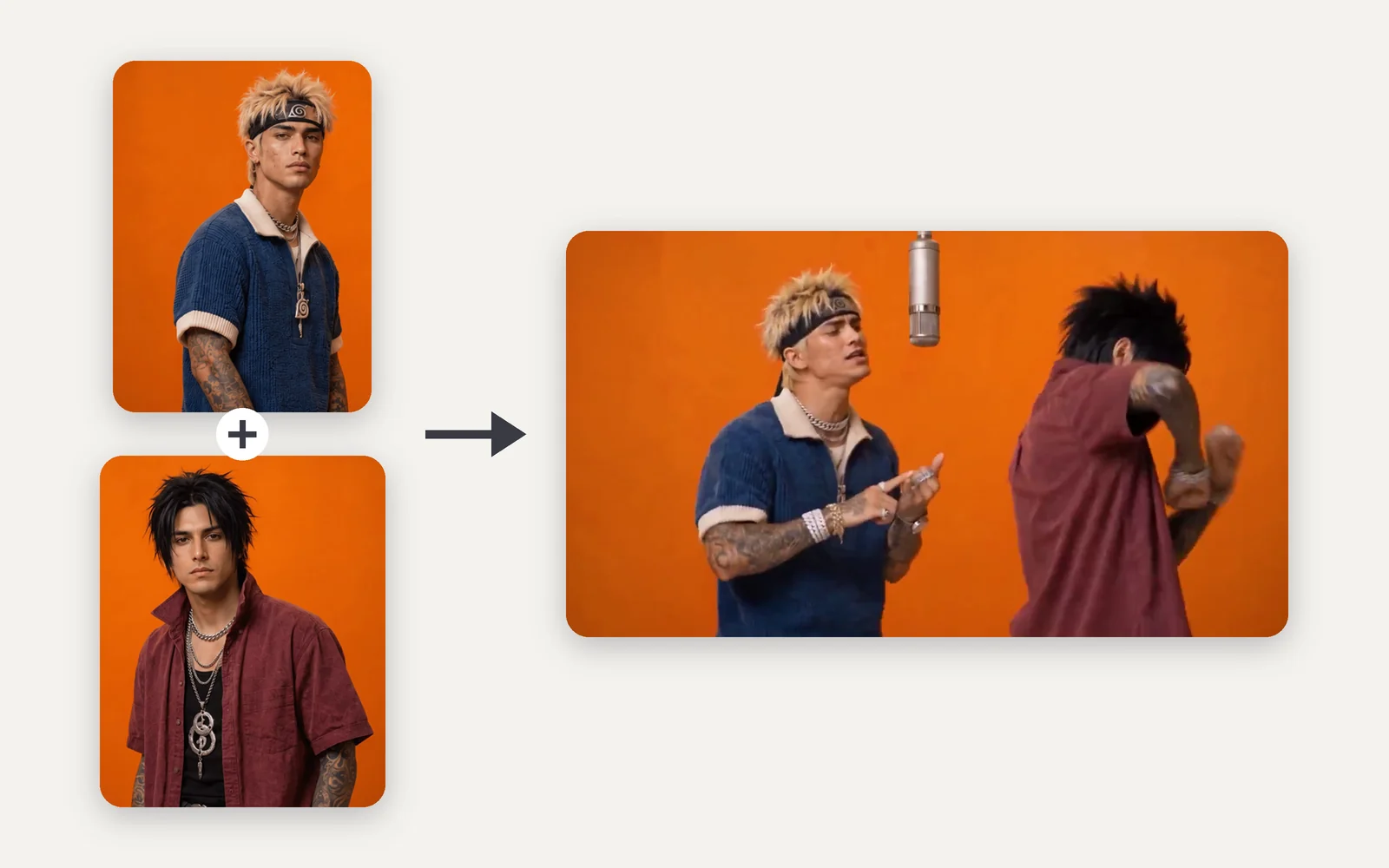
Two separate portrait photos joined by a plus sign, with an arrow to a video frame of both men performing under a hanging microphone in an orange booth

Two photos in, one duet out

How AI recreates the Hotel Lobby performance from two photos

Each photo fills one side. The template keeps the booth, the hanging mic, the camera and the pacing of the reference performance, and replaces both performers with your subjects, faces, hair and outfits included. That’s how a Hotel Lobby AI video with two people comes from two ordinary photos; every run is generated fresh, so poses, lip movement and small details vary.

Add your two photos
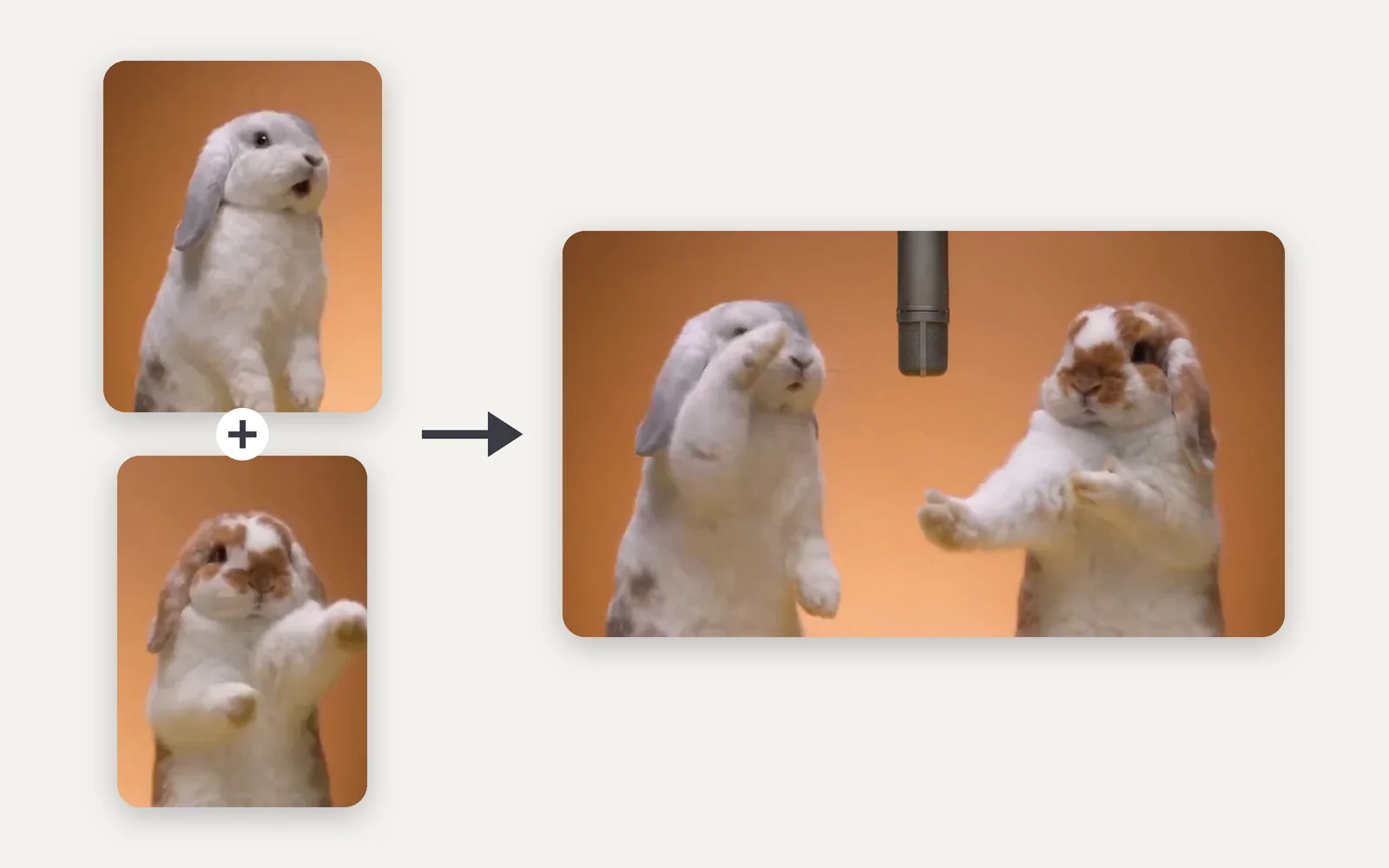
Photos of a gray-and-white rabbit and a brown-and-white rabbit, with an arrow to a video frame of both rabbits standing under a hanging microphone

Beyond people

Hotel Lobby AI with pets, cartoons and characters

Two rabbit photos became the rabbit duet shown here, and the examples above include cartoon-style characters and a boxer facing a kangaroo. Subjects photographed head-on, with the face and body clearly visible, give the most consistent Hotel Lobby AI characters; drawings with unusual proportions can drift.

Hotel Lobby AI template vs. face swap and DIY workflows

A face swap only pastes a new face onto someone else’s clip, and DIY tutorials chain character sheets, a motion reference video and an editor. This Hotel Lobby AI generator rebuilds the whole performance from two photos in one step.

QuestionHotel Lobby AI templateFace swap appDIY AI workflow
What you provideTwo photos, one per sideA source clip and a faceCharacter sheets and a motion clip
What gets replacedBoth performers, head to toeUsually just the faceWhatever your prompt describes
Prompt writingNone, it’s built inNoneWritten and tuned by you
Tools involvedThis page onlyOne appAn AI model plus an editor
AudioGenerated with the videoKept from the source clipAdded in the editor

Hotel Lobby AI video ideas

Hotel Lobby AI video ideas for friends, family and fandoms

A two-person AI video works best when the pair rarely ends up on camera together. These are the ways people use the Hotel Lobby format, with any two photos you have permission to use.

Friends and classmates

A two-person AI video for best friends

Upload one photo of each friend and the template turns them into a back-and-forth Hotel Lobby duet. It works the same way for siblings, classmates or teammates who live far apart.

Fandom crossover

Put two characters in one Hotel Lobby video

Cast two costumed or fictional characters as the rappers for a crossover nobody ever filmed. Use characters you created or have the rights to use.

Across generations

Parents, grandparents and kids on one mic

Two photos bring a parent and grown-up child, or a grandparent and grandchild, into one performance for a birthday or the family group chat. Clear left and right photos keep each person on their own side.

Shared interests

A Hotel Lobby remix about your shared hobby

Give the duet a theme your friends will get, from racing and gaming to sports teams or a running joke, by choosing photos that already show it.

Tutorial

Hotel Lobby AI tutorial: four steps from two photos

How to make a Hotel Lobby AI video with two people: add a photo for each side, check the settings and press Generate. Nothing is charged until you do.

  1. Upload a photo for each side

    Drop one clear photo into Left performer and one into Right performer. They can come from different places and years; you don’t need a photo of the two together.

  2. Pick the length, aspect ratio and quality

    By default the clip runs 15 seconds in 16:9 at 768p. Pick 9:16 for TikTok, Reels or Shorts; the price on the Generate button updates with every change.

  3. Generate your Hotel Lobby AI video

    Press Generate. There’s no prompt to write: the template brings the booth, the hanging mic and the reference performance. Keep the page open to watch the video arrive.

  4. Download it for TikTok, Reels or Shorts

    Download the clip, or sharpen and lengthen it with the video upscaler and extender. To post with the original song, add it from your platform’s music library.

Which two photos make the best Hotel Lobby AI video?

When a Hotel Lobby AI video isn’t working, the photos are usually the reason. The model reads one subject from each photo, so clear, single-subject shots with similar framing keep both performers recognizable and stop their faces from blending.

Photos that work

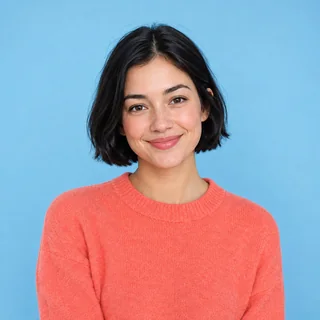
  1. A smiling woman with a short black bob, alone against a plain sky-blue background

    One subject per photo

    Crop out friends and busy backgrounds so each slot only shows the person or pet who plays that side.

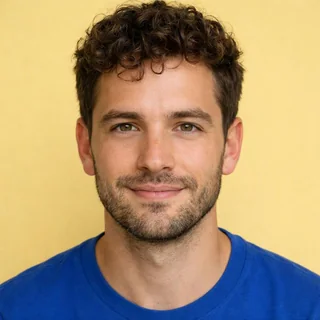
  2. A young man with curly brown hair looking straight at the camera

    A clear, front-facing face

    Both eyes and the whole face visible, looking roughly at the camera. For pets, keep the face and markings in view.

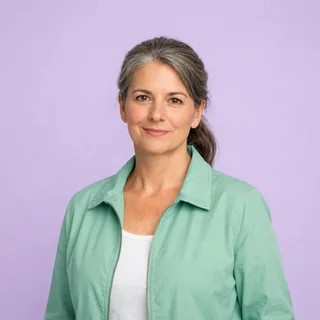
  3. A woman in a mint jacket photographed from the waist up in soft, even light

    Similar framing, soft even light

    Two half-body shots at a similar size and brightness sit naturally side by side in the booth.

Photos to skip

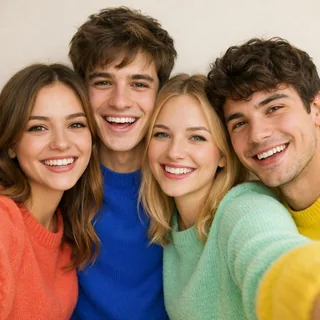
  1. Four friends squeezed together for a group selfie

    Group photos

    With several people in one photo, the model may pick the wrong face for a side.

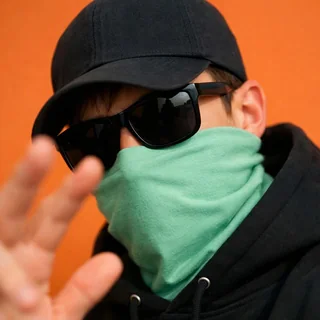
  2. A man in dark sunglasses and a face mask raising a hand in front of his face

    Sunglasses, masks or hands on the face

    Anything covering the eyes or mouth hides the details the model needs to keep.

  3. A dark, pixelated portrait that is hard to recognize

    Dark, blurry or tiny images

    Low light, heavy filters or small crops come out soft or unlike the subject. Use photos at least 512px on the short side.

Only upload photos of yourself, your pets or people who agreed to appear. Celebrity photos and stills from films or music videos aren’t allowed.

Hotel Lobby AI video length, formats and credits

How long a Hotel Lobby AI video runs, which shapes it comes in and what it costs. These values come from the live generator; the price on the Generate button is always the final one.

Hotel Lobby AI video length, formats and credits
Photos
2: one subject each, as Left and Right performer
Photo files
PNG / JPG / WebP, up to 10 MB, at least 512px on the short side
Video length
5–15 seconds; 15 seconds by default
Aspect ratio
16:9 by default; also 21:9, 4:3, 1:1, 3:4, 9:16, or Auto
Resolution
480p, 768p, 2K, or 4K; 768p by default
Audio
Generated with the video; the original song isn’t included
Prompt
None needed; the template sets the booth, camera and performance
Credits
200–959 per video; 360 for 15 seconds at 768p
If a generation fails
The credits are refunded automatically

FAQ

Hotel Lobby AI FAQ

Is the Hotel Lobby AI generator free?+

Adding photos and checking prices are free. Each video costs 200 to 959 credits depending on length and resolution, and 360 credits for the default 15-second 768p clip. New accounts get 10 free credits, which isn’t enough for a Hotel Lobby video on its own.

How do I make a Hotel Lobby AI video with two people?+

Two, with one subject in each. The Left performer photo is meant for the left side of the booth and the Right performer photo for the right. Each video is generated fresh, so if the sides come out the other way round, swap the photos between the slots and generate again. You don’t need a photo of the two together.

Can I use pets, characters or celebrity photos for Hotel Lobby AI?+

Pets and characters work, as the examples on this page show, though drawings with unusual proportions can drift. Celebrity photos and film or music video stills aren’t allowed: upload yourself, your pets, people who agreed to appear, or characters you have the rights to use.

Does the Hotel Lobby AI video include the original song?+

No. The model creates its own audio for the clip, and the original recording isn’t used. To post with the real song, add it from the music library in TikTok, Instagram or YouTube, which handle the licensing.

How long is a Hotel Lobby AI video, and can it be vertical?+

Clips run 5 to 15 seconds, 15 by default, in 16:9 unless you change it. Choose 9:16 for TikTok, Reels or Shorts, or another shape, in 480p, 768p, 2K, or 4K.

Do I need a Hotel Lobby AI prompt?+

No. The prompt and the reference performance are built into the template and run on our servers, so there’s nothing to write or paste. To direct a clip with your own prompt, use the reference mode of the AI video generator instead.

Can I use my own motion reference video?+

Not in this template: the Hotel Lobby reference performance is built in, so every video follows the same booth, camera and moves. To animate a photo with a dance or motion clip you upload, use Motion Control instead.

Why is my Hotel Lobby AI video not working, or the faces look wrong?+

Small, side-on, covered or very differently lit photos make two faces harder to keep apart. Use clear, front-facing, single-subject photos with similar lighting and generate again; results still vary between runs.

Are Hotel Lobby AI videos private?+

Videos made on a free account are public. On a paid plan, your videos are private by default.

Is this the official Quavo and Takeoff Hotel Lobby video?+

No. Oeneo AI isn’t affiliated with or endorsed by Quavo, Takeoff, Migos or COLORS. This is an independent, fan-made template inspired by a public video trend.

What happens if a Hotel Lobby AI generation fails?+

The credits for that video are refunded automatically, and you can try again with the same or different photos.

Hotel Lobby AI video generator

Turn your two photos into a Hotel Lobby AI video

Pick two photos, choose the length and quality, and generate your own take on the Hotel Lobby trend in one click. Fan-made, not affiliated with the artists.