


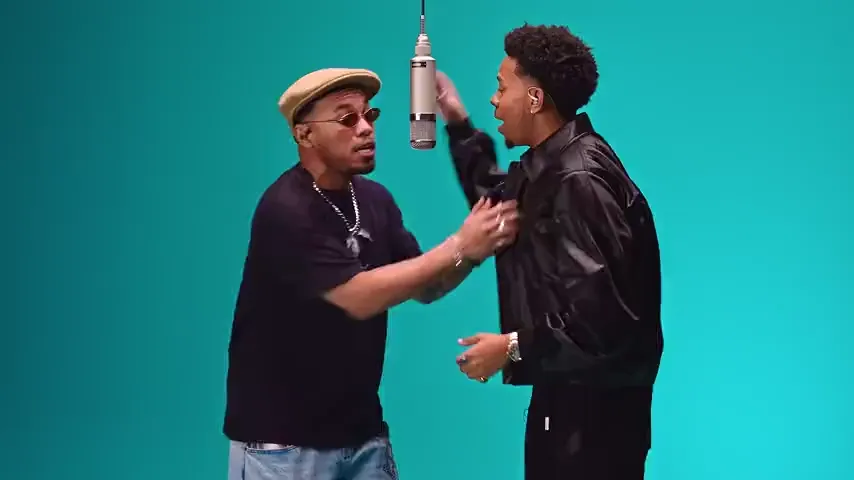
Two friends
One takes the hook, the other answers with the verse; the moment they lean in and trade the lines is the one people recognise.
Example: “We were never in that studio, but we were on the 58th floor.”
Two photos step into the COLORS 58th Floor duet: one takes the hook, one takes the verse, and the teal studio and every cut stay as performed.
PNG / JPG / WebP · up to 10 MB · at least 512px on the short side
0/2 photos
Photo 1 sings the hook, photo 2 takes the verse. One person each, face clear; the wide shots show the whole body, so chest up or wider works best.
Video settings
No prompt needed. Only upload photos of yourself or people who agreed to be featured; celebrity photos and film stills aren't allowed.
A 58th Floor COLORS AI video puts two photos into the performance of “58th Floor”, the Anderson .Paak and Cordae duet: one person takes the hook, the other takes the verse, and the teal studio, the hanging microphone, the cuts and the track stay as performed.
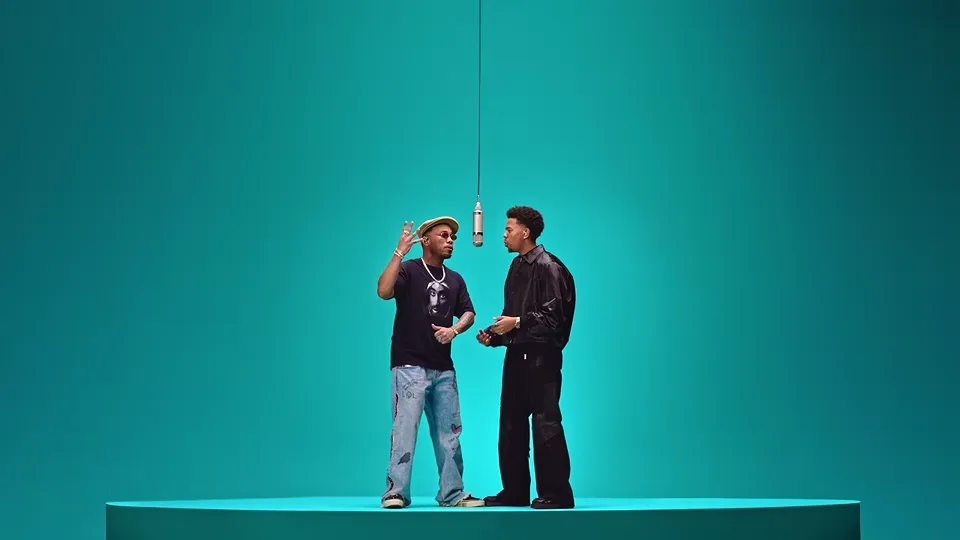
COLORS films one performance per episode: a single-colour studio, one microphone hung from above, no audience. That teal room and that slow, close coverage are why the two-photo versions are recognisable before anyone plays them.
The song is built as a hand-over. One voice carries the hook, then the other steps in for the verse, and the camera pulls back for the change and comes in again on the second one. Keeping that hand-over intact is the whole point: this recasts both performers rather than running a face swap over the clip.
It is not Hotel Lobby with a new coat of paint: that template is another COLORS duet, with another song, another pair and an orange set, and it has a page of its own. Nor is this an official COLORS or artist product: the name only says which performance the photos are put into.
Heavy Is the Crown, the joint album from Anderson .Paak and Cordae, is dated 23 October by release coverage; “58th Floor” is one of its tracks.
COLORS posts the full performance, “Anderson .Paak & Cordae - 58th Floor | A COLORS SHOW”, 181 seconds on the channel, plus a 30-second A COLORS MOMENT cut on TikTok the same afternoon.
The TikTok cut sits at about 755,700 plays and 126,900 likes, and the channel upload at about 405,000 plays: the attention is on the performance itself, not on a remix of it.
Run time, dates and play counts from the COLORS channel upload and the COLORS TikTok embeds, read on 3 November 2026; counts are the platform's own display read once and can round or move. Album date from release coverage.
The 15-second cut in six stops, each with the second its shot starts on. Parts are named by what you see in the studio, not by who is in your photos.
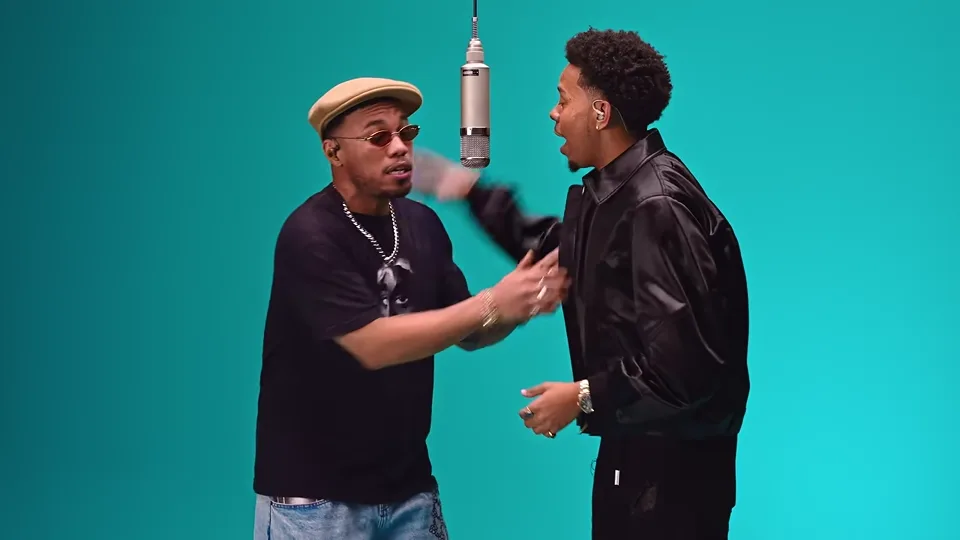
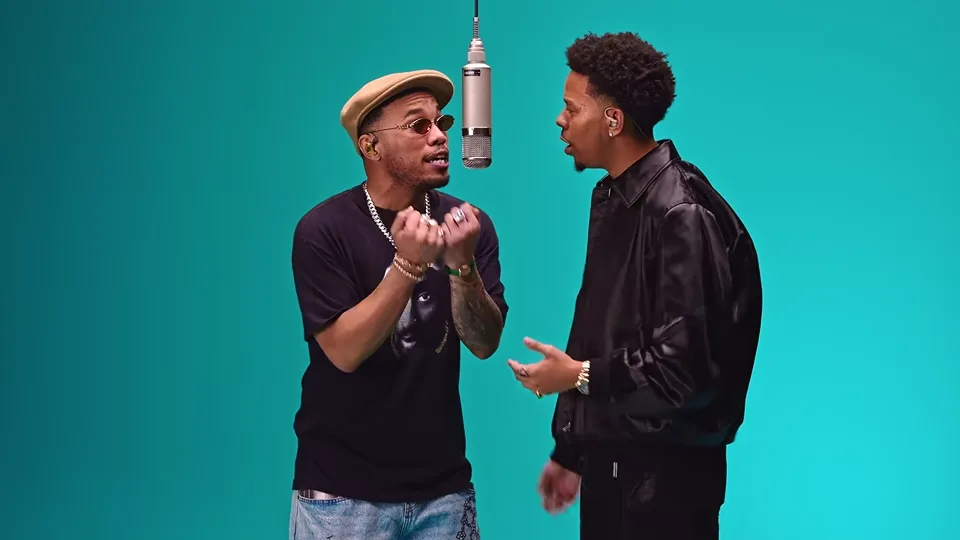 10:00–0:02
The hook · the singer in the flat cap
The camera is already close on the pair. The singer in the flat cap carries the hook, eyes half shut, both hands coming up as he lands the line.
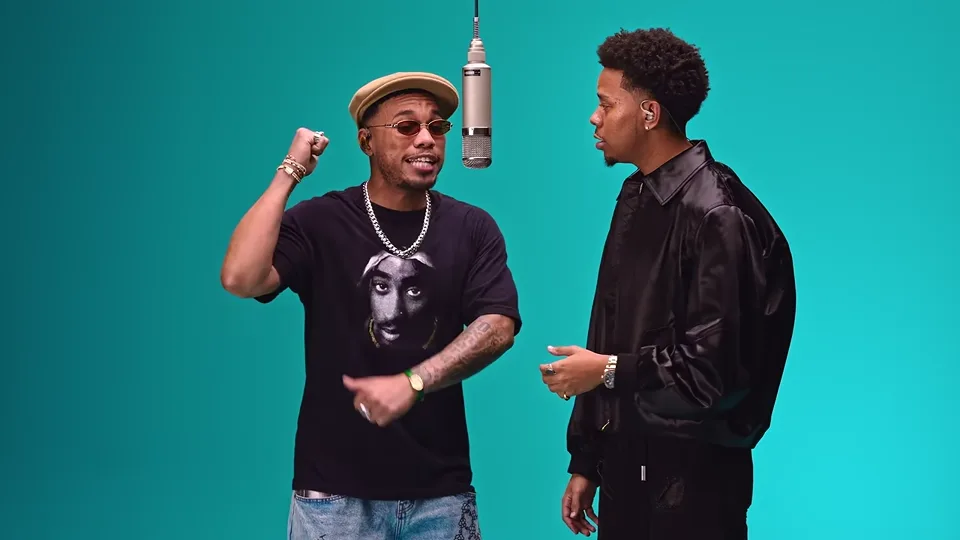 20:02–0:04
The hook
One bar later in the same shot he opens both hands and leans into the mic, and the rapper in the leather jacket waits with his hands loose.
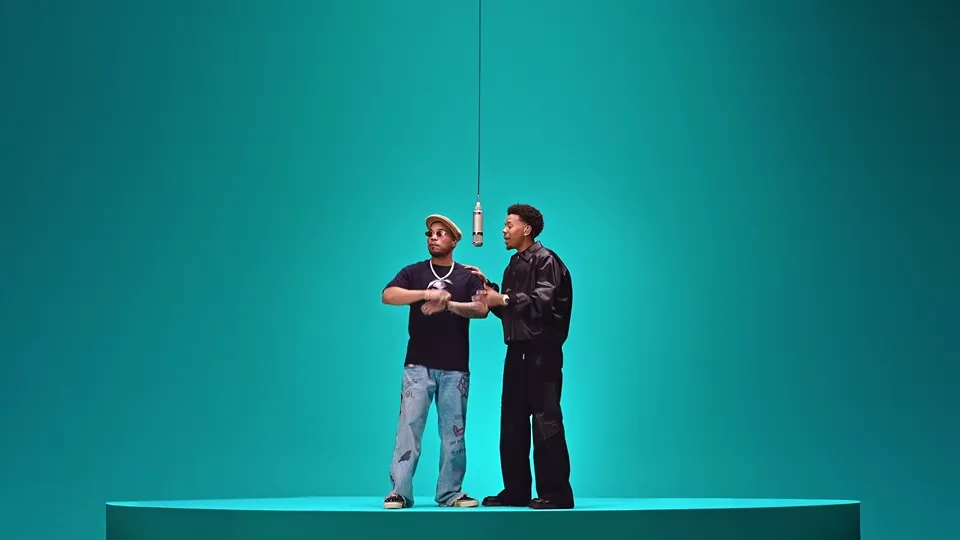
30:04–0:06The hand-over
The edit cuts to the wide: both of them on the low round stage in the teal room, the mic hanging between them. This wide is the changeover, and the lines pass from one to the other across it.
 40:06–0:09
The verse · the rapper in the leather jacket
Back to the two-shot, and now it is the rapper in the leather jacket who is talking, a hand out towards the other one as the verse starts.
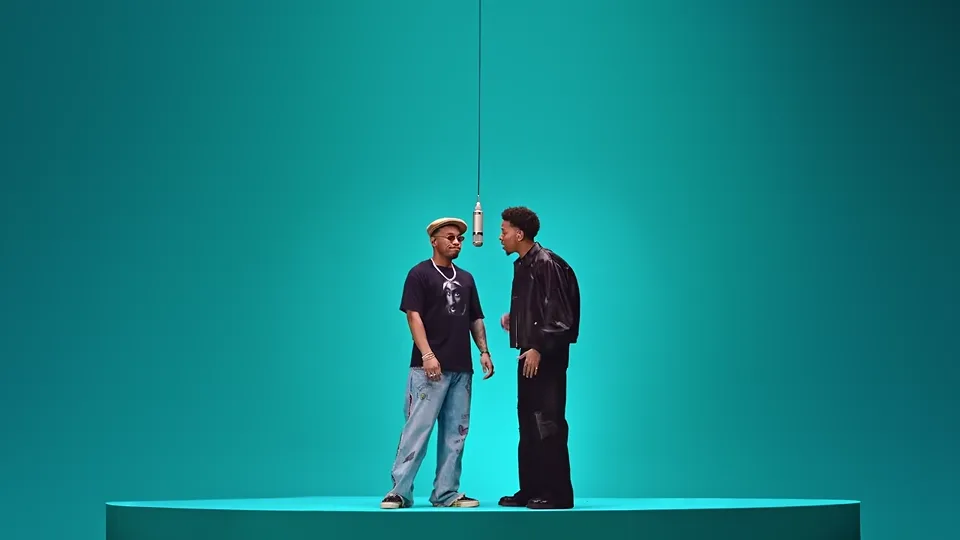
 50:09–0:12
The verse
The wide again: they trade the lines standing apart on the stage, loose steps between the bars.
 60:12–0:15
The last wide holds on the pair while the verse runs on; the cut ends there, and the rest of the performance is not in the template.
Three things turn up for these searches, and only the 58th Floor column is this template: one format of duet, three different performances.
| Compare | 58th Floor | Hotel Lobby | Another COLORS cut |
|---|---|---|---|
| The record | “58th Floor” | “Hotel Lobby” | That episode's track |
| The pair | Anderson .Paak and Cordae | Quavo and Takeoff | That episode's guests |
| The set | Teal studio | Orange studio | Its own colour |
| Where it lives | This page | Its own page | Not on Oeneo AI |
Each photo plays one of the two parts: photo 1 sings the hook, photo 2 takes the verse, so the left of the pair opens and the right one answers. Upload them the other way round and the two parts swap. There is no prompt field: the template is the generator.
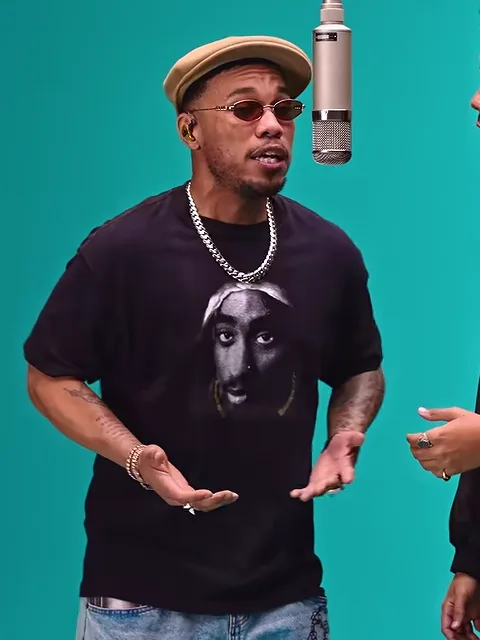
Photo 1Sings the hook
Face, hair and build for the one who opens the duet in the close shots, hands coming up, and who keeps the hook until the wide.
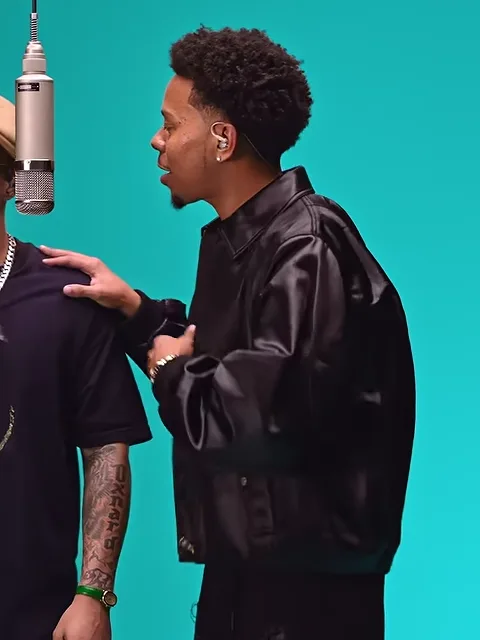
Photo 2Raps the verse
Face, hair and outfit for the one who steps in after the wide and carries the verse to the end of the cut, facing the other performer.
Works well
 One person, face clear
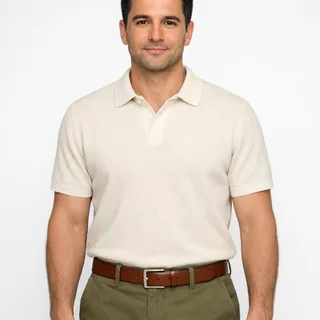 Chest up or waist up
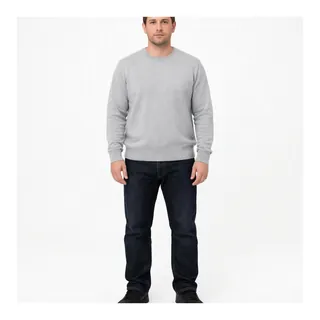 Head to shoes if you have it
Avoid
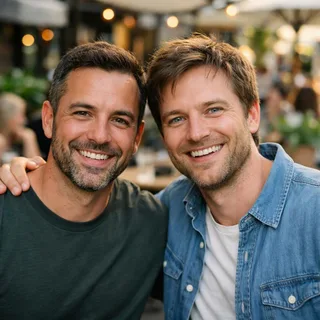 Two people in one photo
 A hand or a cap over the face
 Blurry, dark or tiny
Add both parts
Photo 1 sings the hook, photo 2 takes the verse; both go in before Generate opens.
Click Generate
The button shows the exact price for the resolution you pick before you start.
Post it
The download keeps the 16:9 frame and the performance's own track, so there is nothing to dub over.
Both parts are rapped into the microphone, so this template takes two people rather than a pet.
This is a two-hander: it needs two people and nothing else — no studio, no rehearsal, no third friend holding a phone.
One takes the hook, the other answers with the verse; the moment they lean in and trade the lines is the one people recognise.
Example: “We were never in that studio, but we were on the 58th floor.”
Two photos taken years apart are enough: the template never asks for a picture of the two of you together.
Example: “Brother on the hook, sister on the verse — or the other way round.”
One photo from each of you, taken in any light you like: the studio's teal grade lands on both faces and the wide both of you share.
Example: “Our verse, our floor.”
Put the two of you into the performance you keep replaying from Heavy Is the Crown, and post it with the track already inside.
Example: “Heavy Is the Crown, but it's us.”
A video-edit prompt for the 58th Floor duet: two photos take the two parts, and the teal studio, the wide stage shots and the track stay.
Video edit
Prompt length 1421
@Video1 is the source clip: a 16:9 performance in a teal studio, close on two performers to start and cutting out to a wide of them on a low round stage with a silver microphone hanging between them. @Image1 takes the hook and @Image2 takes the verse.

Replace the performer who opens the hook, the one in the flat cap and sunglasses at the hanging microphone, with the person in @Image1. Replace the performer in the black leather jacket who comes in after the wide with the person in @Image2. Take the face, hair, skin tone, build and clothes from each photo.

Both of them change in every shot. In the wides they are small figures on the round stage, and their faces still have to be the faces from the two photos. Keep each face on its own body and keep the two of them apart: no swapped identities, no blended faces, and nobody else in the room is changed.

Keep the performance of @Video1 exactly as it plays: the hook with both hands coming up and the lean into the hanging microphone, the glances the two of them trade, the loose steps and the hand gestures as the lines pass over, and the timing of every line. Keep the camera and the cuts between the close two-shots and the wides, the framing, the teal room, the round stage, the lighting, the composition, the pacing and @Video1's own track, and do not add music.

Keep both faces stable from the first frame to the last. Do not add performers, text or logos.One person per photo
Two faces in one upload have to be split between the parts, and the extra body has nowhere to stand on the stage.
Both replaced in every shot, wides included
The stage-wide shots carry the changeover, so say the two replacements hold across them too.
Keep each part on its own body
The duet is two lines answering each other: say the faces may not swap, blend or move onto the other performer.
“Crop the second person out”
The crop decides which face lands in which part; one person per upload is surer.
“Skip the wide shots”
The wides are the changeover; without them the hook and the verse lose the moment the lines pass over.
“Swap the two faces”
A swap leaves the hook on the wrong body for the rest of the cut. Each photo goes in its own slot.
Names no parts
Put my two photos into the 58th Floor studio performance and keep the song.
Names both photos and both parts
In @Video1, @Image1 takes the flat-capped singer's hook and @Image2 the leather-jacket verse, in every shot including the wides; the teal stage, the cuts and the track stay.
The first line leaves the model to guess who sings what. The second gives each photo a part and keeps the wides between them.
Every template works the same way: add your photos, press Generate and get a shareable video without writing a prompt.
View all effectsFAQ
No. Each run costs credits at the price of the resolution you pick, and the button shows that number before you generate. New accounts start with 10 credits.
Yes. The template recasts the built-in cut, so the track that plays in it is the track in your video. It is not a new recording, a cover or a change of voice.
There is no promise of that. Both people are redrawn frame by frame, so the mouths follow the rhythm of the performance rather than every syllable, and a face turned away or shaded by the microphone drifts further.
No. Hotel Lobby is a different COLORS duet with another song, another pair and an orange set, and it is a separate template. The only thing the two share is the format: two people, one hanging mic, one colour of studio.
No. The template is a 15-second cut taken where the hook hands over to the verse; the rest of the 181-second performance is not part of it, and the length is not adjustable.
Not here. The frame follows the built-in cut, which is 16:9, so the output is 16:9 too and there is no setting to change it. There is no vertical version of this template.
Both are on offer and nothing else changes with them: same cut, same 16:9 frame. The difference in price is on the button before you generate.
No. This is a fixed template rather than a general 58th Floor AI video generator: the cut, the camera moves and the track are already set, so there is no prompt field to fill in.
No. The cut has two parts and the template takes exactly one photo for each, so a second photo of the same person fills only one of them, and a third friend or a photo of an artist has nowhere to go.
Seven of the fifteen seconds are the stage-wide, where each face is only a few dozen pixels tall before the model redraws it, so those frames carry less likeness. Sharp, evenly lit photos are what keeps the two of you close to the original; nothing in the template can add detail a shot never had.
No. Oeneo AI has no official association with COLORS or with Anderson .Paak and Cordae; the name and the song title only say which performance the photos go into.
58th Floor AI
Add the two photos, check the resolution and the price, and generate: the teal studio, the hand-over and the track are already in the cut.