


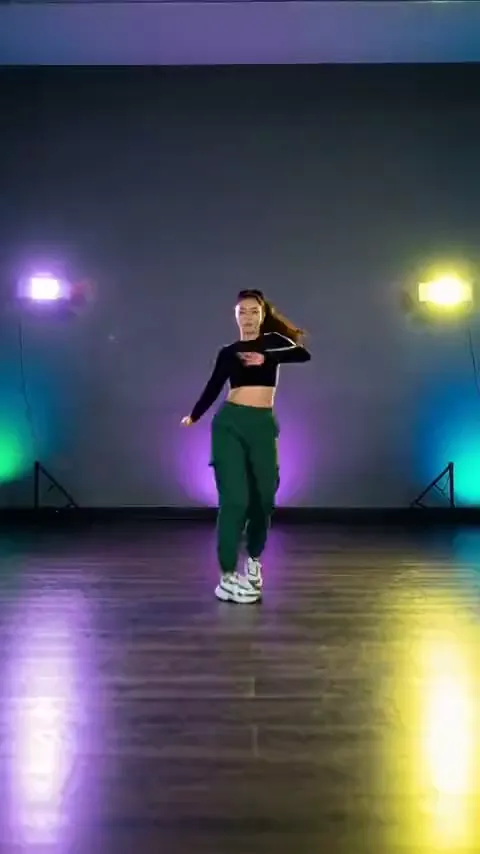
Your own full-body photo
Any photo where you stand head to shoes with your arms in view is what the clip reads best; you do not need to film yourself.
Example: POV: the routine, without the lessons
One photo becomes the dancer and the room: the Stateside footwork, timing and camera come from a motion clip, so the video happens where your picture was taken.
PNG / JPG / WebP · up to 10 MB · at least 512px on the short side
0/1 photos
One photo of one person standing head to shoes and facing the camera: that person is the only dancer, and the room in the picture is the room you get. Bright, sharp and alone in the frame works best.
Video settings
No prompt needed. Only upload photos of yourself or people who agreed to be featured; celebrity photos and film stills aren't allowed.
The Stateside dance is a solo routine done to “Stateside” by PinkPantheress and Zara Larsson, and this template moves one photo through a vertical motion clip of it: the dancer and the room from the photo, the footwork and the camera from the clip.
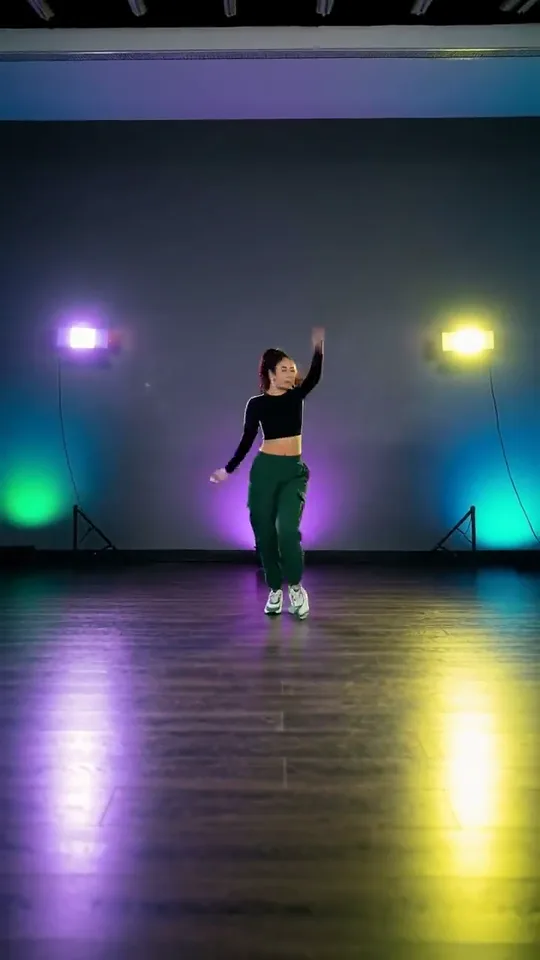
The track is "Stateside" by PinkPantheress with Zara Larsson, whose duet version came out in October 2025. The routine built on it is a one-person dance: footwork on the spot, arm shapes above the head and a turn, done in a studio, a bedroom or a hallway.
It turned up in three places at once: single-dancer clips tagged #dancestolearn, a figure-skating programme on the same track in February 2026, and the official video's own set. The earliest single-dancer post this page could check, from 23 December 2025, credits the routine in its caption to Brandt Ski; that is the clearest credit there is, not proof it was the first one posted.
AI templates for the dance appear from April 2026, with one photo of one dancer as the whole input. This one works the other way round from a restaged video: the moves and the camera come from the clip, and the photo decides who dances and where.
Reported: PinkPantheress releases "Stateside" with Zara Larsson as a duet.
A single-dancer clip goes up on TikTok with #dancestolearn and Brandt Ski credited in the caption: one of the earliest versions this page could check.
The official music video goes up on YouTube.
Daily Dot reports Alysa Liu skating to the same song; ice and studio stay two different routines.
AI templates for the dance appear, with one photo of one dancer as the whole input.
Dates from the official video listing, the December 2025 TikTok post, the Daily Dot report of 23 February 2026 and the template page's own April 2026 date.
The choreography the clip copies onto your photo, start to finish in eight stops: each one carries the second its shot starts on.
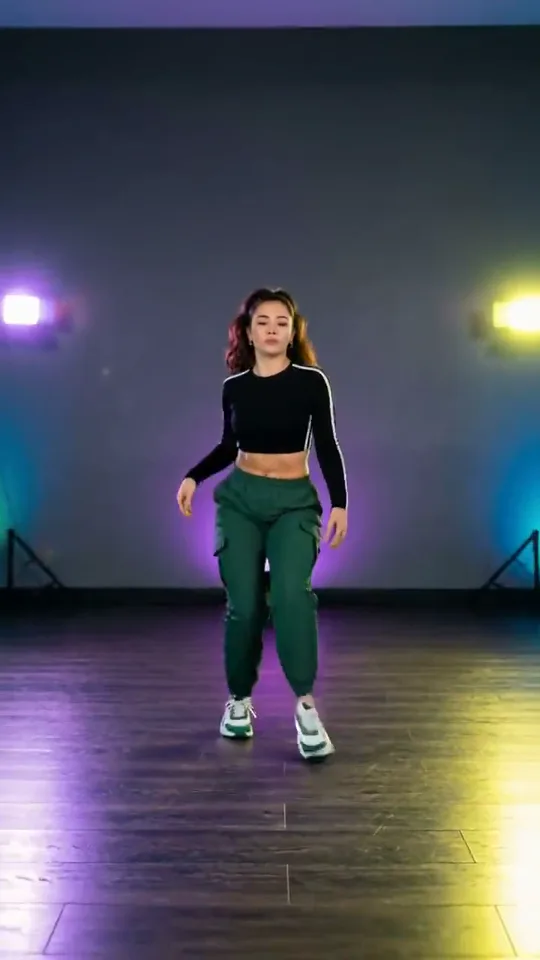 10:00–0:02
The clip starts tight on her, arms at her sides and already stepping, then the camera pulls back to the whole figure as both hands come up.
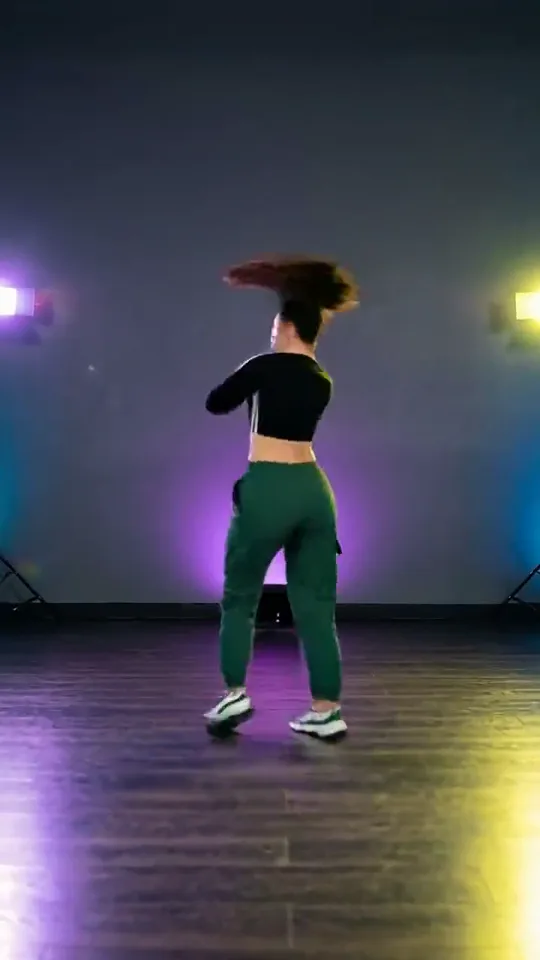 20:02–0:03
She turns her back to the lens in one step and her hair follows her round.
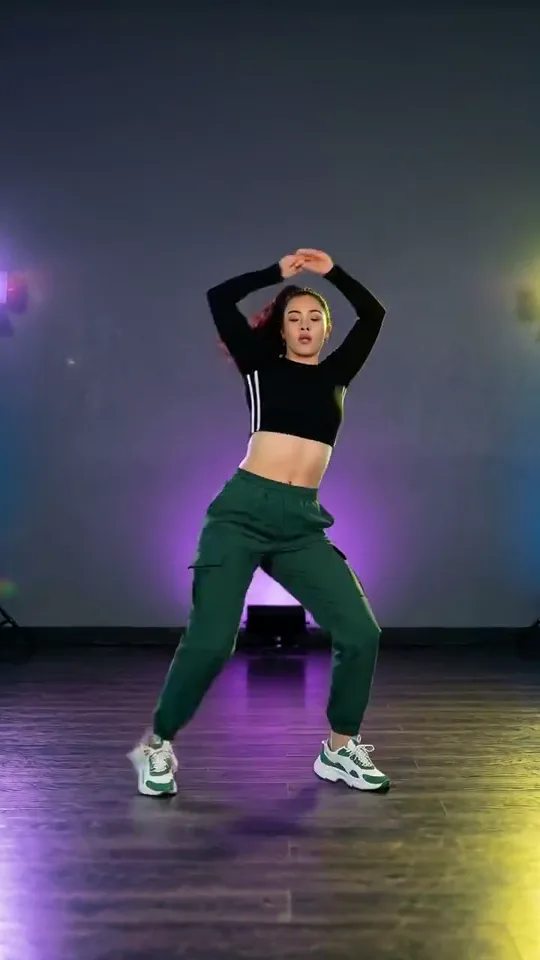 30:03–0:05
Both forearms come up above her head, elbows wide, and she drops into a wide-legged bounce on the beat.
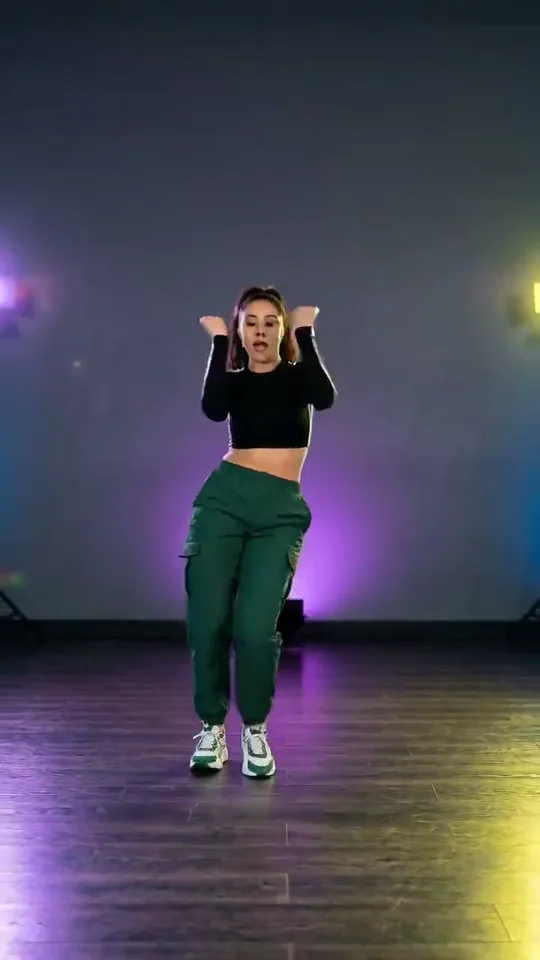 40:05–0:06
The arms drop to shoulder height and pump twice, fists closed, while her feet mark time.
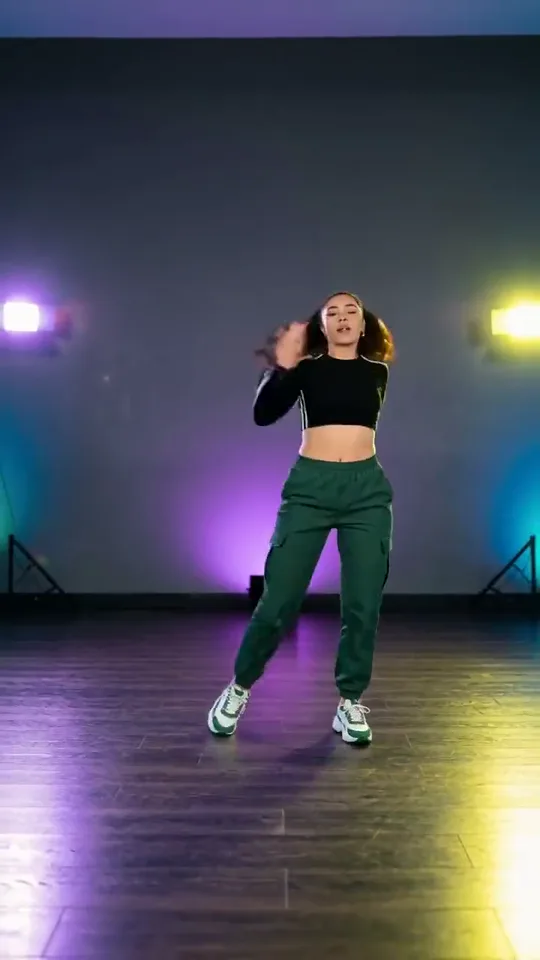 50:06–0:09
She struts out to the side, turns away once and whips her hair back round to the camera.
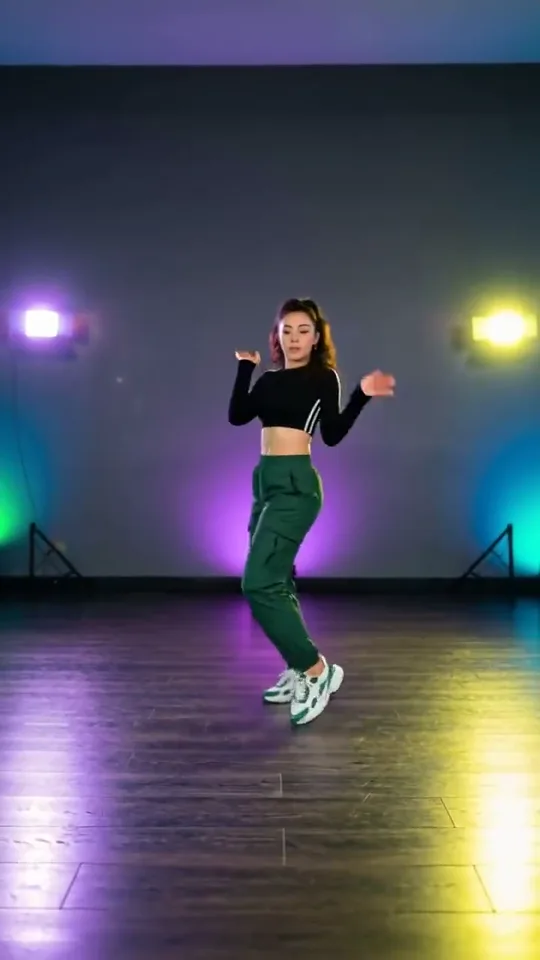 60:09–0:12
Flat hands rise to her head and drop again while her hips keep the beat.
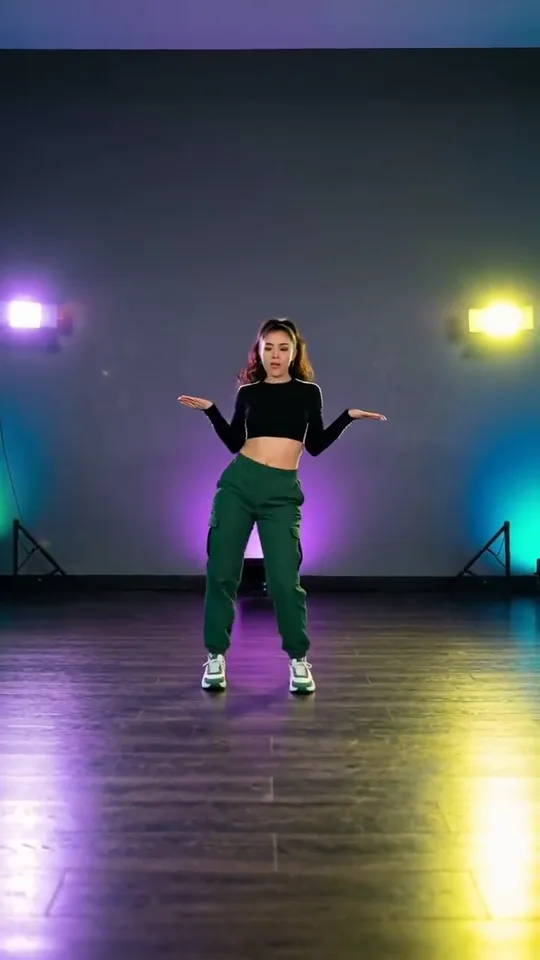 70:12–0:18
The arms open wide to both sides, then fold behind her head as she pivots one last time.
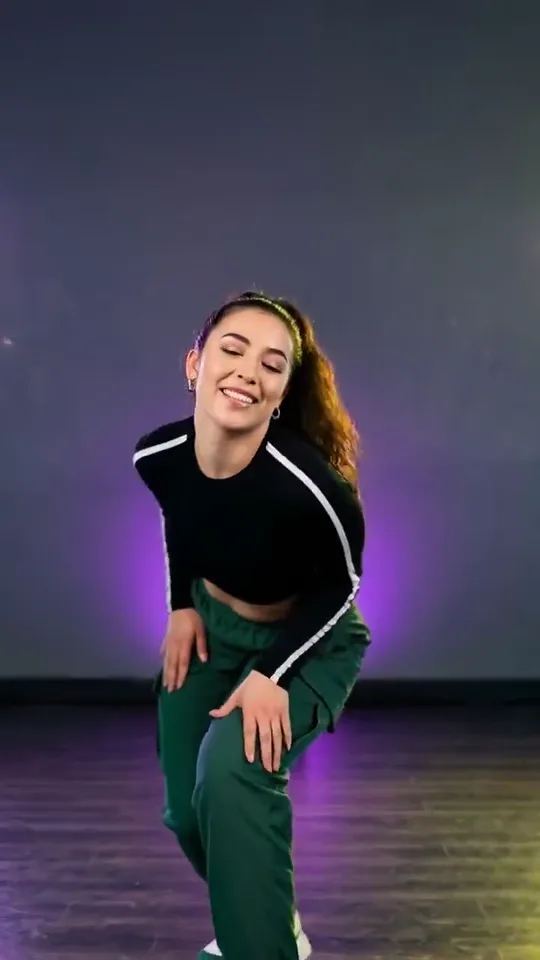 80:18–0:20
She walks straight at the camera, hands together in front of her, and leans in laughing as the clip ends.
Four different things turn up for these keywords; only the first one is this template: your photo, danced by a motion clip of the routine.
| Compare | Stateside dance | Video tutorials | The red-window MV | Another dance trend |
|---|---|---|---|---|
| What it is | One photo and one motion clip | Slow, mirrored lessons | The official video’s red set | A different routine |
| What you do | Add one photo | Learn it, then film yourself | Add one photo | Add one photo |
| The sound | The motion clip’s own track | Whatever you play | Its own track | Another song |
| What you get | Your photo dancing it | You, dancing it | Your photo in that set | The other dance |
One photo, one dancer, and no prompt. The motion clip brings the choreography and the camera; the person, the outfit and the room come from your photo. There is no second slot to fill.
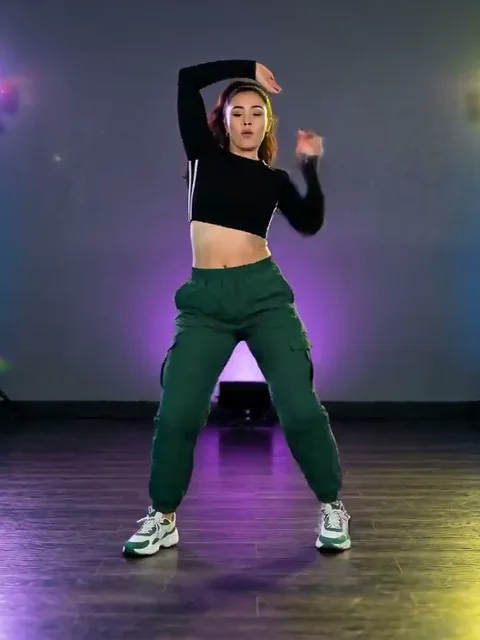
Photo 1The dancer
Your photo brings the whole dancer: the face, hair, build and outfit. The clip supplies only the dancing and the camera.
Works well
 A clear, front-facing face
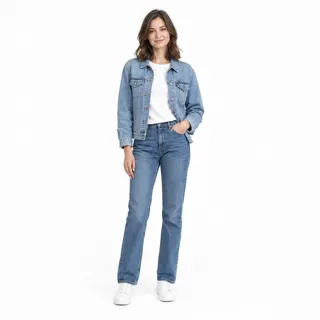 Standing, head to shoes
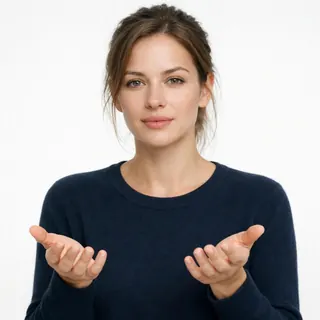 Hands and arms in view
Avoid
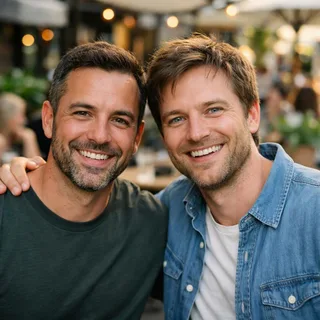 Two people in one photo
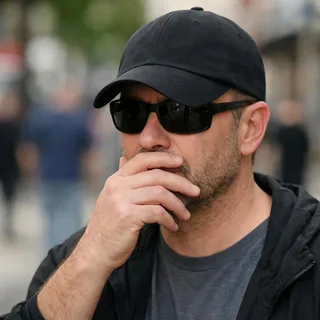 A hand over the face
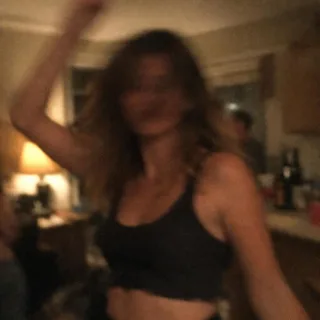 Dark, blurry or distant shots
Upload one full-body photo
Drop in one picture of one person standing, head to shoes, arms visible.
Click Generate
The button shows the exact price for the resolution you pick before anything is charged.
Post it
Download the MP4 and post it as it comes.
The room is whatever the photo shows: the dancer moves in the place you shot, not in the clip’s studio.
Each run starts with one photo. These are the pictures people reach for.
Any photo where you stand head to shoes with your arms in view is what the clip reads best; you do not need to film yourself.
Example: POV: the routine, without the lessons
Put a friend in the routine and send it back: the choreography and the camera do the work for them.
Example: @them finally did the Stateside dance
A couple is two videos, one from each photo, posted side by side: one dancer per clip.
Example: Both halves of the couple, one routine
Turn a birthday photo into the routine and post it as the greeting.
Example: Happy birthday, now dance
A copyable prompt for any tool that takes a video reference: attach the Stateside take, describe who replaces the dancer, and the footwork, camera and track stay.
Reference clip
Prompt length 787
Use @Video1 as the motion reference. Replace the only dancer in it with the person in @Image1: @Image1 supplies one person, their face, hair, skin tone, build and clothes, and the room, light and framing that photo was taken in.

@Video1 supplies the choreography, the timing of every beat, the camera movement and the track that plays under it. Follow it exactly: the footwork, the turn away, the arms crossing overhead, the fists at the shoulder, the hair toss, the hands to the head and the walk into the lens.

Keep the performer's own face, hair and clothes from the first frame to the last, keep the whole body head to shoes in frame, and keep @Video1's timing, camera and sound. No second dancer, no blended faces, no swapped or duplicated limbs, no added captions, text or logos.
Attach the whole clip
Trimming the clip changes the ending, and the routine is recognised by its last walk into the lens.
One person, head to shoes
The routine turns, bounces wide and walks at the lens, so a photo cut at the waist leaves the footwork to guesswork.
Pick the room in the photo
The background comes from your picture, not from the clip: shoot where you want the dance to happen.
“Make my photo dance in a purple studio”
That asks for a new video from a picture, and it names a room that is not yours.
A list of new steps
Any field that describes the moves invites a different routine; the clip is the choreography.
Two people in one photo
One character image is read as one dancer: a second body is dropped, or two faces end up on one dancer.
Asks for a new dance video
Make my photo dance the Stateside routine in a purple studio.
Attaches the clip and the replacement
Use @Video1 as the motion reference and @Image1 as the dancer: the person in the photo performs the whole routine in their own room, with @Video1's footwork, camera and track kept.
The first line asks for a new studio video from a photo. The second attaches the clip and says who replaces the dancer.
Every template works the same way: add your photos, press Generate and get a shareable video without writing a prompt.
View all effectsFAQ
No, each run costs credits, and the price follows the resolution you pick. Generate shows the exact number before anything is charged, and a new account starts with 10 credits.
The dance goes to “Stateside” by PinkPantheress with Zara Larsson. The take carries its own soundtrack, and the result keeps it.
The earliest single-dancer post this page could check, from 23 December 2025, credits it in the caption to Brandt Ski. That is the clearest credit there is, not proof that nobody posted it earlier.
No. The red curtain, the heart-shaped box and the close-ups belong to a different take shot for the official video, and none of it is in this clip: this is a different effect, not a longer cut of that set.
Only the song is shared. Her figure-skating programme in February 2026 is its own routine on ice, and this template has nothing to do with it.
Neither. The routine ships with the template, so the only thing you add is a photo. If you would rather dance it yourself, there are slow and mirrored tutorials for practising.
No. Motion control takes no text prompt: the clip carries the choreography and the camera, you add one photo, and the prompt box stays empty. If you would rather get a new dance shot from words, the general video generator is the place for it.
No, one photo and one dancer. Make two runs, one from each photo, and post them side by side.
No. This template is written for one person, and the dancer is replaced by a human photo; there is no pet version of it here.
Yes. The result keeps the track the motion clip already carries, and there is no field to swap in another one.
Yours. The dancer and the room both come from the photo you upload: the clip moves your picture through its routine instead of moving you into its own studio. Pick a photo taken where you want the dance to happen, with a clean, bright background.
The clip spins her round fast and some shots are wide, so those frames give her fewer pixels. A sharp, front-facing, full-body photo is what helps most; the checklist above covers the rest.
No. This page runs one motion clip over a photo of the dance and has no connection to the artists, their label or the app that made the clip.
Stateside Dance AI
One photo and one click: the choreography is already in the clip, and the room is the one in your picture.