

Villain Trend AI

Take the seat in the Villain Chair Trend AI video, where a would-be mastermind tries to play off a chair that leans much too far.

  • No prompt
  • Scene included
  • Source audio
Example · Villain Trend AI

PNG / JPG / WebP · up to 10 MB · at least 512px on the short side

0/1 photos

For the villain, add 1 photo of an adult.

Video settings

No prompt needed. Only upload photos of yourself or people who agreed to be featured; celebrity photos and film stills aren't allowed.

The TikTok skit behind the Villain Chair Trend

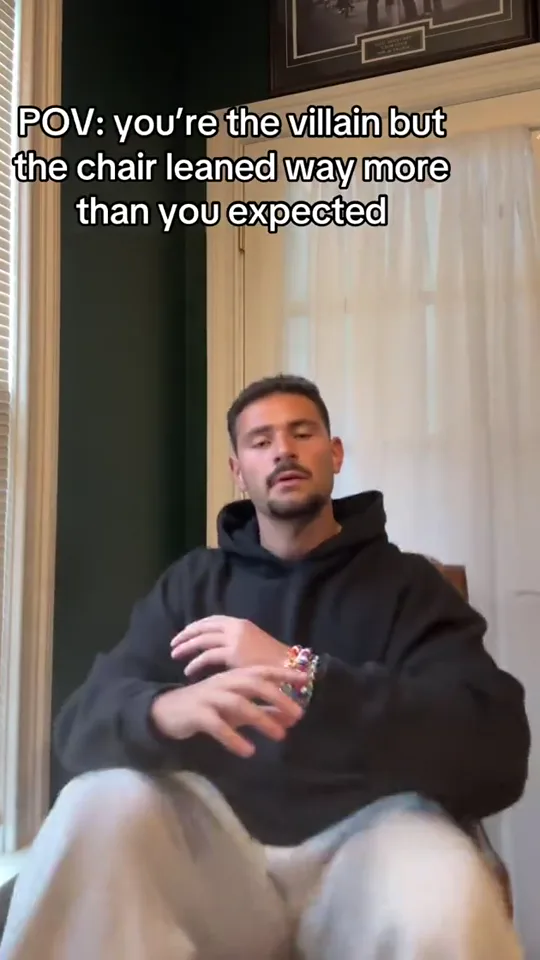
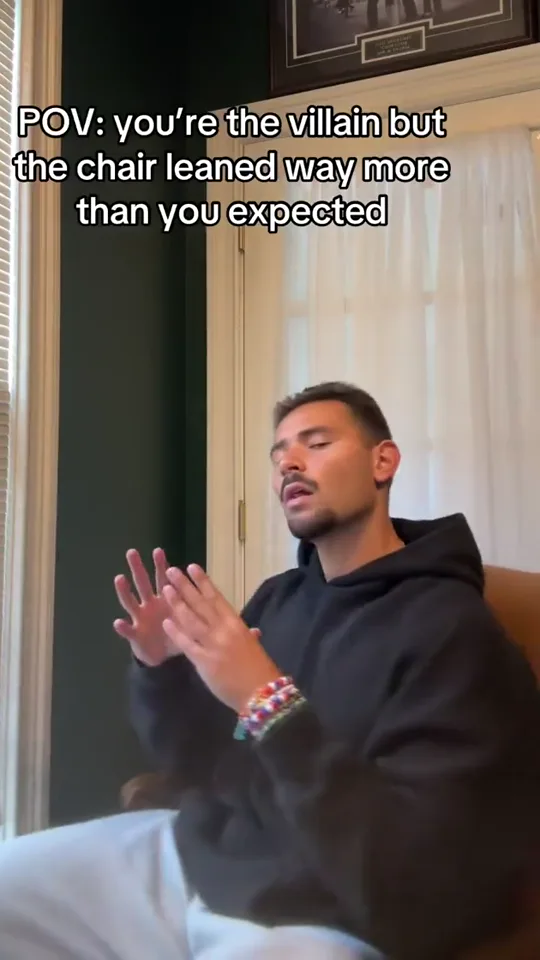
The Villain Chair Trend is a TikTok comedy POV built around an unexpectedly deep recline in a leather chair.

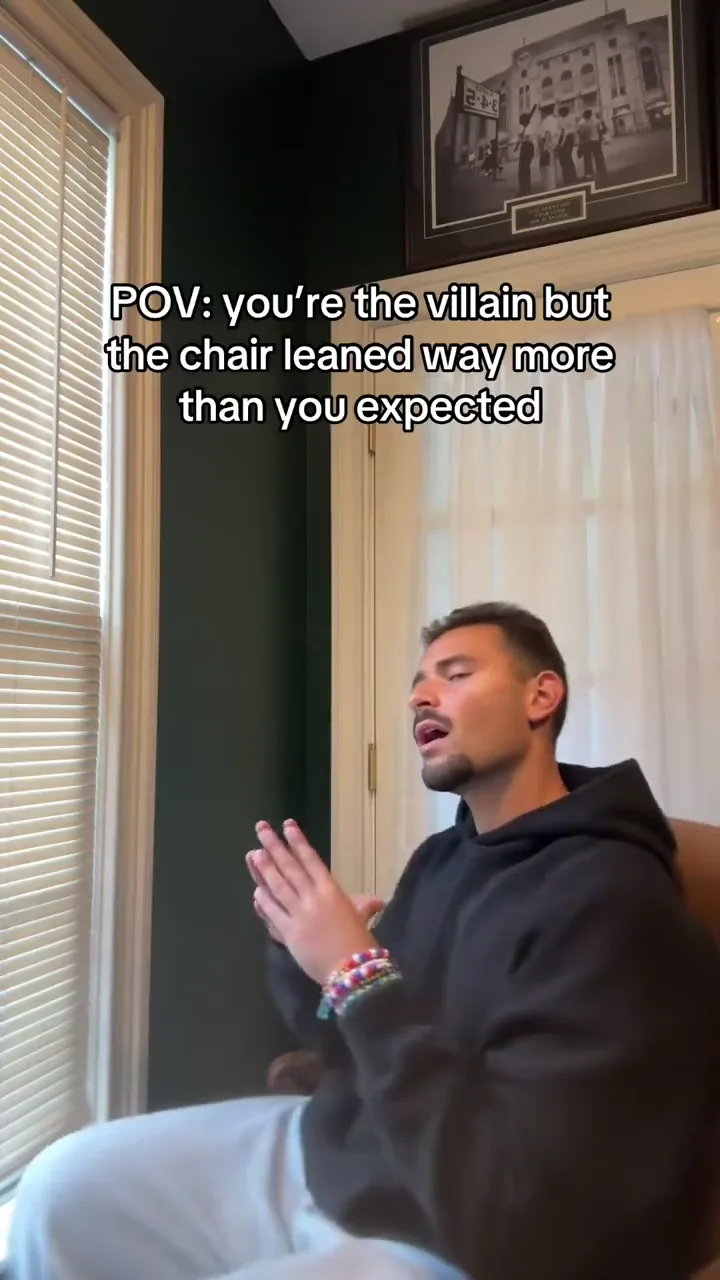
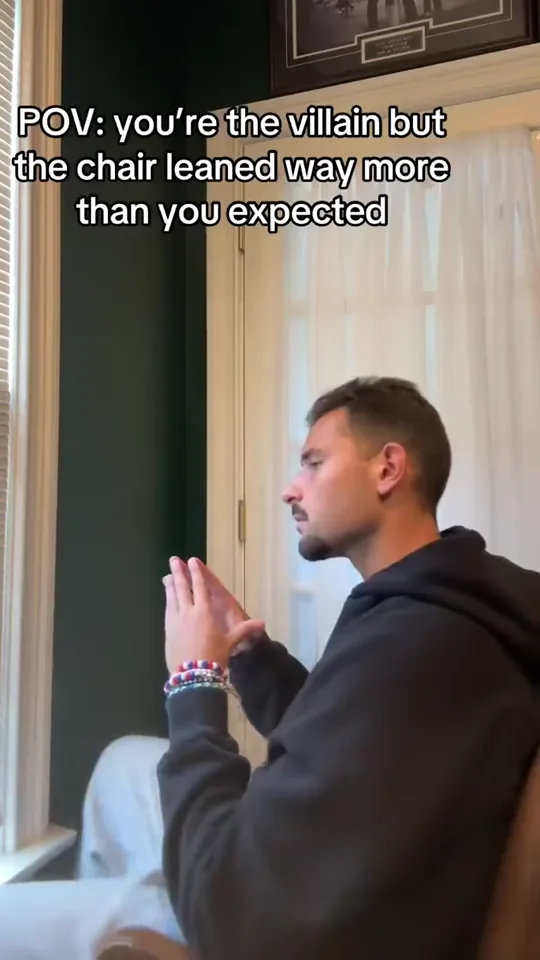
A seated man by the window begins to turn under the on-screen POV caption.

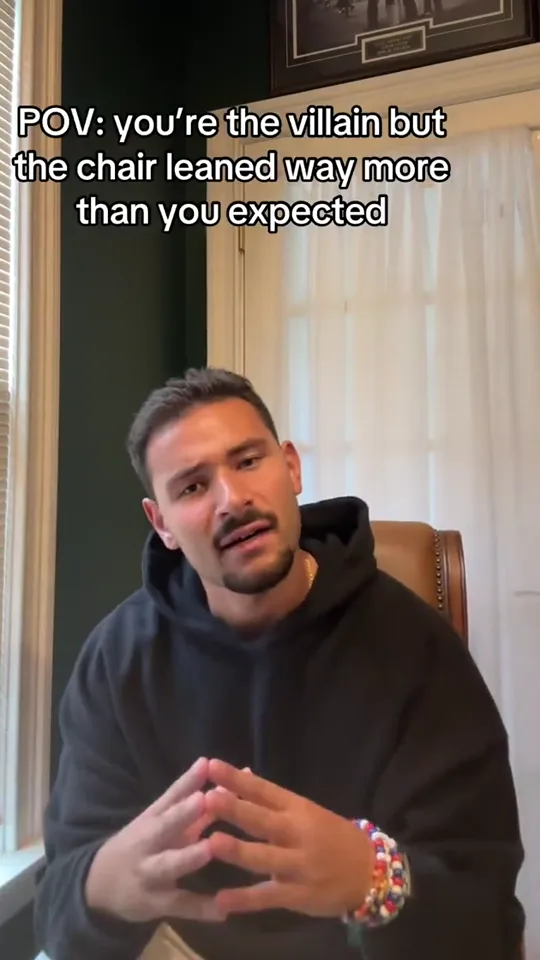
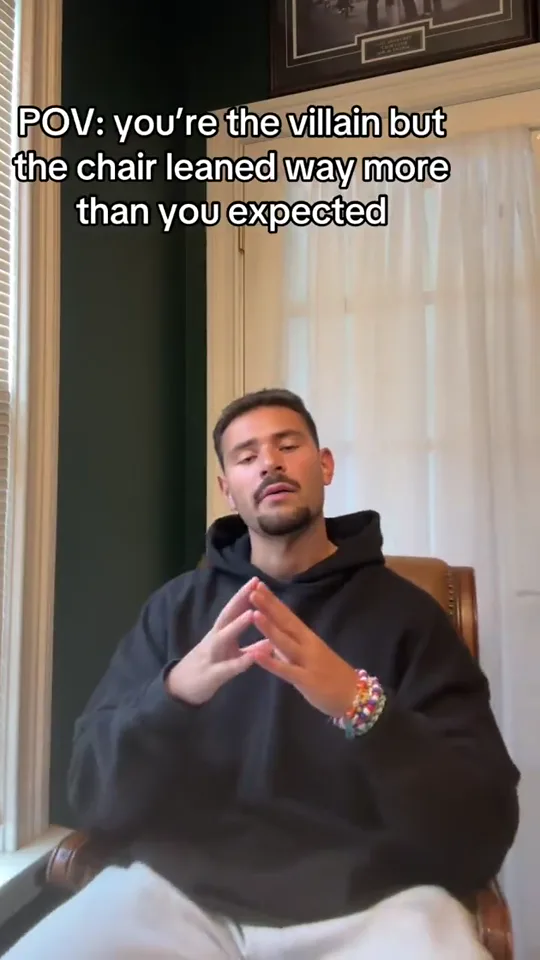
The on-screen hook is “POV: you’re the villain but the chair leaned way more than you expected.” The punchline is how hard the actor tries to keep a straight face as they sit back up.

The word “chair” identifies the lean-back version of the Villain Trend among other villain POVs and film edits.

How the chair gag spread

  1. @mattfletcher14 posted the chair skit on TikTok. November 26 coverage from MemeStand and MakeViral reported about 19.7 million views and 4.4 million likes.

  2. On November 26, TikTok’s public reader showed about 2.7 million likes on @omarrelates’s remake.

  3. TikTok’s public reader showed about 2.3 million likes on @collinurrmom’s version on November 26.

  4. A November 26 read of the TikTok sound page listed 54 posts, 23 from the preceding week. The listing included other villain jokes as well as chair remakes.

  5. Between November 23 and 26, Jump, MakeViral and AI Photo Animator listed single-photo tools for the skit.

Sources include TikTok’s public listings and trend coverage from MemeStand, Atlas Cloud and MakeViral.

How to make the Villain Trend from a photo

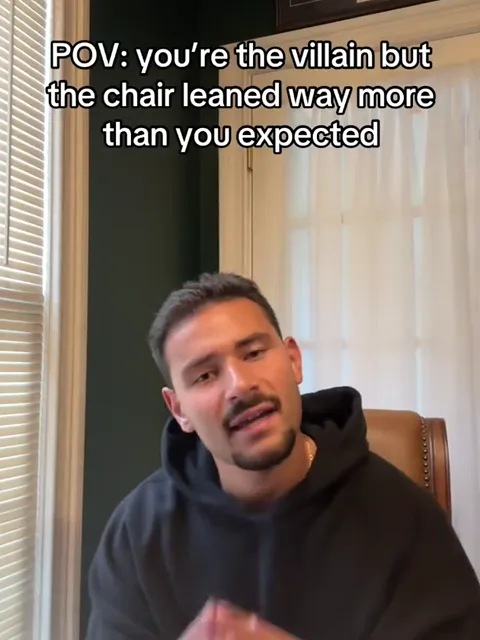
  1. A man leans toward the lens in a brown leather chair under the whole POV hook.

    UploadVillain

    Your portrait casts the adult in the chair. The built-in clip supplies the room, the chair and the performer’s gestures, so the edit can start with just the portrait.

    • Use a portrait where the upper body is clear enough for the seated turn.

Villain Trend photo tips

Use these

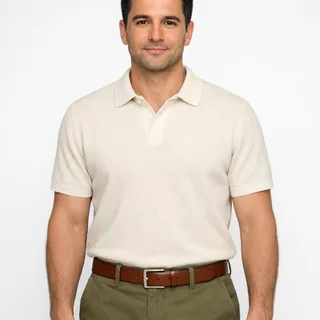
  • Man in a cream polo photographed from head to waist on white.Waist-up framing with the shoulders, collar and sleeves in view
  • Curly-haired woman in a mustard sweater facing the camera against white.A front or slight three-quarter view with eyes, jaw and hairline clear

Skip these

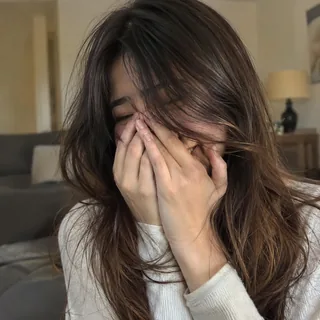
  • Woman laughing with both hands covering her face.Hands across the face
  • Three friends squeezed into a selfie at a picnic.A group shot with several faces
  • Blurred view of a woman dancing at a dim party.Dim, blurred party photos

Cast the shot, render and post

  1. Add your portrait

    Open the Villain slot and pick the photo you want to use.

  2. Pick a resolution and generate

    Choose a resolution in Video settings. The Generate button shows the exact price before you submit.

  3. Download and post

    Download the clip and add your own caption to the post.

Villain Trend prompt for Kling video edit

Kling 4.0 video editing can use your own copy of the chair take as a source. This prompt keeps its on-screen line and separates the turn, tilt and recovery.

Kling video edit

Prompt length 998

Use @Video1 as the source. Replace only the person in the black hoodie seated in the brown leather chair with the adult from @Image1. Carry over the adult’s facial features, hair and visible clothing from @Image1 throughout the shot.

Follow the performance in order: sit in profile by the window with fingertips pressed together, turn the head and shoulders to the lens, hold the stare, let the chair and torso rock back too far with the knees rising and the hands opening, then come forward again and bring the fingertips together. Keep the face consistent through the turn, recline and recovery. Keep the seated body aligned with the chair and preserve natural hands through the quick release.

Retain the fixed camera, single take, framing, room, leather chair, window light, timing and original audio from @Video1. Keep the existing on-screen hook, “POV: you're the villain but the chair leaned way more than you expected,” exactly as it appears in @Video1. Add no other text, props or people.
Keep in the instruction

  • Write the turn and recovery separately

    The first turn establishes the stare. The final lean draws the actor back toward the lens.

  • Name the window and chair

    Anchor the edit to the room, seat and window light already in the take.

Leave out of the instruction

  • Stop at “lean back”

    Include the hands breaking apart and coming together again so the take has a distinct ending.

  • Specify a new outfit or set

    Extra scene changes compete with the identity and motion cues the edit needs.

Give the chair gag an ending

Too vague

Make the actor lean back in the chair.

With the recovery

Follow @Video1 through the deep tilt: let the fingertips separate as the knees rise, then bring the torso toward the lens and set the fingertips together again.

The more specific version gives the edit a movement after the deepest tilt.

From the villain stare to the fingertip reset

  1. The seated actor in profile with fingertips touching in front of his chest.10:00

    The side-on pose

    The actor starts in profile by the window, with fingertips already together.

  2. The actor starts turning toward the camera with hands still raised.20:01

    The look to camera

    The head and shoulders swing away from the window as the actor takes the stare straight to the lens.

  3. The actor sits facing forward with fingertips steepled and the leather chair visible behind him.30:02

    The serious hold

    The actor faces the camera with fingertips touching. The pause makes the sudden tilt feel out of place.

  4. The actor reclines in the leather chair as his knees rise and his hands separate.40:03

    The chair goes too far

    The seat rocks back, the knees rise into frame, and the hands break their pose.

  5. The actor leans toward the camera with his fingertips back together.50:04

    Back toward the lens

    The actor sits up, brings the fingertips together and leans in with raised brows, trying to recover the pose.

Villain Trend AI video length, frame and credits

Villain Trend AI video length, frame and credits
Length
6.47 seconds, matching the template clip
Photos
1 photo · PNG / JPG / WebP, up to 10 MB, short side at least 512 px
Frame
9:16 vertical
Resolution
720p or 1080p, 720p by default
Credits
244 credits at 720p / 365 credits at 1080p

Edit your finished Villain Trend video

Upscale the clip or explore other ways to edit and generate video.

  • AI Video Generator

    Generate a clip from a prompt, a still image, a reference or existing footage.

    Open tool
  • Video Upscaler

    Raise a clip to 1080p or 4K and sharpen detail frame by frame.

    Open tool
  • Video Extender

    Add seconds before or after a shot while its motion and subject carry on.

    Open tool

Playback and posting for the villain chair edit

What photo should I use for a villain chair AI video?+

A waist-up portrait works for the chair tilt. See the photo checklist in the upload guide for the crop.

Will the villain video keep my clothes and hairstyle?+

The edit uses the portrait as an appearance reference. During the turn and tilt, hair, sleeves and the collar can change where the model has to fill in details.

What is the Villain Chair Trend song?+

A common version uses Myuu’s “Living in the Dark (Evil Larry Version).” This template keeps the sound already on its clip.

Is there a Villain Trend CapCut template?+

November 26 listings did not show a dedicated template for this skit. CapCut can edit footage you bring. The Villain Trend generator here starts with the built-in chair clip.

Can a pet or a child play the villain?+

No. This template is for adults. The shot depends on adult shoulders and hands moving against a full-size chair, including the fingertip pose and recovery.

Why does my face disappear when the villain chair leans back?+

The face is smaller and more angled at the deepest tilt, so it can drift. Compare the eyes and jawline at that moment with the opening shot. A clear front or slight three-quarter portrait gives Kling more detail to preserve as the head turns.

How long is the Villain Trend AI video?+

6.47 seconds. Resolution changes the output size. The clip sets the timing.

Is Villain Trend AI free?+

No. The Villain Trend edit uses credits. The Generate button shows the exact cost for your selected resolution.

Is this tied to a celebrity or an F1 team?+

This is an independent version of the chair gag. Use your own portrait or one from another adult who gave permission.

Make your Villain Trend AI chair video

Open the Villain Trend generator and take your seat for the lean-back gag.