

Snowman Dance AI

Add a photo of each: the man carries, the woman jumps, and the pajama turns, hand-linked spins and piggyback finale come from the clip with its built-in sound.

  • No prompt
  • Piggyback finale
  • Any two people
Example · Snowman Dance AI

PNG / JPG / WebP · up to 10 MB · at least 512px on the short side

0/2 photos

Two separate portraits, one person each — not a couple selfie. Photo 1 is the man who carries at the end; Photo 2 the woman who starts left and jumps.

Video settings

No prompt needed. Only upload photos of yourself or people who agreed to be featured; celebrity photos and film stills aren't allowed.

The Snowman couple dance, from winter song to piggyback ending

Snowman Dance AI puts two portrait photos into the Snowman couple dance — the winter partner routine associated with Sia's Snowman, with its matching pajamas, hand-linked spins and a piggyback finale toward the camera.

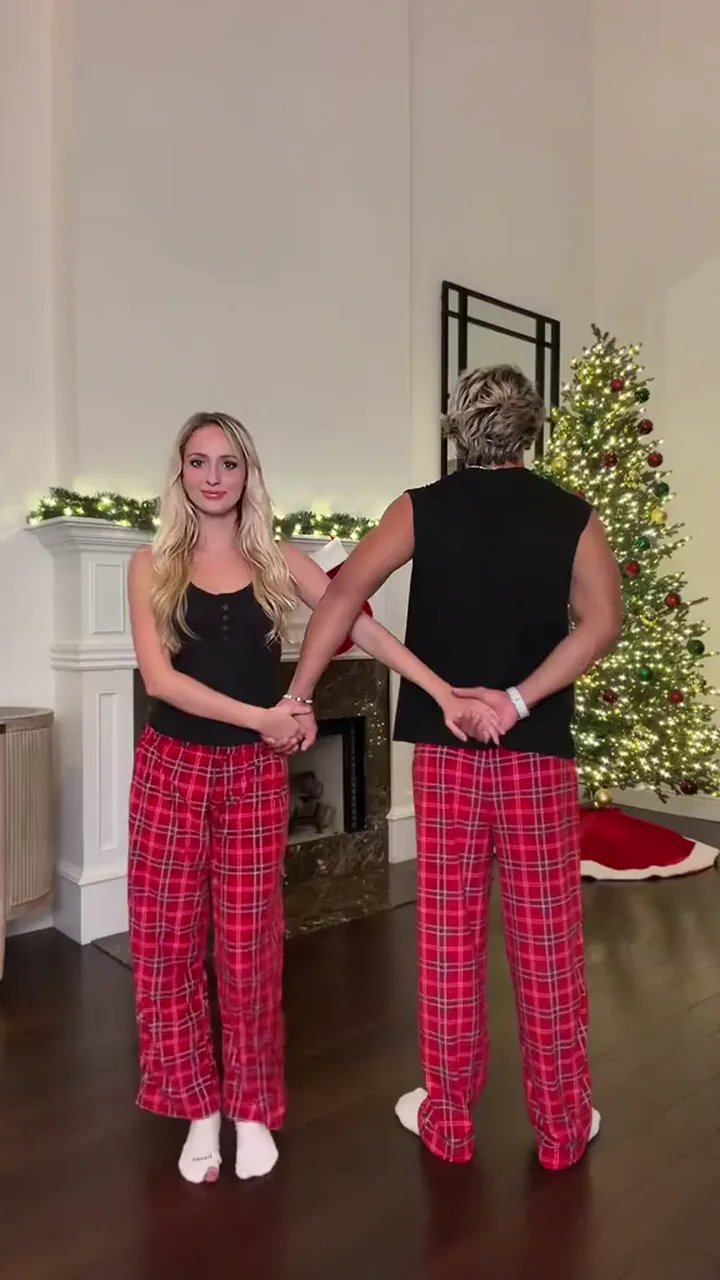
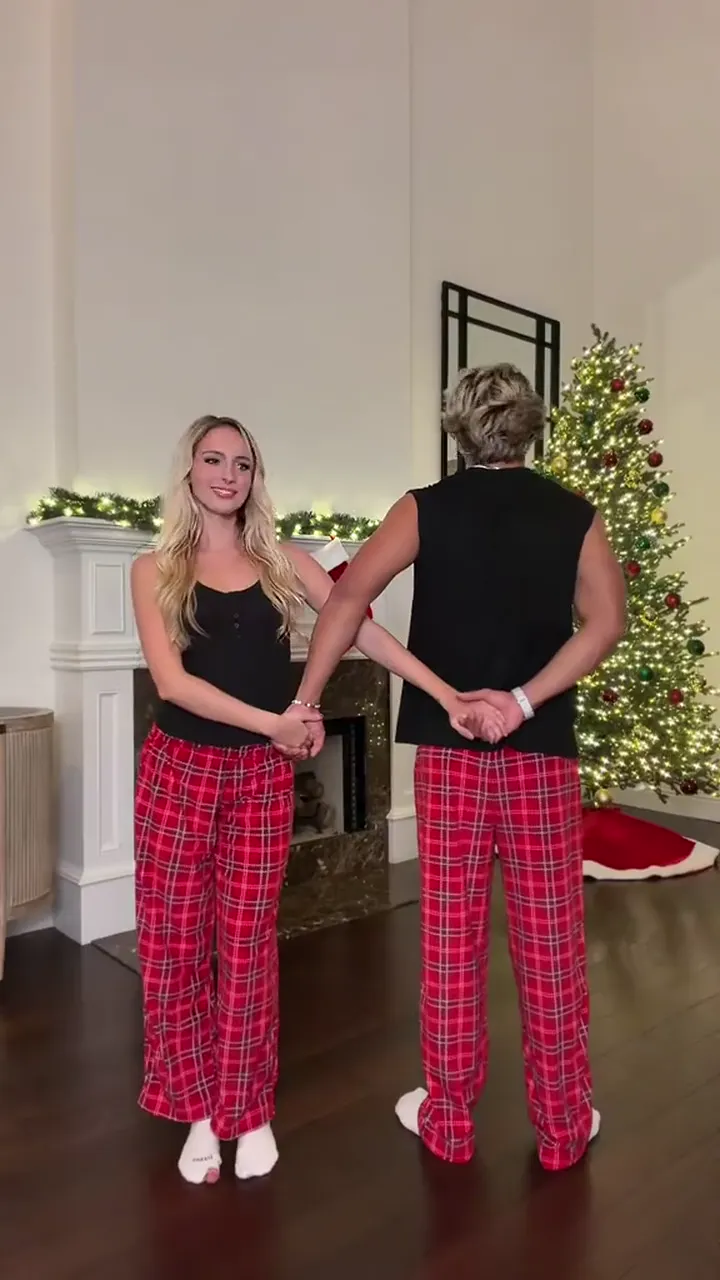
A still from the Snowman couple dance: two people in black tops and red-checked pajama trousers face the camera in a warm living room with a lit tree and fireplace.

The routine is recognised by the Sia song it is danced to and by the 'mine forever' pajama clip: two people in black tops, red-checked pajama trousers and white socks turn hand-in-hand in front of a lit tree and fireplace, then one jumps and is carried toward the lens.

The clip returns each winter because it only needs two willing people and a matching pair of pajamas — no rehearsal and no couple footage. This page uses that clip as a fixed preset: your two photos provide the faces and hair, while the pajamas, room, choreography, camera and sound stay from the clip.

The name also shows up as 'snowman waltz' or 'Snowman challenge', which mean different things: the waltz phrasing is a loose way to describe the hand-in-hand turns rather than a formal dance lesson, and the singing challenge is a separate breath-hold format. This page stays on the two-person pajama routine.

The posts that carry the routine ask people to tag someone they want to do the dance with, and that is exactly the job this preset does: no couple footage, no matching-pajama shoot, just two portraits.

How the Snowman couple dance came back this winter

  1. A TikTok pajama post of the routine passes three million likes and anchors the winter revival.

  2. AI remakes start to appear, beginning with a snow-field version posted on 12 November.

  3. A new duo post keeps the 'do this with someone' format circulating through the winter.

Dates and counts read on 15 November 2026 from public TikTok posts: the pajama post on 8 November, the first AI-tagged remake on 12 November, and the duo post on 14 November.

The two roles in the Snowman dance

Two roles, named the way the clip casts them.

  • Man

    Starts on
    Right, partly turned away
    Through the routine
    ducks under the linked arms and spins
    At the finale
    lifts and carries the woman

    The two portraits can be swapped between these roles.

  • Woman

    Starts on
    Left, facing the camera
    Through the routine
    links hands, turns and spins with her partner
    At the finale
    jumps and is carried to the camera

    The two portraits can be swapped between these roles.

Snowman dance tutorial: the turns and piggyback finale

The routine in the clip, beat by beat — from the first linked hands, through the duck-through and the repeated spins, to the carry toward the camera.

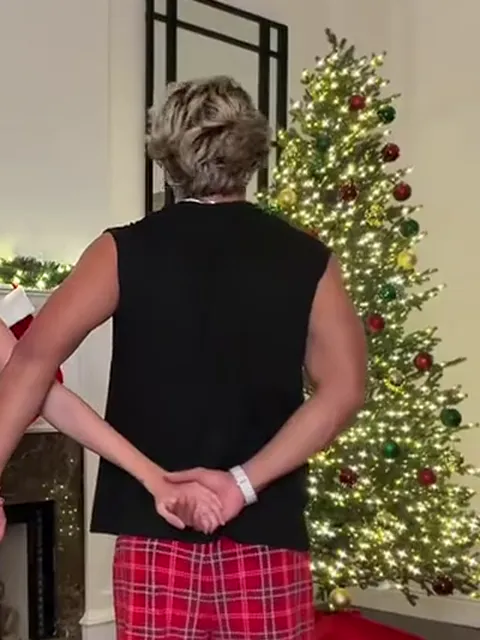
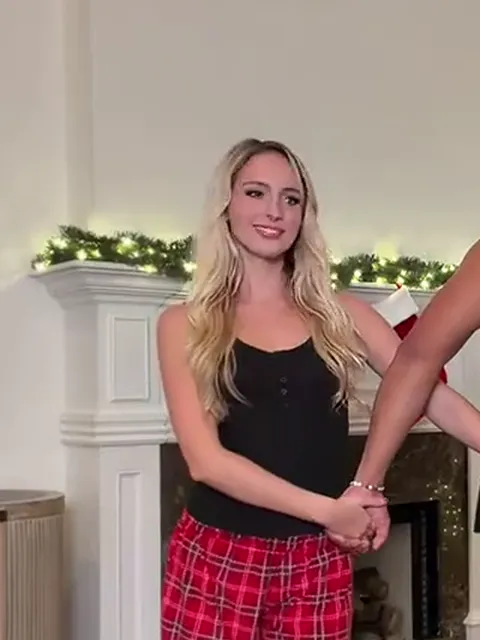
  1. The two dancers link hands and wrap their arms behind each other's backs.10:00

    Linked arms

    Both dancers link hands and wrap their arms behind each other's backs, the woman facing the camera.

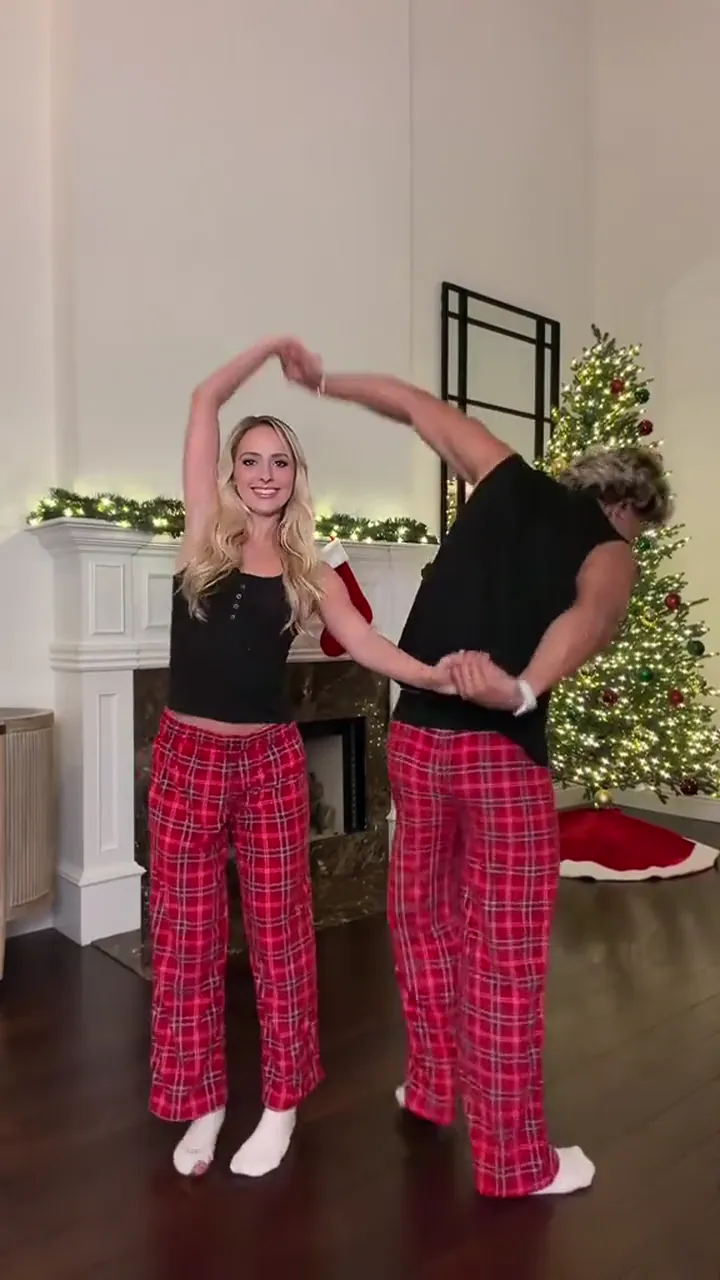
  2. The man bends to duck under the two dancers' linked arms.20:02

    Duck-through

    They turn, and the man ducks under the linked arms to face his partner.

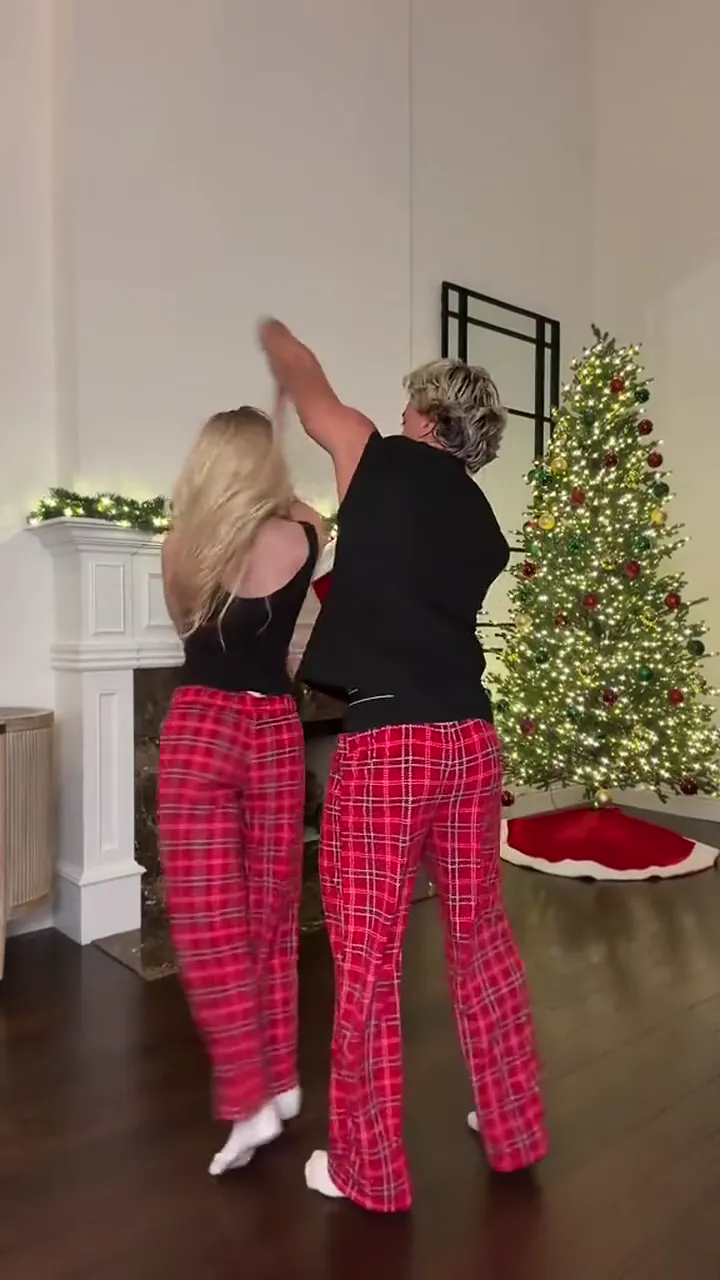
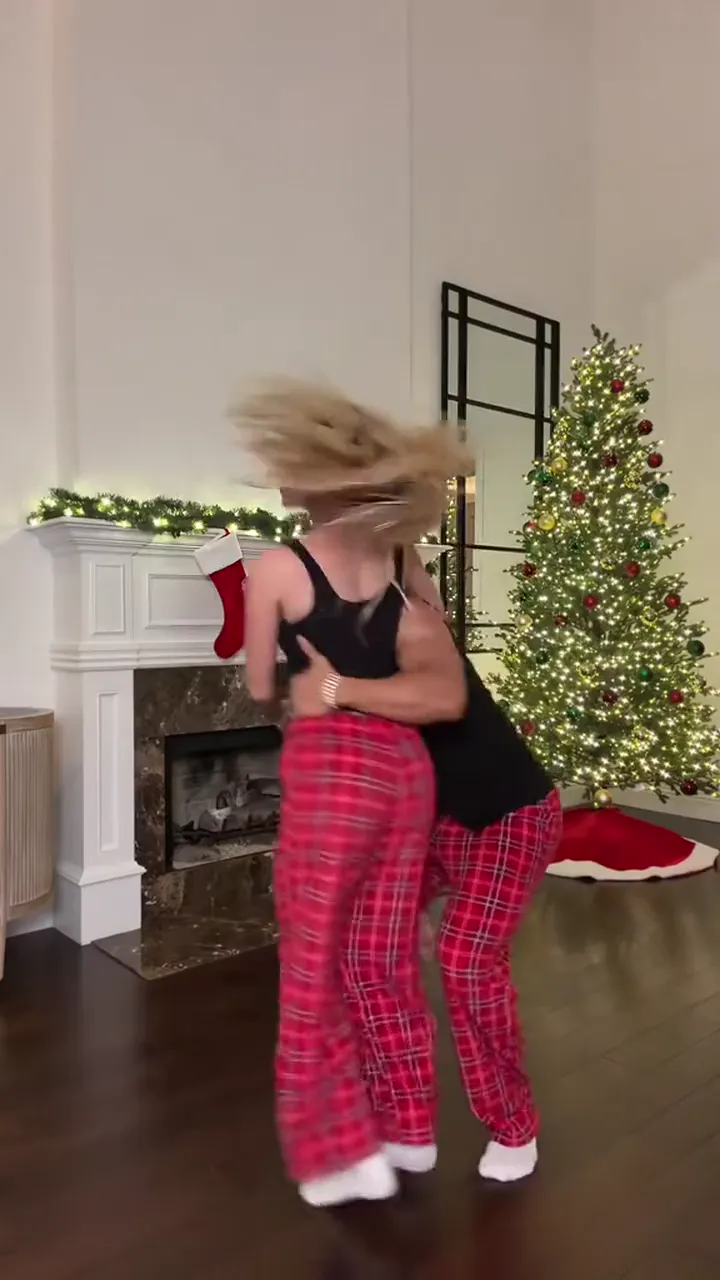
  3. The two dancers spin hand in hand, the woman's hair swinging out.30:05

    Repeated spins

    Hand in hand, they turn and spin through the middle of the routine, her hair swinging.

  4. The woman jumps and the man catches her to lift into a carry.40:08

    The jump

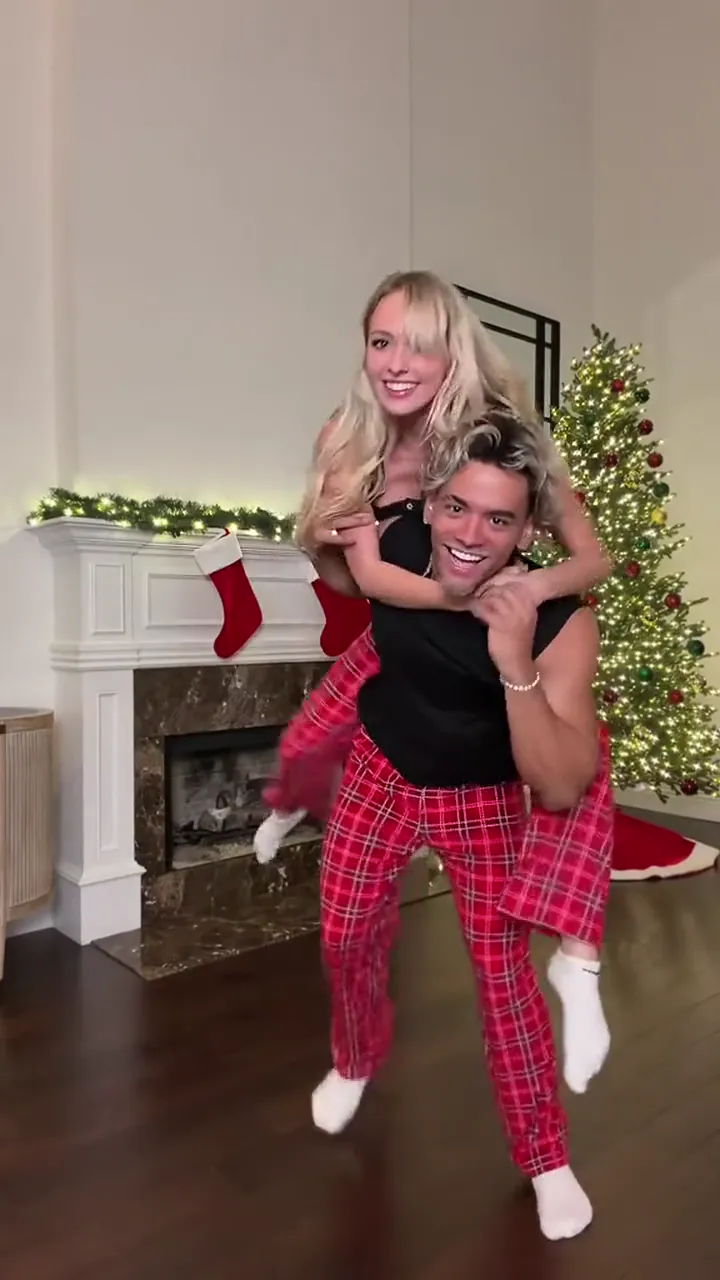
    The woman jumps and the man catches her, turning her onto a piggyback carry.

  5. The man carries the woman piggyback toward the camera.50:10

    Carry to camera

    He carries her toward the lens, faces growing larger.

The timecodes follow the fixed clip; the jump and the close carry are the moments to double-check each face.

How do you make the Snowman dance from two photos?

Two slots, one portrait each: the man on image 1 and the woman on image 2. The photos provide the faces and hair; the clip supplies the pajamas, room, choreography and sound.

  1. The man in a black top and red-checked trousers, partly turned away at the start of the routine.

    Photo 1Man

    Your photo plays the man: face and hair come from the portrait, while the black top, red-checked trousers and the lift stay from the clip.

    • Sharp enough to recognise after the duck-through, which briefly hides the head.
    • A clear view of the body, which does the final lift and carry.
  2. The woman in a black top and red-checked trousers, facing the camera at the start of the routine.

    Photo 2Woman

    Your photo plays the woman: face and hair come from the portrait, while the black top, red-checked trousers and the spins stay from the clip.

    • Sharp enough to recognise through the spins and the jump.
    • A clear view of the face, which stays toward the camera for most of the routine.

Photo checklist

Good for the swap

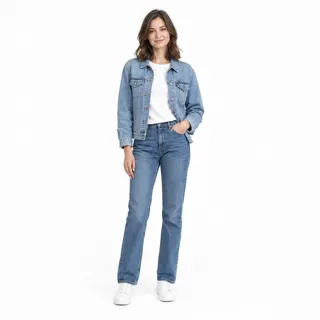
  • A woman facing the camera with her face fully visible.One clear person, face toward the camera
  • A woman standing head to feet in a neutral pose.Head to feet when you can, so the body reads through the spins

Avoid

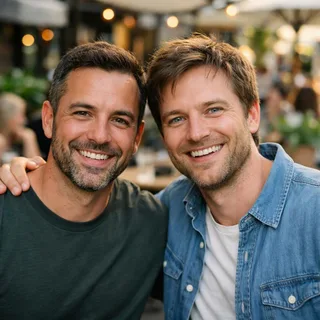
  • Two people side by side in a single photo.Two people in one photo — the template needs two separate portraits
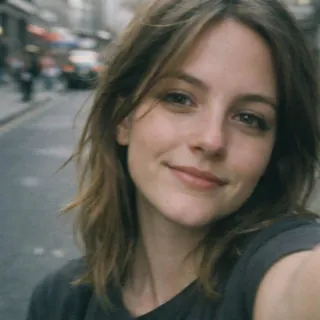
  • A close selfie showing only a face.A face-only selfie with no body
  • A dim, blurry snapshot.Dim or blurry photos

From two portraits to dance post

  1. Add the two portraits

    Upload one clear portrait per slot, as two separate files rather than one couple selfie.

  2. Pick a resolution and generate

    Choose 720p or 1080p, check the exact credit price on the button, then generate the fixed routine.

  3. Download and post

    Play the result through, download the 9:16 clip, and post it with the clip's built-in sound.

Snowman prompt: two dancers, one clip

Two routes for the same two portraits: edit the reference clip in Kling, or rebuild the routine in a reference-to-video tool. Each prompt names who to replace and what must not change.

Kling 4.0 video edit

Prompt length 991

Use @Video1 as the reference for the full scene and performance. Replace the man — the dancer who starts on the right, partly turned away, in a black top and red-checked pajama trousers — with @Image1, and the woman — the dancer who starts on the left facing the camera in the same outfit — with @Image2.

Preserve each person's identity, facial features, age, body proportions, hair and overall recognizability from their photo, and never mix their looks. Transfer the source video's body motion frame by frame: the linked arms, the duck-through under the arms, the repeated hand-in-hand spins, the jump onto the partner's back, and the piggyback carry toward the camera.

Keep the source video's camera, framing, continuous take, living room with lit tree and fireplace, lighting, composition, pacing and built-in sound unchanged. Keep each identity on its own body through the spins and the carry. Do not reinterpret the performance or add extra subjects. No face blending, text or logos.

Do

  • Name both dancers by role and pajamas

    The man who carries, the woman who jumps, both in black tops and red-checked trousers — so each identity lands on its own body.

  • Keep the finale in the prompt

    Write the jump and piggyback carry so the tool doesn't end the clip at the spins.

Don't

  • Don't describe the whole living room

    In the edit route the clip keeps the room; writing it out invites the tool to change it.

  • Don't write a song name

    The clip's built-in sound is carried over, and naming a track can push the tool to swap the audio.

Wrong vs right way to name the swap

Wrong

Swap the faces of the two dancers in the video so they look like my photos.

Right

Replace the man with @Image1 and the woman with @Image2, then keep the clip turns, spins, piggyback carry and built-in sound unchanged.

Name the man and the woman, say what must stay the same, and map one photo to each — otherwise the tool swaps only faces or drops the finale.

Snowman dance for couples and best friends

Any two people who agree to appear can take the two roles — partners, friends, long-distance pairs or siblings. No romantic couple required, and the two photos can trade places.

Your partner

Take the two roles, hold hands through the spins, and finish with the piggyback toward the camera — the couple version of the winter clip.

Example caption: Us this winter ❄️

Your best friend

Tag the friend you would attempt the turns with. No rehearsal required, just two clear portraits and a resolution pick.

Example caption: Tag someone you'd do this dance with

A long-distance pair

Two separate selfies become one routine, so distance doesn't keep you out of the same frame. Upload one per role and the clip does the meeting.

Example caption: Saving this for when we're in the same room

Siblings

Settle who jumps and who carries, then make the family watch the ending. Works for any two people who agree to appear.

Example caption: Making mom watch the piggyback ending

Snowman Dance AI specs: length, frame, sound and credits

Snowman Dance AI specs: length, frame, sound and credits
Photos
2 photos, two separate portraits
Photo files
PNG / JPG / WebP, up to 10 MB, at least 512 px on the short side
Length
12 seconds, following the fixed clip
Frame
9:16, following the built-in clip
Resolution
720p or 1080p; 720p by default
Sound
The clip's built-in sound, carried into the result
Visibility
Always private: results stay out of the public gallery on every plan.
Credits
451–676 credits per video; 451 at 720p by default
If a run fails
The credits go back to your balance automatically

More ways to finish your Snowman dance clip

The Snowman template already has its performance, so these tools pick up after generation: upscale the finished clip, extend it, or clean its background.

  • AI Video Generator

    Generate a clip from a prompt, a still image, a reference or existing footage.

    Open tool
  • Video Upscaler

    Raise a clip to 1080p or 4K and sharpen detail frame by frame.

    Open tool
  • Video Extender

    Add seconds before or after a shot while its motion and subject carry on.

    Open tool

Snowman couple dance: answers

Is the Snowman Dance AI generator free?+

A finished video costs credits. The Generate button shows the exact price for your chosen resolution before you submit, and new accounts receive a registration bonus of 10 credits.

What song is the Snowman dance set to?+

The dance is associated with Sia's Snowman, which is where the name comes from. This template keeps the clip's built-in sound instead of identifying or replacing the recording.

Is this the Snowman singing challenge?+

No. The singing challenge is a separate format about holding a note, while this preset generates the two-person pajama dance from two portraits.

Is 'snowman waltz' a real waltz tutorial?+

No. The waltz wording is a loose way people describe the hand-in-hand turns. This page makes the clip's routine from photos; it doesn't teach formal dance steps.

Do I need two portraits or one couple photo?+

Two separate portraits, one clear person in each: image 1 is the man, image 2 the woman. If you only have a shared photo, crop it into two single-person files yourself before uploading.

Can I make it with just my own photo?+

No — this version needs both photo slots filled, one for the man and one for the woman. It does not keep the original dancer as your partner.

Do we keep our own outfits?+

No. The template keeps the clip's black tops, red-checked pajama trousers and white socks, so the matching-pajama look stays readable.

How long is the video, and can I change the ratio?+

It follows the roughly 12-second vertical clip. You can pick 720p or 1080p, while the length and the 9:16 frame stay fixed.

Why do the faces or the lift look wrong?+

The turns, the duck-through and the close carry hide faces and complicate the motion. Use sharp, unobstructed photos, and check the spins and the jump before posting — identity and anatomy aren't guaranteed.

Snowman Dance AI or a CapCut template?+

This preset generates the dance from two portraits without a prompt. The verified CapCut template asks for two clips, so pick by the material you already have.

Can I do it with a best friend, not a partner?+

Yes. The two roles don't require a romantic couple — use two photos of people who agree to appear.

Is this an official Sia, TikTok or CapCut collaboration?+

No. This is an independent Oeneo AI preset; the song, platform and template names are used only to describe the dance.

Where can I post the result?+

The result downloads as a 9:16 clip with the built-in sound, ready for a Reel, TikTok post or story.

Make your Snowman dance video from two photos

Add one clear portrait per role, pick 720p or 1080p, and generate the pajama turns and piggyback finale with the clip's built-in sound.