Barbie Girl Dance AI

Two photos put both people inside the Barbie Girl hallway routine — the turn, the hip swings and the lean are the clip’s, and the sound comes with them.

  • No prompt
  • Any two people
  • Pets welcome
Example · The hallway take

PNG / JPG / WebP · up to 10 MB · at least 512px on the short side

0/2 photos

Photo 1 takes the woman’s place on the left, photo 2 the man’s place on the right. One person (or one pet) per photo, face and hair clear.

Video settings

No prompt needed. Only upload photos of yourself or people who agreed to be featured; celebrity photos and film stills aren't allowed.

Which Barbie Girl routine does the template copy?

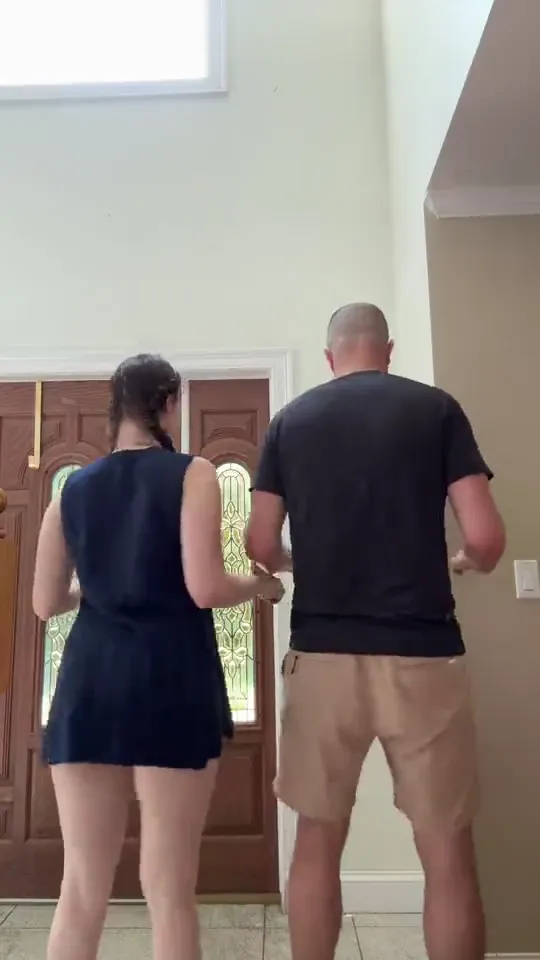
It is the sped-up Barbie Girl sound — also searched as Come on Barbie, let’s go party — danced by two people in a bright hallway: they turn from the back, swing their hips, throw a hand up, fold their arms back to back and lean away, and the take stops there. Barbie and Ken are the song’s two roles, not a doll filter, and your photos take the two places inside that clip, in the clothes it already has.

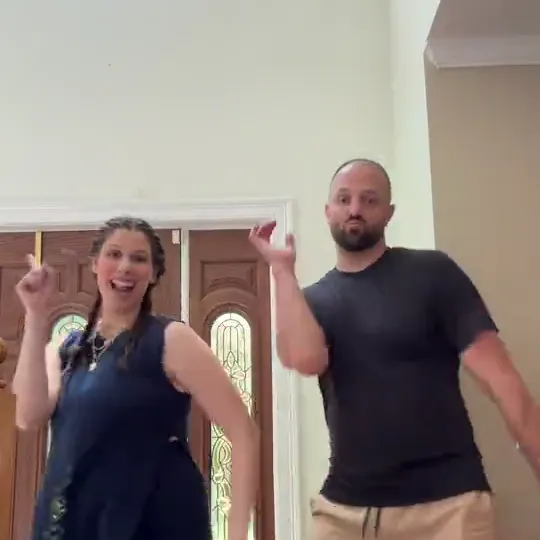
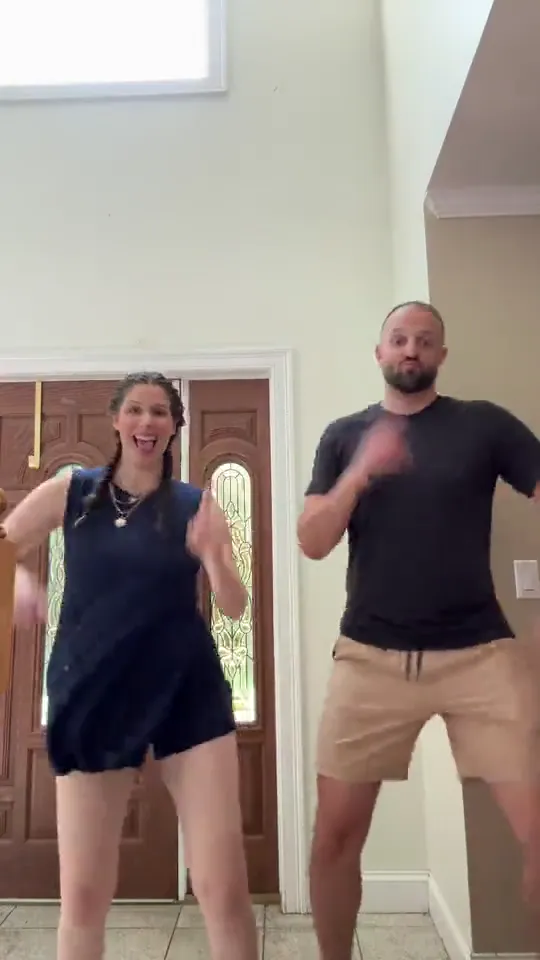
Two dancers facing the camera in the bright hallway, a wooden door and a tall window behind them

The sound is the oldest layer: the sped-up upload dates from 2024 and the hallway dance came a year later, which is why the routine turns up under the song’s name as well as under its moves.

The hallway pair is the later layer, and the one this template copies: two adults, one camera, a wooden door and a tall window behind them, a routine that ends on a lean instead of a pose.

The same name also covers other takes — a darker night version where one dancer works close to the lens while the other moves behind, then they trade places. Those are different routines, and so is the plain couple-dance template: this page copies one hallway clip, not any two people dancing anywhere.

The newest layer is the template itself: AI pages for the two-photo version appeared through 2026 and dedicated tutorials followed, while the clip underneath is still the same hallway take.

How the sound, the hallway dance and the AI version line up

  1. The sped-up sound is uploaded to TikTok; Jump credits that upload with 2.5M plays and 145.4K likes as of 13 November 2026.

  2. @nellesworld posts the hallway pair version on TikTok; Jump and MakeViral both quote 96.7K plays for it.

  3. Template sites start listing AI versions of the hallway dance; MakeViral dates the arrival of AI templates to this day.

  4. Starrd publishes a tutorial for the two-photo version, with a template of its own.

Dates, play counts and template pages as reported by Jump, MakeViral and Starrd in November 2026.

Who can take the two places in the hallway

The two photos only swap the people; whoever is in a photo takes that place for the whole take.

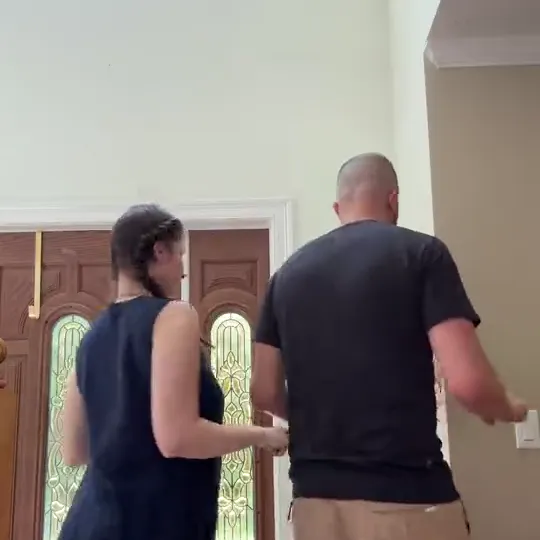
  • Two dancers seen from behind at the start of the take, a wooden door and a tall window in front of them
    Photo 1 + photo 2

    A couple, one photo each

    The routine is built for two people who move together, so a couple needs nothing explained.

  • The two dancers facing the camera mid-routine with their hands up, in a bright hallway
    Two friends, two photos

    Two best friends

    Two friends dance it exactly like a couple; nothing in the routine assumes how close the two of you are.

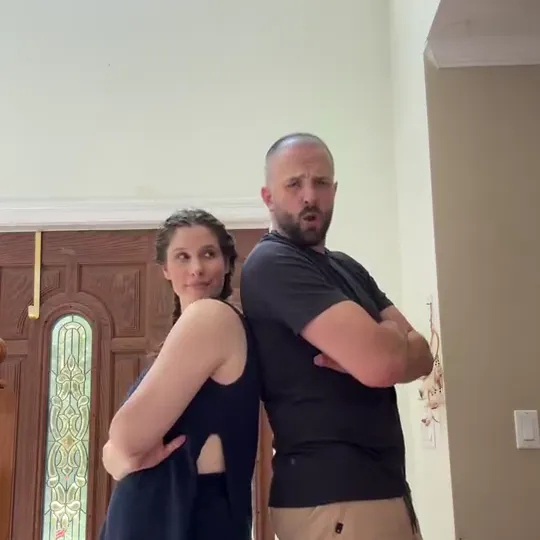
  • The pair standing back to back with their arms folded, a wooden door behind them
    One photo of each

    One person plus a pet

    A pet in the second photo keeps its own species and body. The steps stay human-sized, so expect a loose fit rather than a perfect one.

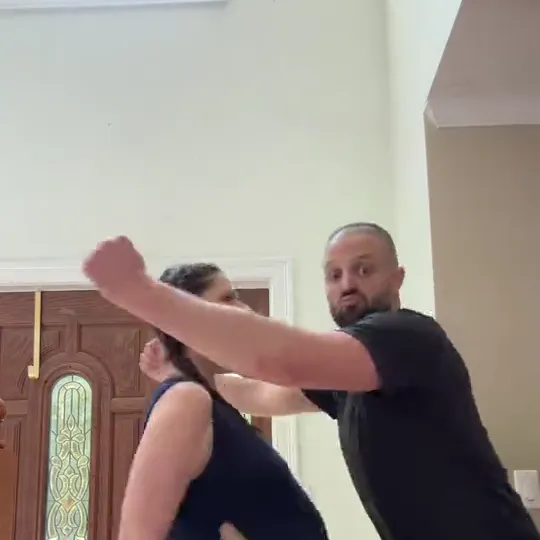
  • The woman tipped back with one arm out and the man leaning in after her, near a wooden door
    Loose fit

    Two pets, one hallway

    This is the loosest of the four: no paws on the beat, and the pairing is carried by the hallway and the moves.

How do you make the Barbie Girl AI dance from two photos?

Photo 1 is the woman’s place on the left and photo 2 the man’s place on the right; send them the other way round and the two faces switch places for the whole clip, lean included.

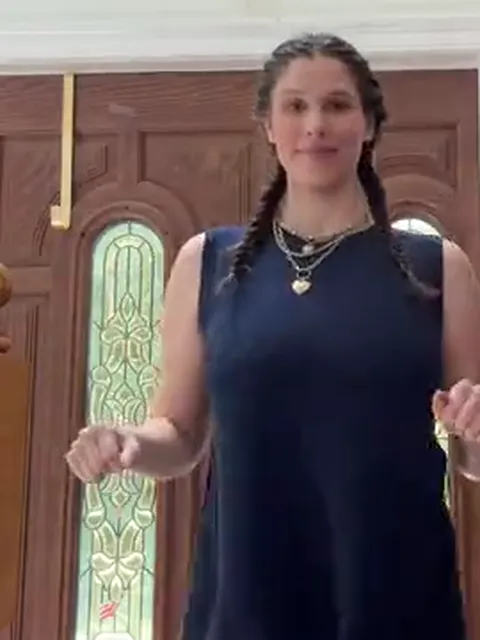
  1. The woman on the left of the clip in a navy sleeveless playsuit with a long braid, facing the camera

    Photo 1Woman on left

    Photo 1 stands in the woman’s place on the left. Her face, hair and skin tone come from your photo; the navy playsuit, the necklaces and every step stay as the clip has them.

    • Hair visible in the photo: the first shot shows her from behind, and hair is what separates the two places there.
    • Head to knees at least; the clip frames her in the playsuit all the way down.
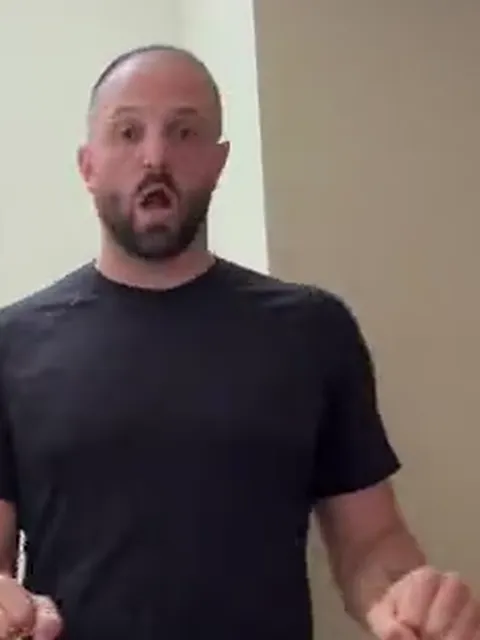
  2. The man on the right of the clip in a black tee and khaki shorts, facing the camera in the hallway

    Photo 2Man on right

    Photo 2 stands in the man’s place on the right. His face, hair and any beard come from your photo; the black tee, the khaki shorts and every step stay as the clip has them.

    • The clip’s dancer has a beard and a shaved head, so a photo that shows your own hairline clearly is what stops theirs from carrying over.
    • One person only, chest up at least: the close shots frame him from the waist.

Photos for the turn and the close shot

Works well

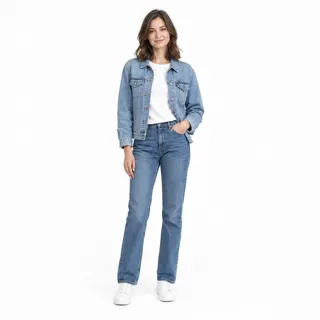
  • A woman in a denim jacket and jeans standing, head to shoes, on a white backgroundOne person, head to knees
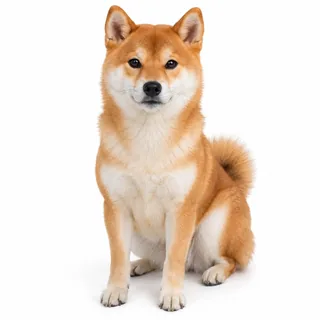
  • A Shiba Inu sitting, whole body, facing the cameraA pet on its own, whole body

Avoid

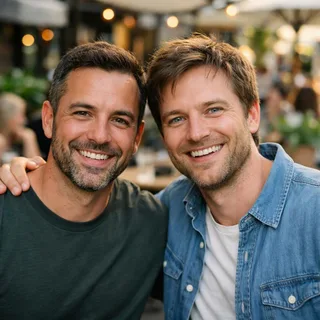
  • Two men side by side in one photo at a cafeTwo people in one photo
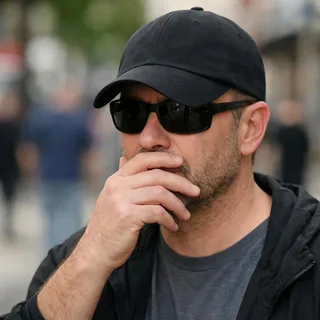
  • A man in sunglasses and a low cap with a hand over his mouthSunglasses or a hand over the face
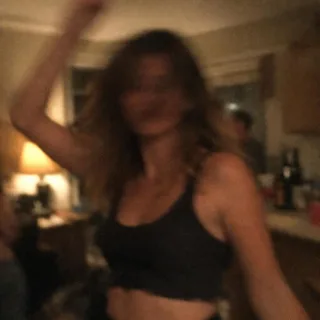
  • A dim, blurry photo of a woman dancing at a night partyDark or blurry snapshots

From two photos to the hallway

  1. Add both photos

    One per place, one subject each. Check the two tiles before you go on.

  2. Choose a resolution and generate

    Pick the resolution; the button shows the exact price before you start.

  3. Download and post

    The clip’s own sound is already on the video, so there is no track to add when you post it.

The Barbie Girl dance AI prompt, if you run it yourself

One Kling 4.0 video-edit prompt for the same take: the clip as the reference, one photo per place, and the parts of the routine that must not drift.

Kling 4.0 video edit

Prompt length 1247

Use @Video1 as the reference for the whole take. Replace the dancer on the left, the one in the navy sleeveless playsuit with the long braid, with the person in @Image1, and the dancer on the right, the one in the black tee and khaki shorts, with the person in @Image2.

Give each replacement that photo's face, hair, skin tone and build, with @Image1 in the left place and @Image2 in the right place in every frame, including the shots where the pair turns its back to the lens. Drop what belongs to the source pair: the long braid and the necklaces on the left, the beard and the shaved head on the right.

Then follow @Video1's performance exactly: the turn from the back toward the lens, the hips swinging side to side with a fist at the waist, the hand thrown up, the pair folding their arms and standing back to back, and the lean away that the clip ends on.

Keep the bright hallway with its wooden doors and window, the navy playsuit, the black tee, the khaki shorts, the camera, every cut, the pacing and the clip's own sound as they are. One person per photo; a pet photo keeps its own species and body and never gets a human one. Keep each face the same person from the first frame to the last; no blended faces, no added text or logos.
Write it like this

  • Say who takes which place

    Which side, and which outfit on that side, is what keeps the two photos apart once the camera cuts closer.

  • List what must not change

    The hallway, the outfits, the cuts and the sound are four separate promises. Drop any of them and the tool starts re-shooting instead of recasting.

  • End where the clip ends

    The take ends on the lean, not on a bow or a freeze. Name it, or the edit tends to stop at the folded-arms shot before it.

Where it goes wrong

  • Two photos, no places

    “Put the two people from the photos into the dance” leaves the tool to decide which face takes which place, and it decides differently from shot to shot.

  • A doll instruction

    “Turn them into Barbie and Ken dolls” asks for plastic styling. The edit swaps identities inside this clip and keeps the clothes it already has.

  • Asking for a new scene

    A stage, a bedroom or another song asks for a new take. There is one hallway clip, and the point of the edit is to keep it.

One line, two ways

Too vague

Swap the two dancers in the clip for the people in my photos.

With the places named

@Video1: @Image1 takes the navy playsuit on the left and @Image2 the black tee on the right, in every frame; remove the braid and the beard; keep the hallway, the outfits, the cuts and the clip’s own sound.

The longer version names the place, the outfit and the two things to remove; those are the three details this clip gets wrong when they are left out.

Which Barbie Girl dance moves the clip includes

What happens in the 12.82-second clip your photos step into, one frame per shot.

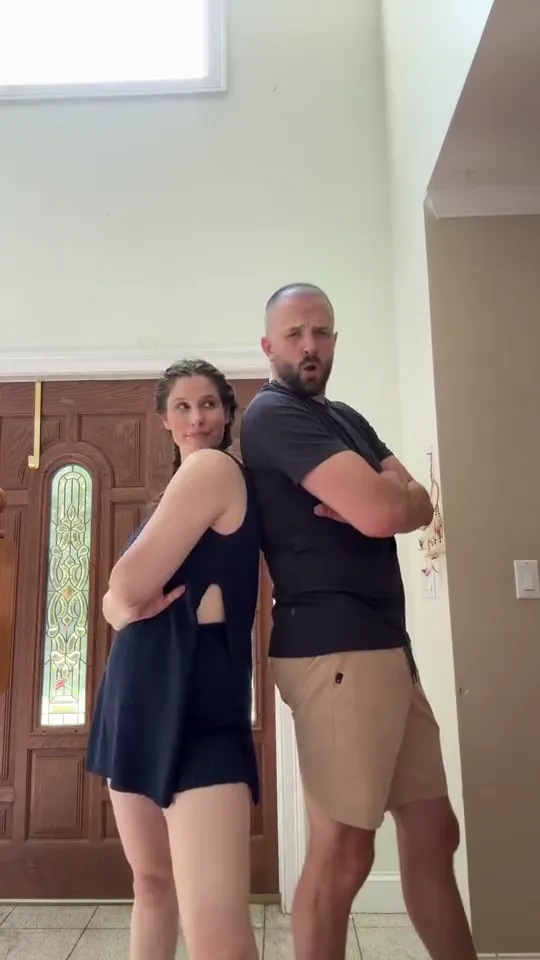
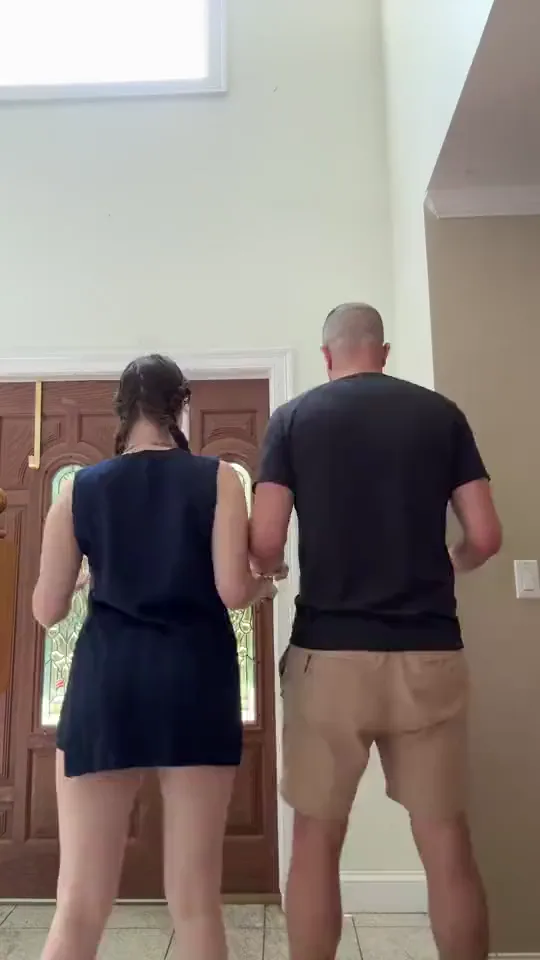
  1. Two dancers seen from behind in a bright hallway, a wooden door and a tall window ahead of them10:00–0:03

    Turn from the back

    The take opens with both dancers facing away from the lens, then they rotate to face it.

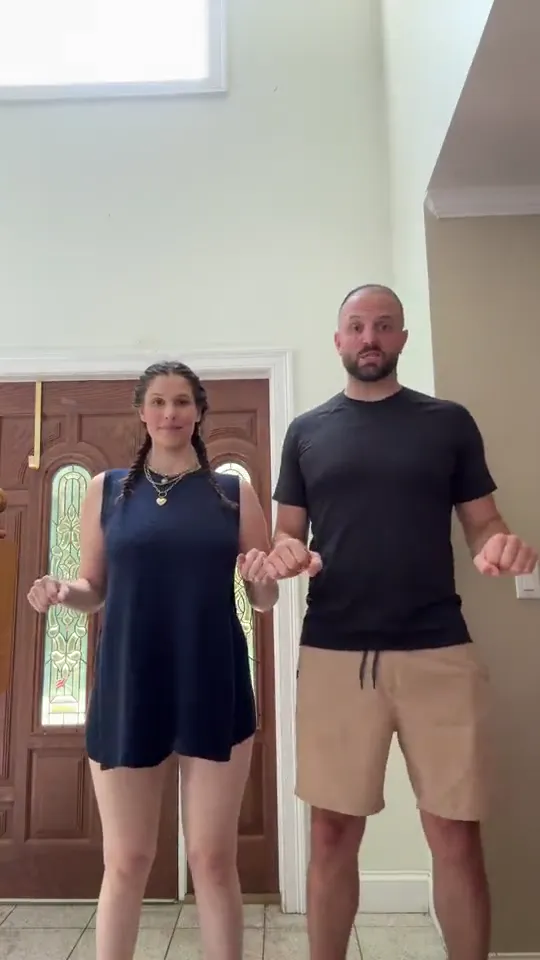
  2. The woman with her hip swung out and a fist at her waist, the man beside her with his arms bent20:03–0:07

    Hips out, fist at the waist

    The longest shot of the take: they face the lens, swing the hips side to side and park a fist at the waist between swings.

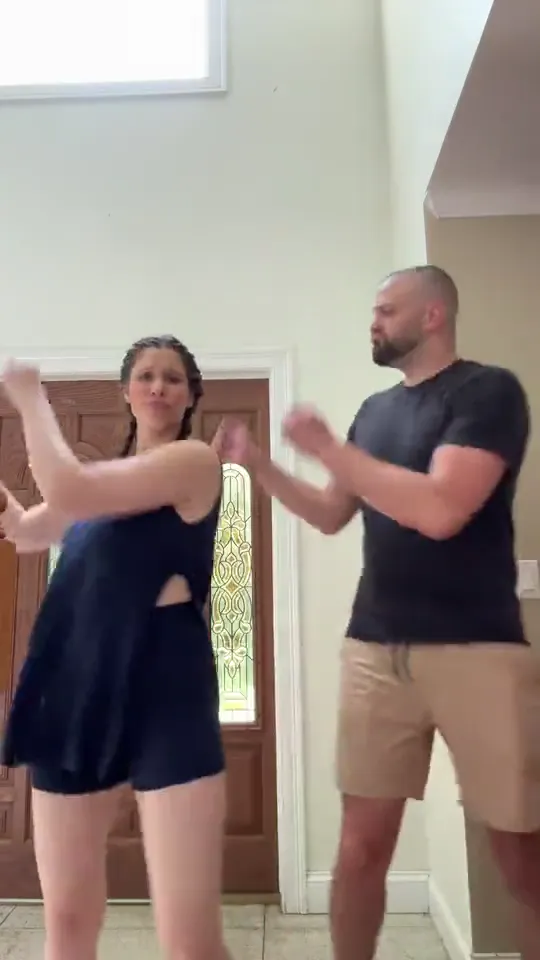
  3. The woman with one fist raised high and the man with both hands up, in the same hallway30:07–0:09

    One hand up

    Each throws a hand up on the beat and lets it fall again, still facing the camera.

  4. The woman turned away with her arms folded, the man facing the camera with his arms crossed40:09–0:10

    Arms folded, back to back

    Both fold their arms and stand back to back, her turned away from the lens; this is the close shot where the two faces are hardest to keep apart.

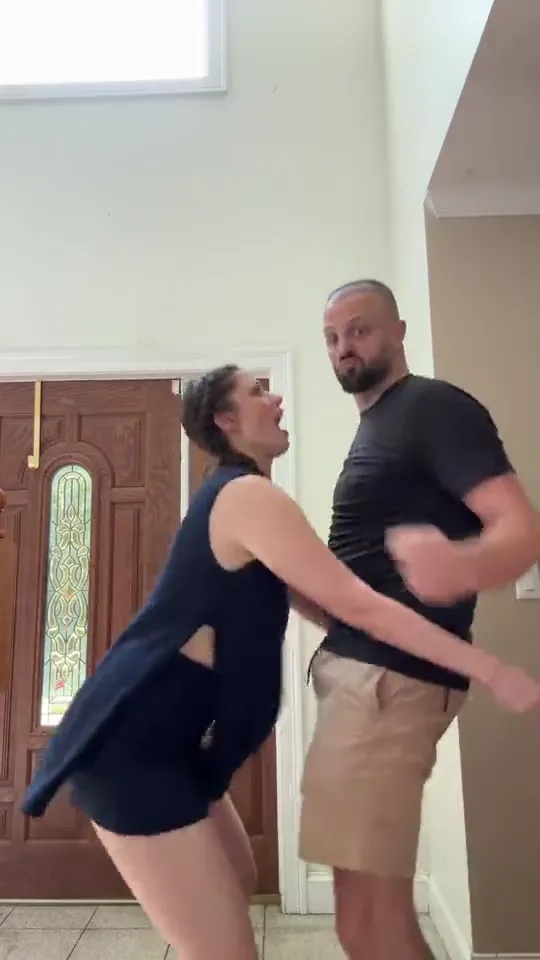
  5. The woman tipped back with one arm sweeping past the man, who leans in toward her50:10–0:12

    The lean that ends it

    She tips back toward the lens with an arm sweeping past him and he leans in after her; the take stops there, with no bow and no final pose.

Nothing else is in the take: no lift, no spin and no closing pose beyond the lean.

What a hallway recast gets wrong, and the fix on the photo side

  • The braid and the beard come back

    What happens
    The new faces arrive wearing the clip’s long braid or the clip’s beard, usually right after the turn.
    Why
    Hair and facial hair sit where the identity signals are, so the edit can keep the source pair’s outline and swap only the face inside it.
    Fix
    Photos where the hair, or its absence, is clearly visible, and one look at the turn before you post: the braid and the beard are the first leftovers to check for.
  • The two identities trade places

    What happens
    After the turn the face from the left place shows up on the right, or both places end up with the same face.
    Why
    The pair crosses the frame and the camera keeps moving, so the edit re-reads who is who at every cut; the names in your head do not exist for it.
    Fix
    Photos that are easy to tell apart — different hair, build and clothing — and a check of the first two shots before you post. The places follow the slots, not the people.
  • Faces smear in the back-to-back shot

    What happens
    At the folded-arms moment and the final lean the two heads are close and partly hidden, and features soften or blend.
    Why
    That shot holds two heads within centimetres of each other while both are still in frame, so there is little outline for either face.
    Fix
    Nothing to set — it is one shot of the take. Judge it in the result, and if that beat is the one you need, try photos that differ in hair length and skin tone.
  • The pet gets a human body

    What happens
    A pet photo comes back on two legs, or with hands where the paws should be.
    Why
    The clip is a standing, full-body duet, so the edit is being asked to fit a four-legged subject into a human silhouette.
    Fix
    A photo with the whole animal visible, and one pet per place: the more of its own outline the model can see, the more of it stays.

What one Barbie Girl dance video takes and costs

What one Barbie Girl dance video takes and costs
Photos
2 photos, one subject each
Photo files
PNG / JPG / WebP, up to 10 MB, at least 512 px on the short side
Length
12.82 seconds: the clip’s own length, with no shorter or longer version
Frame
9:16, vertical
Resolution
720p or 1080p; 720p by default
Sound
The clip’s own track, kept; nothing added or swapped
Model
Kling 4.0 video edit
Credits
483 at 720p; 724 at 1080p
Visibility
Videos made on a free account are public. On a paid plan they are private by default.
Refunds
Credits return automatically if a generation fails.

FAQ

Questions about the Barbie Girl hallway recast

Is this the Come on Barbie, let’s go party dance?+

Yes. That line from the song is another name for the same routine, and it is the routine this template copies: two people in a hallway, turning from the back. Both names lead to the same clip.

Is a Barbie Girl Dance AI video free?+

No, each video costs credits. The price follows the resolution you pick, and the Generate button shows it before you start. New accounts start with 10 credits.

Does the video keep the song?+

Yes. The result keeps the audio track that is on the clip, so the sound is there when you download and no other track can be swapped in. That is the clip’s sound, not a promise that every word lands on the right mouth movement.

Do I need to write a prompt?+

Nothing. The template already holds the task, the clip and the outfits: you add the photos, check which place each one takes and press Generate. A prompt only comes into it if you run the same edit yourself in another tool.

Can I change the outfits, the room or the length?+

No. The template holds the hallway, the outfits, the vertical frame and the clip’s own length; the only choice it opens is the resolution. A different room, outfit or length is a different job, and the video generator is where that one goes.

Do the two photos have to be a man and a woman?+

No. The two places are told apart by position and outfit, not by who the clip’s dancers were: two friends, two women or two men all work, and a pet can take one of the places.

Can one photo with both of us work?+

No. Each place takes one subject, and a photo with both of you in it leaves the edit guessing which face belongs to which side. One photo per place; a group shot is not split for you.

Why do the faces swap or go soft when they turn?+

The pair turns its back to the lens in the first shot, stands back to back in the fourth and crosses the frame in the last, so there is little face to hold at those joins. Photos with clearly different hair help most; what to avoid is in the photo list above.

Will my pet dance like a person?+

No. The routine is a standing human duet, so a pet will not follow it step for step: expect it dancing in its own way, with the loosest fit of anything this template takes.

Is this the night version of the dance?+

No. That one is a different routine in a darker setting, where one dancer works close to the lens while the other moves behind and then they trade places. This template copies the bright hallway take only.

Is this an official Barbie or Aqua template?+

No. Oeneo AI has no connection to Mattel, Aqua or the dancers in the take; the template recreates one hallway routine with your photos.

Barbie Girl Dance AI

Put both of you in the Barbie Girl hallway dance

Two photos go in and both of you come out inside the 12.82-second hallway take, sound and outfits included.