


Create Your Christmas Photobooth AI Video

Turn two separate portraits into a Christmas photo strip video for friends or couples, with four playful poses.

  • No prompt
  • Separate photos
  • In browser
Example · Christmas Photobooth AI

PNG / JPG / WebP · up to 10 MB · at least 512px on the short side

0/2 photos

Upload two separate portraits. Photo 1 replaces the opening portrait’s left person; Photo 2 replaces the right.

Video settings

No prompt needed. Only upload photos of yourself or people who agreed to be featured; celebrity photos and film stills aren't allowed.

What is the Christmas photobooth trend?

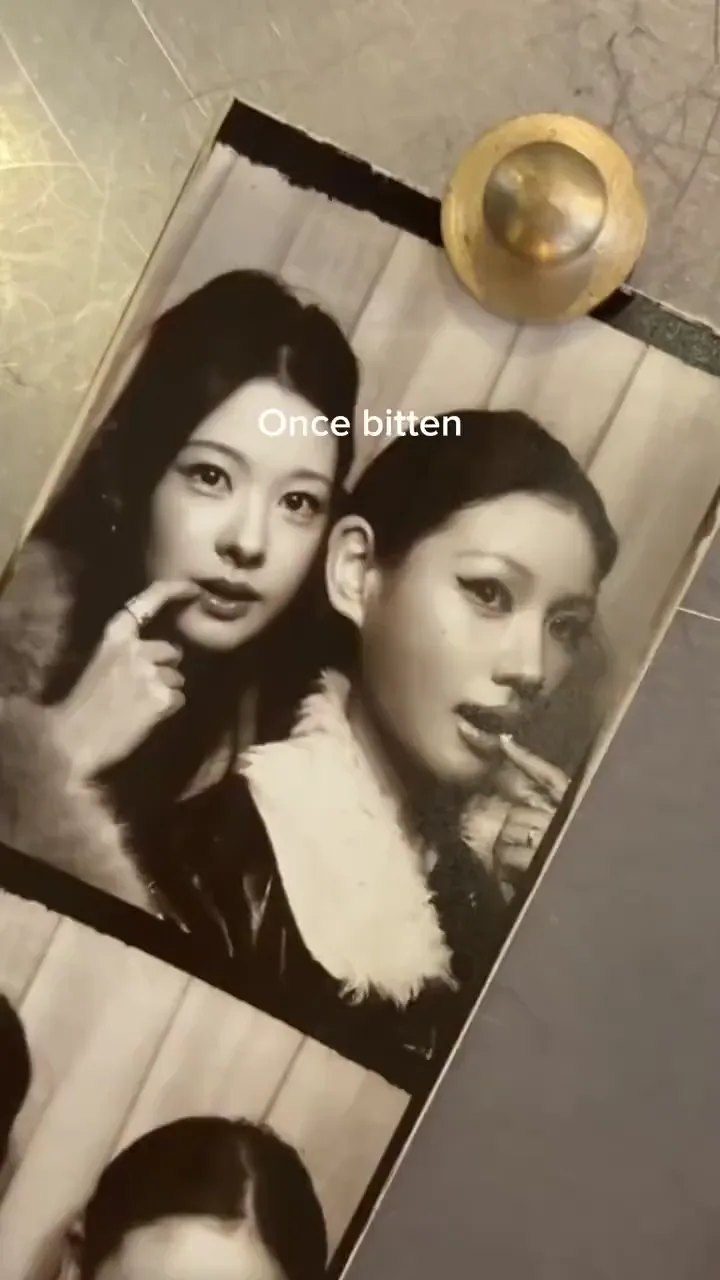
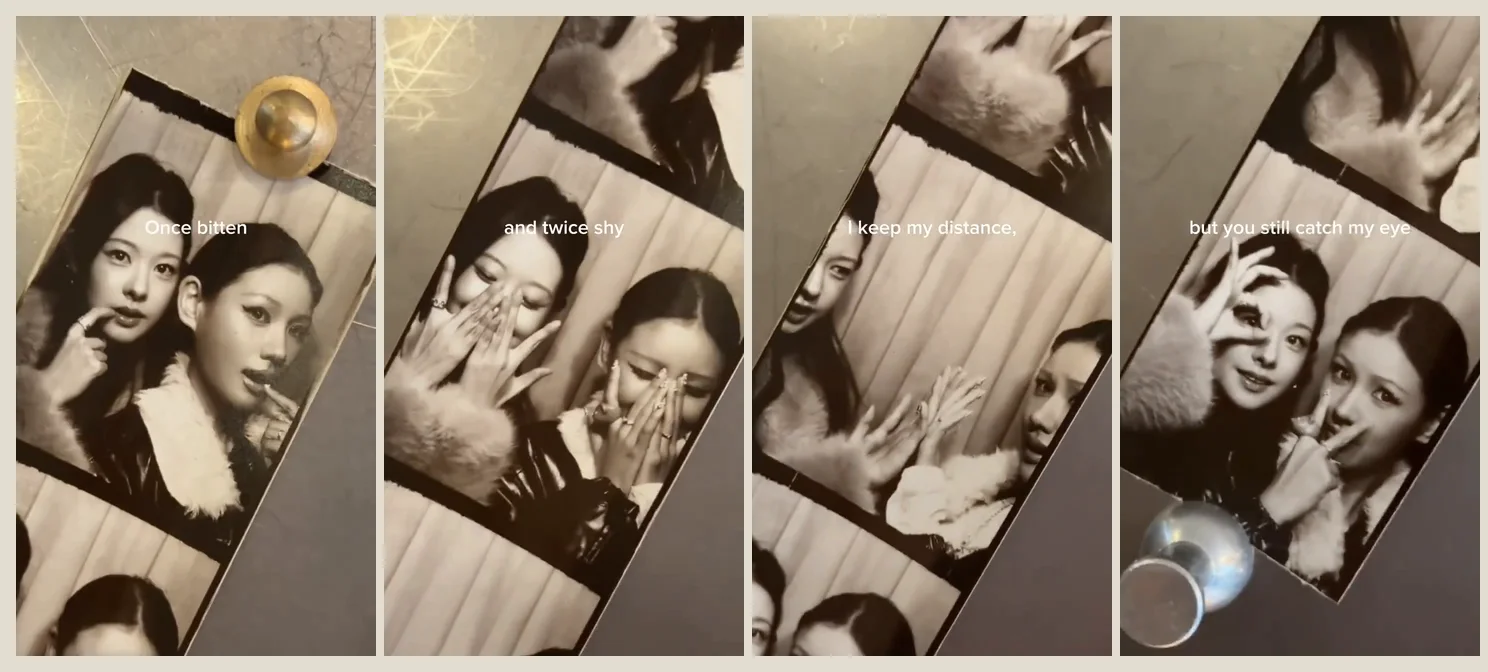
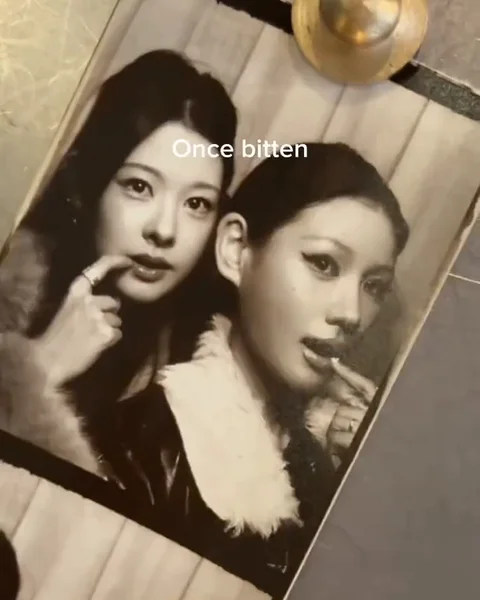
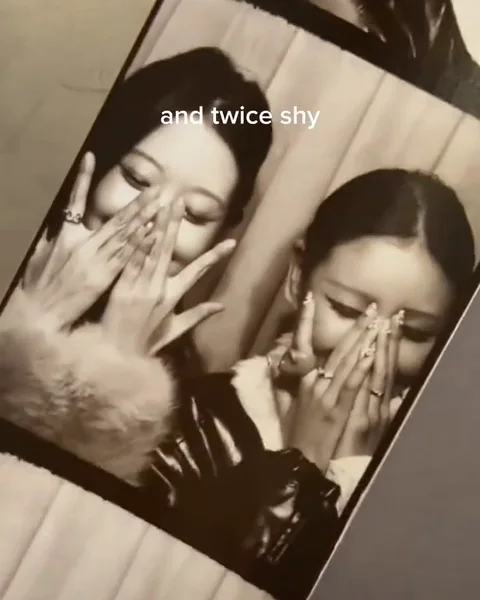
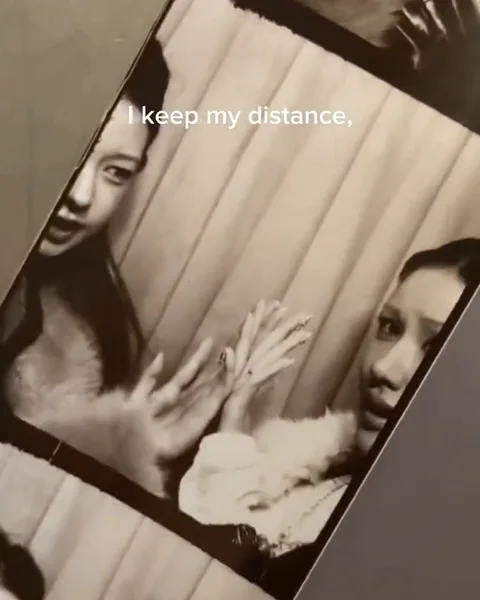
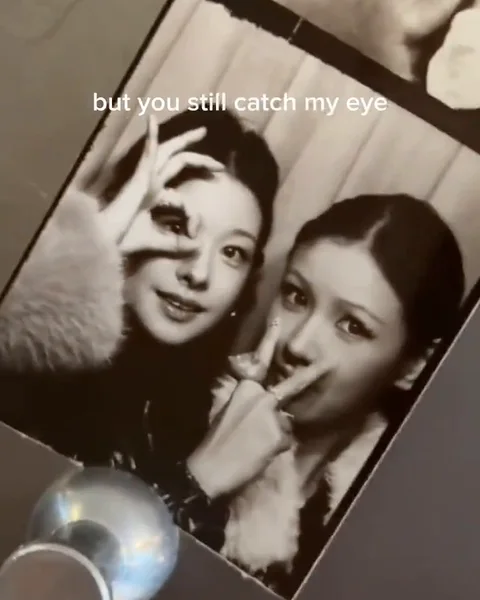
Christmas Photobooth AI puts the same pair into a moving four-frame photo strip: close-up black-and-white portraits, winter collars, playful hand gestures and a camera that moves from one printed pose to the next.

Four views of a Christmas photo strip: fingers by lips, hidden faces, open palms and gestures beside the eyes

This Christmas photo booth AI effect makes a video. The camera pauses over each portrait, then pans along the paper; the people remain inside the photographs. It is a ready-made scene rather than a printable strip builder.

How to make a Christmas photobooth video from two photos

Use two separate solo portraits, even if you were photographed in different places. The first portrait sets the left/right roles; swap the uploads to exchange them. Clothing, poses and the table stay with the template.

  1. Long-haired person on the first portrait’s left, with a finger near the lips

    Photo 1Left person

    This photo supplies the face and hair of the person on the left in the opening portrait, repeated through the strip.

    • Choose the person who should take the eye-circle gesture in the last pose.
  2. Person on the first portrait’s right, wearing a light furry winter collar

    Photo 2Right person

    This photo supplies the face and hair of the person on the right in the opening portrait, including the later side-facing poses.

    • Choose the person who should take the V-sign beside the eye in the last pose.

Portraits that stay readable in a small strip

Use

  • Woman facing the camera against a clean light backgroundOne clear face, facing the camera, with even light.
  • Unfiltered portrait of a grey-haired man in a navy sweaterKeep natural facial proportions and a visible hairline.

Avoid

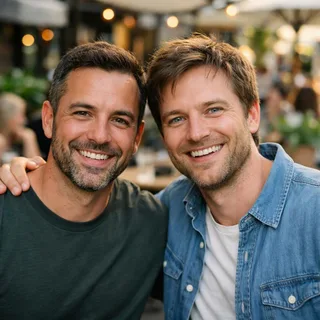
  • Two people seated side by side in one photoA couple selfie or group shot inside either upload.
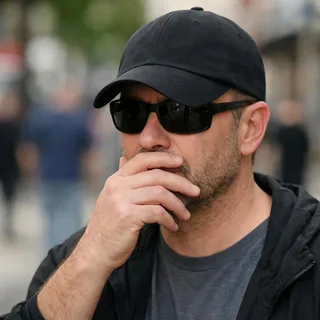
  • Person with sunglasses, a low cap and a hand covering the mouthSunglasses, a low cap or a hand across the face.
  • Blocky, heavily pixelated portraitTiny screenshots; each photo needs a short edge of at least 512px.

From portraits to a shareable clip

  1. Add both portraits

    Fill both photo slots and check their previews. Use photos with both people’s consent.

  2. Choose resolution and generate

    Pick the output resolution, review the displayed credit quote and click Generate.

  3. Download and share

    Save the finished video and post it as a holiday message or send it to the person beside you in the strip.

Four poses in one Christmas photo strip video

The vintage look comes from flat monochrome portraits against a warm tabletop. Read the strip as four different photographs of the same pair, revealed by pans and pauses—not as people acting inside a booth.

  1. Two people in winter collars hold fingers near their lips in a black-and-white portrait10:00

    Fingers by the lips

    Both faces are open and close together. The first portrait establishes the pair before the hands start hiding features.

  2. Both people cover parts of their faces with raised hands20:02

    Hide behind your hands

    Raised hands cover parts of the faces. The pose changes while the two hairstyles and winter collars remain recognizable.

  3. Two people lean apart with open palms between their faces30:05

    Open palms, a little distance

    The pair lean apart with palms between them. Side-facing faces and the photograph’s edges become the important details.

  4. One person makes a circle around an eye while the other makes a V-sign40:07

    An eye circle and a V-sign

    One hand makes a circle around an eye; the other person holds a V-sign near the face. The final pose brings the faces back into view.

Best friends or couples: the same playful strip

In a TikTok post dated November 7, 2026, @fromliayoon called the format “holiday photobooth” and tagged friends. Friends and couples can use the same playful poses here.

What you wantUseWhat to expect
A best-friends Christmas photobooth videoThis two-person presetA shared holiday greeting with teasing, shy and playful poses.
A Christmas photobooth video for couplesThe same presetThe same four poses; there is no separate romantic animation or kissing scene.
A still Christmas portraitExplore Christmas photo effectsChoose a photo effect when you want a single image rather than moving camera work.

Christmas photobooth AI prompt: keep the strip flat

This page’s preset needs no prompt. For your own Kling video edit, use this tutorial to distinguish replacing the people in printed photographs from filming a new booth scene.

Kling video edit

Prompt length 1048

Use @Video1 as the editing reference. Replace the two people pictured inside the black-and-white photo strip with the people in @Image1 and @Image2, respectively, identifying them by their left and right positions in the first portrait. Transfer face identity and hair, keeping the template's winter clothes.

Keep the same pair in every printed portrait, including partly visible portraits above and below the camera. Preserve the sequence: fingers near the lips; hands hiding the face; open palms held toward each other; then an eye-circle gesture beside a V-sign. These are photographs on flat paper: animate the camera, not the people inside the photographs.

Preserve the diagonal paper strip, four portrait panels, borders, tabletop objects, monochrome portraits, warm surrounding light, every pan and pause, framing and original sound from @Video1. Keep the existing text in place; do not add names, extra panels, new people or a second strip. Never exchange or blend the two identities when hands cover faces or the camera crosses a border.

Keep in the instruction

  • The same pair across every panel

    A repeated face is still one identity, even after a hand hides it.

  • Preserve the pans and pauses

    Protect the existing camera rhythm rather than asking for uniform slow motion.

Leave out

  • “Make them perform four poses”

    That can turn printed photographs into live-action windows.

  • “Add my name and new lyrics”

    Extra lettering changes the edit task; the preset has no typography editor.

Christmas photobooth video settings and credits

Christmas photobooth video settings and credits
Photo files
2 photos · PNG / JPG / WebP · up to 10 MB each · minimum short edge 512px
Video output
8.4s · 9:16 vertical · one fixed four-frame strip
Resolution
720p or 1080p; 720p by default
Available controls
Resolution only. Poses, duration, paper layout and camera timing follow the preset.
Audio
Keeps the built-in clip’s audio. No music upload or audio toggle.
Credits per video
316 credits at 720p; 474 credits at 1080p
Result visibility
Videos generated with this two-person template stay private.
If generation fails
Credits are returned to your account when the task fails.

Christmas photobooth video questions

Does Christmas Photobooth AI make a video or a printable photo?+

It makes a vertical video with a photo strip inside the scene. It does not export an editable print layout, a sheet of separate portraits or a printable strip file.

Is Christmas photobooth AI free?+

Generation uses credits. Resolution changes the cost, and the Generate button displays the exact quote before you submit.

Can I make a solo Christmas photobooth video or use a pet?+

No. This preset requires two people and uses human hand gestures. It has no solo or pet version; uploading the same photo twice is not a solo layout.

Do I need a Christmas photobooth CapCut template?+

No. Create the video in your browser with the preset on this page. You do not need a CapCut project, and the download is a finished video rather than an editable CapCut template.

Can I change the poses, lyrics, camera speed or aspect ratio?+

No. These are fixed in this preset. The visible lyrics are part of the image, so there is no caption editor or lyric replacement control.

Why might our faces change between photo-strip frames?+

The goal is the same pair throughout, but generation can alter facial details. Small printed faces, side angles and hands hiding the face make this harder; inspect the revealed faces and the partially visible portraits at the edges.

Does the Last Christmas photo booth look include sound?+

Yes. The preset keeps the sound supplied with its built-in clip. It does not provide a full-song export, separate vocal track or music-selection menu.

Is this an AI Christmas photo booth rental or an event app?+

No. Oeneo AI is an online video effect for making a personal holiday clip. It does not supply event hardware, on-site cameras, backdrops or instant printing.

Make your Christmas photobooth video

Turn separate portraits into a holiday moment you can send together.