
Talk to Me Doja AI

One photo of an adult performs the Talk to Me Doja cheek-sway: both hands to the cheeks, a shy smile and a slow side-to-side sway, copied from the built-in clip.

  • No prompt
  • Sound kept
  • No filming
Example · Cheek sway

PNG / JPG / WebP · up to 10 MB · at least 512px on the short side

0/1 photos

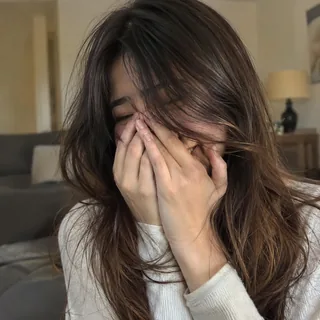
One adult, alone, from the head to about the knees, with the face and both arms in view: a photo that already hides the face behind a hand fights the move.

Video settings

No prompt needed. Only upload photos of yourself or people who agreed to be featured; celebrity photos and film stills aren't allowed.

Talk to Me Doja: the cheek-sway meme, the sound and the anime GIF

Talk to Me Doja is the meme where one person brings both hands to the cheeks, smiles shyly and rocks side to side, usually over a pitched-up Doja Cat sound. The hands and that shy smile are the whole joke.

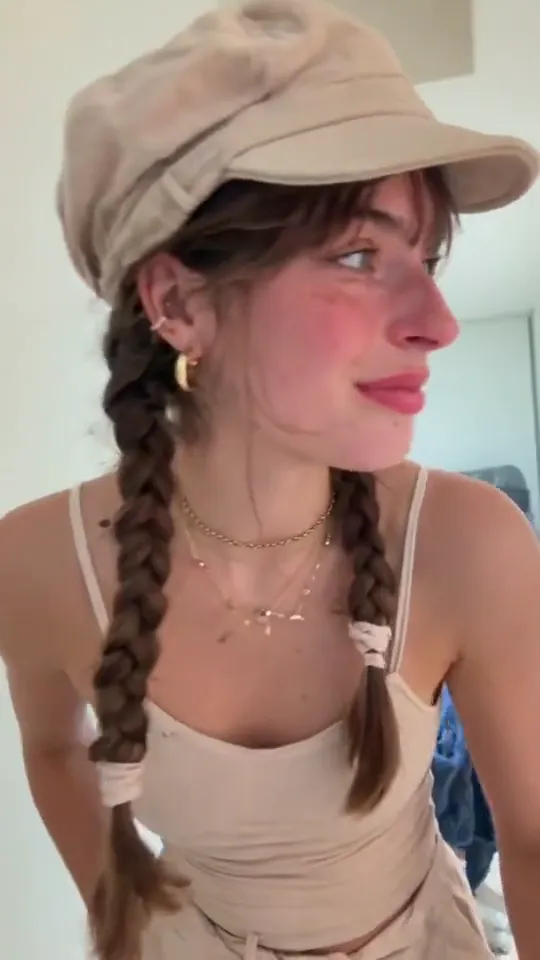
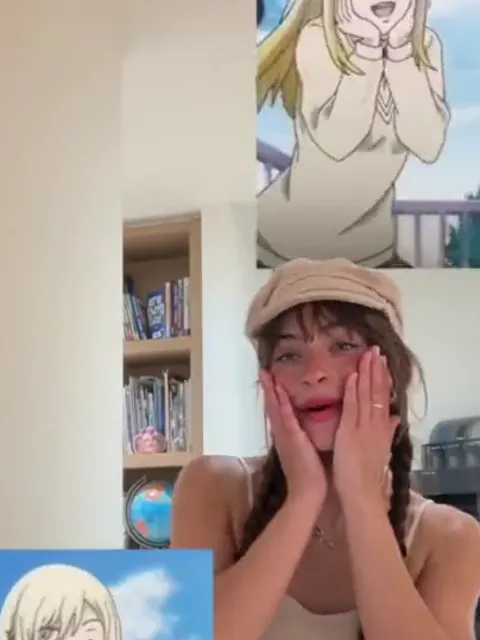
Close-up of a young woman with twin dark braids under a cream cap, looking off to one side in a bright room

“Speak to Me Doja” is the same trend under its other caption, and both spellings point at one move: hands to the cheeks, the smile, the sway. Because the move is the same, one search turns up the drawn edit and phone takes side by side.

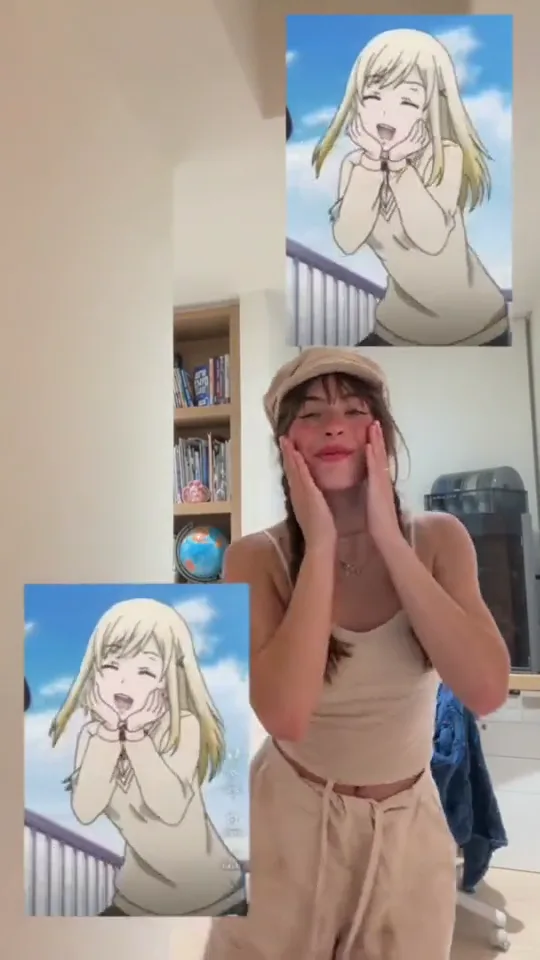
The drawn face people compare it with is Urara Shiraishi from Yamada-kun and the Seven Witches: her hands-on-cheeks frame is the illustrated version of the pose, and it travels as a GIF and a sticker. It is a comparison image, not a character this template adds.

The week the cheek-sway went around

  1. An anime edit of the drawn cheek pose is posted on TikTok with a “talk to me doja” caption; the meme trackers later list it as the earliest edit they found.

  2. @the_real.ryan posts a live take of the move and it carries the trend: 424.7K likes and 57.6K shares when the post was read on 13 November.

  3. @twin.cities.mattress films the same pose in a mattress showroom: 88K likes and 20.8K shares.

  4. A two-person remake appears, and template pages for the effect open on the same day: the point where making the clip stops needing a camera.

Sources: TikTok posts and their captions, and the meme trackers that indexed them; likes, shares and dates as read on 13 November 2026.

Four moments the model copies from the clip

The built-in clip is one unbroken front-on take of 14.03 seconds and never cuts: it opens close, widens to the whole body, then the hands arrive and the sway does the work.

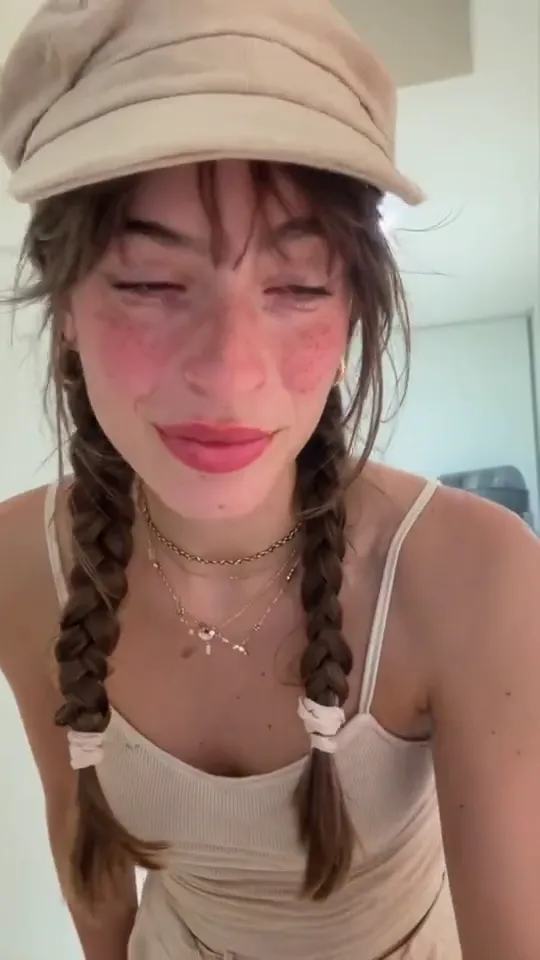
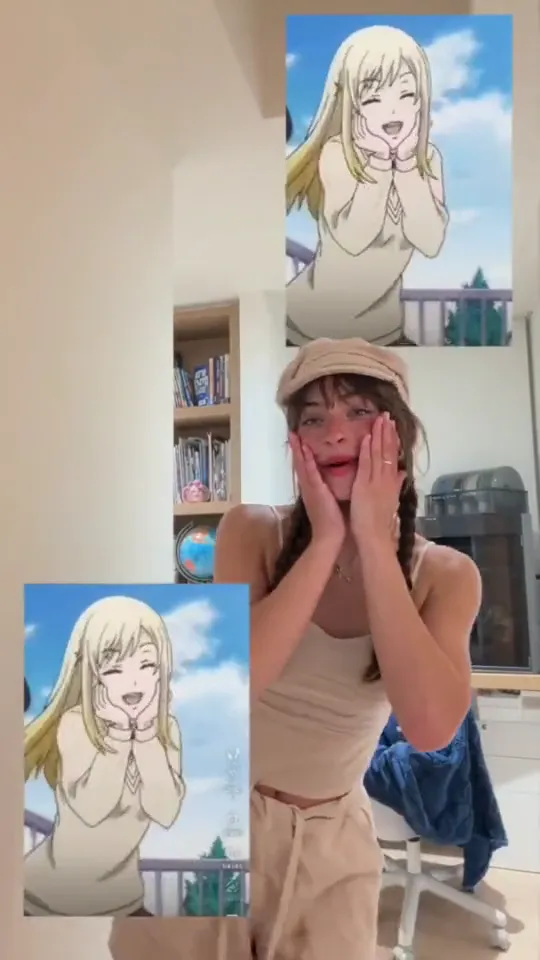
  1. Close-up of a young woman in a cream baker-boy cap with twin dark braids, chin dipped and eyes half closed10:00

    The take opens on a close-up

    The clip starts with the phone close to her face, cap and braids filling the frame, so the opening second is a portrait rather than the pose.

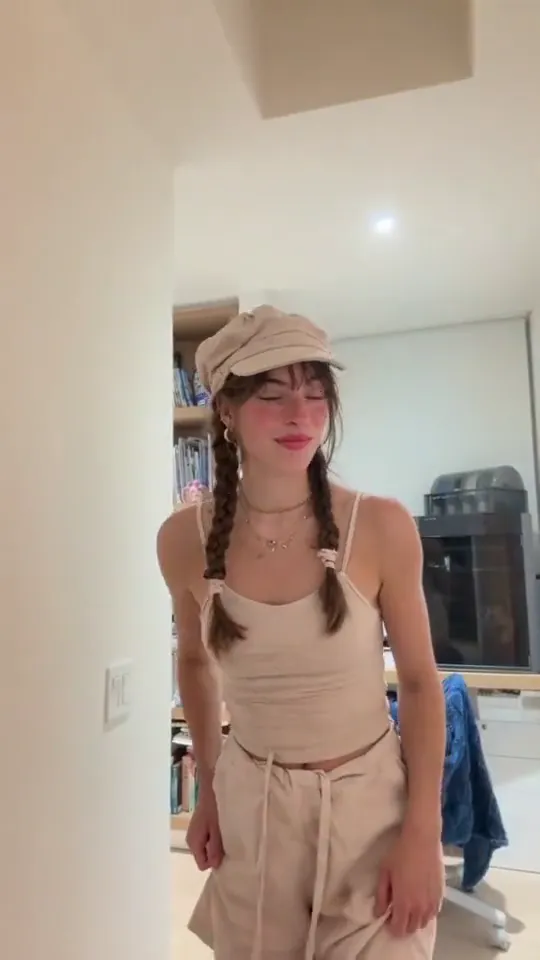
  2. Standing head to thigh in a cream tank top and drawstring trousers with her hands at her sides, a white bookshelf behind her20:03

    She steps back to the whole body

    The hands drop to her sides and she steps back until the frame runs from the cap to the thighs, bringing the cream tank top, the drawstring trousers and the white bookshelf into shot.

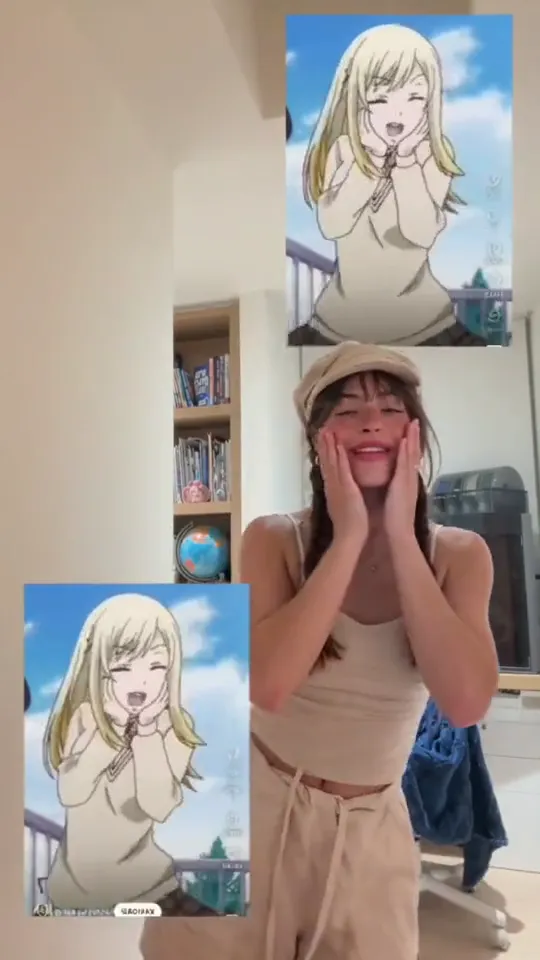
  3. Both hands up under the chin with the fingers along the cheeks and the palms turned in, smiling, two drawn anime panels beside her30:07

    Both hands arrive under the chin

    The hands come up under the chin in one move, fingers along the cheeks and palms turned in, and the first smile lands; this is the frame the trend is known for.

  4. Swaying to one side with the head tipped and both hands still along the cheeks, a drawn anime panel at her right and another below her left40:11

    The sway to the far side

    The body sways to the far side and the head tips with it while the hands stay along the cheeks; the take ends on that sway, with both drawn panels still over the room.

How one photo becomes the cheek-sway video

Nothing to film: the move and the framing arrive with the template, so one photo is the whole input.

  1. Close crop of the performer with both hands along her cheeks, smiling into the camera

    Photo 1Dancer

    The adult in your photo takes the part: their face, hair, clothes and room stay, and the cheek-sway and the framing are copied over.

    • Head to about the knees, with both arms inside the frame
    • Hands down and away from the face

Photo checklist

Works well

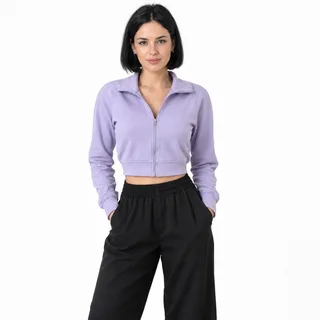
  • Woman in a cropped jacket standing head to thighs with her hands in her pocketsHead to about the knees
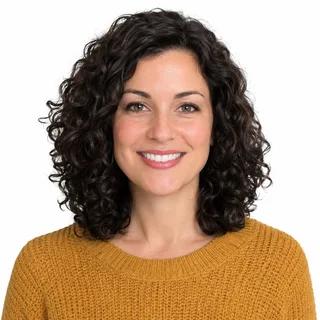
  • Curly-haired woman in a mustard sweater, chest up, smiling at the cameraFace turned to the camera, hair back
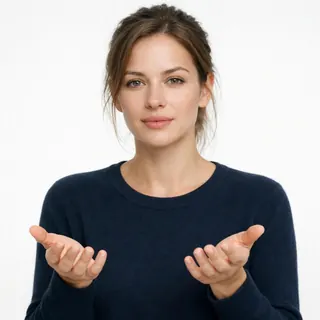
  • Woman in a navy sweater holding both open hands out in front of herBoth hands visible, away from the cheeks

Avoid

  • Woman laughing with both hands over her faceHands or a phone already on the face
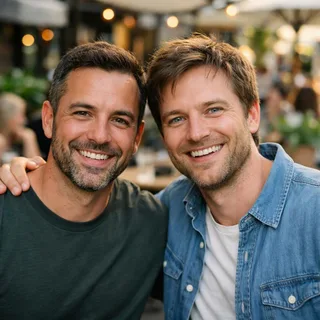
  • Two men side by side in one photo at a cafeTwo people in one photo
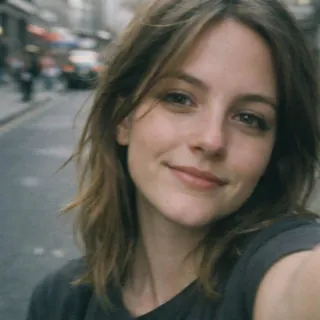
  • Close selfie of a woman on a street, face onlyA face-only selfie with no arms in frame

From a photo to a post

  1. Pick one adult photo, head to the knees

    Drop it into the dancer slot with the face clear and the hands down; that is the whole casting decision.

  2. Click Generate

    The button shows the exact price before any credits are spent, and 720p or 1080p is set just above it.

  3. Post it

    Download the MP4 and post it as it is: the frame is already vertical.

Pets are not supported here: the move is a smile behind two hands, and this page takes one adult per photo.

Talk to Me Doja AI prompt: run the cheek-sway in a reference tool

This page needs no prompt to run: add a photo and press Generate. Where a tool takes a video reference instead, the text is what decides which file gives the motion and which gives the person.

Reference clip

Prompt length 1042

Use @Video1 as the motion and @Image1 as the person. The adult in @Image1 stays as photographed: face, hair, clothes, body and the room around them with its light.

Copy @Video1's moves in its own order: the take opens close to the camera, the body steps back until the frame runs from the cap to the thighs, both hands come up under the chin with the fingers along the cheeks and the palms turned in, then the body sways from one side to the other while the hands stay on the face and the head tips with the lean.

Take the motion, the framing, the timing and @Video1's original sound, and nothing else: never its performer, her cream cap, tank top and drawstring trousers, the bright room with the white bookshelf, or the two drawn panels that cut into the frame.

One front-on camera at her height, one unbroken 9:16 take, no cuts, no zoom, no added music. Both hands stay separate with five fingers each, the face stays clear apart from the fingers along the cheeks, one person only, no animal, no drawn art, no caption, no text or logos.

Worth spelling out

  • Split the two files in the first line

    The opening says @Video1 is the motion and @Image1 is the person; every line after it is read against that split.

  • Say what stays with the clip

    “Motion, framing, timing and @Video1's own sound” in one sentence is what keeps a tool from adding a cut, a push-in or a new track.

  • Describe the hands, not the mood

    Hands under the chin with the fingers along the cheeks and the palms turned in, then the sway: the hands are what goes wrong when the text only says “shy”.

Leave out

  • The clip's cap, clothes or room

    Left unsaid, the cream cap, the tank top, the drawstring trousers and the white bookshelf follow the moves into your photo.

  • The drawn panels

    Asking for the anime panels or for lettering invites drawn art and text into a video that should carry neither; the panels belong to the clip's own picture.

  • A one-line request

    “Make my photo do the talk to me doja dance” names no file and keeps no framing, so the tool is free to invent both.

A one-line ask and a usable one

Too vague

Make my photo do the talk to me doja dance.

Works

Use @Video1 as the motion and @Image1 as the person: copy the sway with its framing and timing, keep @Video1's own sound, and never its performer, cap, clothes or room.

The working line names both files, what comes from the clip and what must not.

Anime GIF edit, CapCut template, dance app, or this video?

Four different things get searched under the same words, and only the first row below is the video this page makes.

TermWhat it isHere
Talk to Me Doja AI videoYour photo takes the cheek-sway and the framingThis page
Anime-sticker GIF editThe drawn cheek pose pasted beside or over a clipNot added here
CapCut templateA phone editor preset you cut your own footage intoNo editor needed
AI dance appPick a dance and a photo, and the app invents the movesOne fixed move

Four ways the cheek-sway comes apart

Two hands closing on a smiling face, a wide grin and a head tipping over both hands are the hard parts. These are the shapes a miss takes, and the change on the input side that helps.

  • The fingers melt into the cheek

    Why it happens
    Both hands rest along the face while the head tips, so fingers, jaw and cheek share one soft edge and the gaps between them close up.
    What to change
    Shoot with the hands down and the fingers apart, in even light, so the model has one clean hand to place.
  • The face drifts as the smile widens

    Why it happens
    A wide grin and half-closed eyes change the shape the model is tracking, and a small face in a wide frame leaves it less to hold on to.
    What to change
    Come closer in the photo, head to about the knees, and keep the eyes open toward the lens.
  • The photo already hides the face

    Why it happens
    Hands on the cheeks, a phone or sunglasses in the input leave no face to carry through the move.
    What to change
    Start from a photo with the face clear: the cheek pose belongs in the result, not in the input.
  • The outfit or the room slides back toward the clip

    Why it happens
    A cream cap, a ribbed tank top and a bright room with a white bookshelf are in every frame of the clip, so a very busy or a very plain input can drift toward them.
    What to change
    Choose a photo whose outfit reads clearly, in a room you like, with even light and nobody else in it.

How long the result runs, and how many credits

How long the result runs, and how many credits
Photos
1 photo, one adult
Photo files
PNG / JPG / WebP, up to 10 MB, at least 512 px on the short side
Length
14.03 seconds, the length of the built-in clip
Frame
9:16, vertical
Resolution
720p or 1080p; 720p by default
Sound
Keeps the built-in clip's sound
Model
Kling 3.0 Motion Control
Credits
365 credits at 720p, 478 at 1080p
Visibility
Videos made on a free account are public. On a paid plan they are private by default.
If a run fails
The credits go back to your balance automatically

FAQ

What people ask about the Talk to Me Doja video

Is the Talk to Me Doja AI video free?+

No. Every run costs credits, the amount depends on the resolution you pick, and the Generate button shows the exact price before anything is spent. New accounts start with 10 credits.

Do I have to write a prompt?+

No. There is no prompt box: the move, the framing and the sound are built into the template, so there is nothing to paste in from another site either.

Do the drawn anime panels come with the video?+

No. The two drawn panels in the preview are part of the clip's own footage, and the template copies the move rather than the picture, so they are not added to your video; the drawn Urara frame is something people add when they post.

Can two people, or a pet, do it?+

No. One adult per photo: the move is a single body with a smile and two hands on the cheeks, and a second person or a pet gives the model one more body to keep.

What is the sound, and can I swap it?+

The clip keeps the sound recorded with it, so the result has audio from the first frame, and there is no track picker: swap the audio after download if you want another track.

Is this an official Doja Cat effect?+

No. Oeneo AI is an independent tool: Doja Cat, her label and the anime are not connected to it, and the artist never appears. The face in the result is the one in your photo.

Why do the hands or the face look wrong?+

Two hands along a smiling face are the hardest thing in this move, and some melting where the fingers meet the cheek is possible. A photo with the face clear and the hands down helps; no run guarantees the identity holds exactly.

Can I make it longer, or square?+

No. Length and frame follow the clip: 14.03 seconds at 9:16. Resolution is the only setting, 720p by default with 1080p as an upgrade.

Whose photo can I use?+

Your own, or a photo of another adult who has agreed to it.

How is this different from Motion Control?+

Motion Control takes any clip you upload and lets you set its orientation and whether the original sound is kept. This page fixes one clip, so there is nothing to upload and nothing to choose beyond resolution.

Talk to Me Doja

Make your Talk to Me Doja AI video

One photo in, 14 seconds of cheek-sway out.