

Not Like Us Halftime AI

One photo puts you at the mic in a Not Like Us halftime AI video; add a second and the four dancers take it too. Stage, camera and sound stay, 720p or 1080p.

  • No prompt
  • Add dancers
  • Sound included
Example · Lead only
Choose an effect

PNG / JPG / WebP · up to 10 MB · at least 512px on the short side

0/1 photos

One photo: the mic lead, head to chest, eyes and hairline clear. Adding a second photo lets the four dancers take the people in it.

Video settings

No prompt needed. Only upload photos of yourself or people who agreed to be featured; celebrity photos and film stills aren't allowed.

Not Like Us AI: three different videos

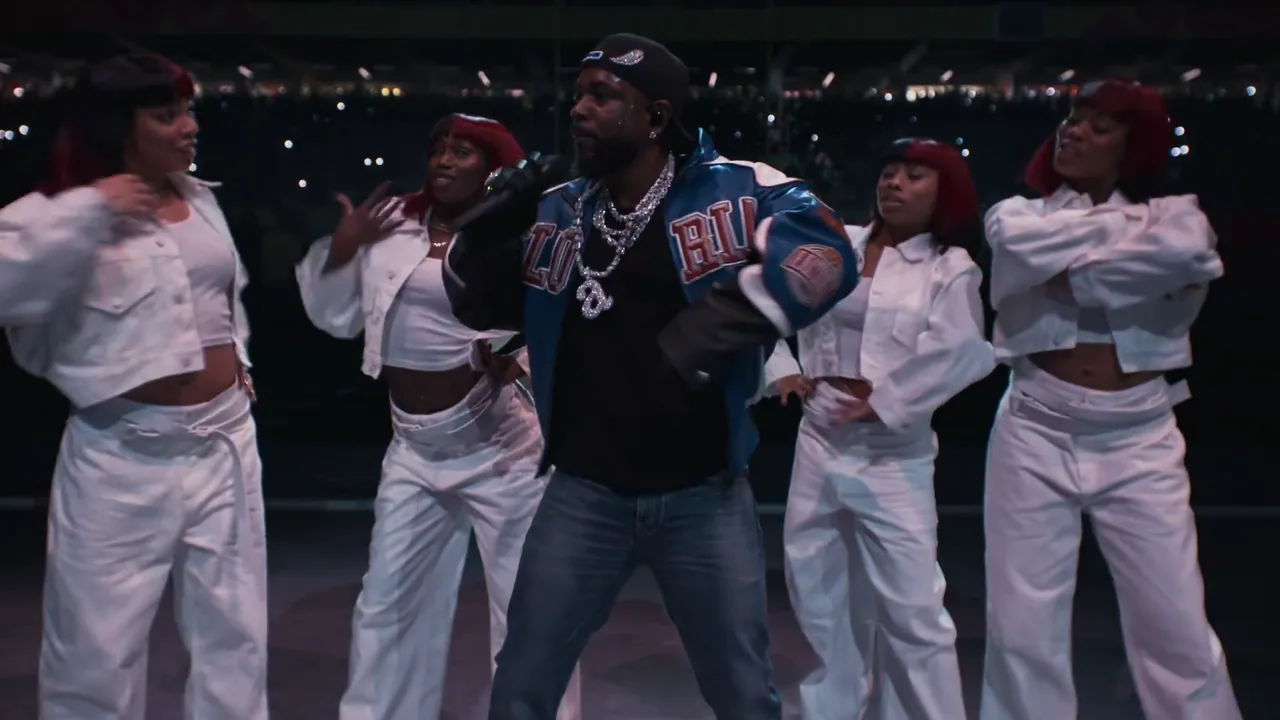
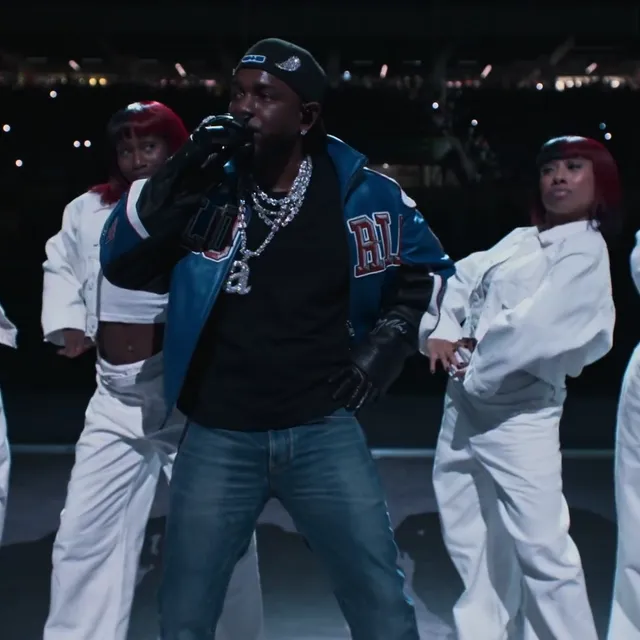
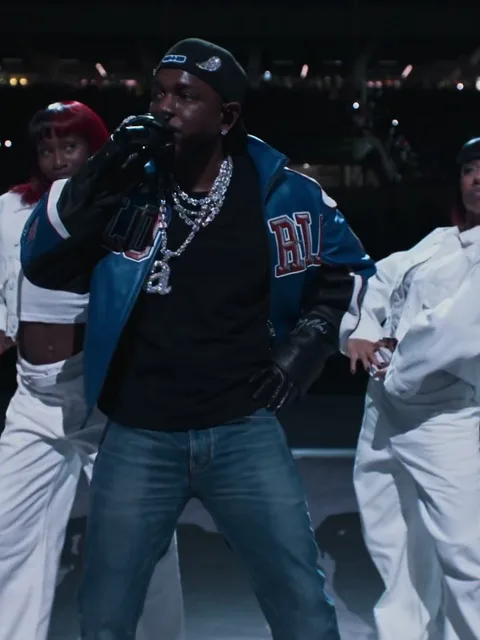
Not Like Us halftime AI puts your photo into a fixed 15-second cut of the 2025 Super Bowl halftime stage: by default the performer in the blue varsity jacket is the part that changes, and a second photo can take the four dancers in white as well.

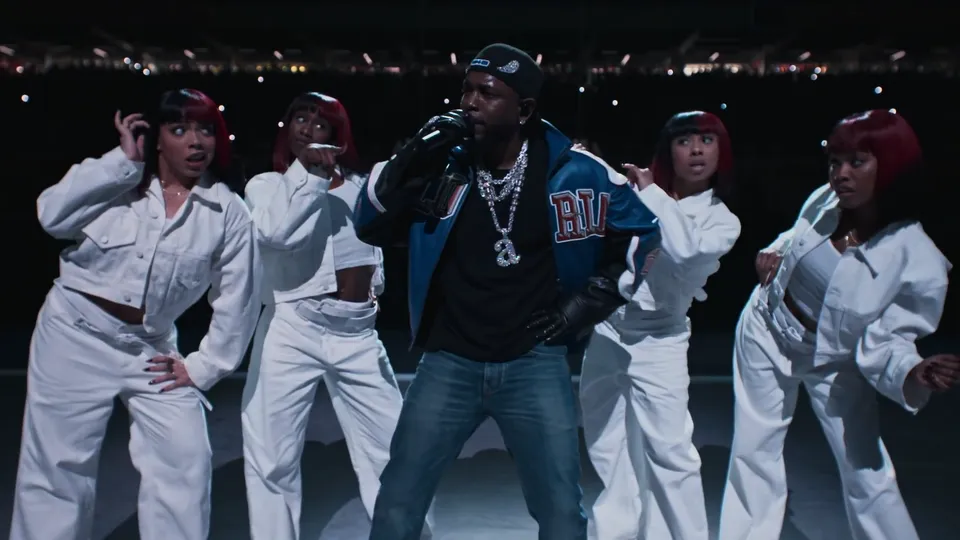
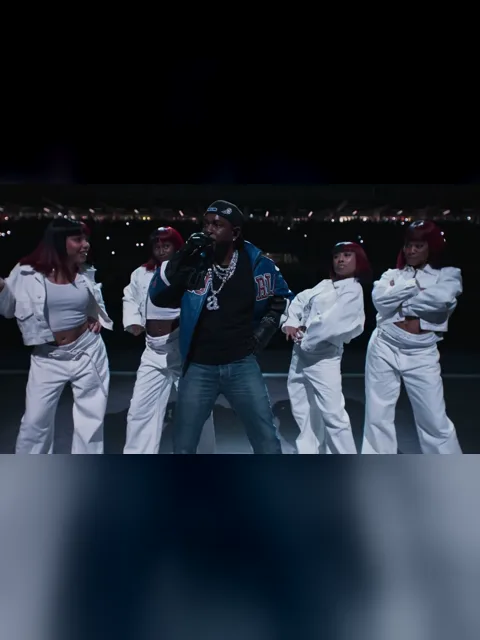
Wide night stage with the mic lead in a blue varsity jacket holding a microphone, dancers in white on both sides and a lit stadium crowd behind

The name starts with a real performance: Kendrick Lamar performed the song on a stadium stage at night at the 2025 Super Bowl halftime show, mic lead centre in a blue-and-white varsity jacket and dancers in white either side of him, all framed by the broadcast camera.

A second dance travels under the same words: the fan two-step, two people side by side bouncing and stepping sideways in a plaza. It is not this stage, this camera or this jacket, this template does not edit it, and nothing here teaches the routine.

The AI layer is narrower than the name: in October 2026 a recast that swapped the performers travelled as “the impossible person takes the mic”. It is a video character replacement, not an AI cover — nothing here rewrites the vocals, the lyrics or the track.

How the stage swap reached this page

  1. The halftime show airs on 9 February; the stage clip this template edits comes from that performance.

  2. The official full show goes up on YouTube the next day and holds about 186 million views by 13 November 2026 — the performance’s own total, not this template’s.

  3. An AI recast on X swaps the lead and the four dancers for five other faces and draws about 2.4 million views; template pages for the same clip followed in the weeks after.

  4. Template pages for the same clip appear across AI video tools; this page is the stage replacement that keeps the broadcast stage instead of rebuilding it.

Sources: the official halftime upload on YouTube, the 13 October 2026 post on X and the template pages that followed; counts read on 13 November 2026.

How the 15-second stage cut moves

It opens wide on the stage, pushes in on the mic, pulls back over the crowd, then closes in again for the last pose. Here is what lands where.

  1. Wide night stage: a man in a blue varsity jacket holding a microphone with dancers in white beside him, dark skyline behind10:00–0:02

    The stage opens wide

    The wide stage with the dark skyline behind: the mic lead centre in the varsity jacket, dancers in white either side of him, the mic already in his hand.

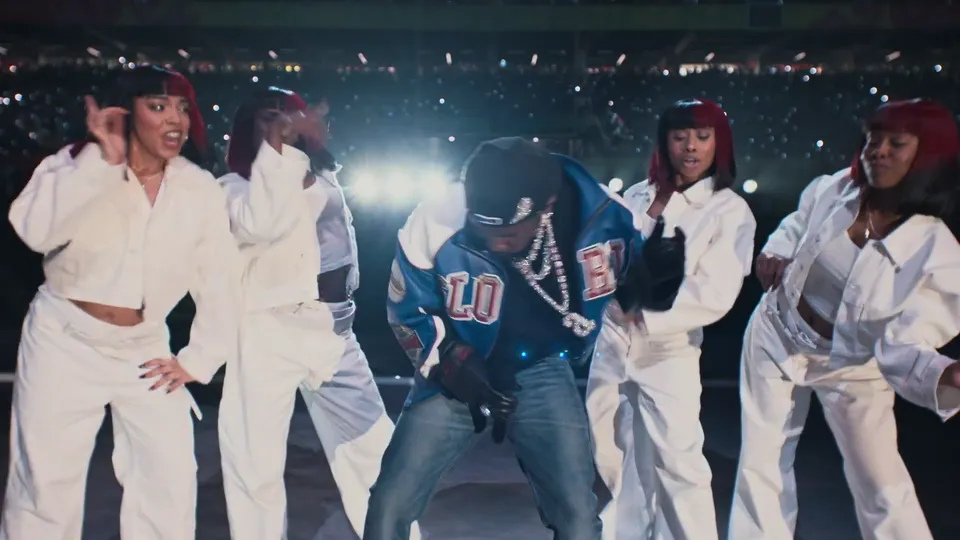
  2. The mic lead bent low with the microphone at his chest while dancers in white raise their hands behind a bright flare20:02–0:03

    Down into the bounce

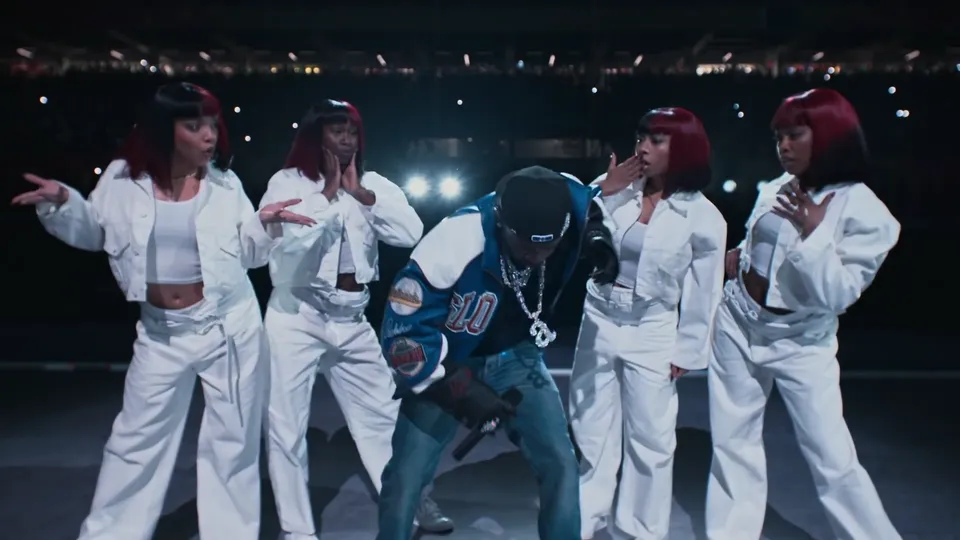
    The camera pushes in as he drops with the beat, shoulders low and the mic down at his chest, and the dancers lift their hands on both sides while a flare blooms behind them.

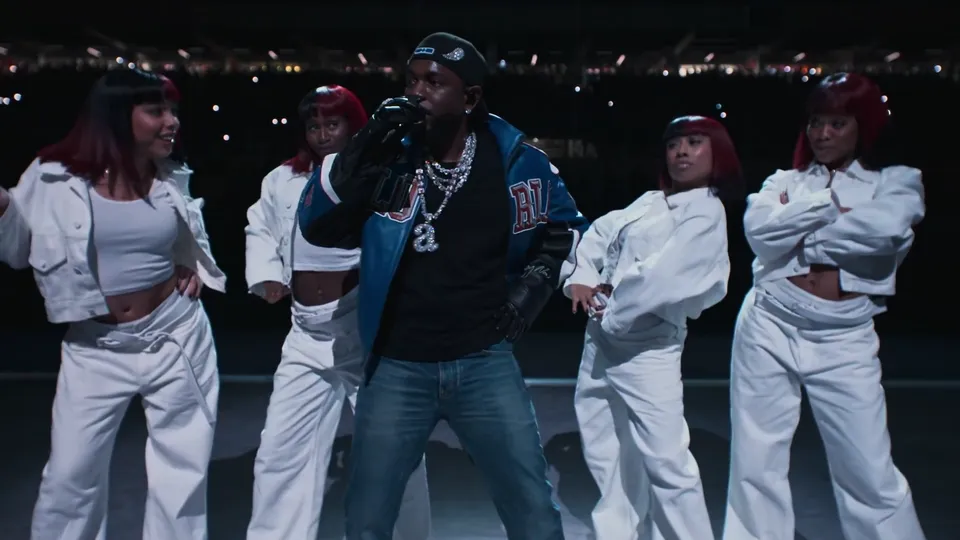
  3. The mic lead with the microphone at his mouth and his free hand out, dancers in white settled beside him30:03–0:07

    Up and into the mic

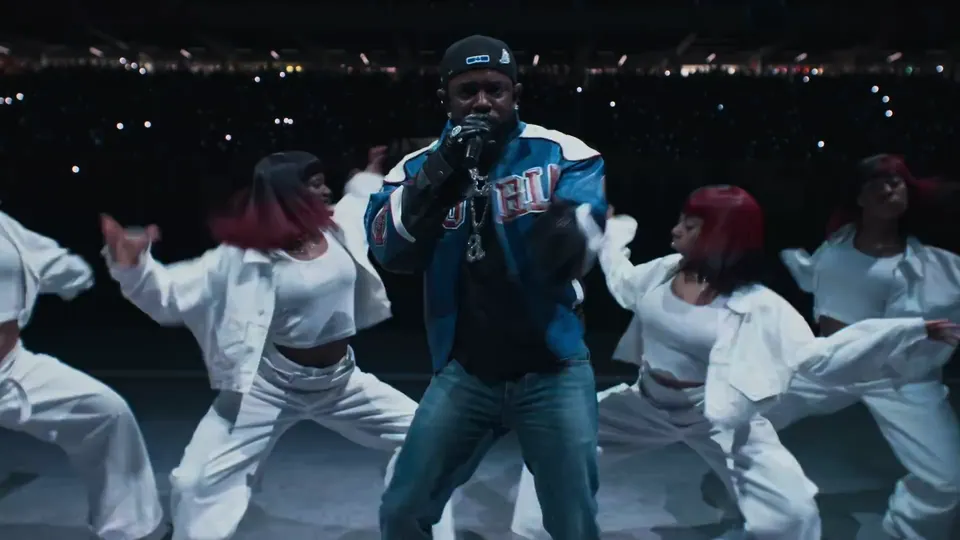
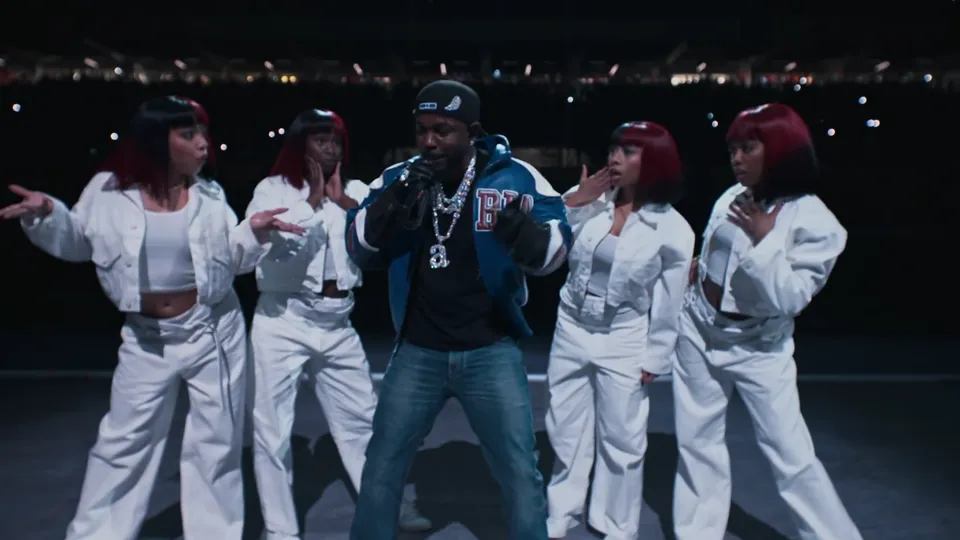
    He comes up and leans his face into the mic, free arm out, while the dancers settle with a hand at the hip.

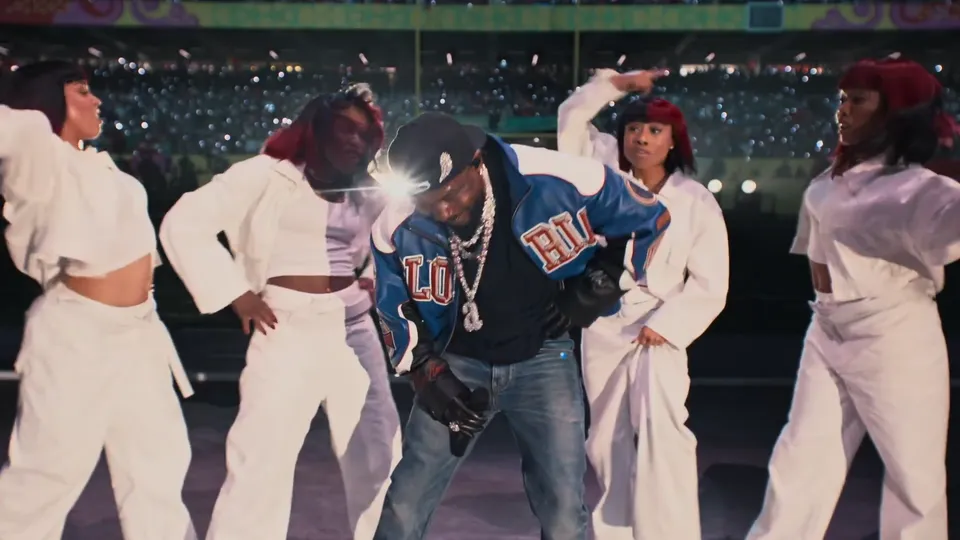
  4. Bright stage light behind the dancers as the camera pulls back, the lit stadium crowd beyond40:07–0:08

    The backlight and the pull-back

    A bank of stage light blooms behind them and the camera pulls back out, opening the shot onto the lit crowd behind the stage.

  5. The mic lead with the microphone at his mouth and one arm swinging, dancers in white stepping beside him and the crowd behind50:08–0:12

    Wide with the crowd behind

    Wide with the crowd in view: the mic up at his mouth, the other arm swinging, the dancers stepping beside him in time.

  6. The mic lead holding the microphone up as dancers in white lean in low with their arms out, the crowd behind them60:12–0:15

    The push-in and the last pose

    The camera pushes in one last time as he holds the mic up and the dancers lean in low with their arms out, then the take closes on the wide stage.

No cuts in this clip: the camera does the work, so the dancers stay in frame from the first second to the last.

What the photos leave alone

The template edits the clip in place: the stage, the crowd, the camera and the props are not yours to change, so these four stay as shot.

  • Night stage with the mic lead and dancers in white in front of a dark stadium skyline
    Stage

    The stadium and its light

    The night stage, the skyline and the crowd stay as shot: the light on your result is the light of the clip.

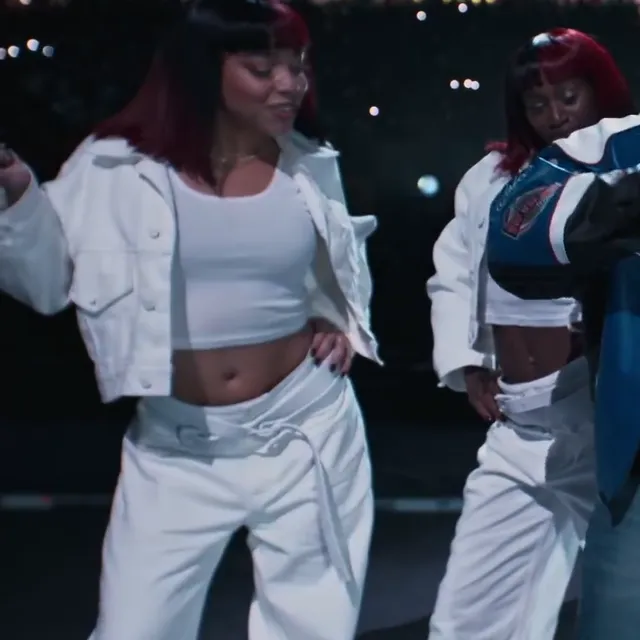
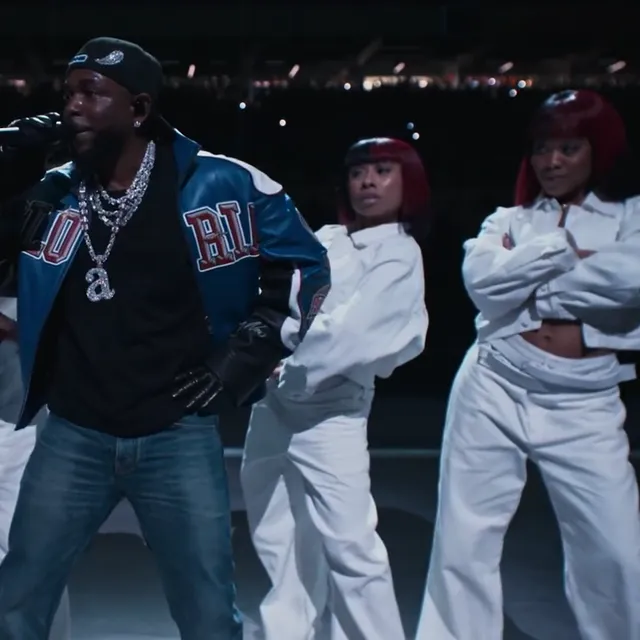
  • Four dancers in white cropped jackets and wide trousers around the mic lead, arms crossed and hands at the hip, on the night stage
    Dancers

    The four dancers

    Four places and the steps between them stay as shot, and each photo supplies one face and one outfit for the place it fills.

  • The packed, lit stadium stands and night skyline behind the performers, hands and phone lights in the crowd
    Crowd

    The stands behind the stage

    The lit crowd and the night skyline stay as shot. Your photos never reach the stands, so the whole background keeps the broadcast picture.

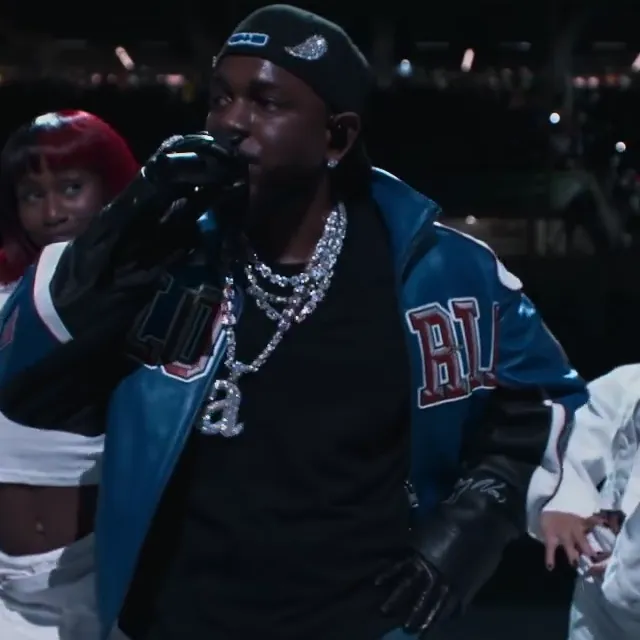
  • The mic lead’s gloved hand around the microphone at his chin, a dancer in white at the edge of the frame and the dark stadium behind
    Prop

    The microphone and the glove

    The microphone stays in hand and climbs to the mouth for stretches of the take; nothing in your photo moves it.

How do you make a Not Like Us halftime AI video from one photo?

The stage, the outfits, the camera move and the sound are already in the template, so your photo is the only thing you decide; a second one adds the dancers.

  1. The mic lead in the blue varsity jacket holding the microphone at his mouth, dancers in white beside him

    Photo 1Mic lead

    The first photo plays the mic lead: its face, hair and clothes carry onto the performer and stay there while the camera moves.

    • One person in the photo
    • Eyes, eyebrows and hairline clear, with nothing over the face
  2. Four dancers in white cropped jackets and wide trousers around the mic lead on the night stage

    Photo 2Four dancers

    The optional second photo fills the four dancers behind him: one person takes all four places, or a group is assigned left to right, and each one arrives in the clothes from that photo.

    • One person or a small group in one photo
    • Every face readable, even when it is small in the frame

Photo requirements for the lead, and for the dancers

Works well

  • Curly-haired woman in a mustard sweater, chest up, smiling at the cameraOne person on their own, head to chest
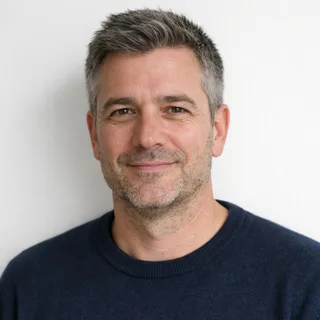
  • Grey-haired man in a navy sweater, chest up, unfilteredBright and unfiltered, with the hairline readable

Avoid

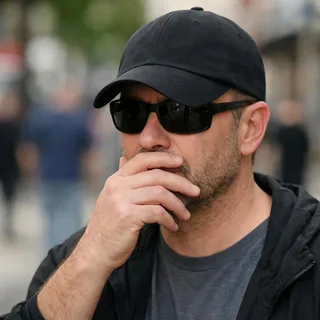
  • Man in sunglasses and a low cap with a hand over his mouthA hand, a phone or a mic over the mouth
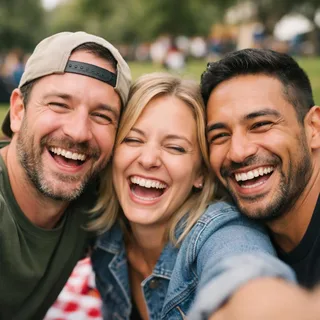
  • Three friends squeezed into one selfie at a picnicTwo people in the lead's photo
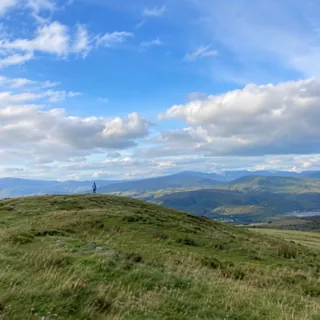
  • A person as a tiny figure on a distant hilltopA small figure far from the camera

From one photo to the stage

  1. Add the photos

    Drop your photo into the mic lead slot; the dancers' slot is optional and takes one photo of the people who should fill those four places.

  2. Pick the resolution

    720p is preselected and 1080p costs more; the Generate button shows the exact price before any credits move.

  3. Download and post

    Save the MP4 and post it as it is; the clip’s own sound is already on it.

Not Like Us halftime AI prompt to paste into Kling

Two instructions written against this cut: the default puts the lead's photo in as @Image1; the second adds the dancers' photo as @Image2. The template runs this edit for you; the text below is for running it yourself.

Kling 4.0 video edit

Prompt length 1220

Take @Video1 as the stage and the performance, and change one person in it: the performer centre stage in the blue-and-white varsity jacket holding the microphone becomes the person in @Image1. All four dancers in white and the crowd behind the stage keep their own faces, hair, outfits and places.

Take the replacement from the photo: face shape, eyes, eyebrows, hairline, hair, skin tone, build and the clothes they wear, so the outfit on stage is the outfit in the picture. The stage light and the microphone stay where the clip put them.

Follow this one continuous take move for move: the wide stage with the bounce, the lean into the microphone, the backlight and the pull-back over the lit crowd, back to centre with the free arm out, and the closing pose with the mic up. The replacement keeps the body motion, pose and position of the performer in every beat.

The microphone covers the mouth for stretches of the take, so hold the face through the eyes, eyebrows and hairline, and let nothing of the source performer's face linger beside the photo's.

Do not change the stage, the lighting, the four dancers, the camera move, the pacing or the built-in sound, and add no cuts, text or logos. No face blending.

What the prompt has to say

  • Point at both people by what they wear

    The blue varsity jacket names the lead in the clip and the four dancers in white are the group behind him; point at those, then say the clothes come from the photos.

  • List the keepers one by one

    The crowd, the stage, the camera and the audio: every keeper you write is a part the model leaves alone.

  • Anchor both faces above the mic line

    The mic hides the lead’s mouth and the second dancer stands small in the wide beats, so the eyes, eyebrows and hairline are what both swaps are read from.

What breaks this prompt

  • Don’t ask for a new stage

    A re-shot stage loses the night lighting and the crowd behind it, which is the half the trend is read from.

  • Don’t ask for cuts or a second camera

    The take is one continuous camera move; asking for cuts invites shots that are not in the clip.

  • Don't dress them from the clip

    The varsity jacket and the white cropped jackets belong to the clip. A prompt that asks to keep them throws away the clothes in your photos.

The request and the request that works

Too vague

Make me the rapper on the Not Like Us halftime stage, with my friend on the dancers behind me.

Names both halves

Use @Video1 and replace the performer in the blue varsity jacket with @Image1, then give the four dancers one person each from @Image2, clothes included; the stage, the camera move and the sound stay.

The vague line asks for a whole new performance; the corrected one names the two parts that change and everything that has to stay.

What still goes wrong when the photos go in

Six things decide whether both swaps read, and none of them can be fixed after the run.

  • The mic covers the mouth

    Why it happens
    It is a performance shot: the microphone climbs to his mouth and hides the jaw for stretches of the clip.
    What to do
    Pick a photo where the eyes, eyebrows and hairline are sharp; that is what still reads when the mouth is behind the mic.
  • The lead’s face changes when the camera moves

    Why it happens
    The camera pulls back over the crowd and pushes back in, and his head turns on the way, so there is less detail to hold.
    What to do
    An evenly lit photo with the whole head in frame gives the edit more to work with; check the pull-back beat before you post.
  • All four dancers end up with one face

    Why it happens
    Four dancers stand within a few steps of each other under the same light, so one face can spread across all four when the second photo only holds one person.
    What to do
    Decide the order before you upload: one person fills every place, or a group is assigned left to right. Check the back-to-back beat for a face on the wrong dancer.
  • A dancer drifts out of her place

    Why it happens
    The pull-back and the push-in carry every dancer across the frame, and a tightly cropped group photo leaves the edit guessing who stands where.
    What to do
    A group photo with everyone visible, left to right, and one face per dancer is what keeps the four places straight.
  • The photo's clothes land on stage

    Why it happens
    Clothing comes from each photo, so a heavy coat, a hat or a strong colour changes how that performer looks in every beat, not just in one frame.
    What to do
    Upload the person in the clothes you want on stage. A plain outfit keeps the eye on the face, and a similar outfit in both photos keeps the pair reading as one act.
  • He is small on a busy stage

    Why it happens
    In the wide beats the lead is one figure among the dancers and the crowd, so a soft or distant photo has little left to match.
    What to do
    Read the wide beats first: if the face is not legible there, a tighter and brighter photo is the fix, not another run of the same file.

Length, resolution and what a run costs

Length, resolution and what a run costs
Photos
Up to 1 photos: the lead, then one photo for the four dancers
Photo files
PNG / JPG / WebP, up to 10 MB, at least 512 px on the short side
Length
15 seconds, the length of the built-in clip
Frame
16:9, the frame of the built-in clip
Resolution
720p or 1080p; 720p by default
Sound
The clip’s own track, kept on the result
Credits
566 at 720p; 849 at 1080p
Visibility
Videos made on a free account are public. On a paid plan they are private by default.
Refunds
Credits return automatically if a generation fails.

FAQ

Questions the halftime recast raises

Does a Not Like Us halftime video cost anything?+

It does: every run costs credits, and the price depends on the resolution you pick. The Generate button shows the exact sum first, and a new account starts with 10 credits.

Is this an AI cover of the song?+

No. This is a video character replacement: the photos go into the stage clip, and the vocals, lyrics and track are the ones already in it. There is no voice model, no lyric field and no audio upload here.

Does the result keep the music?+

Yes. The result carries the built-in clip’s own track, and there is no separate audio step and no mute option.

Is the stage footage from the real halftime show?+

Yes: the clip is a cut of the actual halftime performance, and the AI replaces the performer at the microphone — and, with the second photo, the four dancers behind him. The stage, the crowd and the camera come from that broadcast rather than being staged again.

Why does the microphone cover the face?+

That is how the shot is performed: the mic comes up to his mouth for part of the take. A photo with the eyes, eyebrows and hairline clear is what stays readable behind it.

Will the face be identical in every frame?+

No guarantee. Side turns, the pull-back wide and the mic can all soften the likeness, so watch the result before you post it.

Can I put my friends on the dancers?+

Yes. One photo goes in the dancers slot: one person fills all four places, or a group is assigned left to right. Leave the slot empty and all four stay as shot.

Do I need to wear the varsity jacket in my photo?+

No. The clothes come from your photo, not from the clip: the person wears on stage what they wear in the picture, and the varsity jacket only appears if it is in that photo.

Can I use a pet photo?+

No. Each of the two slots takes one person, and this recast was built for human performers; a pet is not a version of this template.

Is this an official Kendrick Lamar or NFL tool?+

No. This page is not an official product and implies no partnership with the artist, the league or the halftime show.

Do I need to write a prompt?+

No. Upload the photos and pick a resolution; the instruction that drives the edit is part of the template.

Can I change the length or the frame?+

No. The result runs 15 seconds in 16:9, both taken from the built-in clip; the one setting you pick is the resolution.

Not Like Us halftime AI video

Make your Not Like Us halftime video

One photo, one 15-second stage cut, and the clip's own sound on the result.