

Like JENNIE Dance AI

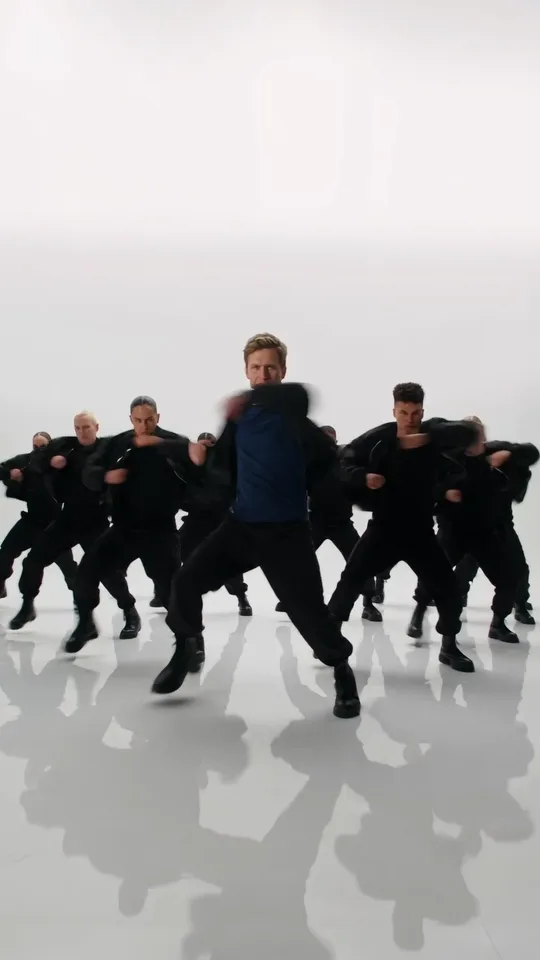
One photo steps in front of the crew: your lead dancer carries the routine in the bright rehearsal room, and the crew, the moves, the camera and the sound stay as filmed.

  • No prompt
  • Whole crew
  • No filming
Example · Like JENNIE Dance AI

PNG / JPG / WebP · up to 10 MB · at least 512px on the short side

0/1 photos

One clear single-person photo, face visible. Upper body or full body works best, since the clip pulls back to the whole crew.

No prompt needed. Only upload photos of yourself or people who agreed to be featured; celebrity photos and film stills aren't allowed.

What is the Like JENNIE Dance AI trend?

Like JENNIE Dance AI puts one photo in front of a K-pop-style dance crew: your photo becomes the lead dancer in a bright rehearsal room, leading the built-in routine.

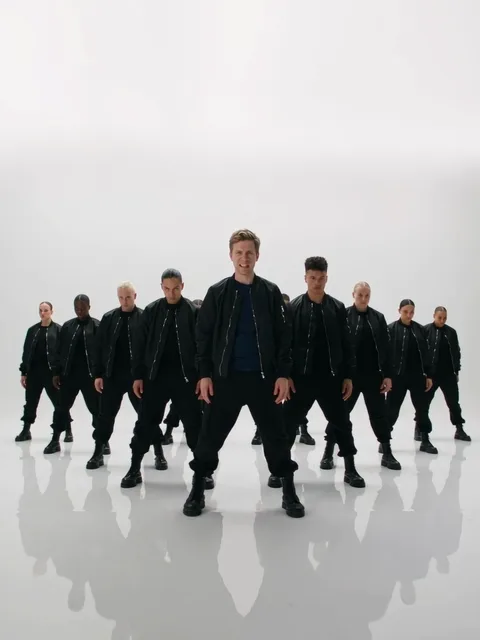
The lead dancer in front of the K-pop-style crew in a bright rehearsal room

JENNIE released “like JENNIE” in March 2025, and its choreography became a dance challenge in the same month.

The AI versions stand out because of the group: one photo goes in front and a whole crew dances behind, so the clip reads as a group dance without anyone else filming.

That AI template is a later, independent product inspired by the song. It is not an official JENNIE challenge and not an artist product.

From the single to the photo-led crew

  1. JENNIE releases “like JENNIE”, and the song's official video is published on 6–7 March.

  2. The Korea Times reports the choreography as a dance challenge spreading in K-pop circles in late March, the same month the song landed.

  3. Separate AI templates that put one photo in front of the crew turn up as a later, independent product rather than a part of the 2025 challenge.

Release date from JENNIE's official release information and the song's official video (published 6–7 March 2025); the late-March challenge from The Korea Times, 24 March 2025; the later AI templates from competitor template pages checked 4 November 2026.

This template, the real challenge, or a dance generator?

These searches turn up three things, and only the first column is this page: a photo-led template, the real challenge people film, and a general video generator.

CompareThis templateReal dance challengeGeneric AI dance video
What it isPhoto becomes the leadLearn and film the movesA prompt-to-video tool
Who dancesYour photo leadsYou dance itWhoever the prompt makes
SoundThe clip's own trackThe song you useGenerated or added
Where to make itThis pageTutorial sitesAI video generator

Lead first, crew behind

The 10-second clip in four shots, each with the second its shot starts on.

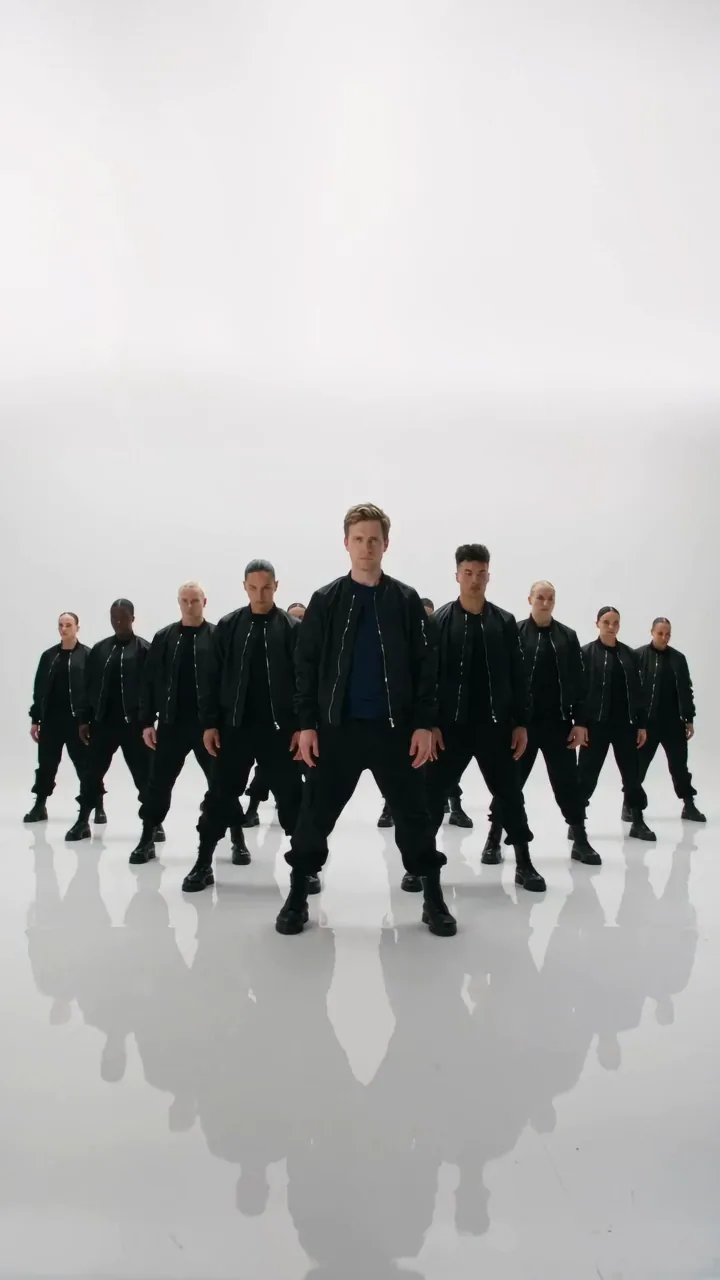
  1. The lead dancer in front of the K-pop-style crew in a bright rehearsal room10:00–0:02

    One lead, a whole crew behind

    The clip opens with the lead in front and the crew formed up behind them in the bright rehearsal room. This wide is the money shot: one lead, a whole crew.

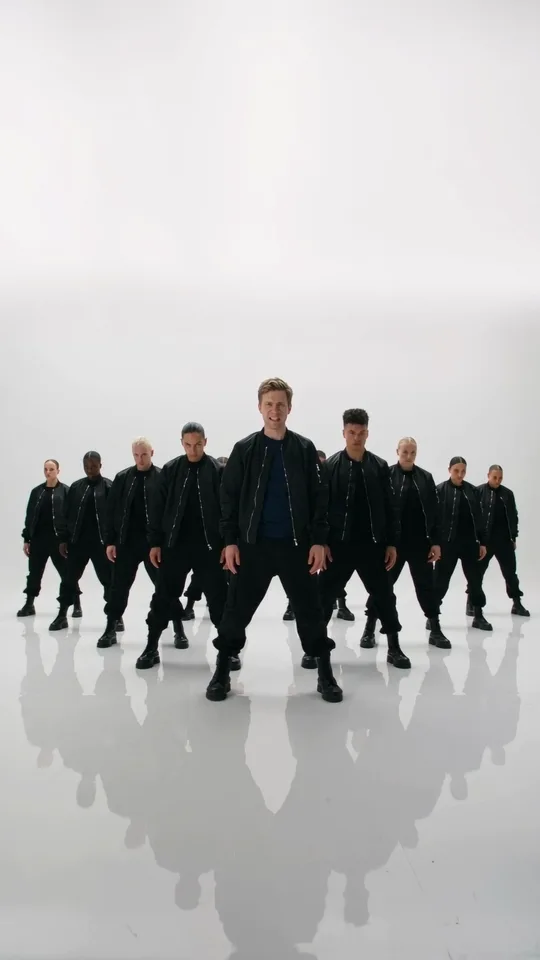
  2. The lead dancer mid-move with the crew lined up behind in the bright rehearsal room20:02–0:05

    The arm lines build

    The routine picks up: the lead works the arm lines and footwork while the crew holds the group shape behind them.

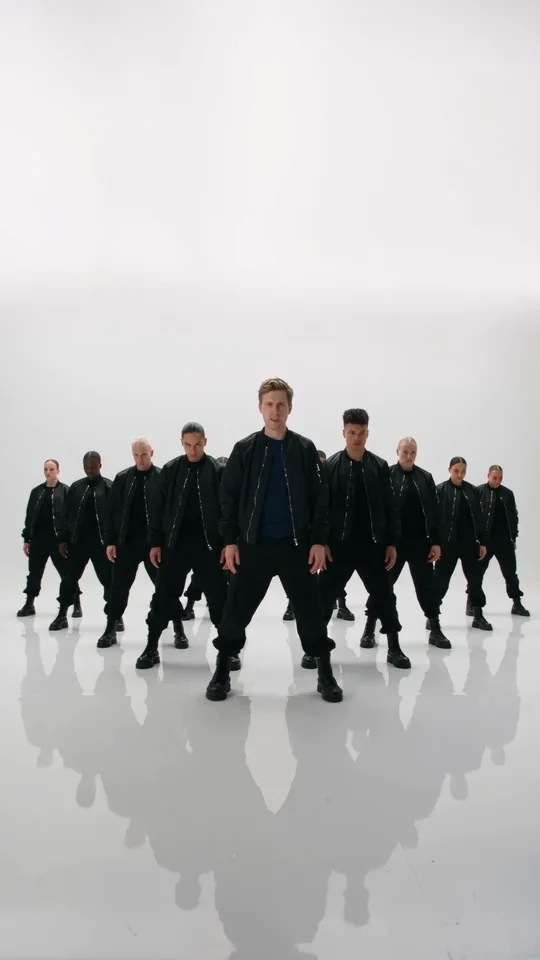
  3. The lead dancer turning with the crew moving in the background30:05–0:07

    The turn, crew in step

    A turn in the routine while the crew keeps the formation behind the lead, so the clip reads as a group dance rather than a solo.

  4. The lead dancer landing the closing pose with the crew arranged behind them40:07–0:10

    The closing pose

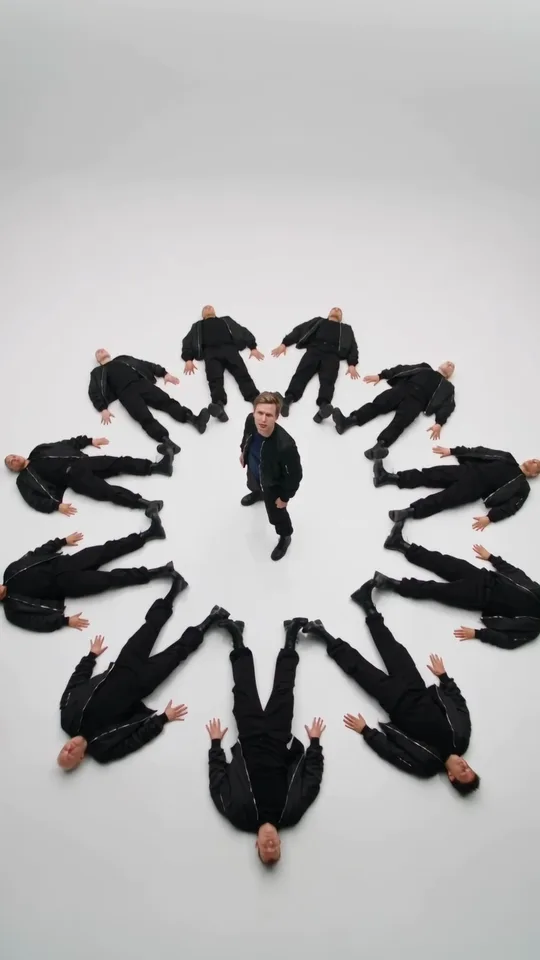
    The last shot runs to the end of the clip: the lead lands the closing pose, and the crew finishes the routine behind them.

What the template keeps, what your photo provides

The template splits cleanly: the photo supplies the one lead in front, and the clip supplies everything behind them.

  • Your photo provides

    Photo 1
    Face
    Face and hair from the photo
    Body
    Body and build
    Skin tone
    Skin tone and age

    One clear single-person photo: the lead is the only part the photo supplies.

  • The template keeps

    Fixed
    Crowd
    The whole crew stays
    Room
    Bright rehearsal room
    Moves
    The routine stays
    Camera
    Camera and cuts stay

    The crew stays as they are — same dancers, same positions — and the clip's own sound comes along.

How do you make a Like JENNIE Dance AI video?

One photo plays the lead. There is no prompt field to fill in.

  1. The lead dancer from the clip, in the bright rehearsal room with the crew behind

    Photo 1Lead dancer

    The lead dancer. This photo supplies the person in front — face, hair, skin tone and build — and the crew forms up behind them.

    • One clear single-person photo with the face visible.
    • Upper body or full body, so the dancer reads in the group shots.

Which photo keeps the lead clear?

Works well

  • Curly-haired woman in a mustard sweater, chest up, smiling at cameraOne person, face clear
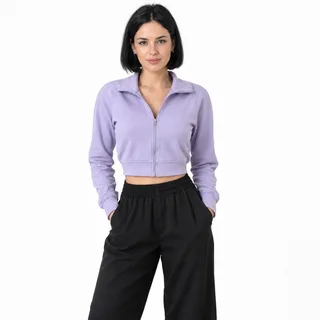
  • Woman in a lilac cropped jacket, head to thighs, hands in pocketsUpper body or full body
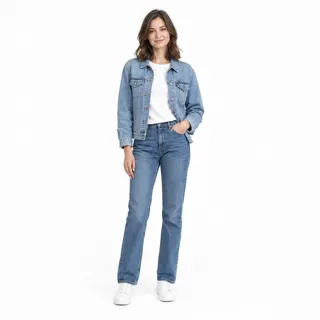
  • Woman in a denim jacket and jeans standing, head to shoesStanding head to shoes

Avoid

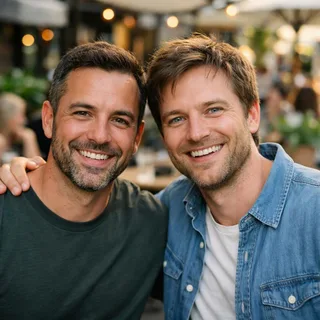
  • Two men standing side by side in one cafe photoTwo people in one photo
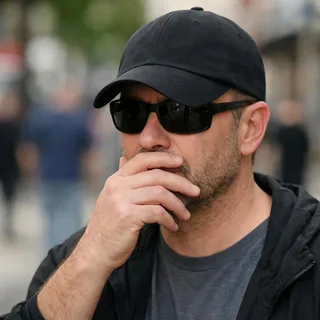
  • Man in sunglasses and a low cap with a hand over his mouthHand, cap or phone over the face
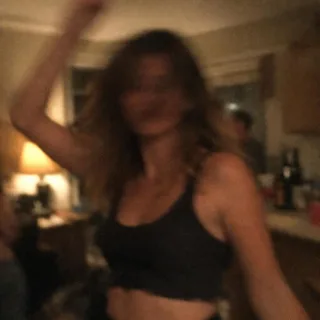
  • Dim, blurry snapshot of a woman dancing at a night partyBlurry, dark or tiny

One photo, one crew, one clip

  1. Add the lead photo

    One clear single-person photo goes in the lead slot.

  2. Click Generate

    The button shows the exact price for the 720p clip before you start.

  3. Post it

    Download the vertical 9:16 clip and post it; the clip's own sound comes with it.

Like JENNIE dance AI prompt

Copy a Kling video-edit prompt that puts your photo at the front of the crew clip and leaves every backup dancer alone, or a Seedance shot list that films a new crew routine from one photo. On this page the prompt is already set, so the photo is all you add.

Kling 4.0 video edit

Prompt length 950

Use @Video1 as the reference for the whole group routine. Replace only the lead dancer, the one at the front and centre in a black bomber jacket over a navy T-shirt whom the crew forms up behind, with the person in @Image1. Every crew member behind stays exactly as they are.

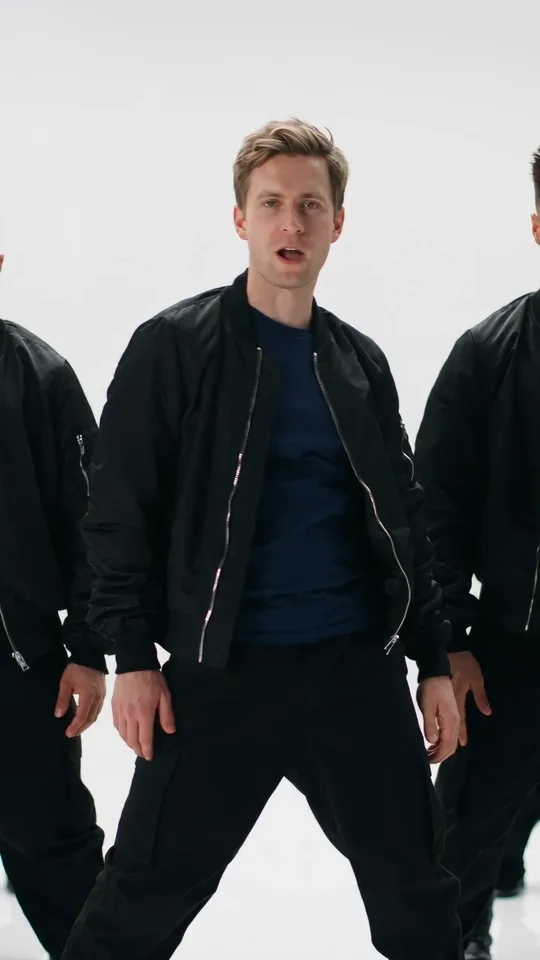
Preserve the face, hairstyle, hair colour, skin tone, age and build of the person in @Image1. Transfer the lead's moves from @Video1 frame by frame: the stance at the front of the formation, the close-up where the lead looks into the lens and gestures, the sharp arm lines and footwork with the crew in step, and the overhead finish in the middle of the circle.

Keep the white studio, the reflective floor, the crew's formation and outfits, the camera, every cut, the vertical frame, the pacing and the audio of @Video1 unchanged.

Keep one stable face, also in the wide group shots where the lead is small. The crew keep their own faces; no second lead, no text or logos.

What the prompt needs

  • Point at the lead by position

    “Front and centre, the one the crew forms up behind” identifies a single dancer in a group of matching outfits.

  • Protect the crew

    Say every backup dancer stays as they are; otherwise the edit may spread your face across the formation.

  • Keep the overhead finish

    The circle shot from above is the payoff; naming it stops the edit cutting the routine short.

Leave these out

  • “Like the official music video”

    Asking for the MV's set or styling pulls in a different scene and a real artist's look.

  • “Dance like JENNIE”

    Naming the artist invites her face and styling; describe the moves instead and keep your own face.

  • A group photo

    Several faces in one image get split across the crew; one person, one photo.

Lead the crew, not replace it

Names the artist, forgets the crew

Make me dance like JENNIE with backup dancers.

Swaps only the lead

Use @Video1. Replace only the lead dancer at the front and centre with @Image1; every crew member, the white studio, the moves and the audio stay.

The first names the artist and leaves the crew to chance. The second edits the clip and swaps only the lead.

One lead in front of the crew: frame, sound and credits

One lead in front of the crew: frame, sound and credits
Photos
1 photo, for the lead dancer
Photo files
PNG / JPG / WebP, up to 10 MB, at least 512 px on the short side
Length
10 seconds, following the built-in clip; not adjustable
Frame
9:16, vertical; there is no horizontal version
Resolution
720p only
Sound
The template's own built-in sound, carried over from the clip
Credits
380 credits per video
Visibility
Videos made on a free account are public. On a paid plan they are private by default.
If a run fails
The credits go back to your balance automatically

FAQ

Like JENNIE Dance AI: the lead, the sound and the choreography

Is this an official JENNIE tool or challenge?+

No. This is an independent AI template inspired by the song “like JENNIE”, not an official challenge and not an artist product. The name only says which song and dance the clip is inspired by.

Is the Like JENNIE Dance AI video free?+

No. Each run costs credits at the 720p price, and the button shows that number before you generate. New accounts start with 10 credits.

Do I need to write a prompt?+

No. It is a fixed template, so there is no prompt field: you only add the lead photo. The prompts above are for running the routine in another tool.

Does the video include the original JENNIE song?+

No. The clip keeps its own built-in sound rather than the original JENNIE recording, so the original song is not part of the video.

Will it copy JENNIE's exact choreography?+

No exact copy is promised. The clip follows its own built-in routine inspired by the song; it is not a frame-perfect replay of the official choreography.

Can I use a group photo or two people?+

No. The template takes one single-person photo for the lead dancer, so a second person has no slot.

How many backup dancers are in the video?+

The crew is whatever the built-in performance shows — the template fixes it and does not promise a set number. Your photo only supplies the lead dancer.

Can my pet lead the crew?+

No. The lead is a person in front of the crew, so the template takes one person's photo rather than a pet.

Does it use the official music video look?+

No. It uses an original bright rehearsal-room crew scene, not the official music video's set or styling.

Is the video vertical for TikTok or Reels?+

Yes. The clip is 9:16 vertical, so the download is ready to post to TikTok, Reels and Shorts.

Can I change the length or resolution?+

No. The template follows the built-in clip: 720p, vertical, 10 seconds, with no length or resolution choice.

Why doesn't my face look exactly like me in the wide shots?+

The group shots pull back to the whole crew, so the lead is smaller in those frames and the likeness can drift. A sharp, front-facing photo with the face clear is what keeps the lead closest to you.

Like JENNIE Dance AI

Put your photo in front of the Like JENNIE Dance AI crew

Add one clear photo, check the 720p price, and generate the lead video.