


GTA 5 Goodbye AI

Upload one photo and step into the GTA 5 goodbye scene: your face becomes the departing guest while the three friends, the game box and the pink car stay.

  • No prompt
  • Friends kept
  • Pier take
Example · GTA 5 Goodbye AI

PNG / JPG / WebP · up to 10 MB · at least 512px on the short side

0/1 photos

One clear photo of the departing guest: face and hair come from the photo; the dark jacket, the white T-shirt and the cap stay from the clip.

Video settings

No prompt needed. Only upload photos of yourself or people who agreed to be featured; celebrity photos and film stills aren't allowed.

What is the GTA 5 Goodbye AI trend?

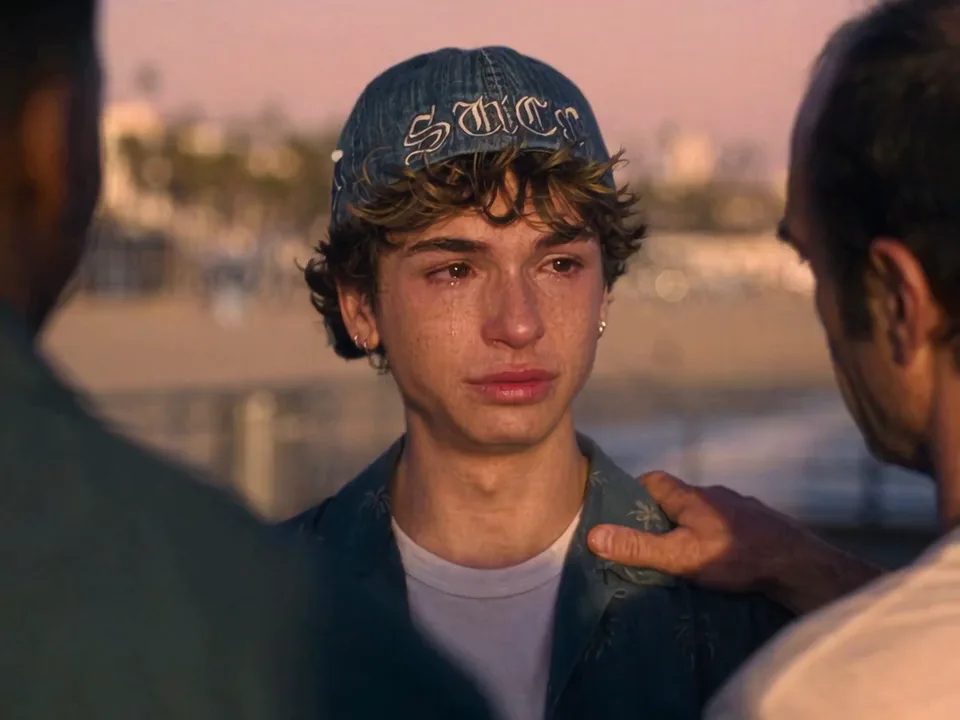
GTA 5 Goodbye AI is a fan-made farewell format: your photo takes the role of the departing guest on a sunset pier, the three friends comfort him, he takes the game box and drives away. It is a player ritual, not an official ending or a server shutdown.

A young guest in a dark jacket and cap with three friends around him on a sunset pier

Players are saying goodbye to Los Santos because GTA 6 releases on November 19, 2026, thirteen years after GTA 5. Captions like "Goodbye Los Santos" and "See you in Vice City" turned that handover into a farewell, and AI templates let you put your own face into the goodbye.

This is not the game's official ending and not a shutdown notice. Rockstar has not announced a GTA Online closure; the farewell is a player ritual about leaving the old map behind, not a piece of game lore.

How the goodbye wave built up

  1. UEKAN's TikTok post thanking GTA 5 for thirteen years reached about 697.9K likes.

  2. The GTA5 to GTA6 CapCut template was created — the 13-second version most tutorial sites now sell.

  3. That CapCut template read 49,807 uses.

  4. GTA 6 releases on PlayStation 5 and Xbox Series X|S.

Sources: like and use counts read on November 18, 2026 from the UEKAN TikTok posts and the CapCut template listing; the release date is Rockstar's published schedule.

What happens in the sunset-pier goodbye clip

One 15.02-second take in five beats, with a cut between each; only the departing guest changes.

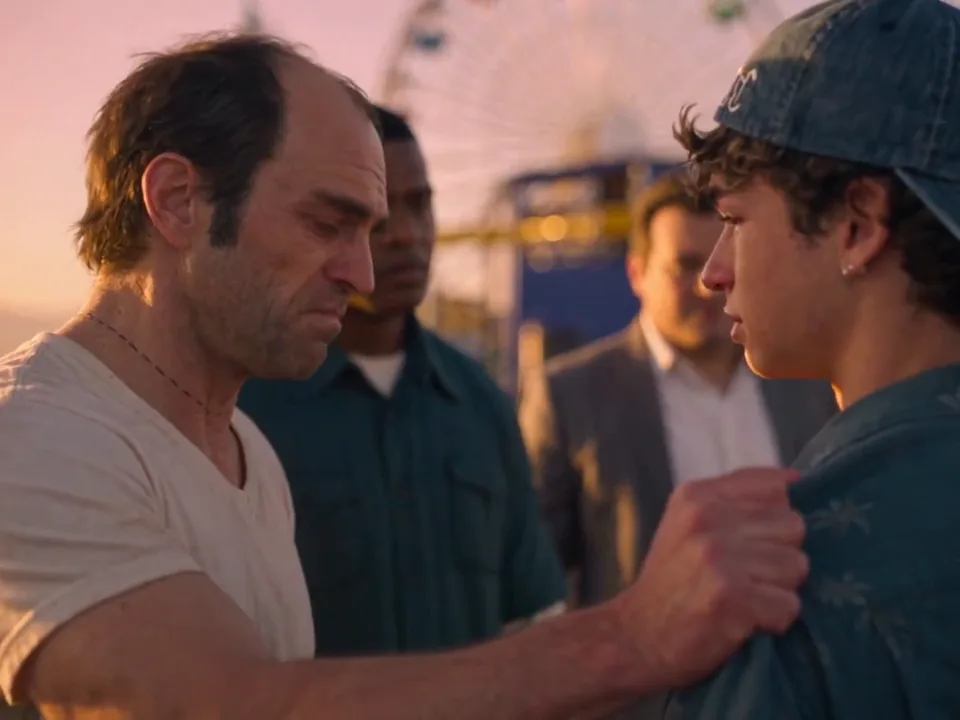
  1. Three friends around a young guest on a sunset pier, one with an arm over the guest's shoulder10:01

    Arm around the shoulder

    One friend pulls the guest in with an arm over his shoulder as the three of them stand together on the pier.

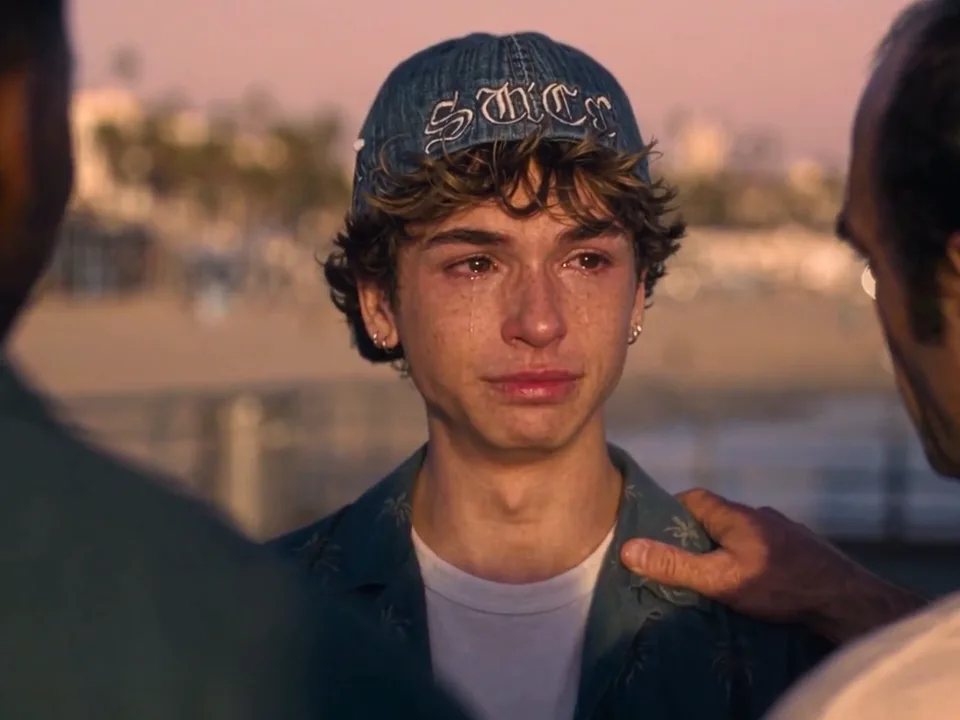
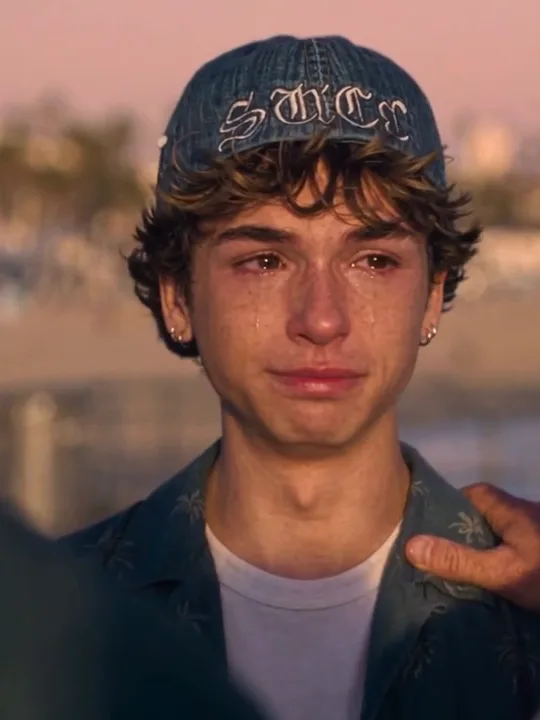
  2. A close-up of a tearful young guest in a dark jacket and cap on a sunset pier20:04

    The tears well up

    The camera holds on the guest's face as his eyes fill up; the cap and dark jacket stay, and only the face comes from your photo.

  3. Hands passing a game box over on a sunset pier30:07

    The game box changes hands

    A friend passes the game box over and the guest takes it, then turns toward the car.

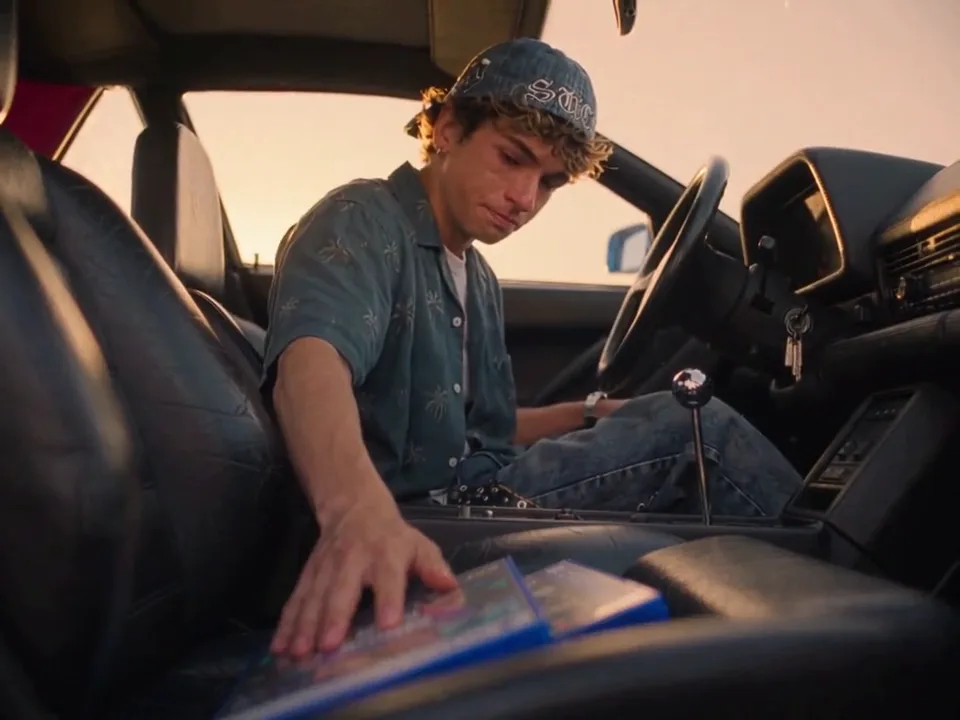
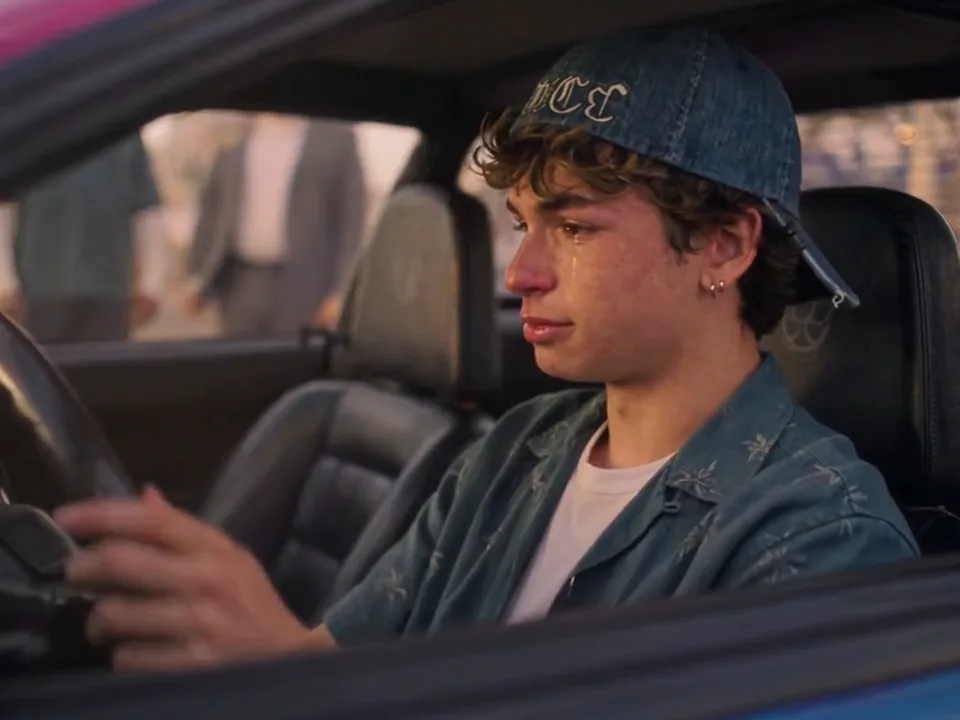
  4. A young guest sitting in the driver's seat of a car, game box in hand40:11

    Into the car

    The guest climbs into the driver's seat with the game box in hand while the three friends stay outside.

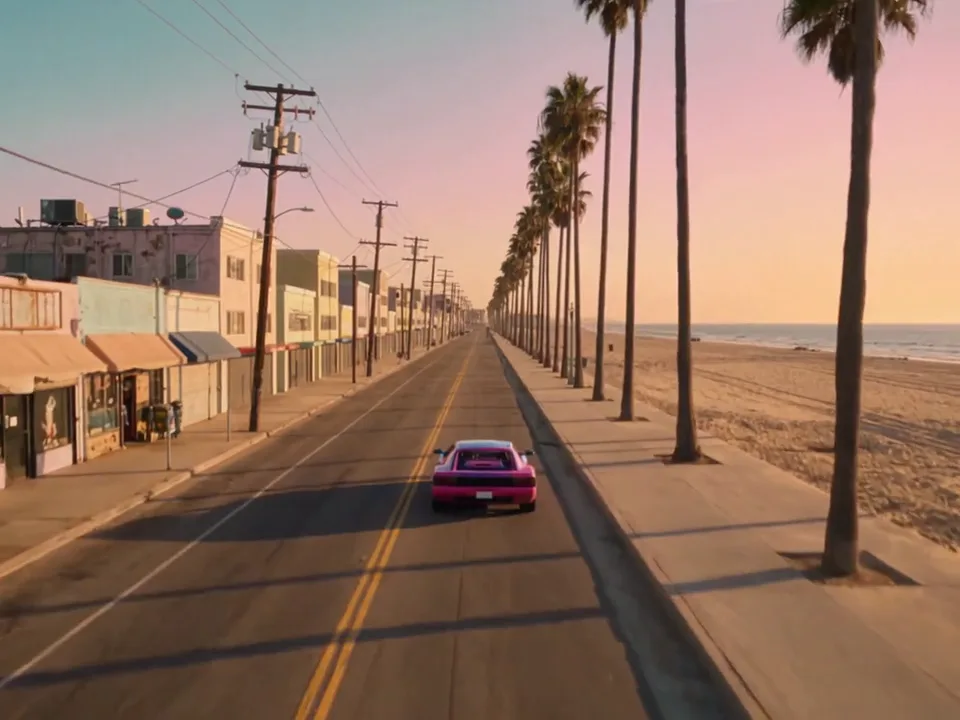
  5. A pink car driving away along a sunset coast while three friends watch from the roadside50:14

    They watch him drive away

    The three friends stay by the roadside as the pink car pulls away along the sunset coast.

The three friends, the game box and the pink car stay in every beat; your photo only replaces the guest.

GTA 5 to GTA 6 transition or the sunset-pier farewell?

Two different GTA 5 goodbye clips are sold under one name. This page is the sunset-pier take with the game box and the drive away.

ComparedSunset-pier farewell (this page)Beach to neon city (13s)
SceneSunset pier, three friends, game box, carBeach at sunset, then a neon city
Length15.02 seconds13 seconds
Frame4:39:16
What you getComfort, tears, game box, drive awayBeach farewell, city arrival
Where it livesThis pageCapCut template, 49,807 uses

How do you make a GTA 5 Goodbye AI video with your photo?

What the photo needs, then three steps from upload to download.

  1. A tearful young guest in a dark jacket and cap on a sunset pier

    Photo 1Departing guest

    Your photo replaces the departing guest. The photo supplies the face, hair and identity; the clip keeps the dark jacket, the white T-shirt and the cap, the three friends, the game box and the pink car.

    • Face and hair clear, no sunglasses or hands over them
    • One person only, waist-up or closer

Photo checklist

Works well

  • A curly-haired woman in a mustard sweater, chest up, smiling at the cameraFace lit and front-on
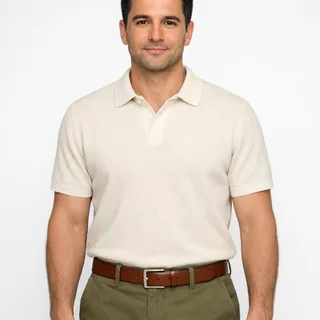
  • Photo of a man in a cream polo, head to waist, arms relaxed at his sidesWaist-up photo, arms relaxed

Avoid

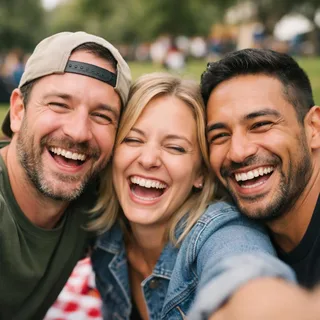
  • Three friends squeezed into one selfie at a picnicTwo or more people in one photo
  • Man in sunglasses and a low cap with a hand over his mouthSunglasses, caps or hands over the face
  • Dim, blurry snapshot of a woman dancing at a night partyDim, blurry or heavily filtered shots

From upload to a posted farewell

  1. Upload one photo

    Add one clear photo of the person who should play the departing guest.

  2. Pick a resolution and generate

    Choose 720p or 1080p, then click Generate. The button shows the exact credit price before you start.

  3. Download and post

    Download the clip and post it as it is, or write your own caption.

Where the GTA 5 Goodbye recast usually breaks

What you notice when a run misses, why it happens, and what to change before the next attempt.

  • Your face changes after a cut

    Why
    The clip cuts between a group shot, a close-up and a car seat, and identity loosens each time the framing changes.
    What to change
    A front-facing photo with clear features holds better, and 1080p keeps more detail; if a run drifts, try another photo rather than a longer prompt.
  • The wrong friend got your face

    Why
    The guest stands among three friends, so a vague photo or prompt lets the face land on someone else.
    What to change
    Use a sharp single-person photo and keep the prompt sentence that names the guest by his dark jacket and cap.
  • Hands and the game box melt together

    Why
    The hands and the game box are repainted with the new body, so the fingers and the box edges can blur into one.
    What to change
    A plain T-shirt and a front-facing body give the model fewer edges to misread; there is no control that removes the box.
  • The clothes followed your photo

    Why
    A full-body photo in another outfit tells the model to carry those clothes into the clip.
    What to change
    The clip's dark jacket, white T-shirt and cap are meant to stay; keep the prompt sentence that locks them on the replacement.

GTA 5 Goodbye AI prompt for Kling and Seedance

Two public versions of the same instruction: one edits the source clip with a single photo, the other re-shoots the scene in a reference tool. Paste either one and keep every sentence about what must not change.

Kling 4.0 video edit

Prompt length 761

Use @Video1 as the source clip. Replace only the young guest — the one in the dark jacket and cap — with the person in @Image1.

Keep @Image1's face, hair, skin tone, age and gender, and keep @Video1's dark jacket, white T-shirt and cap fitted to their own body. Carry the performance over frame by frame: the arm around the shoulder, the tears welling up, taking the game box, sitting down in the car and driving away.

Keep everything else from @Video1: the three friends with their own faces and clothes, the sunset pier, the game box, the pink car, the lighting, the camera, the framing, the cuts and the pacing. Do not put the new face on any of the three friends, do not add or drop actions, and do not change the setting. No face blending, text or logos.

Keep these in the goodbye prompt

  • Pick the guest out by his jacket and cap

    The dark jacket and cap pick out one person; "the guest" alone goes vague in a group shot.

  • Put the farewell beats in order

    Arm, tears, box, car, drive away: each tells the model which action belongs to which second.

  • Protect the three friends

    Say they keep their own faces and clothes, or your photo can bleed onto them.

Leave these out of the goodbye prompt

  • Don't swap the pier for another scene

    A beach, a neon city or a different car makes the model re-shoot instead of replacing one person.

  • Promise the original sound

    The clip keeps its own sound; the re-shoot route regenerates it.

  • "Swap everyone's faces"

    One photo and four people invite your face onto the three friends.

A bare goodbye vs one the model can follow

Too vague

Put me in the GTA 5 goodbye video.

Works better

Use @Video1 and replace only the young guest in the dark jacket and cap with @Image1; keep the three friends, the sunset pier, the game box, the pink car and the timing.

The second one names the person, the photo and everything that must stay; the first gives the model nothing to hold on to.

GTA 5 Goodbye video: length, resolution and credits

GTA 5 Goodbye video: length, resolution and credits
Photos
1 photo
Photo files
PNG / JPG / WebP, up to 10 MB, at least 512 px on the short side
Length
One 15.02-second take; length and framing follow the clip
Frame
4:3, the same as the trend clip
Resolution
720p or 1080p; 720p by default
Sound
The built-in clip carries its own sound; the generated video's audio comes from the model and may not keep it.
Credits
565 credits at 720p, 848 at 1080p
New accounts
Start with 10 credits
Visibility
Videos made on a free account are public. On a paid plan they are private by default.
If a run fails
The credits go back to your balance automatically

FAQ

GTA 5 Goodbye AI FAQ

Is this the official ending, or is GTA Online shutting down?+

No. This template is a fan-made farewell, not an official ending and not a shutdown notice. Rockstar has not announced a GTA Online closure.

Which clip is this template?+

The sunset-pier take: the guest is comforted by three friends, takes a game box, gets in the car and drives away. It is not the 13-second beach-to-neon-city transition that other sites sell under the same name.

Will the three friends stay in my video?+

Yes. The three friends keep their own faces and clothes; only the departing guest is replaced. The model may redraw them with small differences from the original clip.

Do I upload one photo or several for the goodbye clip?+

One. A single clear photo of the person who should play the departing guest; the clip provides everything else.

Do I need a prompt?+

No. Upload one photo and pick a resolution; the clip, the prompt and the three friends are already set. The prompt section is for people who want to run the same edit in Kling or another tool.

Is the GTA 5 Goodbye AI video free?+

No, each video costs credits. The price follows the resolution you pick, and the Generate button shows it before you start. New accounts start with 10 credits.

Can I choose 1080p, or change the frame or length?+

Resolution can be 720p or 1080p. The length is 15.02 seconds and the frame is 4:3, both fixed by the clip, so there is no portrait or shorter option.

Will it keep the clip's original sound?+

The built-in clip carries its own sound, but the generated video's audio is produced by the model and may not keep it.

What about the marks on the cap and the game box?+

The cap and the game box carry small printed marks from the original clip. They are part of the scene rather than the effect, and the prompt tells the model not to add text or logos to the result.

Why doesn't it look like me after a cut?+

The clip cuts between a group shot, a tearful close-up and a car seat, so occlusion and framing changes can loosen the likeness. A sharp single-person photo helps, but a clean input is not a guarantee — the model can still drift.

How is this different from the GTA loading screen effect?+

This template outputs a moving farewell video. The GTA loading screen effect outputs a still, crime-game-style illustration for lock screens and avatars; neither installs a mod. A link to the still version is at the bottom of this page.

Can a pet photo star in the goodbye clip?+

No. This clip is built for one person's face and body — the guest's hands take the game box and drive, and the clothes are human-sized. A pet photo won't take the guest's role properly.

Make your GTA 5 Goodbye AI video

One photo in, one sunset-pier farewell out, with the three friends, the game box and the pink car kept.