Drake Burning Bridges AI Video Trend

Upload one photo and take the lead in the Drake Burning Bridges AI video trend: you raise a toast in the middle of a chandelier-lit party while the whole room cheers. No prompt, no editing. Fan-made, not affiliated with Drake.

  • HOT
  • One click · no prompt
  • Chandelier party toast
  • One photo, you take the lead
Example · Burning Bridges

PNG / JPG / WebP · up to 10 MB · at least 512px on the short side

0/1 photos

One photo of one person, waist-up or full body, face clearly visible. You take the toast in the middle of the party, so a front-facing, smiling shot works best; no group photos.

Video settings

No prompt needed. Only upload photos of yourself or people who agreed to be featured; celebrity photos and film stills aren't allowed.

Why the Drake Burning Bridges AI video is trending

The Drake Burning Bridges AI video trend casts one person as the lead of a chandelier-lit party inspired by Drake's song Burning Bridges, whose official video came out in May 2026. If you want the Burning Bridges AI trend with your photo, you only add one picture: the template puts you in the middle of the room, raising a cup while the crowd cheers.

The template

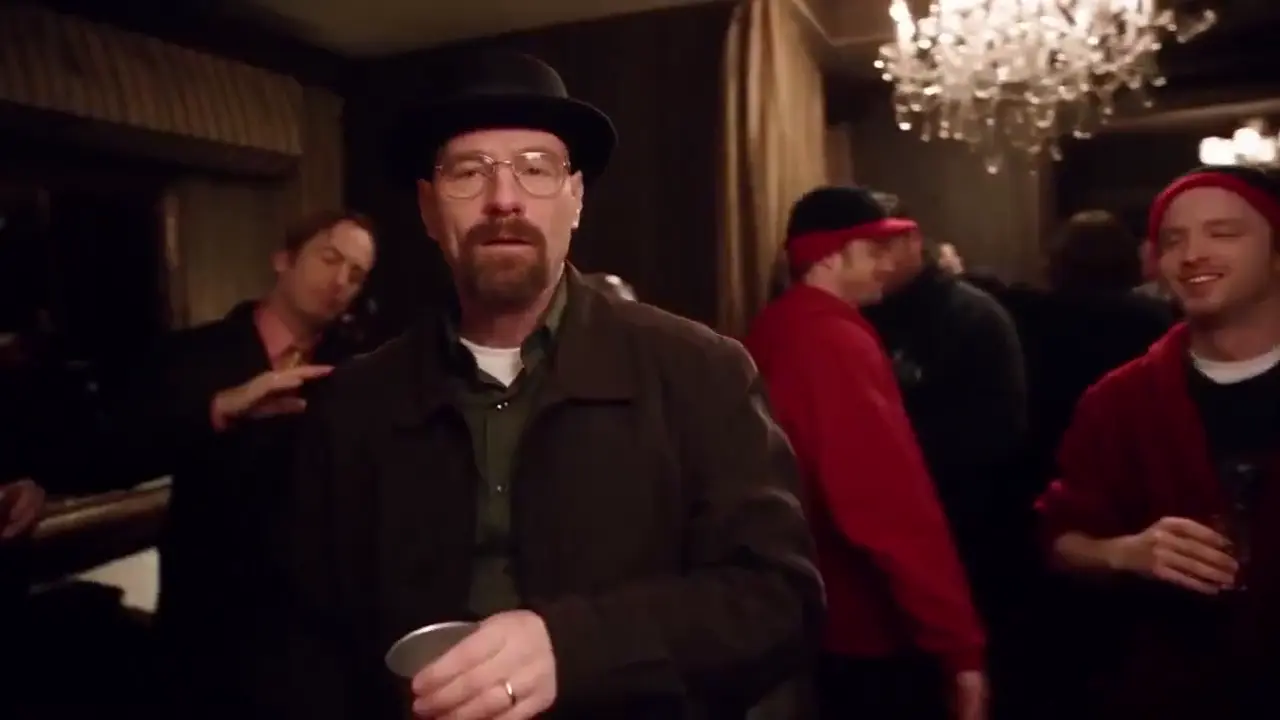
The Burning Bridges video template: one chandelier party

Every clip starts from the same fixed reference: a dim banquet room under crystal chandeliers, a crowd in dark jackets and red hoodies, and one person in the middle who raises a silver cup, dances and points at the camera. The room, the crowd, the camera moves and the pacing stay; only the lead is yours.

Add your photo

What changes

What the Drake Burning Bridges template changes

Only the person in the middle changes. The model reads the face, hair and outfit from your photo and builds a new performance around them: the toast, the dance moves and the crowd pointing at you. Clips come out vertical by default, ready for a phone screen. The video is generated by AI, so faces and moves vary from run to run.

Example of the trend

Fan entries: a Drake-inspired music video from one photo

The scene reads in a second: chandeliers, raised cups and a room cheering for one person. That is why creators keep posting their own entries with party outfits, props and inside jokes, and why a viral Drake AI video can start from a single selfie. Treat it as a fun format, not a promise of views.

Burning Bridges video effect vs. face swap and image-to-video

The Burning Bridges video effect rebuilds the whole lead from one selfie inside a fixed party scene. A face swap only pastes your face onto existing footage, and image-to-video with your own prompt leaves the room and the camera for you to describe. Looking for a Burning Bridges face swap from a selfie? The template is the one-click option.

QuestionBurning Bridges templateFace swap appImage-to-video + your prompt
What you provideOne photo of youA source video and a faceOne photo and a written prompt
What changesThe whole lead: face, hair, outfitOnly the faceWhatever your prompt describes
PromptNone, it's built inNoneYou write and tune it
Scene and cameraFixed chandelier partyKept from the source videoYou describe it; results vary
AudioGenerated, not the songUsually the source clip'sDepends on the model

Ideas

Burning Bridges AI video ideas, from selfies to release teasers

Anyone who deserves the spotlight can take the toast. Put yourself in the Drake Burning Bridges video, raise a glass to a friend, or cut a vertical teaser for TikTok or an Instagram Reel.

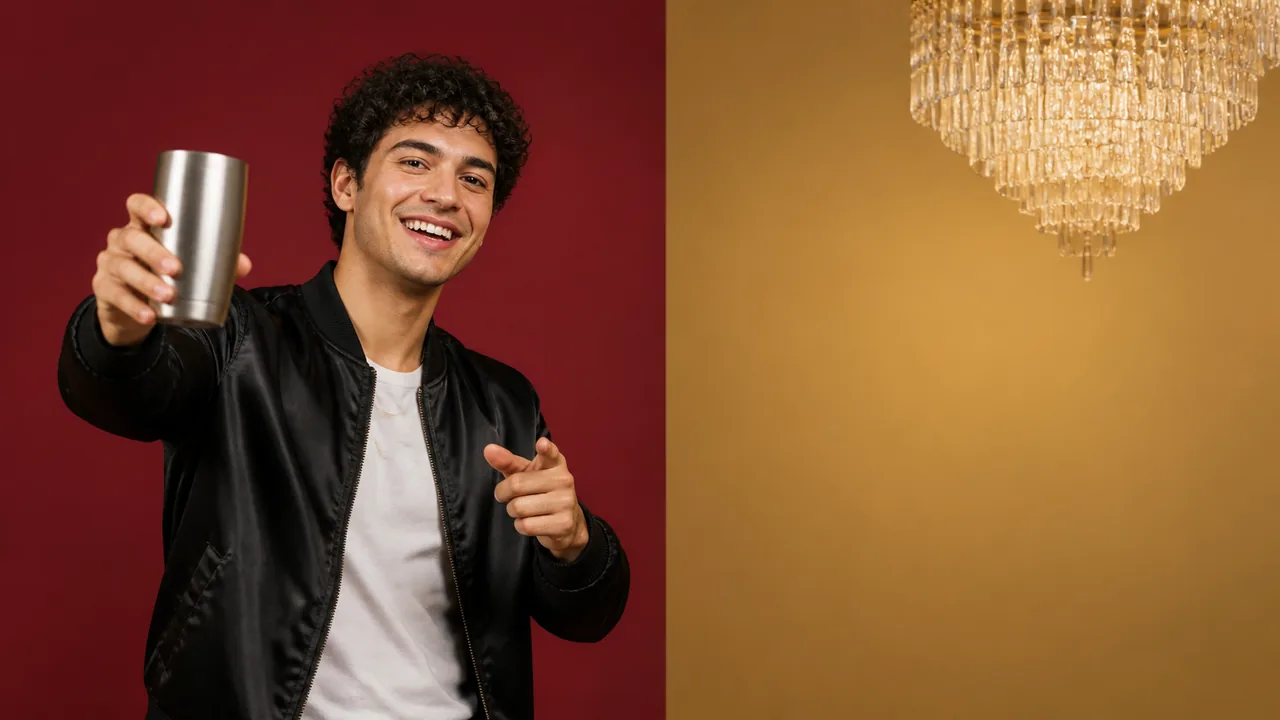
A smiling young man in a black satin jacket raises a silver tumbler toward the camera in front of burgundy and gold color blocks

Put yourself in the Burning Bridges trend

Upload a selfie and post your own entry: you take the toast while the whole room cheers you on.

A laughing woman in a coral blazer and a gold paper crown lifts a silver tumbler against tangerine and yellow color blocks

Put a friend in the Burning Bridges video

Celebrate a birthday, a new job or a graduation by putting the guest of honor in the middle of the party. Ask them before you upload their photo.

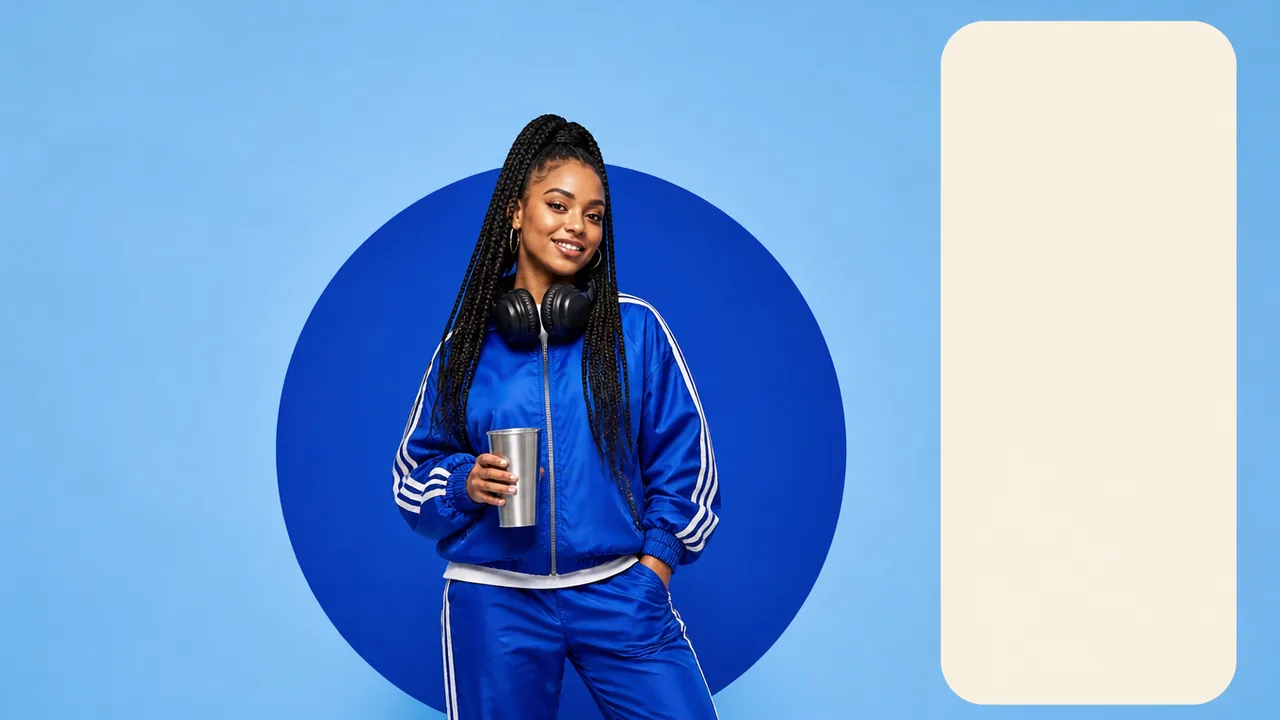
A smiling DJ in a cobalt track jacket with headphones around her neck holds a silver tumbler in front of a blue circle

A vertical teaser for a release or gig

Artists and DJs can turn a press photo into a short Drake-inspired party scene for a new track or an upcoming show. Pick 9:16 for Reels, TikTok or Shorts.

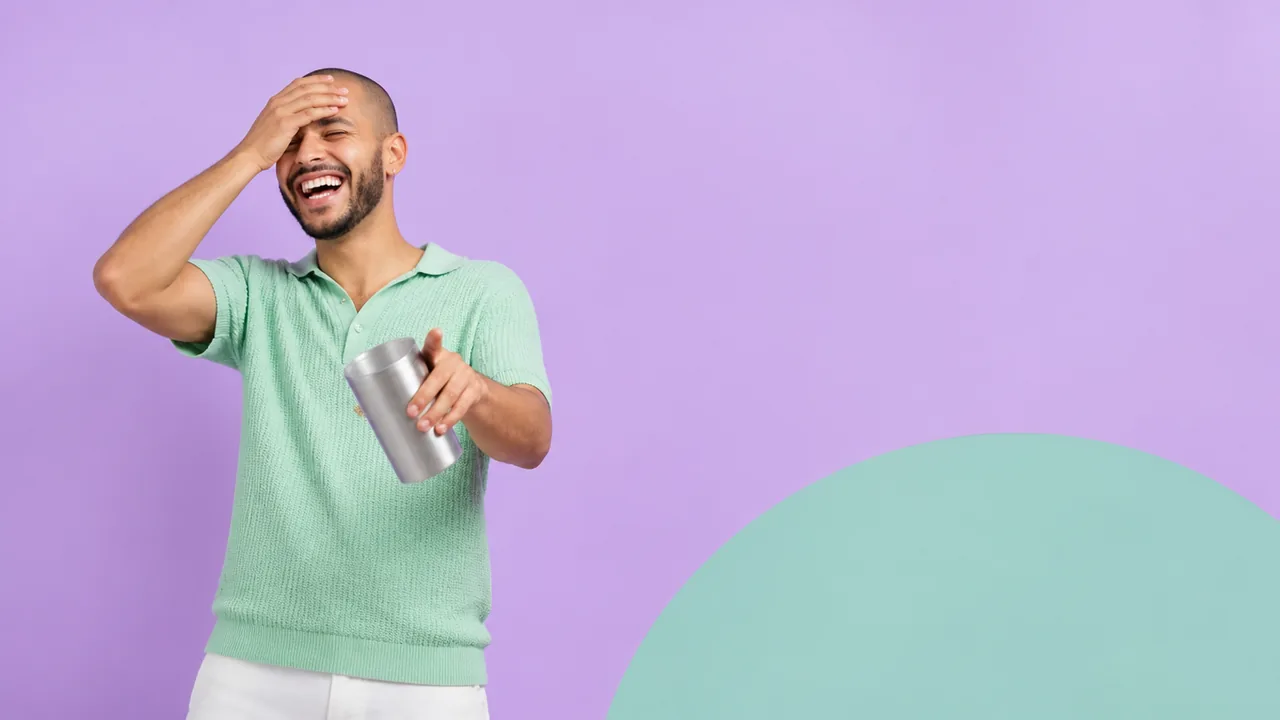
A young man in a mint knit polo laughs with a hand on his forehead and points at the camera in front of a lilac backdrop

A reaction clip for the group chat

Drop the clip into the group chat when someone gets promoted, wins the fantasy league or finally shows up on time.

Tutorial

How to make the Drake Burning Bridges AI video

Making a Burning Bridges AI video with your photo takes four steps and no editing app. Nothing is charged until you press Generate.

  1. Upload one selfie or full-body photo

    Drop one clear photo of one person into the slot. Waist-up or full-body shots with the face in view work best.

  2. Pick the length, shape and quality

    By default the clip runs 15 seconds in 3:4 at 768p. Change any of them and the price on the Generate button updates.

  3. Generate with the one-click template

    Press Generate. There's no prompt to write: the template sets the room, the crowd, the toast and the camera. Keep the page open to watch the video arrive.

  4. Download and post to TikTok or Reels

    Download the video to keep or share it. To post with Drake's song, add it from your platform's music library, which handles the licensing.

Burning Bridges selfie tips: keep your face sharp in the crowd

The best photo for the Burning Bridges AI trend is a sharp, front-facing shot of one person in even light. The model reads one face and one outfit from it, so a clean selfie keeps you recognizable while the crowd moves around you, much like a Burning Bridges face swap from a selfie would, without the pasted-on look.

Photos that work

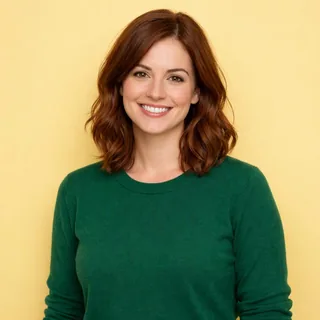
  1. A smiling woman with wavy auburn hair in a green sweater, alone against a yellow backdrop

    Just you in the frame

    Crop out friends and busy backgrounds so the model knows who takes the lead.

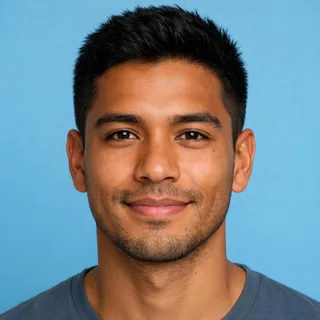
  2. Close portrait of a smiling man with short black hair looking straight at the camera

    Face forward, eyes visible

    Both eyes and the whole face visible, looking roughly at the camera.

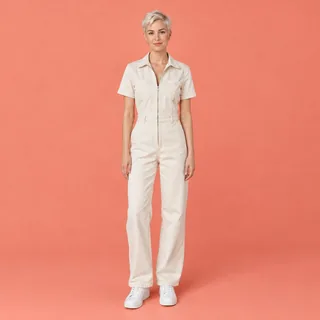
  3. A woman with a platinum pixie cut in a cream jumpsuit standing full-length against a coral backdrop

    Waist-up or full body, in focus

    A sharp shot in soft, even light gives the model enough of your outfit for the toast and the dance moves.

Photos that blur the lead

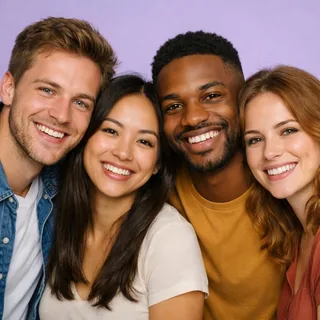
  1. Four friends squeezed together, smiling in one photo

    Group shots

    With several people in one photo, the model may pick the wrong face for the lead.

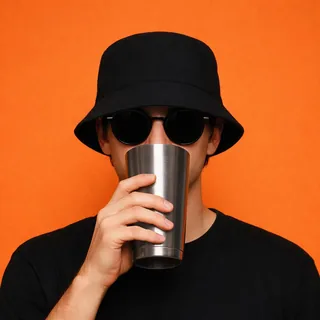
  2. A man in dark sunglasses and a bucket hat holding a silver tumbler over his mouth

    Sunglasses, hats or a cup over the face

    Anything covering the eyes or mouth hides the details the model needs to keep you recognizable.

  3. A dark, pixelated portrait that is hard to recognize

    Dark, blurry or tiny images

    Low-light, heavily filtered or small photos often come out soft or unlike you. Use photos at least 512px on the short side.

Only upload photos of yourself or people who agreed to be in the video. Celebrity photos and stills from films or music videos aren't allowed.

Burning Bridges AI video format, length and credits

One photo of one person goes in, and a short party clip with generated audio comes out. Every value below comes from the live generator, and the price on the Generate button is always the final one.

Burning Bridges AI video format, length and credits
Photos
1: one person, who takes the lead
Photo files
PNG / JPG / WebP, up to 10 MB, at least 512px on the short side
Video length
5–15 seconds; 15 seconds by default
Aspect ratio
3:4 by default; also 21:9, 16:9, 4:3, 1:1, 9:16, or Auto
Resolution
480p, 768p, 2K, or 4K; 768p by default
Audio
Generated with the video; Drake's original song isn't included
Prompt
None needed; the template sets the room, the crowd and the toast
Credits
200–958 per video; 360 for 15 seconds at 768p
If a generation fails
The credits are refunded automatically

FAQ

Drake Burning Bridges AI video FAQ

Is the Burning Bridges AI video generator free?+

Browsing, adding a photo and checking prices are free. Each video costs 200 to 958 credits depending on length and resolution, and 360 credits for the default 15-second 768p clip. New accounts get 10 free credits, which is not enough for a Burning Bridges video on its own.

Does the Burning Bridges AI video include Drake's song?+

No. The model creates its own audio for the clip, and the original recording isn't used or offered for download. To post with the real song, add it from the music library in TikTok, Instagram or YouTube, which handle the licensing.

Is Oeneo AI affiliated with Drake or the official video?+

No. Burning Bridges is a song by Drake, and its official music video is on his YouTube channel. This is an independent, fan-made template that isn't affiliated with or endorsed by Drake or his label.

Can I put my friend in the Burning Bridges AI video?+

Yes, one person per video. The effect takes one photo of one person, so for several friends, make one video each and post them together. Ask each of them before you upload their photo.

Why is my Burning Bridges AI face distorted or flickering?+

Side angles, sunglasses, motion blur, low light and small photos give the model less to work with, so the face can drift as you move through the crowd. Retry with a sharp, front-facing photo in even light. Results still vary between runs.

Does the Burning Bridges AI video fit TikTok and Reels?+

Yes. Clips run 5 to 15 seconds, 15 by default, in 3:4 unless you pick another shape. Choose 9:16 for TikTok, Reels or Shorts, or 16:9 for YouTube, in 480p, 768p, 2K, or 4K.

Is there a Burning Bridges AI prompt I need to write?+

No. The template already describes the room, the crowd, the toast and the camera moves. You only add a photo and choose the length, shape and quality.

Can I use a celebrity photo in the Burning Bridges template?+

No. Only upload yourself or people who agreed to appear; celebrity photos and stills from films or music videos aren't allowed. The template is tuned for real people, so drawings and pets don't come out reliably.

Who can see my Burning Bridges AI videos?+

Videos made on free accounts appear in the public Oeneo AI gallery. Paid plans can keep their videos private.

What happens if a Burning Bridges AI generation fails?+

The credits for that video are refunded automatically, and you can try again with the same or a different photo.

Burning Bridges AI video generator

Star in the Drake Burning Bridges AI video trend

Add one photo, pick the length and quality, and generate your Burning Bridges clip in one click. Fan-made, not affiliated with Drake.