


You
Use a clear selfie-style portrait and star as the diner who stops the card.
Caption: POV: you never let her pay.
Add one photo to star as the diner who stops the card and pulls out a kitchen sponge instead of paying — the date, server, dinner outfit, cuts and sound stay from the clip.
PNG / JPG / WebP · up to 10 MB · at least 512px on the short side
0/1 photos
One clear photo of the person or pet who becomes the diner: face and hair, or the pet's species, ears and markings, carry over; the outfit and scene stay from the clip.
Video settings
No prompt needed. Only upload photos of yourself or people who agreed to be featured; celebrity photos and film stills aren't allowed.
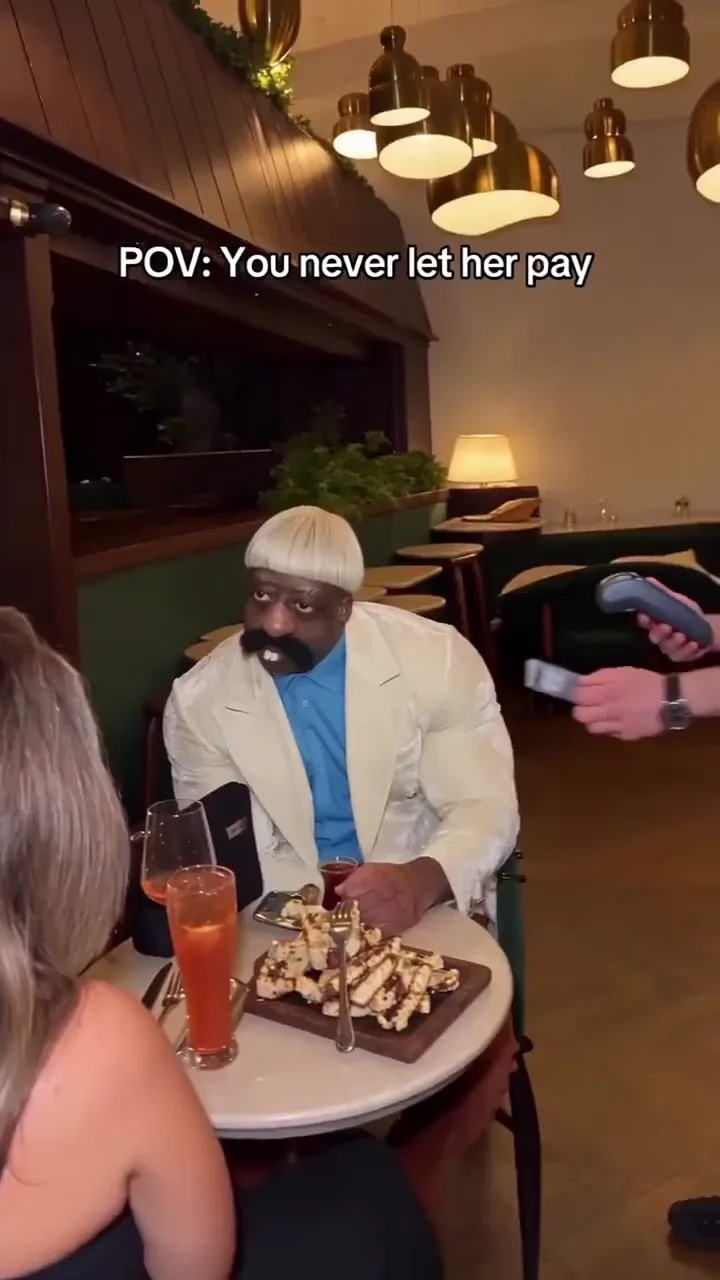
The Never Let Her Pay AI effect is a restaurant skit: a diner stops their date from paying, opens a black pouch, and shows a yellow-green kitchen sponge instead of a card — then the server walks them over to a stack of dirty plates.
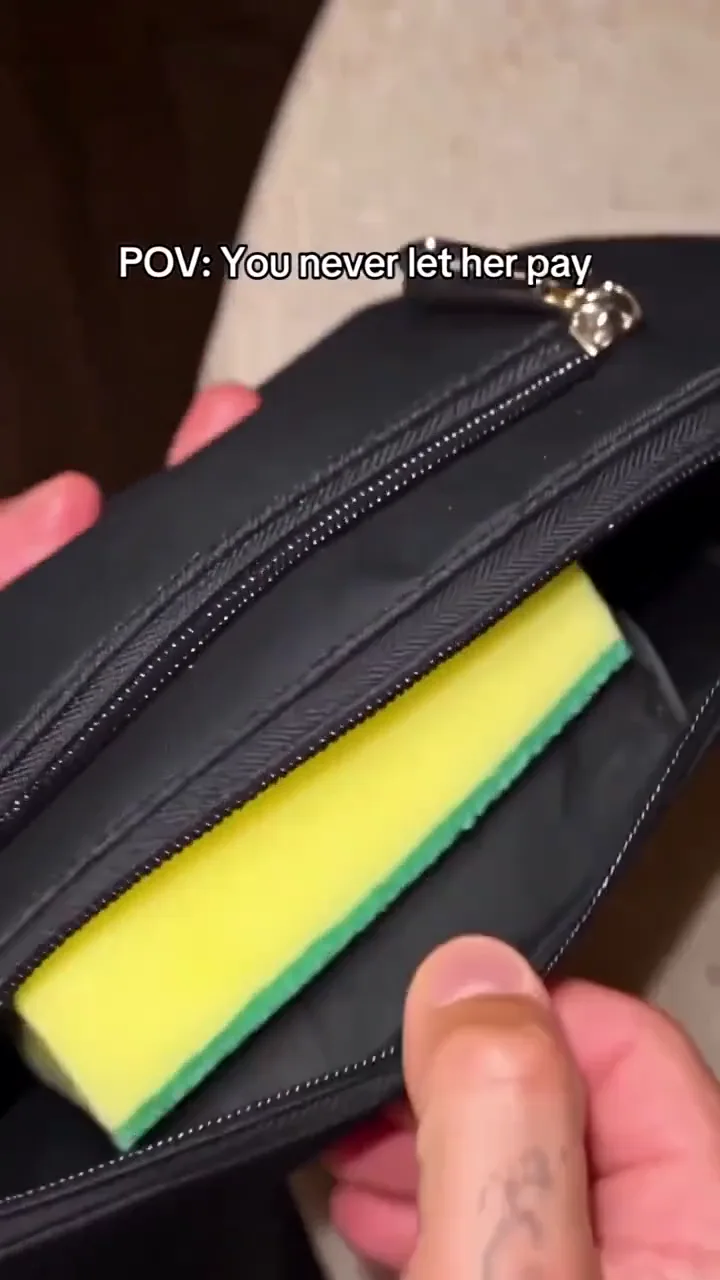
A caption burned into the picture reads “POV: You never let her pay”, and it sets the joke up: the diner looks like the one who has it handled, and the sponge turns that confidence into paying through kitchen work.
The sponge is the whole joke: it replaces the wallet reveal, so "paying" means dish duty. The clip ends with the diner being led toward the plates, not with a finished washing scene.
Setup
The diner's hand moves in with an "I've got this" confidence as the date reaches to pay.
Payoff
The pouch opens on a kitchen sponge instead of a payment card, and the server leads the diner toward the dirty plates.
An AI-labelled original posted by @s.nemz on TikTok, with about 178.2K likes and 36.9K shares.
The recast wave: @boby.biggsjohnson's swapped-diner version took off with about 1.4M likes and 262.6K shares.
A French photo tutorial showed the one-photo swap — the stop, the pouch and the server — with 318 likes and 70 shares.
Counts and dates read on 15 November 2026 from the public TikTok posts and the French photo tutorial.
Six beats from the fixed clip, timed to the card, the stop, the zip, the sponge, the server and the plates.
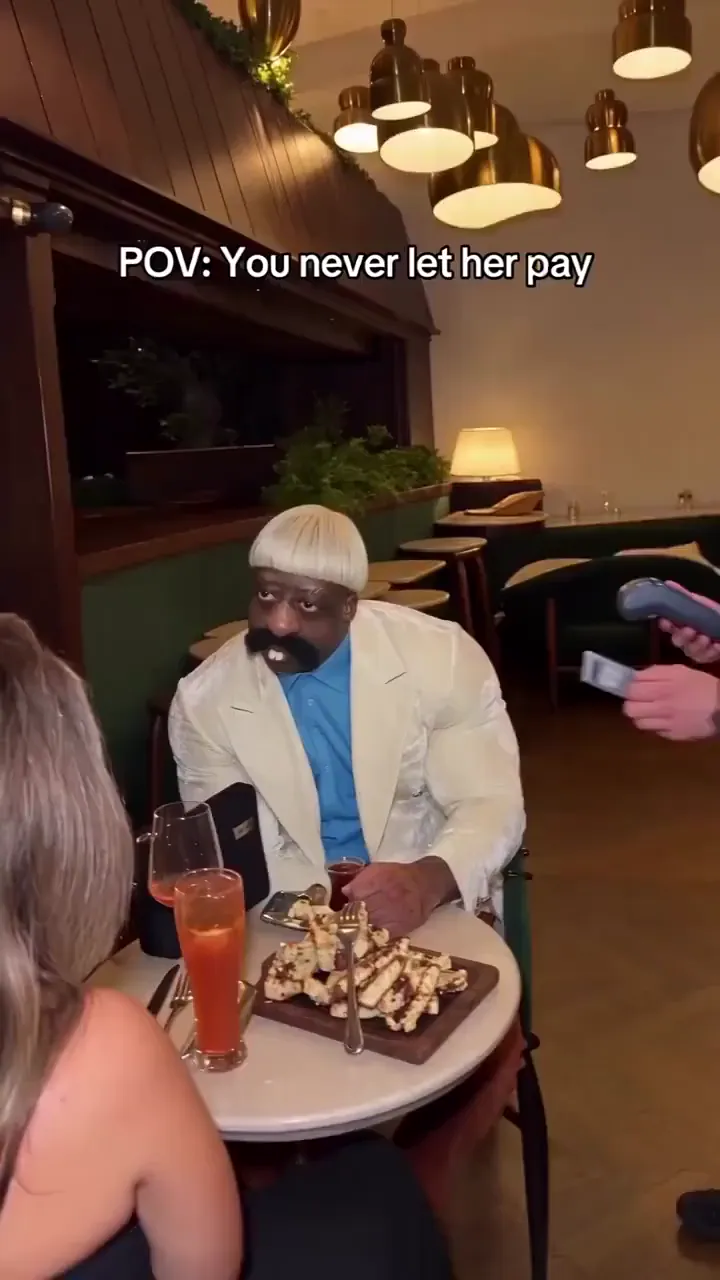 10:00–0:02
The date reaches to pay; the diner in the beige jacket leans in to stop it.
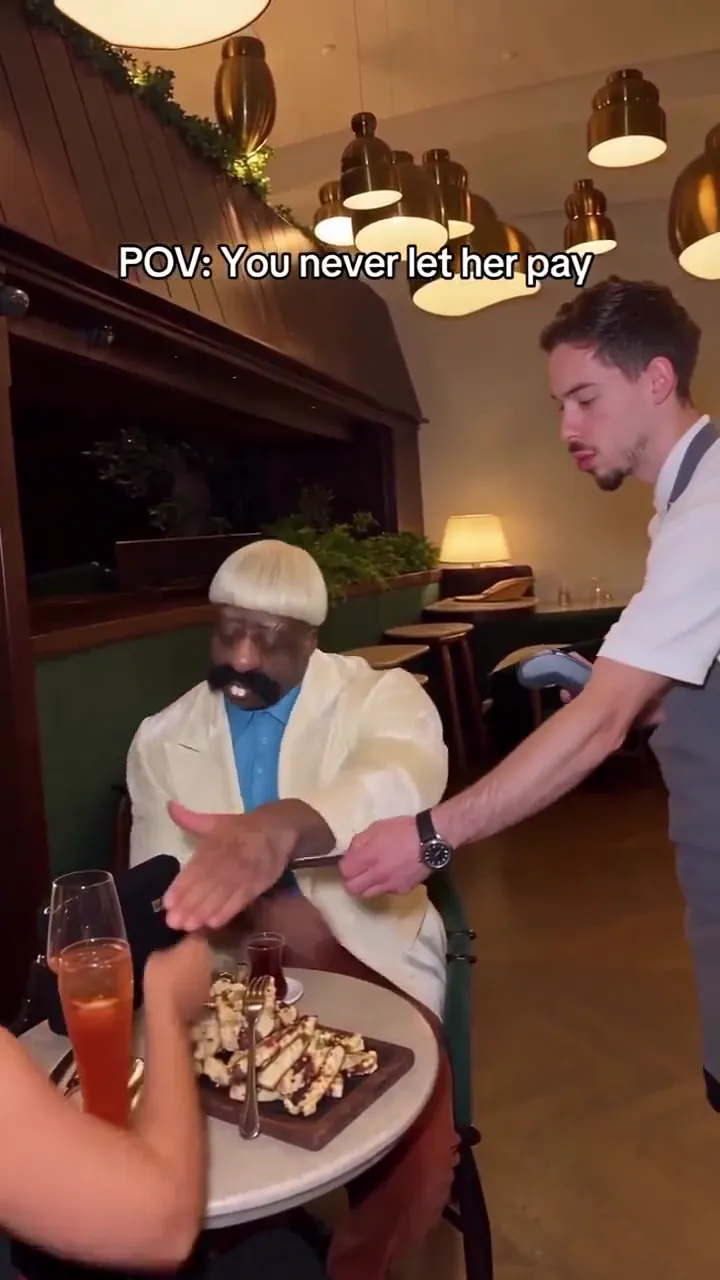 20:02–0:03
The diner's hand blocks the card — the "I've got this" beat.
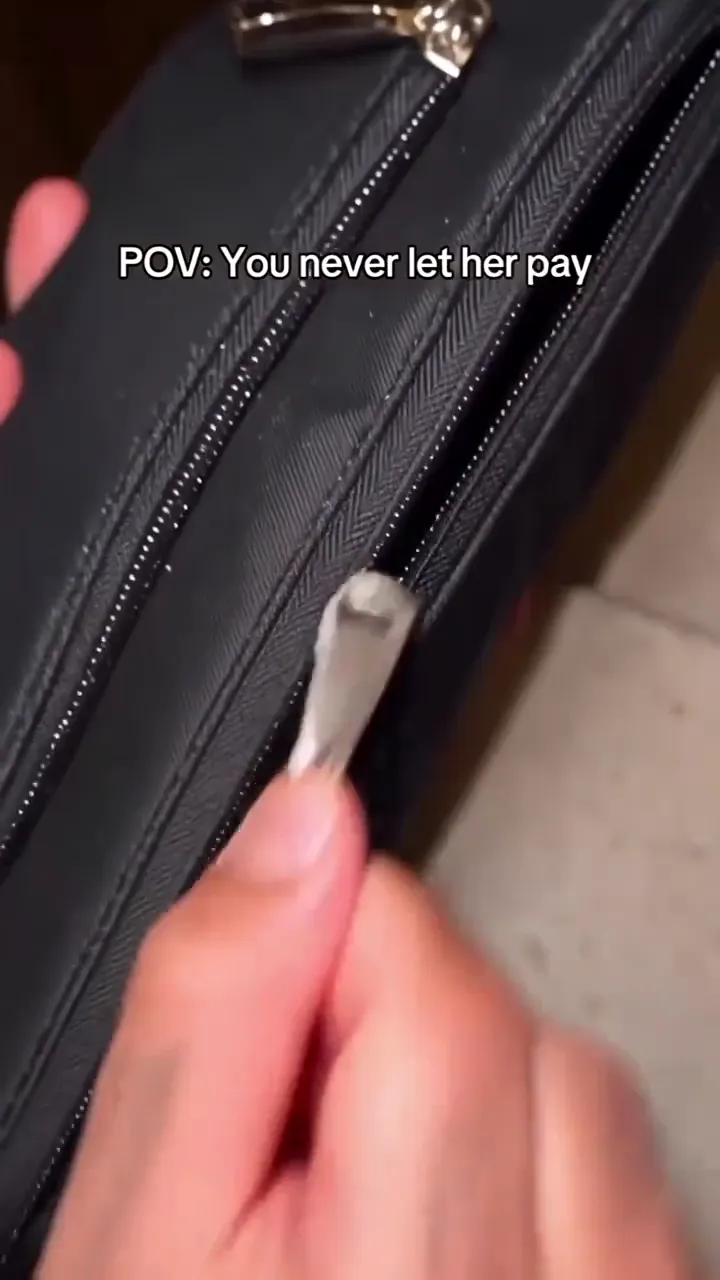 30:03–0:03
The black zipped pouch comes out and the zip pulls back.
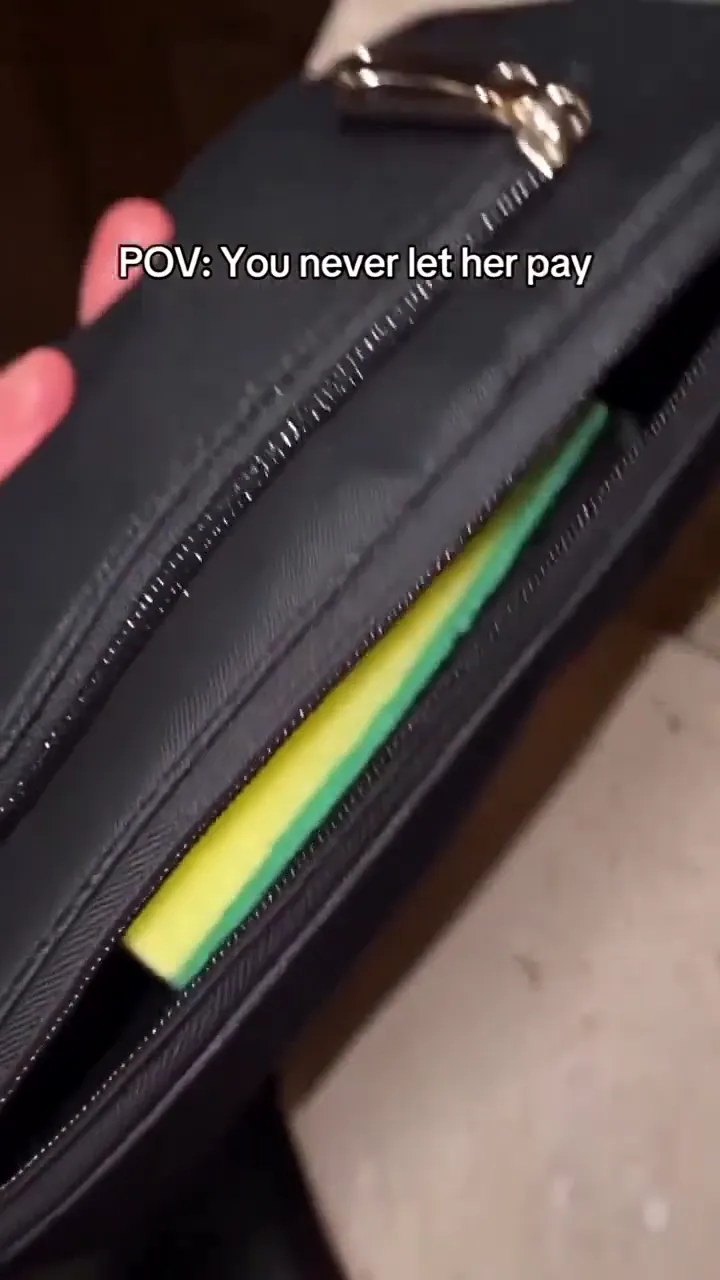 40:03–0:06
A yellow-green kitchen sponge sits where the card should be.
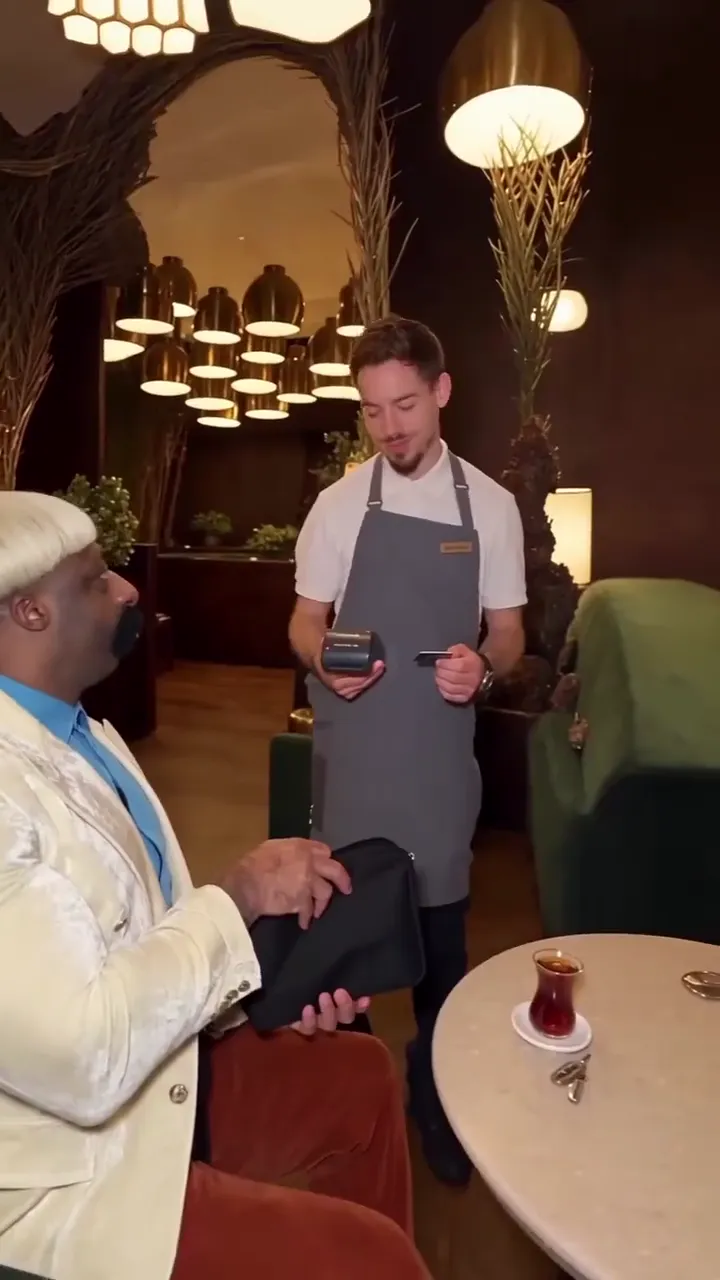 50:06–0:09
The server in the dark uniform turns, sees the sponge and responds.
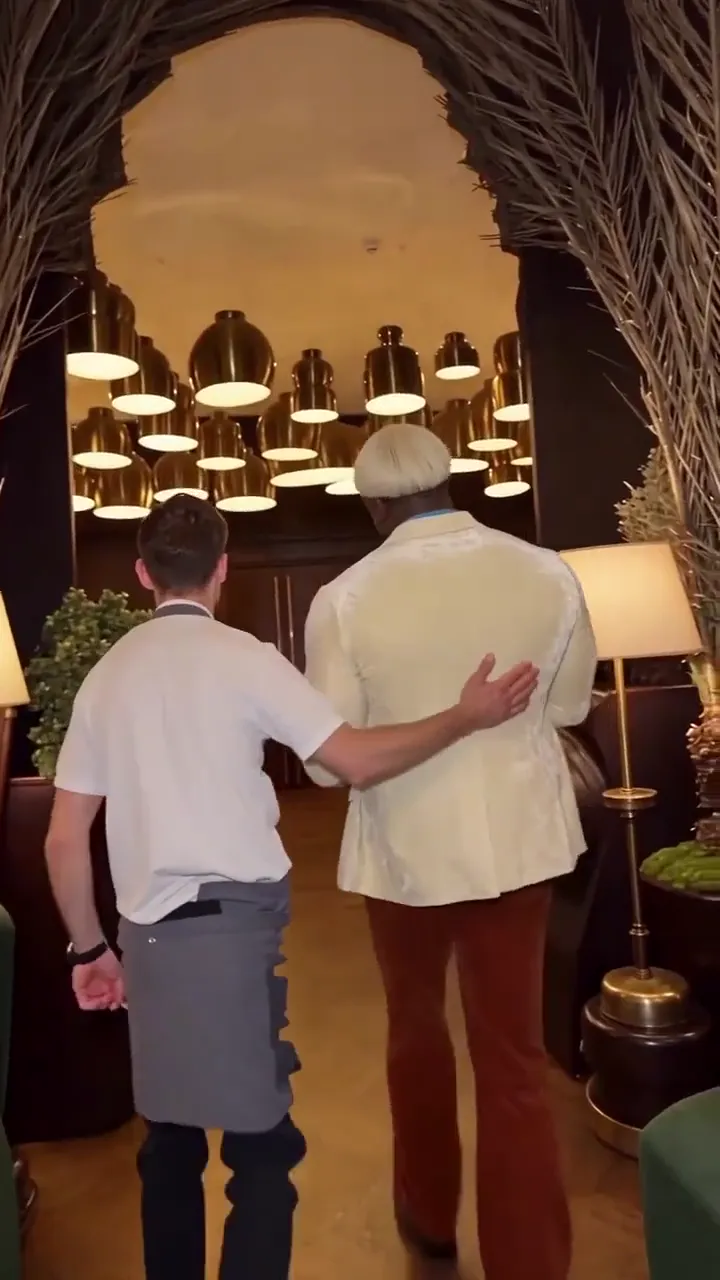 60:09–0:11
The server walks the diner back and points at the dirty plates.
One slot, one person or pet: the photo becomes the diner, and the clip keeps the date, the server and the restaurant. A clear single-subject photo is all the effect needs.
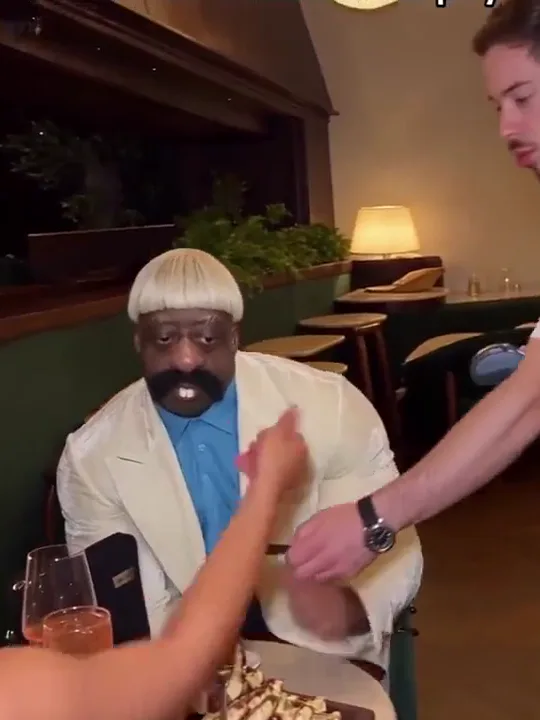
Photo 1Sponge guest
This photo becomes the diner at the front of the table — the one who stops the card and reveals the sponge. Face and hair lead for a person; species, ears and markings lead for a pet. The dinner outfit stays from the clip.
Use
 A clear face, chest up, looking at the camera
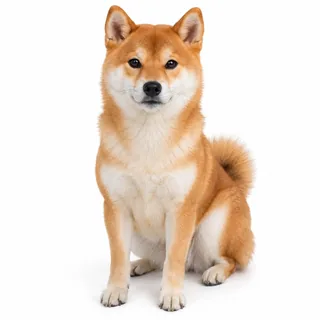 A dog or cat sitting upright, ears and markings visible
Skip
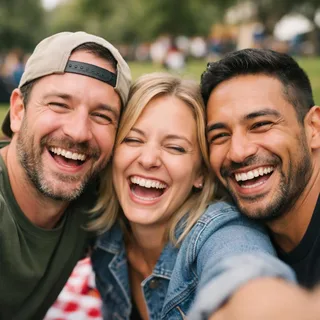 Group photos — the cast becomes ambiguous
 A hand, cap or phone over the face
 Dim, blurry snapshots
Add one photo
Upload a clear photo to the sponge-guest slot.
Check the price and generate
The Generate button shows the exact credit price for your resolution, then runs the full clip.
Download and share
Download the finished clip and post it — the built-in sound and cuts are already in the file.
One slot, and it can hold an adult or a pet. The clip supplies the restaurant, the date and the server; the photo decides who sits in the diner's seat.
Use a clear selfie-style portrait and star as the diner who stops the card.
Caption: POV: you never let her pay.
Cast a consenting adult friend; their face and hair lead, the dinner outfit stays from the clip.
Caption: He really said "I've got this."
A cat or dog works in the same slot; upright posture and paw contact can vary between runs.
Caption: He came to dinner with a sponge.
The 9:16 clip fits short-video feeds; post it as a reply to the trend or on your own page.
Caption: Caption it "POV: you never let her pay" and let the sponge do the rest.
This page runs the fixed task for you — no prompt — but the tutorial below rebuilds it in Kling's edit tab or a reference-to-video tool.
Kling 4.0 video edit
Prompt length 941
Use @Video1 as the source clip and @Image1 as the replacement photo. Replace only the diner at the front of the table — the person who reaches out and stops the payment card — with the subject in @Image1. Take the diner's face, hair and skin tone from @Image1, or a pet's species, ears and markings; keep the beige jacket, blue shirt and knit hat from @Video1.

Transfer the diner's actions in order: stop the card, open the black zipped pouch, reveal the yellow-green kitchen sponge, look up at the server, then walk beside the server to the dirty plates. Keep the date in the foreground and the server in the dark uniform unchanged.

Preserve @Video1's restaurant, camera, framing, cuts, warm lighting, pacing and original sound. Keep the replacement's face stable through the close-up, the side view and the kitchen ending. Do not swap the date or the server, add subjects, or change the pouch and sponge. No face blending, text or logos.Reference-to-video tool
Prompt length 643
Use @Video1 as the reference clip for motion and scene, and @Image1 as the subject photo. Recast the diner at the front of the table — the one who stops the payment card — with the person or pet in @Image1: take the face and hair, or the pet's species, ears and markings, from the photo, and keep the dinner outfit from @Video1. Follow the clip's sequence: stop the card, unzip the black pouch, show the yellow-green sponge, look up, walk with the server, and stand by the dirty plates. Keep the date and the server from @Video1 unchanged, and keep the restaurant, framing, cuts, pacing and original sound. No extra subjects, no face blending.Name who changes by what's visible
Point to "the diner who stops the card", not "the man", so the model picks the right person.
Pin the people who stay
Say the date in the foreground and the server stay unchanged, or the model may recast them too.
Don't describe a new scene
Keep the restaurant, pouch and sponge from the clip; new props break the joke.
Don't write a story
Give instructions in order, not a description of the trend.
Wrong
Replace the man with my friend and make a funny dinner video.
Right
Replace the diner at the front of the table who stops the card with @Image1; keep the date, the server, the pouch and the sponge.
The first leaves the model to guess who changes and who stays; the second pins both.
Every template works the same way: add your photos, press Generate and get a shareable video without writing a prompt.
View all effectsUpscale the finished clip, extend it, or move on to the other AI video tools.
Generate a clip from a prompt, a still image, a reference or existing footage.
Open toolNo, each run uses credits. The Generate button shows the exact price for your resolution before you start.
No. This browser page runs its own fixed task — you add one photo and generate. A CapCut template for the same idea exists, but you don't need it or any other app.
One photo, and only the diner is replaced. The date in the foreground and the server stay from the clip, so there's no second slot to fill.
Yes. The slot takes any consenting adult, or a cat or dog. A pet keeps its species, ears and markings; upright posture and paw contact can vary between runs.
No. The effect is a fixed task — you only add the photo. The prompt kit on this page is an optional tutorial if you want to rebuild it in another tool.
Yes, the clip's built-in sound stays. We haven't verified a specific song, so we don't name one.
Small or obscured faces and fast cuts can drift. Use a clear single-subject photo, then check the sponge beat and the kitchen ending before you post.
This version keeps the dinner outfit from the clip. The photo supplies the face and hair, or the pet's features — not the clothing.
No. Length and the 9:16 frame follow the fixed clip; only the resolution (720p or 1080p) is open.
No. This is an independent effect page built around a fixed clip; it's not affiliated with the original creator or any template app.
No. It's a comedy skit — the sponge stands in for a card, and nothing is a real bill or debt.
Use your own photo, a consenting adult friend's, or your own pet's. Don't use someone else's photo without consent.
Add a photo, generate the fixed restaurant clip, and download the sponge reveal to share.