


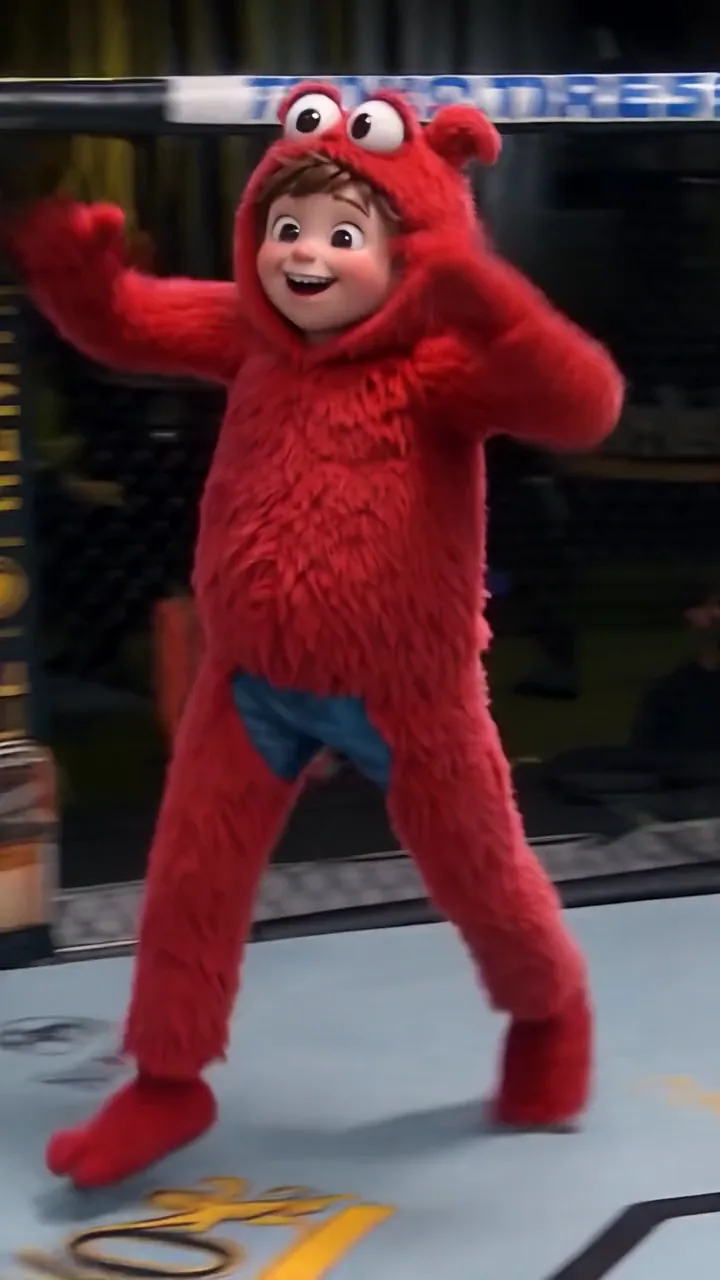
0.8s
The opening guard
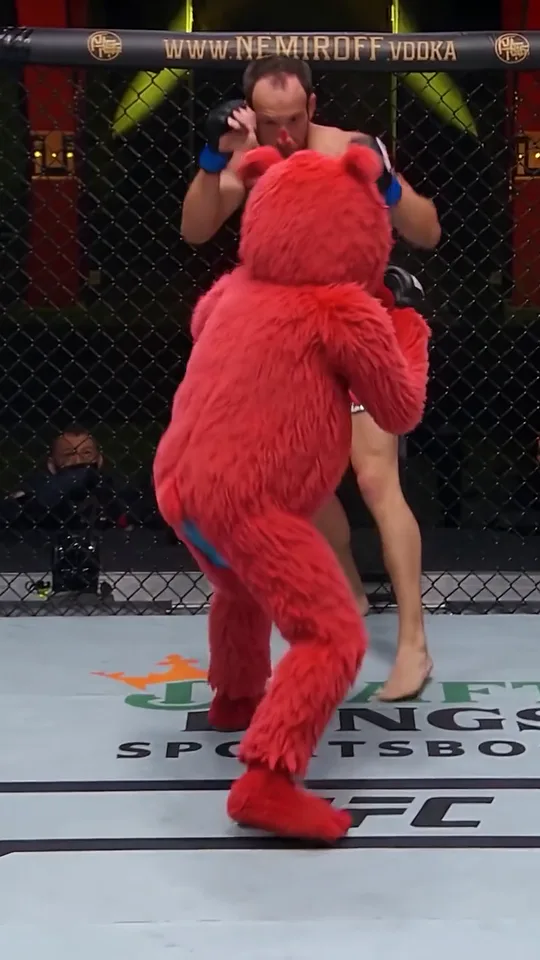
The toy faces the taller man in the clip's first second, with the referee a step behind them.
One photo of your plush toy takes the red plush fighter's place in a 13-second cage clip: the opponent, the referee, the crowd and the sound stay as they are.
PNG / JPG / WebP · up to 10 MB · at least 512px on the short side
0/1 photos
One photo of the plush toy that should take the fighter's place: the whole toy, arms and legs visible, face clear and evenly lit.
Video settings
No prompt needed. Only upload photos of yourself or people who agreed to be featured; celebrity photos and film stills aren't allowed.
One slot, one toy. The clip supplies the opponent, the referee, the cage and the crowd, so the only decision is what the fighter looks like.
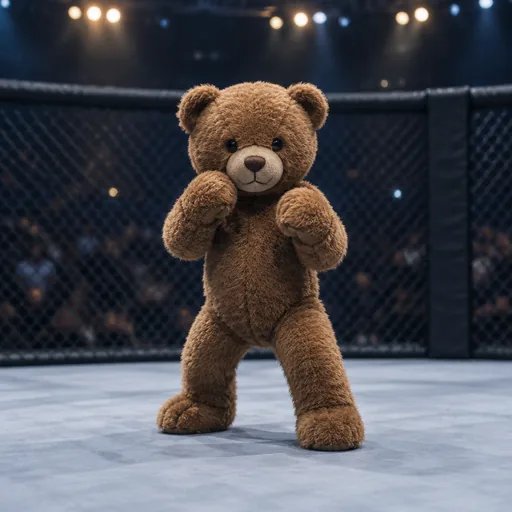
A stitched face and round paws read as a toy the moment the camera finds it, and the close-up is the payoff.
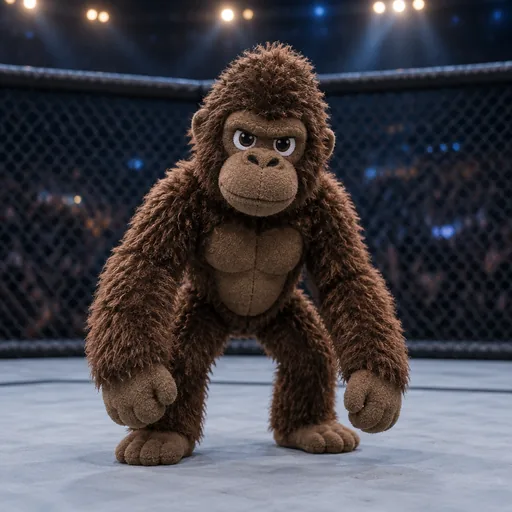
Long arms give it a fighter's reach, which the opening exchange and the shove into the fence both use.
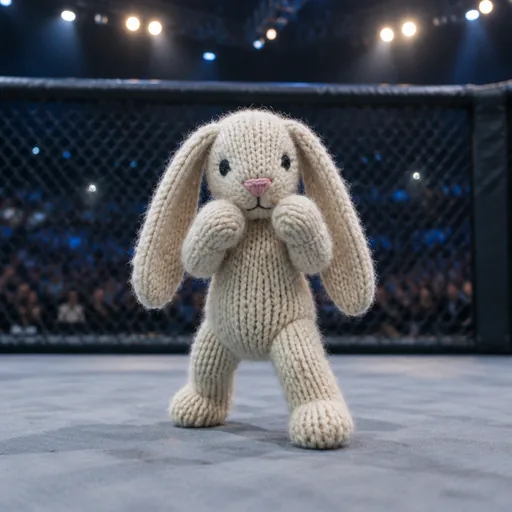
Loop texture and long ears survive the arena light, so the toy still reads as soft while the fight does not.
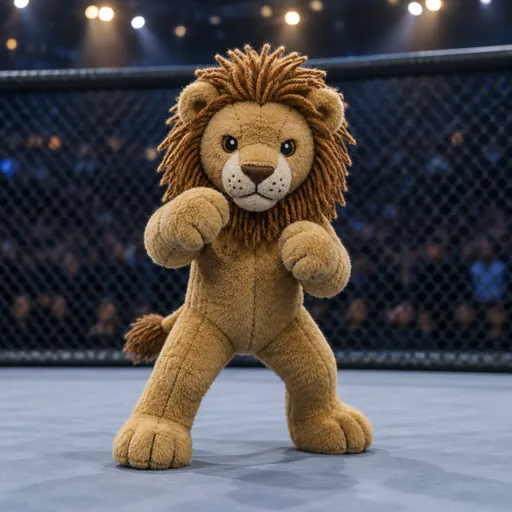
A mane thickens the silhouette, so the face still separates from a dark cage in the last shot.
Only the fighter changes here: the opponent, the referee and the crowd are the clip's. The other three routes build a different fight around your toy.
| At a glance | This template | Clip-recast templates | Pet fight generators | Generic AI fight tools |
|---|---|---|---|---|
| What you upload | One plush toy photo | A fight clip and photos | A pet photo | Photos and a prompt |
| What you get | Your toy inside this clip | Your photos inside that clip | Pets cast as fighters | Any fight you write |
| Opponent | The clip's own opponent | Whoever is in the clip | Another pet | Whatever you describe |
| Sound | The clip's own sound | Kept from the clip | Added afterwards | Whatever the model adds |
Stuffed Animal UFC AI is a clip effect: one plush toy photo replaces the red plush fighter inside a cage video, while the real opponent, the referee and the crowd stay as filmed. The toy wins, raises both arms, and the take ends on a head-and-shoulders close-up of its face.
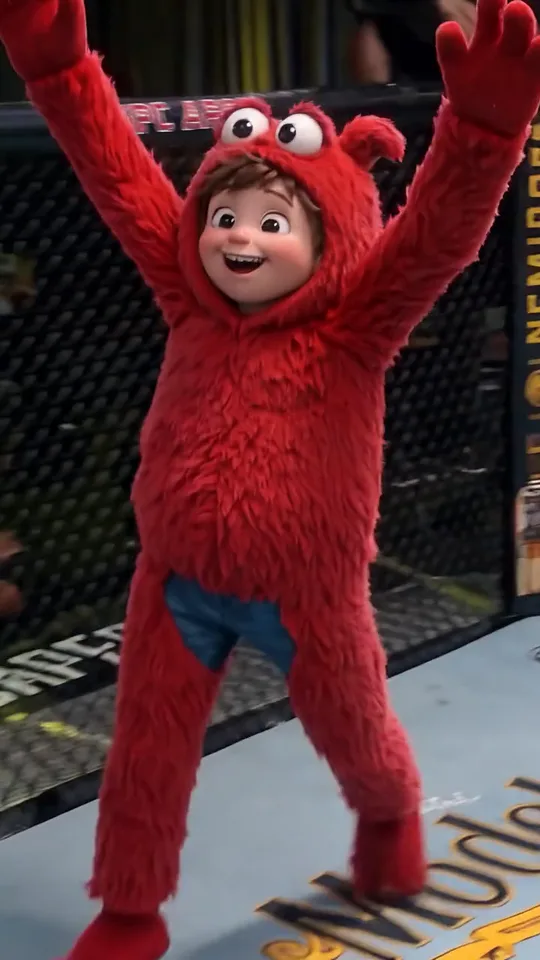
The gag is the mismatch. A toy built to be hugged ends up in an adult fight setting, and the bout resolves as a celebration rather than damage, so the payoff is the raised arms and the reaction face.
Template sellers also call the same idea a plush fighter, and the format is template-led so far: the supply arrived before any measurable wave of people making one, so read one post in a feed as one post.
A clip labelled Stuffed Fighter Takedown, made with an AI video tool, starts circulating and gives the format its alias.
An AI effect site lists a stuffed-animal UFC workflow with a 13-second demo video.
A second one offers a single plush, a pet photo or two fighters as inputs.
Sources: stuffed-animal UFC template pages read on 9 and 10 November 2026; the share link of the AI clip, as reported on 9 November 2026.
A stuffed animal fight video runs as one short arc: the square-up, the first exchange, arms up, then a reaction close-up. The stills show the kind of plush cage fight this template shoots, and the knockout stays a celebration rather than a beating.
0.8s
The toy faces the taller man in the clip's first second, with the referee a step behind them.
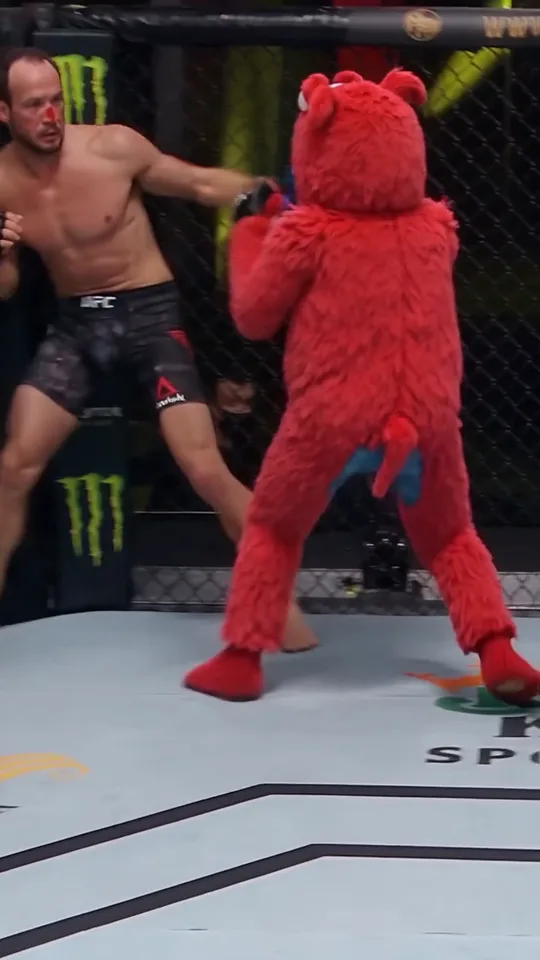
4.0s
One arm swings, the plush is driven back into the fence, and the camera stays wide enough to keep both bodies in frame.
8.2s
The opponent is down, the plush stands alone on the canvas and raises both arms.
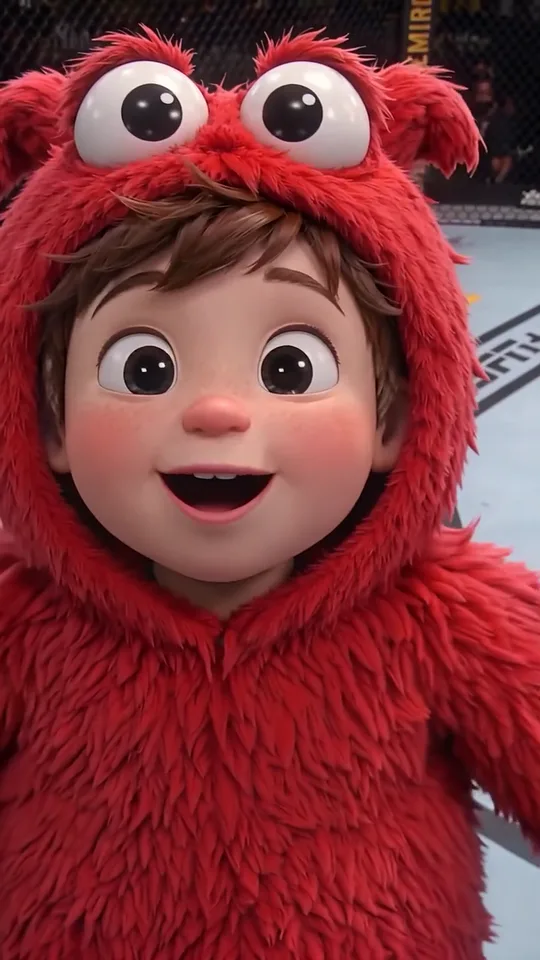
11.5s
The last seconds push in on the plush's face: big eyes and a grin, the frame people screenshot for a cover.
One slot and no prompt box: your photo replaces the fighter and the clip supplies the rest. The checklist is about the toy, not about a person.
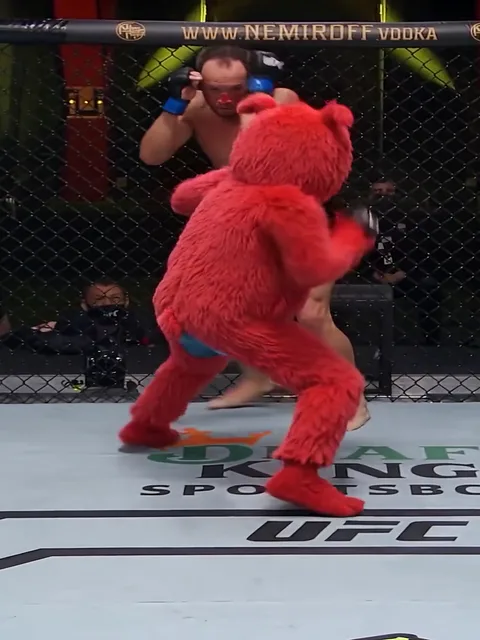
Photo 1Plush fighter
This photo becomes the fighter. The clip keeps the opponent, the referee, the cage and the crowd, and your photo decides the toy's silhouette, fabric, colour and face.
Do
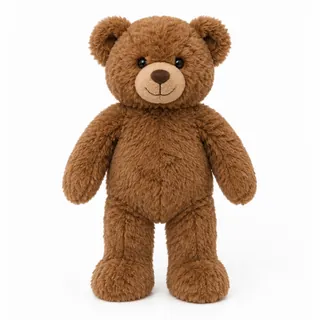 Whole toy, arms and legs out
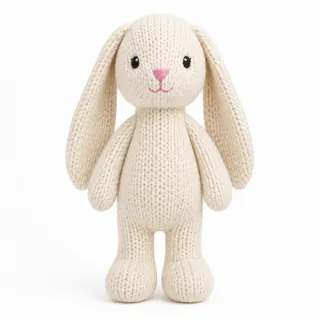 Face turned to the camera
Skip these
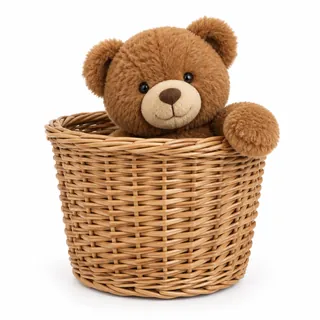 Limbs tucked behind a cushion
 Dark, blurry phone snaps
Add the plush photo
A phone photo on a tidy background is enough: the whole toy, arms and legs visible, face to the camera.
Pick a resolution, then generate
Resolution is the only choice, and the button shows the exact credit price before anything starts.
Download and post
Download the clip and post it as it is: the opponent, the crowd and the sound are already in the file.
This template needs no prompt: the clip, the role and the sound are fixed. If you want the same idea in a prompt-based tool, the two below cover the two routes — editing a clip, or re-shooting the scene from the photo.
Kling 4.0 video edit
Prompt length 975
Use @Video1 as the reference for the cage, the fight and the sound. Replace only the red plush fighter with the toy in @Image1: the fighter who stands in front of the taller man in the opening exchange, swings one arm, is driven back into the fence, then stands alone with both arms up and ends in the head-and-shoulders close-up.

Preserve the toy exactly: species or character, silhouette, fabric, fur length, colour, stitching, eyes and markings, so it is recognisable as the toy in the photo in every frame. Keep it a soft plush toy throughout: no human face, no mascot suit, no fur turning into skin.

Keep the opponent, the referee, the crowd, the cage, the canvas, the camera, the cuts, the pacing and the clip's own audio unchanged. Do not swap the opponent, do not let the two fighters trade looks, and do not add people, text, captions or logos.

Maintain stable identity and material throughout, including the close-up. One head, two arms, two legs, no extra paws.Name the fighter by what is visible
A right prompt points at "the red plush in front of the taller man", not at "the fighter".
Say the opponent stays
Without that line the model often swaps both fighters, and the second face has no photo behind it.
Keep the toy a toy
Name the fabric, the stitching and the paws, or the close-up drifts into a mascot suit.
Don't describe new shots
"A four-angle fight" asks for a new edit; the clip already has its cut.
Don't ask for new sound
The edit keeps the clip's audio; a sound request only risks a garbled crowd track.
Don't name a promotion
"UFC broadcast" pulls in graphics, logos and a commentary voice the clip does not have.
Breaks
…a UFC broadcast in the APEX arena with the sponsor logos on the mat…
Works
…one continuous take inside a plain cage, the opponent and the referee untouched…
The second line keeps the clip's own opponents and keeps the frame unbranded, which is what the trim does.
Soft toys are the hardest thing to put in a fight, because two soft bodies in contact merge. These four symptoms cover what to check before you run it again.
Every template works the same way: add your photos, press Generate and get a shareable video without writing a prompt.
View all effectsFAQ
No. The photo has to show an actual plush toy, or a pet that is already a plush toy. An ordinary cat, dog or person photo is not converted into a plush toy here, and this page does not promise that conversion.
One. Your photo replaces the plush fighter; the opponent, the referee and the crowd stay as they are in the clip, so there is no second slot to fill.
The opponent is the man already in the clip, so a friend or a second pet cannot be cast as him. Your photo decides what the fighter looks like, and the clip ends with the plush winning.
No. It does not take a broadcast, its commentary or a licensed track: the clip this template edits is a short cage scene, and its sound comes with it.
Yes. The clip's own audio comes with the render, and the workbench has no audio toggle or music picker, so the track is not chosen per run.
Only partly. Pet UFC also names two other things: long AI stories that cast cats and dogs as fighters, and a Brazilian federal university programme that shares the word. This page is the narrow plush version: one toy, one short cage scene.
No. The template is one 13-second clip: square-up, exchange, arms up, close-up. A longer fight story with rounds and commentary is a different production.
No. The clip, the role and the sound are fixed, so you add a photo and pick a resolution. The prompt section above has two prompts for prompt-based tools.
No, each video costs credits. The price follows the resolution you pick, and the Generate button shows the exact number before you start. A new account starts with 10 credits.
No visible watermark. The cage, the canvas and the last frame stay clean when you post the clip.
The clip is vertical by default, so it drops into TikTok, Instagram Reels and YouTube Shorts without reframing. The reaction close-up is the frame worth a cover or a screenshot.
No. Oeneo AI has no partnership with UFC or any fight promotion. The name describes the scene people are making; the cage, the referee and the crowd come from the clip.
One plush photo in, the fighter swapped, and the cage clip comes back with its opponent, crowd and sound.