
Hotline Bling Dance AI

Make a Drake Hotline Bling AI video from one photo: your face and hair go on the red-puffer dancer in a glowing color room, and the clip's own one-take moves and sound stay.

  • No prompt
  • No filming
  • No app
Example · Hotline Bling Dance AI

PNG / JPG / WebP · up to 10 MB · at least 512px on the short side

0/1 photos

One photo, one person, chest up: that face and hair replace the dancer in the red puffer. The puffer, the room, the moves and the sound come from the clip.

Video settings

No prompt needed. Only upload photos of yourself or people who agreed to be featured; celebrity photos and film stills aren't allowed.

Hotline Bling dance from photo: what the take needs

One wide take, five colour passes and no close-up: the photo has to hold a face the camera never gets near. These four decide whether it does.

  • A chest-up photo of a curly-haired woman in a mustard sweater, smiling at the camera on a white background
    Works

    Face and hairline in one frame

    Shoot so the hairline and the hair length are both in the frame, with the face clear and lit.

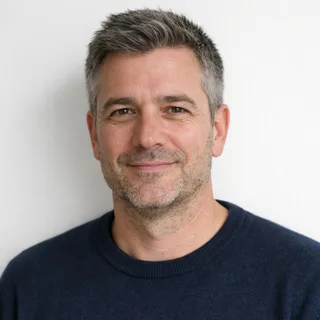
  • A grey-haired man in a navy sweater, chest up, both sides of his face evenly lit
    Works

    Even light on both cheeks

    Shoot with even light on both cheeks, so neither side of the face is already in shadow.

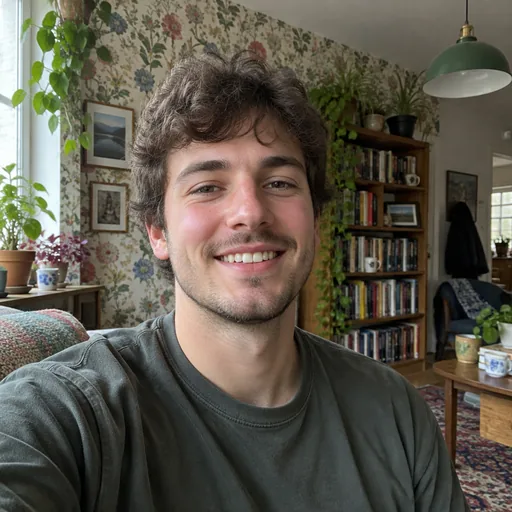
  • A man photographed in a living room with patterned floral wallpaper, a bookshelf and plants behind him
    Avoid

    A patterned wall behind you

    Pick a plain background with nothing behind the subject: a bare wall or a simple backdrop, not shelves, wallpaper or street signs.

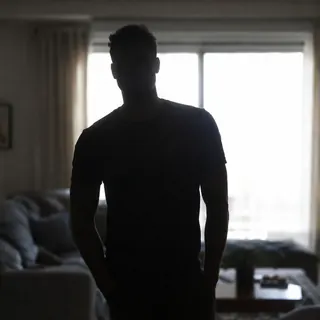
  • A man standing at a bright window with his face in shadow
    Avoid

    A face in shadow against a window

    A backlit photo leaves almost no face to copy, so the model either guesses the features or keeps the silhouette, and the pink and green passes make the guess visible.

What is the Hotline Bling dance trend?

The Hotline Bling dance AI trend puts one photo of a face on the dancer in a red puffer, inside a small glowing room whose walls cycle through colour, and keeps the clip's own moves and sound.

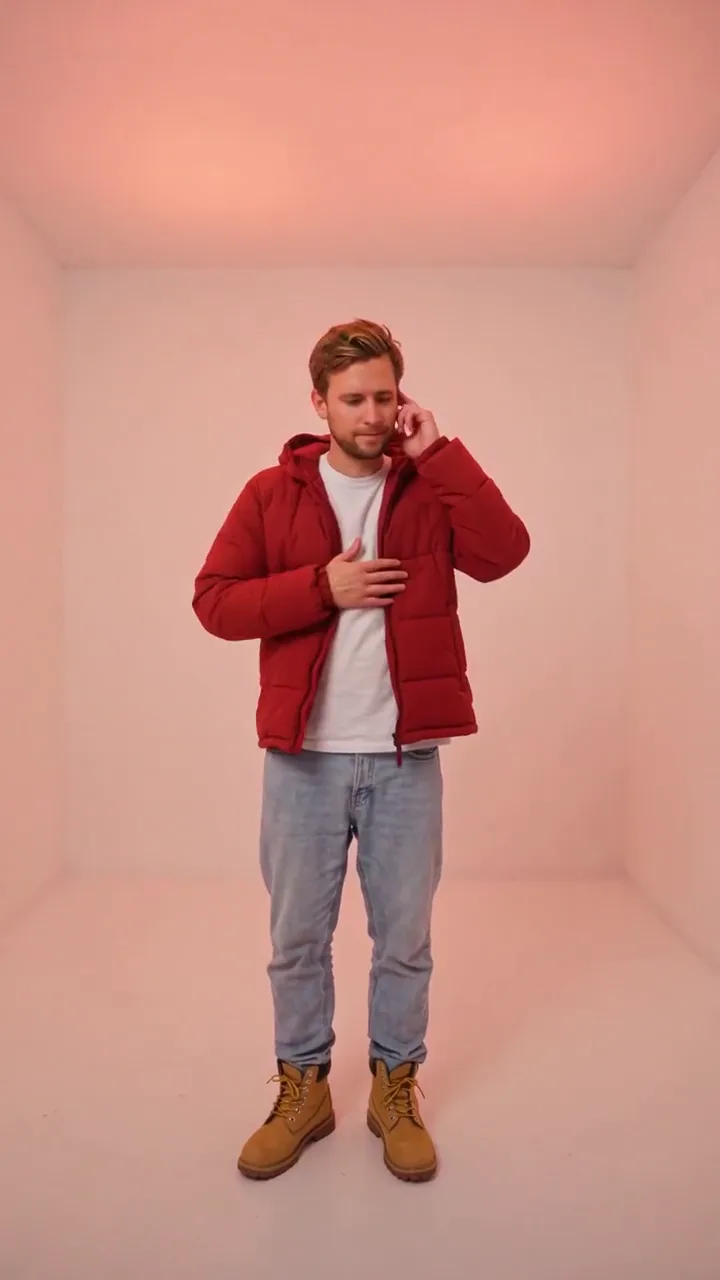
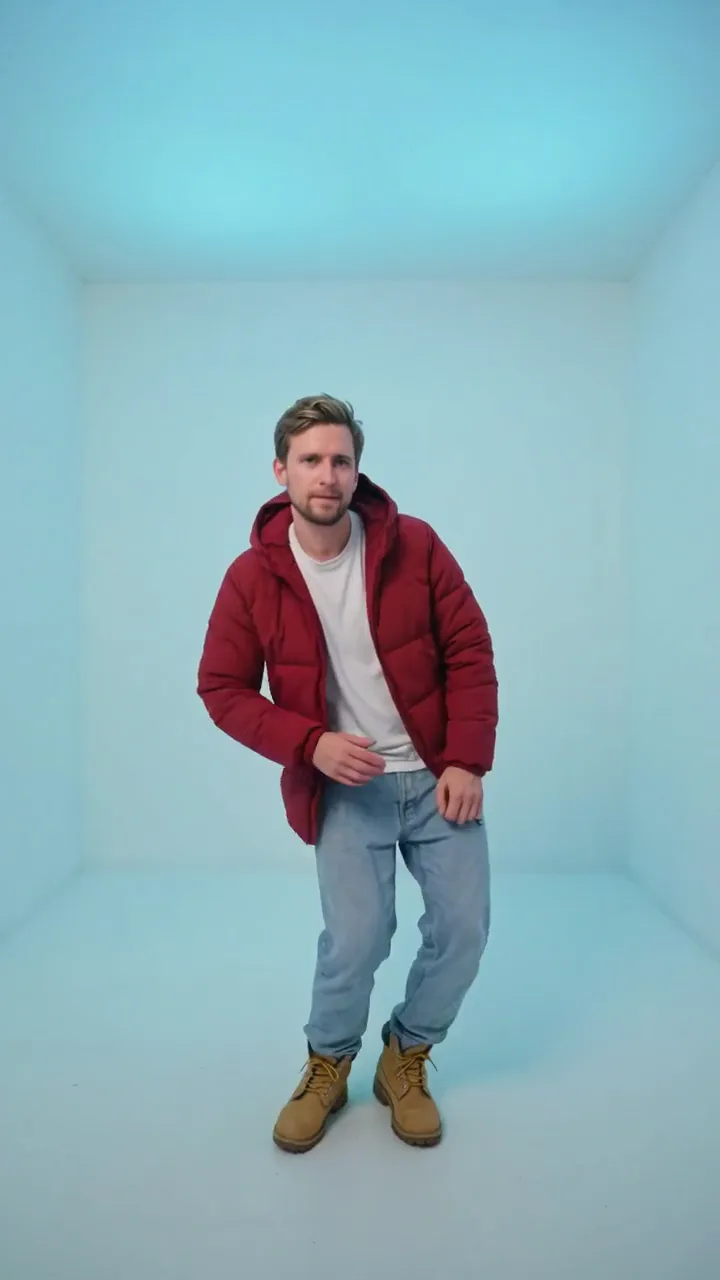
The dancer in his red puffer in the empty room, leaning mid-move with the walls lit cyan

The look comes from Drake's 2015 single and its music video: a minimal lit box, one performer, loose unhurried gestures and a red jacket that reads at a glance. The dance and the room are what people recognise, and they are what a template can keep.

This page is a recast, not a re-shoot, and the clip it edits is a same-style colour-room take rather than the 2015 footage. It is ten seconds of one take, with a fixed camera, full-body framing and colour passing from warm yellow to violet, and the template replaces only the person inside it, so the timing, the room and the track survive intact.

The same searches turn up the two-panel Drake meme, AI voice covers, gospel and choir versions, game animations and dance tutorials. None of those is a video where your photo plays the dancer, and none of them is this template.

From the music video to the template

  1. Drake releases the single and its music video: the red jacket, the glowing box and the loose delivery that the searches and the templates name.

  2. @joshenlightmint posts a version with themselves in the dancer’s place, 417 views by November 10, 2026: people are already posting themselves into it.

  3. Template pages for the dance go live on several AI video sites: one shoots a new colour-room take, another keeps the music-video cut.

Dates and counts read on November 10, 2026: a TikTok post by @joshenlightmint on November 8, 2026 (417 views); template pages read the same day.

What the Hotline Bling face swap changes

The recast moves one identity and nothing else, so the useful check is what the new face has to sit inside.

Template clip

The color room dance stays as it plays

Ten seconds, one dancer, one fixed camera, five colour passes over seamless walls. The template does not repaint the room, add a second dancer or cut away, and your photo brings neither its background nor its light with it.
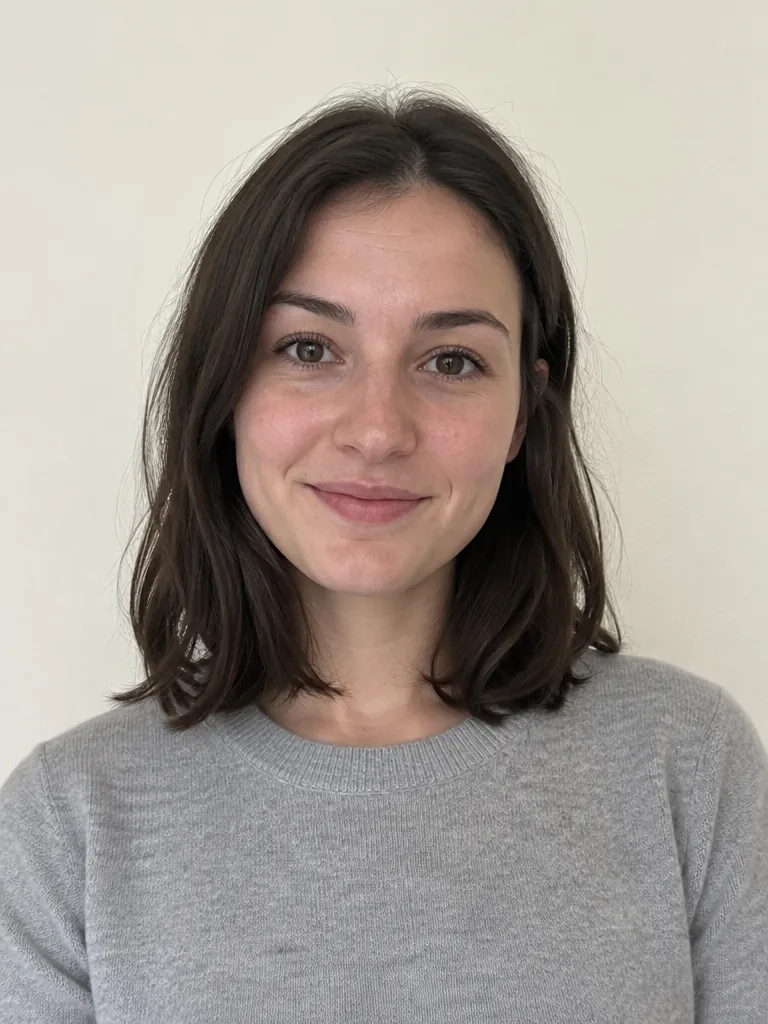
A chest-up phone photo of a woman in a grey sweater against a plain warm wall

Your photo

Put me in Hotline Bling: face and hair only

Your photo supplies the face, the hairline and the hair length, rebuilt on a body seen from head to boots. The red puffer, white tee, light jeans and boots come with the clip, and no field in the workbench swaps clothes, room or colour.

How do you make a Hotline Bling AI video?

One photo fills the only slot and the clip does everything else: there is no prompt field, no clip to upload and no second image.

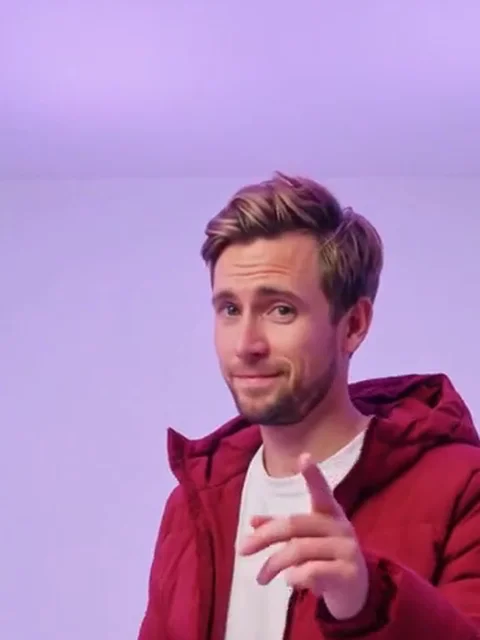
  1. The dancer from the clip, chest up in his red puffer with one hand raised

    Photo 1Red puffer

    This is the person your photo replaces for the whole take: the same red puffer and the same one-take body, with your face and your hair.

    • One person, chest up, face turned to the camera
    • Hairline and hair length in view: he turns his head away mid-take

Photo checklist

Works well

  • A chest-up photo of a curly-haired woman in a mustard sweater, smiling at the camera on a white backgroundFace lit and clear
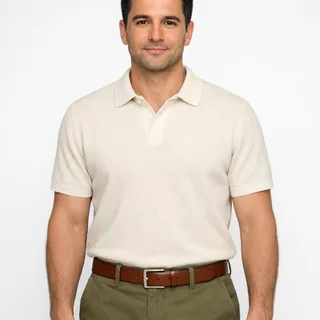
  • A man in a cream polo, head to waist, arms relaxed at his sidesHead to waist in frame
  • A grey-haired man in a navy sweater, chest up, no filterNo filter, no heavy retouching

Avoid

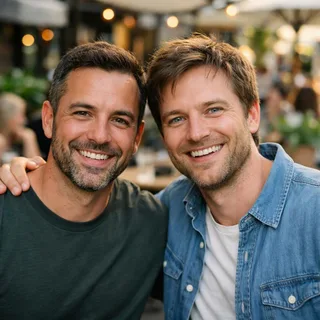
  • Two men side by side in one photo at a cafeTwo people in one frame
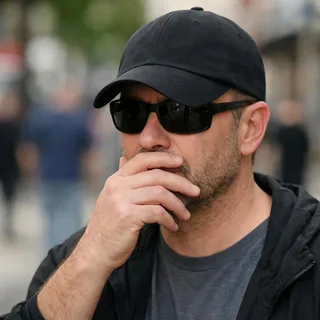
  • A man in sunglasses and a low cap with a hand over his mouthA hand or a cap over the face
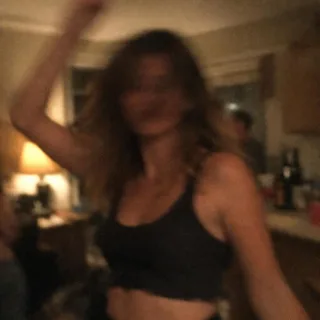
  • A blurry, dim snapshot of a woman dancing at a partyA dim night shot

In the workbench

  1. Drop in one photo

    Drop one photo in the red puffer slot; that slot is the whole cast, and nothing else on the page takes an image.

  2. Pick a resolution and generate

    The button shows the exact price first; 720p and 1080p are the same take at two sizes.

  3. Post it

    Download the file and post it: the soundtrack is already inside, so there is no audio step and no second edit.

Hotline Bling dance AI prompt for Kling and Seedance

The template needs no prompt, but the same photo travels: Kling edits the clip with your face, Seedance shoots a new colour-room take from the photo alone.

Kling 4.0 video edit

Prompt length 1168

Edit @Video1 with the photo in @Image1.

@Video1 is one fixed wide take of a single dancer in an empty seamless room, about ten seconds, no cuts, the walls passing through warm yellow, pink, green, cyan and violet. He is the only person in frame.

Replace him. The man in the red puffer becomes the person in @Image1: take the face, hairline, hair length, skin tone and build from the photo, and keep a beard only if the photo has one. Do not take clothes from the photo. The red puffer, the white t-shirt, the light jeans and the tan boots stay exactly as they are in @Video1.

Keep the performance: the hand tapping his chest, the look down and the head turn, the weight shifting side to side, the loose point at the camera near the end, his unhurried delivery, and the timing of every move on the track.

Keep the fixed camera, the full-body framing, the seamless empty room, the colour cycle and its order, the flat wall lighting, the single continuous shot and the clip's own soundtrack. Do not add a close-up, a cut, a second dancer, furniture or a new room.

Hold the face stable through the head turn and every colour pass. No face blending, no text, no logos.

Worth spelling out

  • Name the person by what is visible

    The man in the red puffer is enough to point the model at him, and that description survives the colour change where 'the dancer' does not.

  • Write the keep list

    Room, colour cycle, fixed camera, one take and the track belong in the prompt; a prompt that only says who to swap out loses the performance.

  • One photo, one face

    Attach a single portrait; a group shot or a second image invites the model to cast someone else into the wide frame.

Better left out

  • The music video

    The clip is a same-style take, not the music video, and naming the MV or its director pulls the model toward a look it cannot copy from ten seconds.

  • A close-up

    Asking for a close-up fights the take: the clip never comes closer than full body, and the model will cut away to obey.

  • A new room

    Naming a colour or a set piece replaces the glowing box that makes the clip recognisable.

Write the swap, then the keep

Wrong

Put the person in @Image1 into the Hotline Bling dance and keep the song.

Right

In @Video1, the man in the red puffer becomes @Image1: face and hair only, with the puffer, the one-take room and the colour cycle unchanged.

The first line leaves the clothes and the room open, so the tool rebuilds them; the second keeps the two things that make the clip itself.

Where the one-take recast goes wrong

Four things a first run shows, why this clip causes them, and which lever actually changes the result.

  • The face slides at the head turn

    Cause
    He looks away and turns his head in the middle of the take, then comes back to camera, and one still has to cover both angles.
    Fix
    Rerun the same file if a frame drifts and check the moment he turns instead of the whole clip: the take is short, and the turn is where identity is decided.
  • Red and pink light eat the features

    Cause
    The room passes through a strong red and a pink phase, and that light lands on a face that was shot in daylight.
    Fix
    Render 1080p for the passes where the face is smallest: the larger frame keeps more facial detail through the colour wash.
  • The back of the head does not match

    Cause
    He bows and turns, so some frames show only hair and the back of the head, where no photo has information.
    Fix
    Mechanically there is nothing to change: the hair in your still is the hair in those frames. Look at the head from behind in your photo before picking it, and accept the two or three frames if it does not show.
  • Your photo's background leaks in

    Cause
    A still with a wall, a window or furniture behind the subject gives the model a second room to place him in.
    Fix
    Crop tight on the head and shoulders before uploading: the empty room is the clip’s, and the crop is the only control the workbench gives you over it.

Hotline Bling video specs and credit costs

Hotline Bling video specs and credit costs
Photos
One photo: the lead dancer's face and hair.
Photo files
PNG / JPG / WebP, up to 10 MB, at least 512 px on the short side
Length
10 seconds, the length of the clip; there is no shorter or longer version.
Frame
9:16 vertical, the clip's own frame.
Resolution
720p or 1080p; 720p by default
Sound
The clip's own soundtrack, rendered with the video; there is no audio toggle.
Credits
378 credits at 720p, 566 at 1080p
Visibility
Videos made on a free account are public. On a paid plan they are private by default.
If a run fails
The credits go back to your balance automatically

FAQ

Hotline Bling dance AI questions

Is it free?+

No, each video costs credits. The price follows the resolution you pick, and the Generate button shows it before you start. New accounts start with 10 credits.

Is this an official Drake or music-video tool?+

No. Oeneo AI is not affiliated with Drake or the Hotline Bling music video; this template keeps a ten-second colour-room take and swaps the dancer inside it.

Do I have to wear the red puffer in my photo?+

No. The red puffer, white tee, jeans and boots come from the clip and stay, and there is no outfit field, so a photo in a coat or a dress still comes out in the puffer. To keep your own clothes and room, take the photo to Motion Control with a clip of your own.

Does the video keep the sound?+

Yes. The template renders the clip's own soundtrack with the video, and the workbench has no audio toggle or music picker; nothing about the track is chosen per run.

Can I change the length or the frame?+

No. The video follows the clip: 10 seconds at 9:16, and resolution is the only open setting. A different length or frame means starting from a different clip elsewhere.

Can I use a photo of my cat or dog?+

No. This version is built for people: the dance, the puffer and the framing are set up for a human body, so nothing here promises a pet will come out dancing.

Do I need to write a prompt?+

No. The workbench asks for one photo and a resolution; the instruction is the template’s own and is not editable. The prompt guide is for taking the same photo into Kling or Seedance yourself.

Why does the face not look like me?+

Because the camera never comes close: one still carries the identity for 10 seconds, through a head turn and five colour passes. The photo checklist is the lever on this, and nothing in the workbench restores a face the photo never showed.

Whose photo can I use?+

Yours, or someone who has agreed to it. Your photo replaces the performer’s face and hair, and videos made on a free account are public, so whoever is in the photo should know that.

What happens to the dancer’s beard and hair?+

They follow your photo. The example dancer has short hair and a light beard, but a recast builds the head from the still, so both change with the person you upload. Below the neck, nothing changes.

Are there other dancers in the clip?+

No. It is a single take of one dancer in an empty room, so there is no backup dancer, bystander or second face to keep or replace.

What happens if a generation fails?+

The credits for that video are refunded automatically, and you can try again with the same or different photos.

Make your Hotline Bling dance video

One photo into the Hotline Bling dance AI generator, one render out at 720p or 1080p, with the clip's own sound and no prompt to write.