

Tiger Fight AI

One photo puts your face on the fighter who walks the ridge trail, throws the gourd and pins the tiger, inside the same black-and-white CCTV cut.

  • No prompt
  • Tiger included
  • Photo only
Example · Tiger Fight AI

PNG / JPG / WebP · up to 10 MB · at least 512px on the short side

0/1 photos

One adult, alone, chest up or wider, with the face and hair clear. That photo plays the fighter; the trail, the tiger, the stick and the audio stay from the clip.

Video settings

No prompt needed. Only upload photos of yourself or people who agreed to be featured; celebrity photos and film stills aren't allowed.

Tiger Fight AI trend: the Wu Song fight on CCTV

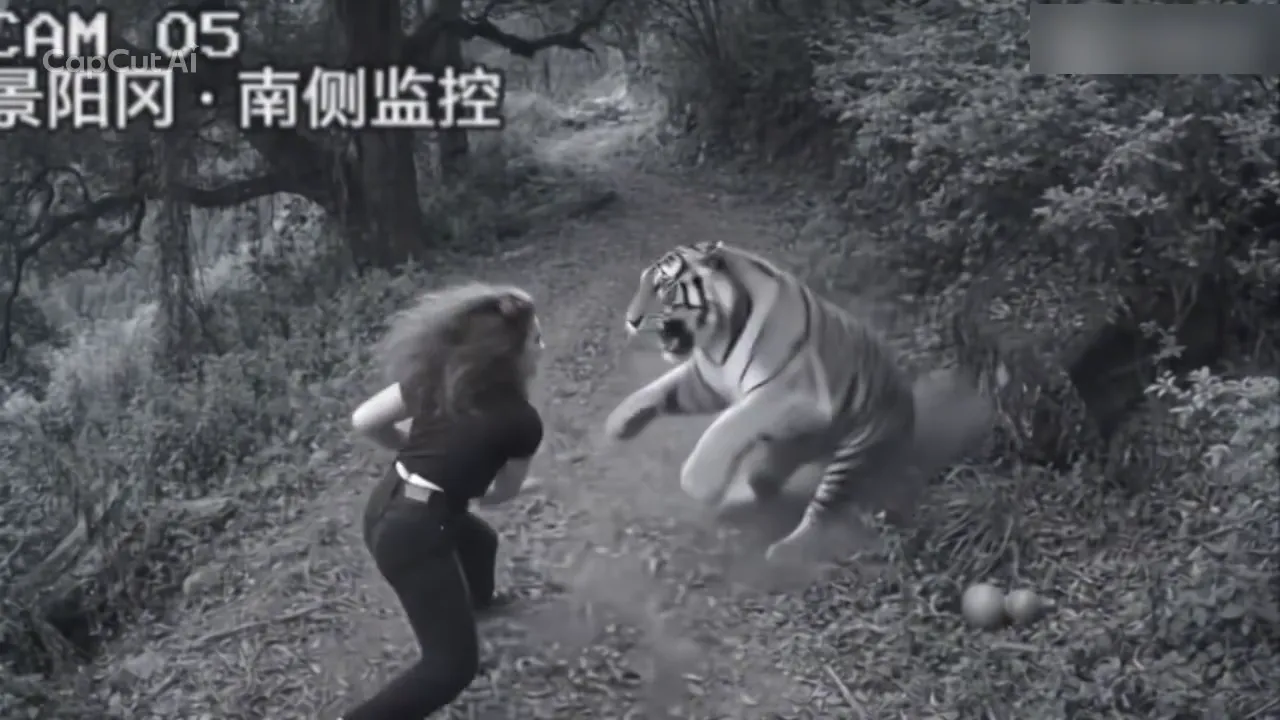
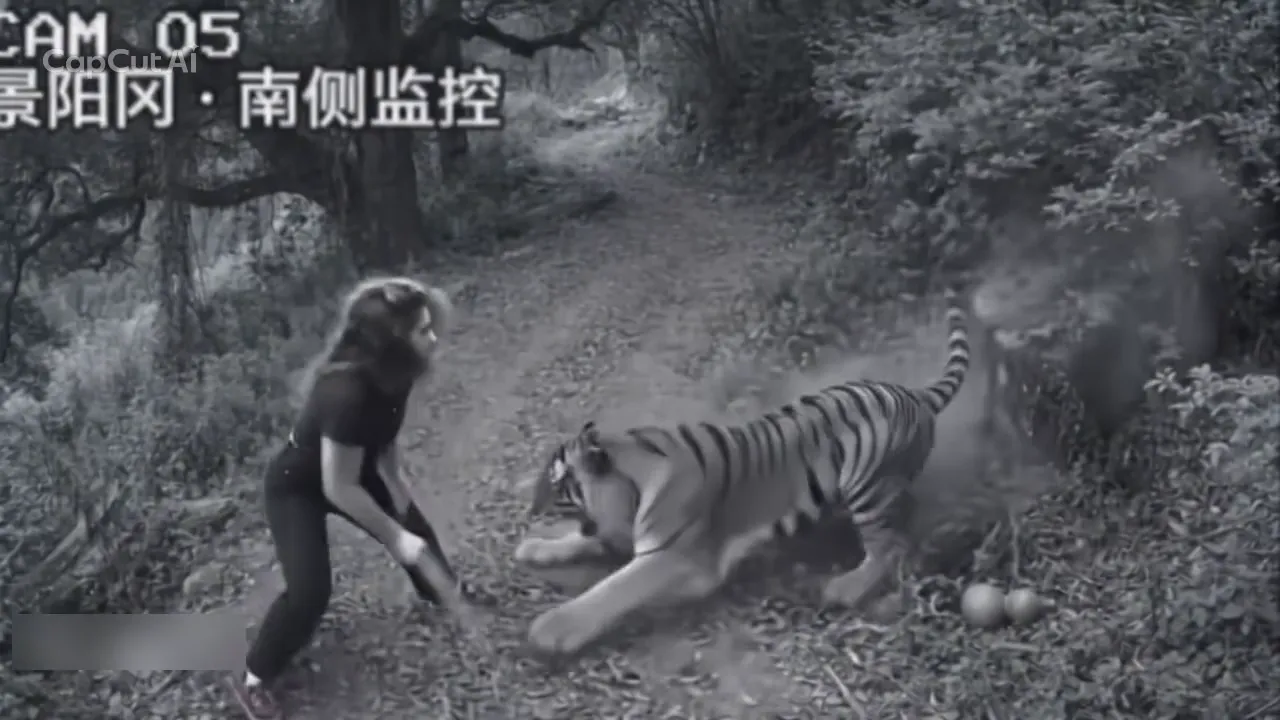
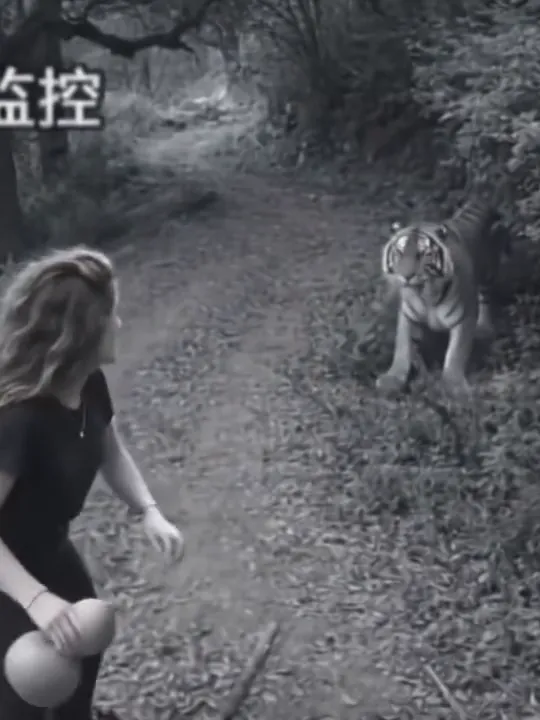
Tiger Fight AI is the one-photo effect that turns a black-and-white forest surveillance clip into the Wu Song tiger fight: a long-haired fighter in black walks a mountain trail with a gourd, a tiger comes out of the brush, and the fight plays out on a fixed camera labelled CAM 05, Jingyang Ridge, south side.

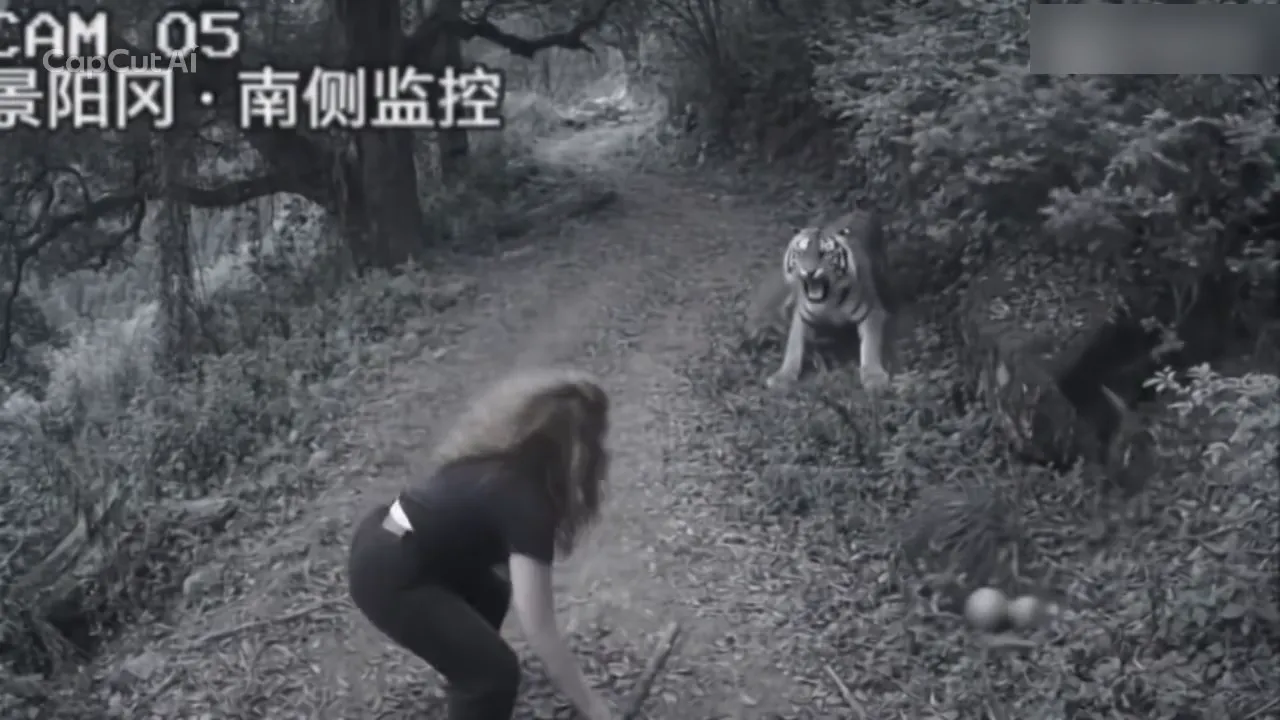
Fighter in black crouching on a forest trail with the gourd in the brush beside them, a tiger standing with its mouth open and the CAM 05 label across the top left

CCTV here means closed-circuit television — the fixed security-camera picture, one high angle, no operator, a label burned into the corner — not the Chinese national broadcaster. The greyscale, the soft edges and the thin grain are that look, not a filter laid over a normal video, which is why the clip reads as footage pulled off a monitor rather than something shot on a phone.

The scene follows the best-known chapter of Water Margin, where Wu Song drinks on Jingyang Ridge and meets the tiger on the mountain road. Two props carry the reference: a small gourd of wine and a thin stick picked up off the trail. The clip keeps both and hangs the scene on a surveillance label instead of an opera stage, which is where the joke starts. It is not an adaptation of the novel and makes no claim about who filmed the first version.

The humour is a collision of eras. An old mountain-road story arrives as grainy security footage with a deadpan camera number, and the fighter is a long-haired adult in a black tee and black trousers rather than an opera hero in costume. That gap is the slot the photo fills: put an ordinary person into the body the monitor happens to catch, and the seriousness of the label does the rest.

Three dates on the record

  1. A single-slot CapCut template built on this forest clip was published on 8 November under the plain title “AI trend”: one photo slot, a 16:9 frame and the fight as one finished cut.

  2. One-photo walkthroughs follow on 9 and 10 November; as read on 15 November 2026, two of them show 59K likes with 9,149 shares and 16.5K likes with 4,346 shares.

  3. Read on 15 November, the template page shows 57,060 uses and 344,761 plays. Those are running totals since launch, not a daily gain.

Sources: the CapCut template page, TikTok tutorial posts and their captions, and public use and play counts as read on 15 November 2026. Uploads of the same ridge scene also appear on Bilibili on 5 and 8 November.

The camera log of the CCTV tiger fight

Three shots, six frames, and the still under each timecode comes from that exact second of the cut.

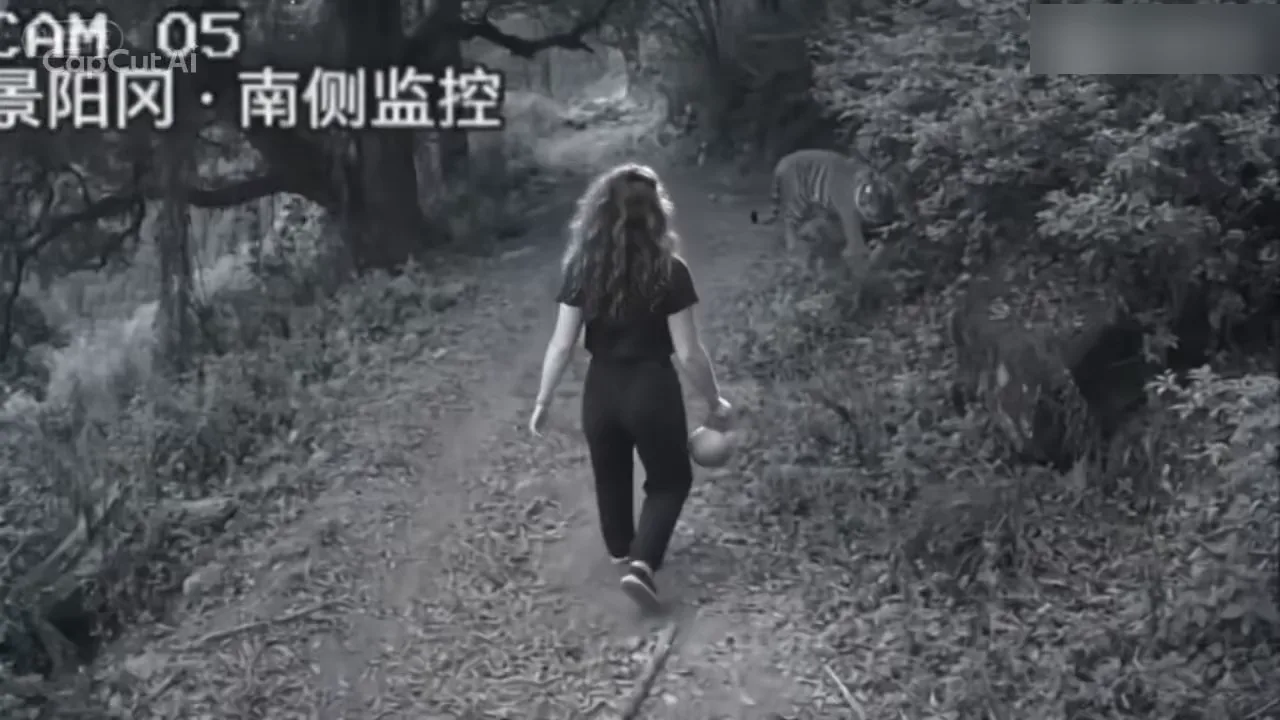
  1. Fighter in a black top and black trousers walking up a forest trail with a gourd, a tiger standing in the brush to the right10:01

    Wide camera: the walk-in

    The fighter walks away up the dirt trail with a small gourd in one hand. On the right the tiger is already out of the brush and watching the path, so the first second gives the shot both of its subjects.

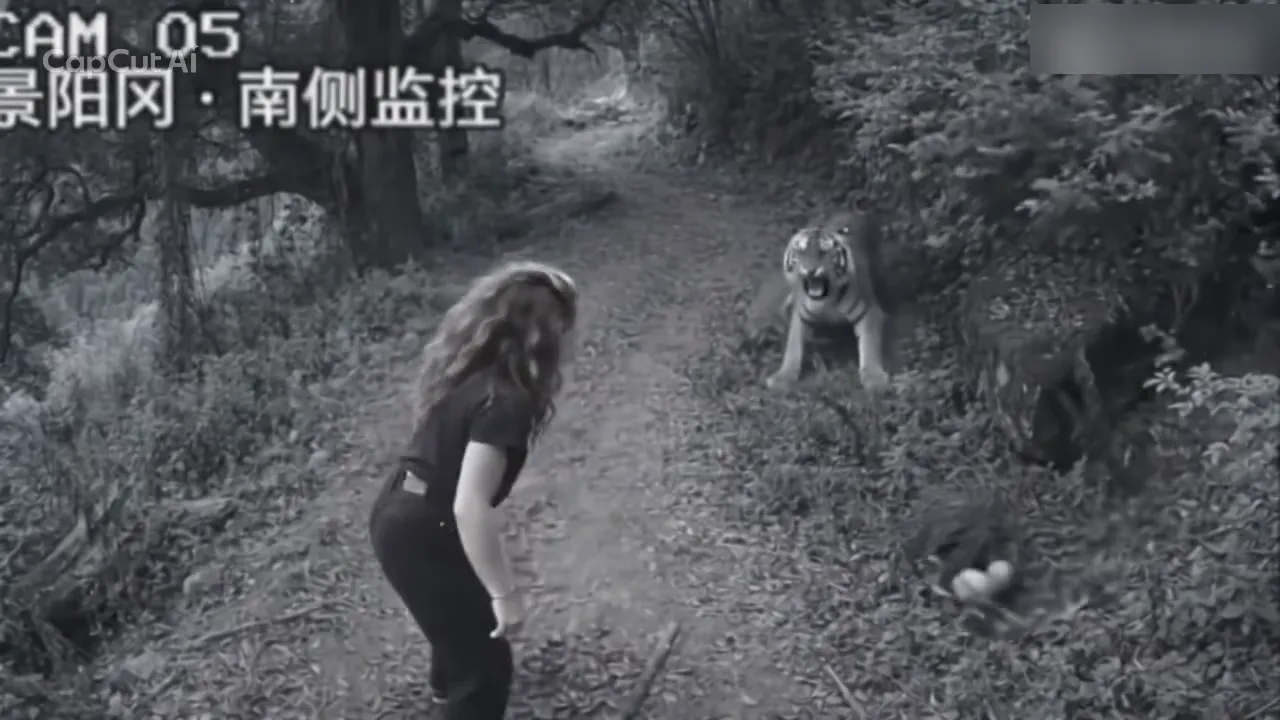
  2. Fighter turned toward the camera with both arms out, the gourd lying in the brush beside a tiger stepping forward20:03

    Wide camera: the turn and the throw

    The fighter turns to the camera, throws both arms wide and throws the gourd. It lands in the undergrowth on the right and stays in shot afterwards, while the tiger steps forward out of the brush with its mouth open.

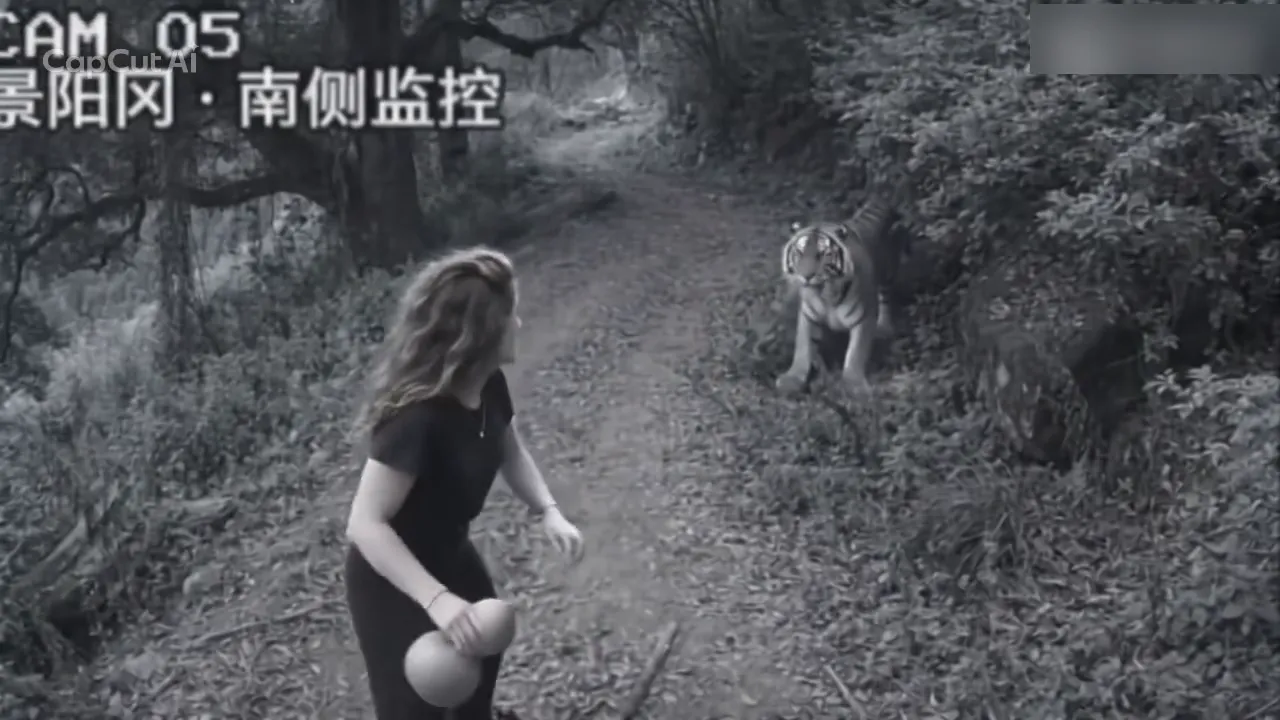
  3. Fighter in a crouch with a thin stick in both hands, a tiger rearing with its mouth open in front30:04

    Wide camera: the stick comes up

    Down in a crouch, the fighter picks a thin stick off the trail and comes back up holding it in both hands, braced, while the tiger rears in front of them.

  4. Tiger lunging low along the trail toward the fighter, the thin stick held between them40:05

    Wide camera: the lunge

    The tiger drops low and drives along the trail at the fighter. The thin stick stays between them, and the cut to the closer camera comes next.

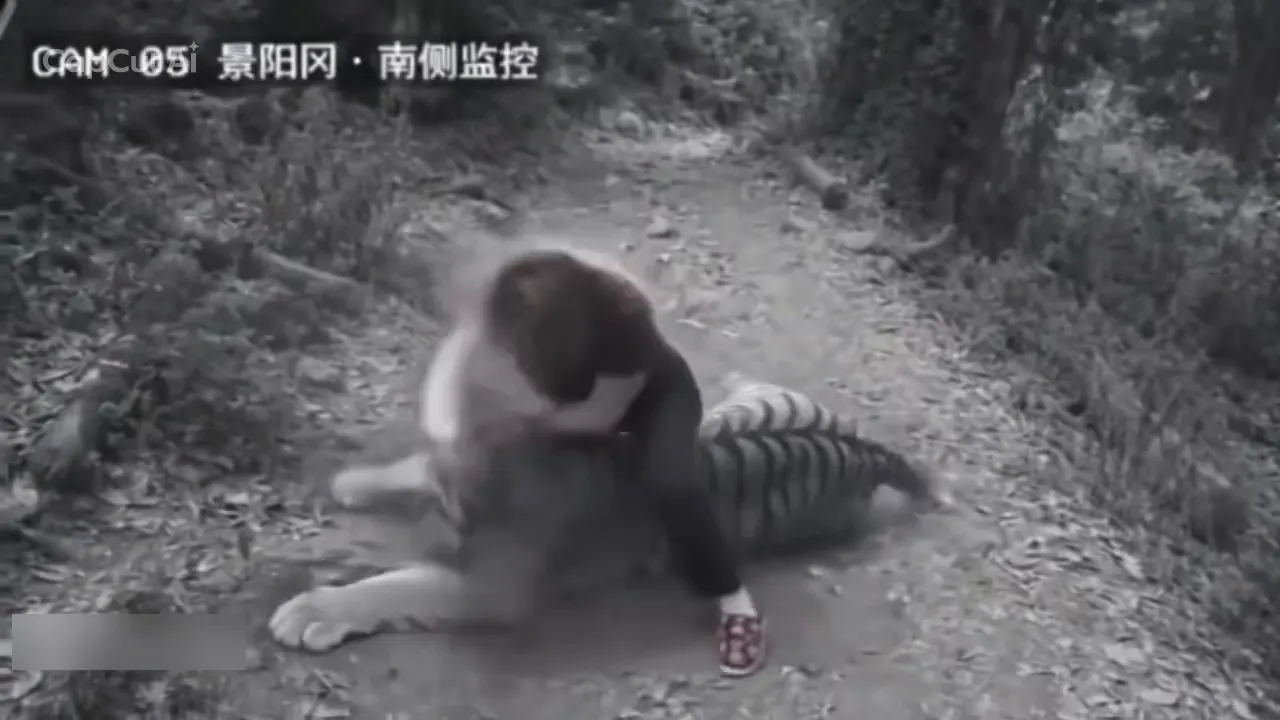
  5. Closer surveillance angle of the fighter crouched over the tiger's shoulders with both hands on it, the tiger's head toward the camera50:07

    Second camera, closer: the hold

    The picture jumps to a closer camera: the fighter comes down over the tiger's shoulders with both hands on it, and the tiger's head turns toward the lens.

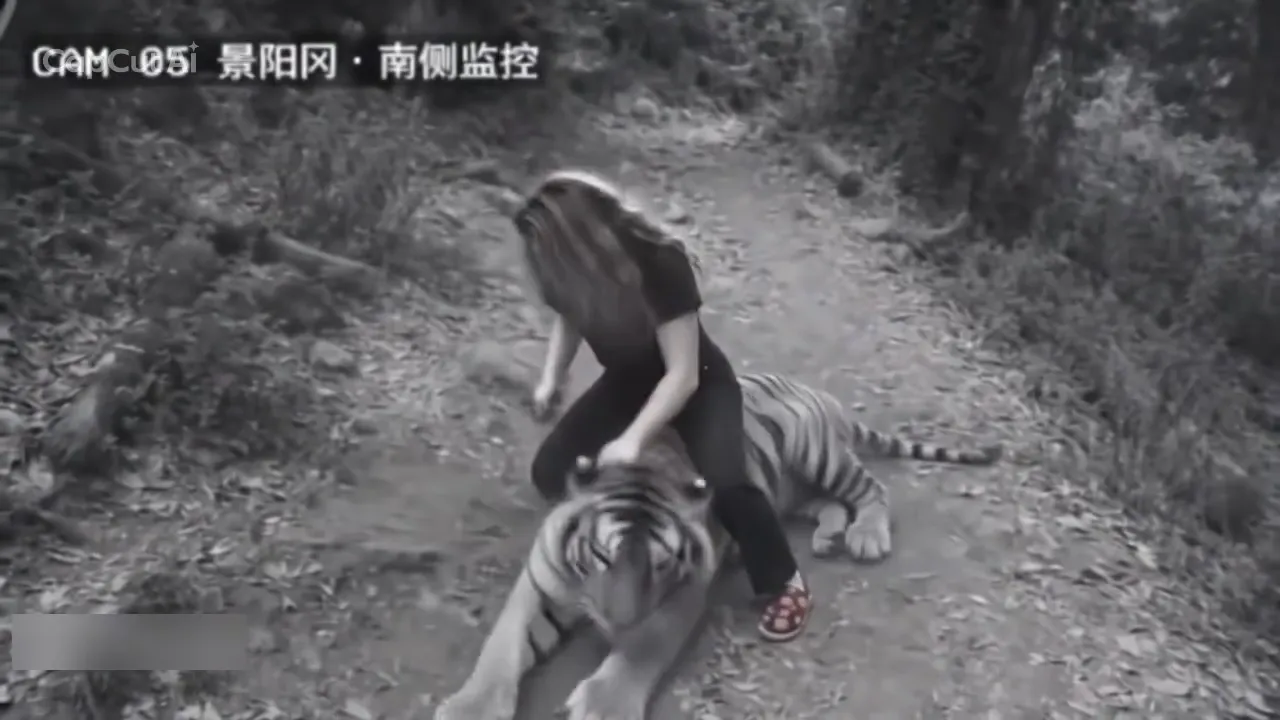
  6. Fighter kneeling over a tiger lying on the trail, one hand on its neck and the tiger's head turned toward the camera60:09

    Back out wide: the pin

    The stick is gone from the picture, one hand presses the tiger's neck and the tiger lies still with its head turned toward the lens. The clip ends on that hold, so the win reads as a pose and never as a wound.

The camera label and the grainy monitor look are burned into the picture and stay in every result. The scene is an AI-made parody, not footage of a real incident.

Closed effect, CapCut template, or a blank prompt?

Searches for the CCTV tiger fight land on all three. The difference is how much of the finished cut the tool lets you keep.

RouteWhat you doWhat comes back
This effectOne photo, then GenerateYour face in the fixed cut
CapCut-style templateCopy the template in the appThe same cut, edited in the app
Blank video promptDescribe the whole sceneA new clip, not this one
Other CCTV effectsPick a shot from the hubA different scene, same flow
General video generatorWrite the prompt yourselfNothing fixed to match

How do you put your photo in the CCTV tiger fight?

One slot, one adult: the fighter. Nothing here can be swapped, because the clip has only that one body to replace, and the tiger, the gourd and the stick never take a photo.

  1. Fighter with long hair in a black top holding a gourd on a forest trail, a tiger in the brush ahead

    Photo 1Tiger fighter

    The adult in your photo plays the fighter: their face, hair and clothing tone arrive from the photo, while the walk, the turn, the throw, the stick and the grapple come from the clip.

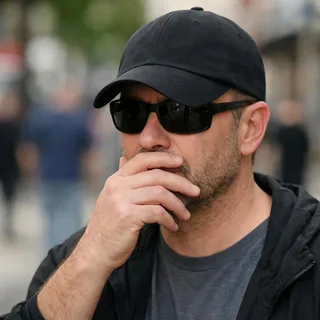
    • Face and hair in view, not under a cap or a phone
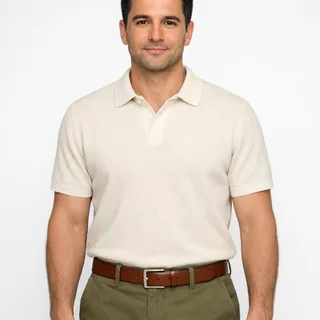
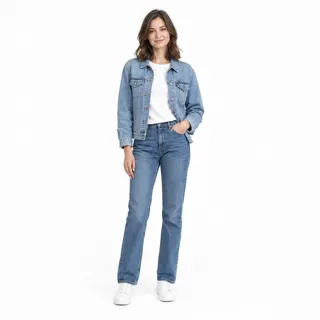
    • One adult, alone, from the chest up or wider

Photo checklist

Works well

  • Curly-haired woman in a mustard sweater, chest up, smiling at the cameraFace to the lens, hair down
  • Man in a cream polo photographed from the head to the waist with his arms at his sidesHead to the waist, both arms in frame
  • Woman in a denim jacket and jeans standing full body with her hands out of her pocketsFull body, in clothes that read in grey

Avoid

  • Man in a cap and sunglasses with a hand over his mouthA cap, a phone or a hand over the face
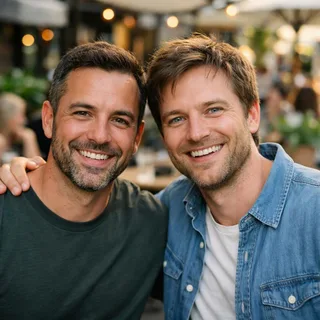
  • Two men standing side by side at a cafe tableA second person in the photo
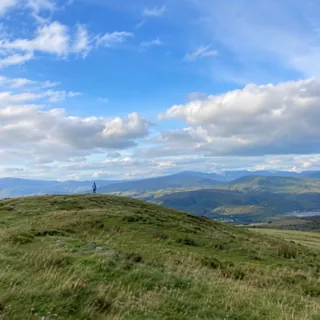
  • Person standing as a small figure on a distant hilltopA tiny face in a wide landscape shot

From a photo to a posted clip

  1. Add the fighter photo

    Drop it into the Tiger fighter slot. The trail, the tiger, the gourd and the three camera positions are already in the template.

  2. Generate with the price in view

    The button shows the exact price before any credits leave your balance, and the quality setting sits just above it.

  3. Post it

    Download the MP4 and post it as it is: the frame is already 16:9, and the sound comes with the file.

Pets are not supported in this version: the slot takes one adult, and a pet standing into the fighter's walk, stick and grapple has not been checked. Use your own photo, or one of an adult who agreed to be in a fight scene.

Tiger Fight AI prompt: recast the CCTV cut elsewhere

This page needs no prompt — add a photo and press Generate. If you are running the same recast in a tool that takes a video reference, the text below decides which file carries the fight and which one carries the face.

Kling 4.0 video edit

Prompt length 1331

Use @Video1 as the reference for the full scene, the camera work and the sound. Replace only the long-haired fighter in the black short-sleeve top and black trousers, the one carrying the gourd and picking the stick off the trail, with the adult in @Image1. Keep that person's face, hair, hair length and skin tone, and let their clothing tone read in grey.

Follow the fighter's performance in @Video1 in order: walk away up the dirt trail with the gourd in one hand, turn back to the camera, throw the gourd into the brush, drop into a crouch, come up with the thin stick held in both hands, brace as the tiger leaps, kneel on the tiger's back with the stick raised, then press the tiger's neck with one hand while it lies still on the trail.

Keep the tiger, the forest trail, the undergrowth, the fallen gourd, the thin stick, the burned-in camera label in the top-left corner, the greyscale monitor look and the grain exactly as they are. Keep the wide high camera, the cut to the closer camera and the cut back, the framing, the overcast light and the pacing unchanged. Keep @Video1's original audio.

One adult in the fighter's place, natural hands and limbs at every contact point, no second person, no extra animals, no new cuts, no zoom, no colour, no added text or logos, and no gore: the tiger is pinned, never wounded.

Worth spelling out

  • The fighter, by what is visible

    Long hair, black top, black trousers, a gourd in one hand. That is enough for the tool to find the person to replace.

  • The tiger in its own keep line

    The tiger, the trail and the fallen gourd are the scene, not the recast. Saying so is what stops a run that repaints the animal.

  • Order the moves as they happen

    Walk, turn, throw, crouch, stick up, brace, kneel, press: the order is what keeps the fight readable when a tool rewrites the pacing.

Leave out

  • A story instead of an instruction

    Describing the legend as a tale leaves the tool free to invent its own camera, props and cuts.

  • A prompt that never mentions the sound

    Leave audio out and you get a silent file or a new track; the clip's own sound has to be asked for by name.

  • Colour, or a different animal

    Greyscale and this tiger are the effect. Asking for either to change gives you a clip that no longer matches the template.

A one-line ask and a usable instruction

Too vague

Put me in the CCTV tiger fight video.

Works

Use @Video1 as the reference and replace only the long-haired fighter in black, the one with the gourd, with the adult in @Image1; keep the tiger, the trail, the label, the cuts and the original sound.

The working line names the file with the fight, the file with the face, and the four things that may not change.

Where the recast slips, and what to change

A soft monitor picture, a small face and a tiger in the way are the conditions of this clip. These are the four misses worth checking before you post.

  • The face changes at the second camera

    Why it happens
    The cut jumps from a wide frame to a closer one where the fighter's head is smaller than the tiger's, so the model has less face to hold on to across the cut.
    What to change
    Start from a photo where the face fills more of the frame with the hair off it, and check both cameras before posting.
  • An arm, a leg or a paw melts in the grapple

    Why it happens
    The pin puts hands, knees and tiger fur inside a few dozen pixels of grey, and two limbs can come out joined.
    What to change
    Watch it in motion: a photo whose sleeves and trousers read against the tiger's coat gives the model an edge to separate them.
  • The original hair and black top come back

    Why it happens
    The clip's fighter is in almost every frame, so long hair and a dark top pull the result toward the person who was already there.
    What to change
    Use a photo where the person's own hair and clothing tone are obvious, and check the frames where the fighter is small and far away.
  • 1080p does not add detail

    Why it happens
    The reference is a soft, grainy monitor picture. A larger output keeps that softness; it cannot recover detail the source never had.
    What to change
    Choose 1080p for a cleaner file on a big screen, and send the result to the upscaler when a post needs more.

The photo, the clip's length and frame, and the credit cost

The photo, the clip's length and frame, and the credit cost
Photos
1 photo, one adult
Photo files
PNG / JPG / WebP, up to 10 MB, at least 512 px on the short side
Length
10.07 seconds, the length of the built-in clip
Frame
16:9, the clip's own frame
Resolution
720p or 1080p; 720p by default
Sound
Keeps the clip's built-in audio
Credits
379 credits at 720p, 568 at 1080p
Visibility
Videos made on a free account are public. On a paid plan they are private by default.
If a run fails
The credits go back to your balance automatically

FAQ

Answers about the CCTV tiger fight

Is the CCTV tiger fight real footage?+

No. The scene is made with AI: the greyscale picture, the soft edges and the camera label are the style, not a security system's record. No animal was harmed in it, and nothing here claims that a real animal attack was filmed.

Why is it called a Wu Song tiger fight?+

Because the picture calls back to the Jingyang Ridge chapter of Water Margin: a traveller on a mountain road, a gourd and a tiger. The name describes what the clip looks like; it does not mean this is the novel, an opera, or an approved adaptation of either.

Do I need CapCut to make this?+

No. The effect runs in the browser here: add the photo, pick a resolution and press Generate. Oeneo AI is an independent tool, not a CapCut template store.

Do I have to write a prompt?+

No. There is no prompt box: the cut, the props, the camera positions and the sound come with the template, so one photo and a resolution are the whole input.

Whose photo can I use?+

Your own, or a photo of another adult who has agreed to appear in a fight scene. Not a stranger's photo, not a child's, and not a public figure.

Can my cat or dog play the fighter?+

No. This version takes one adult: a pet standing into the fighter's walk, stick and grapple has not been checked for this template, so the slot stays people only.

Why does my face change at the second camera?+

The closer camera still shows a small head under a tiger, and the grainy picture leaves the model less to hold, so identity can drift across the cut. A photo with the face large, even and uncovered is the most useful fix; no run promises it holds exactly.

Can I change the tiger, the ending or the colour?+

No. The tiger, the trail, the three shots, the greyscale look and the ending all stay from the clip, because that fixed scene is the effect. Resolution is the only open setting.

How long is the video, and can I change the frame?+

It runs 10.07 seconds at 16:9, the length and frame of the built-in clip. Resolution is the only setting: 720p or 1080p, 720p by default.

Does it keep the sound?+

Yes. The clip's own audio is in the result from the first frame to the last. There is no track picker here; swap the audio after download if a post needs another track.

Is it free?+

No. Each run costs credits, the amount follows the resolution you pick, and the Generate button shows the exact price before anything is spent. New accounts start with 10 credits.

Is this an official effect?+

No. Oeneo AI is independent: not connected to CapCut, to any studio or to the accounts that first posted the ridge scene, and not claiming to have made the first or the only version.

What happens if a run fails?+

The credits for that video come back to your balance automatically, and you can try again with the same photo or a different one.

Tiger Fight AI

Make your Tiger Fight AI video

One photo in, and the ridge fight comes back with your fighter in place, the same tiger and the same three shots.