



Jensen Huang AI Car Video

Recast the whole Jensen Huang AI car meme. Add a photo for each role to remake the snack-bag handoff and awkward road-trip gestures.

  • No prompt
  • Pets too
  • No app
Example · Car snack scene

PNG / JPG / WebP · up to 10 MB · at least 512px on the short side

0/3 photos

3 photos required: front man, driver, rear woman—in that order. All roles change.

Video settings

No prompt needed. Only upload photos of yourself or people who agreed to be featured; celebrity photos and film stills aren't allowed.

What is the Jensen Huang AI car meme?

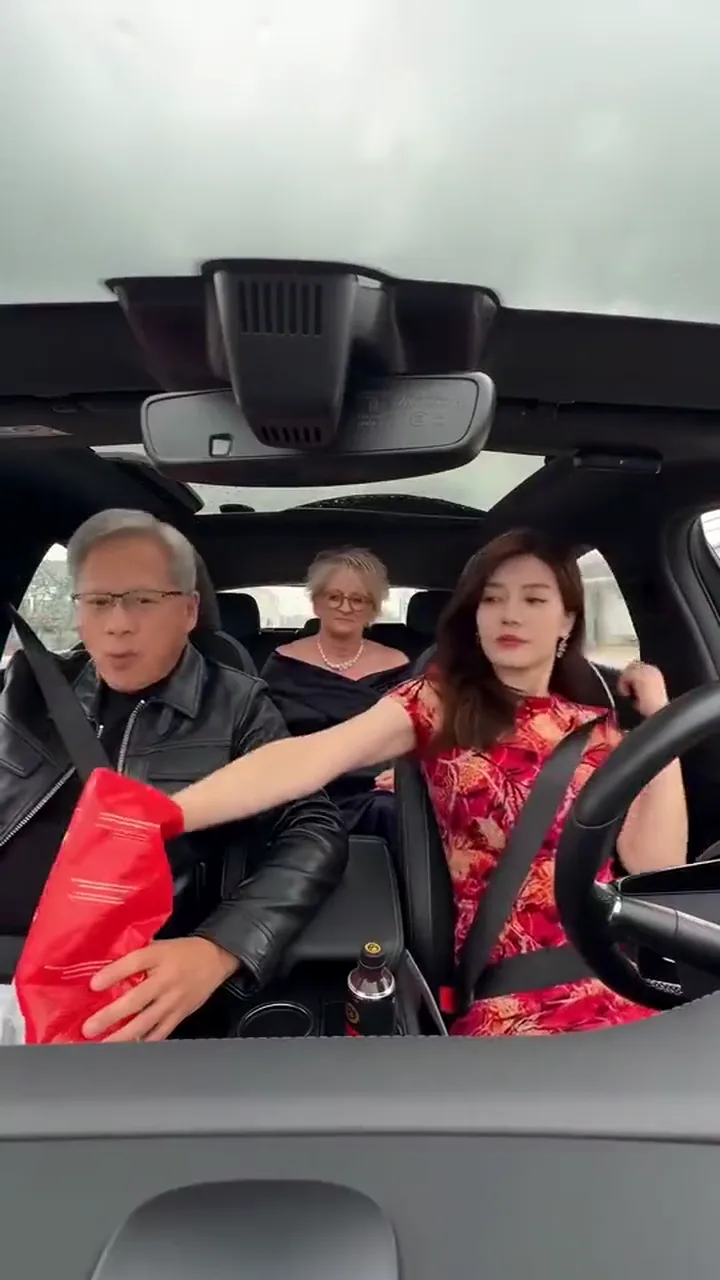
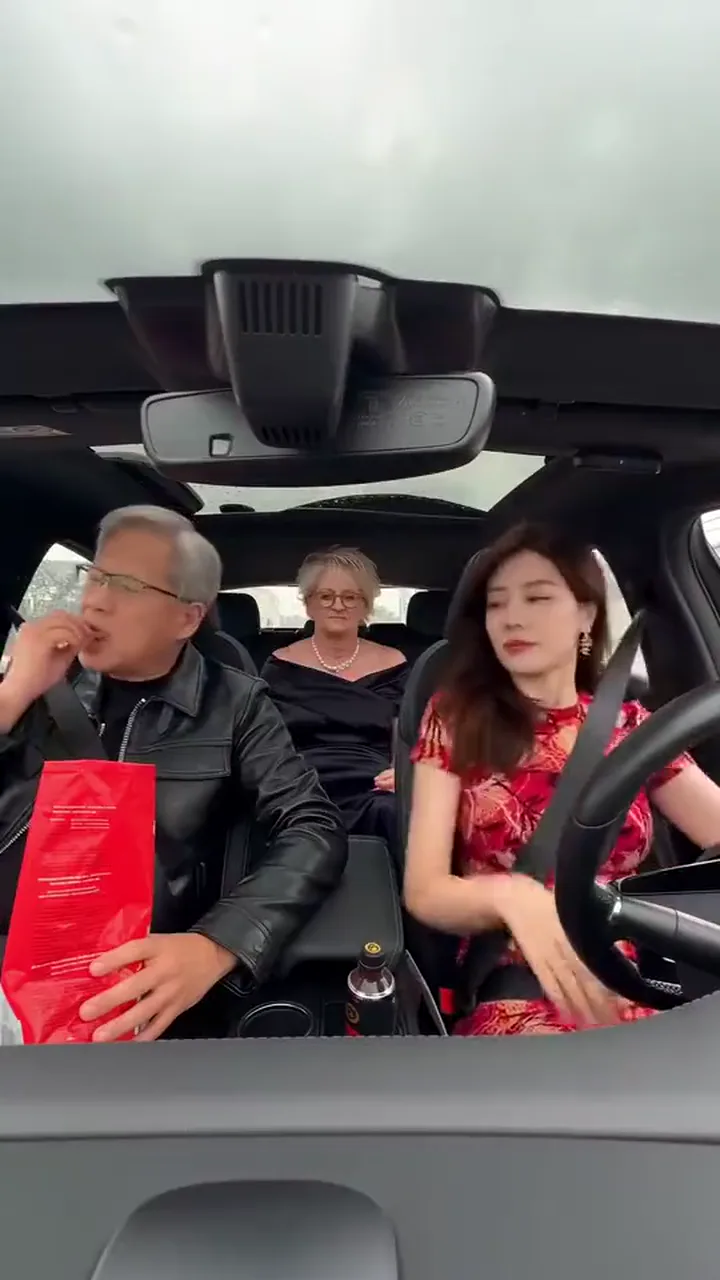
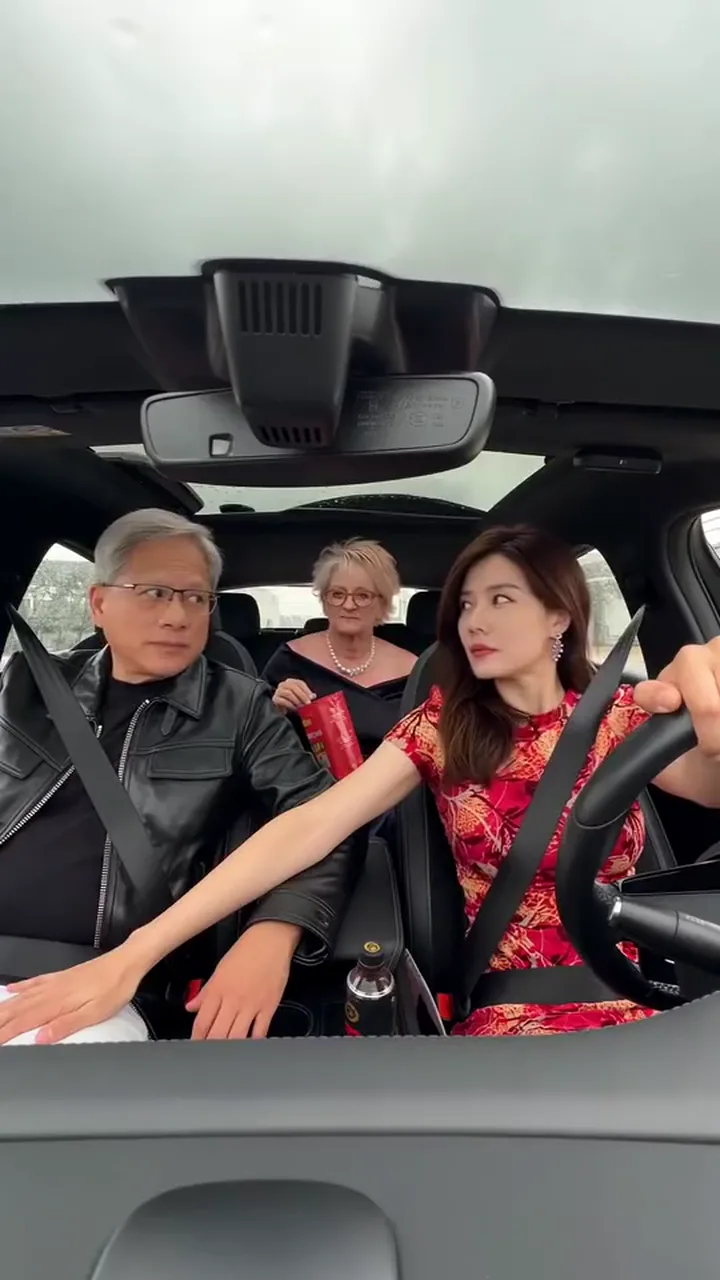
The Jensen Huang AI car meme is a synthetic road-trip comedy scene: three people in a glass-roof car, a red snack bag passed toward the back seat, and an awkward return to facing the dashboard camera.

Three people sit beneath a car’s glass roof, with a red snack bag in the front

The reference page attributes this car parody to TikTok @civic_pulse_usa0. The linked post’s date is November 10, 2026; that identifies this version, not the first-ever Jensen Huang AI video.

The joke puts a familiar public-figure likeness into an ordinary snack run. The fixed dashboard view keeps the passengers’ reactions visible while the bag moves between seats.

Version context: TikTok @civic_pulse_usa0, attributed by the MakeViral reference page.

How do you make a Jensen Huang AI car video from photos?

Prepare 3 separate photos, one subject in each. Every seat is recast; the labels identify the reference roles, not the uploader’s gender.

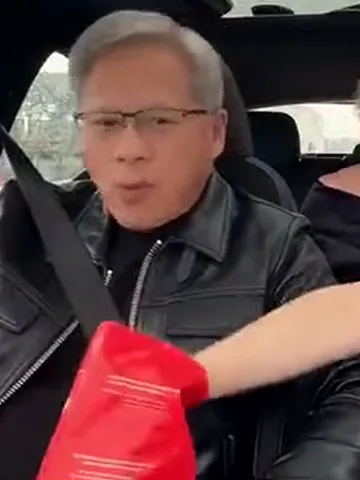
  1. The front-left man wears glasses and a black leather jacket

    Photo 1Front

    This photo replaces the front-left passenger, including face, hair and visible outfit, or the pet’s own appearance.

    • Show the face and upper body clearly for the red-bag handoff.
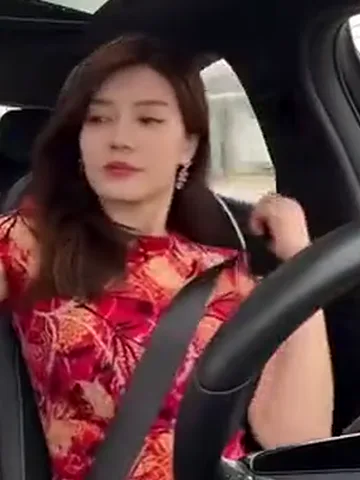
  2. The woman at the right-hand steering wheel wears a red-and-black floral dress

    Photo 2Driver

    This photo replaces the driver on the right. Face, hair and visible clothes—or the pet’s species and markings—come from this upload.

    • Keep facial detail and the intended outfit visible for the turn toward the wheel.
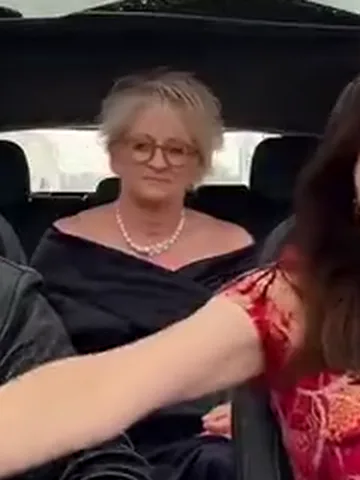
  3. The blonde rear passenger wears glasses and a pearl necklace

    Photo 3Rear

    This photo replaces the rear passenger. It supplies that role’s identity and visible appearance throughout the snack scene.

    • Use a clear face with visible hair; this role appears smaller behind the front seats.

Photo checks for the car scene

Use a clear subject

  • A smiling woman in a mustard sweater faces the cameraAn evenly lit face, a visible hairline and natural proportions
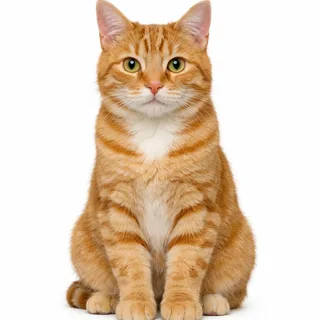
  • A ginger cat sits upright with its whole body visibleOne cat or dog with the face, body and markings visible

Avoid hidden details

  • A laughing woman covers her face with both handsAn input photo with hands hiding the face
  • Three friends crowd together in an outdoor selfieSeveral people competing for the one role
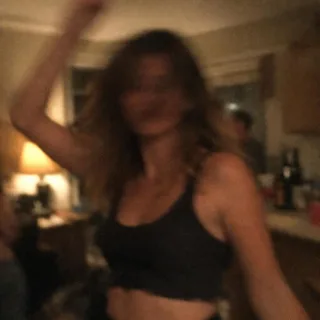
  • A blurred night-party photograph of a woman dancingA dark or blurred photo that loses facial detail

From photo to the car parody

  1. Fill every role

    Add a separate photo to each named slot, then check that the previews match the intended seat assignments.

  2. Check the price and generate

    Choose a resolution. The generate button shows the exact credit quote before you submit.

  3. Review, download and share

    Play through the bag handoff and steering gestures, download the result, and make the AI-parody context clear when posting.

The snack bag links the front seats and the back row

The comedy depends on the bag moving through one continuous car scene. These three moments show the reach, the handoff and the return to the ride.

  1. The driver reaches across toward a red snack bag beside the front passenger10:00–0:03

    Reach across for the snacks

    The driver reaches toward the red bag held across the front seats. The joke starts with an ordinary snack request, all seen from the fixed dashboard camera.

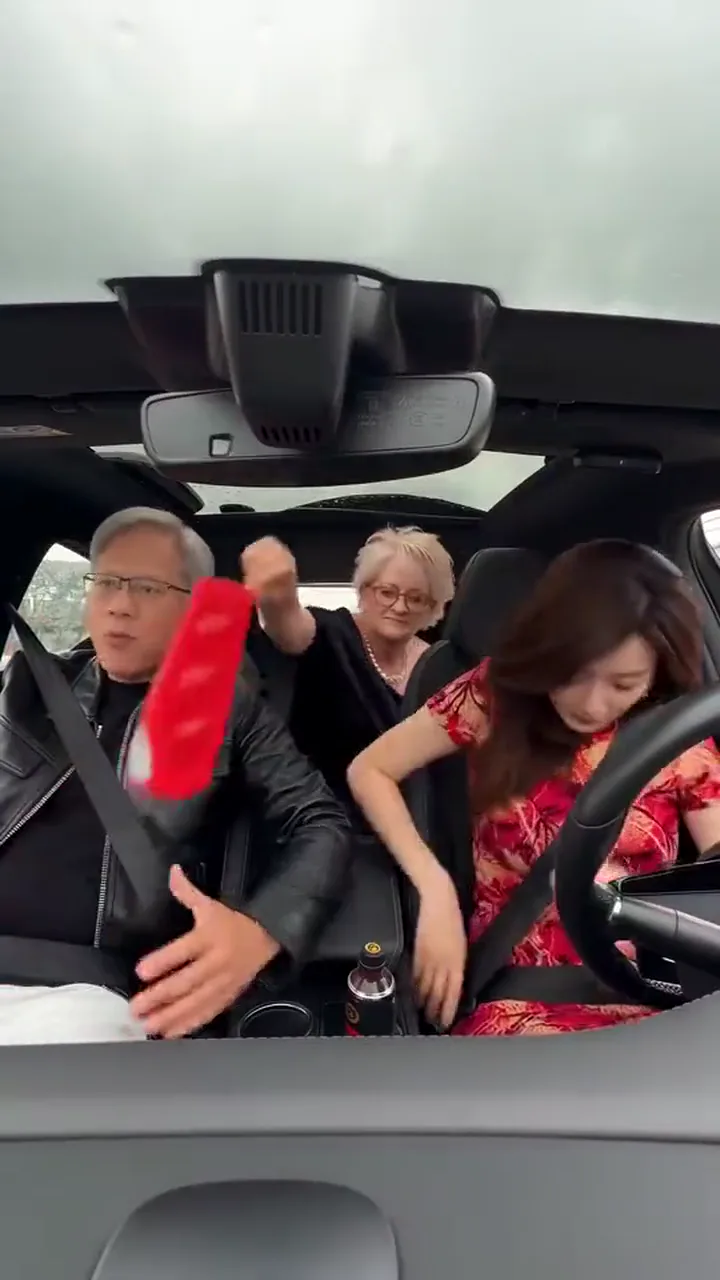
  2. A red snack bag is lifted toward the blonde passenger in the rear seat20:03–0:05

    Pass the bag to the back

    The red bag moves between the front seats toward the rear passenger. Watch the hand-to-bag contact and the space between the three bodies as the handoff happens.

  3. The driver faces forward as the rear passenger snacks under the glass roof30:05–0:16

    Settle back into the ride

    The driver turns forward again while the rear passenger eats. Steering, brief glances and a hand resting near a knee carry the awkward road-trip rhythm through the ending.

Jensen Huang AI car video prompt

This preset needs no written prompt. In a separate Kling video edit, assign a different image to every seat while keeping the snack-bag action together.

Kling video edit

Prompt length 707

Use @Video1 for the car, movement and sound. Recast all three seats: put the subject in @Image1 in the front-left seat occupied by the man in a black leather jacket; put @Image2 in the right-hand driver's seat; put @Image3 in the rear seat occupied by the blonde woman with glasses and pearls. Use each photo's own face, hair and visible clothes, or pet species and markings. Match each identity to its seat during the reach, red-bag handoff, steering, glances and knee-resting gestures. Preserve the glass roof, dashboard view, seat layout, daylight, pacing and original soundtrack. Keep the three identities distinct after arms cross; do not leave an original face or move a replacement into another seat.

Keep the seats clear

  • Give every seat its own reference

    Use the front-left black jacket, right-hand steering wheel and rear glasses-and-pearls role to identify three separate replacements.

Avoid a second story

  • Do not request a different trip

    Adding another destination, a new car or extra passengers competes with keeping the original bag handoff and dashboard framing.

Jensen Huang AI car video settings and credits

Jensen Huang AI car video settings and credits
Photo files
3 photos; PNG / JPG / WebP; up to 10 MB each; minimum short edge 512px.
Video length
16.17 seconds, following the full car scene. No duration selector.
Frame
9:16 portrait; the built-in reference is 720 × 1280px.
Resolution
Choose 720p or 1080p; default 720p.
Credits per video
720p: 608 credits and 1080p: 912 credits
Sound
Keeps the built-in clip’s sound. There is no soundtrack selector.
Visibility
Videos generated with this multi-person template stay private.
Failed tasks
Credits are deducted on submission and automatically refunded if the generation task fails.

Continue with a different video task

Use a separate tool for a new scene, a larger export or more footage beyond this fixed car clip.

  • AI Video Generator

    Generate a clip from a prompt, a still image, a reference or existing footage.

    Open tool
  • Video Upscaler

    Raise a clip to 1080p or 4K and sharpen detail frame by frame.

    Open tool
  • Video Extender

    Add seconds before or after a shot while its motion and subject carry on.

    Open tool
  • Motion Control

    Give a character image the performance from a reference clip.

    Open tool

Jensen Huang car video: photos, sound and results

Is the Jensen Huang car video real footage?+

No. It is an AI-made parody, not evidence of a real car journey, encounter or relationship. Share a generated version as synthetic comedy.

Can I leave a role empty or keep the original Jensen Huang?+

No. Every photo slot is required and all original people are replaced. The template does not automatically retain the original public figure or either passenger. Generated identities and anatomy can still vary.

Why can the face or clothing change during the reach?+

Reaching across the cabin changes the head angle and hides parts of the body behind arms, the bag and the wheel. Inspect the face after the turn and the hands at the handoff; the photo checklist helps avoid missing input detail, but does not guarantee a stable result.

Can I use my cat or dog in the car meme?+

Cats and dogs can be cast in the required roles. Human-style reaching, steering and seated contact are harder to adapt to animals; paws or body proportions can look unnatural, with no identity or anatomy guarantee.

Does a higher resolution recover the source detail?+

No. The reference was resized from a smaller download to meet the video editor’s input dimensions. This was ordinary resizing, not AI enhancement; a larger output frame cannot recover detail missing from the reference.

Does the car video keep its original sound?+

Yes. It retains the sound supplied with the built-in clip. This effect has no song selector, music upload or voice replacement control.

Can I upload a different car video?+

No. The complete car clip is built into this preset. To edit a different video or plan a new journey, use a separate video workflow rather than this fixed effect.

Does this also make Matrix, elevator or dance videos?+

No. This preset makes the car scene shown above. Matrix edits, elevator conversations and Michael Jackson-style dances are different scenes, not additional modes in this template.

Is the Jensen Huang AI car video generator free?+

Generation uses credits. The amount changes with the selected resolution, and the generate button shows the exact quote before you submit. Current prices are in the specifications.

Is this an official Jensen Huang or NVIDIA tool?+

No. This is an independent Oeneo AI parody effect with no official connection to Jensen Huang or NVIDIA.

Make your Jensen Huang AI car video

Make the snack-bag road trip your next AI parody, then review the full scene before sharing.