

Jatayu Edit AI

One photo puts you on the rooftop in the Jatayu edit: you straighten up, open your arms and a giant eagle rises out of the sky behind you.

  • No prompt
  • Eagle included
  • Sound kept
Example · Jatayu Edit AI

PNG / JPG / WebP · up to 10 MB · at least 512px on the short side

0/1 photos

One bright, front-facing photo of one person; a rooftop or an arms-wide pose is not needed — the face and hair come from the photo, the shirt and scene from the clip.

Video settings

No prompt needed. Only upload photos of yourself or people who agreed to be featured; celebrity photos and film stills aren't allowed.

What is the Jatayu AI trend?

The Jatayu AI trend is a rooftop clip where one person straightens up, opens both arms and a giant eagle rises out of the sky behind them - your photo becomes that person, and only that person.

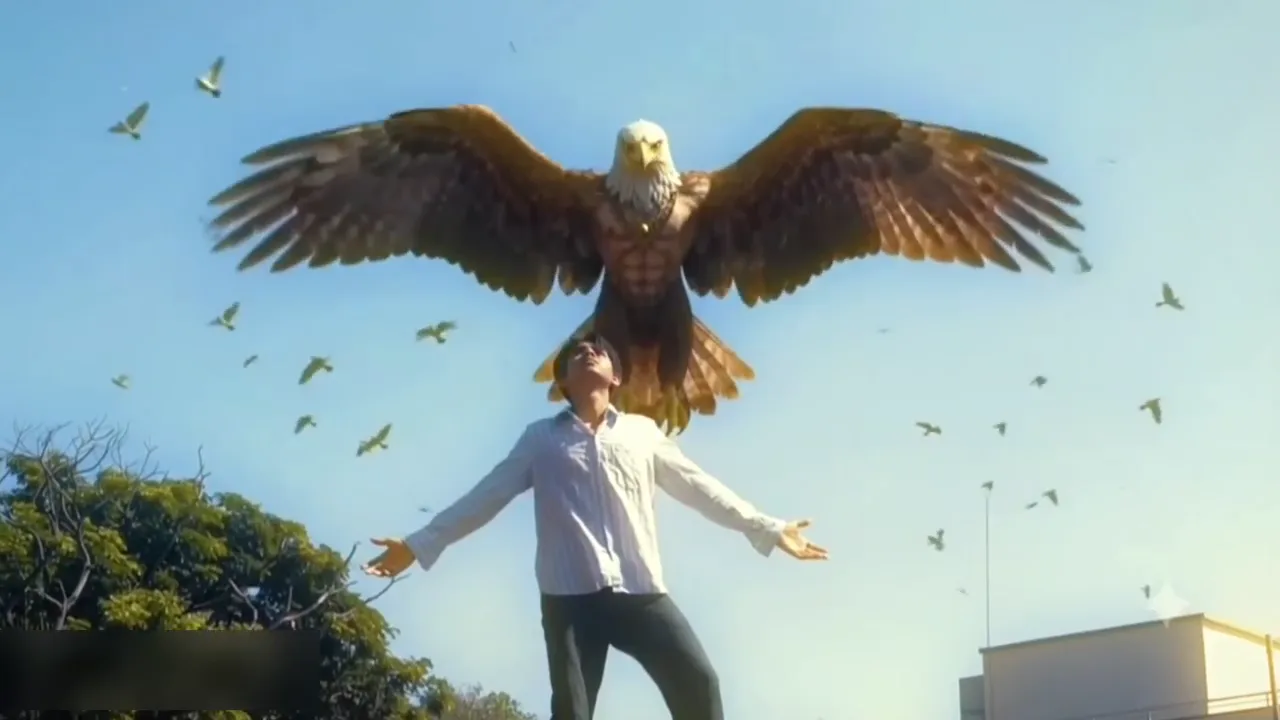
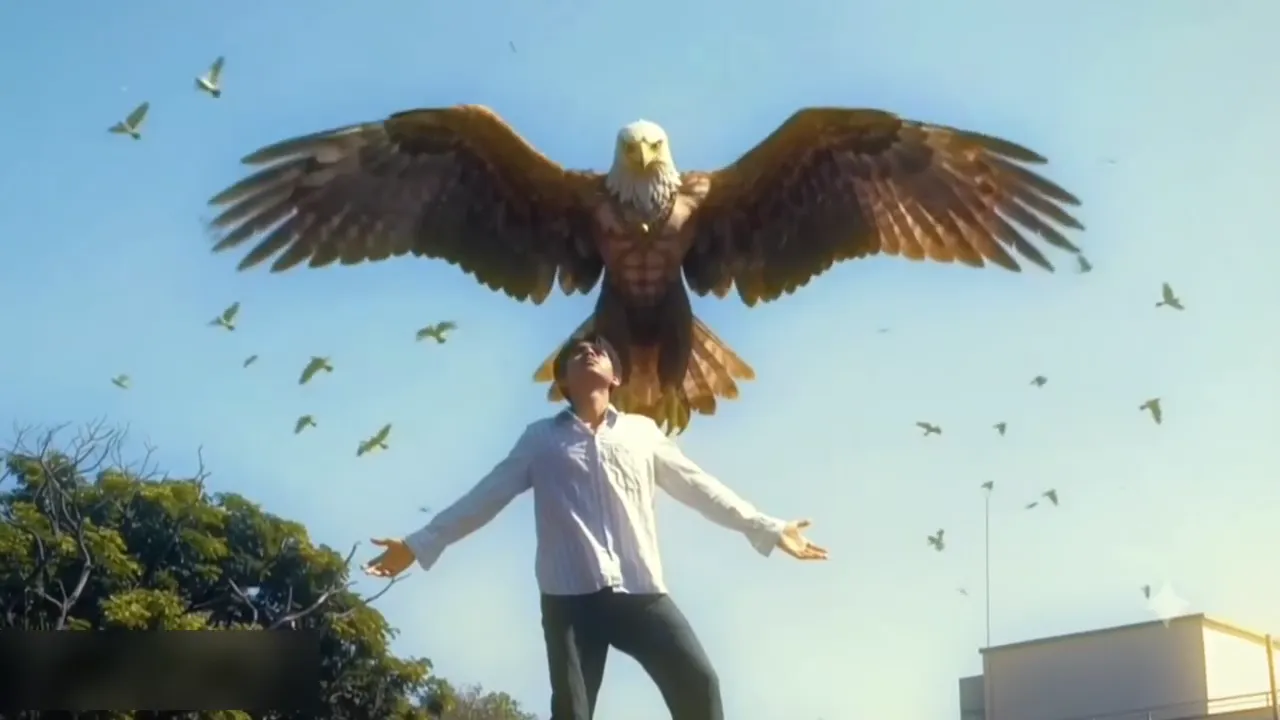
A person on a rooftop with arms open as a giant white-headed eagle rises behind them and small birds circle

Jatayu is the divine vulture of the Ramayana, the bird that fights to stop Sita being carried away, and this reveal borrows that role. The film that came out on 5 November 2026 is Ramayana: Part 1, not a film called Jatayu - "Jatayu movie edit" is the name people give these Ramayana-themed remakes.

The bird in the clip is drawn as a white-headed eagle with a human-shaped chest, while the myth's Jatayu is a vulture, so comments under these posts keep correcting the name. Its head sits directly above the person's, the wings spread wide and then beat up and down, and small birds circle the scene. The giant bird stays a separate body behind the person: it never turns into wings on the person's back.

From Ramayana movie edits to photo remakes

  1. Ramayana: Part 1 opened in cinemas.

  2. A phone-made remake of a Ramayana scene drew about 11,500 plays; it is the earliest dated post in this wave.

  3. Two AI tutorials for the same rooftop shot go up, with about 50,000 and 15,000 plays; both work on the same 7-second take and show the phone screen rather than a finished file.

  4. Four single-photo tools appear for the same reveal, each asking for one upload and each quoting different numbers: MakeViral 7 seconds at 16:9 and 720p, Vellm 6 seconds at a claimed 1080p, videosi 10 seconds in either 9:16 or 16:9 with sound added afterwards, and jatayuvideo.app four scenes at 5, 10 or 15 seconds. Two of them sell the same reveal twice, once as a still image and once as a short animation, and one of their own instructions still mentions two images while the page above it asks for one. This page keeps the clip's own 7-second take and opens only the resolution.

Release date, post dates and play counts read on 20 November 2026; a film studio project page and the posts' own YouTube pages. Tool figures come from each tool's own template page on the same day.

A Jatayu eagle AI reveal behind you

One continuous 7-second rooftop take at 16:9, no cuts, warm daylight and thin cloud: bend, stand, arms open, eagle up - and only the person changes.

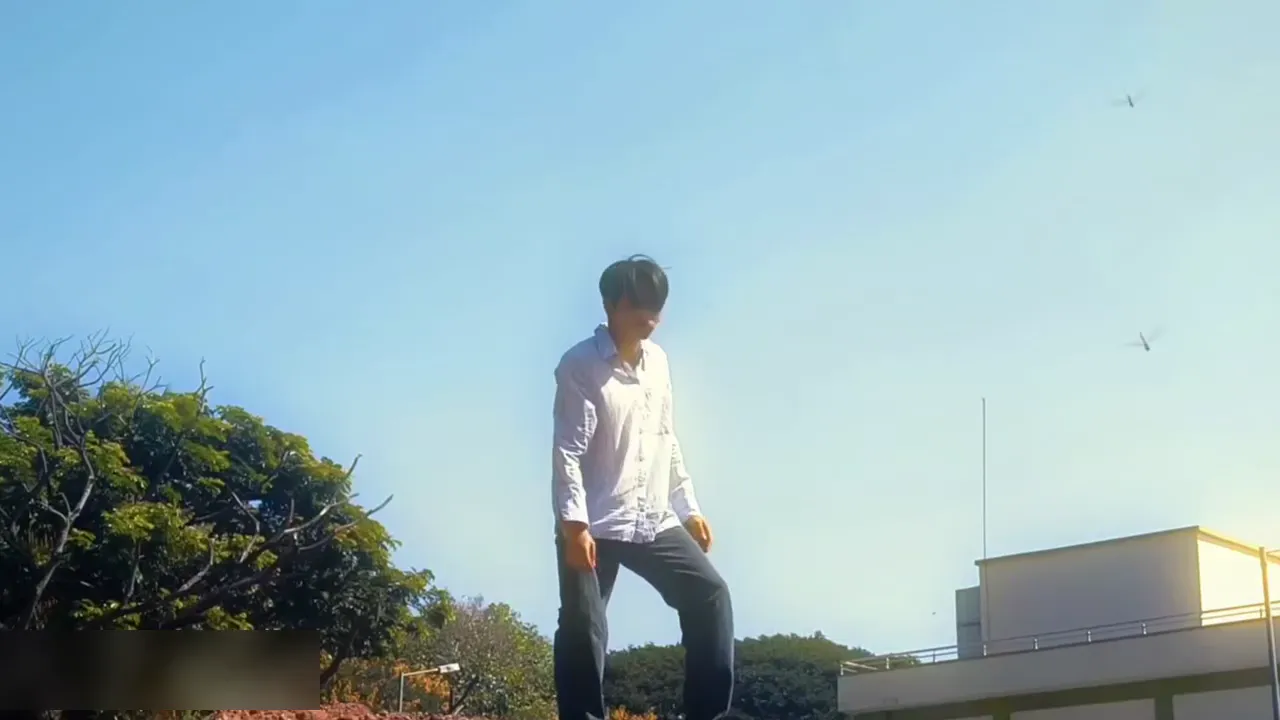
  1. A person in a light shirt and dark jeans on a rooftop, bent forward with one foot ahead, a tree and a pale building behind10:00

    Bend forward

    Bending forward with one foot ahead, then straightening up and lifting the chin toward the sky.

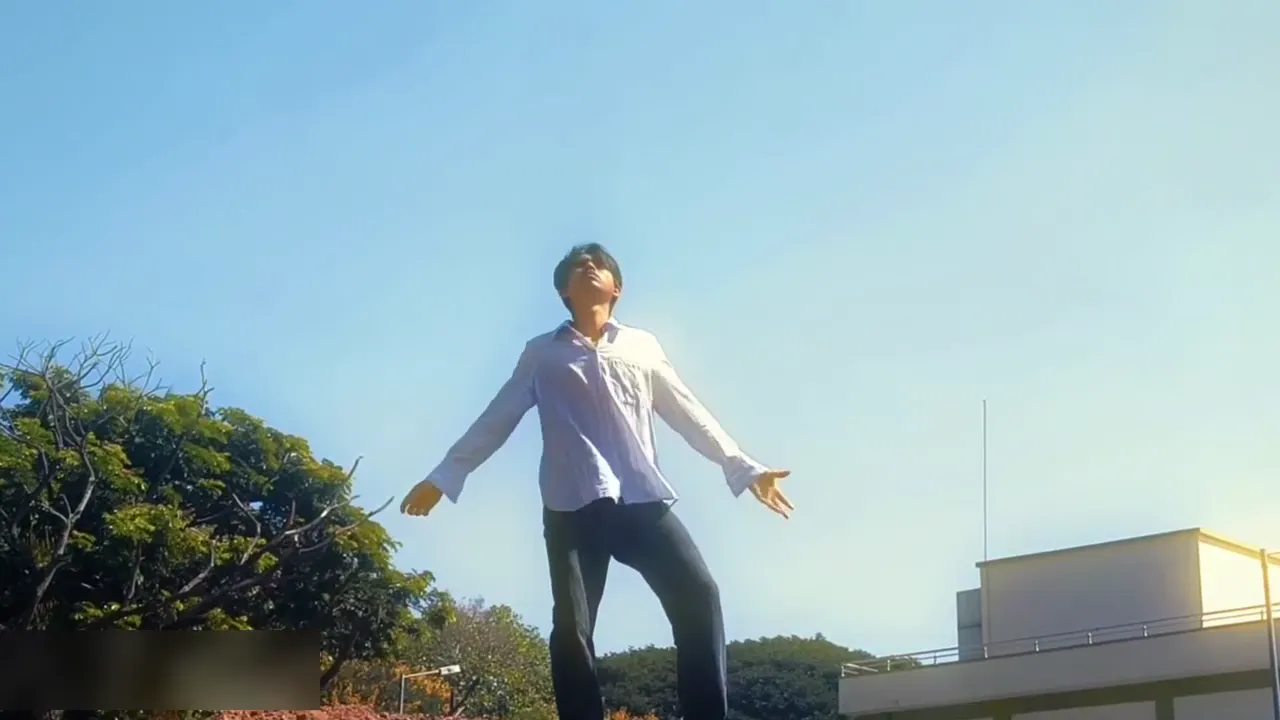
  2. The same person standing on the rooftop with the head tipped back and the arms starting to open, blue sky above20:01

    Stand and face the sky

    Standing tall, head tipped back, looking up as the first small birds cross the frame.

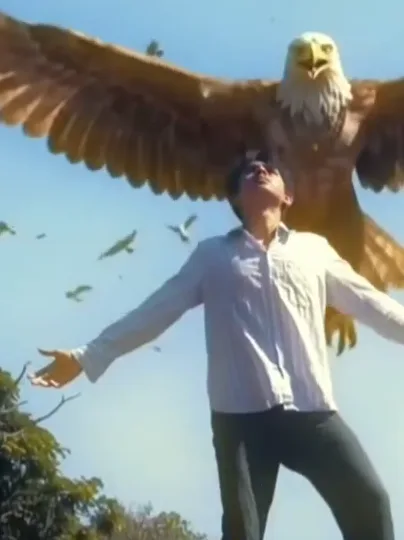
  3. A giant white-headed eagle spreading its wings behind a person whose arms are open wide on a rooftop30:03

    Arms open, eagle rising

    Both arms open wide and the eagle lifts into frame behind the shoulders, its wings out past the arms.

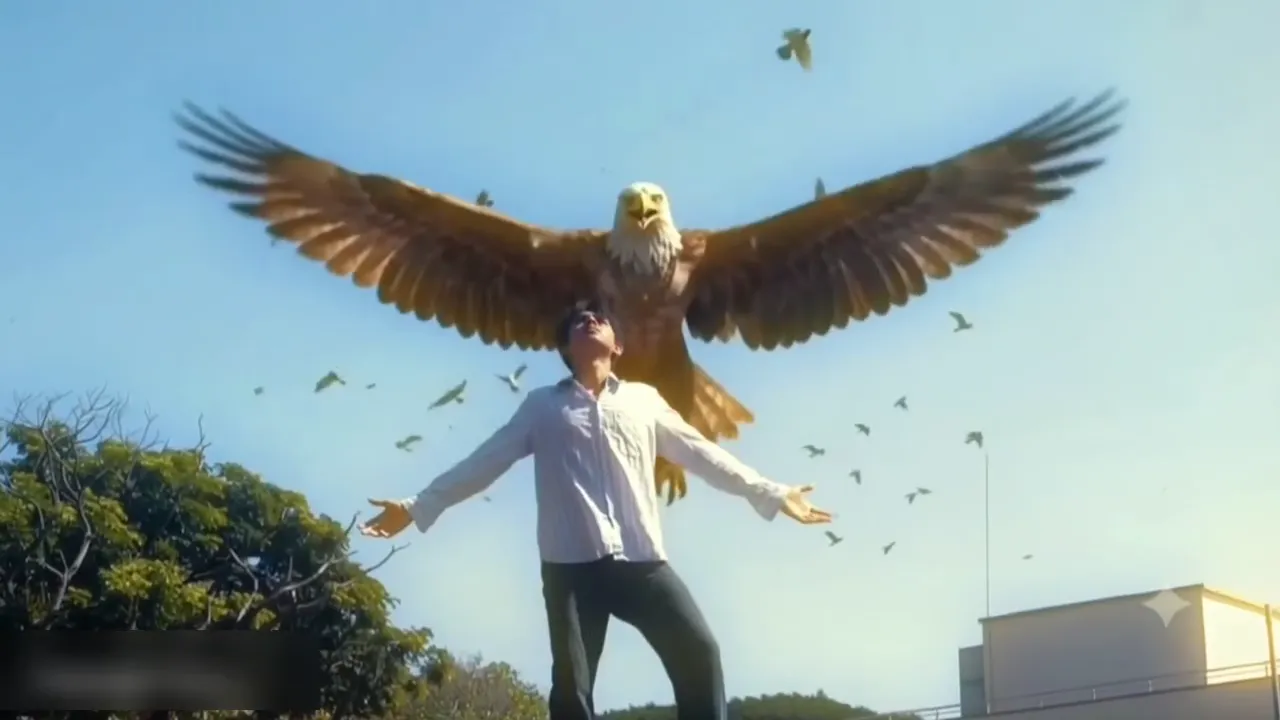
  4. A giant eagle holding its wings up above a person with open arms, small birds circling in the blue sky40:05

    The eagle holds

    The eagle settles above the head with its chest out, small birds circling, and the pose holds to the last frame.

The camera stays low and locked, so the eagle always rises in the same patch of sky behind the person's head. Nothing else is in the take: no fly-away, no riding the eagle, no second shot and no wings on the person.

How do you turn a Jatayu photo edit into a video?

The clip supplies the rooftop, the tree on the left, the pale building on the right, the low fixed camera and the blue sky; your photo supplies the face, hair and build of the person standing in it.

  1. A person with open arms on a rooftop as a giant eagle spreads its wings behind them

    Photo 1Rooftop subject

    Your photo replaces the person in the light shirt and dark jeans. The photo supplies the face, hair and build; the shirt, the jeans, the rooftop, the tree, the pale building, the circling birds, the timing and the eagle all stay from the clip, so nothing of your own room, street or rooftop carries over.

    • Face lit and front-on, no sunglasses or hands over it; the head tips back for most of the take, so the clearer the eyes and jaw are in the photo, the better they hold.
    • Any pose, indoors or out; a half-body or three-quarter shot puts more of the body in frame, which helps the arms and shoulders keep their shape.

Photo checklist

Works well

  • A curly-haired woman in a mustard sweater, chest up, smiling at the cameraFace bright and front-on
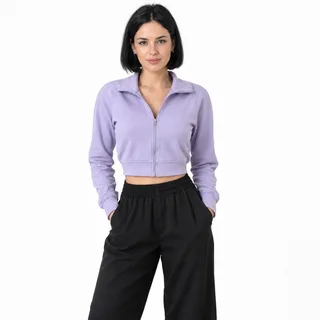
  • A woman in a lilac jacket, head to thighs, hands in pocketsHalf-body or three-quarter shot

Avoid

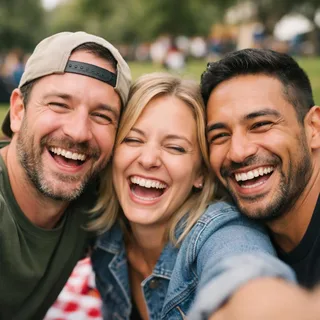
  • Three friends squeezed into one selfie at a picnicTwo or more people in one photo
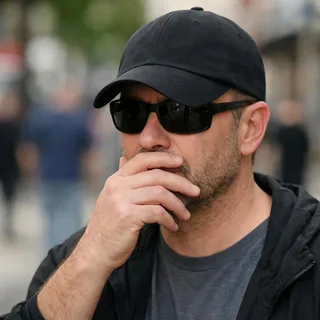
  • Man in sunglasses and a low cap with a hand over his mouthSunglasses, caps or a hand over the face
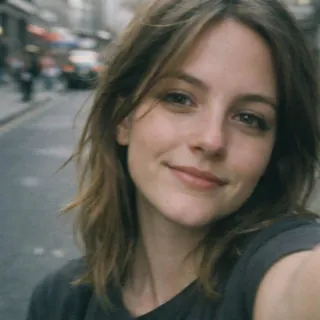
  • Close selfie of a woman on a street, face only, no bodyA face-only crop with no body

From upload to a posted reveal

  1. Upload one photo

    Add one clear photo of the person whose face should stand on the rooftop.

  2. Pick a resolution and generate

    Choose 720p or 1080p, then click Generate; the button shows the exact credit price first.

  3. Download and post

    Download the clip and post it as it is — the sound is already in it.

Where the eagle reveal goes wrong

What you notice when a run misses, why it happens, and what to change before the next attempt. These are the three that show up in the order the take runs.

  • Your face drifts when you look up

    Why
    The head tips back, the face turns small in the frame and the eagle's chest covers the space above it.
    What to change
    Start from a bright, front-on photo with nothing over the face; a half-body or fuller frame also gives the waist and the legs something to follow, so less of them is invented. If a run drifts, swap the photo rather than adding more prompt.
  • A wing or the eagle's chest touches your head

    Why
    The bird's chest is drawn right above the skull, so a soft photo leaves the model no clear edge between them, and the frames where the person bends forward or turns the head are where the original performer is easiest to leave in place.
    What to change
    Keep the separation sentence in the prompt and check the last two seconds before posting; there is no slider for the gap.
  • Arms or the shirt come out deformed

    Why
    The arms swing wide while the shirt folds, the hands are the smallest thing in the frame, and they are the first thing to lose fingers.
    What to change
    A half-body photo gives the shirt and the shoulders more context; the clip's own shirt and jeans are what gets repainted, so your own clothes do not carry over.

Jatayu video prompt: keep the clip's shirt, camera and eagle gap

No — this effect is preset, so there is nothing to write. If you want the same swap in a tool of your own, paste the version below: it edits the clip with one photo and says what must not change.

Any video edit tool

Prompt length 1019

Use the reference clip as the source. Replace only the person in the light button-up shirt and dark jeans standing on the rooftop — the only performer in the frame — with the person in photo 1.

Keep photo 1's face, hair, age, gender and build, and keep the clip's light shirt and dark jeans on the replacement, with one steady identity from the first frame to the last. Transfer the bend forward, the stand up, the chin lifting to the sky, the arms opening wide and the arms-held pose, frame by frame.

Keep everything else from the reference clip: the rooftop, the tree on the left, the pale building on the right, the low fixed camera, the blue sky, the giant eagle rising from behind the shoulders, the small birds circling, the lighting, the pacing and the built-in sound. The eagle is never replaced and never takes the face from photo 1; its wings and chest stay behind and above the head, never on it. One person only: no second person, no pet, no new props, no cut. No face blending, text, watermarks or logos.

Keep these in the Jatayu prompt

  • Name the person by what is visible

    "The person in the light button-up shirt and dark jeans on the rooftop" finds the right performer; "the man" is ambiguous once the eagle is in frame.

  • Give the moves in order

    Bend, stand, chin up, arms open, arms held: each one binds a pose to a moment of the clip, so the replacement follows the take instead of inventing a new move.

  • Protect the eagle and the gap

    Say the eagle is never replaced, never takes the new face and stays above and behind the head.

Leave these out of the Jatayu prompt

  • "Make me a Jatayu video"

    With no clip and no photo reference the model invents a rooftop, a bird and a stranger's face.

  • Ask for wings on the back

    Wings growing out of the person is a different scene and pulls the eagle into the body you are replacing.

  • Add a song or a mute instruction

    A video edit keeps the clip's sound; naming a track or asking for silence only invites a second audio pass.

A one-line wish vs an instruction the model can run

Too vague

Put me in the Jatayu scene with the eagle behind me.

Works better

Use the reference clip and replace only the person in the light shirt on the rooftop with photo 1; keep the rooftop, the camera, the eagle and its distance above the head, the small birds, the timing and the sound, and never put the new face on the eagle.

The second one names the performer, the photo and everything that has to stay; the first leaves the model guessing.

Jatayu AI video specs: input, output and credits

Jatayu AI video specs: input, output and credits
Photos
1 photo
Photo files
PNG / JPG / WebP, up to 10 MB, at least 512 px on the short side
Length
One 7-second take; the length and the frame follow the clip
Frame
16:9, the clip's own frame
Resolution
720p or 1080p; 720p by default
Sound
The clip's own sound is kept in the finished video
Credits
264 credits at 720p, 395 at 1080p
Visibility
Videos made on a free account are public. On a paid plan they are private by default.
If a run fails
The credits go back to your balance automatically

FAQ

Jatayu eagle reveal: FAQ

What is the Jatayu Edit AI?+

A fixed rooftop clip: one person opens both arms and a giant eagle rises behind them. Your photo replaces that person, while the eagle, the rooftop, the camera, the timing and the sound stay.

Is Jatayu a movie?+

No. Jatayu is the vulture king of the Ramayana. The film that came out on 5 November 2026 is Ramayana: Part 1, and this page is not an official tie-in to it or a scene from it.

Do I need a rooftop or arms-wide photo?+

No. The rooftop, the pose and the eagle come from the clip, so an ordinary photo of one person works. Your photo adds the face, hair and build, not the setting, and even the shirt and jeans are the clip's.

Can I use a selfie?+

A clear, front-facing selfie can work. A half-body or three-quarter shot gives the model more shoulder and arm to work with, so the open-arms pose deforms less.

Can it keep my own rooftop or background?+

No. The scene is fixed to the clip's rooftop, and the sky, the birds and the light come with it. For a giant-bird scene in a place of your own, use the on-site AI video generator instead.

Will the eagle grow out of me?+

It is meant to stay a separate bird behind you, and the prompt protects exactly that. The chest sits close above the head, so a run can fuse the two; check the last seconds before posting.

Can I change the length, make it vertical, or pick the eagle?+

No. The output is the clip's own 7-second 16:9 take. Other tools in this trend quote 6, 7 and 10 seconds and two frames; this one keeps the take it was built on, and a vertical frame, another length or a different eagle belongs in the on-site video generator.

What sound does it have?+

The clip's own sound is kept as it is - there is no track to choose and nothing to add. The page does not name the piece: what is in the built-in take is what you hear.

Is Jatayu Edit AI free?+

No, each video costs credits. The price follows the resolution you pick, and the Generate button shows it before you start. New accounts start with 10 credits.

Do I need a Flow prompt or a tutorial?+

No. The clip, the eagle and the instruction are already attached, so there is no reference video to hunt down and no separate edit afterwards. The tutorial route downloads a clip and a track, runs them through a prompt tool and edits the result, and the comments under those tutorials are asking where to get the clip in the first place.

Why does my face change?+

The head tips back and the face is small and low in the frame while the eagle fills the space above it, so identity loosens. A bright, front-on photo helps and a small drift can still happen; nothing in the settings changes the angle, because the angle comes from the clip.

Can I use a photo of my pet?+

Not with this template. The slot repaints a standing human body with open arms, so a pet face would be mapped onto a person. Use a pet effect on the site for that.

Make your Jatayu AI video

One photo in, one rooftop reveal out — the eagle, the rooftop, the timing and the clip's own sound stay.