


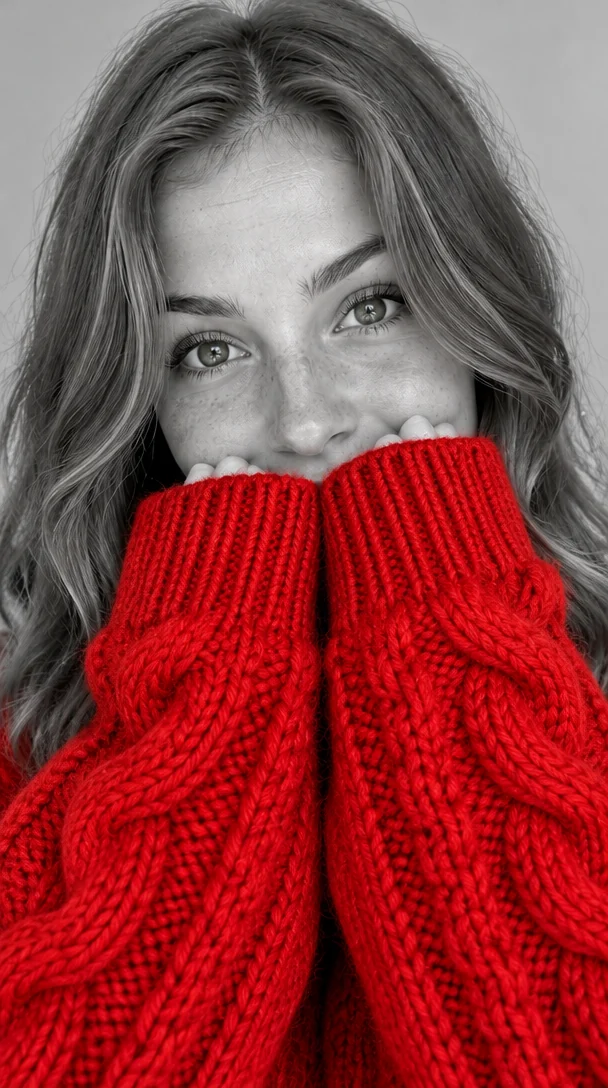
 Red
Photo used
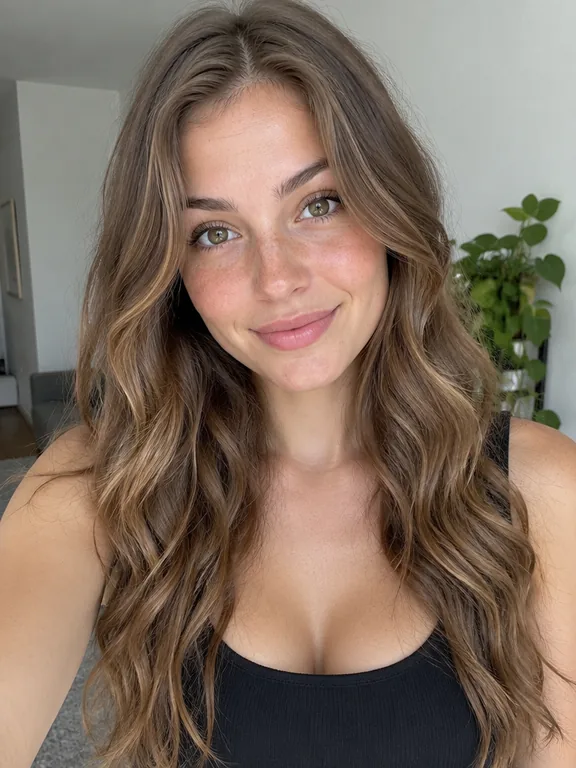
Your photo
Red, from a phone selfie
The tank top, the room and the plant are gone; her face, hair and freckles are still hers, and the sweater is new.
Upload one adult photo and get the ChatGPT sweater portrait: a red or purple chunky knit pulled up over the mouth, a grey face, and the eyes left clear.
PNG / JPG / WebP · up to 10 MB · at least 512px on the short side
0/1 photos
One adult, facing the camera with both eyes open and the whole face and hair in frame. You do not need to wear a sweater or cover your mouth.
Photo settings
No prompt needed. Only upload photos of yourself or people who agreed to be featured; celebrity photos and film stills aren't allowed.
The ChatGPT sweater trend turns one adult photo into a close-up portrait: the person, the hair and the background in black and white, an oversized red or purple chunky-knit sweater pulled up so both sleeves cover the mouth and chin, and the eyes left clear. The name comes from the caption people paste under the photo, not from a product.
Two other posts get filed under the same name. Threads arguing about needle size, and a ChatGPT ad that happens to feature knitters, are a conversation about the ad, not this photo task: neither one shows a grey portrait with the sleeves pulled over the mouth.
The ugly-Christmas-sweater filter is the other mix-up: reindeer motifs, Santa hats and the room left in full color. This frame has no festive props, and the grade is grey.
The third neighbour is the ordinary cosy sweater prompt: window light, a full-color cable-knit try-on, a new outfit in color. Those stay warm and bright; this one is one color block on grey.
The pose is what makes it work: with the mouth covered, the eyes and the band of knit carry the picture, and the same photo gets reposted as a two-color challenge.
@shakeishahunter7 posts the red version with the whole prompt in the caption; 13 likes when the post was read on 13 November 2026.
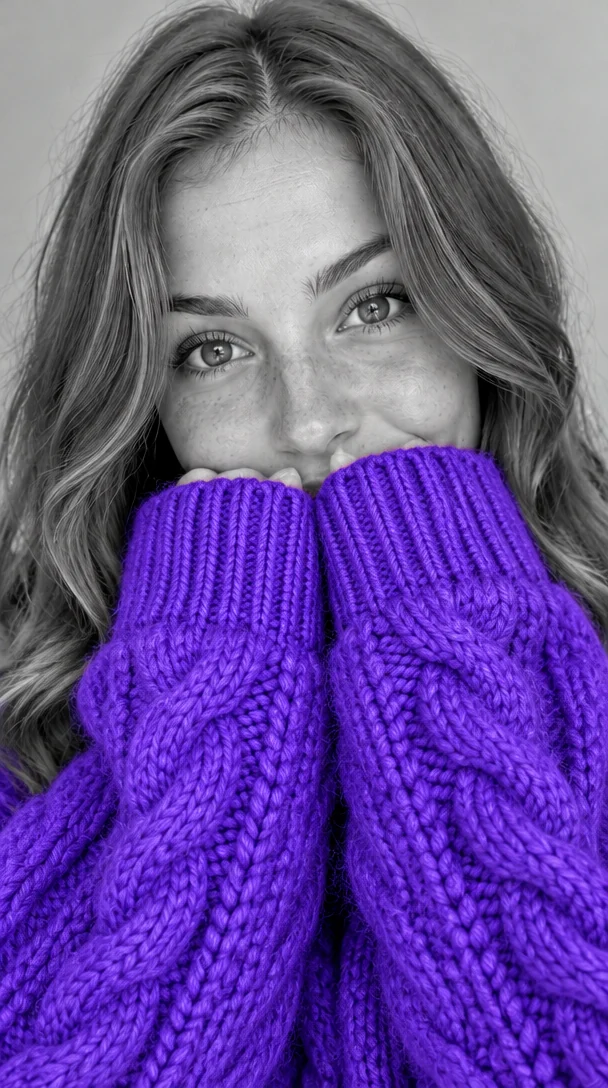
@billiewupori posts the purple version: grey hair, purple chunky knit, both cuffs and the eyes in frame; 6 likes when the post was read on 13 November 2026.
@fashionablenerd posts a tutorial that walks through the prompt; 7,594 likes, 2,371 comments and 746 shares.
Sources: the three TikTok posts above, read on 13 November 2026; the exact phrase was still a new, low-volume search that week on Google Trends (US, 30 October–12 November 2026).
Two adults, one framing and one grade; the only thing that changes is the knit color. Red is the default color on the workbench, purple is the second.
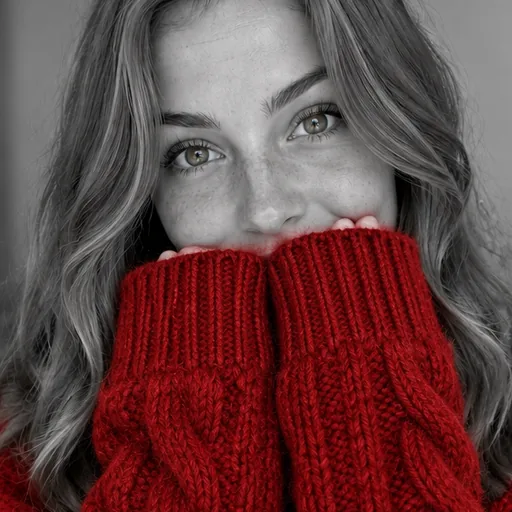
Picked when you want the warmer, more classic read of the trend: a deep red that still looks red as a small avatar, against the grey face.
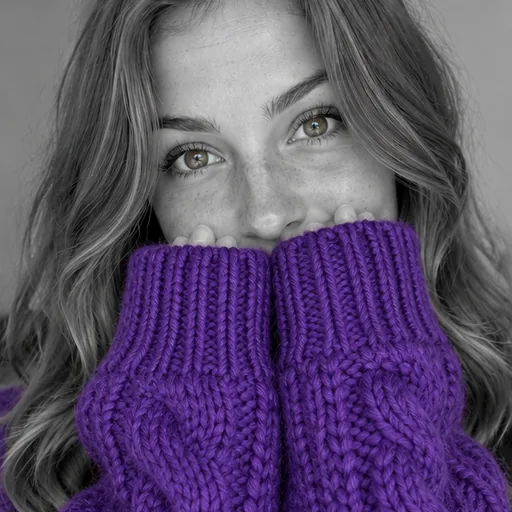
Picked when you want the cooler, more graphic version: the purple stays bright beside the grey, where a soft pastel would wash out.
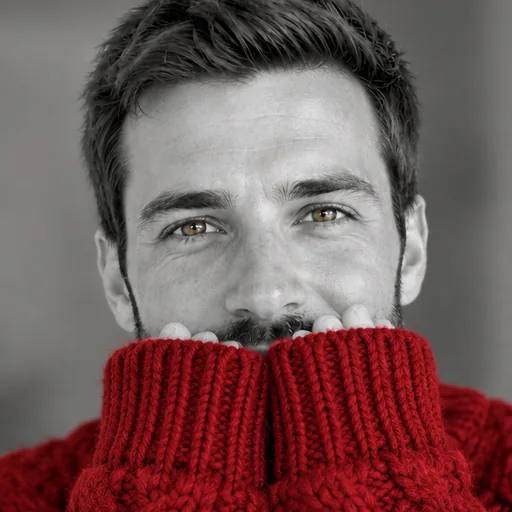
The same red on another adult: the color and the pose are the template’s, the face is the photo’s.
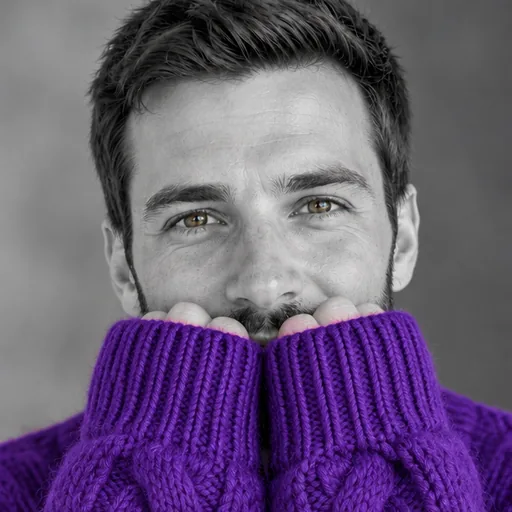
One photo, second color, same beard and hairline: nothing else in the frame moves.
Four things to look at before you keep a result, and the input change that fixes each one. No run gets all four right every time; a cleaner photo is the lever you have.
Eye shape, eyebrow line, nose bridge and hairline carry the likeness once the mouth is gone. When they slide, the input is usually the reason: a photo turned away, half-hidden or heavily filtered gives the redraw less to hold.
The trend's own prompt asks for the natural iris color to stay, so the eyes may keep their color inside a grey face. That is the one exception: expect no color left on lips, jewellery or eye make-up.
Redrawn from a chin-down or side-on photo, the sleeves climb and eat the eyes. Upload a straight-on photo with the eyes open and a little space above the head, and the cuffs settle under the nose.
A cable that breaks at the wrist, or fingers drawn twice into the cuff, comes from a hand pose the photo only half shows. A photo with the hands relaxed and away from the face comes back cleaner than one where both hands already cover it.
Three different sweater pictures answer to the same searches. This page makes the first one, where everything but the knit is grey.
| Picture | What you get | Where it lives |
|---|---|---|
| ChatGPT sweater trend | Grey face, color knit over the mouth | This page |
| Ugly Christmas sweater filter | Full color, reindeer, room kept | The Christmas photos |
| Cosy sweater prompt | Color portrait, window light, outfit swap | AI image generator |
One selfie through both colors, then two crops of the red result. The captions say what the template keeps from the photo and what it replaces.
RedPhoto used
The tank top, the room and the plant are gone; her face, hair and freckles are still hers, and the sweater is new.
PurplePhoto used
Only the knit changes. Same framing, same grey hair, same single photo: the purple is the whole difference.
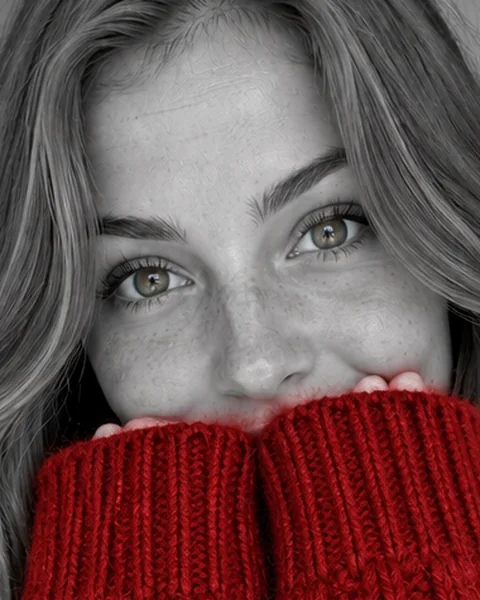
Both eyes, the eyebrows and the freckles come through the grey, and the iris keeps its own brown instead of a lit-up color.
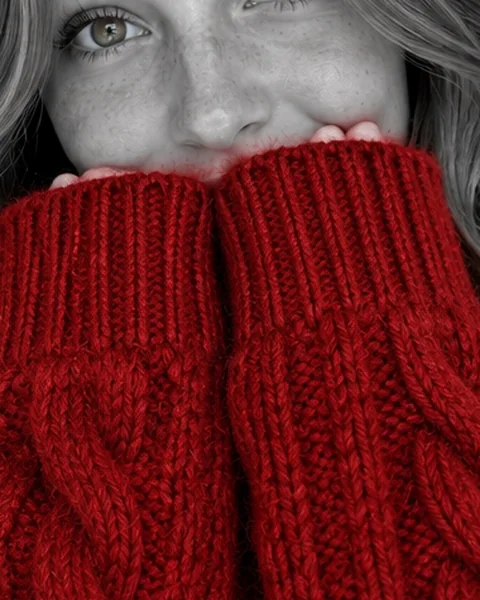
The two cuffs meet under the nose, the ribbing runs unbroken and the cable carries on down the arm; only a fingertip shows at the edge.
The photo's only job is the person: face shape, skin tone, age, hair and the color of the eyes. The knit, the sleeve pose, the grey grade and the backdrop come from the template, so an ordinary selfie is enough.
1 photoYour photo
Supplies the person: the face and its features, skin tone, age, hair color and hairstyle, the eyebrows and the natural eye color.
Works well
 Whole face and both eyes in frame
 Glasses stay readable
Comes back off
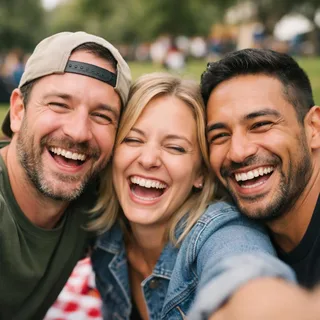 Two people in one photo
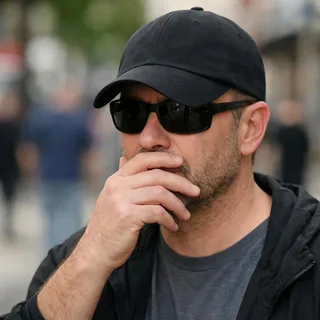 Sunglasses or a hand already over the face
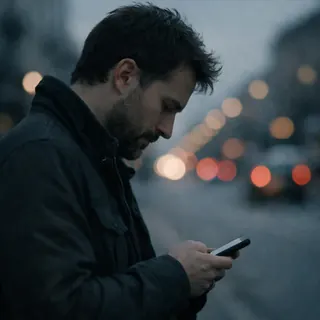 A full side profile
Upload one selfie
One adult photo on the tile at the top of the page: a selfie or a waist-up shot, front or a slight turn.
Pick a color and generate
Choose red or purple and the resolution you want. The button shows the exact price before anything starts.
Download and post it
Download the photo and post it. Keep the band of color in frame when you crop: it is the part that makes the picture read as the trend.
People search for the prompt because the first posts put it in the caption. This page already knows the look, so there is nothing to fill in here; the text below is the wording this template sends, rendered the way an editor expects it, so a copy you paste elsewhere starts from the same instructions. The notes say which parts you can change.
GPT Image 2.5 edit · image 1 = your photo
Prompt length 2598
Edit image 1 into a chest-up close-up portrait of the exact same person wearing an oversized chunky-knit sweater, both long sleeves lifted in front of the face so the cuffs sit right under the nose and cover the mouth, the chin and the lower face, while the eyes, the eyebrows, the forehead and the top of the head stay fully inside the frame and unobstructed. Frame it close and tight, so the eyes and the knit's texture fill most of the picture, and keep the face natural: no exaggerated features, no distorted or blending fingers. Keep this one adult instantly recognisable: the same face shape and features, skin tone, age, hair colour, hairstyle and hair length, the glasses or facial hair the photo shows, and the natural iris colour of the eyes. Exactly one person, centred: nobody added, nobody merged, no second face, no extra hands or arms, nothing new in the frame and no added jewellery or accessories, and both sleeves end in the sweater's own cuffs with at most the fingertips showing. Render the person, the hair and the whole background as an elegant black-and-white editorial beauty photograph, lit like a magazine portrait: fully monochrome, neutral grey tones, with no colour left on the skin, hair, lips or backdrop and no warm, brown, sepia or pink tint. The light is bright, soft, flattering studio light, falling from the front and a little above, with gentle shadows that give the face and the knit shape without darkening them, so the mid-tones stay open and the grey reads clean, luminous and airy instead of flat, heavy or muddy. The eyes are the star of the picture: beautifully detailed, real and clear, lashes included, and the skin keeps its real texture with no smoothing, no slimming and no beauty retouching. Behind the head sits a simple light-grey backdrop, softly blurred and clearly lighter than the knit's shadows, with nothing in it. The knit is the only colour in the image, near full saturation, its cable and rib texture catching bright highlights in the light, and the eyes keep their own believable colour instead of a glowing or costume one. Look: the sweater is a bright, true red at near full saturation, a heavy oversized chunky knit with big cable and rib texture, the colour vivid and clean like freshly painted postbox red, never burgundy, maroon or brownish, with light caught on the raised cables so the yarn glows instead of darkening in the folds.
Photorealistic photo. No text, logos or watermarks. No Christmas decorations, no Santa hat, no reindeer, no snowflakes and no lettering on the sweater. Do not add any people, animals or objects.GPT Image 2.5 edit · image 1 = your photo
Prompt length 2610
Edit image 1 into a chest-up close-up portrait of the exact same person wearing an oversized chunky-knit sweater, both long sleeves lifted in front of the face so the cuffs sit right under the nose and cover the mouth, the chin and the lower face, while the eyes, the eyebrows, the forehead and the top of the head stay fully inside the frame and unobstructed. Frame it close and tight, so the eyes and the knit's texture fill most of the picture, and keep the face natural: no exaggerated features, no distorted or blending fingers. Keep this one adult instantly recognisable: the same face shape and features, skin tone, age, hair colour, hairstyle and hair length, the glasses or facial hair the photo shows, and the natural iris colour of the eyes. Exactly one person, centred: nobody added, nobody merged, no second face, no extra hands or arms, nothing new in the frame and no added jewellery or accessories, and both sleeves end in the sweater's own cuffs with at most the fingertips showing. Render the person, the hair and the whole background as an elegant black-and-white editorial beauty photograph, lit like a magazine portrait: fully monochrome, neutral grey tones, with no colour left on the skin, hair, lips or backdrop and no warm, brown, sepia or pink tint. The light is bright, soft, flattering studio light, falling from the front and a little above, with gentle shadows that give the face and the knit shape without darkening them, so the mid-tones stay open and the grey reads clean, luminous and airy instead of flat, heavy or muddy. The eyes are the star of the picture: beautifully detailed, real and clear, lashes included, and the skin keeps its real texture with no smoothing, no slimming and no beauty retouching. Behind the head sits a simple light-grey backdrop, softly blurred and clearly lighter than the knit's shadows, with nothing in it. The knit is the only colour in the image, near full saturation, its cable and rib texture catching bright highlights in the light, and the eyes keep their own believable colour instead of a glowing or costume one. Look: the sweater is a bright jewel purple at near full saturation, a heavy oversized chunky knit with big cable and rib texture, the colour vivid electric violet with a clean blue-magenta cast, never dusty, lavender-grey or dark plum, with light caught on the raised cables so the yarn glows instead of darkening in the folds.
Photorealistic photo. No text, logos or watermarks. No Christmas decorations, no Santa hat, no reindeer, no snowflakes and no lettering on the sweater. Do not add any people, animals or objects.Name what has to stay
Face shape, skin tone, age, hair, eyebrows and eye color. Without them, the redraw produces a stranger in a nice sweater.
Say where the cuffs stop
It is what keeps the mouth covered and the eyes clear at the same time; any vaguer, and the sleeves climb.
Tie the grey to the subject
Person, hair and background in one sentence. Left vague, the whole picture comes back in color.
Recoloring the eyes or lips
A second color competes with the knit and breaks the one-block-of-color frame.
Reindeer, snowflakes or greetings
A festive knit makes the picture a Christmas card, which is a different template.
A photo that already hides the face
Covering the mouth twice, with a mask or a hand as well, leaves the model almost nothing to keep you recognisable.
Loses both
ChatGPT sweater trend, red sweater, black and white, cute.
Holds the frame
Edit image 1 into a close-up portrait of the same person in an oversized deep red chunky knit, both sleeves raised so the cuffs cover the mouth, eyes clear, the person and the background black and white.
The vague line usually comes back in full color with a new face: the grey is not attached to anything, and nothing in it protects the likeness.
Every template works the same way: add your photos, press Generate and get a shareable video without writing a prompt.
View all effectsUpscale the portrait for a print, cut it out of the background for a sticker, or clean the grain out of a dim selfie before you upload it.
Transparent PNG or WebP with clean hair and product edges, ready for a listing or a new composition.
2× / 4× / 8× with recovered texture instead of smeared pixels, so a 1K draft can become a print.
Logos, icons and flat illustrations become editable SVG that scales to any size.
Remove grain and compression artifacts from low-light photos and scans while keeping real detail.
No. This is an Oeneo AI photo template; ChatGPT is only the name the trend is searched under. The portrait is made through this site's own generator, and you sign in with an Oeneo AI account.
It is the caption people paste along with the photo: a description of a black-and-white close-up with the cuffs of a colored chunky knit over the mouth. This page already knows the look, so there is no prompt to fill in; the block above holds the wording this template sends, if you want to try it in another editor.
The trend's own prompt asks for the natural iris color to be kept, and this template follows it. The face, hair and background go grey while the eyes stay believable; a glowing or costume-colored iris would be a miss.
It keeps them as far as a redraw can, and the covered mouth makes small drifts easier to spot. Compare eye shape, eyebrows, nose bridge and hairline; a straight-on photo with both eyes open and the whole face in frame comes back closest.
No sweater, scarf or pose needed: wear what you like. Your outfit, pose and room are not kept either, since the template supplies the knit, the raised sleeves and a blurred neutral background.
No. One photo, one adult: couples, group shots, children and pets are not handled by this template, and a second face would break the single-subject framing.
Both come from the same photo and the same framing, so pick the one you would post. Red is the default and the warmer read; purple is cooler and more graphic.
Yes, and they usually survive: glasses sit on the grey face and a beard shows under the nose as long as the sleeves leave it visible. Where the cuffs cover the chin, the beard is partly hidden by design.
9:16 is the default and fills a phone screen or a story. 1:1 suits a square post, and the larger resolutions print cleanly.
No. It runs on credits with no subscription needed, and new accounts get 10 credits at signup. The price depends on the resolution you pick, and the Generate button shows the exact amount before anything is spent.
No. Results from this template stay in your account and are not shown in public galleries.
No. This page returns a still photo, which is what the trend is. Nothing here animates the portrait or adds a sound.
One adult photo in, the grey close-up out: pick red or purple, choose the size, and download it.