


A type check
The classic version: your selfie answers a dating-standard line with total confidence.
Example: “They said they have a type. Then I walk in.”
Upload one selfie and step into the deadpan Then I Walk In walk: your face takes the calm look while the brick path stays.
PNG / JPG / WebP · up to 10 MB · at least 512px on the short side
0/1 photos
One person, face clear: the clip stays framed head to chest, so a chest-up or closer selfie works best.
Video settings
No prompt needed. Only upload photos of yourself or people who agreed to be featured; celebrity photos and film stills aren't allowed.
Then I Walk In is the deadpan entrance meme: a calm, confident selfie walk that lands right after a setup line, as if showing up is the whole punchline. This page puts your face into that fixed walk-in from one photo.
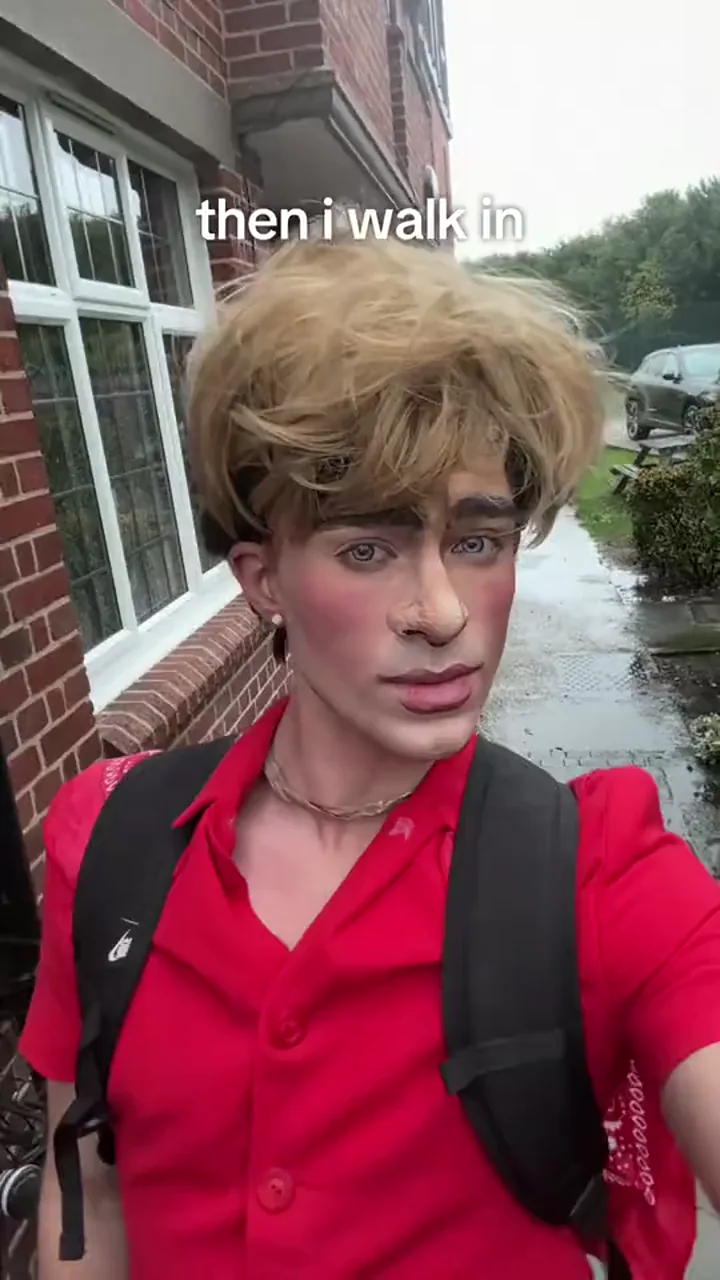
The joke is the structure, not the walk. Someone states a rule, a type or an expectation, and the video answers with a flat, unhurried selfie walk — the less emotion, the bigger the contrast.
It began as a confident selfie-comment format and then became a filmed walk-in. The AI version keeps the same selfie framing, camera sway and calm look, and only swaps the person in the shot.
Know Your Meme traces the format to late September 2026, when TikTok users answered posts with a selfie and 'Then I walk in' as the confident punchline.
On 24 October, @georgegaraway posted the deadpan selfie-walk video that gave the line its calm face — a later performance of the character, not the first comment.
Dates and attribution from Know Your Meme's entry and the public TikTok posts, read on 4 November 2026. The 24 October video is the performance this template's clip is built from.
The joke is two parts: a line that undersells or overpromises, then your calm entrance answers it. Four caption setups to copy or remix.
The classic version: your selfie answers a dating-standard line with total confidence.
Example: “They said they have a type. Then I walk in.”
Post the clip after a chat screenshot that undersells the night — your entrance does the rest.
Example: “Group chat said nobody interesting is coming. Then I walk in.”
Use a friend or a crush as the walker; the single selfie slot works for anyone.
Example: “He said he's over her. Then she walks in.”
Pair the deadpan walk with a self-deprecating line about an ordinary day.
Example: “Most uneventful Tuesday. Then I walk in.”
The 8-second clip in four stops, each with the second its shot starts on.
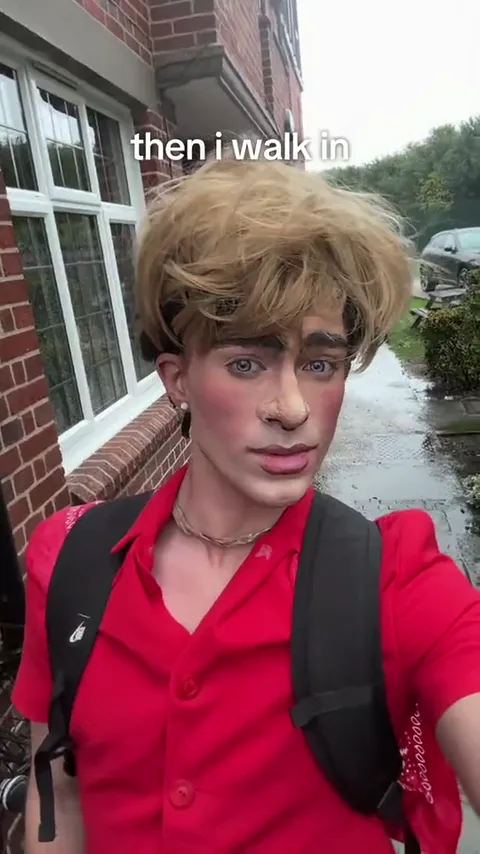 10:00–0:02
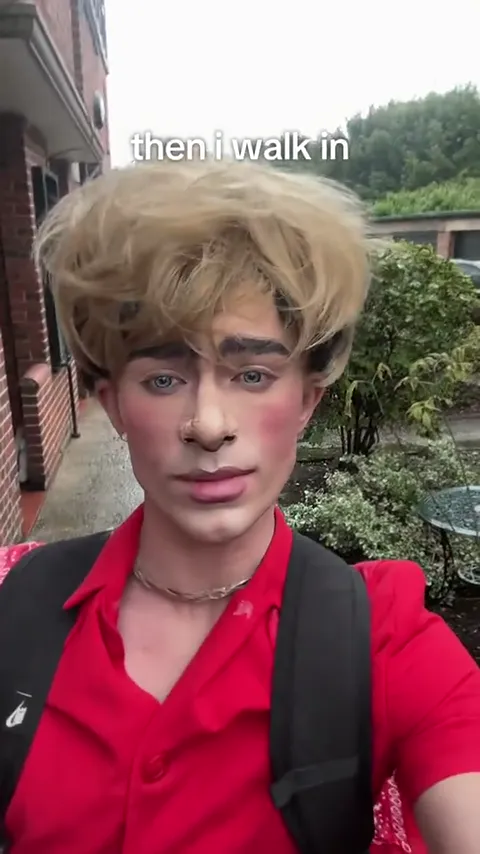
The clip opens in the selfie framing, head to chest, walking forward on a wet path. A red-brick wall and hedge sit behind.
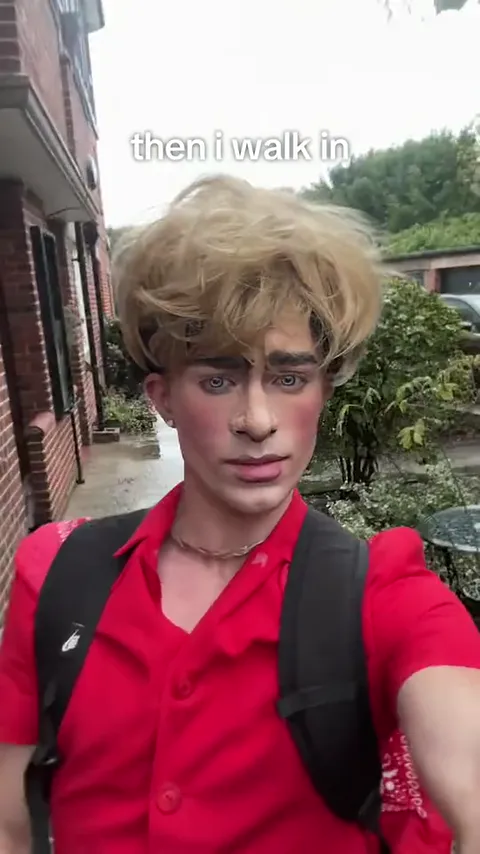 20:02–0:04
Halfway in, the head tilts a little and the expression stays flat; the camera sways gently with the steps.
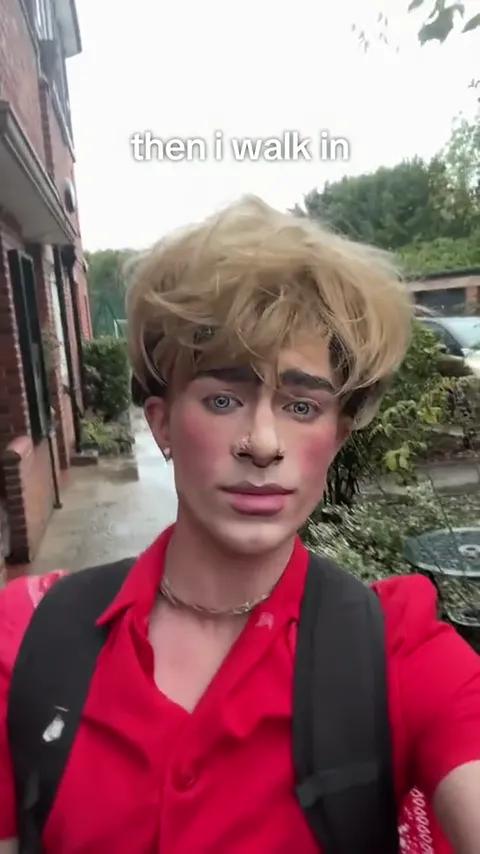 30:04–0:06
The face settles into a deadpan look straight at the camera — no smile, no reaction. That contrast is the punchline.
 40:06–0:08
The cut ends on the close look. The 'then i walk in' line stays through all eight seconds; it is part of the clip, not a label you type.
The same searches pull up a few different things; only the first column is this template — a fixed recast of the deadpan selfie walk.
| Compare | Then I Walk In | Runway / hotel | CapCut or GIF |
|---|---|---|---|
| The shot | Outdoor selfie walk | Runway / lobby strut | Re-edited source clip |
| Your input | One selfie | A different template | The original clip |
| The result | A fixed MP4 | Another template's cut | A template link or a GIF |
| Where it lives | This page | Hotel Lobby page | Not on Oeneo AI |
One selfie plays the whole walk-in. There is no prompt field and no second slot: the template is the generator, and your photo is the only thing it asks for.
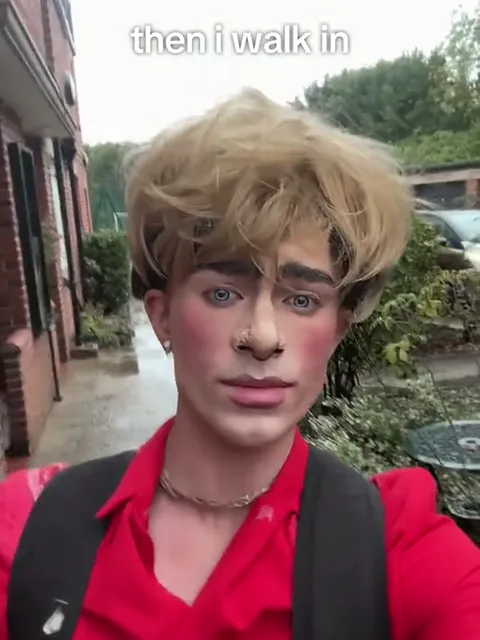
Photo 1Your selfie
Face, hair and build for the one who walks into the shot and holds the calm look. The clip keeps its own red shirt and black backpack, so your photo only needs a clear face.
Works well
 One person, face clear
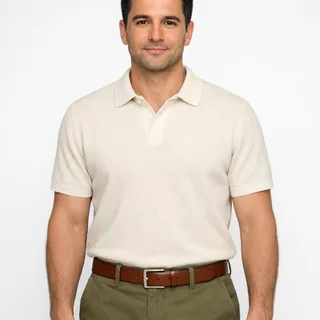 Chest up or head to waist
 A neutral face, no filter
Avoid
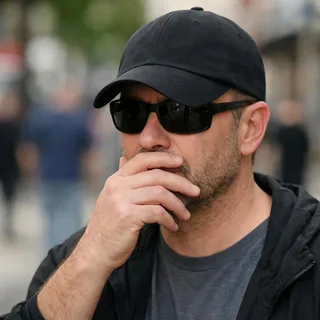 Sunglasses, a cap or a hand over the face
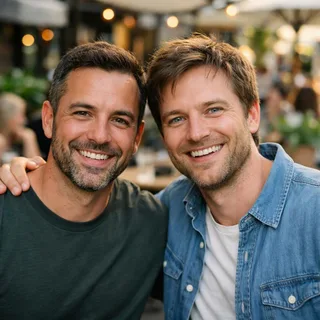 Two people in one photo
 Blurry, dark or tiny
Add your selfie
Upload one clear, front-facing selfie; it is the only input the template takes.
Click Generate
Pick 720p or 1080p and check the price on the button before you start.
Post it
Download the clip, then write your setup line in the posting app's text tool.
This is a human selfie walk, not a pet or a pair: the clip is one person holding a phone, so a clear human face is what the model needs.
Copy a Kling video-edit prompt that swaps only the walker in the selfie clip, caption and sound kept, or a Seedance prompt that films a new deadpan walk-in from one selfie. On this page the prompt is already set, so the selfie is all you add.
Kling 4.0 video edit
Prompt length 901
Use @Video1 as the reference for the whole selfie walk. Replace only the person walking toward the phone, the one in the red shirt with the black backpack, with the person in @Image1.

Preserve the face, hairstyle, hair colour, skin tone, age and build of the person in @Image1. Transfer the walk, the slight head tilt and the flat, unsmiling stare into the lens from @Video1 frame by frame: no smile and no reaction, because the deadpan look is the punchline.

Keep the red shirt and the black backpack from @Video1, the wet path, the red-brick wall and the hedge, the handheld selfie framing from head to chest, the gentle camera sway, the single take, the pacing and the audio. Keep the white "then i walk in" caption at the top exactly where it is, unchanged, for the whole clip.

Keep one stable face from the first step to the last frame. No face blending, no extra people, no new text or logos.Describe the look, not the walk
The walk is ordinary on purpose; “deadpan, unsmiling, straight into the lens” is the part that makes it the meme.
Keep the caption word for word
“then i walk in” in white lowercase at the top: name it exactly so it survives the edit.
Keep the selfie framing
Head to chest at arm's length is what makes it a walk-in selfie; a wider shot loses the stare.
“Make it cinematic”
Slow motion, dramatic music or a runway turns the deadpan selfie into a different trend.
“Smile at the camera”
Any smile or wink kills the contrast the meme runs on.
Your setup line inside the video
Writing “They said they have a type” into the prompt adds garbled text; put your own line in the posting app.
Invites a smile and a strut
Make a video of me walking in confidently.
Protects the stare and the caption
Use @Video1. Replace only the person in the red shirt with @Image1; keep the flat stare, the selfie sway, the "then i walk in" caption and the audio.
“Confidently” invites a smile and a strut. The second keeps the clip and protects the deadpan stare and the caption.
Every template works the same way: add your photos, press Generate and get a shareable video without writing a prompt.
View all effectsFAQ
No. Each run costs credits at the price of the resolution you pick, and the button shows that number before you generate. New accounts start with 10 credits.
No. This is a fixed template rather than a general Then I Walk In AI generator: the walk and the camera are already set, so there is no prompt field to fill in. The prompts above are for running the walk-in in another tool.
The 'then i walk in' line is already part of the clip and stays on the download. Write your own setup line — like 'They said they have a type' — in the posting app's text tool, not in the generator.
No exact match is guaranteed. Hair, clothing or makeup from the reference performance can stay in the result, so the clip may keep some of the original look. A clear, close, front-facing portrait gives the model more facial detail to work from.
Yes. The template recasts the built-in clip, so the sound that plays in it is the sound in your video. It is not a new recording or a change of voice.
No. The template takes one selfie for one person. Live-action 'Then we walk in' posts are a related variation, not this template.
The clip is eight seconds and the length follows it, so there is no length setting. The same goes for the vertical frame: both come from the built-in clip.
Both are on offer and nothing else changes with them: same walk, same vertical frame. The difference in price is on the button before you generate.
Neither. This is a browser video template with a fixed clip and an MP4 download. It does not supply a CapCut template link or GIF output.
No. Oeneo AI has no official association with TikTok or with the creator of the walk-in; the name only says which clip the photo goes into.
Yes. The task is not restricted by gender, and the same one-photo slot works for anyone. Check the generated face and hair before you post.
Yes. The template supplies the whole performance — the path, the camera sway and the calm look — and your selfie is the only footage you need.
Then I Walk In AI
Upload one selfie, pick a resolution, and generate the deadpan walk-in from the fixed clip.