

Police Chase AI

Turn one photo into a 10-second police running clip: sprint a crowded market, leap onto a red bus roof and finish on a billboard frame.

  • No prompt
  • Fixed order
  • Crowd stays
Example · Police Chase AI

PNG / JPG / WebP · up to 10 MB · at least 512px on the short side

0/1 photos

One clear solo photo of the runner — you. Face front, nothing covering it; chest up or wider works for the market close-up and the final grin.

Video settings

No prompt needed. Only upload photos of yourself or people who agreed to be featured; celebrity photos and film stills aren't allowed.

What is the AI police running video?

Police Chase AI is an AI video trend: one clear solo photo becomes the runner of a chase through a crowded street market, over the roof of a moving red bus and up a billboard's steel frame — a single 10-second clip with its own sound.

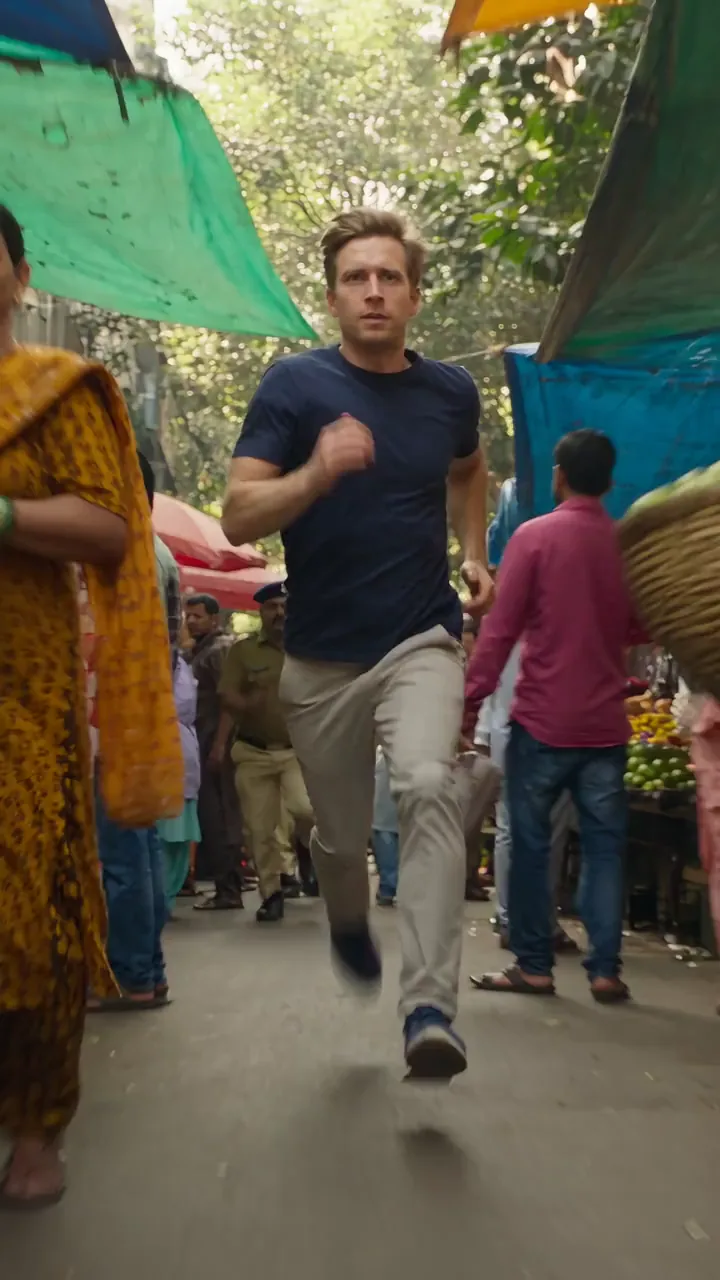
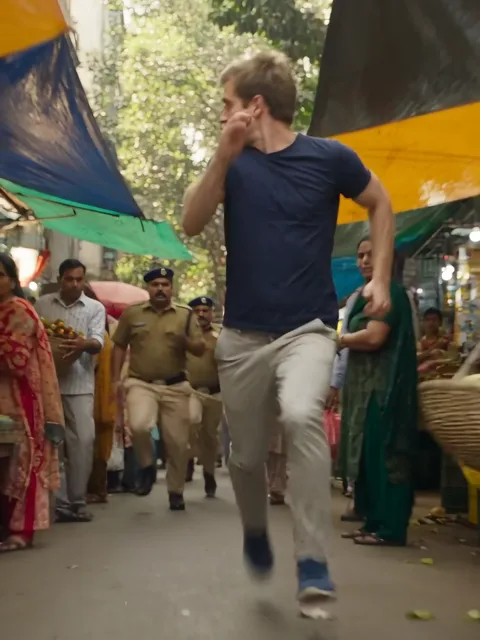
A man sprints toward the camera through a crowded street market, glancing back over his shoulder

The joke is the contrast. A normal selfie turns into an action hero who outruns the police over a bus — a stunt nobody would really do, played straight in ten seconds.

What makes it recognisable is the three acts, not a generic running shot: the market sprint, the bus-roof run and the billboard climb stay in order every time.

How it spread

  1. The CapCut template "Ai Police Video" is created — a one-photo police running template that this page's clip matches.

  2. A clip posted by @zardad_bulbul on TikTok later reads about 1.6 million plays.

  3. Tutorials follow in French ("la police qui court en IA") and English ("AI police running trend").

Counts read from the CapCut template page and TikTok embeds on November 4, 2026.

Three acts of the chase

The built-in clip is 10 seconds of one continuous run — every beat below is a frame from it.

  1. A man sprints toward the camera through a crowded street market, glancing back over his shoulder10:00–0:03

    Market sprint

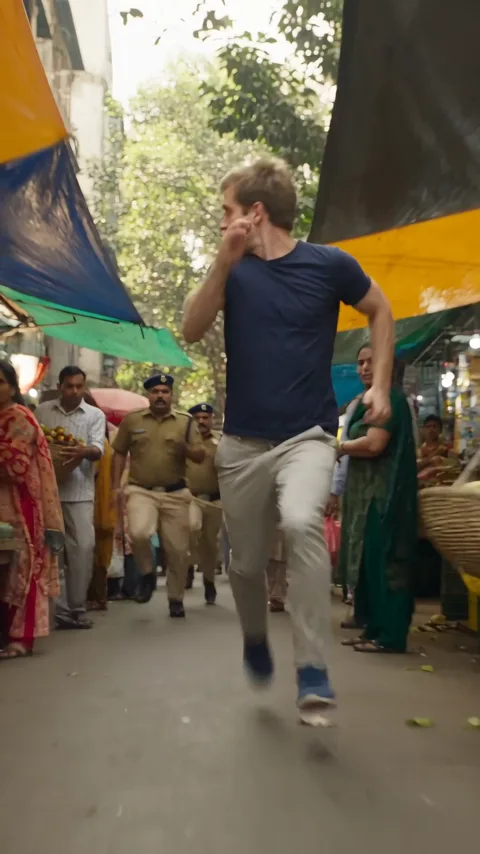
    The runner bolts through the crowded market toward the camera and glances back; shoppers step aside and the police follow far behind.

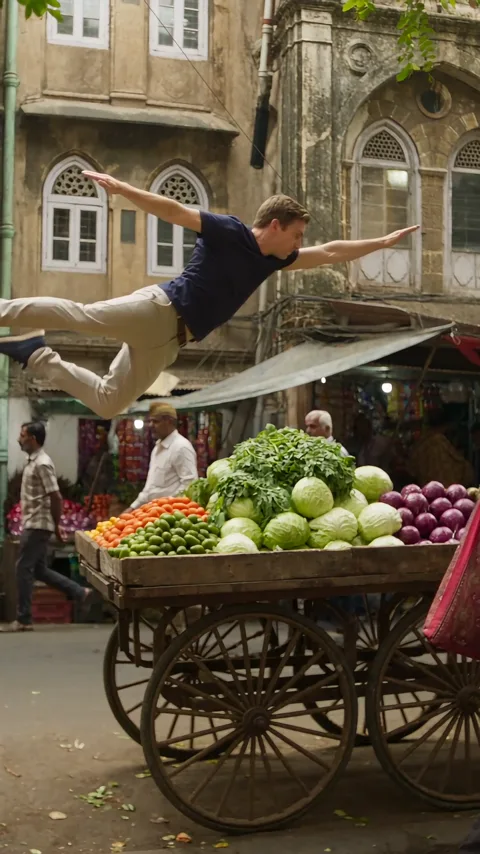
  2. A man leaps high over a handcart at the end of a market, arms and legs stretched out20:03–0:04

    The jump

    At the end of the market the runner leaps high over a handcart, stretched out in a short slow-motion beat above the road.

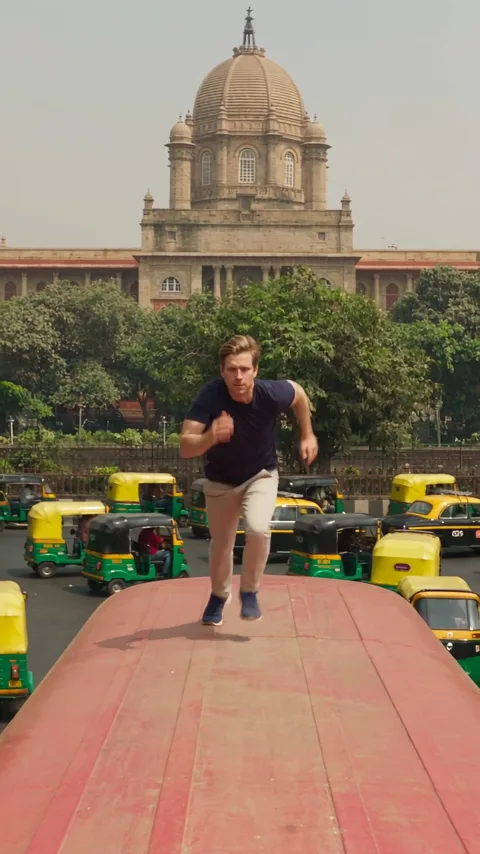
  3. A man runs along the roof of a moving red bus, arms out for balance30:04–0:07

    Bus-roof run

    The runner lands on a moving red bus and runs along its roof toward the camera, arms out for balance, rickshaws and taxis below.

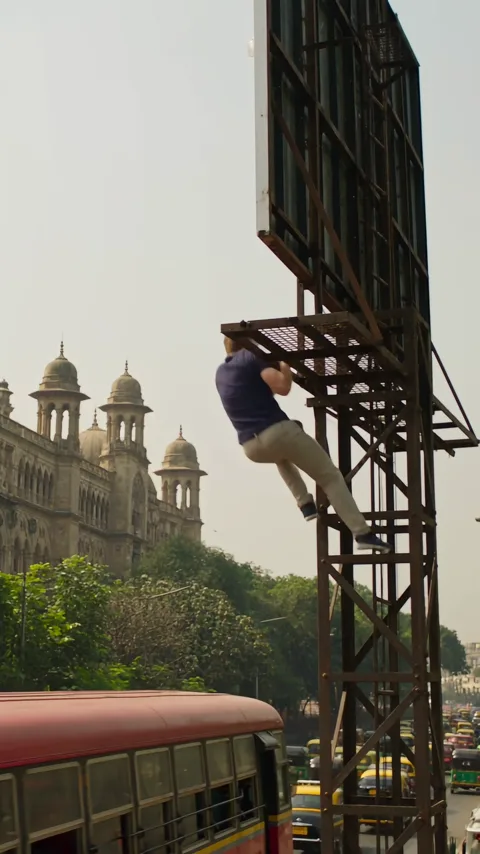
  4. A man grabs the steel frame of a tall roadside billboard and pulls himself up40:07–0:08

    Billboard grab

    The runner jumps from the bus and catches the steel frame of a roadside billboard, then pulls up onto it.

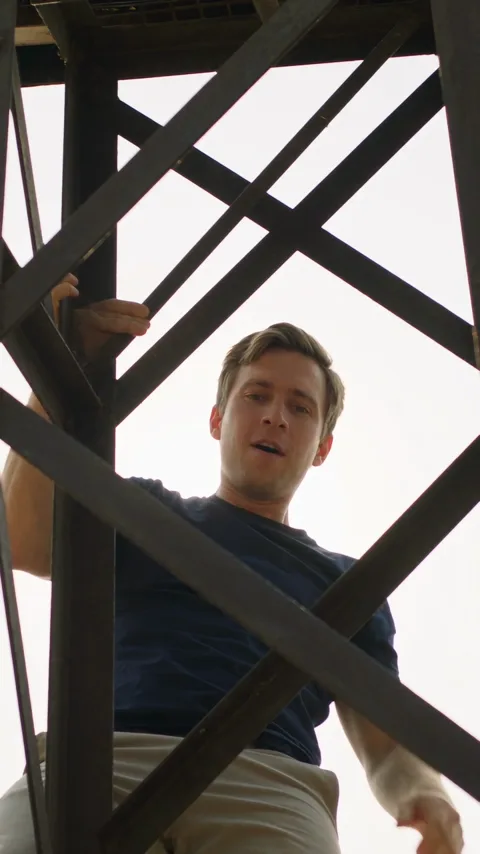
  5. A man stands on a billboard beam against a bright sky, grinning down at the camera50:08–0:10

    On the beam

    A low shot from below the crossed beams: the runner stands on the frame against the bright sky and grins down at the camera.

The market crowd, the vendors and the police stay as they are — only the runner takes your photo.

Police Chase AI or a different police video?

These searches get mixed up. Only this page makes the market-to-billboard chase from your photo.

ComparePolice Chase AIAI arrestPolice car chaseGame footage
What it showsYou run the market, bus and billboardSomeone is led awayA vehicle pursuitIn-game police chases
Who starsYour photo as the runnerYour photo as the arrested personA vehicle, not a personA game character
What you addOne solo photoOne photoA prompt or a clipNothing to upload
Where to make itThis pageNot this effectAI Video GeneratorNot this effect

How do you make the police running video from a photo?

One photo plays the runner; the built-in clip already has the market, the bus and the billboard.

  1. The runner from the clip, sprinting toward the camera through the market

    Photo 1Runner

    This photo becomes the runner of the whole chase: the face, hair and build from it carry the market sprint, the bus roof and the billboard.

    • One person only — a second face can get mixed in.
    • A sharp, front-facing face; the close-up and the final grin show it biggest.

Which photo works best

Works well

  • A clear, front-facing portrait of a smiling womanA clear, front-facing face
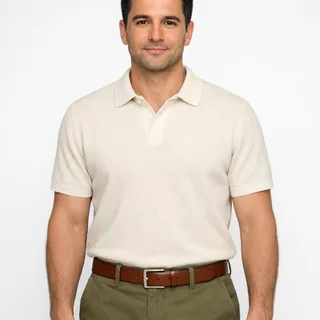
  • A waist-up photo of a man with his face clearChest-up or waist-up framing
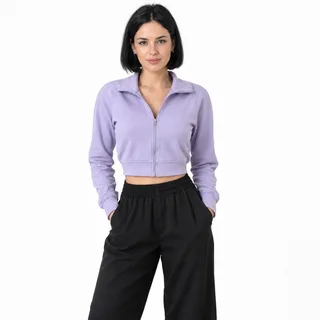
  • Woman in a lilac cropped jacket, head to thighs, hands in her pocketsHead to thighs, ready to run

Avoid

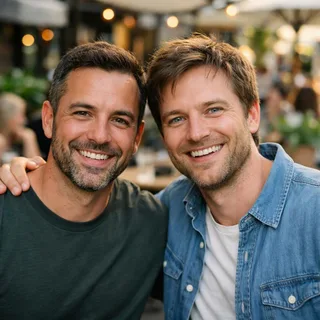
  • Two men side by side in one photoTwo people in one photo
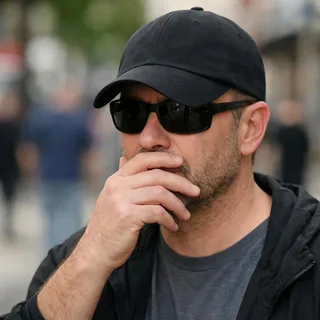
  • A face hidden by sunglasses and a handAnything covering the face
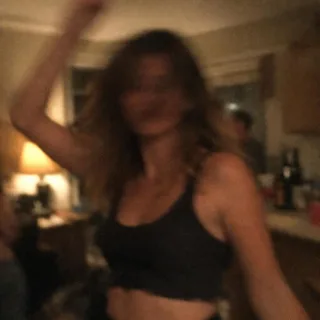
  • A dim, blurry photo of a personDim or blurry photos

From one photo to the chase

  1. Add your photo

    Upload one clear solo photo of the runner — no group shots, nothing over the face.

  2. Click Generate

    The Generate button shows the exact credit price before anything runs, so there are no surprises.

  3. Post it

    Download the vertical clip and post it. Keep the AI-made label on.

Police Chase AI prompt

Copy a Kling video-edit prompt that swaps only the runner in the market-to-billboard chase, or a Seedance prompt that films the five shots from one photo. On this page the prompt is already set, so you only add the photo.

Kling 4.0 video edit

Prompt length 1042

Use @Video1 as the reference for the whole chase. Replace only the runner, the man in the navy T-shirt and light trousers who leads the chase from the first frame to the last, with the person in @Image1.

Preserve the face, hairstyle, hair colour, skin tone, age and build of the person in @Image1, in the outfit from the photo. Transfer the runner's motion frame by frame: the sprint through the street market with a glance back, the slow-motion leap over the vegetable cart, the run along the roof of the moving red bus with arms out for balance, the jump to the billboard frame, the climb and the grin down at the camera from the beam.

The shoppers, the vendors and the police officers behind him are not replaced and keep their own faces. Keep the market, the red bus, the rickshaws, the billboard, the warm daylight, the camera, every cut, the vertical frame, the pacing and the audio of @Video1 unchanged.

Keep one stable face in the wide market shots and the small bus-roof shot. No face blending, no extra runners, no text or logos.

Write it well

  • Name the runner by outfit

    “The man in the navy T-shirt who leads the chase” marks one person in a crowd of shoppers and officers.

  • Keep the three acts in order

    Market, bus roof, billboard: say them in order so the edit keeps the chase instead of shuffling it.

  • Leave the police as they are

    One line keeping the officers and the crowd unchanged stops the edit putting your face on them.

Skip these

  • “Get arrested at the end”

    That is a different video, an arrest, and the model will add officers grabbing the runner.

  • A new frame or a longer cut

    A horizontal frame or a longer chase throws away the edit the trend is known for.

  • Weapons, crashes or falls

    The clip has none of them; asking for them turns a playful chase into a violent one.

One wrong prompt, one right prompt

Never says who to replace

Put my photo into the police chase video.

Names the runner, keeps the rest

Use @Video1. Replace only the runner in the navy T-shirt with @Image1; keep the officers, the crowd, the bus roof, the billboard and the clip's audio.

The first never says who to replace, so the police and the crowd can change too. The second names the runner and keeps everyone else.

Police Chase AI video specs

Police Chase AI video specs
Photos
1 solo photo — the runner
Photo files
PNG / JPG / WebP, up to 10 MB, at least 512 px on the short side
Length
10 seconds, fixed by the source clip
Frame
9:16, vertical
Resolution
720p or 1080p; 720p by default
Sound
Keeps the built-in clip's own sound
Credits
380–570 per video; 380 for 10 seconds at 720p
Visibility
Videos made on a free account are public. On a paid plan they are private by default.
If a run fails
The credits go back to your balance automatically

FAQ

Police Chase AI: what the chase keeps and what it changes

Is the police chase AI video free?+

No, it costs credits. The Generate button shows the exact price before you start, and new accounts begin with 10 credits.

Do I need CapCut to make the police running video?+

No. This is a separate browser effect with its own built-in clip — you add one photo here and don't need the CapCut app.

Does the video keep the sound?+

Yes. The effect keeps the built-in clip's own sound; it does not attach a TikTok sound-page label.

Is the video vertical, and can I switch to 16:9?+

The built-in clip is 9:16, so the result is vertical. There is no 16:9 option for this fixed edit.

Is there a police chase AI prompt I can copy?+

Yes. The prompt section above has a Kling video-edit prompt and a Seedance shot list you can copy. The template itself needs no prompt: you only add one photo.

Why does the runner look different from my photo?+

Fast turns, the jump and small market shots make identity harder. A clear solo photo helps, but it is not a guaranteed pixel match. Check the photo list above.

Is this a scene from a film?+

No. It is an AI-made template clip, not a scene from a film. Your run keeps its street, bus and billboard and swaps only the runner for your photo.

Can I pick 720p or 1080p?+

Both 720p and 1080p are available, with 720p as the default. Pick one before you generate and the button shows the matching price.

Can my pet run the chase?+

No. This effect is built for one person; there is no pet version here.

Police Chase AI

Make your Police Chase AI running video

Add one solo photo and get the 10-second market, bus-roof and billboard chase.