

I Want Wings AI Video

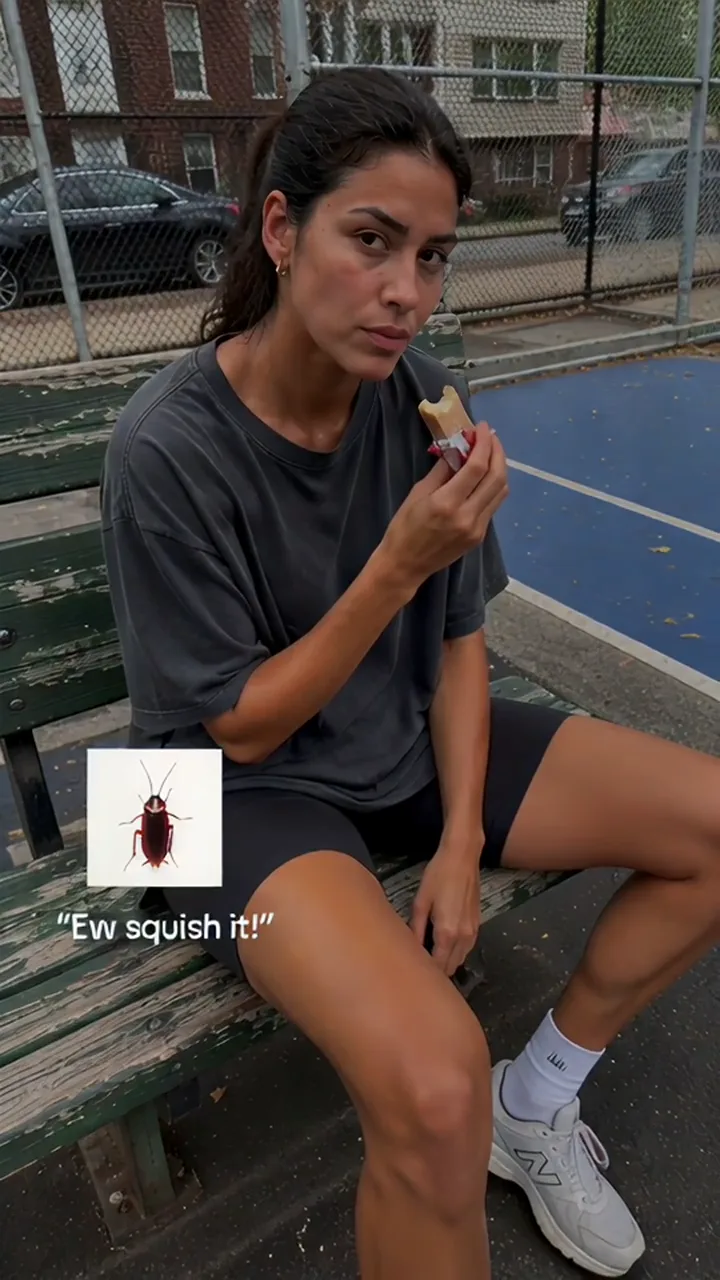
Upload one selfie and star in the AI glow up video: slumped under the "Ew squish it!" roach, a black screen of butterflies, then golden-hour "Be gentle" shots.

  • No prompt
  • No old photo
  • Stickers included
Example · Roach to butterfly

PNG / JPG / WebP · up to 10 MB · at least 512px on the short side

0/1 photos

One recent photo of just you, face to the camera, no sunglasses. Your face and hair go into the bench shot and every golden-hour shot after the butterflies.

Video settings

No prompt needed. Only upload photos of yourself or people who agreed to be featured; celebrity photos and film stills aren't allowed.

What is the I Want Wings AI video?

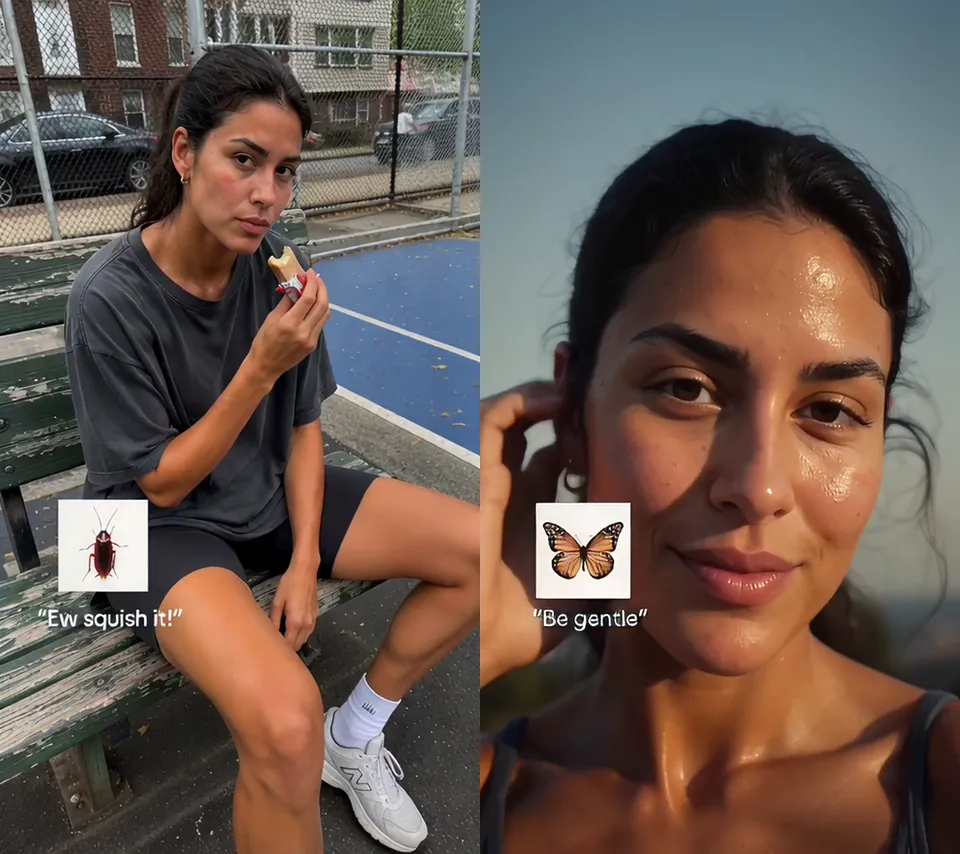
The I Want Wings AI video is the trend's 15-second glow-up montage with your face in it: a bored before shot under a cockroach sticker that reads "Ew squish it!", a black screen that fills with butterflies, then quick golden-hour shots, each stamped with a monarch butterfly and "Be gentle".

Before and after glow up stills side by side: a woman in a grey T-shirt eating a snack on a courtside bench under a cockroach sticker and "Ew squish it!", and the same woman in a sunlit close-up with a monarch butterfly sticker and "Be gentle"

People also search for it as Ew squish it, be gentle or the roach-to-butterfly glow up. The name comes from the trend's sound, an anime edit of Berserk's Griffith saying "In that case, I want wings", posted on TikTok by @sin_alt on October 19, 2026; by November 9 that sound was on 94,200 TikTok videos. Searches for "I want wingstop" are about the chicken chain, not this trend.

Searching "ew squish it AI" also turns up AI squish effects, which press a photo flat like a soft toy. That is a different effect: nothing gets squished here; the roach is a sticker on the before shot, and the glow-up is the cut to the butterflies.

"Ew squish it!"

Said to a cockroach, and stamped on the bored bench shot: the off-day you nobody looks at twice.

"Be gentle"

Said to a butterfly, and stamped on every golden-hour shot after the black screen: glow up, and the people who wanted you squished turn gentle.

How the slides turned into a video

  1. @omikko12 posts three photos to the sound: a cockroach before, a black butterfly slide and a butterfly after. The post had 5.51 million TikTok views on November 7.

  2. The CapCut template "I want wings" by babeteditz turns the slides into a montage cut to the beat. It had 107,952 uses on November 9.

  3. A CapCut montage version by @thats5urie passes a million TikTok views (1,061,981 on November 9).

  4. A second "i want wings" CapCut template goes up, named for the glow-up; it had 2,006 uses on November 9.

  5. The first AI video templates of the montage go up: one photo in, the whole cut out, stickers and butterfly screen included.

Views and uses as read on TikTok and CapCut on November 7 and November 9, 2026.

How does the I Want Wings glow up transition play out?

The 15-second cut runs in three acts: one long before shot, a black screen of butterflies, then a fast run of golden-hour shots, about one a second, ending on a close-up.

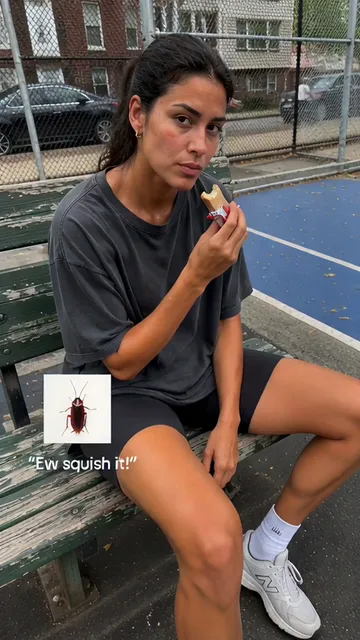
  1. Woman in a grey T-shirt slumped on a wooden bench by a blue basketball court, eating a snack, with a cockroach sticker and "Ew squish it!" in the lower left10:00–0:04

    "Ew squish it!"

    Slumped on a courtside bench in flat grey light, loose grey T-shirt, chewing a snack with a bored stare, the cockroach sticker in the corner.

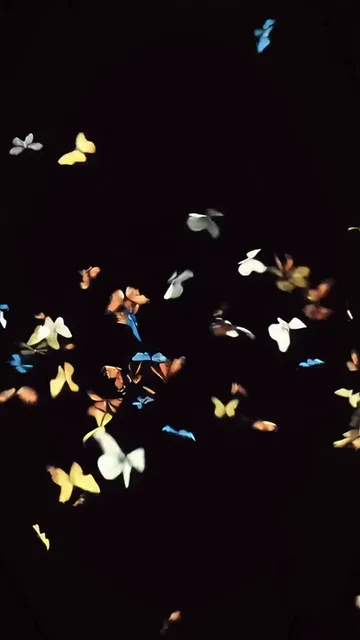
  2. Black screen filled with small yellow, white, orange and blue butterflies in flight20:04–0:06

    The butterfly screen

    The cockroach sticker hangs on a black screen for a moment, then a swarm of butterflies bursts across it.

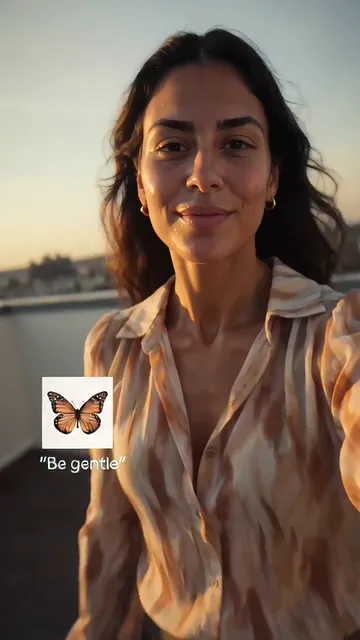
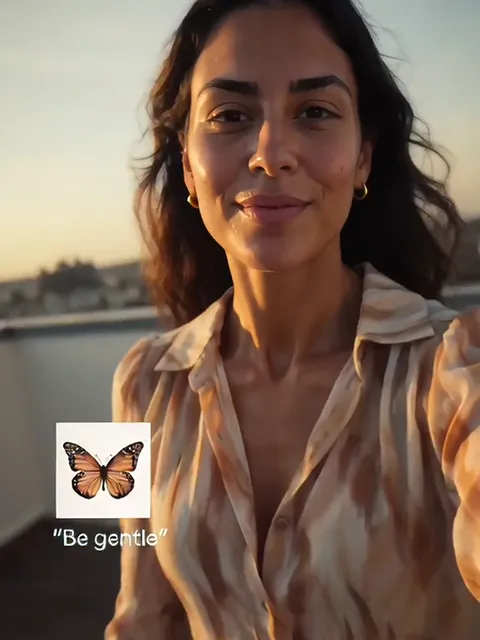
  3. Woman in a patterned blouse smiling into a golden-hour selfie, a monarch butterfly sticker and "Be gentle" in the lower left30:06–0:09

    Golden-hour selfies

    The first "Be gentle" shots: a smiling selfie in a patterned blouse, a laughing wave under a glass roof, a walk down a sunny city street.

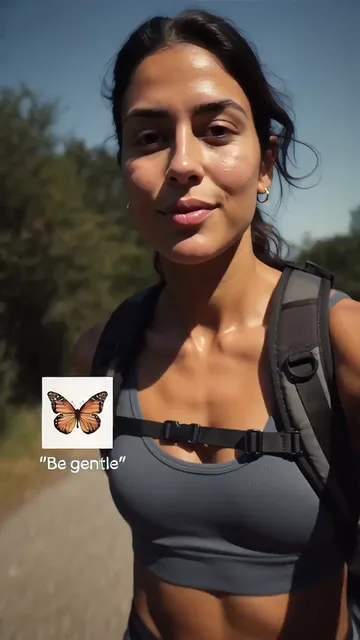
  4. Woman in a grey sports top and backpack taking a selfie on a tree-lined trail, with the butterfly sticker and "Be gentle"40:09–0:11

    A book and a trail

    Reading by a bright window with the face turned to the light, then selfies on a hillside trail with a backpack.

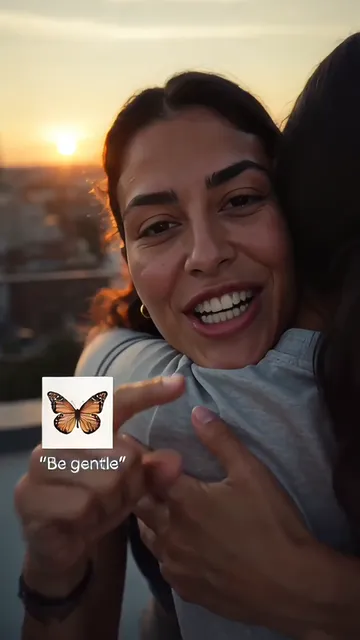
  5. Woman laughing as she hugs someone at sunset, the butterfly sticker and "Be gentle" in the lower left50:11–0:14

    Laughs and hugs

    A big laugh into the lens, hands sketching beside a paint set, a friend's hug from behind, then a hug at sunset.

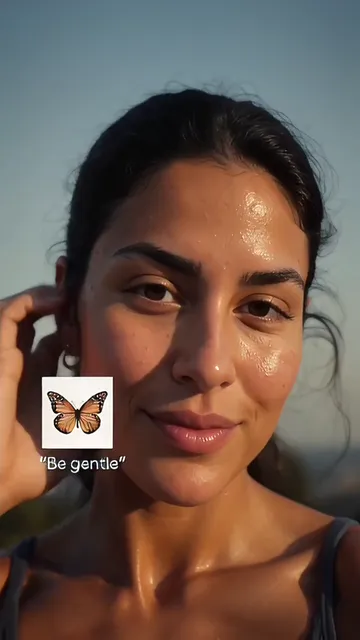
  6. Sunlit close-up of the woman touching her ear with a soft smile, the butterfly sticker and "Be gentle" in the lower left60:14–0:15

    The close-up

    It ends on a soft, sunlit close-up, the butterfly sticker still in the corner.

How do you make the I Want Wings AI video from one selfie?

Pick a recent everyday selfie rather than your most styled one: the golden-hour light and outfits come from the template, and the same face also plays the off-day bench shot.

  1. The woman from the glow-up shots in a patterned blouse, smiling into a golden-hour selfie

    Photo 1You

    You play the one person in the video: slumped on the bench under "Ew squish it!", then every golden-hour "Be gentle" shot. Your face and hair come along; the outfits, places and light stay the template's.

    • Face to the camera with eyes open: the video ends on a big close-up.
    • Only you in the photo; the two people in the hugs stay as they are.

A good selfie for the montage

Works well

  • Woman with curly hair in a mustard sweater, chest up, smiling at the cameraChest up, looking at the lens
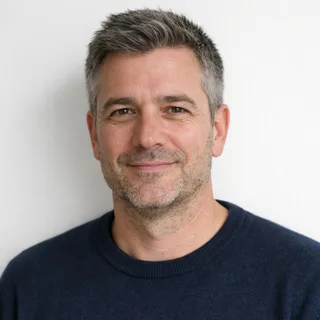
  • Grey-haired man in a navy sweater, chest up, in an unfiltered photoNo filter: real skin and hair
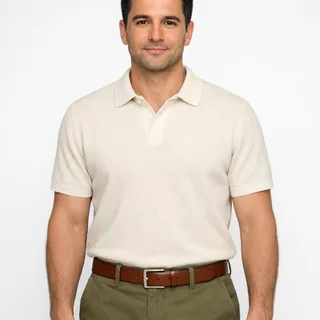
  • Man in a cream polo, head to waist, arms relaxed at his sidesHead to waist works too

Avoid

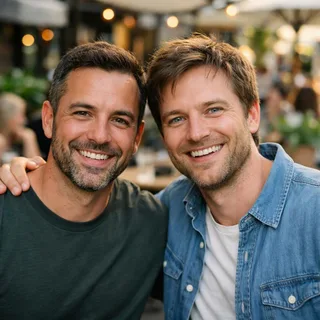
  • Two men side by side in one photo at a cafeTwo people in one photo
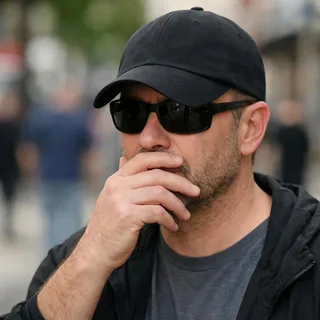
  • Man in sunglasses and a low cap with a hand over his mouthSunglasses, a cap or a hand on the face
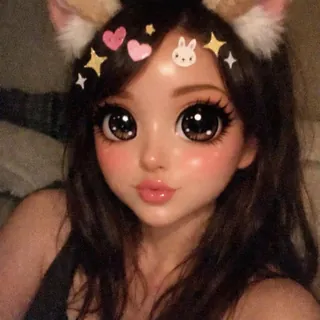
  • Selfie under a cartoon filter with cat ears, huge eyes and stickersBeauty or cartoon filters

Selfie in, glow-up out

  1. Pick one selfie

    Put a recent, clear photo of yourself in the You slot; it all runs in the browser, with no app to install.

  2. Click Generate

    The button shows the exact credit price before you start; the video plays in the preview when it is ready.

  3. Post the glow-up

    Save the vertical MP4 and post it to TikTok, Reels or Shorts with #iwantwings and #glowup.

I Want Wings AI video prompt for Kling and Seedance

This page needs no prompt. To run it yourself, the first AI glow up video prompt is for Kling's video edit with the clip attached as @Video1; the second is an AI transformation video prompt that re-shoots the montage in Seedance from your photo alone. Both are written for this cut: who to swap, and everything that has to stay.

Kling video edit

Prompt length 1232

Use @Video1 as the reference and replace only the woman with long dark hair who is in every shot: first slumped on the courtside bench in a loose grey T-shirt, eating a snack, then in each golden-hour shot after the butterflies. She becomes the person in @Image1, with the face, skin tone, age, hair colour and hair length from @Image1, in every shot.

Keep her actions in order and on the same beats: the bored chewing on the bench; the smiling selfie in the patterned blouse; the wave under the glass roof; the walk down the sunny street; reading by the window with her face turned away; the trail selfies with the backpack; the big laugh; the sketching hands; the hug from a friend and the hug at sunset; the soft close-up at the end.

Keep everything else from @Video1 unchanged: the outfits, places, light and colour, framing, every cut and its timing, the black screen and the butterfly swarm, the white-boxed cockroach sticker with "Ew squish it!" and the white-boxed monarch butterfly sticker with "Be gentle" in the lower left, word for word, and @Video1's sound. The two people she hugs keep their own looks and never get the face from @Image1. Keep the new face stable from shot to shot; do not add people, text or logos.

Lines this cut needs

  • Name her by what she wears

    "Grey T-shirt on the bench" and "patterned blouse" point at the one person to swap; "the woman" alone can also catch the friends in the hugs.

  • Quote both captions

    Writing "Ew squish it!" and "Be gentle" word for word, with the lower-left spot, keeps the meme's two lines intact.

  • List the shots in order

    Bench, butterflies, selfies, book, trail, laugh, hugs, close-up: the order is what holds the montage's timing.

These lose the joke

  • Asking for a glow-up

    "Make me prettier" invites a beauty filter; the glow-up is already in the light and the styling of the shots.

  • Rewriting the scenes

    New places or outfits turn a face swap into a re-shoot; leave them to the clip when you edit it.

  • Skipping the butterfly screen

    If the prompt never mentions it, the edit may put a face on the black screen or lose the swarm.

Vague or clip-specific

Too vague

Put my face in the I want wings video.

Clip-specific

Replace only the long-haired woman in the grey T-shirt on the bench and in every golden-hour shot with @Image1; keep both stickers, "Ew squish it!", "Be gentle", the butterfly screen and @Video1's sound.

The first names no person, no stickers and nothing to protect, so the model guesses all three.

What are the I Want Wings AI video's length, sound and credits?

What are the I Want Wings AI video's length, sound and credits?
Photos
One photo of one person
Photo files
PNG / JPG / WebP, up to 10 MB, at least 512 px on the short side
Length
15 seconds, the template's full cut
Aspect ratio
9:16, vertical like the template
Resolution
720p or 1080p; 720p by default
Sound
The template's own sound, kept on the video
Credits
720p: 566 credits, 1080p: 849 credits
If a run fails
The credits go back to your balance automatically

I Want Wings AI video: photos, sound and privacy

Do I need a before photo for the I Want Wings AI video?+

No. The bored before shot is part of the template, so one recent photo plays both halves. For a real then-and-now with your own old photo, use the CapCut template or the photo slides from the table above.

What sound is on the I Want Wings AI video?+

The template's own sound stays on it. To post it the usual way, add the trend's sound on TikTok, the "original sound" from @sin_alt, and turn the video's own sound down.

Does the I Want Wings AI video work for guys?+

You can use anyone's photo: your face and hair go into every shot. The outfits stay the template's, the patterned blouse and the sports top included, so a guy's version wears them too.

Why does my face look different in some shots?+

The cut changes shot about once a second, and in a few shots the face is small, lit from behind or turned away, so the likeness can shift between shots. A clearer photo helps most: see the checklist in the how-to above.

Can I make it with my pet?+

No. The shots follow one person's day, reading, hiking, laughing and hugging, so this template takes a photo of a person.

Does it give me wings?+

No. The butterflies are the sticker in the corner and the swarm on the black screen. For wings on your back, the I Want Wings photo effect and the angel wings catwalk video both add them.

Is this an official I Want Wings or Berserk video?+

No. Oeneo AI is not linked to TikTok, CapCut, the creators who started the trend or Berserk.

Will my I Want Wings video be public?+

No. Videos made with this template stay private to your account, whatever your plan.

Can I change the length or make it horizontal?+

No. The video follows the template, 15 seconds at 9:16; only the resolution can be changed.

Is the I Want Wings AI video free?+

No, it runs on credits, and new accounts get 10 free credits at sign-up. The price depends on the resolution you choose, and the Generate button shows the exact amount before you start.

Go from roach to butterfly in your own I Want Wings AI video

One selfie in, a vertical glow-up out, with the stickers, the butterflies and the sound already in place.