AI Sway Dance

Make the TikTok AI Sway Dance from one photo of you, your baby or your pet: hands on hips, hips swinging side to side and a hand behind the head, to the beat.

  • No prompt
  • Music included
  • No app
Example · Standing sway
Choose an effect

PNG / JPG / WebP · up to 10 MB · at least 512px on the short side

0/1 photos

One photo of one person, baby or pet, face clear and arms in view. Standing: head to knees or full body. Waist-up: a selfie or chest-up shot.

Video settings

No prompt needed. Only upload photos of yourself or people who agreed to be featured; celebrity photos and film stills aren't allowed.

What is the AI Sway Dance filter?

The AI Sway Dance filter is a TikTok AI effect that turns one still photo into a five-second dance: whoever is in the picture stands up and sways their hips from side to side, hands on the hips and a hand behind the head, to a bouncy beat. It works on selfies, babies, dogs and cartoon characters, which is why the name keeps coming back in tutorials.

The joke is the contrast: a pet portrait, a baby picture or a stiff selfie suddenly moves like a confident dancer. Posts lean on that surprise, often captioned with a promise that the filter makes any photo go viral.

People search for it as the AI Sway Dance filter, the AI Sway Dance effect or sway dance AI; all three mean the same hip sway. On TikTok it is an in-app effect, in CapCut a template, and on this page a fixed sway clip that your photo follows.

Where the AI Sway Dance effect came from

  1. @officiallizlee posts a hallway sway on TikTok with the line "use this ai sway dance filter to go viral" and the tag #swaydancefilter; about 104,000 views.

  2. A dog stands up on a bookshelf and sways in a post by @nanamoyashi: 2.7 million views, and the post Perfect Corp later names as the start of the dog sway trend.

  3. Collingwood FC, the AFL club, joins in after a win with the caption "AI dance trend because we won again" and the tag #aiswaydancefilter; about 480,000 views.

  4. A CapCut "Dancing baby" template goes up; dog and baby sway tutorials point to it, and by November 2026 it has been used about 8.5 million times.

  5. @irfanalilb700's "Ai Sway Dance Effect | Baby Dance Effect" reaches 9 million views as baby and pet sways lead a second wave; how-to posts keep coming through 2026, the biggest at 10.5 million views.

Sources: TikTok post pages and view counts and the CapCut template page, read on November 7, 2026; Perfect Corp, "AI Sway Dance Filter: How to Make a Dog Dance" (May 2025).

AI Sway Dance moves, beat by beat

The standing sway is one 5-second take from a fixed camera, framed head to knees. These are its four moves in order.

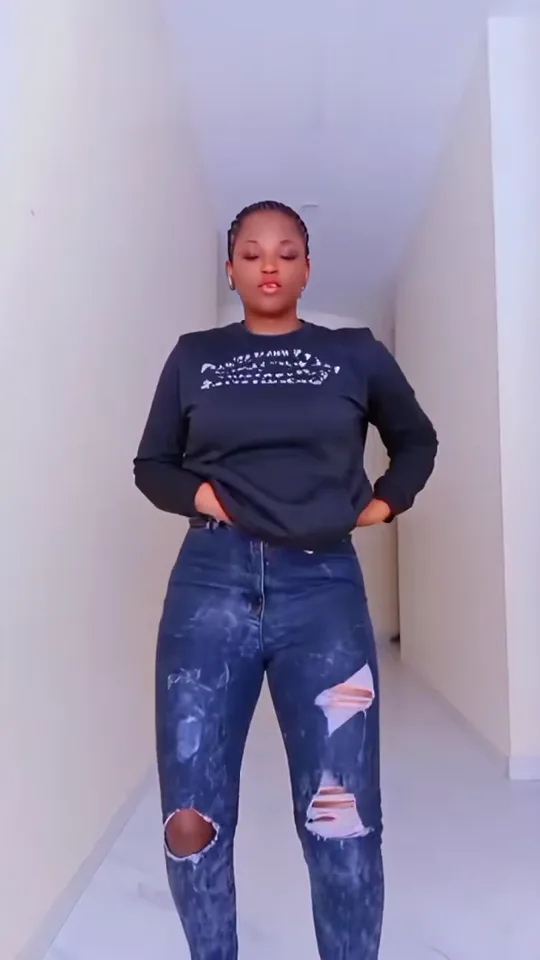
  1. Side-on pose with one hand behind the head and the hip pushed out10:00–0:00

    Hand behind the head

    It opens side-on: one hand behind the head, the other at the waist, the hip pushed out.

  2. Both hands on the hips mid-sway, facing the camera20:00–0:01

    Hands on hips, sway

    Both hands drop to the waist and the hips swing left and right: the move the effect is named for.

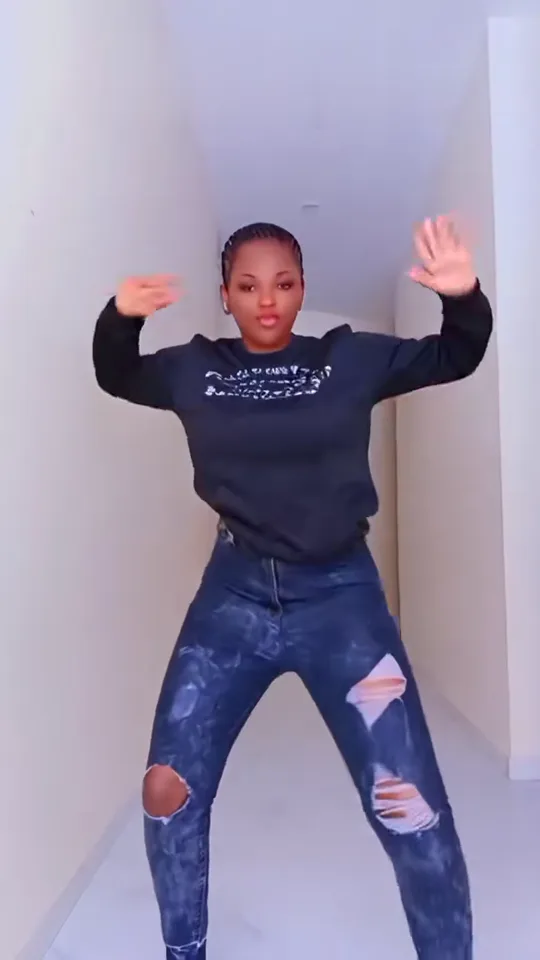
  3. Knees bent wide with both arms raised out to the sides30:01–0:02

    Knee dip, arms out

    A quick drop into bent knees with both arms lifted out to the sides and the hands flicking.

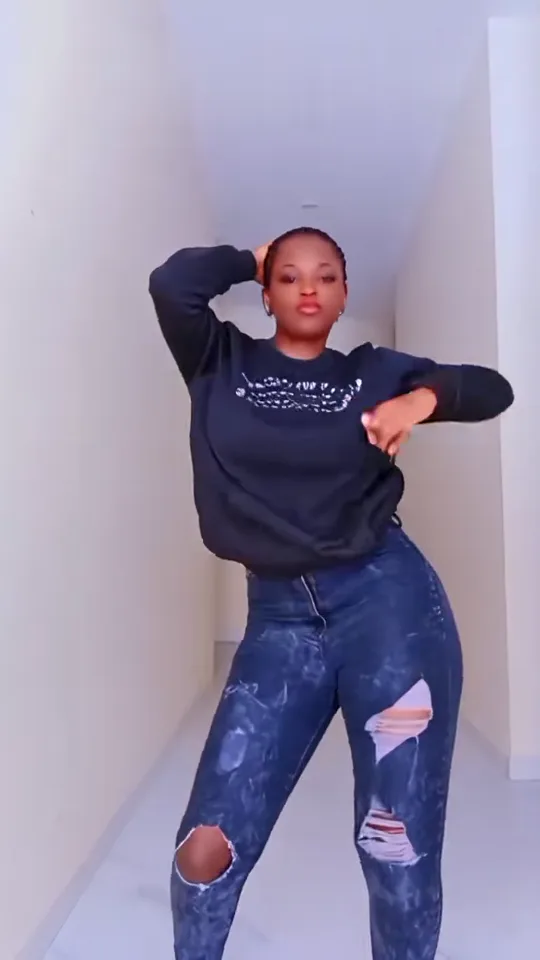
  4. Closing pose facing the camera, one hand behind the head and the other arm across the waist40:02–0:04

    Hip push and closing pose

    Hands back on the hips for a wider push, then one hand returns behind the head to end facing the camera.

Standing sway or waist-up sway?

Both versions keep the face, outfit and setting from your photo and take only the moves and camera from their clip. Pick the one that matches how much of you the photo shows.

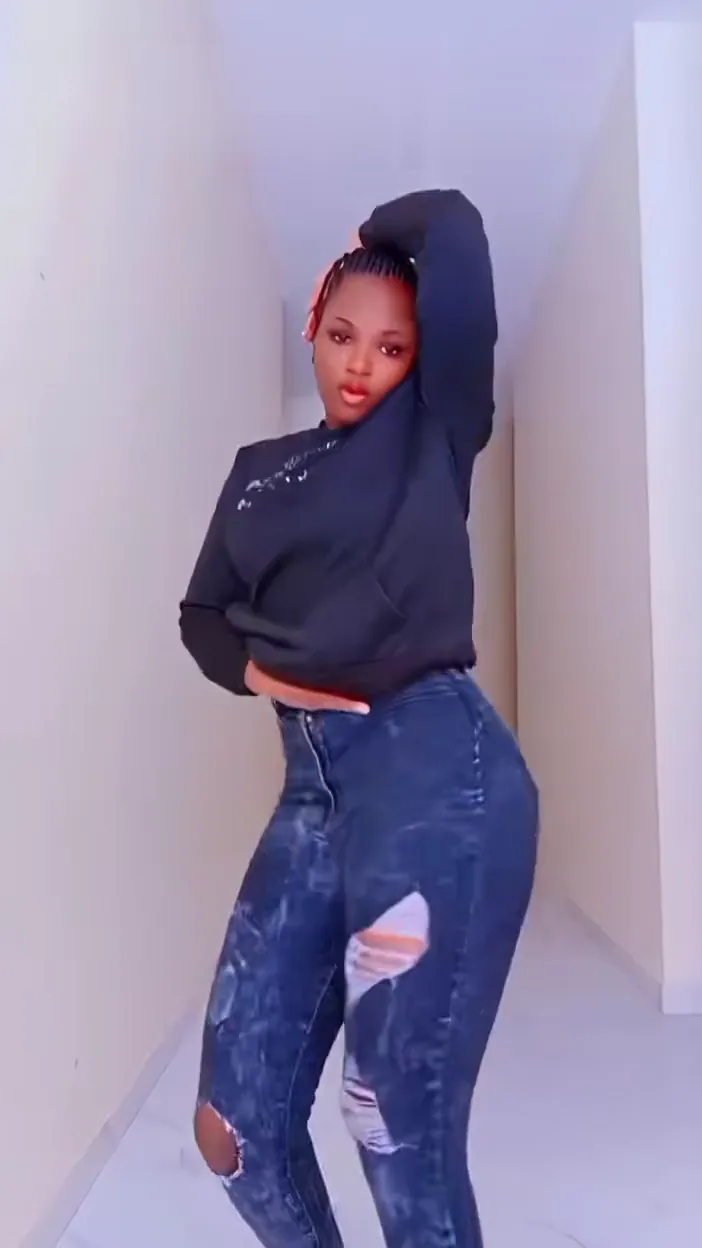
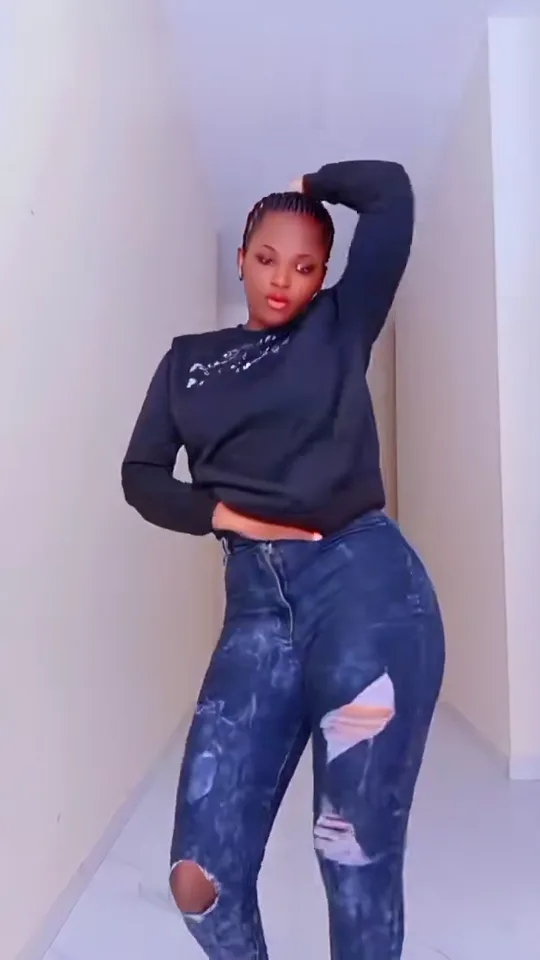
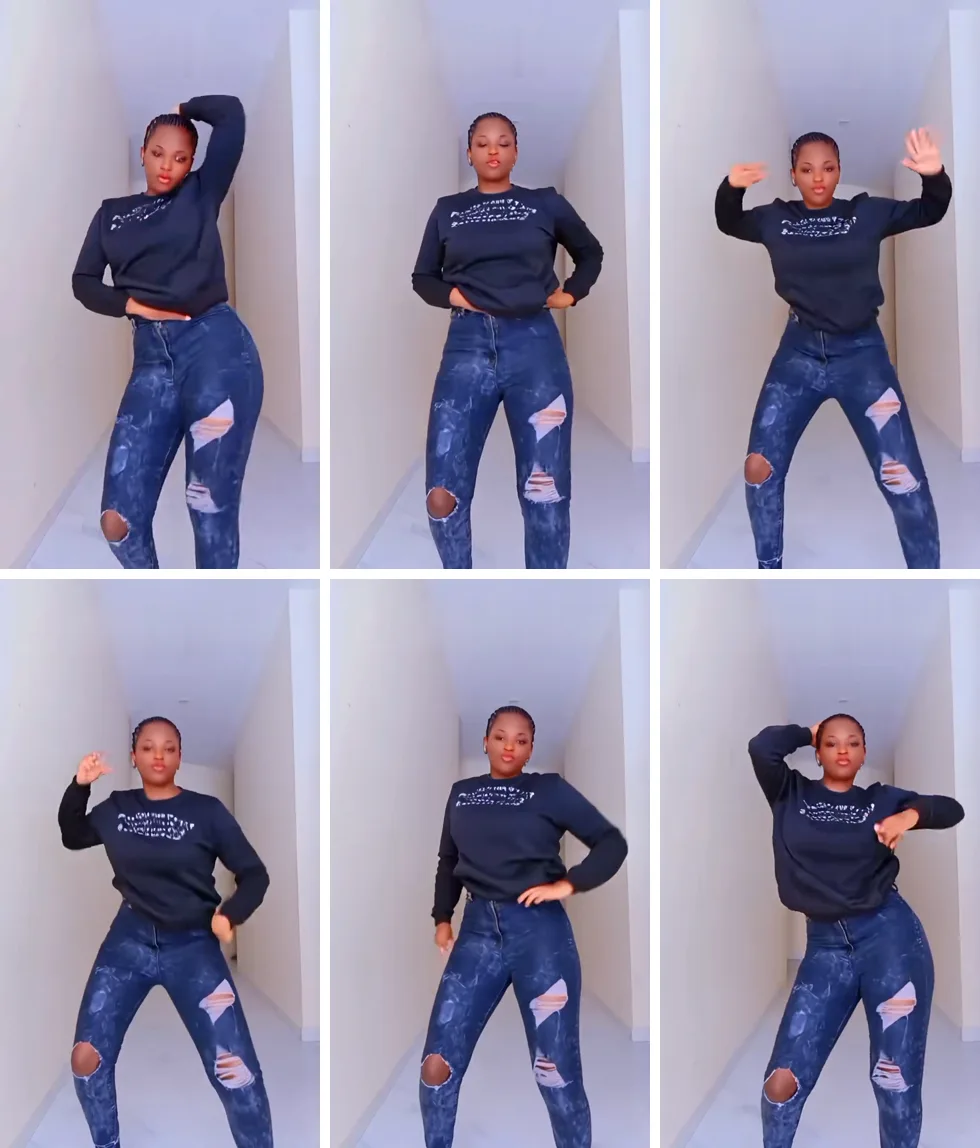
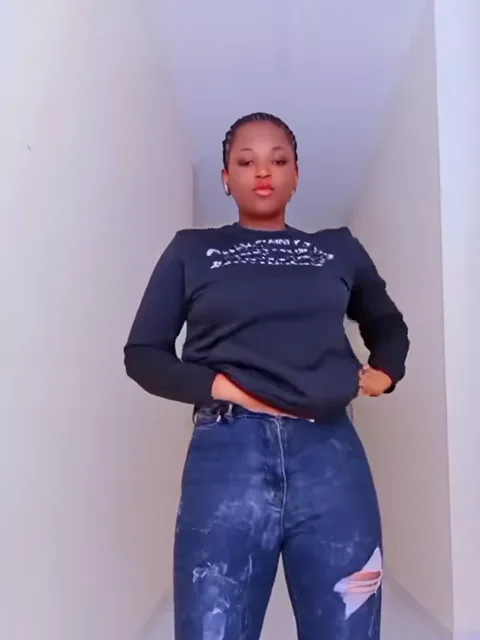
Six frames of the standing sway: a woman in a dark sweatshirt and ripped jeans moving through the hip sway in a white hallway

Head to knees · 5s

Standing sway, the TikTok original

The hip sway as the TikTok effect made it: hands on hips, a knee dip with the arms out and a hand behind the head. Use it for a full-body or knees-up photo, a toddler on their feet, or a dog or cat.

Use the standing sway
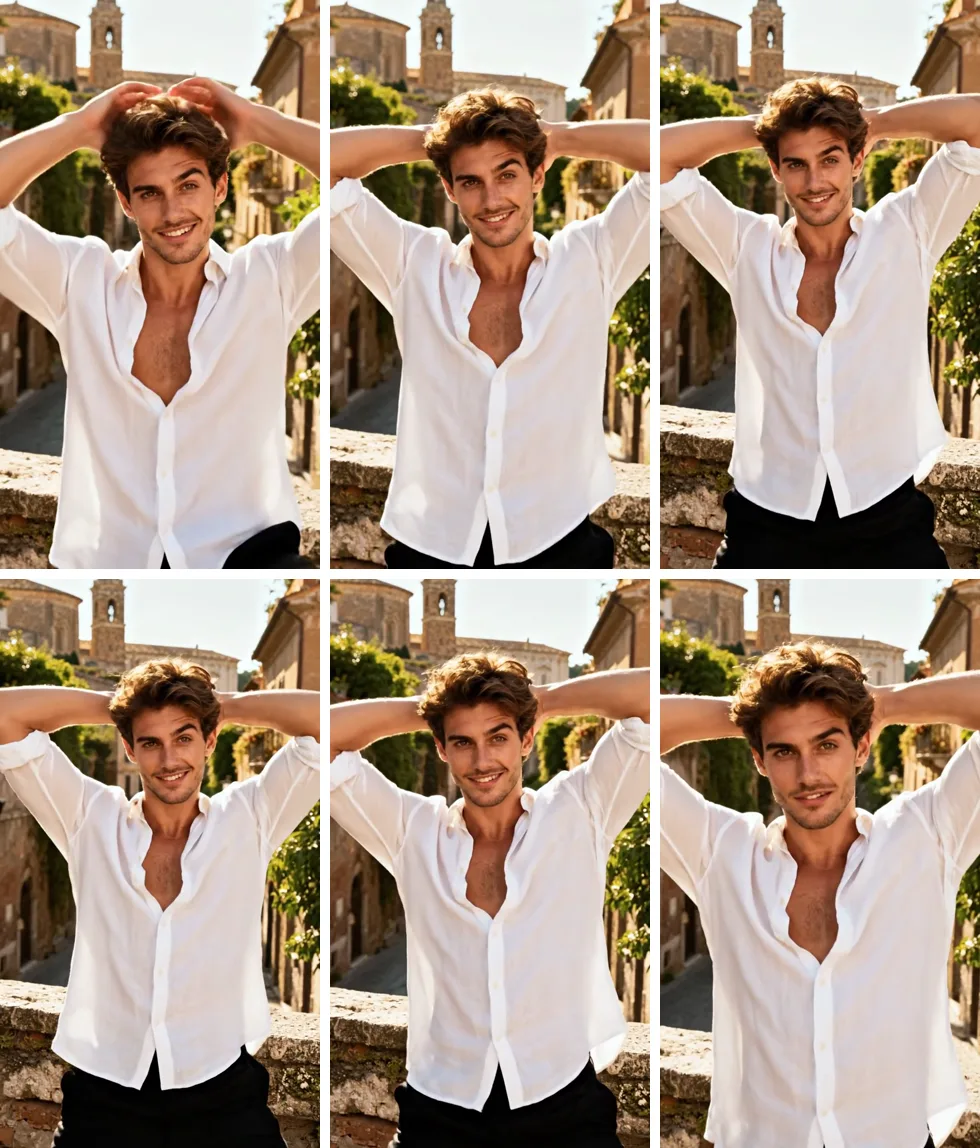
Six frames of the waist-up sway: a man in a white shirt with his hands behind his head, swaying on a sunny old-town street

Chest up · 5s

Waist-up sway for selfies

Both hands laced behind the head, elbows wide, the chest and shoulders rocking side to side as the camera eases in. Use it when your best photo is a selfie or a chest-up shot: nothing below the waist has to be filled in.

Use the waist-up sway

How to make an AI Sway Dance video

One photo makes the whole video: whoever is in it becomes the dancer, whether that is you, your toddler or the family dog.

  1. The dancer from the standing sway clip with both hands on her hips

    Photo 1Person, baby or pet

    Takes the dancer's place for the whole sway, hips, arms and timing included.

    • One subject only: one person, one baby or one pet
    • Arms in view; for the standing sway, the photo reaches at least the knees.

Photos that sway well

Works well

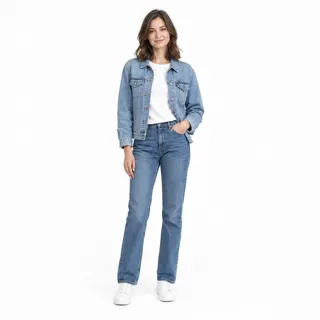
  • Woman in a denim jacket and jeans standing, shown head to shoesStanding, head to knees or feet
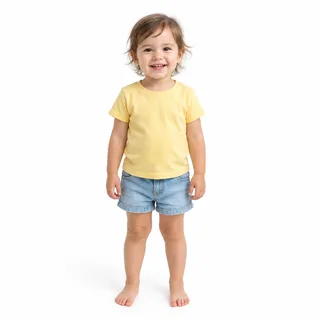
  • Toddler in a yellow T-shirt and denim shorts standing barefoot on whiteA toddler standing on their own
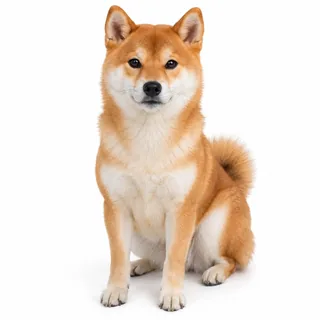
  • Shiba Inu sitting and facing the camera, whole body in viewA dog or cat facing the camera

Avoid

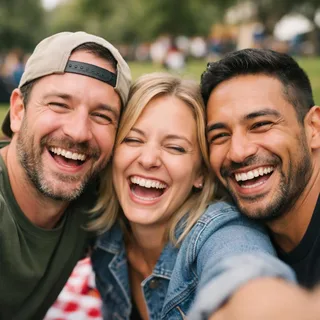
  • Three friends squeezed into one selfie at a picnicGroup selfies
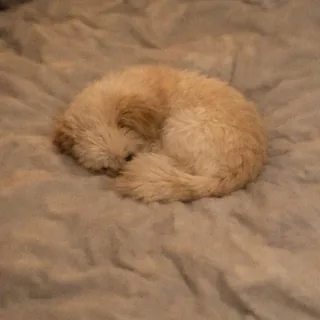
  • Cat curled into a ball on a blanket with its face hiddenA pet curled up or lying down
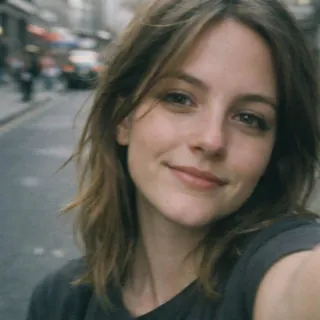
  • Close selfie of a woman on a street showing only her faceA face-only close-up

Sway it, then post it

  1. Pick a version, add the photo

    Choose the standing or waist-up sway, then add one photo of the person, baby or pet.

  2. Click Generate

    The button shows the exact credit price before anything runs.

  3. Post it

    Download the vertical MP4 and post it to TikTok, Reels or Shorts.

Use photos of yourself, your own child or pet, or someone who agreed to it.

AI Sway Dance for dogs, babies and characters

Anything that can stand up in a photo can sway. Here is what a pet photo, a baby picture or a character you designed can turn into.

A dachshund on its hind legs

Your small dog stands up by its bowls and swings its front paws side to side.

A golden retriever at night

A big dog rises on its back legs and sways, with the crowd and cars of its own photo still behind it.

More moves in AI Pet Dance

A 3D character in costume

A character you designed, in a full skirt and jewelled headpiece, sways and swings her arms at a street festival.

AI Sway Dance prompt

This page needs no prompt. If you build the sway by hand in a tool that takes a reference video, such as Kling or Seedance, the words decide which file brings the moves and which brings the dancer: attach the sway clip as @Video1 and your photo as @Image1, then paste the prompt for your version.

Reference clip

Prompt length 903

Use @Video1 as the motion reference and @Image1 as the dancer. Animate the person, baby or pet in @Image1 performing the AI Sway Dance from @Video1. Take only the moves, camera and rhythm from @Video1, not its dancer, dark sweatshirt, ripped jeans or white hallway. Keep the subject of @Image1 as photographed: face, hair or fur, body shape, clothes and the place around them. Follow @Video1 in order: start side-on with one hand behind the head and the hip pushed out; put both hands on the hips and sway the hips left and right; bend the knees and lift both arms out to the sides with the hands flicking; push the hips wide with the hands back on the waist; finish facing the camera with one hand behind the head. Keep the fixed front camera, the head-to-knees framing, the timing and the original music of @Video1. Do not add a second dancer, props or text, and keep the face steady and recognisable.

Lines that keep the sway

  • Name what to leave behind

    List the clip's dancer, outfit and setting after "not": it is the line that keeps your own clothes and room.

  • Pose, sway, dip, finish

    Hand behind the head, hip sway, knee dip, closing pose: in the clip's order, each move lands on the same beat as the original.

  • Match the framing to the photo

    The standing prompt for a knees-up photo, the waist-up prompt for a selfie; mixing them makes the tool crop or invent the body.

Lines that break it

  • Pointing at the clip's dancer

    "The woman in @Video1" tells the tool to keep her. Always name the subject in @Image1.

  • Styling the dancer in words

    Styling words compete with the photo and pull the face away from it; the sway needs none.

  • Two subjects in one photo

    A person holding a pet, or two friends side by side, leaves the tool guessing which body follows the moves.

Same request, two wordings

Keeps the clip's dancer

Make the woman from @Video1 do the sway dance in my photo.

Keeps you

Animate the person in @Image1 performing the AI Sway Dance from @Video1. Take only the moves, camera and rhythm from @Video1, not its dancer or hallway.

The first asks for the woman in the clip; the second names @Image1 as the dancer and lists what to leave out.

Specs

Specs
Upload
1 photo · PNG / JPG / WebP · up to 10 MB · 512 px+ on the short side
Result
5 s video · 720p / 1080p
Credits, standing sway
127 credits at 720p, 166 at 1080p
Credits, waist-up sway
126 credits at 720p, 165 at 1080p
Length
Standing 4.88s, waist-up 4.83s: the length of the sway clip
Sound
Keeps the music from the version's sway clip
Model
Kling 3.0 Motion Control
If a run fails
The credits go back to your balance automatically
Prompt
None: pick the standing or waist-up sway and generate
Visibility
Always private
Last updated
November 8, 2026

FAQ

AI Sway Dance questions

Why can't I find the AI Sway Dance filter on TikTok?+

If the effect doesn't show up or won't open in your TikTok app, you don't need it: upload the photo here, pick the standing or waist-up sway and download the video to post.

Is the AI Sway Dance free?+

No. It uses credits, and new accounts get 10 credits at sign-up. The price depends on the version and the resolution you pick, and the Generate button shows the exact number before you run it.

Do I need to download an AI Sway Dance app?+

No. It runs in the browser on a phone or a computer; you only sign in to generate and save the video.

What song does the AI Sway Dance video use?+

Each version keeps the music that comes with its sway clip, so the video is ready to post as it is. To use a different song, swap the sound in TikTok, Reels or CapCut before you post.

Can my dog or cat do the AI Sway Dance?+

Yes. The dog or cat stands up on its hind legs and sways like the examples above; the photo checklist shows which pet shots work.

Is my baby's AI Sway Dance video private?+

Yes. Videos from this effect never go to the public gallery, whatever your plan; only you see them in your creations.

Why doesn't the video keep my photo's framing?+

The framing comes from the sway clip: the standing sway shows head to knees, the waist-up sway chest up. A sitting pet or baby is lifted into a standing pose, and a selfie on the standing sway gets its lower body filled in, so pick the version closest to your photo.

Can two people do the AI Sway Dance together?+

No. One person, baby or pet dances per video; with two faces in the photo, only the largest one is used.

Why doesn't the dancer look exactly like my photo?+

The model redraws the face as the body turns and the arms pass close to it, so small details can drift; the photo checklist above shows which shots hold up best.

Is this the official TikTok AI Sway Dance effect?+

No. Oeneo AI isn't affiliated with TikTok or CapCut. This page makes the same sway with Kling Motion Control: your photo follows a fixed sway clip.

Can I use my own dance clip instead of the sway?+

Yes, on the Motion Control tool: upload any dance video and a photo, and the photo follows that clip's moves. This page keeps its two sway clips fixed.

Hands on hips

Sway any photo: make an AI Sway Dance video

Add a photo of you, your baby or your dog, pick standing or waist-up and post the hip sway.