


Your best friend
The classic pairing. Two everyday full-length photos are enough, even if you live in different cities.
Caption: Bestie, can I ride?
Two photos put you and a friend into the Can I Ride dance: each of you takes over one of the two dancers, in the same lounge and on the same beats, with the song.
PNG / JPG / WebP · up to 10 MB · at least 512px on the short side
0/2 photos
Two photos: Photo 1 plays the left dancer, Photo 2 the right one, who starts closest to the camera. One person or one pet per photo, head to toe if you can.
Video settings
No prompt needed. Only upload photos of yourself or people who agreed to be featured; celebrity photos and film stills aren't allowed.
The Can I Ride dance is a 10-second routine for two people to “Can I Ride”, the track by SIDEPIECE and 95 South: one dancer starts behind the other, they swap to stand shoulder to shoulder, then bounce, clap, swing their arms, wave overhead with a knee lift and end on a pose. Later hit posts credit the choreography to TikTok dancers @life_of_temi and Spencer Anderson (“DC: @Temi”).
The single came out on July 10, 2026. Its hook asks “Daddy, can I ride in your decked out Cadillac?”, so people also look the dance up as “daddy can I ride” or the decked out Cadillac dance.
It spread because it is short, easy to learn and made for exactly two. Friends, siblings, couples and teammates film it side by side and tag it #dancesfor2people or #2persondance. Funny solo takes followed, from a hallway to a gas station forecourt.
The “Can I Ride” sound by SIDEPIECE goes up on TikTok.
@life_of_temi and Spencer Anderson post the two-person routine (1.4 million plays); their October 9 follow-up reaches 3.1 million.
The dance duo @sierraandlaineydance posts its version: 10.9 million plays.
A solo hallway take by @minicaseoh6741 becomes the most played video on the sound: 13.6 million plays.
The sound holds 390,800 videos, and CapCut has had Can I Ride AI templates since October 28.
Plays and video counts read on TikTok on November 7, 2026; the single’s release date as listed on Beatport.
The 10-second take has eight moves. Learn them to film it with a friend, or skip the practice: the template plays every move with your two photos. Watch the first two seconds: the dancers trade places front to back before they line up.
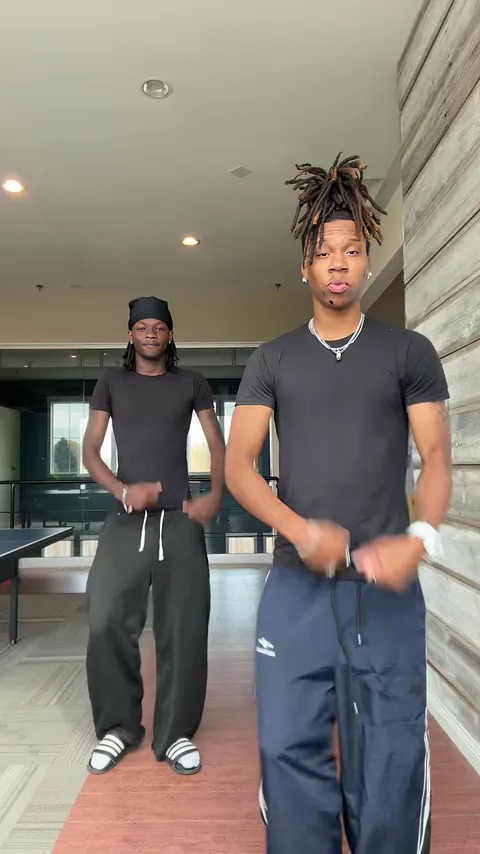 10:00–0:01
The right dancer stands closest to the camera with the left dancer behind him; both bounce with fists low at the waist.
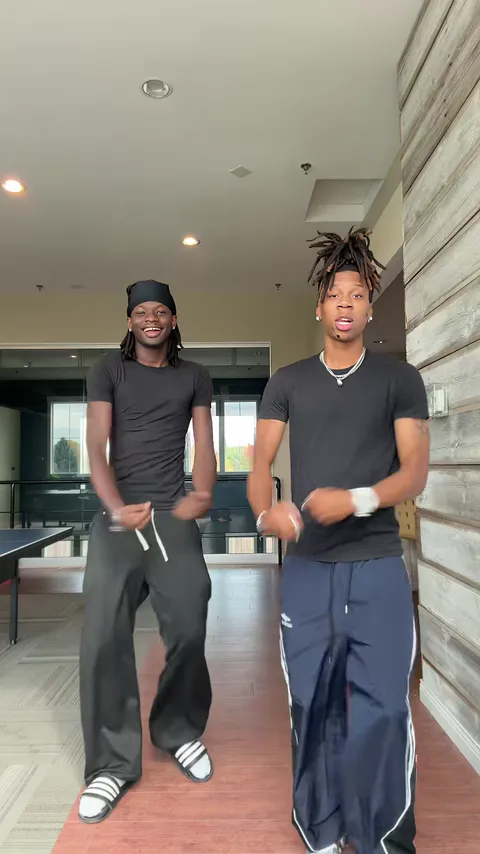 20:01–0:02
The right dancer steps back as the left dancer steps up, until they stand side by side. They keep those sides to the end.
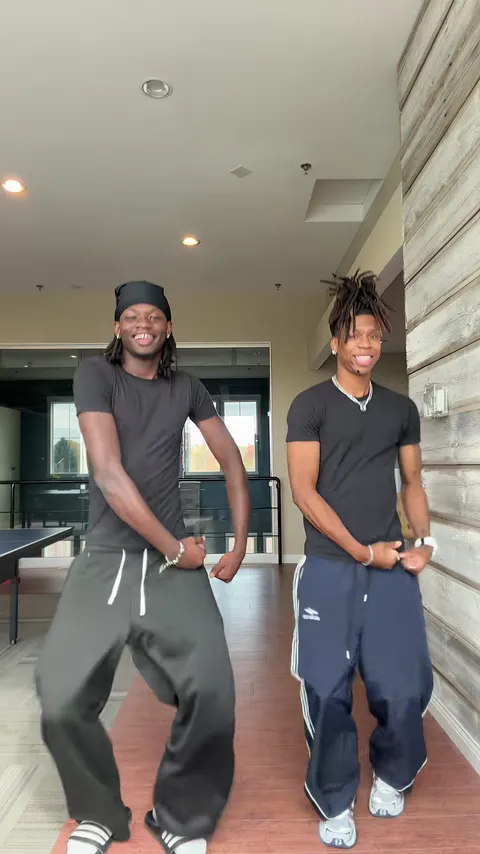 30:02–0:03
Deep bounces in the knees with the hands rolling low by the hips, both dancers on the same count.
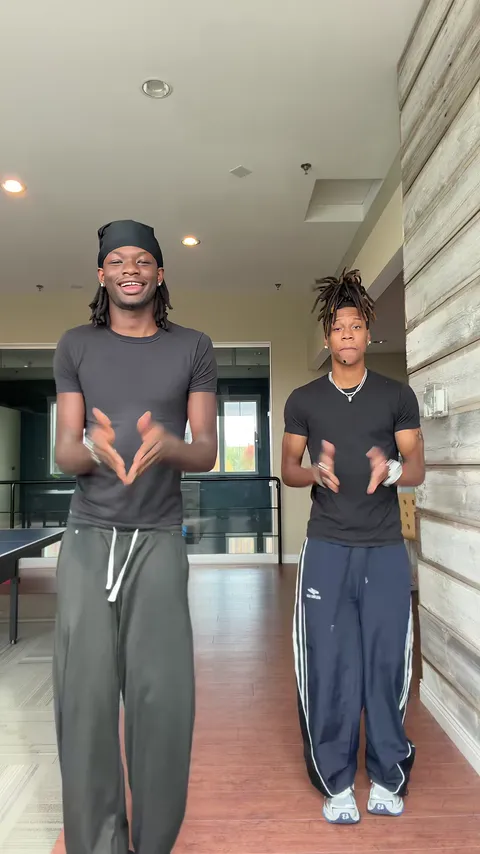 40:03–0:04
Both hands meet in one clap in front of the chest.
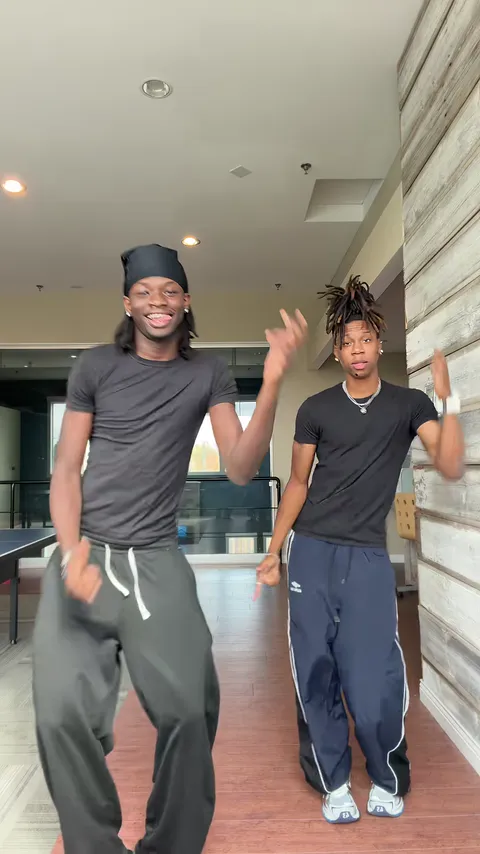 50:04–0:05
One hand flicks out in a wave, then the arms swing loose from side to side.
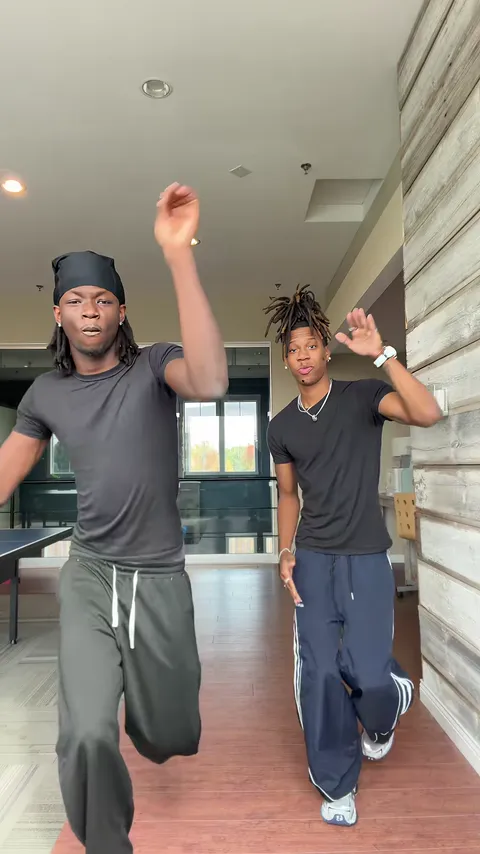 60:05–0:07
An arm waves high over the head, then comes a high knee and a little hop.
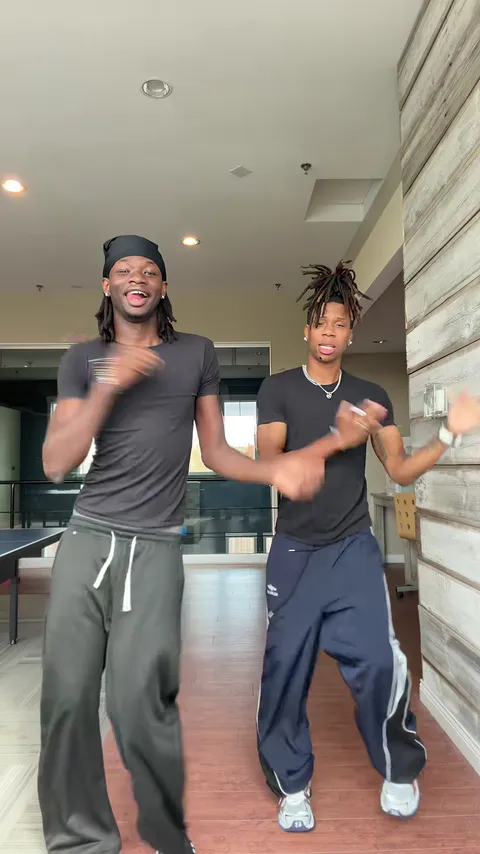 70:07–0:09
A second clap, then the forearms roll in front of the body and the hands flick out to the sides.
 80:09–0:09
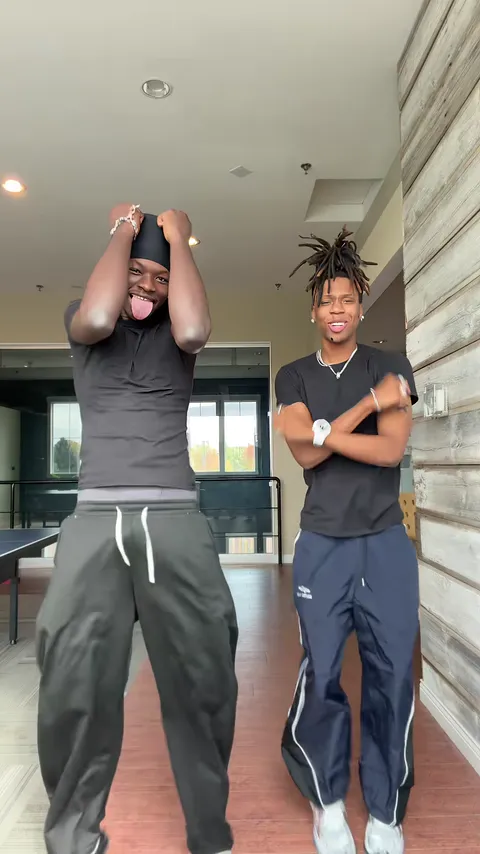
Fists come up by the shoulders, then the left dancer grabs his head with his tongue out while the right dancer crosses his arms in an X.
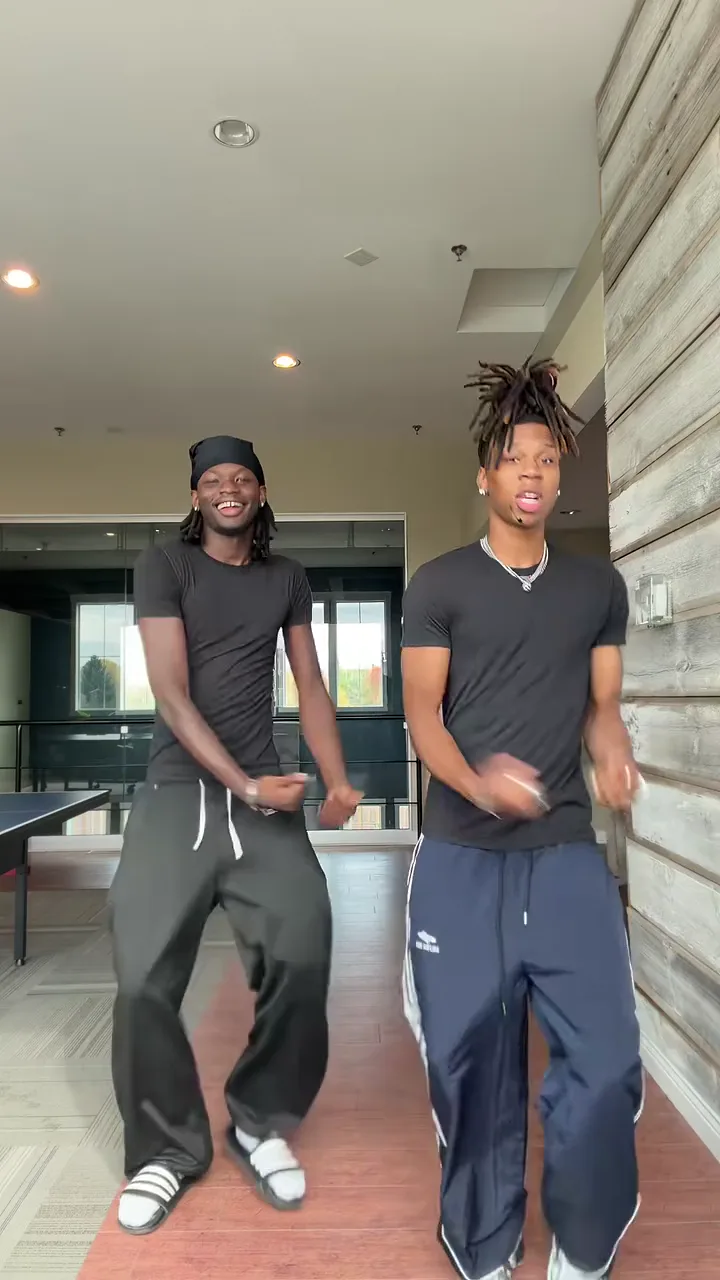
Each photo replaces one dancer for the whole take. You each keep your own face, hair, build and clothes; the lounge, the phone camera and the steps stay as they are. Swap the two photos to swap who dances on the left.
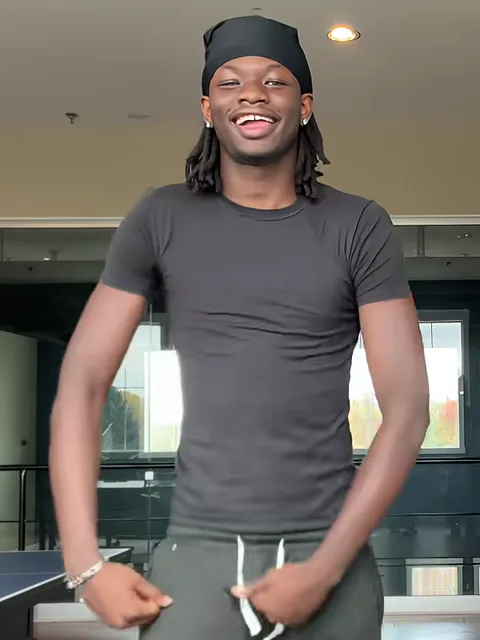
Photo 1Left dancer
Plays the left dancer: starts behind his partner, steps up at the swap and ends holding his head.
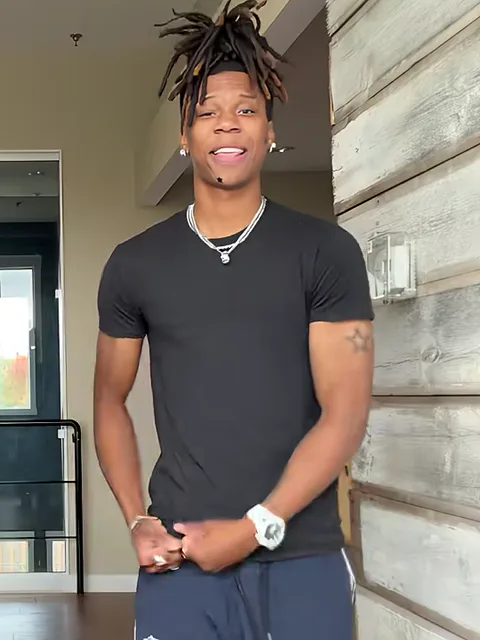
Photo 2Right dancer
Plays the right dancer: starts closest to the camera, steps back at the swap and ends with his arms in an X.
Works well
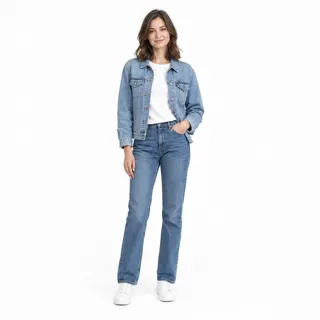 One person, standing, head to shoes
 Face clear and toward the camera
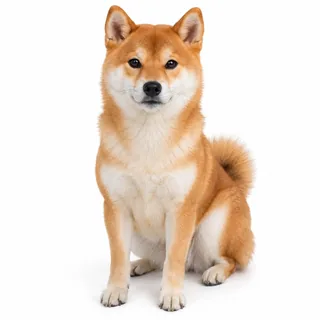 Or a pet, whole body in view
Avoid
 Two people in one photo: use one photo each
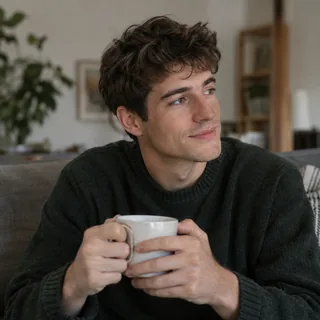 Sitting or cut off at the waist: the legs get made up
 Sunglasses, a cap or a hand over the face
Put a photo on each tile
Drop each photo on its tile: Left dancer or Right dancer, as they stand in the preview.
Click Generate
Pick a resolution. The button shows the exact credits before you spend any.
Post it
Download the MP4 and post it with the song already on it, or add the Can I Ride sound on TikTok.
Each card is one way a run can miss, why it happens in this take and what to change before you run it again.
The dance is built for a pair, so the pairing is the joke. Each card has a caption to post with your video.
The classic pairing. Two everyday full-length photos are enough, even if you live in different cities.
Caption: Bestie, can I ride?
A couple version for an anniversary or date-night post; tag it #couple like the real couple takes.
Caption: Daddy, can I ride in your decked out Cadillac?
Sibling duos are all over this trend. Matching outfits play up the #twin tag the routine started with; different ones make it easy to tell who is who.
Caption: Sibling duo, zero practice
A locker-room or office pair: one plain full-length photo each, taken in good light.
Caption: Practice got cancelled so we did this
This page needs no prompt: the template sends its own. To run the duo in another tool, use the Kling video edit prompt with the take as @Video1 and your photos as @Image1 and @Image2, or the Seedance prompt to shoot a new take from the photos alone.
Kling video edit: the take as @Video1, two photos
Prompt length 1526
Use @Video1 as the reference for the whole Can I Ride duo. Replace only the two dancers: the dancer who ends up on the left with the person in @Image1, and the dancer who ends up on the right with the person in @Image2. In the first second they stand one behind the other, the right dancer closest to the camera and the left dancer behind him; then the right dancer steps back and the left dancer steps up until they stand side by side.

Keep each person's face, hairstyle, skin tone, build and outfit from their own photo. The source dancers' clothes, headwear and hair go unless the photo has them.

Transfer the moves in order, frame by frame: the staggered start with small bounces, the step back and step up that puts them shoulder to shoulder, the deep knee bounces with hands rolling at the hips, the chest clap, the arm swings, the high wave with a knee lift and a hop, the second clap with rolling forearms, and the finish where the left dancer grabs their head and the right dancer crosses their arms in an X.

@Image1 stays on the left dancer and @Image2 on the right dancer through the swap at the start, even while one stands in front of the other; never trade or blend them. If a photo shows a pet, keep that animal's species, coat and markings, and let it dance upright on its hind legs with its own front paws, never human hands.

Keep the wood-panelled lounge, the windows, the locked phone camera, the vertical frame, the timing and the original sound of @Video1 unchanged. No extra people, no text or logos.Name them by where they end up
They finish side by side, so “left” and “right” name them for the whole take, as long as the prompt also says the right dancer starts closest to the camera.
Name the finish
The head grab and the crossed-arm X fill the last half second; a prompt that stops at “dance in sync” ends on nothing.
Say what stays put
Listing the lounge, the locked phone camera and the vertical frame tells the edit to change the two dancers and nothing else.
Don’t tell them apart by gender
Both dancers in the take are men, so “the man” or “the guy” could be either one.
Don’t ask the edit for a new room
The Kling edit keeps the lounge; for another place use the Seedance prompt, which builds the room from your words.
Don’t cut the pet line
Without it, a dog or cat dancing upright tends to get human hands for the claps.
Loses the swap
Put me and my friend in the can i ride dance.
Pins both photos
Use @Video1. Replace the dancer on the left with @Image1 and the dancer on the right with @Image2; the right dancer starts closest to the camera, so keep each photo on its dancer through the swap. Keep the lounge, the moves and the sound.
The working line names both dancers by where they end up, says who starts in front so each photo stays on its dancer through the swap, and keeps the room, the moves and the sound.
Every template works the same way: add your photos, press Generate and get a shareable video without writing a prompt.
View all effectsFAQ
No. Each video costs credits, and the price depends on the resolution you pick; the Generate button shows the exact amount before you spend anything. New accounts get 10 credits when they sign up.
It is “Can I Ride” by SIDEPIECE and 95 South; the lyric everyone quotes is its hook, “Daddy, can I ride in your decked out Cadillac?”. Your video keeps the template’s own sound, so the song is already on it when you post.
Yes. Put the same photo of you on both tiles and you dance it with yourself, a twin version of the duo.
Yes. Any two people work: both dancers in the template are men, but each of you keeps your own face, build and outfit from your photo.
Yes. Put your pet’s photo on either tile; it dances the routine upright beside the other dancer and keeps its own coat and markings. A pet with a person and two pets both work.
No. The template has two dancers, so it takes two photos. For a third friend, make a second video with them.
Yes, a few Can I Ride AI templates run inside the CapCut app. This page works in the browser instead, with the two-dancer take and its front-to-back swap.
No. “Jump in the Cadillac” is an older TikTok dance meme, mostly from 2020 to 2023 and often danced in Roblox games. The Can I Ride dance is the 2026 duo routine to the SIDEPIECE track; the Cadillac in its hook is why the two get mixed up.
No. Your result is not shown publicly; it stays in your creations, where you can download it.
No. Oeneo AI is not connected with SIDEPIECE, 95 South or the dancers behind the routine.
Can I Ride dance AI
Two photos in, the 10-second duo out, from the swap to the final X.