


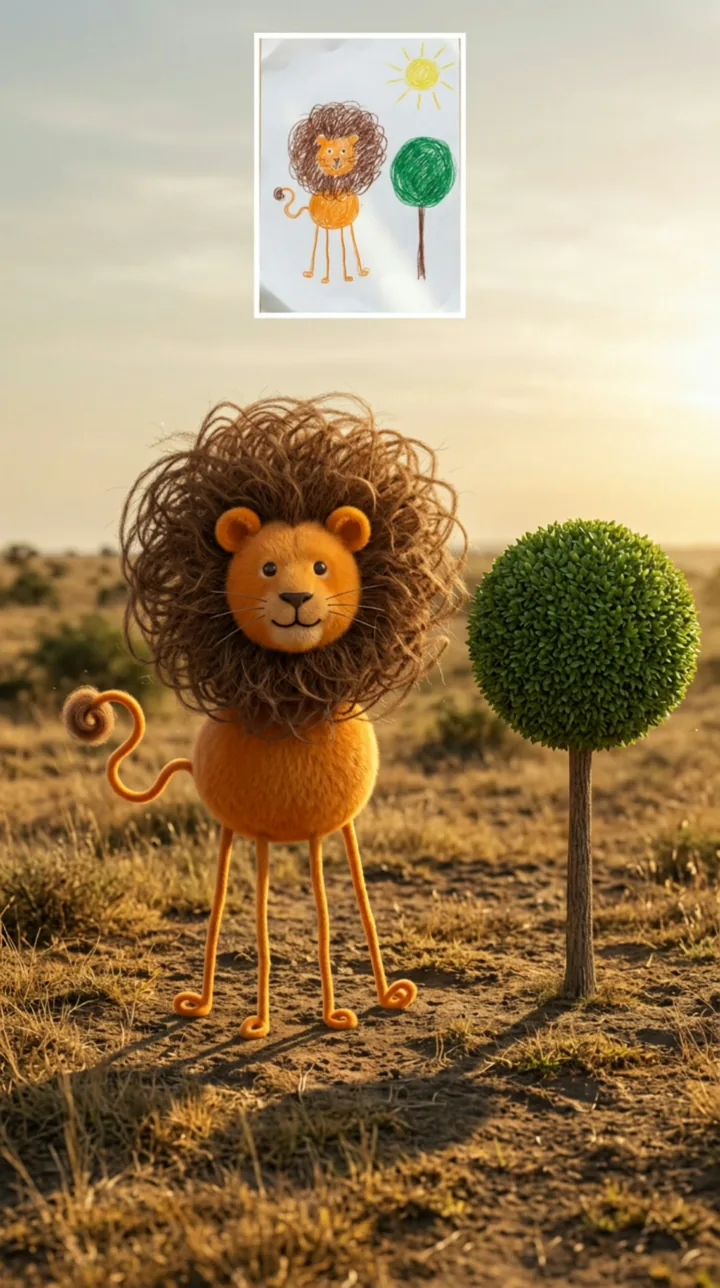
A strange animal
Keep the long legs, big mane or round body instead of correcting them.
Example: A lion with long legs and a big mane looking at the camera.
Upload a child's drawing and watch the whole picture come to life as a real scene: every drawn creature keeps its odd shapes and colours and moves in its own way.
PNG / JPG / WebP · up to 10 MB · at least 512px on the short side
0/1 photos
A photo of the drawing itself, not a child — whole sheet in frame, flat and evenly lit. Everything drawn on it comes to life.
Video settings
No prompt needed. Only upload photos of yourself or people who agreed to be featured; celebrity photos and film stills aren't allowed.
Kids drawing to life AI takes a photo of a child's drawing and turns the whole picture into a lifelike scene: every drawn creature, vehicle and background detail becomes real and moves, the unusual proportions and colours stay in view, and the drawing is the design, not the first frame.
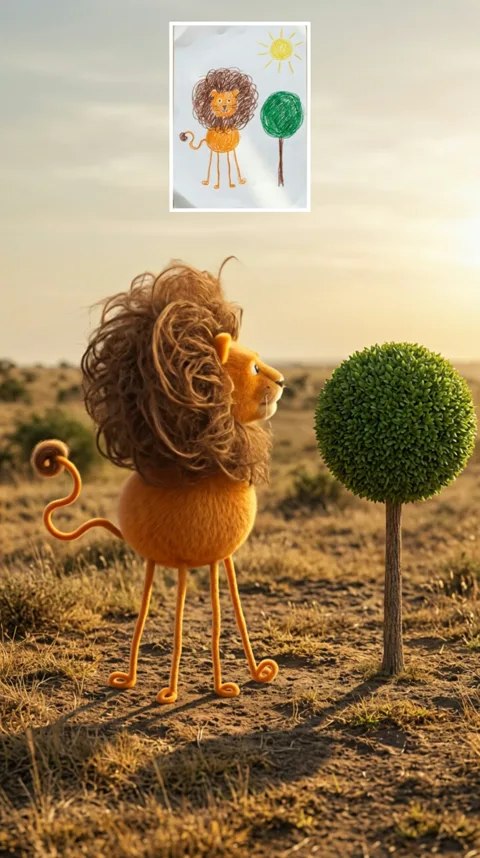
The result is a realistic video of the whole drawing: the lion gets fur, the car gets metal, the drawn sun and trees become real light and leaves, and each subject gets a small motion of its own, such as blinking, looking at the camera or taking a few steps.
The only input is a photo of the artwork. You do not need a photo of the child or a real animal, and the drawing is not shown as the opening frame — the model uses it as the design reference for a new shot.
The split-screen preview on this page only shows the drawing beside its result for comparison. The generated video is a single shot and does not keep the drawing overlaid on the scene.
It is not the same as a 2D paper animation. That keeps the original lines and makes them dance or walk with a skeleton; this effect changes the material into a realistic body and scene, so the lines can be reinterpreted.
On 30 Oct 2026, a drawing-to-realistic lion transformation post appeared on Instagram with about 2.2 million likes.
On 31 Oct 2026, the same creator posted the realistic lion style on TikTok, where the post passed about 2.2 million plays.
On 3 Nov 2026, a dedicated kids-drawing-to-life template page was published, with an 8-second drawing-to-video demo.
Counts and dates read 4 Nov 2026 from the public Instagram and TikTok posts; the template page date is its own. The effect itself has no confirmed single first creator.
The same searches mix three different outputs. This page makes the realistic video; the other two are separate jobs.
| Compare | Realistic video | Realistic image | 2D drawing animation |
|---|---|---|---|
| What you get | The whole picture moving as a real scene | One lifelike still | The paper's own lines moving |
| What stays | Proportions, colors and motion | Proportions and colors | Every line, moved by a skeleton |
| Best for | Sharing the creature in motion | Keeping one picture | A paper-style cartoon |
| Where to make it | This page | AI Image Generator | Another tool — prompt below |
The odd parts are the point. Each drawing keeps its silhouette, its number of parts and its colours, and only the material turns real: crayon becomes fur, paper becomes grass and sky.
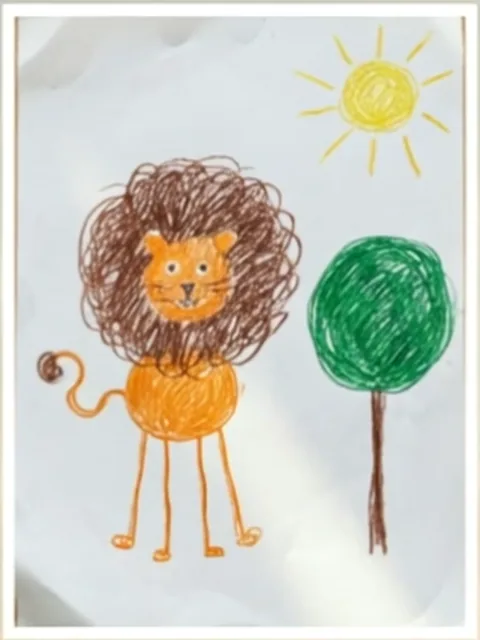 The drawing
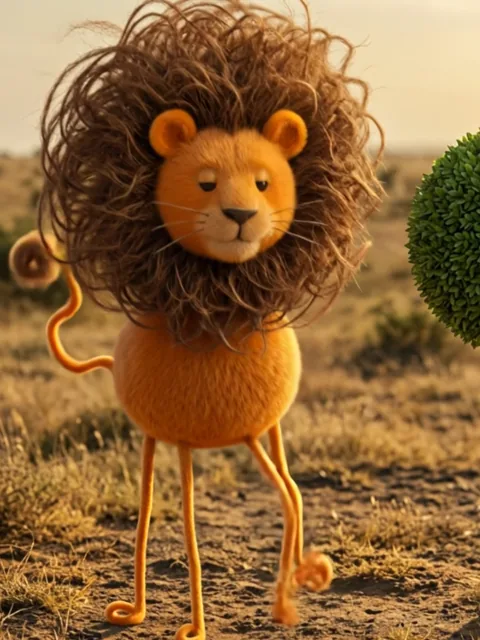 The result
Four thin curly legs, a round orange body and a mane bigger than the head come back as they were drawn, instead of being corrected into a normal lion.
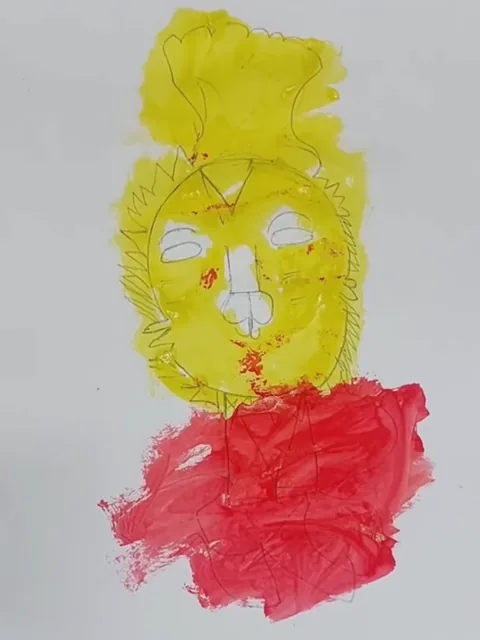 The drawing
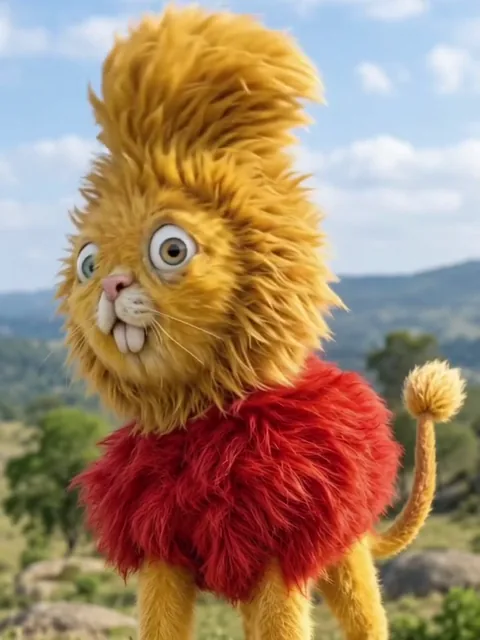 The result
A two-colour paint blob still decides the design: the yellow becomes a tall mane, the red a fluffy body, and the drawn face keeps its eyes and teeth.
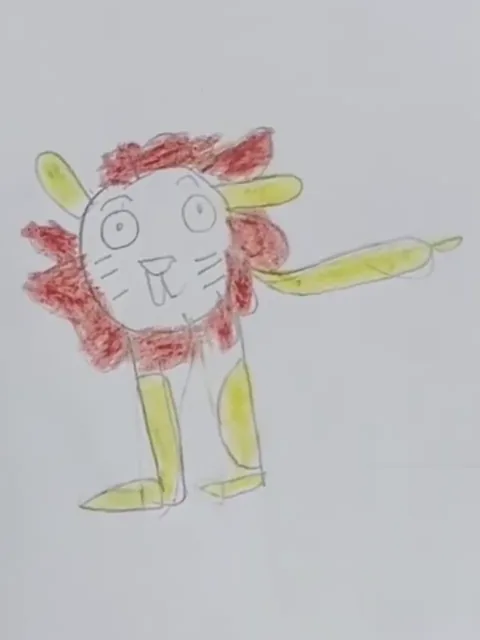 The drawing
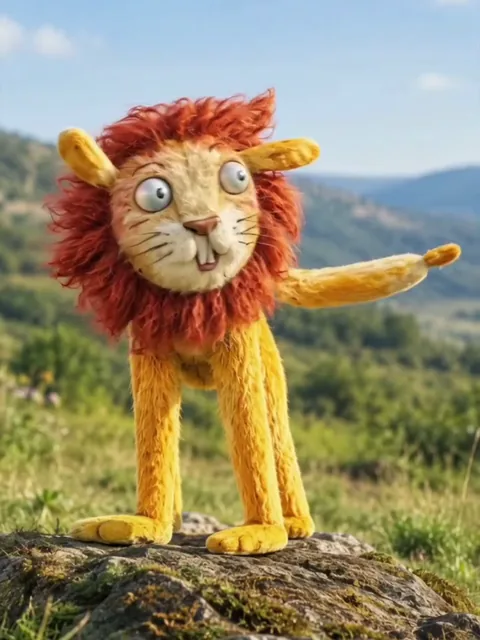 The result
A stick-figure lion with one arm held out comes back with that long arm still pointing, rather than having it tidied into a fourth leg.
Animals, monsters and vehicles all work. What changes from one to the next is which part to check after the run.
Keep the long legs, big mane or round body instead of correcting them.
Example: A lion with long legs and a big mane looking at the camera.
A made-up creature with extra eyes or legs can work, but those are the parts to check after the run.
Example: A three-eyed monster with four legs.
A car, bus or boat drawing becomes a real vehicle; simple shapes hold up better than busy detail.
Example: A bus with square wheels and big windows.
Upload one photo of the drawing itself. The workbench treats the whole picture as the design; the checklist below is about photographing the paper, not a child.
1 photoDrawing
The whole drawing becomes the scene: each animal, person or thing on it is rebuilt where it was drawn and moves. It is the only input, and there is no pet or child slot.
Works well
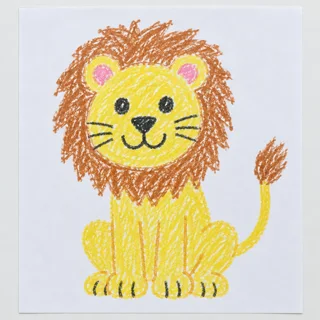 The whole sheet in the frame, flat and evenly lit
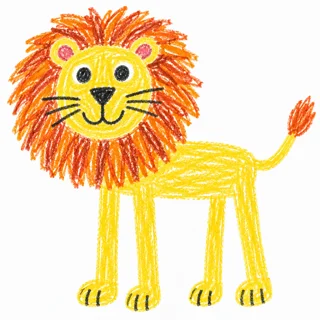 Bold, clear lines
Avoid
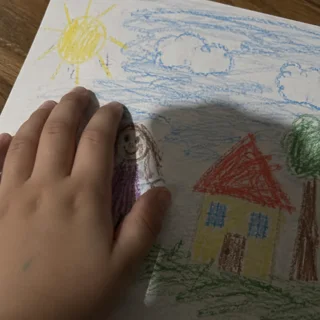 No hands, shadows or crayons covering it
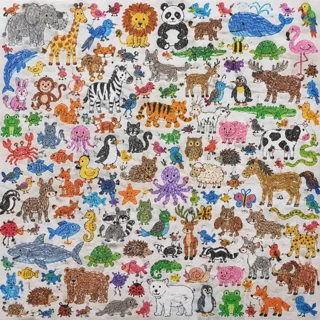 Not a sheet of dozens of tiny separate doodles
 Not dim, dark or blurry
Upload the drawing
Add one photo of the artwork, flat and evenly lit, and pick the length, frame and resolution.
Click Generate
The button shows the exact price first, then runs the generation.
Post it
Download the clip and post it; the video has its own generated sound.
The drawing is the only input: the scene, the light and the motion are written into the template for you.
This page turns a drawing into a realistic scene. For the other favourite — the doodle itself coming alive as a cartoon — paste this one general prompt into any image-to-video tool, such as Kling, Seedance or MiniMax. It works for a single stick figure or a whole scene with animals, people, cars and a sun in the corner.
Any image-to-video tool
Prompt length 1603
Animate the uploaded drawing, a child's quick doodle, into a short cartoon. Start from the drawing as the first frame and let the whole picture come to life: every character, animal, vehicle and object on the page.

Keep the child's design exactly as drawn: the same shapes and proportions, the same number of heads, eyes, ears, arms, legs, tails, wings and wheels, the same colours in the same places, and the same faces and expressions, even where the lines are wobbly, uneven or unfinished. Keep every subject where it is on the page and at the same size, with nothing added or left out. Do not tidy anything up or turn it into a standard character; a stick figure stays a stick figure, a lopsided cat stays lopsided.

Style: a clean, cheerful 2D cartoon that still looks hand-drawn, with bold slightly wobbly outlines and bright flat crayon colours; no photorealism, no 3D render. Keep the white paper as the background, or bring the drawn background to life in the same style: the sun, clouds, grass, trees, house or sea that are already on the page.

Motion: one continuous shot, about 5 to 8 seconds. Each subject does one simple action that suits it: people and animals blink, smile and wave or take a few steps, tails wag, birds flap, fish swim, wheels roll, the sun beams, clouds drift and trees sway. Characters drawn side by side can turn to each other or hold hands. Bouncy cartoon timing. The outlines and colours stay stable in every frame: nothing morphs, melts, merges or grows extra parts.

Light, playful sound effects, no speech. No text, no real people, no hands, no new characters.Start from the doodle itself
Use the drawing as the first frame, so the cartoon grows out of the child's own lines instead of a new design.
Protect the wobbly parts
Say the uneven lines, extra legs and odd colours stay; those are what make it the child's character.
One small action per subject
A wave, a hop, a tail wag or drifting clouds: one action each keeps every shape steady, while a long story makes the characters melt halfway.
“Make it look professional”
That tells the model to redraw the character in its own style, and the child's design is gone.
“Make it realistic”
Realism is a different result — the template on this page does that. For a cartoon, ask for bold outlines and flat colours.
A sheet of separate doodles
Dozens of tiny, unrelated doodles on one sheet get mixed up; one drawn picture per run, however many subjects are in it.
Leaves the style to chance
Animate my kid's drawing.
Keeps the design, adds one action
Start from the uploaded doodle: keep every subject's shape, colours and wobbly lines exactly and in place, as a hand-drawn 2D cartoon; each one blinks and does one small action.
The first leaves the style and the design to the model. The second keeps every subject's lines, colours and place, and gives each one a small cartoon action.
Every template works the same way: add your photos, press Generate and get a shareable video without writing a prompt.
View all effectsFAQ
No, each video costs credits. The price follows the length and resolution you pick, and the Generate button shows the exact number before you start. New accounts start with 10 credits.
No. The input is the artwork — a photo of the drawing itself. You do not upload a child's face, and cutting any name or personal notes off the paper is a good idea before you submit.
No. This effect reads the drawing directly as the character design. Making a realistic still first and then animating it is a separate two-step route you can do by hand, but this template does it in one run.
Both work as references. A clear, complete outline matters more than the medium; a pencil sketch has no set colours, so the model picks natural ones for it.
Keeping the shape, colours and number of parts is the goal, but it is not guaranteed line by line. Check the legs, eyes and wheels after the run; the simpler the design, the better it holds.
The model can fall back to standard animal shapes, especially for a sketchy or crowded drawing. Bold outlines and a few clearly separated subjects hold their odd features best; the result can still drift, so check the legs and the faces after the run.
Not as a fixed inset. This template generates a new realistic shot; a precise corner overlay of the original drawing is separate compositing and is not offered here.
Choose a video when you want the character moving; choose a single realistic image when you only want to keep a picture. The image route is a separate generator, and a video adds motion — and with it a little more room for the shape to drift.
No. That kind of tool keeps the paper's own lines and moves them with a skeleton; this effect re-renders the drawing as a realistic body and scene, so details can change. This page does not offer the skeleton tool.
Yes. Everything in one drawing comes along: a lion, a bird, the tree and the sun each become real and move in their own way, in the places they were drawn. A sheet of dozens of tiny, unrelated doodles is harder to read, so photograph one picture per run.
Videos made on a free account are public; on a paid plan they are private by default. Check the visibility before you submit and remove any name or personal notes from the paper.
Yes. The model generates a quiet, ambient track with the video; there is no option to upload your own audio here.
Kids drawing to life AI
Upload the artwork, keep its unusual shapes and colours in view, and download a short clip of the whole picture coming to life.