
Damon Salvatore AI Video

One portrait steps into a Damon Salvatore AI video: walk the church aisle as the lead or switch to the smirk montage.

  • No prompt
  • Guests stay
  • Pick a scene
Example · Church walk
Choose an effect

PNG / JPG / WebP · up to 10 MB · at least 512px on the short side

0/1 photos

One clear, single-person portrait takes the lead. Face clear and eyes visible; the church guests stay as they are, so no group photos.

No prompt needed. Only upload photos of yourself or people who agreed to be featured; celebrity photos and film stills aren't allowed.

What is the Damon Salvatore AI trend?

A Damon Salvatore AI video puts one portrait into a Damon Salvatore church scene or a smirk montage. The photo becomes the man in the clip — the one walking the church aisle in the white interior or the one building a smirk across the dark montage — while the scene and the cuts stay.

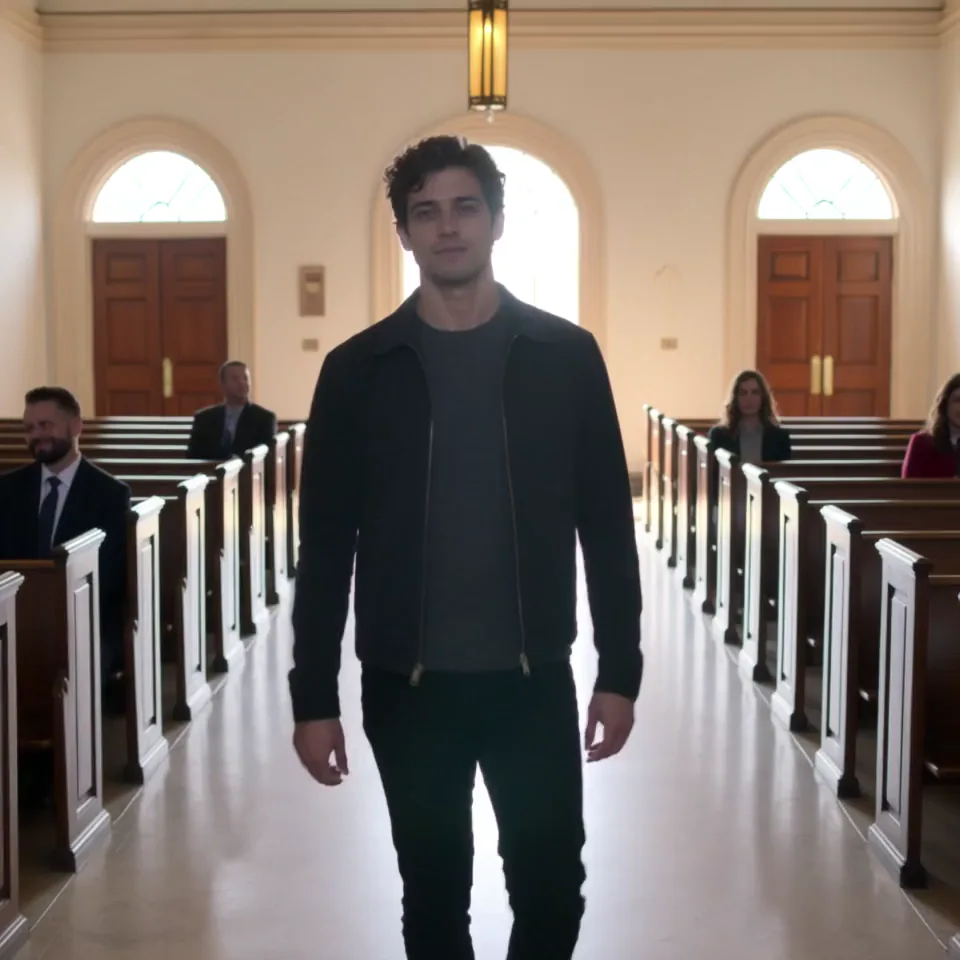
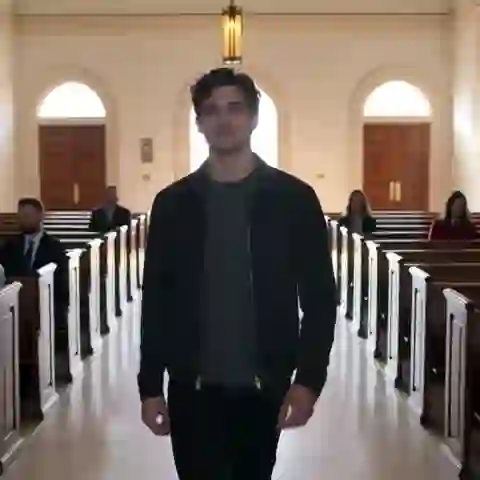
A man in a dark jacket starting down the white church centre aisle, pews on both sides

The caption that travelled with the church clip is “Replace my namesake with me”. It is a face-replacement joke: the person in the photo steps into the man's place on screen, so the format is about your portrait, not a voice, a chat or a filter.

A Damon Salvatore AI trend video is not a chatbot, an Ian Somerhalder voice or a live camera filter. It renders one uploaded portrait into a fixed clip, so the result is a finished video, not a face that reacts in real time.

From the smirk to the church entrance

  1. A smirk montage is already circulating: @salvatorchik posts a Damon edit on TikTok, about 2 million plays at the read.

  2. The church entrance goes wide: @daamonnx posts the aisle clip captioned “Replace my namesake with me”, about 8.7 million plays.

Play counts from the TikTok embeds, read on 4 November 2026; they are the platform's own display and can round or move.

The Damon Salvatore church scene, in five stops

The 15-second church clip in five stops, each with the second its shot starts on. Beats are named by what is on screen, not by who is in your photo.

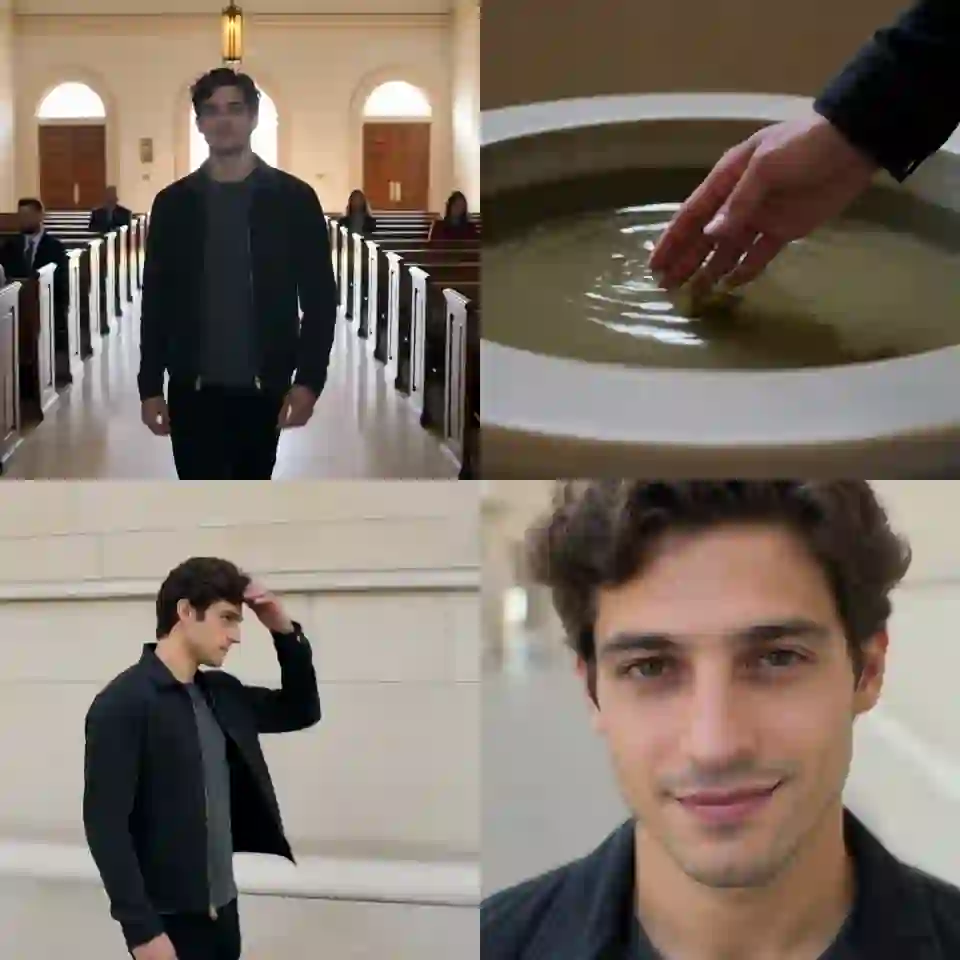
  1. Man in a dark jacket at the back of a white church, the centre aisle ahead with rows of wooden pews10:00–0:02

    The entrance

    The clip opens on the man already inside the white church, starting down the centre aisle with the pews and guests on both sides.

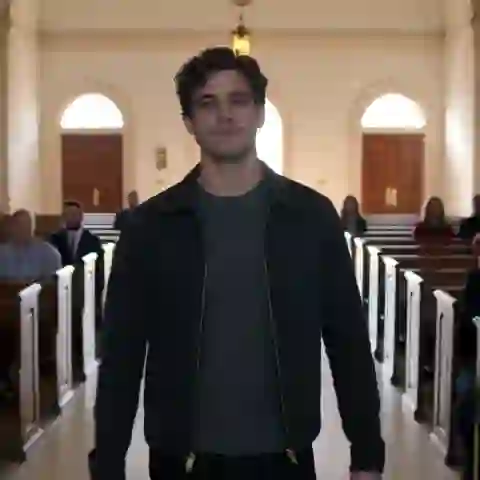
  2. Man in a dark jacket mid-walk down the white church centre aisle, guests seated in the pews on either side20:02–0:03

    Down the centre aisle

    He walks toward the front of the church, the camera keeping him in the middle of the frame while the guests stay in the pews.

  3. Close view of the man's hand reaching into a stone holy-water bowl at the front of the church30:03–0:06

    The holy water

    At the front he reaches into the holy-water bowl and touches the water, the pause that makes the walk read as a church entrance.

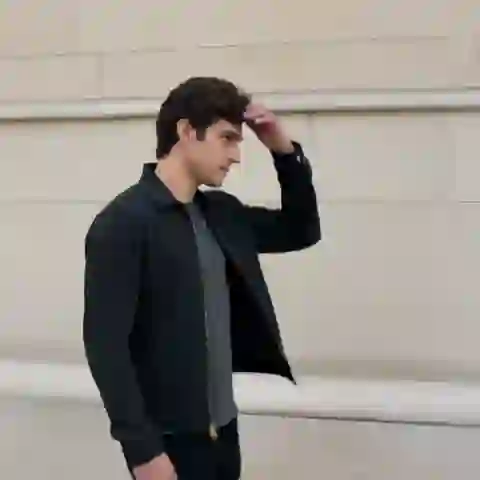
  4. Man outdoors in daylight running a hand back through his hair, face turned toward the camera40:06–0:09

    The hand through the hair

    The scene cuts outside into daylight, where he runs a hand back through his hair and turns toward the camera.

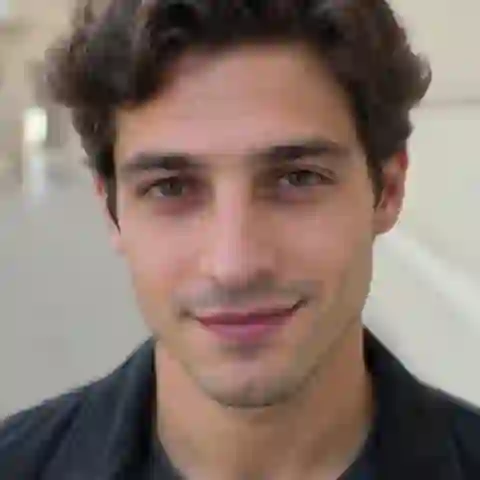
  5. Close-up of the man's face as a smile settles, warm light on one side50:09–0:15

    The close smile

    The final shot is a close-up: the smile lands and holds until the clip fades out.

Church walk or smirk montage?

These are two different clips, not a long and a short cut of the same scene. Pick the one you recognise before you spend a run on the other.

Four square stills in a grid: the centre aisle, the holy-water bowl, the outdoor hair and the close smile from the church clipChurch walk

The church entrance

The church clip is the white interior: the man walks the centre aisle, touches the holy water, runs a hand through his hair outdoors and closes on a smile. It is the scene the caption “Replace my namesake with me” travelled with.
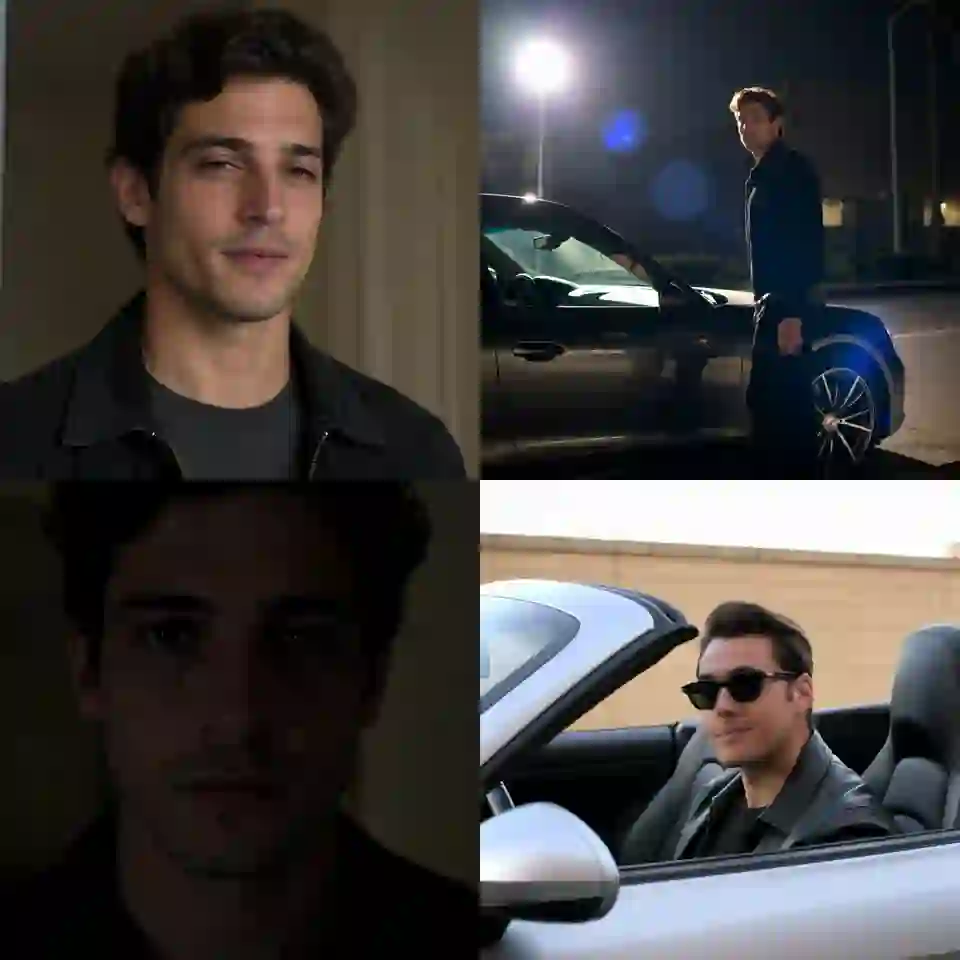
Four square stills in a grid: the indoor smile, the night car, the dark portrait and the convertible from the smirk montageSmirk

The smirk montage

The smirk clip is a montage of quick shots: an indoor smile, the man by a car at night, a very dark portrait, a convertible and a smile into the camera. It is a different edit with its own rhythm, not the church scene recut.

Who can take the aisle lead?

The template takes one portrait and nothing else — no studio, no scene upload, no second photo of the same person.

Your own portrait

A chest-up photo of you is enough: the template supplies the church, the walk and the smile.

Example: “Walking into family dinner like.”

A friend's photo

Cast a friend without asking them to film anything — one photo puts them into either scene.

Example: “He said he was busy, so I walked him into the church anyway.”

A woman's portrait

The template is not male-only: the face in the photo becomes the lead, so a woman's portrait walks the aisle the same way.

Example: “She took over the whole entrance.”

Posting captions

Pair the download with your own caption or song on the platform; the template does not add text or extra music.

Example: “Church walk or smirk — pick your main-character moment.”

How do you make a Damon Salvatore AI video?

One photo plays the lead: your portrait replaces the man in the dark jacket, and the guests in the church stay as themselves. There is no prompt field — the template is the generator.

  1. Close-up of the man in the dark jacket from the church clip, his face filling the frame

    Photo 1The lead

    Face, hair and build for the man who walks the church aisle and appears in every shot of the smirk montage. Your photo takes his place in whichever scene you pick.

    • Chest up or wider with the face clear: the clip holds close on the smile.
    • One person only: the guests and the other people in the montage keep their own faces.

Which portrait holds up in the close-up?

Works well

  • Woman in a mustard sweater, chest up, smiling at the camera on a white backgroundOne person, face clear
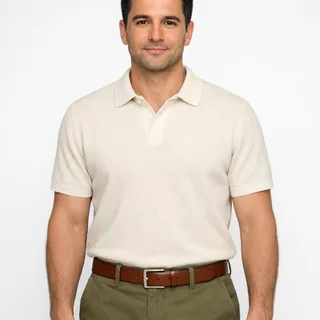
  • Man in a cream polo photographed from the head to the waist, arms relaxedChest up or waist up
  • Grey-haired man in a navy sweater, chest up, unfilteredNatural light, no beauty filter

Avoid

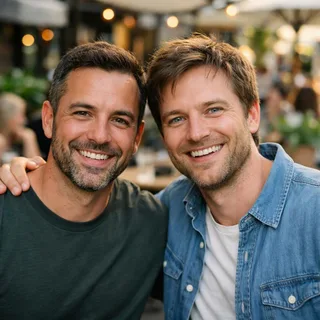
  • Two men standing side by side in one cafe photoA group or a couple in one photo
  • Man in a low cap with a hand over his mouthA hand or glasses over the face
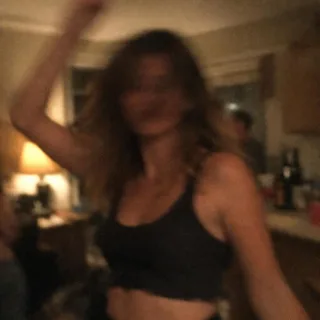
  • Dim, blurry snapshot of a woman dancing at a night partyBlurry, dark or tiny

One portrait, one scene, one finished clip

  1. Add the lead

    Upload one clear portrait, then pick the Church walk or the Smirk montage before Generate opens.

  2. Click Generate

    The button shows the exact price for the run before you start.

  3. Post it

    The download keeps the square frame, ready to post.

The lead is a person's face in a face-replacement clip, so a pet photo or a group photo cannot fill the slot.

Damon Salvatore AI prompt

Two Kling video-edit prompts, one per scene: attach the church walk or the smirk montage as @Video1 and your portrait as @Image1, and only the man changes. On this page the prompt is built in, so you only pick a scene.

Kling 4.0 video edit

Prompt length 875

Use @Video1 as the reference for the whole church scene. Replace only the man in the dark jacket and dark shirt who walks down the centre aisle with the person in @Image1.

Preserve the face, hairstyle, hair colour, skin tone, age and build of the person in @Image1. Transfer the man's walk, gaze, gestures and expressions from @Video1 frame by frame: the slow walk down the aisle toward the camera, the hand dipping into the holy-water bowl, the hand pushed back through the hair outside, and the close-up where the smile settles before the fade.

The guests seated in the pews are not replaced and keep their own faces. Keep the white church, the pews, the light, the square frame, the camera moves, the cuts, the pacing and the audio of @Video1 unchanged.

Keep one stable face from the first step to the last close-up. No face blending, no extra people, no text or logos.

Write it like this

  • Point at the man by his jacket

    “The man in the dark jacket who walks the aisle” marks one person; “replace him” leaves the guests in the pews as candidates.

  • Keep the square frame

    Both clips are 1:1; asking for vertical makes the model crop or re-shoot the aisle walk.

  • Keep @Video1's audio

    The sound belongs to the clip; ask to keep it rather than naming a song or a voice the model cannot fetch.

Leave these out

  • “Give me Ian Somerhalder's face”

    The trend is your face in his place; naming the actor pulls the result back toward him.

  • Both scenes in one prompt

    The church walk and the smirk montage are separate clips; describing both makes the model invent a third.

  • “Make it brighter”

    The night car and the dark portrait are dark on purpose; a new grade re-lights the shots and changes the face with them.

The same idea, written two ways

Asks for the actor in a new scene

Make me Damon Salvatore walking into a church.

Edits the clip, swaps one man

Use @Video1. Replace only the man in the dark jacket with @Image1; the guests in the pews, the cuts and the clip's audio stay.

The first asks for a new church scene starring the actor. The second keeps the clip and swaps only the man for your portrait.

One portrait, frame, sound and credits for the recast

One portrait, frame, sound and credits for the recast
Photos
1 photo, for the lead
Photo files
PNG / JPG / WebP, up to 10 MB, at least 512 px on the short side
Length
15 seconds, the clip's own length; not adjustable
Frame
1:1, following the built-in clip; there is no vertical version
Resolution
720p, the template's only output size
Sound
The clip's own sound, carried into the recast
Credits
566 credits for the 15-second clip at 720p
Visibility
Videos made on a free account are public. On a paid plan they are private by default.
If a run fails
The credits go back to your balance automatically

FAQ

Damon Salvatore AI: sound, frame and what it can't do

Is the Damon Salvatore AI video free?+

No. Each run costs credits, and the button shows the exact number before you generate. New accounts start with 10 credits.

Does it keep the clip's sound?+

Yes. The recast keeps the built-in clip's own sound. It is not an Ian Somerhalder voice or a new recording of the scene.

Will I look like Ian Somerhalder?+

No. The face in your photo is the reference, and the template does not recreate the actor. Your portrait replaces the man in the clip, so the result should read as you rather than as Ian Somerhalder — though likeness can still drift in the fast or dark shots.

Is this a Damon Salvatore AI filter?+

No. This is a photo-to-video template, not a live camera filter: you upload one portrait, the model renders the clip, and you download the finished video. Nothing reacts in real time.

Do I need a Damon Salvatore AI prompt?+

No. The scene, the camera and the pacing are already fixed in the template, so there is no prompt field: your photo and the scene you pick decide the run. The prompts above are for running either scene in another video editor.

Why does my face look different between shots?+

The montage mixes close-ups with dark, fast cuts, and the church clip ends on a tight close-up, so likeness can drift where the light drops or the face turns. A clear, front-facing photo is the best prep; the template cannot add detail a shot never had.

Is the video square or vertical?+

It follows the built-in clip, which is square, so the download is square too. There is no vertical version; you can reframe it for a platform yourself if you want.

How long is the Damon Salvatore church scene?+

The length follows the selected clip, so the church and the smirk are each their own 15-second cut rather than a long and short version of one scene. You cannot set a custom length.

Is this an official Vampire Diaries tool?+

No. Oeneo AI has no official association with the series or its cast; the name only says which scene your portrait goes into.

Can I make it without CapCut?+

Yes. The template runs in the browser here, so CapCut is not required. CapCut and other tools also make related edits, but they are not part of this workflow.

Can I do it from one photo?+

Yes. The template takes exactly one portrait; the built-in clip provides the scene and the motion, so you do not upload a clip or a second photo.

Can a woman use the template?+

Yes. The face in the photo becomes the lead, so the template is not limited to men. How natural the result looks still depends on the photo and the shot, and this is not a guaranteed match.

Damon Salvatore AI

Make your Damon Salvatore AI church scene video

Add one portrait, pick the church scene or the smirk montage, and generate: the scene and the cuts are already in the template.