
Pet Seal Filter Trend

Turn your dog or cat into a chubby seal with the pet seal filter: add one photo, a line sweeps across the frame, and the seal keeps your pet's own face and coat.

  • One click · no prompt
  • Your own room stays
  • No app, right in your browser
Example · Pet Seal Filter

PNG / JPG / WebP · up to 10 MB · at least 512px on the short side

0/1 photos

One photo of one dog or one cat, whole body in frame, face toward the camera. It becomes the first frame, so leave some floor around your pet for the wider seal.

Video settings

No prompt needed. Upload a photo of your own pet, or of a pet whose owner said yes.

What is the seal filter?

The seal filter, also called the pet seal filter, is a TikTok trend made with an AI video template: a dog or cat sits still in its photo, a line sweeps across the frame, and behind the line the pet is a chubby, round seal that keeps its own face, eyes and coat colors.

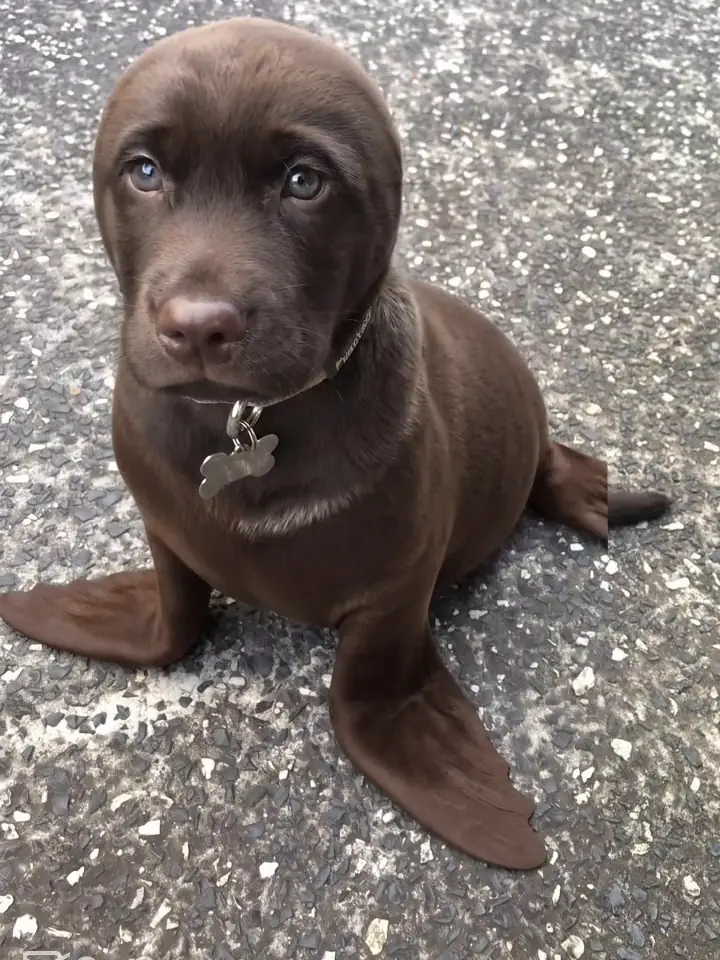
A chocolate Labrador puppy turned into a seal on grey asphalt: its own puppy face and collar tag on a brown seal body with flippers

The joke works because the face never changes. Owners recognize their own pet in the seal, and some pets barely change at all: dark, short-coated dogs come out looking almost the same. One owner's caption simply asks, "I can't see a difference, can you?"

The caption burned into the template, "Trying the seal filter 😂", turned into the post title and the #sealfilter hashtag. The trend also rides an older joke: the dog seal and cat seal memes about pets that already look like seals.

How the seal filter trend spread

  1. A CapCut AI template that turns a pet photo into a seal goes up. In this first version, flippers grow from the pet's sides while its head stays the same.

  2. A black puppy on a white garden chair turns into a black seal on TikTok: 262,438 views and 11,209 likes.

  3. A white American bulldog's seal video becomes the summer wave's biggest TikTok post, with 1,781,697 views and 84,389 likes.

  4. A second CapCut template swaps the slow change for a line that sweeps across the frame, the version the second wave uses.

  5. A black Labrador posted as "Trying the seal filter" starts a second wave: 399,500 views and 26,900 likes on TikTok.

Dates and counts from public TikTok posts and CapCut template pages, read on October 30, 2026.

How the seal filter line turns a dog into a seal

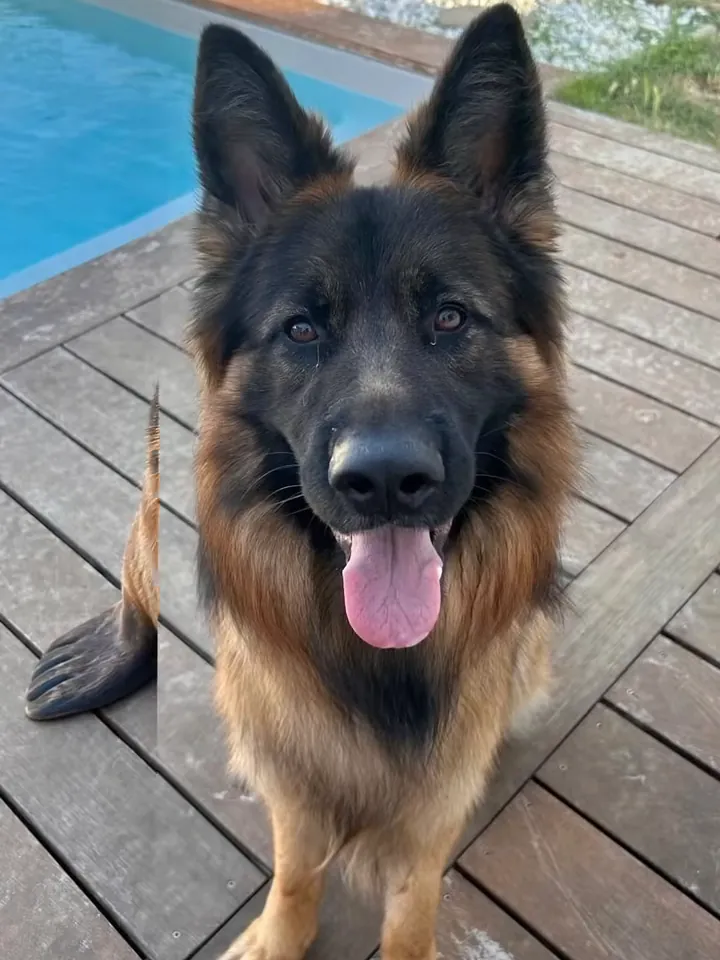
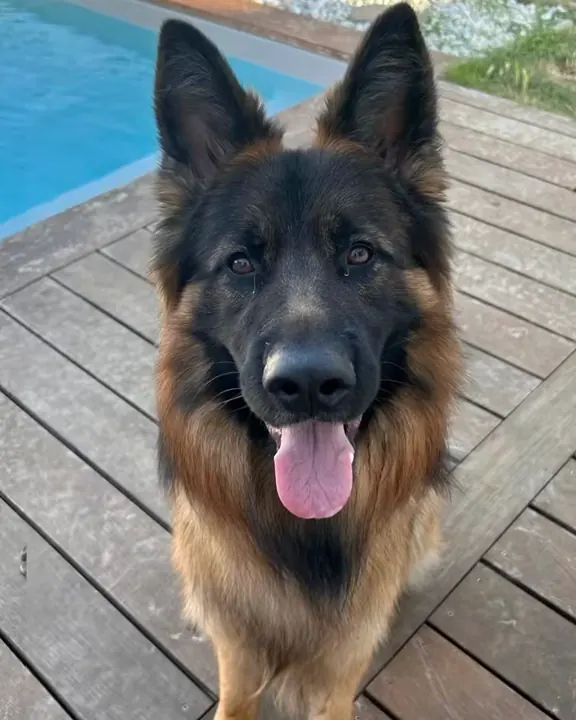
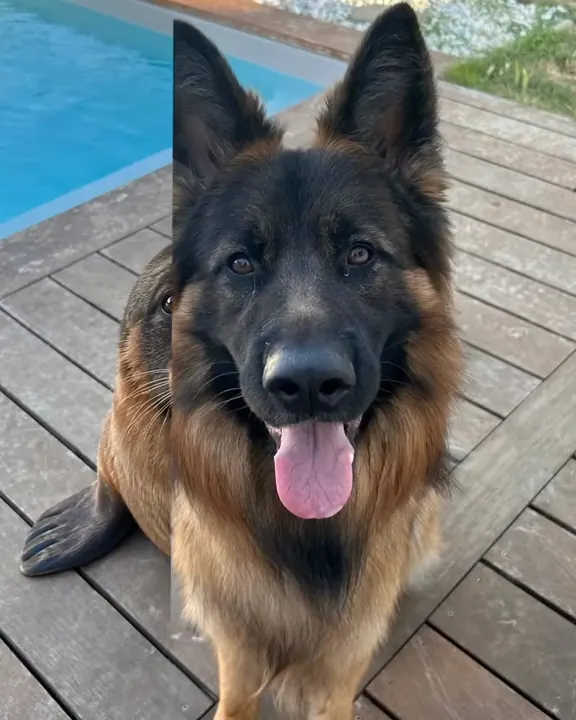
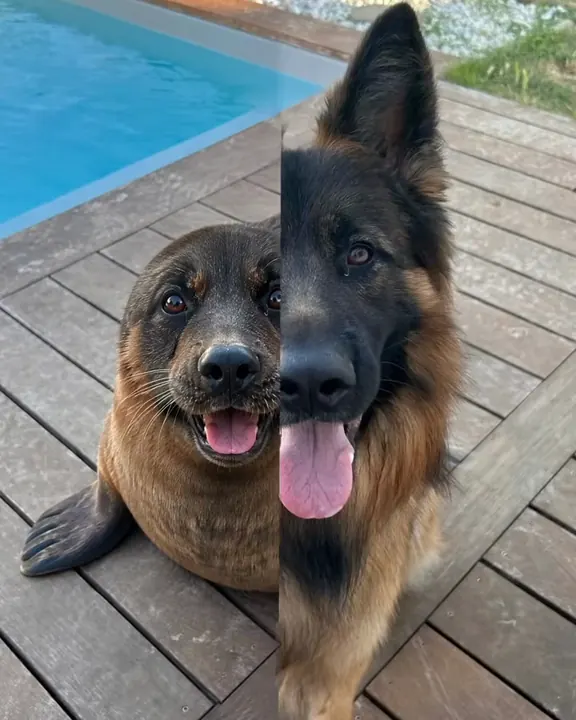
This 8-second clip is the sweep version of the seal filter, the one this page makes: a German Shepherd on a pool deck, one line moving from left to right, and everything behind the line already a seal.

  1. German Shepherd sitting on a wooden pool deck with its tongue out10:00

    The photo, as it was

    For the first second the shepherd sits on the deck with its tongue out, exactly as in the photo.

  2. A dark seal flipper on the deck boards to the left of the German Shepherd20:01

    A flipper on the left

    A straight line comes in from the left edge. To its left a dark seal flipper rests on the deck boards while the dog still fills the frame.

  3. The frame split down the middle: a seal head with the dog's muzzle and tongue on the left, the German Shepherd on the right30:02

    Half dog, half seal

    The line runs through the face: on the left a round seal head with the same black muzzle, brown eyes and pink tongue, on the right the shepherd's pointed ears.

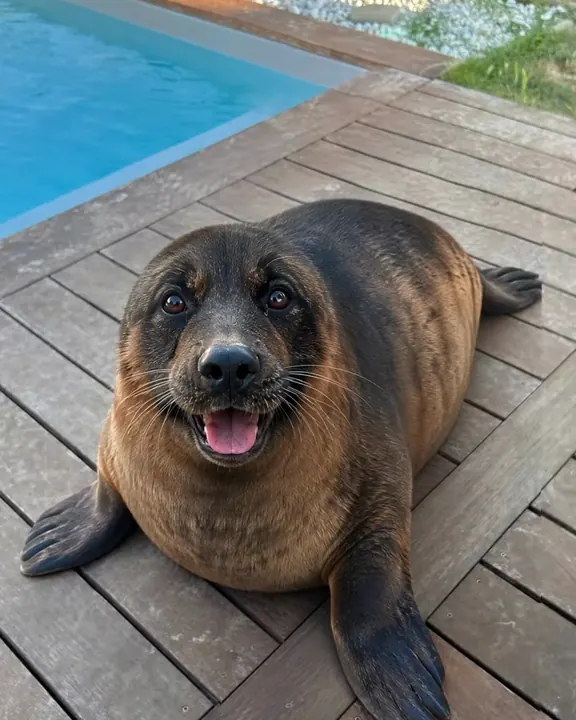
  4. A chubby black-and-tan seal with the German Shepherd's face and tongue lying on the pool deck40:05

    A chubby seal with the same face

    Once the line leaves the frame, a plump black-and-tan seal lies where the dog sat and keeps panting at the camera until the clip ends.

The sweep is what the template asks for, not a promise: some runs melt the pet into the seal instead, leave a paw behind or shift the coat color. If yours does, generate it again.

Is the seal filter on Instagram or CapCut?

It began as a CapCut AI template, and neither app has it as a live camera filter: people turn a pet photo into a video, then post the clip to TikTok or Instagram Reels.

  • Instagram

    No seal camera filter
    Camera effects
    Meta removed all third-party AR effects on January 14, 2025
    Seal videos on Reels
    Made first, then uploaded as videos

    Make the seal video from your pet's photo, then post it as a Reel.

  • CapCut

    Where the template began
    What it is
    An AI video template, not a live lens
    What goes in
    One photo of the pet

    This page makes the same photo-to-video clip from your own pet's photo.

How do you do the seal filter on your pet?

One photo and no prompt: the photo you add is the opening frame, so the seal shows up in your own room.

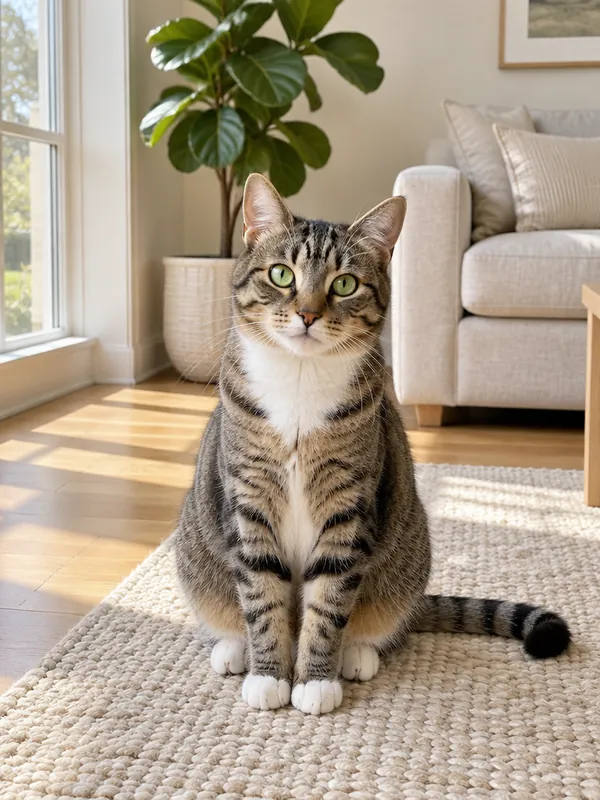
  1. Tabby cat with a white chest sitting upright on a cream rug in a sunny living room, whole body in frame

    1 photoYour pet

    One dog or one cat. This photo is the first frame: the line sweeps across it, and the seal takes your pet's place with its face, eye color, coat colors and markings.

    • Whole pet in frame, head to tail, sitting or lying down: low poses look most like a seal.
    • Some floor around your pet, because the seal comes out wider than a dog or cat.

Pet photos for the seal filter

Good picks

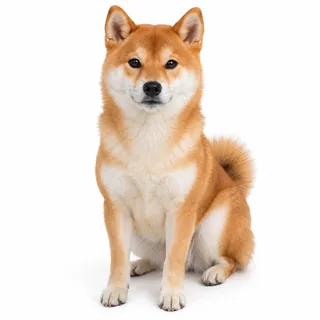
  • Shiba Inu sitting with its whole body in frame, facing the cameraA dog sitting, face to the camera
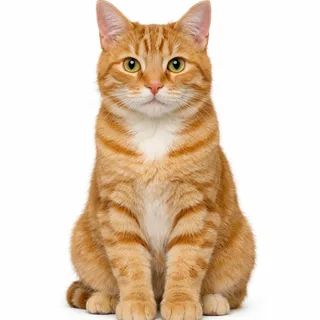
  • Ginger tabby cat sitting upright, whole body in frame, facing the cameraA cat sitting up, whole body visible

Avoid

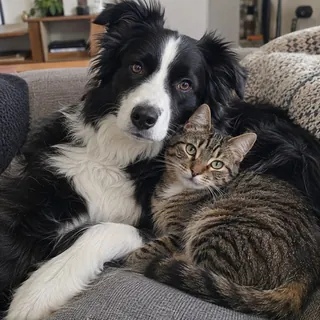
  • A dog and a cat cuddled together in one photoTwo pets in one photo: make one video per pet
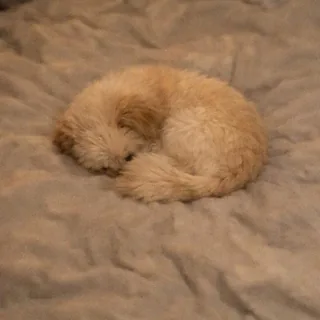
  • Cat curled into a ball on a blanket, face hiddenCurled up with the face hidden
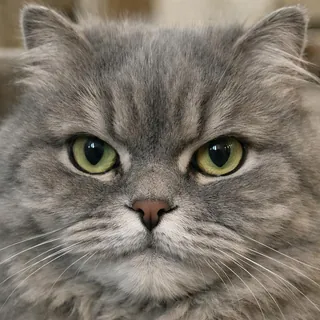
  • Grey cat's face filling the frame with no body visibleA face-only close-up

Put your own pet through the sweep

  1. Add your pet's photo

    Drop one photo of your dog or cat into Your pet. Pick a different length or resolution below if the defaults don't suit you.

  2. Click Generate

    The button shows the exact price before anything is charged.

  3. Download and post

    Save the MP4 and post it to TikTok, Instagram Reels or YouTube Shorts.

Does the seal filter work on dogs and cats?

It works on both. What carries over is each pet's own face, eye color, coat colors and markings, so a black Lab and a striped tabby give two very different seals.

Dog seal filter: a black Lab that barely changes

Dark, short-coated dogs like this Labrador come out almost unchanged, just rounder and smoother. Long-haired breeds such as German Shepherds lose the fluff but keep their colors on a plump, round body.
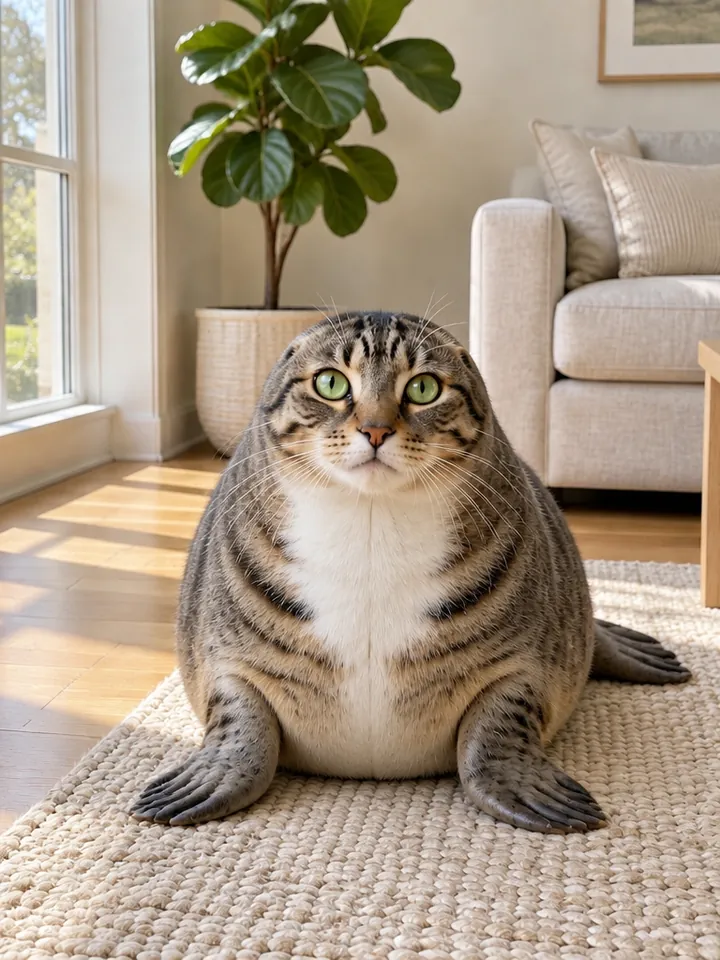
A chubby seal with a tabby cat's green eyes, white muzzle and dark stripes sitting on a cream rug in a sunny living room

Cat seal filter: stripes on a seal

A tabby keeps its green eyes, white muzzle and forehead stripes, and the stripes on its back carry on down the seal's body.

Pet seal filter video: what goes in, what comes out, what it costs

Pet seal filter video: what goes in, what comes out, what it costs
Photo
1 photo of one dog or one cat
Photo files
PNG / JPG / WebP, up to 10 MB, short side at least 512px
Video length
6–10 seconds; 8 seconds by default
Aspect ratio
Follows your photo: an upright photo gives an upright video
Resolution
480p, 768p, 2K, or 4K; 768p by default
Sound
Generated with each video; the sounds used in TikTok posts are not included
Credits
96 credits for the default 8-second 768p video; 60–320 credits across all lengths and resolutions
Failed videos
Credits return to your balance automatically if a video fails

Seal filter questions from dog and cat owners

Is the seal filter real or AI?+

It's AI. Your pet is real, but the seal body is generated by AI; it is not a live camera effect or a seal costume.

Why doesn't the seal filter work on my cat?+

Usually it's the photo: a face turned away, half the body out of frame or a dark room leaves the model too little to keep. Pick a photo that matches the checklist above and generate again.

Is the seal filter the same as the Snapchat seal lens?+

No. Seal lenses and game effects in camera apps, Snapchat's included, put seal features on a person's face in the live camera, while the seal filter here turns a photo of your dog or cat into a video of a seal.

Does the video have the TikTok seal filter sound?+

No. Each video comes with sound generated for it, not the sounds from the TikTok posts. To use a trending sound, add it in TikTok or Instagram when you post.

Is the pet seal filter free?+

No, each video costs credits. The price changes with the length and resolution you pick, and the Generate button shows the exact price before you start. New accounts get 10 credits when they sign up.

Will the seal filter video fit Reels and TikTok?+

It follows your photo: an upright photo gives an upright video for Reels, TikTok and Shorts, and a landscape photo gives a landscape video.

Do I need an app for the seal filter?+

No. It runs in your browser on a phone or a computer: upload the photo, generate, and download the video.

Can I put two pets in one seal filter video?+

No. The effect turns one animal into one seal, so make a separate video for each pet and post them together.

Does the seal filter work on rabbits or hamsters?+

It's made for dogs and cats. Other furry pets such as rabbits or hamsters can be tried, but the result is less predictable, and it isn't meant for birds, reptiles or fish.

Can I turn myself into a seal?+

No. This seal filter is built for pets: the joke is a dog's or cat's own face on a seal body, so it takes photos of a dog or a cat.

Can I get a seal photo instead of a video?+

No, this page makes a video. For a still, take a screenshot in the last seconds, where the seal sits still.

Turn your dog or cat into a seal with the seal filter

One photo of your pet goes in; a seal with your pet's own face comes out.