Welcome 2027 AI Trend

Make the Welcome 2027 AI video from one photo: you climb a giant marble 2027 on a sunset summit, open your arms to the new year, and the camera pulls back to show it all.

  • HOT
  • One click · no prompt
  • Hello 2027 or Goodbye 2026
  • You, a couple or your pet
Example · Hello 2027
Choose an effect

PNG / JPG / WebP · up to 10 MB · at least 512px on the short side

0/1 photos

One photo: just you, two people in the same photo, or one pet. Pick one where every face is big and clear; the last shot pulls far back.

Video settings

No prompt needed. Upload a photo of yourself, of people who agreed to be in it, or of your own pet; celebrity photos and film stills aren't allowed.

What is the Welcome 2027 AI trend?

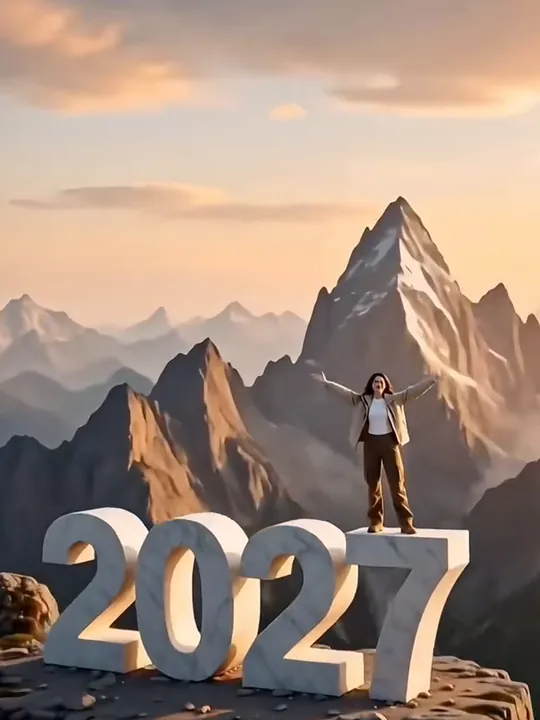
Welcome 2027 AI is a New Year AI video made from your photo: you climb a giant white-marble 2027 on a mountain summit at sunset, stand on top with your arms open, and the camera pulls back like a drone to show the whole number standing on the peak.

A woman in a beige jacket stands with open arms on the 7 of a giant white marble 2027 on a rocky summit, sharp peaks and a peach sunset sky behind her

It also goes by Hello 2027 and the 2027 New Year AI trend. The idea is the symbol: instead of counting down, you climb into the new year. The only thing on screen is the number itself, so the clip works with a caption in any language, and the first wave came from Spanish- and French-speaking TikTok.

Where did the Welcome 2027 trend start?

  1. Last season’s version, “Adiós 2025 Hola 2026”: a CapCut template sat people on a giant 2026 while the 5 flew away. CapCut counted 51,123 uses of it by October 30, 2026.

  2. A new CapCut template trades the seat for a climb: one photo, a giant marble 2027 and a mountain top at sunset.

  3. The first TikTok post with it goes up in Spanish and English, captioned “filter video to welcome 2027”.

  4. A French sister version, where the 6 of 2026 is pushed off a cliff and a 7 takes its place, takes off; the post that spread it had about 145,800 TikTok views by October 30.

  5. The climb template reaches 126,412 uses on CapCut; 17,331 of them came in about four hours that day.

Sources: CapCut template pages and TikTok post stats, read on October 30, 2026.

Hello 2027 or Goodbye 2026: what happens in each version?

Both versions start from the same photo and end on the same picture, you on top of a giant 2027; they get there in different ways. Choose one above the photo slot.

Default version

Hello 2027: climb to the top

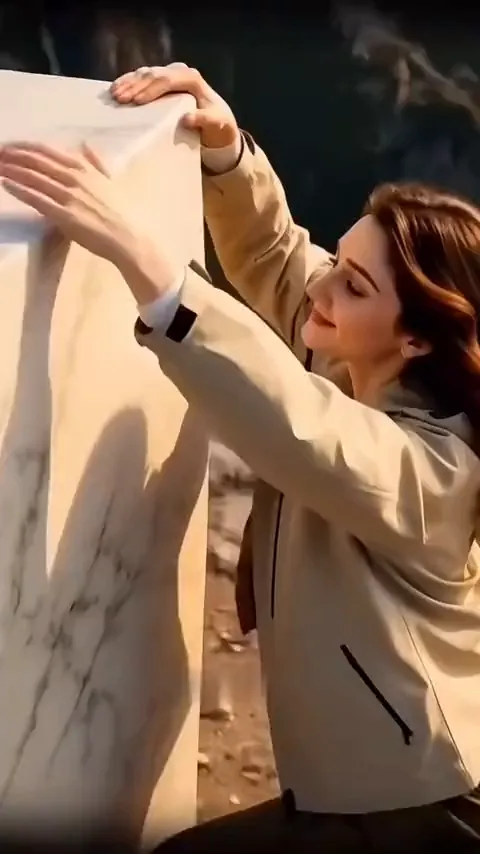
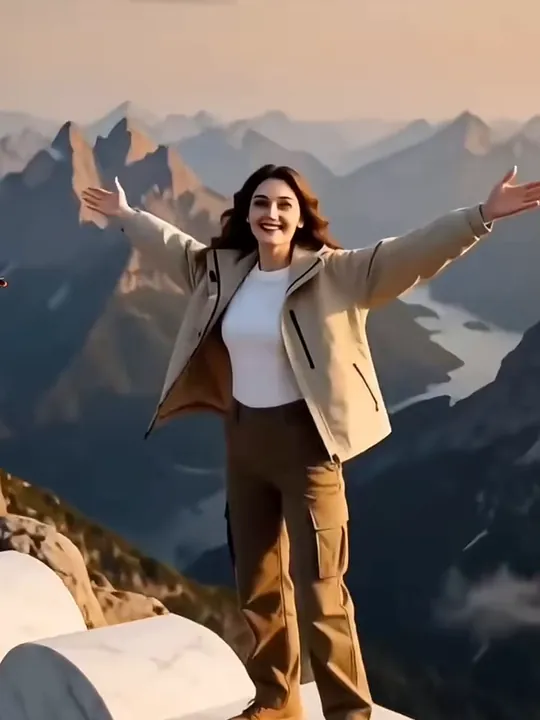
You grab the top edge of a giant white-marble digit and pull yourself up with a smile, crawl onto the flat top, then stand, face the camera and fling both arms wide. The camera rises and pulls back over the ridge until the whole 2027 and the peaks behind it fill the frame, all in gold and peach sunset light.
The 6 goes, the 7 arrives

Goodbye 2026, welcome 2027: push the 6 off the cliff

The shot opens tight on a giant stone 6, the end of 2026, on a cliff top. You shove it until it tips over and drops out of sight, then heave a stone 7 upright into the gap. A close-up catches your face, you open your arms, and the camera pulls back across the cliff edge to show 2027 standing against the mountains in late golden light.

Can you make the Welcome 2027 video without the CapCut template?

Yes. Upload one photo here and pick Hello 2027 or Goodbye 2026: no app to install and no template to track down. Last season, YouTube search suggestions for the 2026 template were full of “not showing” and “not working”.

What changesCapCut templateThis page
What you needThe CapCut app and the template linkA browser and one photo
Getting startedFind a template that may not show upOpen this page and upload
Both versionsTwo separate templatesHello 2027 and Goodbye 2026 in one place
Length and frameSet by the template5–15s; you pick the frame

How do you make a Welcome 2027 AI video?

Your photo decides who climbs; the summit, the giant 2027 and the camera move come with the version you pick.

  1. Frame from a Welcome 2027 AI video: a smiling woman in a beige jacket stands with her arms spread wide on top of a white marble digit, mountains behind her

    Your photoClimber

    Whoever is in the photo makes the climb and stands on the 2027 at the end: one person, two people photographed together, or one pet. The photo is a reference for faces, hair and clothes, not the first frame of the video.

    • Two people only if they share this one photo; there is no second upload and no room for a third.
    • The outfit in the photo is the outfit on the summit, so wear something you want in the shot.

Big, clear faces for the drone shot

Works well

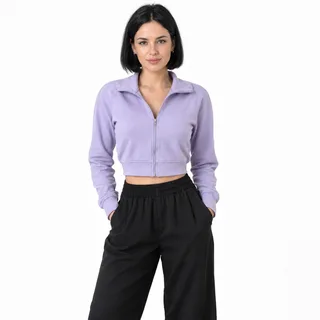
  • A woman in a lilac cropped jacket photographed from head to thighs on a white backgroundOne person, head to hips, facing the camera
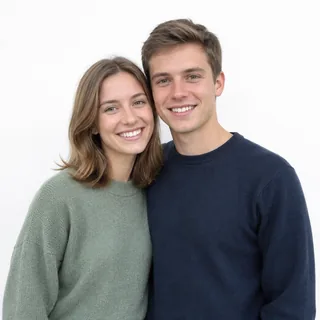
  • A smiling couple in a sage sweater and a navy sweater, side by side from the waist up on a white backgroundTwo people side by side, both faces in view
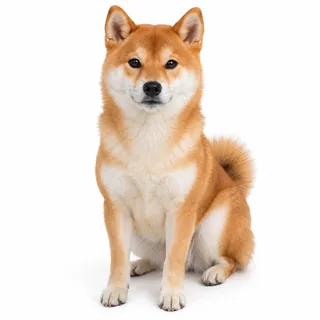
  • A Shiba Inu sitting and facing the camera, whole body on a white backgroundA pet sitting up with its whole body in the frame

Avoid

  • Three friends squeezed into one selfie at a picnicThree or more people in one shot
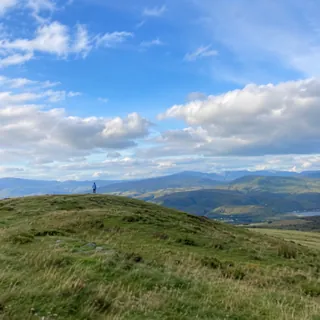
  • A person as a small speck on a distant grassy hilltop under a blue skyA tiny figure in a big landscape
  • A man in sunglasses and a black cap with a hand over his mouthSunglasses, a low cap or a hand over the face

Photo in, summit clip out

  1. Add your photo and pick a version

    Drop the photo on the Climber tile and choose Hello 2027 or Goodbye 2026. Change the length, frame or resolution now if you want something other than the default.

  2. Click Generate

    The button shows the exact price before you start. When the video is ready, it plays where the example was.

  3. Download and post

    Save your Welcome 2027 AI video and post it to TikTok, Reels or Shorts with #welcome2027 or #hello2027. It comes with generated sound, so post it as is or add a song in the app.

Welcome 2027 videos for couples, pets and solo climbers

Four ideas for who goes up the giant 2027, each with a caption you can post with it.

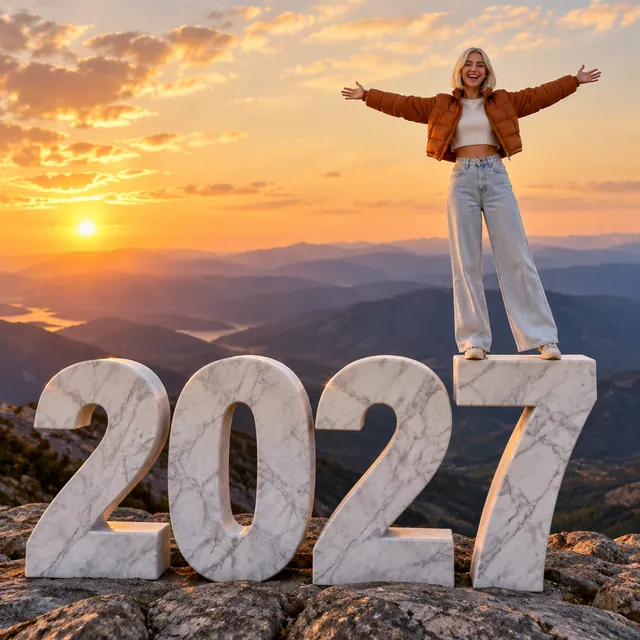
  • A young woman with a platinum bob and a rust-orange puffer jacket stands with her arms wide on a giant white marble 2027 above a golden sunset
    Solo

    Your own New Year’s post

    Caption: Made it to the top of 2027.

    The simplest version: one photo of you, and the summit shot does the rest. Hello 2027 suits a personal post.

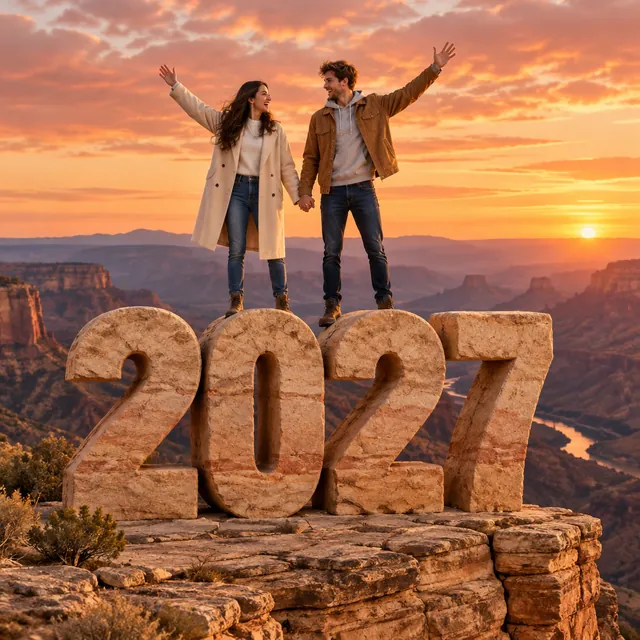
  • A couple holding hands with their free arms raised on top of a giant sandstone 2027 at the edge of a cliff at sunset
    Couple

    Welcome 2027 as a couple

    Caption: Climbing into 2027 together.

    A photo of the two of you becomes a shared New Year greeting, the pair of you on top side by side.

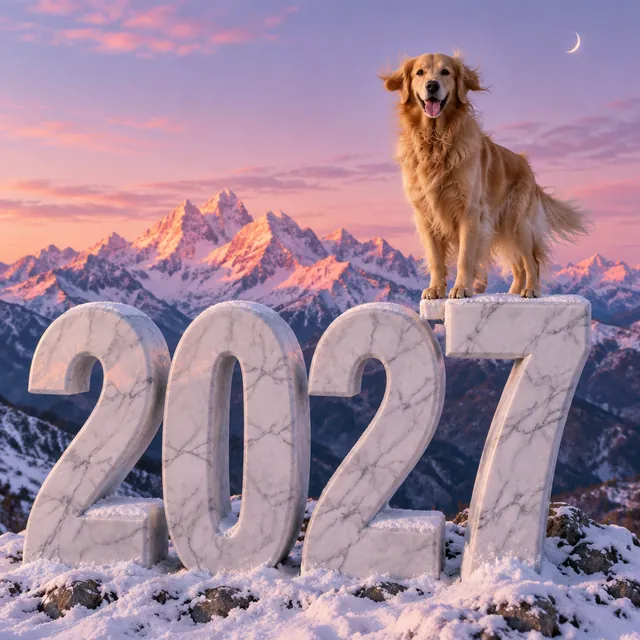
  • A golden retriever standing on top of the 7 of a giant white marble 2027, snowy peaks glowing pink at dusk
    Dog

    A dog on top of the 7

    Caption: He beat me to 2027.

    Hello 2027 turns into a proud summit pose for a pet account: the scramble up, then the view.

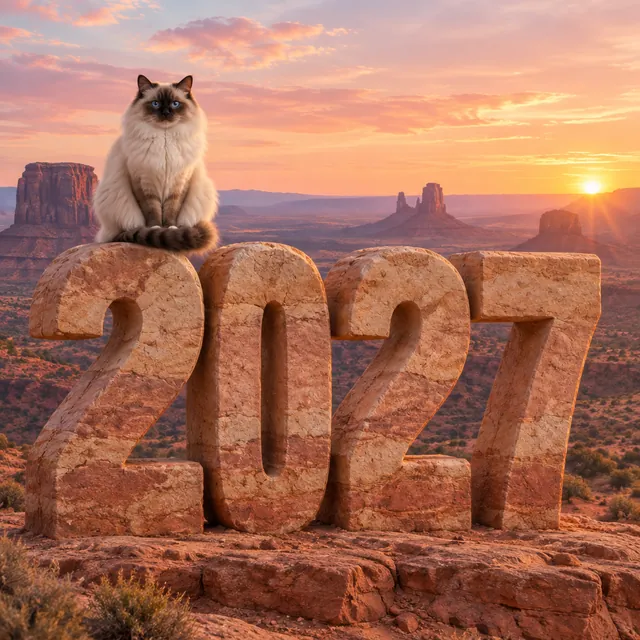
  • A fluffy ragdoll cat sitting on top of a giant sandstone 2027 on a red-rock mesa at a peach sunrise
    Cat

    A cat that pushes 2026 off the edge

    Caption: Knocked 2026 off the shelf. Classic.

    Cats already knock things off edges, so Goodbye 2026 fits: yours gets to try it with a stone 6.

How many seconds and credits does a Welcome 2027 AI video take?

How many seconds and credits does a Welcome 2027 AI video take?
Photo
1 photo
Photo files
PNG / JPG / WebP, up to 10 MB, short side at least 512 px
Versions
Hello 2027 (default) or Goodbye 2026
Length
5–15 seconds; 8 seconds by default
Aspect ratio
9:16 by default; also 21:9, 16:9, 4:3, 1:1, 3:4, or Auto
Resolution
480p, 768p, 2K, or 4K; 768p by default
Sound
Generated with each video, new every time
Credits
96 credits for the default 8-second 768p video; 50–480 credits across lengths and resolutions
Failed runs
Credits go back to your balance automatically

FAQ

Will the 2027 come out right? Plus pets, captions and price

Is the Welcome 2027 AI video free?+

No, each video costs credits, and new accounts get 10 free credits when they sign up. The price changes with the length and resolution you pick, and the Generate button shows the exact amount before you start.

Will the 2027 always be spelled right?+

Usually, but not every time. The video model draws the number as the camera moves, so in the wide pull-back a digit can warp or an extra one can appear, and in Goodbye 2026 the 6 may not fall cleanly or the 7 may land off its spot. If that happens, generate it again.

Can two of us climb the 2027 together?+

Yes, if you are in the same photo. There is one photo slot, so both of you need to be in that picture, and the video takes two people at most.

Can my dog or cat do it?+

Yes. Upload one photo of your pet with its whole body visible; it keeps its own breed, coat and markings and makes the climb itself.

Why does the face look less like me in the last shot?+

Because the camera ends far away: in the final wide frame a face is only a small part of the picture. The likeness shows best during the climb and the closer moments; a photo where your face is large and sharp helps, as in the checklist above.

Do I need to write a prompt?+

No. The summit, the giant 2027, the climb and the camera move are already set for each version; you only add a photo and choose the options.

Is Welcome 2027 a filter?+

Not a live camera filter, even though TikTok posts call it one. It is a new video made from your photo, so you upload a picture instead of filming yourself.

Can I post it with a Spanish or French caption?+

Yes. The only writing on screen is the number 2027, so “Bienvenido 2027”, “Adiós 2026”, “Bienvenue 2027” or a caption in any other language fits.

Is this the Happy New Year 2027 AI video from TikTok?+

It is the one where you climb a giant 2027 on a mountain top, in both its Hello 2027 and Goodbye 2026 forms. Fireworks, toasts and countdown-style New Year videos are not made on this page.

Can I sit on the giant 2027 instead of climbing it?+

No. Sitting on a giant 2026 was last year’s version; this page makes this year’s two: the climb to the top or the swap from 6 to 7.

Can I change the year on the digits?+

No. Hello 2027 always shows 2027, and Goodbye 2026 always goes from 2026 to 2027; there is no setting for another year or other text.

Welcome 2027 AI

Make a Hello 2027 video with you on top

One photo of you, the two of you or your pet becomes a climb onto the giant 2027 and a wide summit shot to post.