
MobLand Dance AI

Make the MobLand Paul dance from one photo: the knee lifts, kicks and open-palmed shrug, performed in your own look and setting.

  • No prompt
  • Your outfit
  • Your setting
Example · MobLand Dance AI

PNG / JPG / WebP · up to 10 MB · at least 512px on the short side

0/1 photos

Upload one full-body photo of one person. Your photo sets the face, outfit and room; the built-in clip supplies the moves.

Video settings

No prompt needed. Only upload photos of yourself or people who agreed to be featured; celebrity photos and film stills aren't allowed.

What is the MobLand dance AI trend?

MobLand Dance AI turns a still portrait into the solo knee-lift-and-kick routine often called the MobLand Paul dance. The clothed dancer in a pale attic-style room belongs to the AI version that circulates under that name.

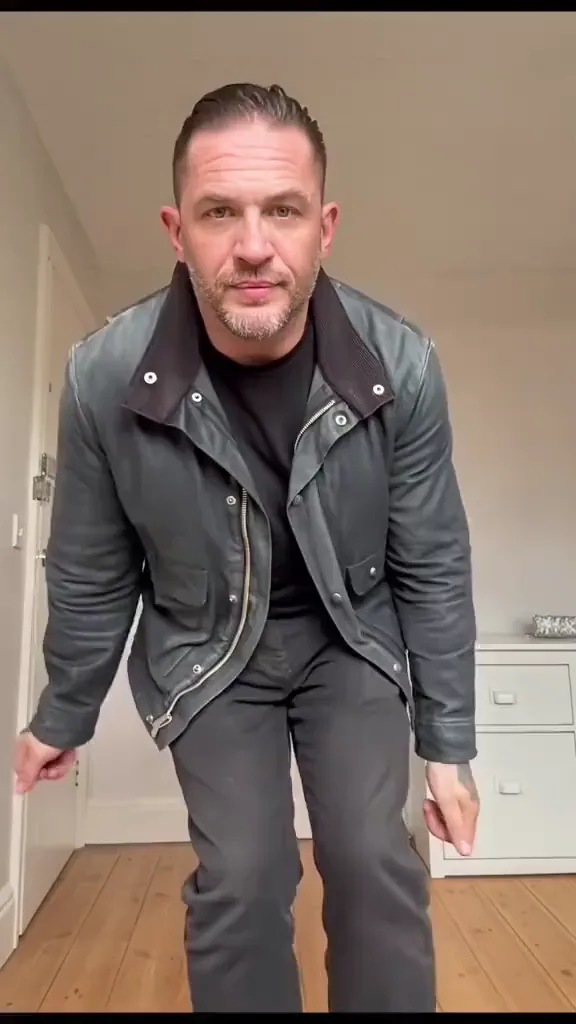
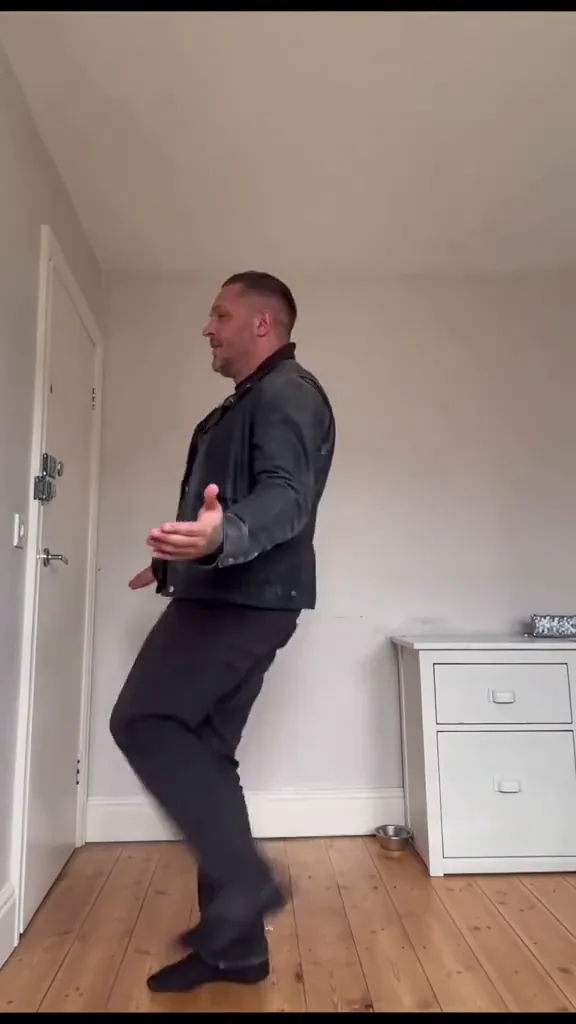
A dancer in a dark jacket leans toward the camera

The name points back to Paul O’Donnell, played by Emmett J. Scanlan in MobLand. TV Insider’s exclusive preview places his dance in Season 2, Episode 8, “We Don’t Talk Anymore”; Paramount+ lists the same episode. The joke in the scene is a casual dance interrupting a grim situation. AI remakes turn that contrast into a lighthearted full-body performance.

The TV dance scene

A live-action character performance in a dark comedy sequence. Searching for the scene or its song leads to this context.

The AI attic dance

A separate, fully clothed choreography template. It is not footage of the actor doing this attic routine.

Scene context: TV Insider’s exclusive preview, November 5, 2026; Paramount+ Season 2 episode guide.

The knee lifts, kicks and shrug that define Paul’s dance

The routine changes scale as well as pose: a close opening gives way to a full-body dance, then a sideways finish. Watch how the footwork and hand gestures connect.

  1. Dancer in a dark jacket leaning close to the camera10:00

    Lean in, then retreat

    The opening face is close to the lens. The dancer immediately moves away, creating room for the legs to enter the performance.

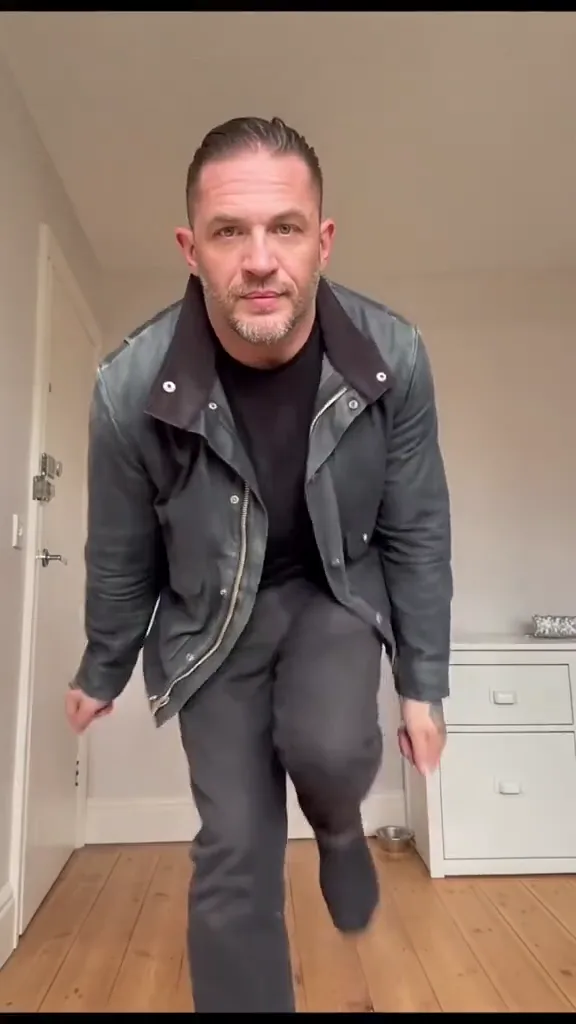
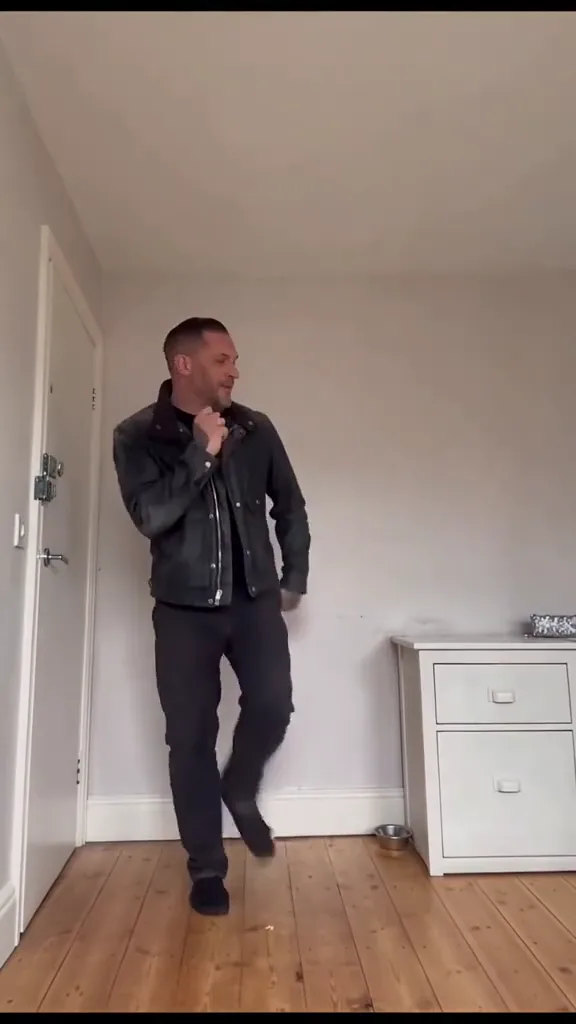
  2. Dancer raising a bent knee while stepping backward20:01

    Lift the knee into the beat

    A bent knee rises as the dancer settles into the room. The small traveling steps matter as much as the high leg position.

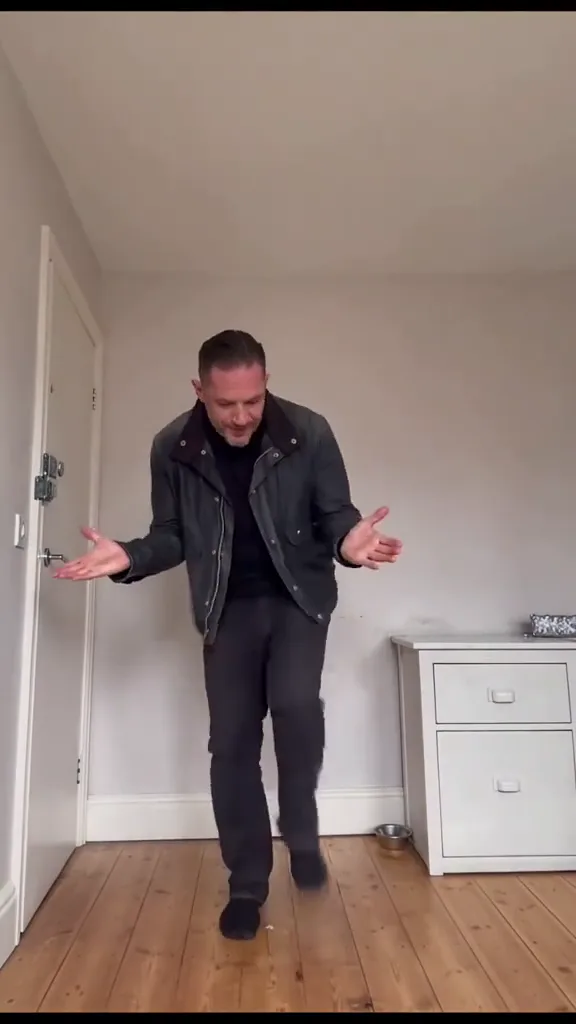
  3. Dancer looking down with both palms turned outward30:04

    Open the hands with a shrug

    Both hands turn outward beside the body, paired with a downward glance and a loose shoulder movement. This gives the dance its mock-casual attitude.

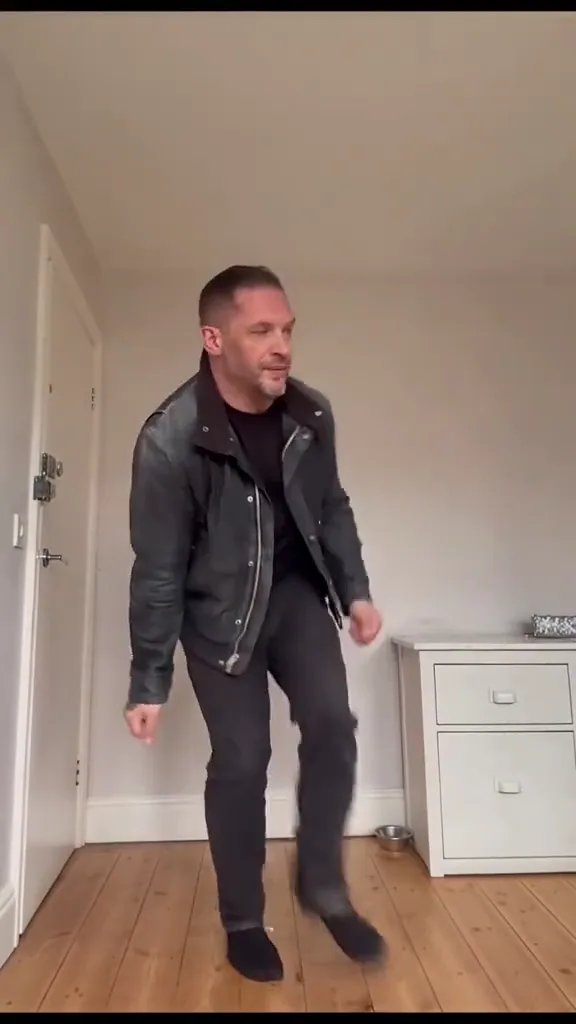
  4. Side-on dancer bending one leg back while extending a hand40:06

    Turn sideways for the little kicks

    The torso turns as the dancer bends and flicks a leg, then continues with small steps. The ending stays in motion rather than freezing on a pose.

How to make a MobLand dance video from a photo

Use the solo-person slot for the performer. This is a full-body motion transfer, so prepare the whole figure rather than a face-swap crop.

  1. Full-body dancer in a dark jacket and trousers standing in a bright room

    Your photoSolo dancer

    Your photo supplies the face, hairstyle, body proportions, clothes and surroundings. The built-in video supplies the choreography and camera movement.

    • Leave room beside the body for the outstretched palms and kicks.
    • Choose a standing pose with visible hands, knees and shoes.

Frame the person for the moving camera distance

Choose

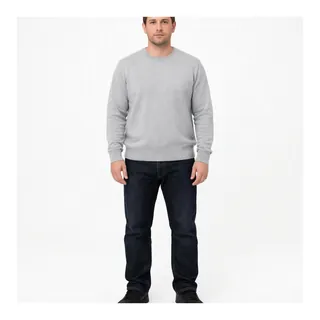
  • Man in a grey sweater and jeans standing head to shoesHead-to-shoes framing with a readable face
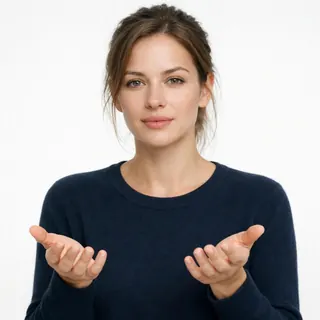
  • Woman holding both open hands in front of her bodyUncovered hands and relaxed arms

Replace

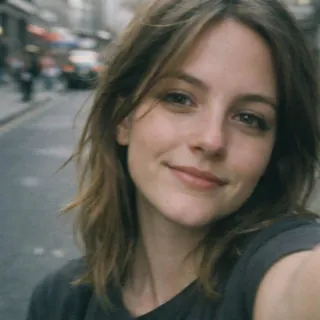
  • Close selfie showing only a woman’s faceFace-only selfie with no leg information
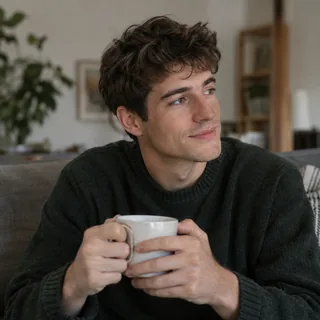
  • Man sitting on a sofa with a mug and hidden lower bodySeated pose that hides the knees and hips
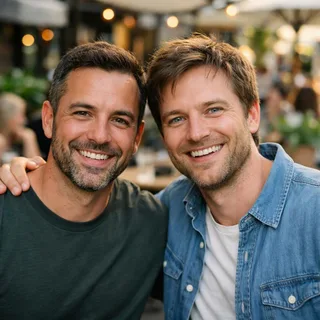
  • Two men sitting side by side in one photoTwo people competing for the solo role

From still portrait to dance post

  1. Add the performer

    Upload your chosen full-body portrait into the solo-dancer slot.

  2. Choose detail and generate

    Choose a resolution, check the exact credit price on the button, then generate the fixed routine.

  3. Download the dance

    Play the result through, download it, and post the finished performance to your feed or story.

Does the MobLand dance template keep the attic?

No. The room follows the still image. Use this decision guide if you want to keep a particular look or change the routine itself.

What you want to controlWhere it comes fromYour choice
Face, hair and outfitYour still photoKeep the look you want to wear
Room and surroundingsYour still photoAn attic requires an attic photo
Steps and hand gesturesBuilt-in motion clipThis fixed Paul dance routine
Camera distance and movementBuilt-in motion clipFollow the built-in performance
A different choreographyYour own motion videoUse the Motion Control tool

MobLand dance AI prompt for video-reference tools

This page runs the fixed Motion Control template without reading a prompt. The example below is for a separate video-reference tool that accepts a motion clip and an image. Its purpose is to separate movement from appearance.

Reference clip

Prompt length 678

Use @Video1 as the movement reference and @Image1 as the visual reference. Animate the person from @Image1 through the complete dance: lean toward the lens, step back into full view, lift a bent knee, turn both palms outward with a loose shrug, then turn sideways for the small bent-leg kicks and closing steps. Take only the motion, camera and rhythm from @Video1, not its dancer, clothes or room. Preserve the face, hairstyle, body proportions, outfit and surroundings from @Image1. Keep the movements connected, the face recognizable, and the hands and feet anatomically coherent. Do not import the attic or add props. Retain @Video1’s original sound if the tool supports it.

Write the transfer clearly

  • Name the sequence in order

    Keep the lean-in, retreat, knee lift, open palms and sideways kicks connected in one performance.

  • Name the appearance reference

    The instruction must say that the portrait supplies the clothes and room, not just the face.

Avoid conflicting instructions

  • Do not lock both rooms

    Keeping the attic and keeping a different room from the image are incompatible visual directions.

  • Do not describe an actor clone

    Use the uploaded person as the identity reference; the name Paul identifies the choreography here.

MobLand dance video settings and credit costs

MobLand dance video settings and credit costs
Photo input
1 photo · PNG / JPG / WebP · up to 10 MB · 512px minimum short side
Video length
10 seconds, following the complete routine
Frame
9:16 portrait performance
Resolution
720p or 1080p; 720p selected by default
Sound
The built-in clip’s original audio is retained.
Generation credits
260 credits at 720p or 340 credits at 1080p
Failed generation
Credits are refunded automatically if the generation task fails.

Choose a new motion or edit the finished dance

Use Motion Control for a different choreography, upscale an output, or remove its background for a new composition.

  • AI Video Generator

    Generate a clip from a prompt, a still image, a reference or existing footage.

    Open tool
  • Video Upscaler

    Raise a clip to 1080p or 4K and sharpen detail frame by frame.

    Open tool
  • Motion Control

    Give a character image the performance from a reference clip.

    Open tool

MobLand dance song, filters and results

What is the MobLand dance song—is it “Mr. Charm”?+

TV Insider names The Rolling Stones’ “Mr. Charm” in its description of the TV scene. The AI dance clip has its own audio track, whose title is not confirmed here. Do not assume that the TV scene’s song is the soundtrack of the AI version.

Is this a MobLand dance filter or a CapCut template?+

This is a photo-to-video effect on Oeneo AI. “MobLand dance filter” and “MobLand dance CapCut template” are names people use for related versions; you do not install a TikTok filter or open CapCut to generate here.

Is “Paul the Butcher dance” the same routine?+

They are linked by the character’s name, but they are not the same footage. “Paul the Butcher” points back to the MobLand character; this template follows the separate, fully clothed AI attic routine.

Why can the face or feet change during the dance?+

The opening moves from a close face to a smaller full figure, while the later kicks turn the body sideways. Those changes can reveal identity drift, finger distortion or sliding shoes. Check the face, hands and planted foot during playback; use the photo checklist above when choosing another input.

Can I use a pet or two dancers?+

No. This template is designed for one human performer. It does not provide pet choreography or a two-person cast.

Is MobLand Dance AI free to use?+

Generation uses credits. The amount changes with the selected resolution, and the generate button shows the exact price before you submit.

Can I change the dance length or invent new moves?+

No. This template follows its fixed motion clip and exposes resolution choices. For a different dance, use the separate Motion Control tool with your own motion video.

Is Oeneo AI affiliated with MobLand or its cast?+

No. This is an independent Oeneo AI effect and is not an official MobLand, Paramount+ or cast collaboration.

Make your own MobLand dance video

Turn a still portrait into the full Paul dance, from the close opening to the sideways finish.