Gangsta's Paradise AI

Make a Gangsta's Paradise AI video from two photos: you and a friend take the rapper and the chorus singer, and the clip's cuts, choir and sound stay.

  • No prompt
  • Rap duo
  • Original sound
Example · Full take · 30s
Choose an effect

PNG / JPG / WebP · up to 10 MB · at least 512px on the short side

0/2 photos

Photo 1 is the dark-robe rapper, photo 2 the light-robe singer who takes the chorus. One person per photo, face clear.

Video settings

No prompt needed. Only upload photos of yourself or people who agreed to be featured; celebrity photos and film stills aren't allowed.

What is the Gangsta's Paradise AI trend?

The Gangsta's Paradise AI trend is a two-photo video recast of one 30-second clip: you and a friend take its two lead parts, the dark-robe rapper at the front mic and the light-robe singer who takes the chorus, while the hangar, the white-armored choir, the cuts and the sound stay the clip's. It is not an AI cover or a new recording of the song.

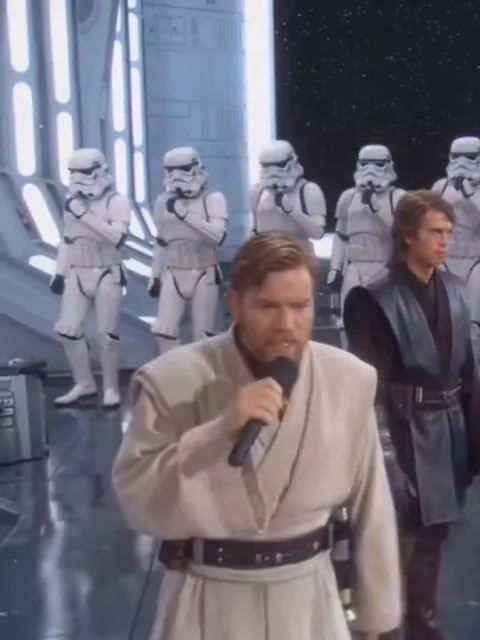
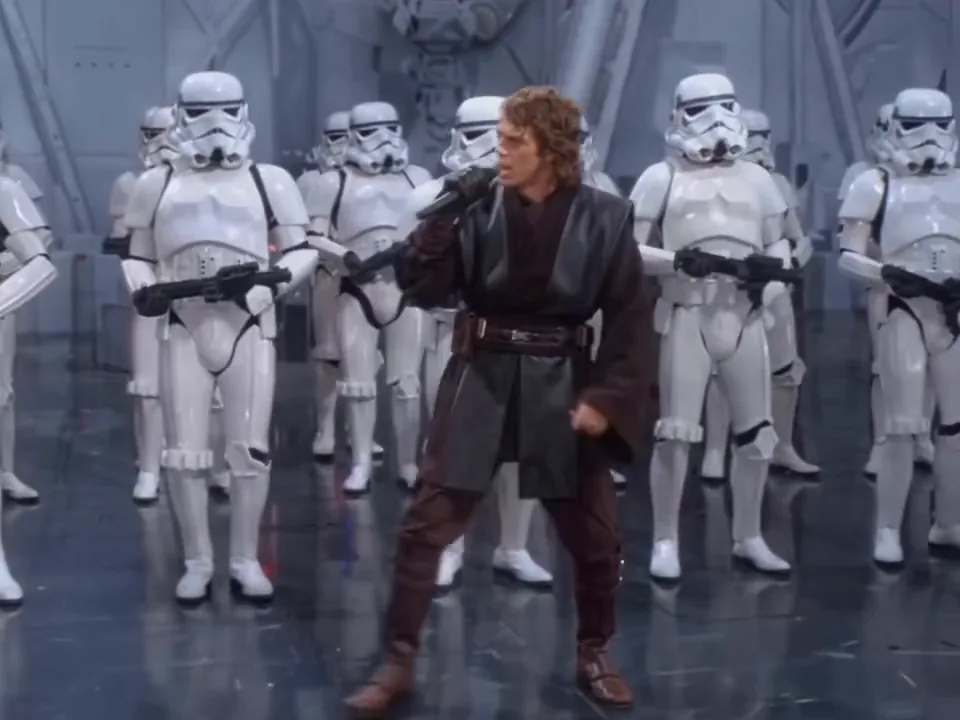
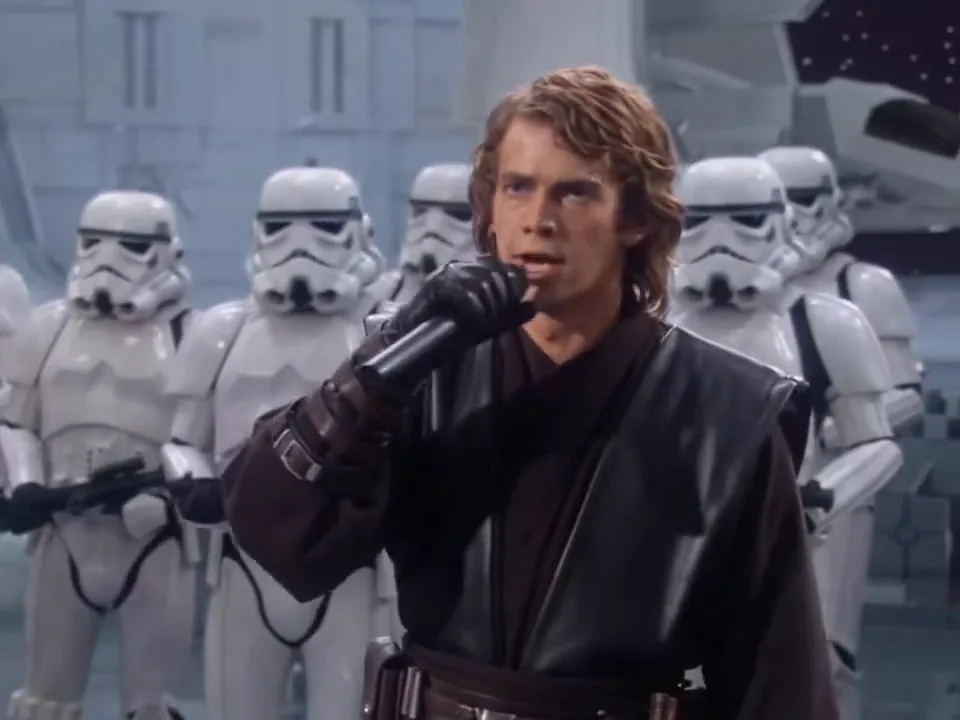
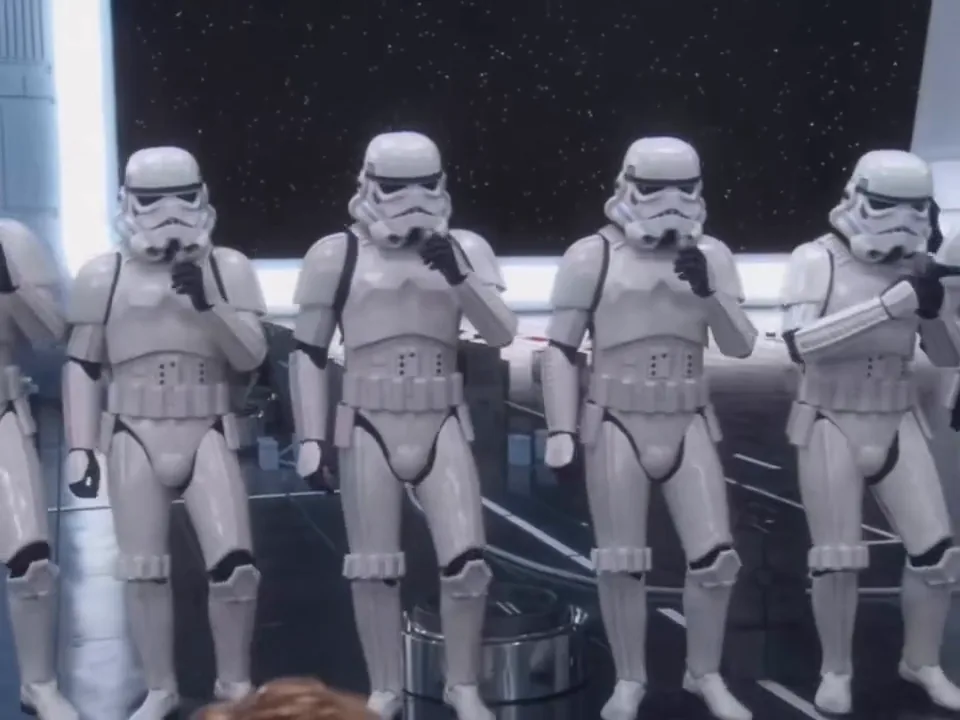
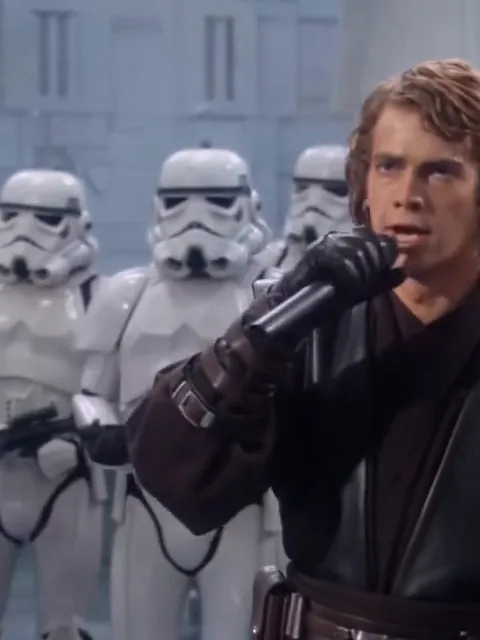
The rapper standing in a vast grey hangar in front of a line of white-armored singers.

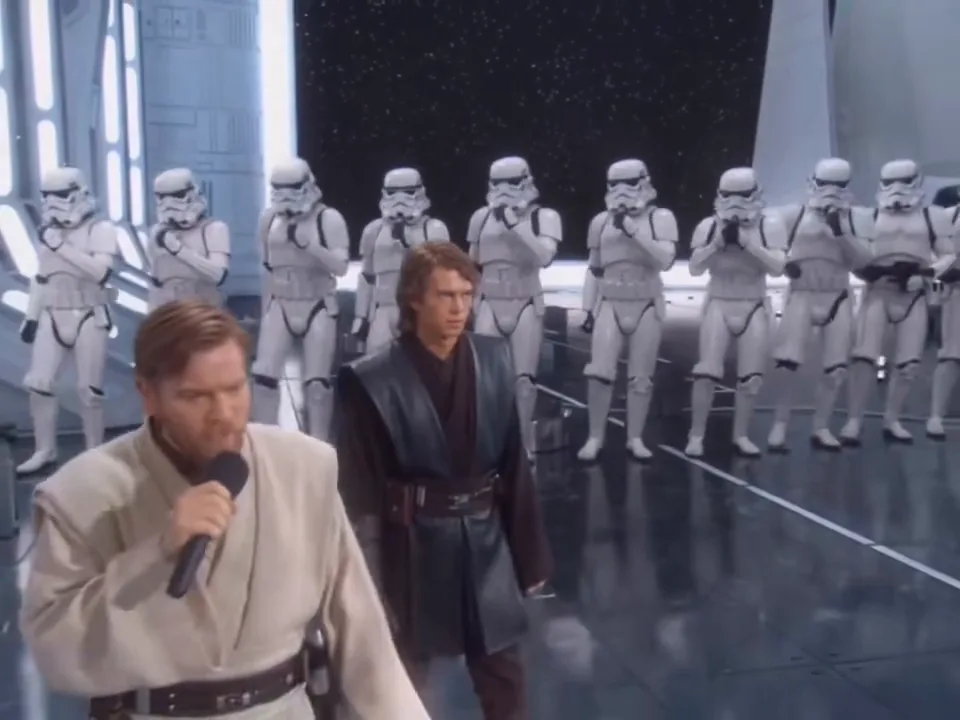
It lands because the setting is played completely straight: a vast Star Wars hangar, two robed leads, a rank of white-armored singers, and a performance delivered as if it were a stadium show. The caption on the post it spread from is the joke in one line — “The Jedi Council was NOT ready for this” — and the mismatch between the armour and the chorus is the whole gag.

The choir is why “gangstas paradise choir meme” is a search of its own: the white-armored singers answer the lead line on the beat, so the video reads as a full performance with a backing section rather than a character with a track over the top. Those singers are the clip's, and no photo replaces them.

It is also cut as a performance with a handoff in it: the rapper carries the first half, points at the lens, and the light robe steps up for the closing chorus in front of the same back row. A recast has to keep that timing, which is why this page asks for two photos instead of one.

The first week of this wave

  1. The hangar clip is posted on Instagram by @alik.bilyalov and @syntx_global, tagged as AI, and reads 442.4K likes and 4.2K comments by 10 November.

  2. The same account posts a second one with a different film pair, read at 100.9K likes and 1.2K comments: the same format with new leads, not a new template.

  3. Template pages for the effect appear within days, each with its own slots, lengths and promises.

Likes and comments read on the Instagram posts on 10 November 2026. A TikTok repost of the same clip was read at 3,099 plays the same day, so the two numbers do not measure the same thing.

What the take does, beat by beat

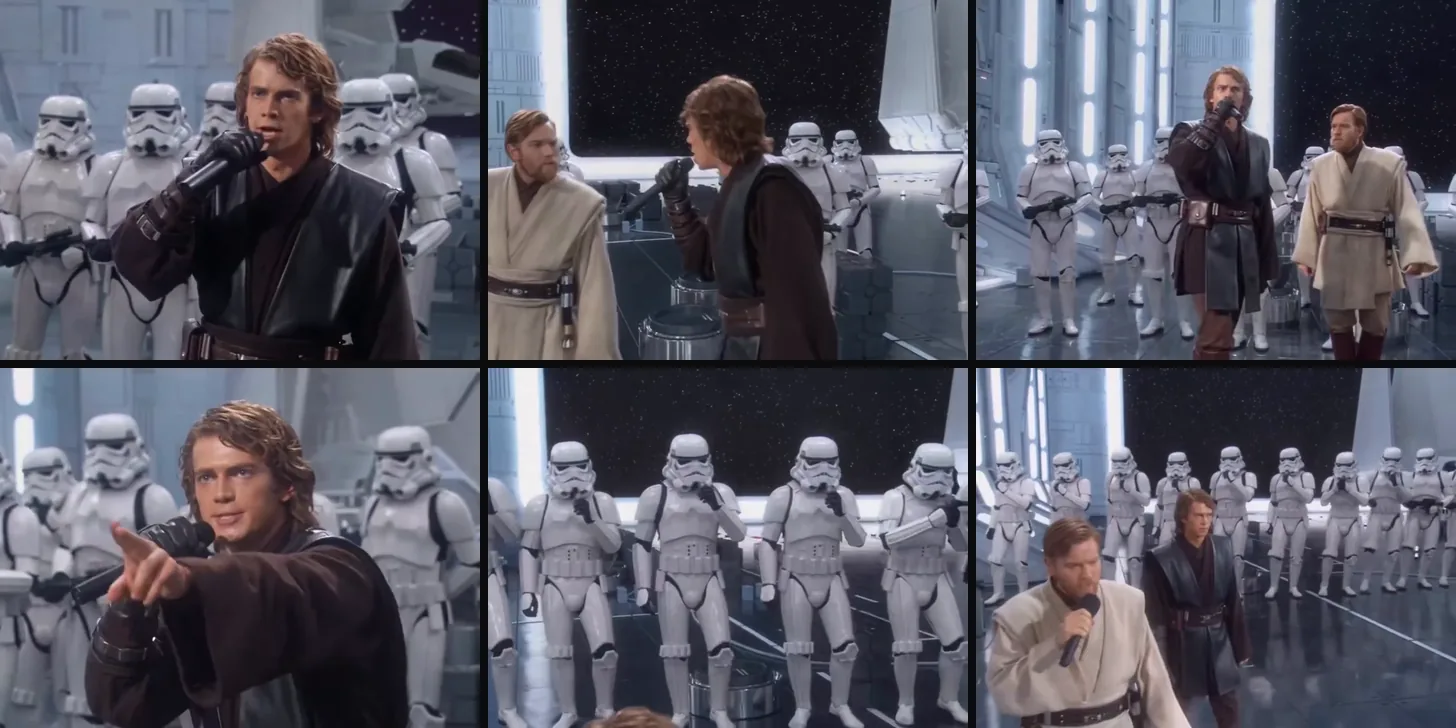
Six stills from the cut, each stamped with the second it starts. The rap duo swap who sings once, and the choir is behind them the whole way.

  1. A man in a dark leather robe holding a microphone close to his mouth, white-armored singers behind him.10:01

    The rapper opens alone

    Close on the dark robe at the front mic, half turned, already mid-line. The rank of white armor stands behind him in the same cool light.

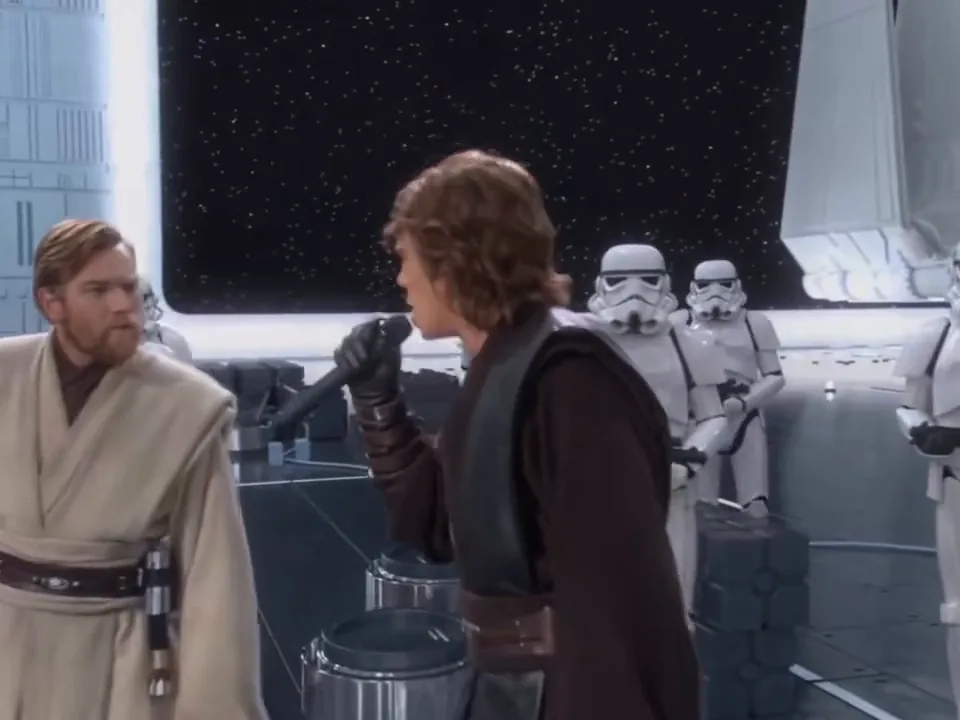
  2. Side profile of the rapper at the microphone, with the bearded man in the pale robe at the left of the frame.20:07

    A side profile at the mic

    The camera turns to his profile and holds it through the next lines while he raps across the mic. A profile is the hardest frame for a recast: there is no second eye to check the likeness against.

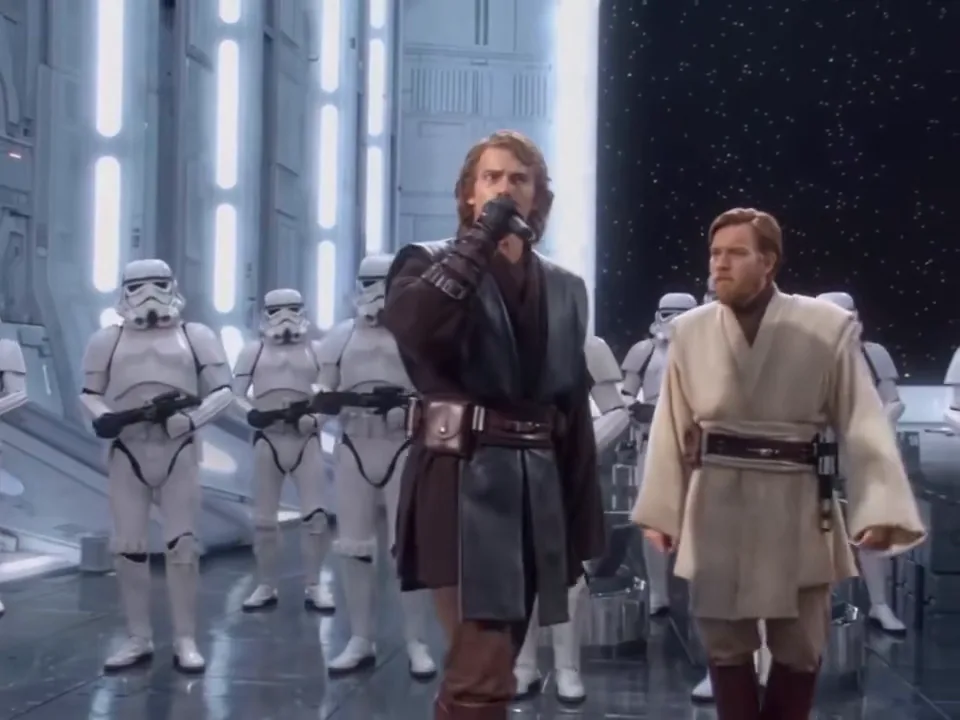
  3. Wide shot of the rapper at the mic while a bearded man in a pale robe walks in beside him.30:13

    The second lead waits at the side

    The wide shot: the rapper holds the mic on the left, the light robe walks in from the right and stands beside him without singing yet. Both leads share the frame from here on, so the two faces have to stay separate inside one shot.

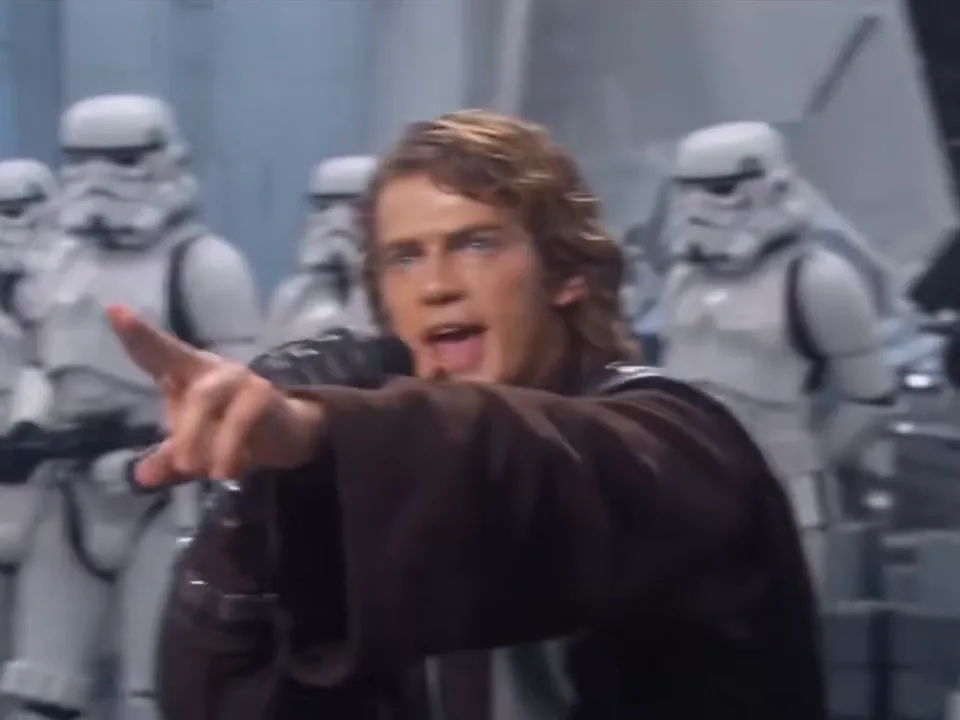
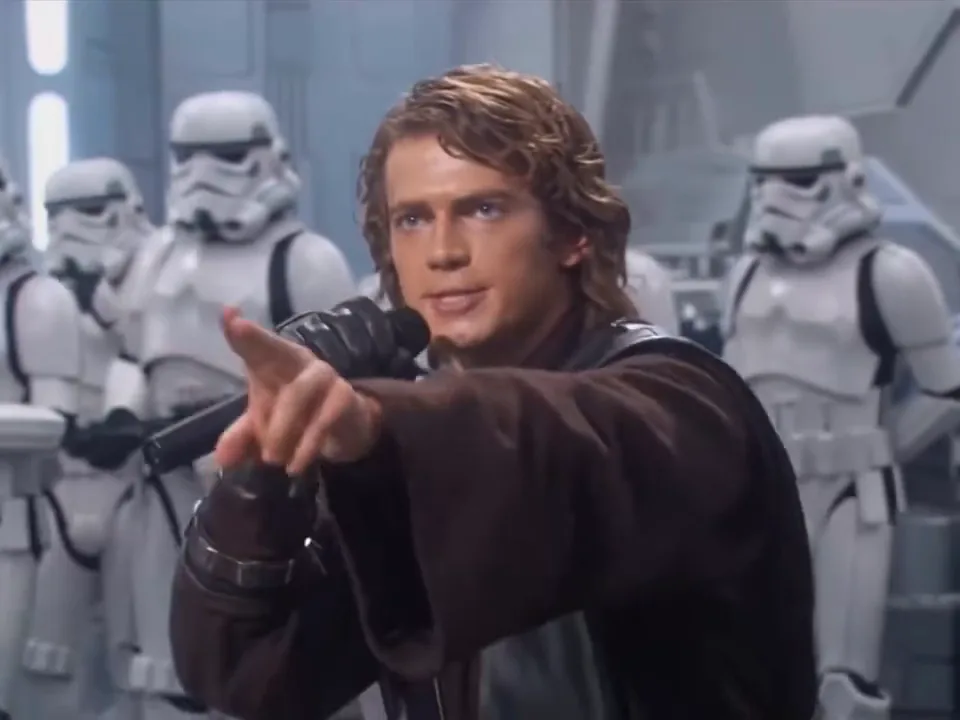
  4. Close on the rapper pointing an index finger straight at the camera, the choir blurred behind him.40:17

    He points at the camera

    The cut comes back tight and he aims an index finger straight down the lens while still rapping. His sleeve crosses the frame on the way in, which is the one moment where a recast can smear a hand.

  5. A line of white-armored singers with helmets on, answering a line together.50:24

    The choir answers

    The camera drops to the rank of white armor: helmets down the line, mouths moving together on the answer, and a head in soft focus at the bottom of the frame. This is the shot that makes the clip read as a full performance.

  6. A bearded man in a pale robe singing into a handheld mic while the rapper in the dark robe turns to watch him.60:28

    The light robe takes the chorus

    The closing seconds: the light-robe singer comes forward with his own mic, the rapper turns to watch him, and the choir keeps answering behind both. Every recast has to land this shot.

Full take or short cut: which one keeps the handoff?

The same template and the same two photos; the only difference is which part of the take you get. The short cut starts at the halfway mark, where the first lead is already at the lens.

Six frames of the take in a grid, from the opening close-up to the closing handoff.

Full take · 30s

The whole take, handoff included

Opens on the close-up at the front mic, moves through the side shots and the point at the lens, and hands the chorus over in the last seconds. This is the default, and the one to pick if you want the whole arc.
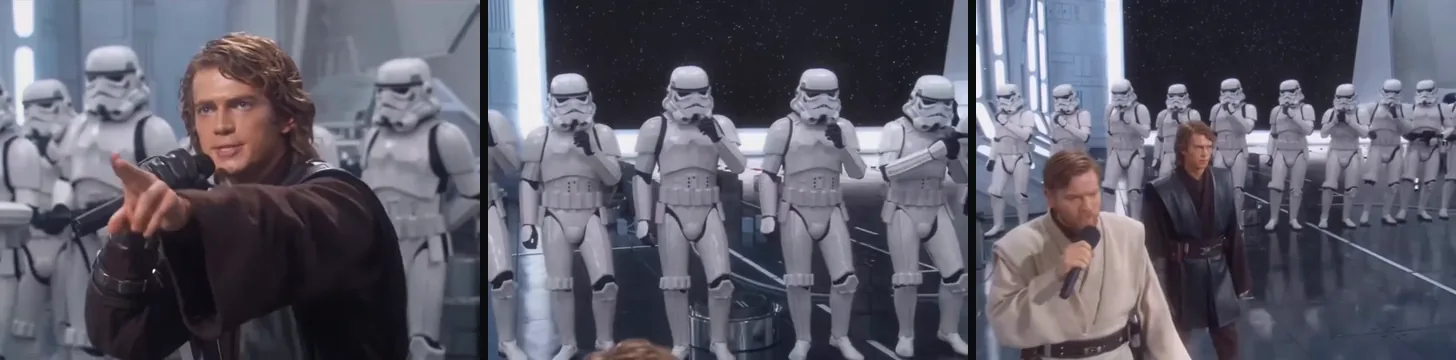
Three frames from the short cut in a grid: the point at the lens, the choir and the handoff.

Short cut · 15s

The second half only

Starts on the point-at-camera close-up: you still get the wide hangar shot, the choir and the handoff, but the rapper's first half is gone. Cheaper, and it still ends on the second lead.

AI cover, blues remix, or this two-photo video?

The search mixes four different requests, and only the last one puts your own photos into the performance.

CompareThis recastAI coverBlues remixSong facts
What it makesTwo photos into the clipRe-sung vocals, new visualsThe same song, another genreLyrics, meaning, release facts
Who is on screenYou and a friendNo faces, only a voiceA singer covering itThe artists, in text
SoundThe clip's own trackA new vocal takeA re-recorded backingClips at most, no audio
What you getThe cut as an MP4An audio or video fileAn audio fileA reference page

How do you make a Gangsta's Paradise AI video?

The two parts, the timing and the sound are already in the clip, so the work is picking the right photo for each part. Photos bring the face and hair; the robes come from the clip.

  1. A man in a dark leather robe holding a microphone close to his mouth, white-armored singers behind him.

    Photo 1Dark robe

    The lead who opens: he raps the first half at the front mic, points at the lens and turns to watch the chorus. His face is in three-quarter view in the side shots.

    • A face that still reads from the side, since the clip cuts to his profile
  2. A bearded man in a pale robe singing into a handheld mic while the rapper in the dark robe turns to watch him.

    Photo 2Light robe

    He walks in beside the rapper around the wide shot and takes the chorus in the last seconds, so his face carries the closing frames of the clip.

    • A different-looking person from photo 1: the wide shot puts the two faces side by side

Two photos that will hold up

Works well

  • A curly-haired woman in a mustard sweater, chest up, smiling at the camera.Face lit, front-on and unblocked
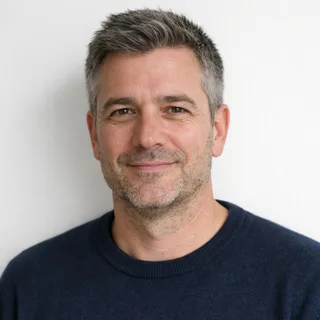
  • A grey-haired man in a navy sweater, chest up and unretouched.An unfiltered phone photo

Avoid

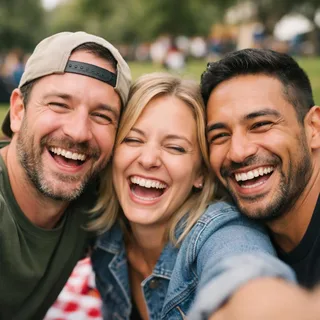
  • Three friends squeezed into one selfie at a picnic.Two people in one photo
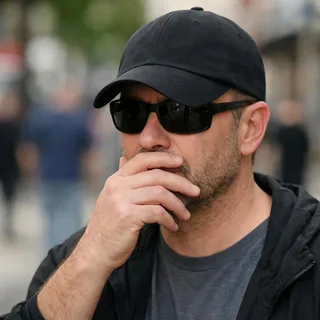
  • A man in sunglasses and a low cap with a hand over his mouth.Sunglasses, a mask or a hand over the face
  • A dim, blurry snapshot of a woman dancing at a night party.Dark, blurry or far-away photos
  • A dog and a cat cuddled together in one photoPets: this clip has two human leads

From two photos to the take

  1. Put one photo in each slot

    Both slots take a face before the button turns into Generate; half a pair will not run.

  2. Click Generate

    Pick the cut and the resolution; the button shows the exact credit price for that combination before anything runs.

  3. Post it

    Download the MP4 and post it with the sound on: the clip's own track is half of what people recognise.

Prompts for a Kling edit or a Seedance re-shoot

Two public prompts for taking the same two photos to another tool: a Kling video-edit prompt that keeps this clip, and a Seedance prompt that re-shoots the scene when you have no clip to attach. Both are written as instructions, so the tool knows which file does what before it starts.

Kling 4.0 video edit

Prompt length 1030

Use @Video1 as the source clip. Replace only the dark-robe rapper at the front mic with @Image1: the man in the brown leather coat and curly hair who opens the take, points at the lens in the second half and then turns to watch the chorus. Replace only the light-robe singer with @Image2: the bearded man in the pale tan robe who walks in beside him at the wide shot and takes the mic for the closing chorus.

Take the face, hair and skin from each photo and keep the clip's wardrobe: the dark leather robe on the first lead, the pale robe and belt on the second. Keep every cut, the camera moves, the 4:3 framing, the hangar, the rank of white-armored singers behind them, the lighting and the pacing exactly as they play. Keep the clip's own sound and do not add music.

Do not replace the choir or put a face from the photos on a helmet. Do not add people, text or logos. Each replacement stays on its own body and stays stable from the first frame to the last, and the two faces must not blend into each other across the cuts.

Do

  • Give the handoff a second

    The chorus changes hands in the closing seconds. Say so, or the re-shoot keeps the first lead to the end and the second photo never sings.

  • Say which file is the clip

    @Video1 is the performance and the sound; both photos are @Image1 and @Image2. A prompt that never says which file is which gets one face on both leads.

  • Name the wardrobe, not just the role

    Both leads wear robes and nothing else separates them at a glance. Naming the dark leather coat and the pale robe is what keeps the two replacements apart after a cut.

Don't

  • Don't re-describe the scene

    A long description of the hangar invites a re-stage: new angles, new lighting, and the cuts that made the clip disappear.

  • Don't ask for a new outfit

    Clothes from the photo break the one contrast the clip is built on: dark robe in front, pale robe behind.

  • Don't leave the choir unnamed

    Silence about the back row is how a photo's face ends up on a helmet. One line keeps the choir as armour.

One line vs. a prompt that keeps the take

A wish, not a prompt

Make the Gangsta's Paradise AI trend with our photos.

A prompt with the files in it

Replace the dark-robe rapper with @Image1 and the light-robe singer with @Image2; keep @Video1's cuts, choir and track.

The second line names both leads, both files and the parts of the clip to protect; the first leaves the model to invent all three.

What the recast keeps, and what it costs

What the recast keeps, and what it costs
Photos
2, one per lead, in the order shown above
Photo files
PNG / JPG / WebP, up to 10 MB, at least 512 px on the short side
Length
30 seconds for the full take, 15 for the short cut
Frame
4:3, the frame the clip was shot in and every cut keeps
Resolution
720p or 1080p; 720p by default
Sound
The clip's own track, kept on both cuts; nothing to add or swap
Output
An MP4 in the clip's frame, with its sound on the video
Credits
Short cut: 564 at 720p, 846 at 1080p. Full take: 1128 at 720p, 1692 at 1080p.
Visibility
Private, out of the public gallery
If a run fails
The credits go back to your balance automatically

Why the two faces blend, and other fixes

  • The two faces trade features across a cut

    Most common
    Why
    Two similar photos: same hair, light and angle
    Fix
    Swap one photo for a different-looking person

    The wide two-shot is where both leads share the frame, so that is the frame to check first.

  • The pointing hand smears near the end

    Why
    A sleeve crosses the lens in that shot
    Fix
    Leave that second or rerun just for it

    Only the hand is affected; the rest of that second is a real part of the shot, not an error.

  • A helmet comes back with your face

    Why
    The choir is in focus behind both leads
    Fix
    Regenerate with the back row named

    The back row is sharp in most shots, so give it one clear line in your own prompt, or check the helmets on the first run.

FAQ

Gangsta's Paradise AI: covers, clothes and the choir

Is it free?+

It runs on credits: a new account starts with 10 of them, and the button shows the exact price for your cut and resolution before anything is charged. A failed run returns its credits.

Can I do it with one photo?+

Two photos are required, one per slot, and nothing is filled in for you. The same person can go in both slots if you want to play both leads, but then the two faces are meant to look alike — which is exactly what makes the wide shot harder.

Is this an AI cover of the song?+

No, and this page does not make one. An AI cover rebuilds the vocals; here the vocals, the staging and the sound are the template's clip, and the only thing that changes is the two faces in front.

Does the video keep the sound?+

Yes. The clip comes with its track and the recast keeps it, on both cuts. There is no separate track to add and no way to swap it here; the sound is part of what people recognise in the clip.

Do our clothes come from our photos?+

No. The photo supplies the face and hair; the robes come from the clip, because the dark and light robes are how the two leads stay apart across the cuts. A photo of a jumper or a cap will not carry its outfit into the shot.

Is the full take the whole song?+

No. The full take is the whole of the built-in performance, not the song, and the short cut starts halfway through that same take. Both keep the same two photos and the same sound.

Can I get a vertical or a square version?+

The frame follows the source clip, so it is 4:3 and there is no vertical version. 1080p is the sharpest on offer; a vertical cut would crop the choir out of the wide shot, so it is not an option here.

Why did our two faces blend into one?+

The clip cuts from close-ups to a wide two-shot, so both faces are on screen together within the first half. Two similar photos — same hair, same light, same angle — give the model less to keep apart, which is why the photo guide asks for two clearly different people. A face that drifts is a failed run, not something a longer prompt fixes.

Can a pet play one of the parts?+

No. The clip has two human leads in robes, one rapping at a mic and one taking a chorus, so both slots take photos of people.

Do I have to write a prompt?+

No prompt is involved: the two slots, the clip and the recipe are fixed, so you add photos, pick a resolution and click Generate. The prompt kit on this page is for taking the same pair of photos to another tool, and it says what that route loses.

Who can see the video I make?+

Results from this template stay private on every plan, out of the public gallery. The second photo is usually a friend's, so there is no privacy switch to check — it is already private.

Is this an official template?+

No. This is an unofficial, fan-made video template built on a clip that is itself an AI production; it is not made, approved or run by anyone connected to the film, the characters or the recording.

Two photos, one take

Make your Gangsta's Paradise AI video

Two photos in: the dark-robe rapper at the front mic, the light-robe singer on the chorus, the hangar and its sound untouched.