AI Caricature Video

The caricature video maker for one photo: everyone in it turns into a big-head caricature and comes alive. Choose an older, 3D, pencil or doodle style.

  • HOT
  • One click · no prompt
  • Real photo first, then the reveal
  • Couples, friend groups, pets
Example · 3D big head
Choose an effect

PNG / JPG / WebP · up to 10 MB · at least 512px on the short side

0/1 photos

One photo: you, a couple, up to four friends or one pet, faces toward the camera. It opens the video, then turns into the caricature.

Video settings

No prompt needed. Only upload photos of yourself or people who agreed to be featured; celebrity photos and film stills aren't allowed.

What is the AI caricature trend?

An AI caricature video turns one real photo into a big-head caricature of the same people, who then come alive in the same shot. Caricature image generators stop at a single still drawing; this animated caricature starts with your photo as the first frame, so the before, the change and the caricature play as one clip.

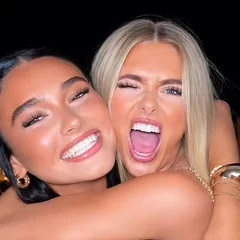
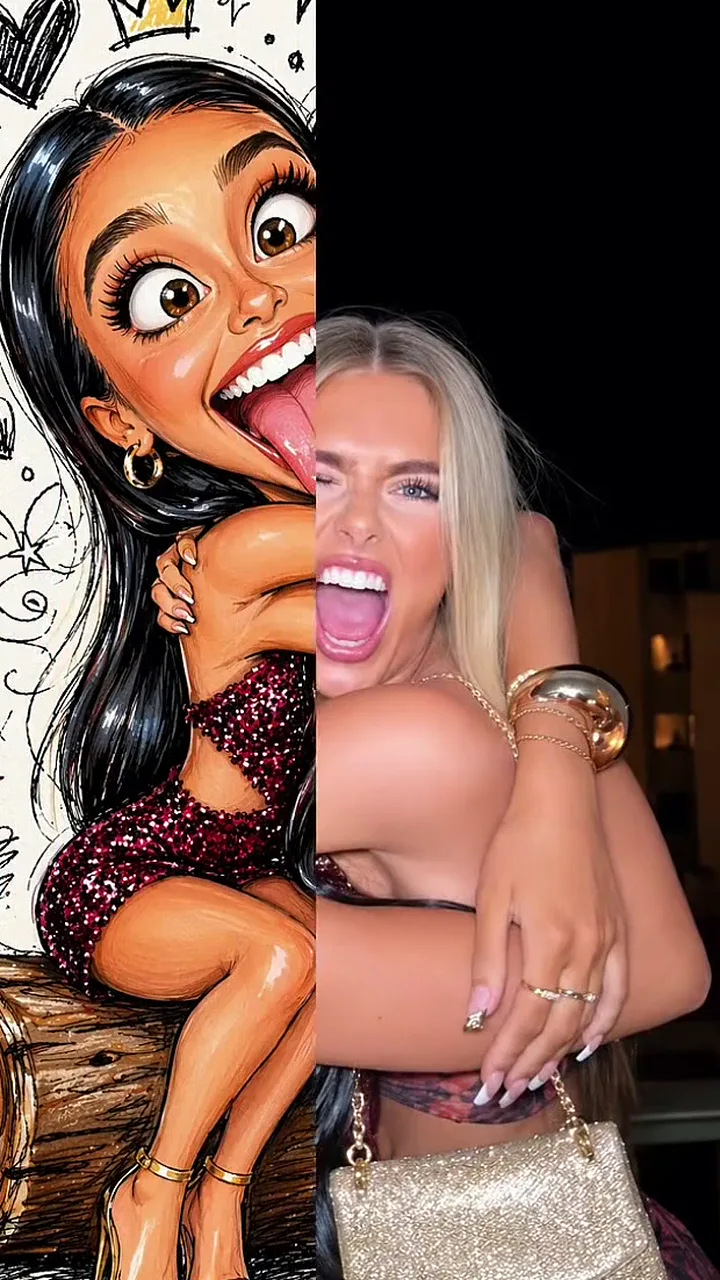
Mid-sweep: the left half already an ink doodle of a woman sticking her tongue out, the right half still the night photo of her friend laughing

The joke is the reveal. A nice photo holds for a beat, then a sweep turns everyone in it into goofy big heads, and the contrast gets the laugh. Every wave of the trend keeps that reveal and changes two things: the drawing style, and who goes in the photo, from solo selfies and friend groups to couples who want to see themselves as an old married pair.

A good caricature pushes what people already know you by: a bigger head on a smaller body, wider eyes, a bigger grin, the hair or glasses that are unmistakably yours. The template keeps everyone's skin tone and stays away from jokes about weight, body shape or teeth, so the laugh comes from the drawing, not at anyone's expense.

How AI caricatures keep coming back in new styles

  1. A prompt for highly stylised 3D caricatures with oversized heads spreads among image-model fans.

  2. One-tap editing-app templates bring the idea to video: a selfie wipes into a coloured-pencil caricature with a giant grin.

  3. “Caricature of me and my job” takes over: people ask a chatbot to draw them surrounded by their work, and news sites publish how-tos.

  4. After a run of goofy 3D big-head and ink-doodle templates for friend groups, a 3D style arrives that makes everyone look decades older.

  5. Couples start running their wedding photos through that old-age style, and old couple caricature videos spread on TikTok.

Sources: Storyboard18 on the 3D prompt; The Tab, USA Today and Forbes on the job caricatures; TikTok post dates and editing-app template pages.

How the photo turns into a moving caricature

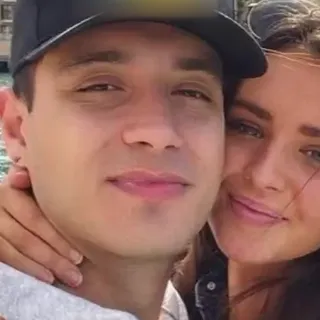
Here is one 8-second 3D big head video made from a couple's seaside selfie: the real photo first, then the sweep, then a caricature that pulls faces and blinks.

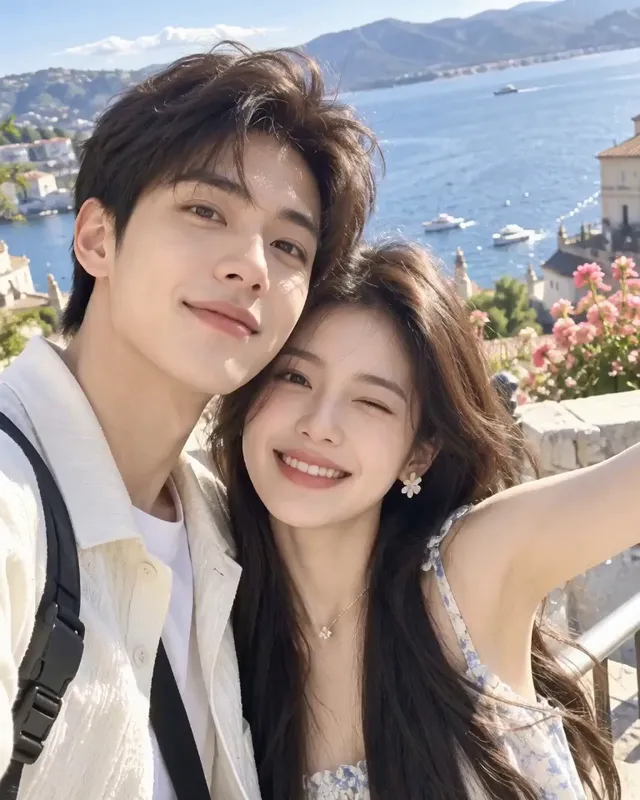
  1. The couple's seaside selfie, cheek to cheek, before anything changes10:00

    The real photo holds

    The video opens on the selfie exactly as it was taken, so viewers meet the real couple first.

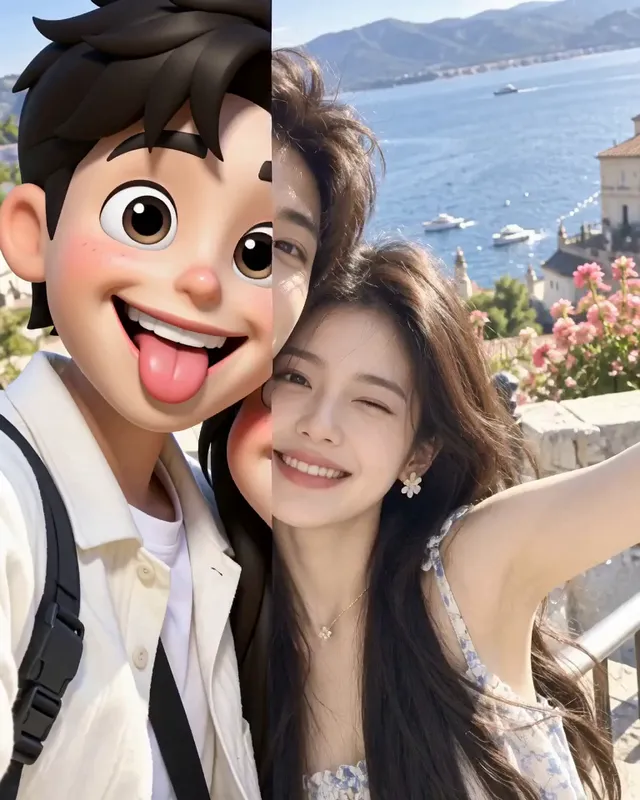
  2. Mid-sweep: he is a 3D big-head caricature with his tongue out, she is still the real photo20:01

    A sweep redraws them

    A line crosses the frame from left to right. Behind it he is already a 3D big head with his tongue out; she is still the photo.

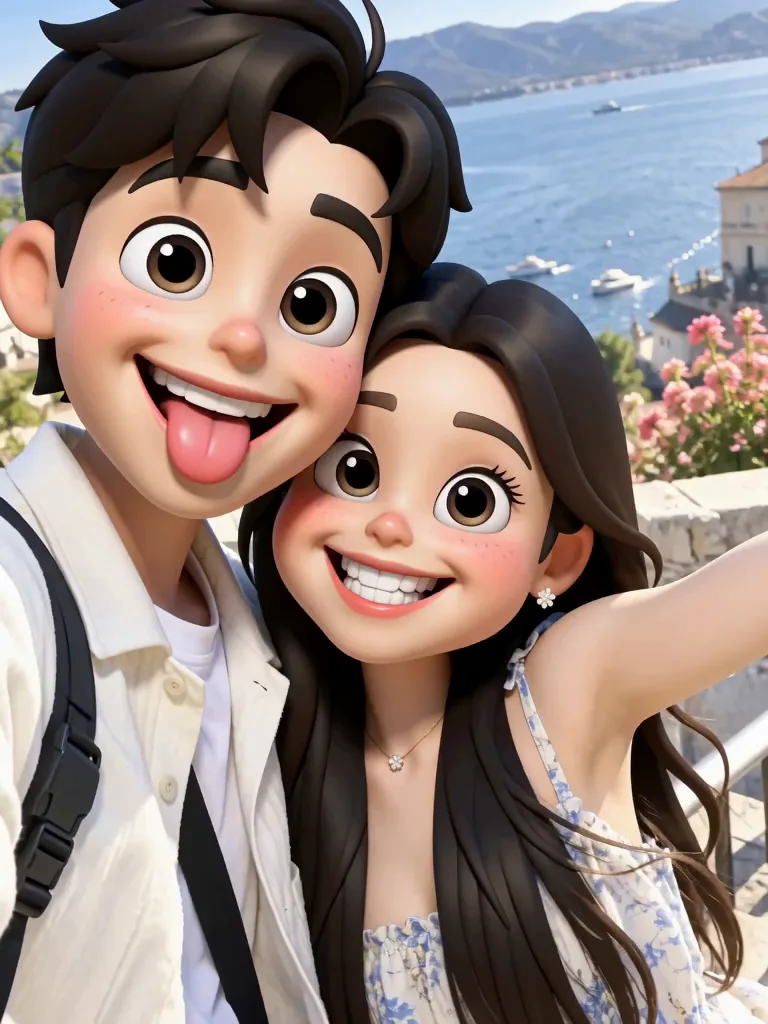
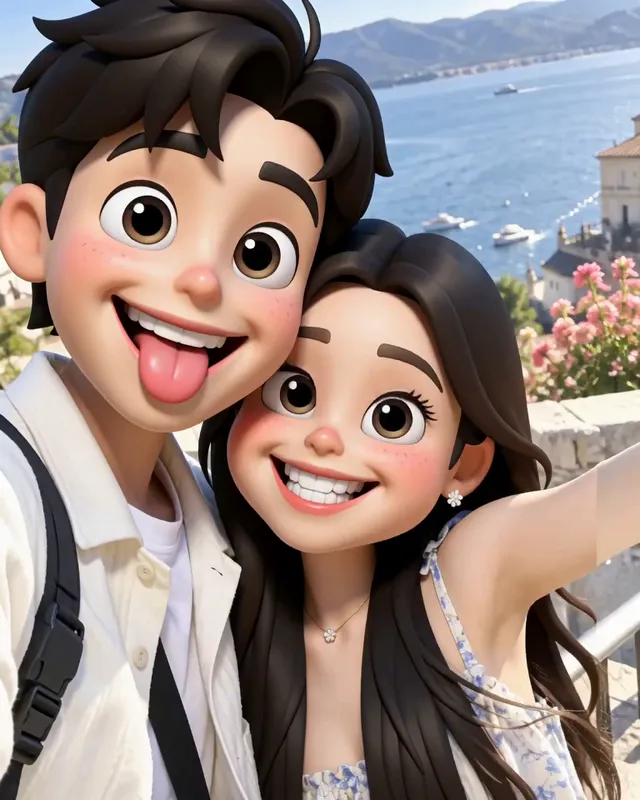
  3. Both as 3D big-head caricatures: he pokes his tongue out and she grins, cheek to cheek by the sea30:02

    Two goofy faces

    Both are big heads now, at their own age: he keeps his tongue out, she grins wide. Their clothes, the pose and the sea behind them stay.

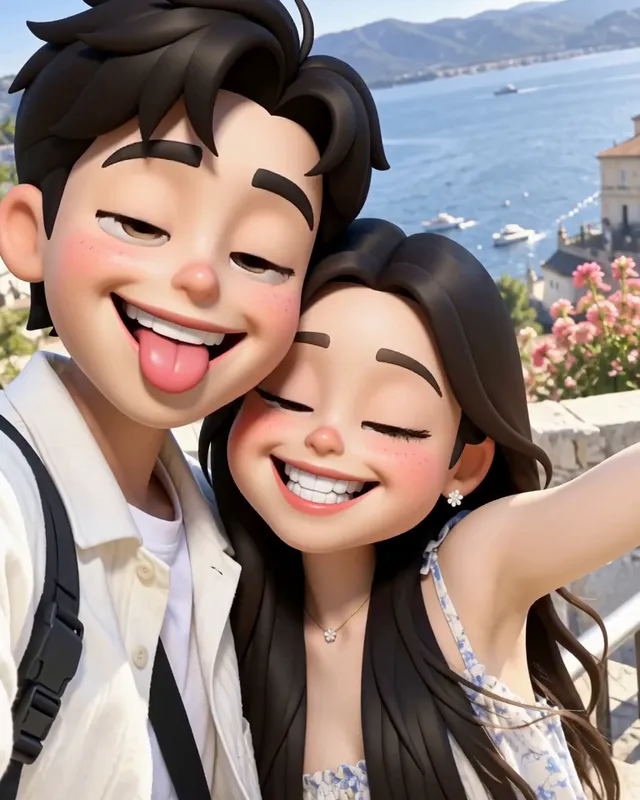
  4. Both caricatures blinking, eyes closed, still cheek to cheek40:03

    A blink, then they hold it

    Both blink at the same moment, then sway a little and keep their faces to the last frame.

These times are from one video. When the sweep lands and which face each person pulls change from video to video and from style to style.

3D, older, pencil or doodle: four caricature styles

Every style keeps the people and poses from your photo; what changes is the drawing and what gets pushed. Switch between them with the style chips above the upload.

3D big head

Photo used
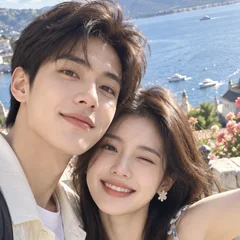
  • The couple's seaside selfie, cheek to cheek, that went into the video
    Your photo

3D big head: a 3D caricature at your own age

A big head caricature in a 3D animated look at your own age: an oversized head on a small body, huge eyes and a different goofy face for each person. Best for solo selfies, friend groups and pets.

Older me

Photo used

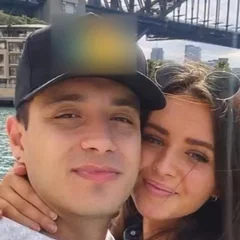
  • The young couple's selfie by Sydney Harbour Bridge that went into the video
    Your photo

Older me: the old couple caricature

The same 3D big-head look with about thirty extra years: grey or white hair in your own cut, deep wrinkles, heavier brows and a bigger nose. Best for couples and wedding photos, or a selfie of you alone. It is a comic exaggeration, not a forecast of how you will age.

Pencil sketch

Photo used

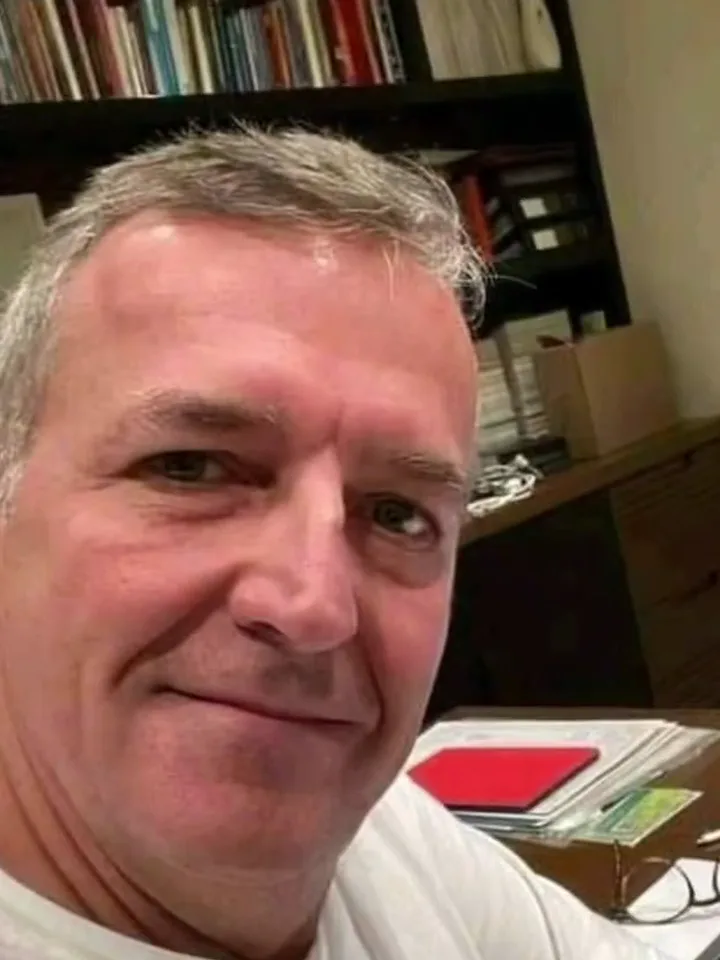
  • The man's selfie at his desk that went into the video
    Your photo

Pencil sketch: a street-artist caricature

Coloured pencil on grainy paper: a giant head on a skinny body and a grin that shows every tooth. Best for a selfie or a couple, close to the camera.

Silly doodle

Photo used

  • The two friends' night-time hug photo that went into the video
    Your photo

Silly doodle: a funny caricature for friend groups

Black ink and marker on cream paper: a different silly face for each person, with hearts, stars and crowns drawn around them and no lettering. Best for two to four friends or a couple; it is the only style that swaps the background for doodle paper.

How do you turn a photo into a caricature video?

Doing the caricature trend here takes one photo and a style choice; the drawing and the reveal are handled for you.

  1. A grey-haired man's selfie at his desk, bookshelves behind him

    First frameYour photo

    Opens the video exactly as you took it, then turns into the caricature. Everyone in it is redrawn in the same spot.

    • You, or people who agreed to be drawn
    • A vertical photo for a vertical video

Faces the caricature can read

Draws well

  • Curly-haired woman in a mustard sweater smiling at the camera, chest up, on whiteFaces toward the camera, eyes showing
  • A couple's daylight selfie, cheek to cheek, both faces clearTwo of you, cheek to cheek
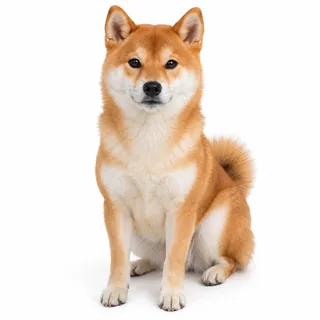
  • Shiba Inu sitting and facing the camera, whole body in viewOne pet, face in view

Hard to draw

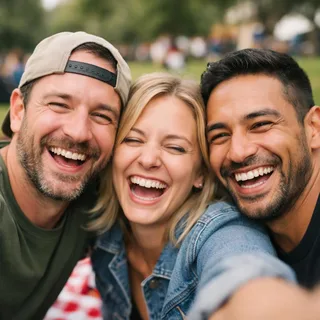
  • Three friends squeezed into one picnic selfie, faces smallPacked groups of more than four
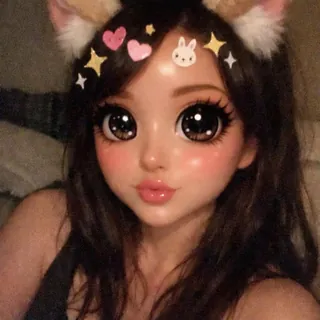
  • Selfie under a cartoon filter with cat ears, huge eyes and stickersBeauty filters, ears or stickers
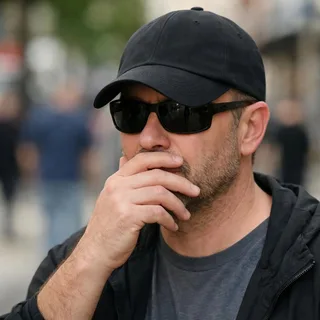
  • Man in sunglasses and a low cap with a hand over his mouthSunglasses, low caps or hands over faces
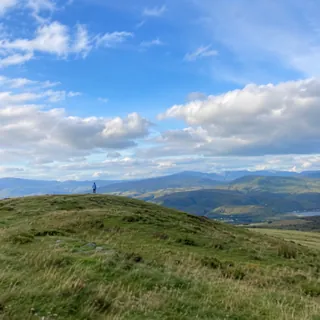
  • A person as a tiny speck on a distant hilltopPeople tiny in the distance

Pick a style, then the reveal

  1. Pick a style, add the photo

    Choose 3D big head, Older me, Pencil sketch or Silly doodle, then upload your photo.

  2. Click Generate

    Change the length or resolution if you like; the Generate button shows the exact price before anything starts.

  3. Post the reveal

    Download the MP4 and post it as it is: the reveal from the real photo is the hook. Tag the friends who are in it.

Caricature video specs, from your photo to the credits

Caricature video specs, from your photo to the credits
Photo
1 photo per video
Photo files
PNG / JPG / WebP, up to 10 MB, at least 512px on the short side
Styles
3D big head, Older me, Pencil sketch or Silly doodle
Length
6–10 seconds; 8 seconds by default
Shape
Follows your photo: a vertical photo gives a vertical video
Resolution
480p, 768p, 2K, or 4K; 768p by default. 2K and 4K are upscaled from 768p
Sound
Generated for each video: light, playful cartoon music
Visibility
Private: results stay out of the public gallery
Credits
96 credits for 8 seconds at 768p; 60–320 depending on length and resolution
Failed runs
Credits are refunded automatically

What to know about AI caricature videos

Is the AI caricature video generator free?+

No. Each caricature video costs credits, and the price changes with the length and resolution you choose; the Generate button shows the exact amount before you start. New accounts get 10 credits when they sign up.

Do I need a caricature filter app or a prompt?+

Neither. Everything runs in your browser: upload a photo, pick a style and click Generate. There is no app to install, no template to hunt down and nothing to type.

Can I make a caricature of my dog or cat?+

Yes. Use one pet per photo with its face in view. It gets the same big-head treatment as people while keeping its species, coat and markings.

How many people can be in one caricature video?+

Up to four works best. Everyone in the photo is drawn, each in their own spot, but beyond four the faces get small and likenesses start to slip. For a bigger group, split it across two photos and two videos.

Will the caricature still look like me?+

That is the aim: your face shape, hairstyle, glasses and clothes are kept from the photo, and only the features that already stand out get pushed. Heavy exaggeration can drift now and then; the photo checklist above shows which shots hold a likeness best.

Why does Older me make us look old?+

That is the joke: Older me adds about thirty years for the old couple caricature. Pick 3D big head for the same 3D look at your own age.

Does the caricature video have sound?+

Yes. Each video gets its own generated soundtrack; the template asks for light cartoon music with no singing or speech. If you want a trending sound instead, swap it in when you post.

Can it make a “caricature of me and my job”?+

No. That February trend had a chatbot draw you surrounded by your work, based on what you typed about your job. This template has no text box, so it adds no job props; it draws the people in your photo as they are.

Can I make a caricature wedding invitation video?+

You can make the caricature part: a wedding or engagement photo becomes a couple's caricature clip, and Older me or Pencil sketch suit it best. The video has no text, so add your names, date and venue in a video editor afterwards.

Is this the same as booking a caricature artist?+

No. A caricature artist draws you live, by hand; this is an AI template that turns a photo into a short caricature video. Pencil sketch is the style closest to a street artist's drawing.

Can I make a caricature video of a celebrity?+

No. Use a photo of yourself or of people who agreed to be drawn; this template is not for caricatures of celebrities, politicians or strangers.

Can I save the animated caricature as a GIF?+

No, the download is an MP4 video with sound. If you need a GIF, convert the MP4 in a GIF maker; the motion stays and the sound is dropped.

Make your AI caricature video in four styles

One photo, four styles and a reveal from the real you to the caricature.