
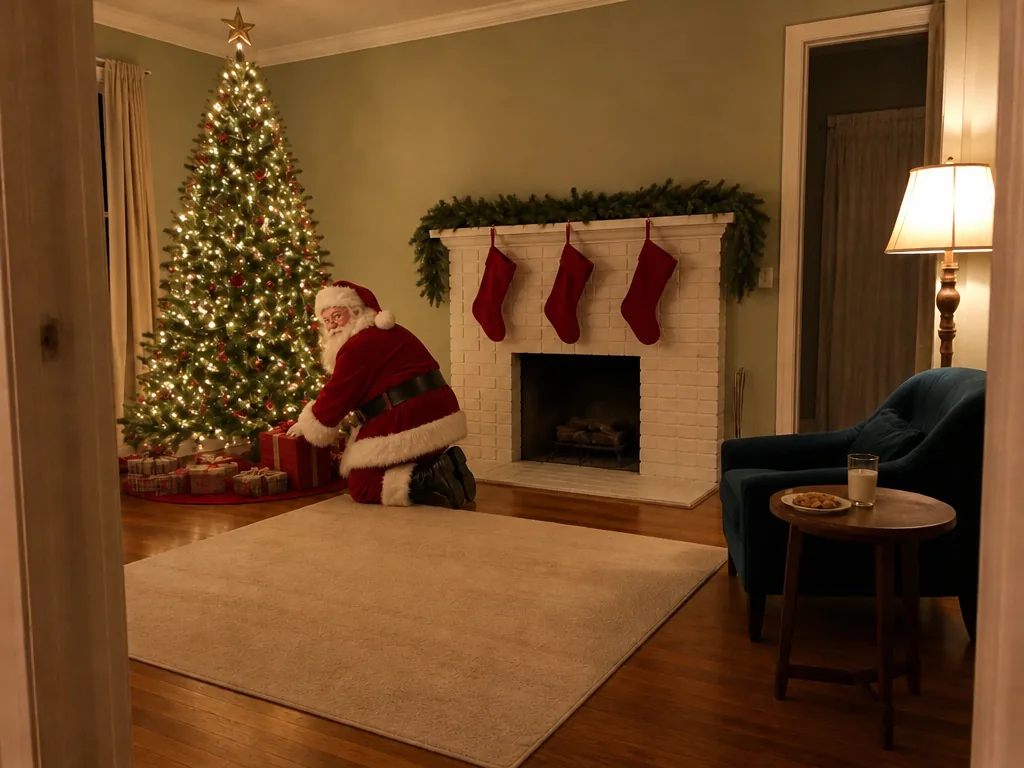
AI Elf Dance Video Maker

Upload one photo of up to three people and get a video of each of you dancing as a Christmas elf, or with Santa, with your own face in a new festive scene.

  • One click · no prompt
  • 6 dance styles
  • Kid-friendly moves
Example · Workshop boogie
Choose an effect

PNG / JPG / WebP · up to 10 MB · at least 512px on the short side

0/1 photos

1 to 3 people in one photo, every face clear and turned to the camera.

Video settings

No prompt needed. Only upload photos of yourself or people who agreed to be featured; celebrity photos and film stills aren't allowed.

What is an AI elf dance video?

An AI elf dance video is a short AI Christmas dance clip in which the people from one photo come back as elves, each with their own face, dancing in a brand-new festive scene. Your photo is the reference for faces, not the opening frame, so the room behind you is replaced and the costume, scene and moves come from the style you pick. The styles with an example clip are shown below; the others are in the generator.

Default style

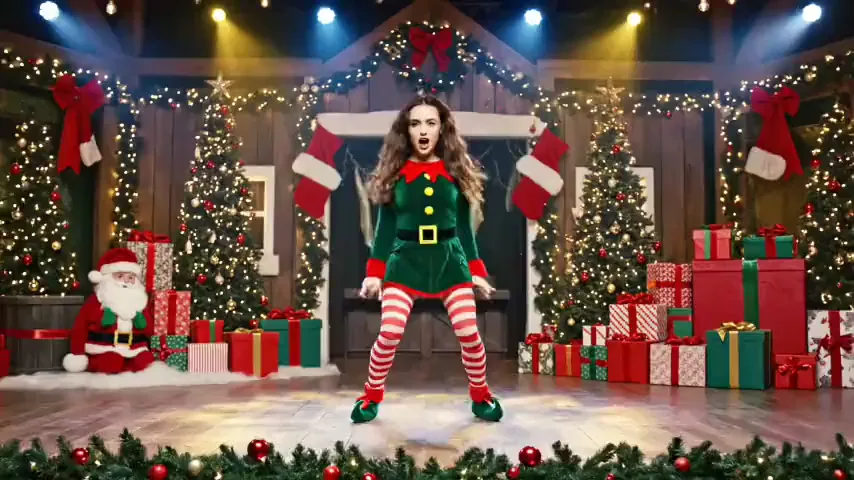
Workshop boogie: kicks and a twirl among the presents

The classic choice: the full elf outfit and a cheerful routine of side steps, high kicks and a twirl, set in a hall piled with presents. The generator opens on this style, so it is the quickest way to a first video.

Bigger moves

Hip-hop elves: bounces and arm hits under spotlights

For the friend who always ends up in the middle of the dance floor: a punchier routine of wide-stance bounces, crossed-arm hits and arms thrown up on the beat, on a stage under spotlights.

Outdoors

Snowy line dance: arms up and kicks in the falling snow

Takes the dance outside: snow underfoot and string lights at night, with raised arms, quick kicks and a hands-on-hips finish. Pick it when the video should feel like a winter evening rather than a party.

Make an elf dance video

Is this like putting your face on a dancing elf?

Not quite. Face-on-an-elf e-cards have been around for nearly two decades, and phone video templates still paste a cut-out face onto a cartoon elf body. Here the whole person is generated as the elf, so face, body and costume move together.

What you getFace cut-out e-cardAI elf dance video
Your faceA flat cut-out on a cartoon headPart of the elf, moving with it
Body and costumeOne cartoon elf body for everyoneAn elf costume on each person
Dance movesOne fixed routine per danceNew moves on every run
SceneA drawn backdropA new festive scene per style

How do you make a dancing elf video?

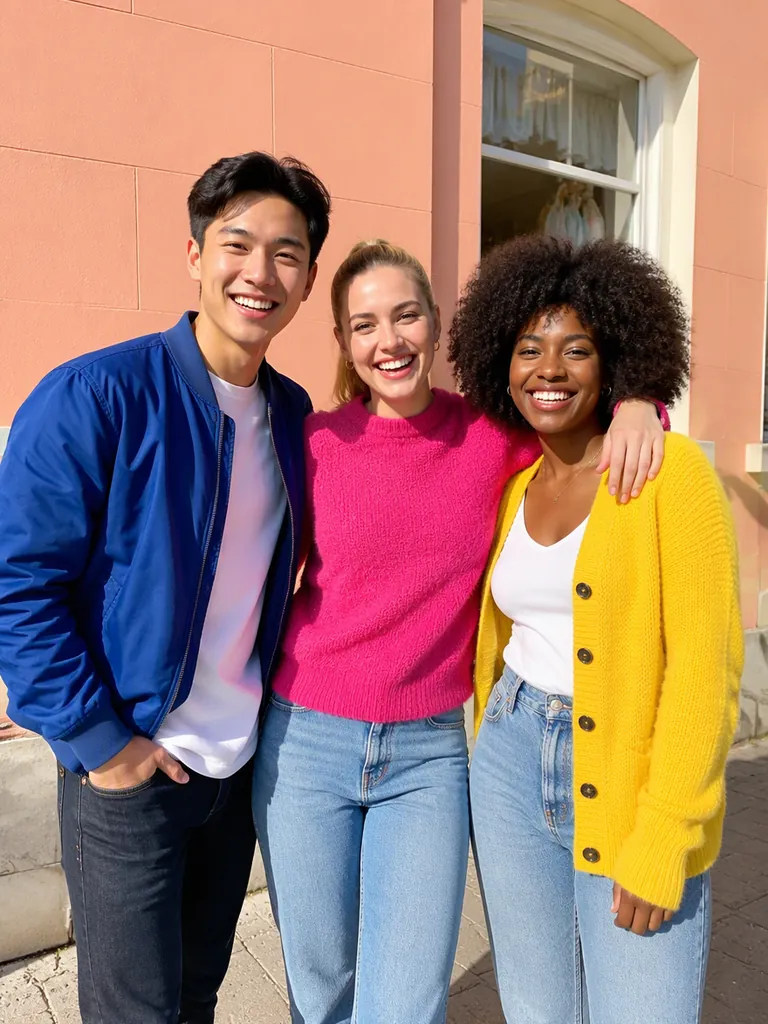
You need one photo with everyone who should dance in it, up to three people. A solo selfie gives you one elf; a photo with your partner, your kids or two friends becomes a duo or a trio of elves.

  1. Example photo: the people who will dance, standing together and facing the camera

    Your photo1–3 dancers

    Everyone in the photo dances: each person becomes one elf with their own face, age and skin tone, in the costume and scene the style adds. In Dance with Santa they keep their own clothes and Santa joins in.

    • Up to three people, all in this one photo
    • Every face visible and turned toward the camera

Photos that turn into good elves

Works well

  • A curly-haired woman in a mustard sweater smiling straight at the cameraClear faces looking at the camera
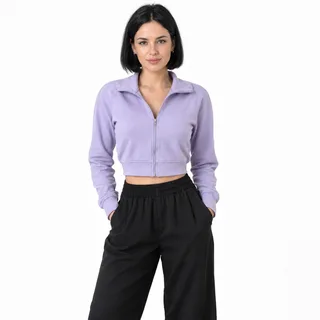
  • A woman in a lilac jacket photographed from head to thighs with her hands in her pocketsHead to waist is plenty; the costume is added for you
  • A grey-haired man in a navy sweater in an unfiltered chest-up photoAn everyday photo without beauty filters

Avoid

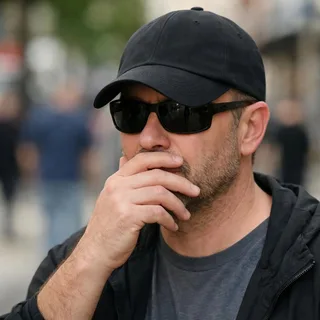
  • A man in sunglasses and a low cap covering his mouth with his handSunglasses, low caps or hands over faces
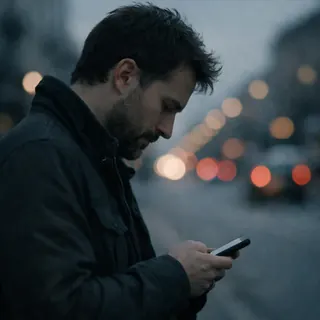
  • A man in side profile looking down at his phone on a streetFaces turned to the side
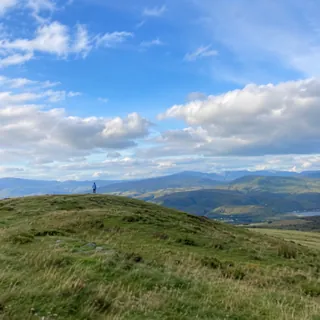
  • A person as a tiny figure on a distant hilltopPeople tiny in the frame, or a photo under 512 px on the short side
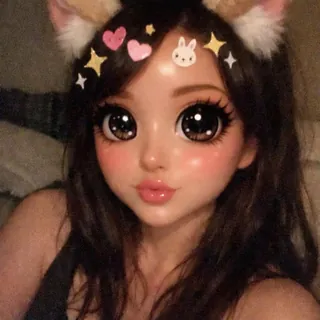
  • A selfie under a cartoon filter with cat ears, oversized eyes and stickersCartoon filters or stickers on faces

From photo to dance floor

  1. Add your photo and a style

    Upload the photo with your dancers, then pick a style chip; each style brings its own scene and moves.

  2. Click Generate

    Change the length, shape or quality under Video settings if you like; the Generate button shows the exact price before anything runs.

  3. Download and share

    Save the MP4 for the family chat, or post it as a Reel, Short or TikTok; it already has its own sleigh-bell music. When you share it publicly, switch on the platform's AI-generated label.

Specs

Specs
Upload
1 photo · PNG / JPG / WebP · up to 10 MB · 512 px+ on the short side
Result
5–15 s video · 480p / 768p / 2K / 4K
Credits
72 for 6 s at 768p · up to 480
Dance styles
Workshop boogie · Disco elves · Hip-hop elves · Snowy line dance · Robot elves · Dance with Santa
Prompt
None: pick a look and generate
Visibility
Always private

Questions about AI elf dance videos

Is this elf dance video maker free?+

It runs on credits rather than being free: a 6-second 768p video costs 72 credits, and prices range from 50 to 480 depending on the length and quality you pick. New accounts get 10 credits on sign-up, and the Generate button shows the exact price before you start.

How many people can be in one elf dance video?+

Up to three, all in the same photo. Each person becomes one elf, so a solo photo gives you one dancer and a photo of three gives you a trio; Dance with Santa adds Santa as one more. Bigger groups aren't supported, so crop the photo down to the three people you want.

Can I make an elf dance video for kids?+

Yes. Kids can dance alone or with you, and the template keeps them child-like: playful, age-appropriate moves in a full elf costume, nothing suggestive. In Dance with Santa they keep their own clothes, and Santa dances beside them without holding or touching them. Only upload photos of children you are the parent or guardian of, or have permission to use.

Can I make a video of us dancing with Santa?+

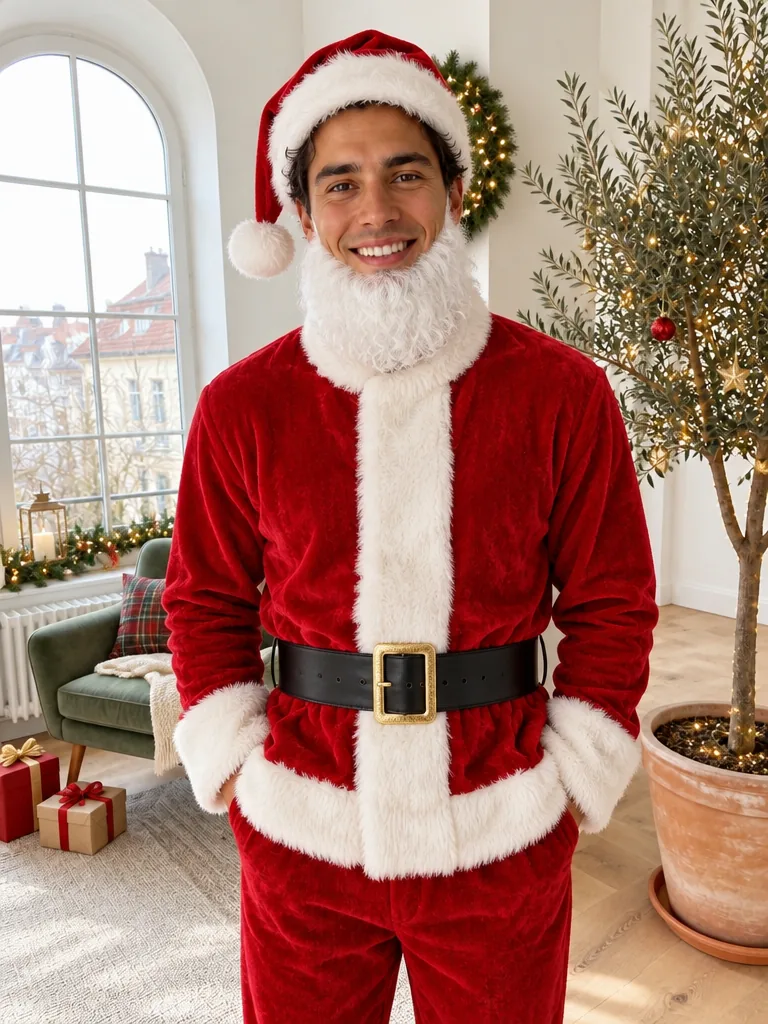
Yes. Pick Dance with Santa: everyone in your photo keeps their own clothes and dances with Santa at a cozy Christmas party, by a lit tree and fairy lights, with a simple swing step, a twirl and a laugh. He is the classic storybook Santa and the only character added, not one from a film or an ad.

Will the elves really look like us?+

Usually, but likeness varies more than in a photo edit, because the template draws everyone again in a new scene from your photo instead of moving the photo itself. Sharp, well-lit faces turned to the camera hold up best; if someone looks off, try a clearer photo or run it again.

Does the elf dance video come with music?+

Yes. The sound is generated with the video: the template asks for an upbeat, original Christmas instrumental with sleigh bells and no lyrics rather than a well-known song. To dance to a particular track, add it in TikTok, Instagram or your video editor before posting.

Is the video vertical, or can I choose another shape?+

It is 9:16 by default, the vertical shape TikTok, Reels and Shorts use. Under Video settings you can switch to 21:9, 16:9, 4:3, 1:1, 3:4, or Auto and set a length from 5 to 15 seconds before you generate.

Do I need an elf dance app?+

No. It works in the browser on your phone or computer: upload the photo, generate and download the MP4. There is nothing to install.

Can my dog or cat dance as an elf?+

No. This template is made for people: it dresses each person as an elf and gives them dance moves, and it isn't set up for animals. For a festive picture of your dog or cat, use the AI Christmas Pet Photo template instead.

Put your crew on the elf dance floor

Choose a dance style, add your photo and generate your AI Christmas dance video.