
AI Christmas Photoshoot

Turn one selfie into a studio-style Christmas portrait that keeps your face as it is.

  • One click · no prompt
  • Includes the candy cane trend
  • From cozy pajamas to hotel glam
Example AI Christmas portrait made from one everyday photo of a woman
Photo in
Example · Pajamas
Choose an effect

PNG / JPG / WebP · up to 10 MB · at least 512px on the short side

0/1 photos

One person per photo: a selfie, half or full body, facing the camera with the face clear.

Photo settings

No prompt needed. Only upload photos of yourself or people who agreed to be featured; celebrity photos and film stills aren't allowed.

What is an AI Christmas photoshoot?

An AI Christmas photoshoot is a holiday portrait made from one ordinary photo of you: the AI keeps your face, hair and build and swaps the outfit, the set and the lighting for a Christmas scene, so it looks like a studio session you never had to book.

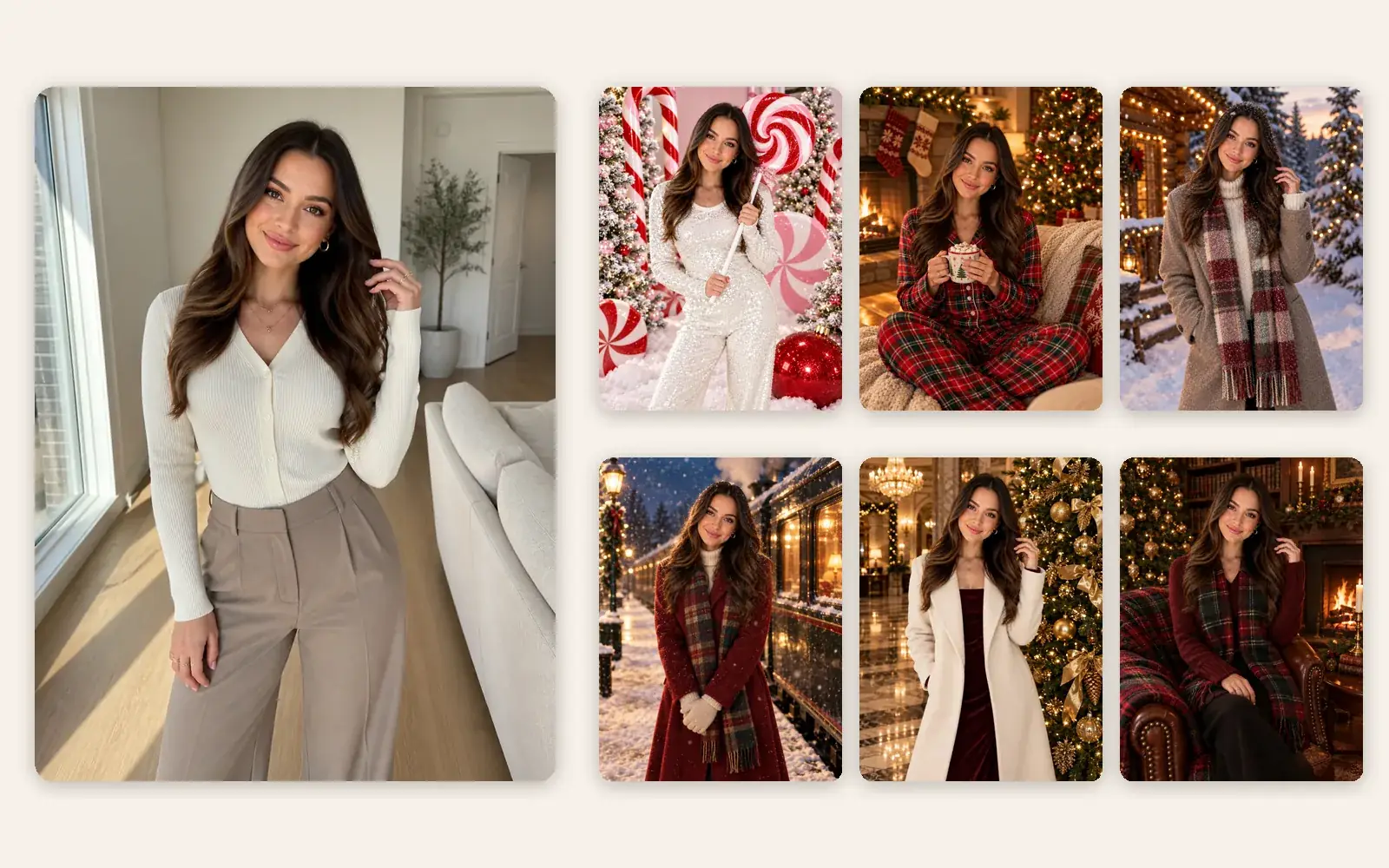
An everyday photo of a young woman in a cream cardigan next to six AI Christmas portraits of her: candy cane studio, fireside pajamas, snowy cabin, Christmas Eve train, hotel lobby and tartan library

One photo, many looks

A holiday portrait session from the photo on your phone

Each run gives you one AI Christmas portrait in the look you pick. Run the same photo again with another look and you have a matching set of Christmas pictures of yourself for a card, a feed post or a frame, with no studio booking and no one dressing up.
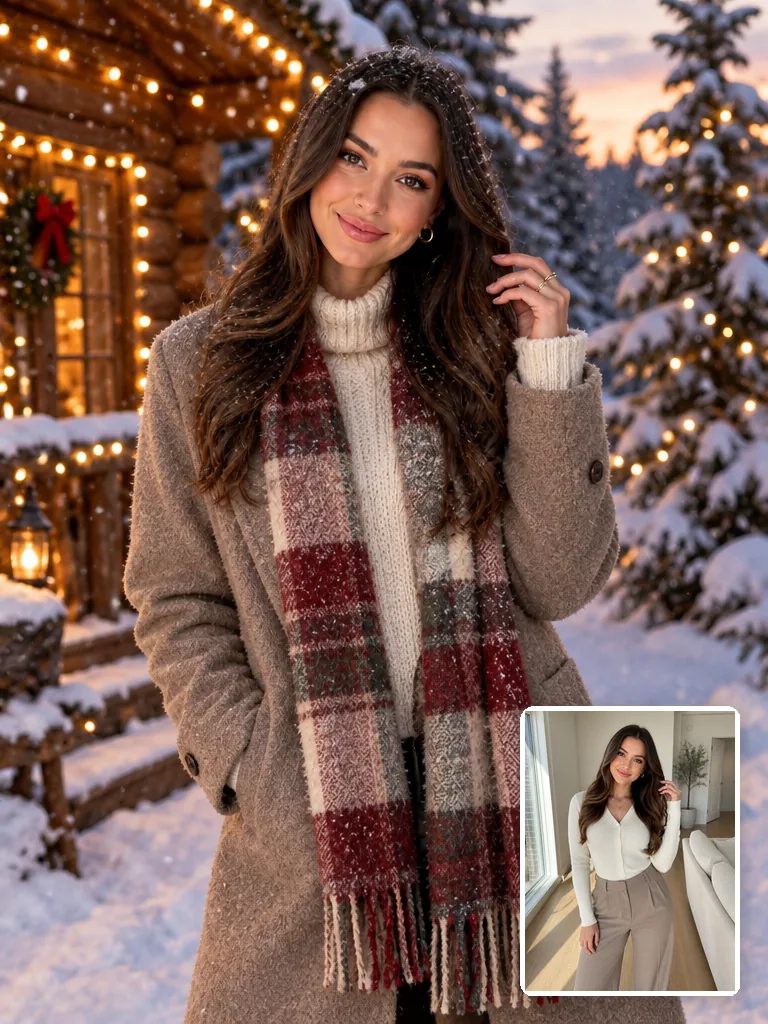
AI Christmas portrait of a woman in a long beige coat, cream turtleneck and red plaid scarf outside a snowy log cabin at dusk, with her original photo in a cream cardigan in the corner

Kept and changed

What stays from your photo and what changes

Your face, skin tone, age, hairstyle and build stay as they are. The clothes, background, light and props change, so it works as a Christmas outfit and background editor in one rather than a lookalike drawn from scratch.

How do you do the candy cane AI trend?

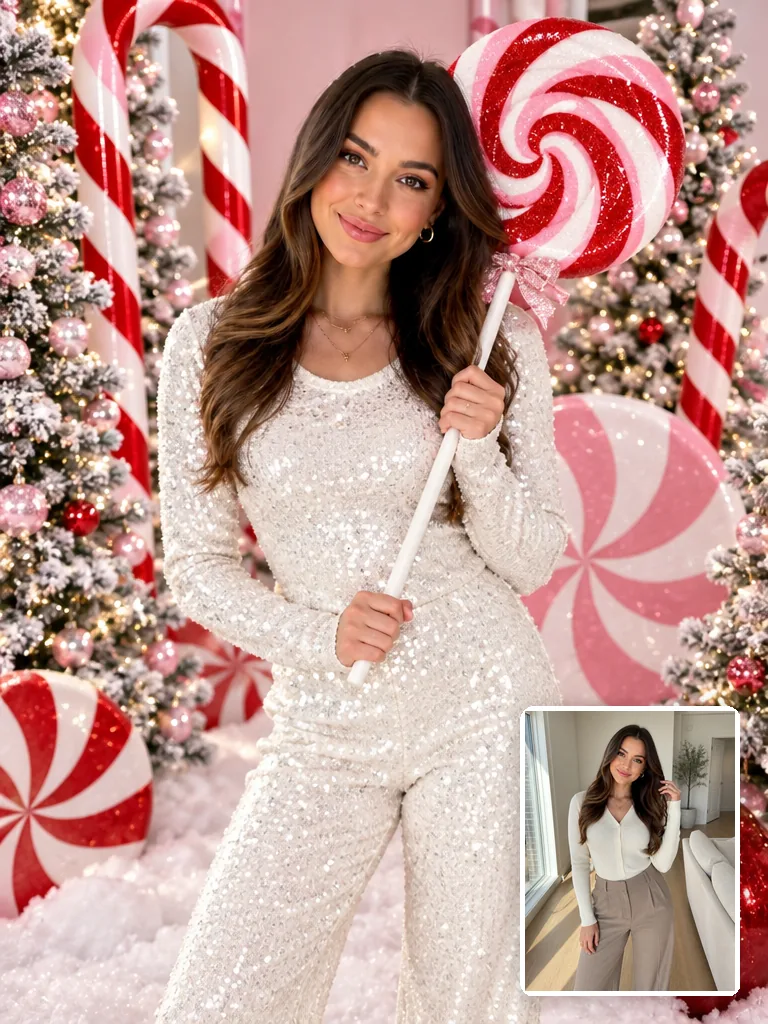
Pick Candy cane (the first look, already selected), upload one photo of yourself and click Generate: you get the trend's sparkly peppermint studio portrait with your own face, without copying a prompt.

AI candy cane portrait of a young woman in a sparkly white sequined long-sleeve outfit holding a giant peppermint lollipop among red-and-white candy canes and frosted trees, her everyday photo in the corner

December 2025

When the candy cane AI trend took off

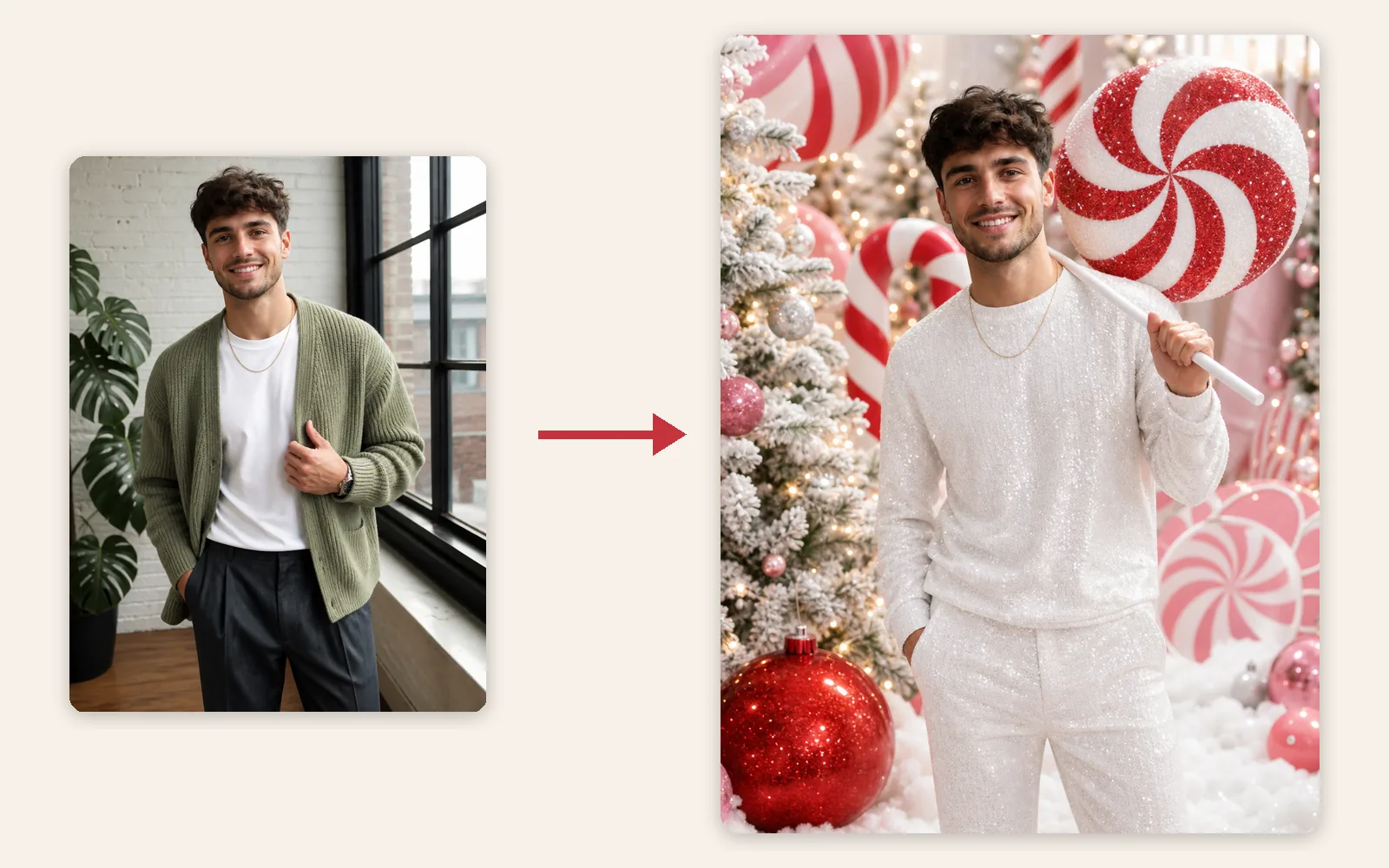
Between December 18, 2025 and December 22, 2025, posts sharing one long prompt for AI image chatbots turned selfies into the same glossy holiday shoot, also called the Christmas lollipop trend: giant pink and red peppermints, oversized candy canes, frosted trees with pink ornaments, fake snow, a big red ornament, a sparkly white sequined outfit and a lollipop resting on one shoulder, under bright studio light. By December 22, 2025, people were already joking that their feeds were nothing but candy canes and sequins.

Everyday photo of a young man in a sage-green cardigan next to his AI candy cane portrait in an all-white outfit with a giant peppermint lollipop

Men included

Getting the candy cane look from your own photo

A half or full-body photo gives the sequins, the candy canes and the lollipop pose room; a close-up selfie still works, but you get a tighter portrait with less of the set. It works just as well for men: the peppermint studio stays the same and the sparkly white outfit is cut to suit the person in the photo.

How to make AI Christmas photos of yourself

One photo of you is all the generator needs. Here is what that photo decides, which photos keep your face best and the three steps.

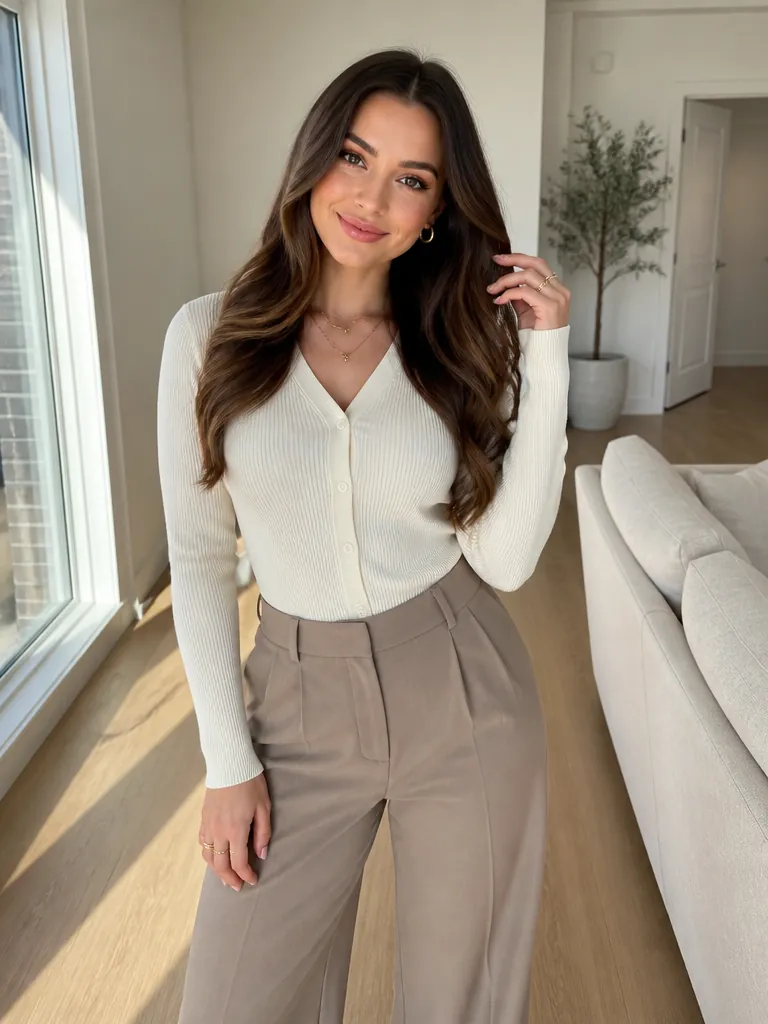
  1. Example input: a young woman with long wavy brown hair in a cream knit cardigan and taupe trousers, photographed from head to thigh in a bright apartment

    1 photoYour photo

    Sets the face, skin tone, hairstyle, age and build in every look. The outfit, set, light and pose come from the look you pick.

    • Only you in the frame; for the whole family or a couple, use the AI Christmas Family Photo or Christmas Couple Photo template.
    • At least 512 px on the short side; half or full body gives the outfit room.

Photo checklist

Works best

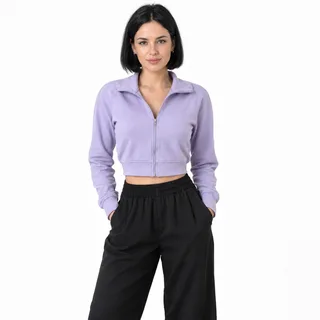
  • Woman in a lilac jacket photographed from head to thighs on a white backgroundHead to hips or full length, standing naturally
  • Smiling curly-haired woman in a mustard sweater, chest up, facing the cameraFacing the camera, face sharp and unfiltered

Avoid

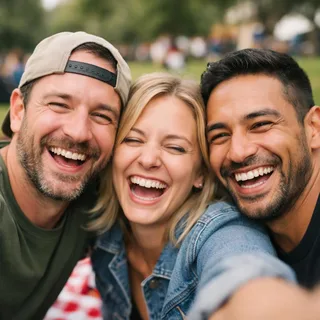
  • Three friends squeezed into one selfie at a picnicGroup shots: one person per photo
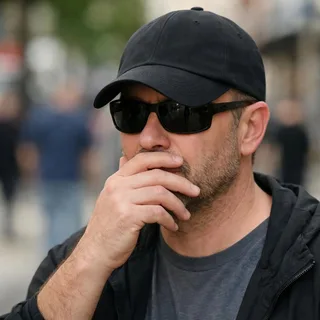
  • Man in sunglasses and a low cap with a hand over his mouthSunglasses, caps or hands over the face
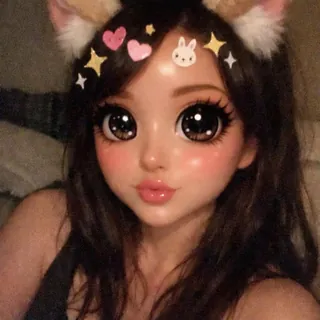
  • Selfie under a cartoon filter with cat ears, huge eyes and stickersBeauty filters, stickers or cartoon effects

From photo to portrait

  1. Pick a look, add your photo

    Choose a look above the upload box, or keep Candy cane, then add your selfie or a half or full-body photo.

  2. Generate

    Change the ratio or resolution if you like; the Generate button shows the exact price before you click.

  3. Download it or animate it

    Save the portrait for a Christmas card, a Facebook or Instagram post or a frame, or press Animate it to turn it into a short video with falling snow or twinkling lights.

Christmas portrait looks, from cozy to glam

Besides the candy cane studio there are 9 more looks and Surprise me, grouped here by mood.

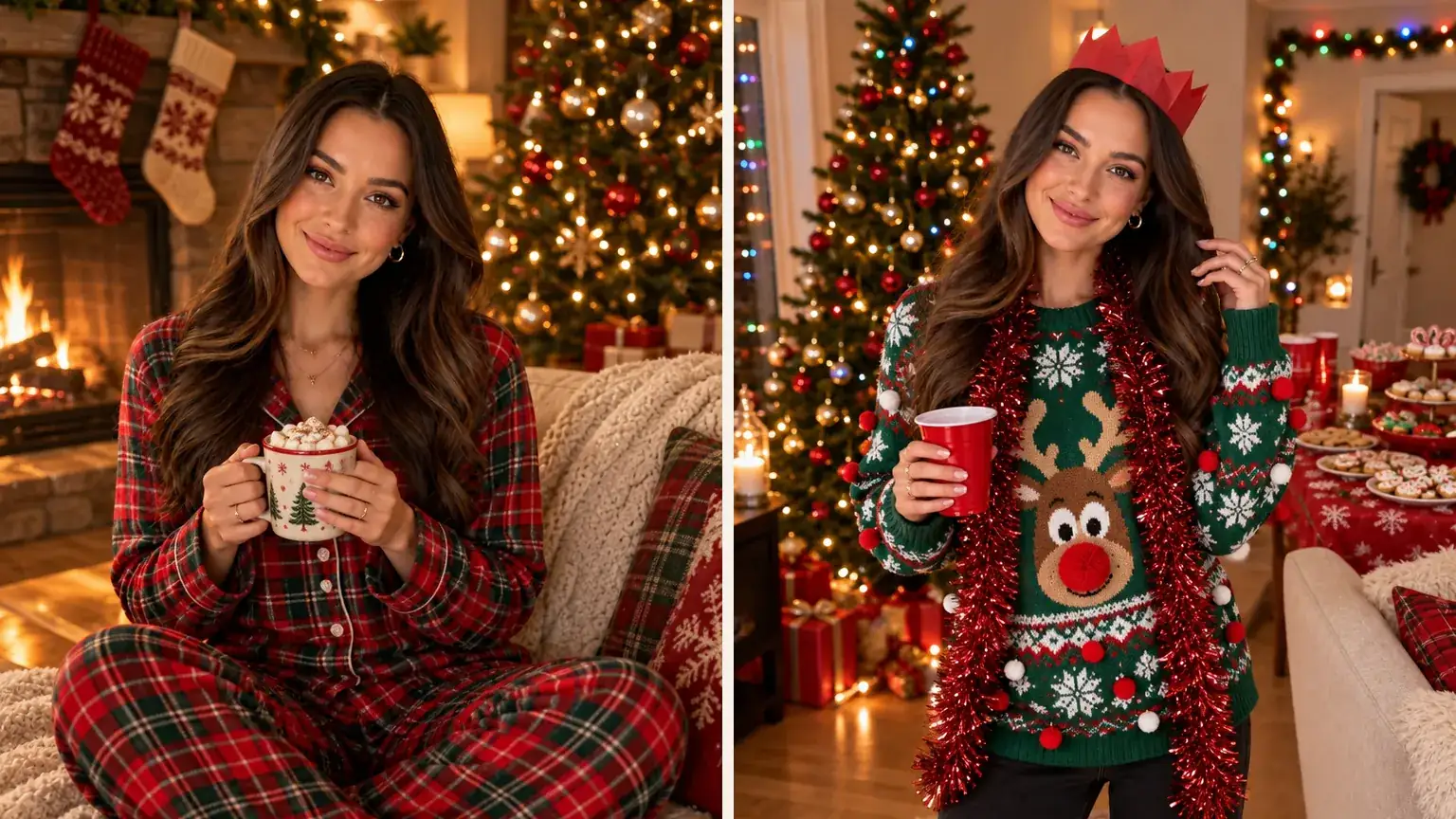
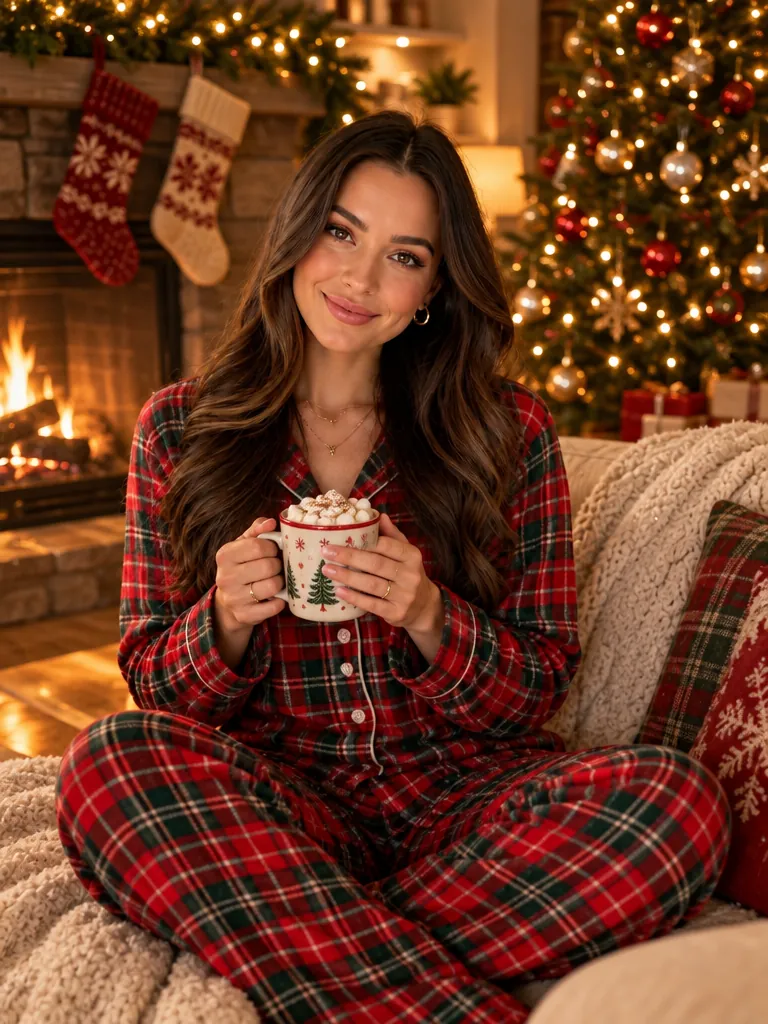
Two AI Christmas portraits of the same woman: in plaid pajamas with cocoa by a fireplace, and in an ugly Christmas sweater with a paper crown

Cozy at home: pajamas and ugly sweaters

Plaid Christmas pajamas and hot cocoa by the fireplace, or a loud knitted sweater, a tinsel scarf and a paper crown at a sweater party. The relaxed pair for a family-feed post.

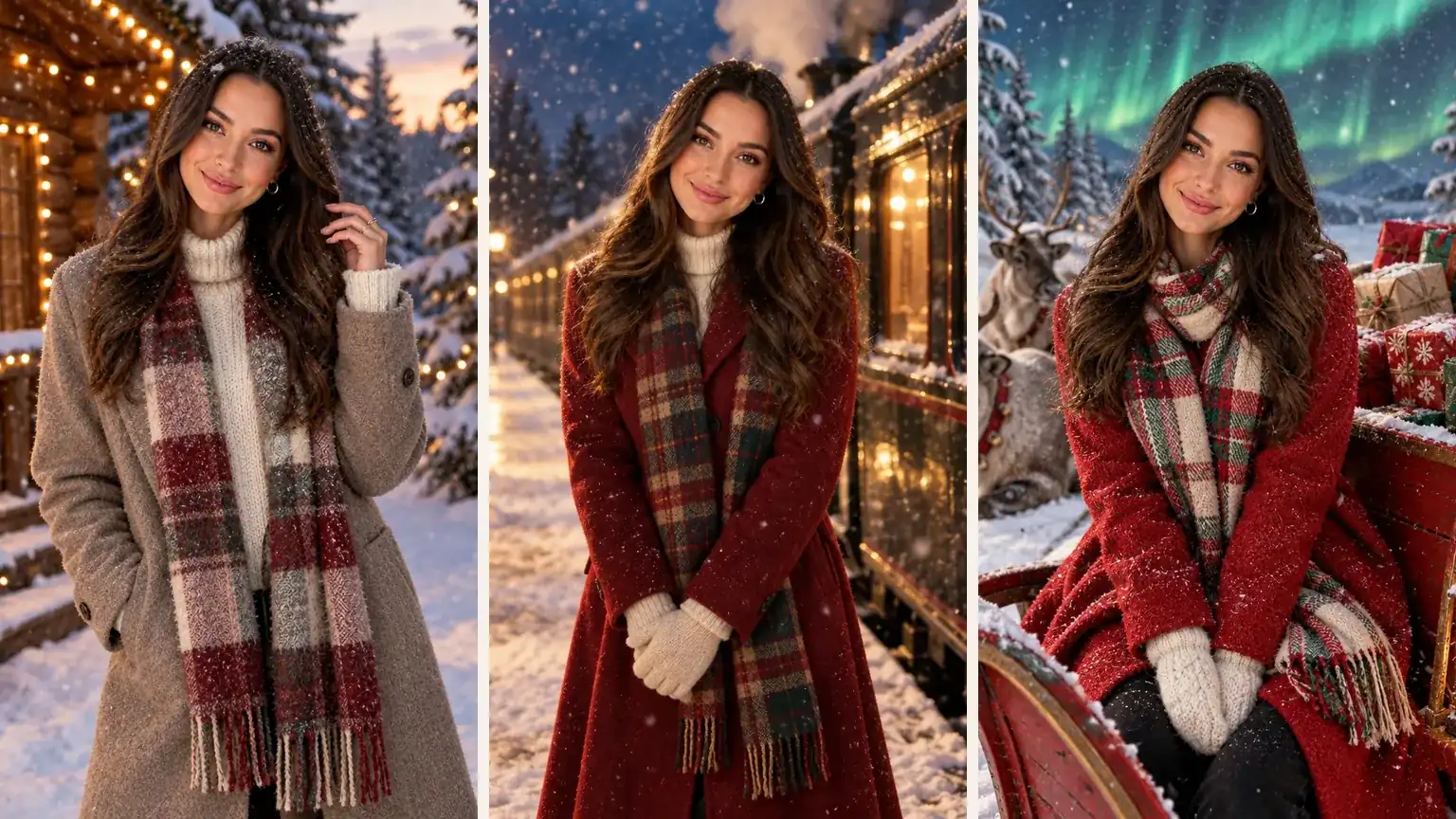
Three AI Christmas portraits of the same woman: outside a snowy log cabin, beside a steam train at night and next to a sleigh under green northern lights

Storybook winter: cabin, train and North Pole

A log cabin at snowy dusk, a vintage steam train on a Christmas Eve platform, or a sleigh piled with gifts under the northern lights. The softest, most card-like looks on the list.

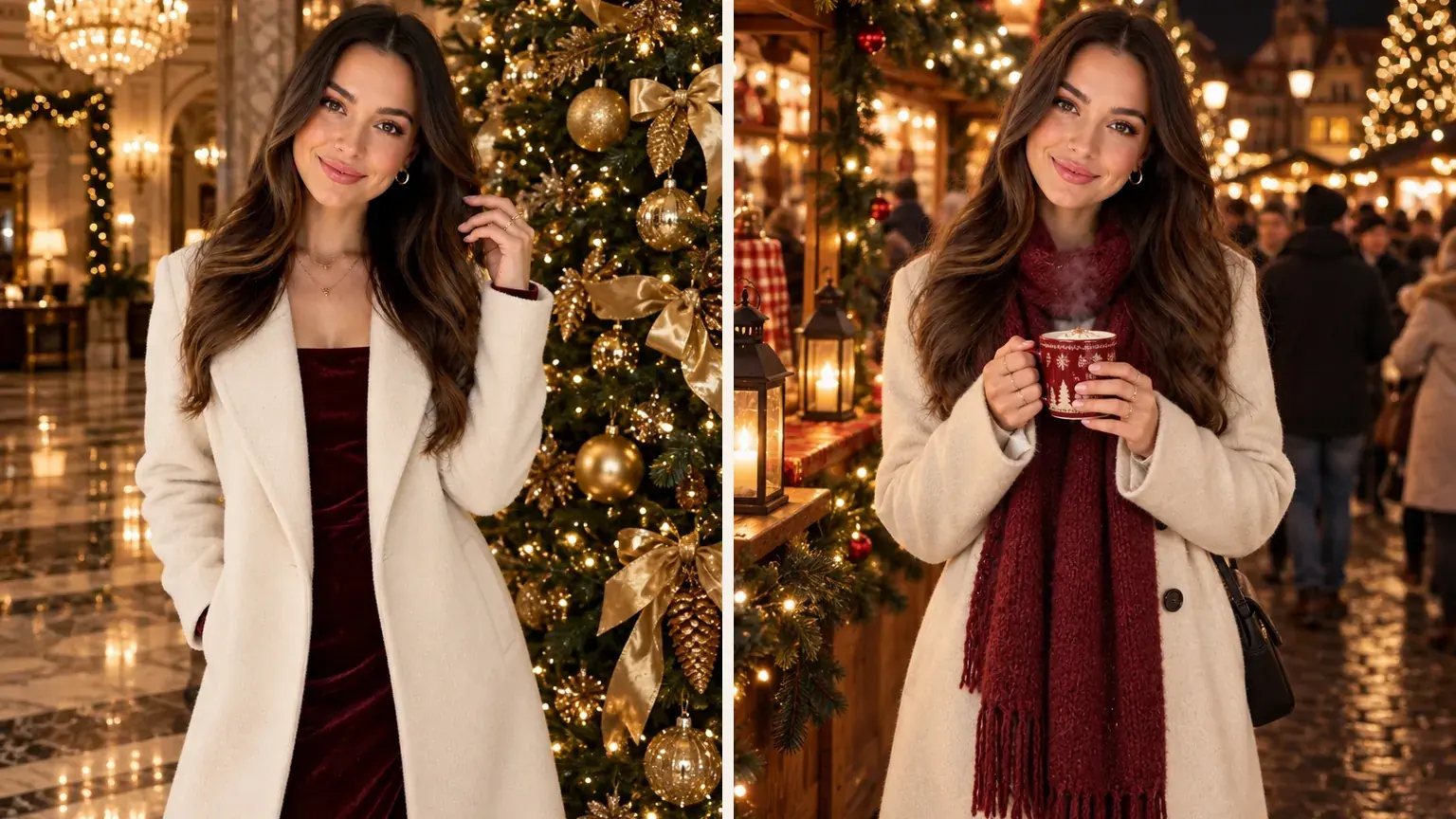
Two AI Christmas portraits of the same woman: in an ivory coat by a giant gold tree in a hotel lobby, and with a warm drink at a Christmas market at night

Dressed up: hotel lobby, red velvet and Christmas market

An elegant coat under a towering gold tree in a marble lobby, deep red velvet beside a gold-and-red tree in the studio, or a steaming mug between lantern-lit market stalls. Polished outfits, warm light and bokeh: the Christmas glamour shots of the set.

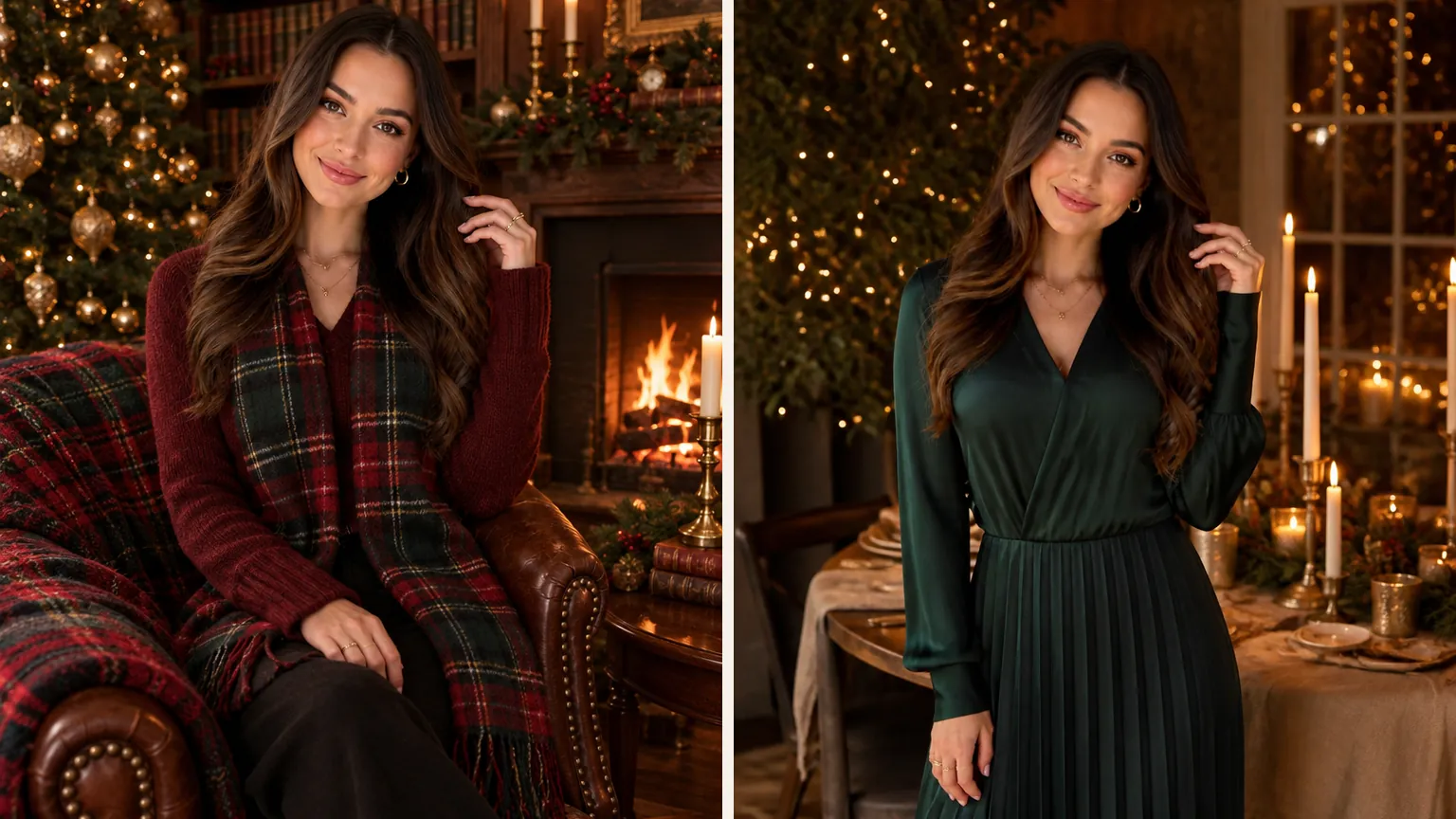
Two AI Christmas portraits of the same woman: in a tartan wrap in a candlelit library, and in a dark green dress beside a candlelit Christmas dinner table

Heritage tartan, or a surprise

A tartan wrap by the fire in a candlelit, wood-paneled library, or Surprise me, which designs an original Christmas setting and outfit that isn't on the list, for example a winter glasshouse full of poinsettias.

Specs

Specs
Upload
1 photo · PNG / JPG / WebP · up to 10 MB · 512 px+ on the short side
Result
1 photo per run · 1K / 2K / 4K
Original photo ratio (default)
Keeps your photo's own shape
3:4 ratio
Portrait prints, Christmas cards and feed posts
9:16 ratio
TikTok, Reels, Stories and Shorts · phone wallpaper
Credits
3 at 1K · 4 at 2K · 5 at 4K
Looks
10 looks + Surprise me
Prompt
None: pick a look and generate
Visibility
Always private

AI Christmas photo generator FAQ

Is the AI Christmas photo generator free?+

Not per photo: each portrait costs 3 credits at 1K, 4 at 2K or 5 at 4K. New accounts get 10 free credits when they sign up, and the Generate button shows the exact price before you run it.

Will the AI change my face?+

No. The template keeps your face, skin tone, hairstyle, age and build and only replaces the outfit, the setting and the light. If a result doesn't look like you, the photo is usually why (a turned head, sunglasses or a beauty filter); the photo checklist above shows what works best.

Does the AI Christmas photoshoot work for men?+

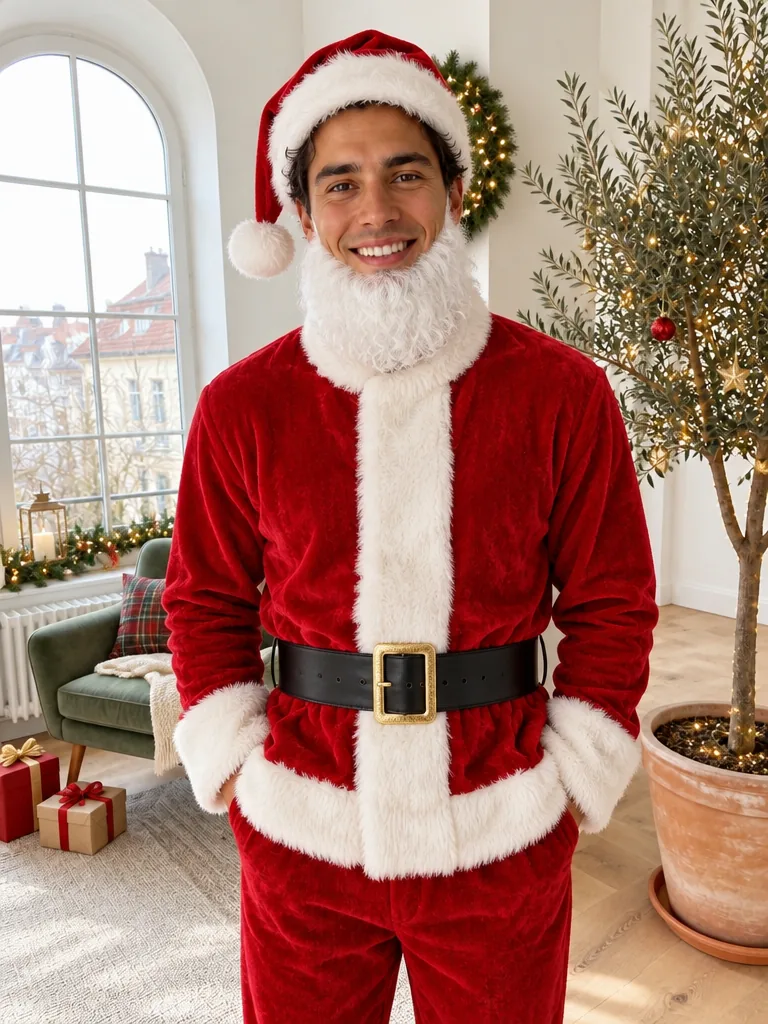
Yes. The looks describe a setting and a festive outfit, not a gender, so a man's photo gets the same peppermint studio, fireside or hotel lobby, with clothes cut to suit him and his face, facial hair and build kept.

Can I make AI Christmas photos of my kids?+

Yes, with most looks, if you're the child's parent or guardian. A child keeps their real age and natural face, with no makeup and a modest, fully covered festive outfit. The candy cane and red velvet looks are designed for adults, so for children pick the pajamas, cabin, night train or North Pole looks.

Do I need a prompt for an AI Christmas photoshoot?+

No. Each look already describes its set, outfit and light, so you only pick a look and upload a photo; there is no text box. The long Christmas photoshoot prompts shared online aren't needed here.

Can I get Christmas glamour shots without heavy makeup?+

Yes. Most glam looks, such as the candy cane studio and the grand hotel lobby, get their shine from sequins, tailoring, tree lights and studio sparkle and keep your face as it is rather than painting on a new makeup look, so wear the makeup you want in the photo you upload. Red velvet is the one exception: it adds soft glam makeup to go with the velvet.

Can I turn my AI Christmas photo into a video?+

Yes. Under the finished portrait, Animate it opens the Animate Christmas Photo template with your picture already in place; it makes a 5-second video with falling snow, twinkling lights or gentle movement, for 60 credits at the default settings.

Why can't I pick a movie character or film scene?+

Film, TV and brand characters belong to their owners, so every look here is an original Christmas scene. The Night train look, for example, is a generic snowy station on Christmas Eve with a vintage steam train, without characters or anything copied from a film.

Make your AI Christmas portrait

One photo of you, the look you want and a portrait ready for cards, posts and frames.