


AI Video Generator
Generate a clip from a prompt, a still image, a reference or existing footage.
Open toolTurn one photo into a car jump AI video: you sit cross-legged in a camp chair, snap your fingers, and a black off-road SUV jumps the ridge behind you and lands beside the chair.
PNG / JPG / WebP · up to 10 MB · at least 512px on the short side
0/1 photos
One photo of one person, face clear and evenly lit; a standing photo works. Your outfit, and sunglasses or none, carry into the video.
Video settings
No prompt needed. Only upload photos of yourself or people who agreed to be featured; celebrity photos and film stills aren't allowed.
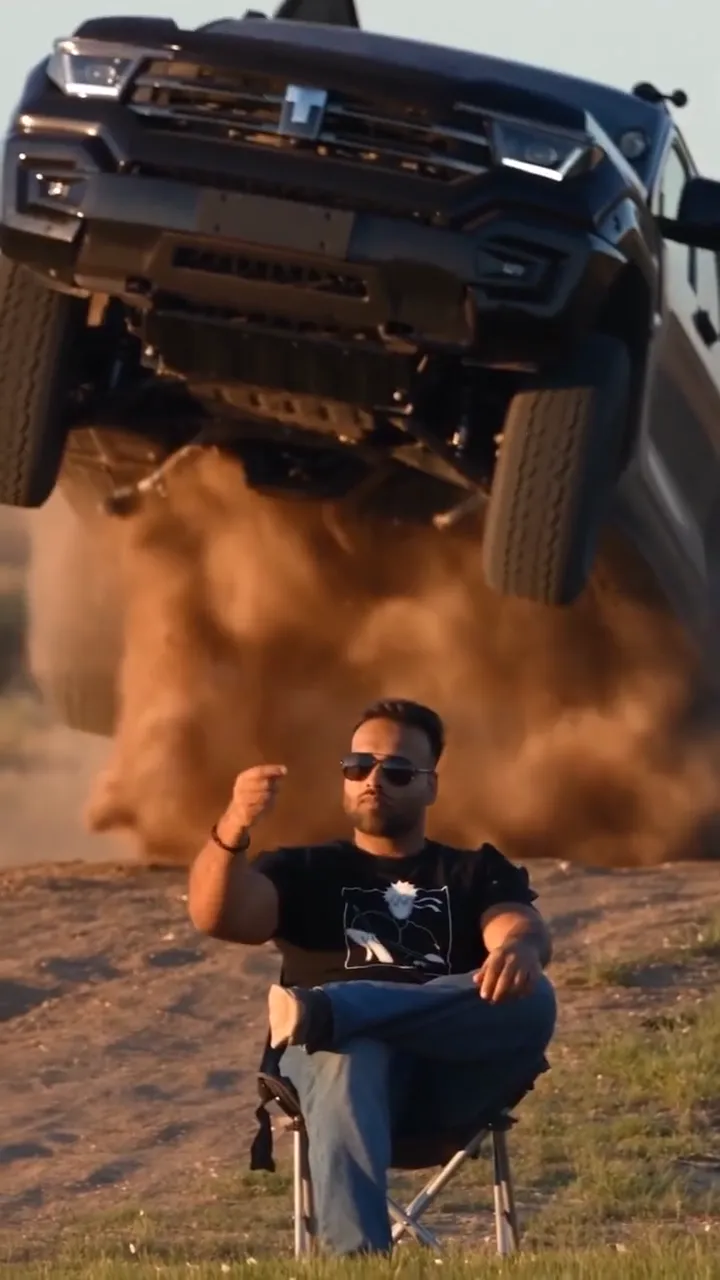
The car jump AI trend, also posted as the AI car jumping video, is a vertical AI video in which a person sits perfectly still in a camp chair, snaps their fingers, and a black off-road SUV jumps the ridge behind them and lands in the dust beside the chair while they never look back. The joke is the contrast: a heavy SUV lands a few meters away and the sitter doesn't flinch. It caught on in two waves: the first AI car jump tutorials appeared on December 16, 2025, the full camp-chair shot took shape on January 3, 2026, and from September 25, 2026 people remade it from one clip and one photo. These four frames, from one 12-second take, are what happens in it.
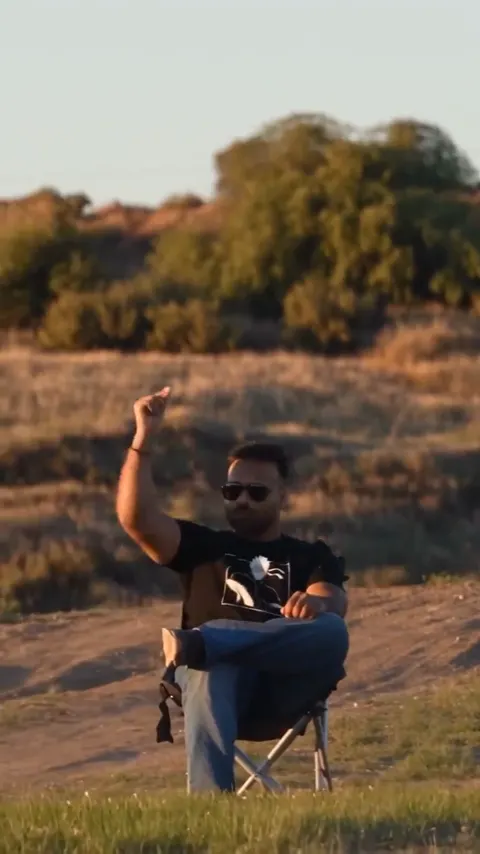
Seated cross-legged in a camp chair at the edge of a dry field, you raise one hand and snap your fingers. That's the only cue.
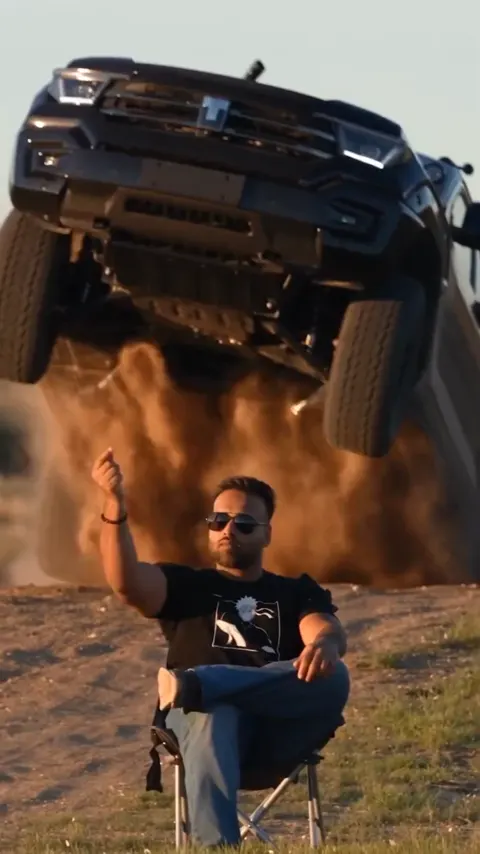
A black off-road SUV clears the ridge behind you nose-first and hangs in the air over a wall of dust.
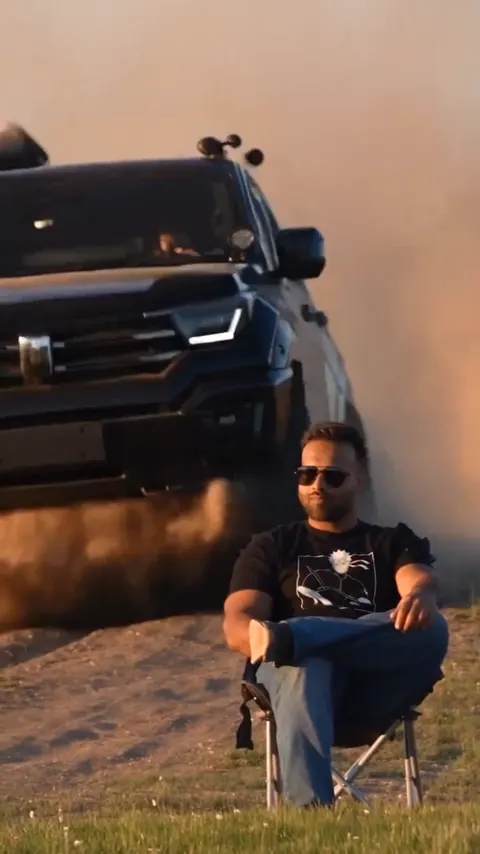
It drops behind the chair and rolls on through the dust, passing close beside you without touching the chair.
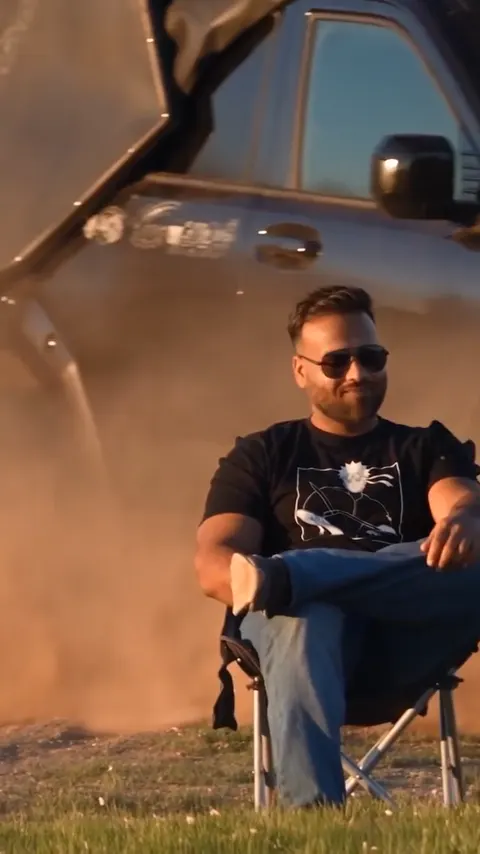
The frame tightens on you as the dust settles: still seated, legs still crossed, eyes front the whole time.
On this page you don't need one: the car, the jump and the camera are already in the template, so you add a photo and press Generate. If you'd rather write it yourself, here is a short prompt to start from.
Vertical 9:16, one continuous shot from a fixed long lens. The person in image 1 sits perfectly still in a black camp chair in a dry grass field at golden hour, legs crossed, facing the camera. They raise one hand and snap their fingers. Behind them, a full-size black off-road SUV with no badges or plates launches over the ridge, flies through a wall of dust and lands beside the chair. The person never looks back. Engine roar, a heavy landing and wind; no music.Use it in the generator's Reference to Video mode: upload your photo as image 1 and set the ratio to 9:16. For a pickup or desert dunes, change those words.
Open the AI Video GeneratorWhere prompts like this slip
A written prompt leaves the car's size to the model, and small, floaty SUVs are the most common complaint about prompt-made car jumping videos.
With the template: the car's size and the weight of the landing follow the template's clip instead of a guess.
The model rebuilds the stunt from words each time, so where the car takes off, how high it flies and where it lands keep changing.
With the template: snap, launch and landing keep the same timing on every run; only the person in the chair changes.
One person, one photo, and you don't have to be sitting in it: the template seats you, crosses your legs and gives you the snap.
Photo 1Person in the chair
Sits cross-legged in the camp chair, snaps once and never looks back as the SUV lands. Your clothes, and sunglasses or none, come from the photo.
These work
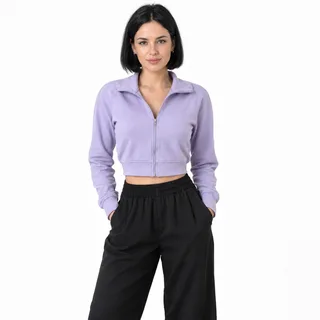 Waist-up, knees-up or full length: any framing will do
 Sunglasses on for the classic look, or off to show your eyes
Gets in the way
 Group photos: the chair seats one person
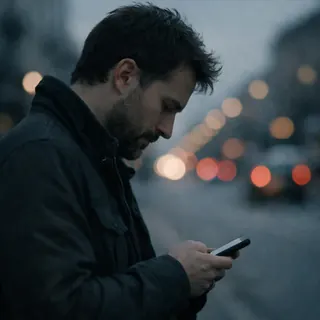 Side profiles or a face turned to a phone
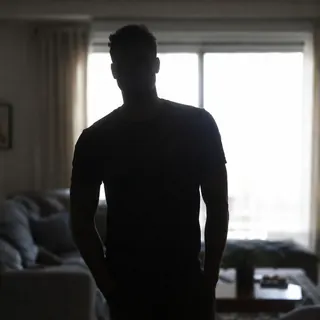 Backlit against a bright window: the face goes dark
Upload one photo
Put the photo of whoever gets the chair in the Person in the chair slot.
Generate the jump
Check the price on the button, then start the jump.
Download and add a sound
Lay a trending sound over it when you post.
Putting a friend or a parent in the chair? Ask them first.
Every template works the same way: add your photos, press Generate and get a shareable video without writing a prompt.
View all effectsFAQ
No, each video uses credits: 289 credits for the default 12-second 768p video, and 171–867 credits depending on the length and resolution you pick. The Generate button shows the exact price first.
No. The car, the ridge and the jump are all generated, and you never have to perform anything. Never try a car stunt like this with a real car or real people.
No. The template always uses the same black off-road SUV with no badge or plate, so your own car, a truck or a chosen make isn't available here. For a pickup, change the example prompt above and run it in the AI Video Generator.
Not in this template: one chair, one person, and pets aren't supported, so upload a photo of one person.
It comes with sound the model generates along with the picture: the engine, the landing and the wind. There's no music; add a trending sound from your app's library when you post.
An editing template can only rearrange footage you already have. Here one photo is enough to generate the whole shot with you in the chair, so there's no stunt to film.
For most of the shot you sit small in a wide frame, so the model has little room for your features, and results vary from run to run. A photo that passes the checklist above helps most; if a result misses, run it again.
No. Oeneo AI isn't affiliated with any carmaker, template app or tutorial creator.
Car Jump AI
One photo is all your car jump AI video needs.