Make the Zombie AI Trend Video From Two Photos

He holds the gun, she has turned zombie. The gun comes down, the hug lands and the scene cuts to a golden memory. Two photos, the man then the girl. No prompt.

  • One click · no prompt
  • The hug cuts to a golden memory
  • No blood, no shot fired
Example · Wheat-field memory

PNG / JPG / WebP · up to 10 MB · at least 512px on the short side

0/2 photos

Two adults, one per photo, faces clear: photo 1 is the man with the gun, photo 2 the girl who turns zombie and is herself again in the memory.

Video settings

No prompt needed. Only upload photos of yourself or people who agreed to be featured; celebrity photos and film stills aren't allowed.

Where does the zombie AI trend cut to the memory?

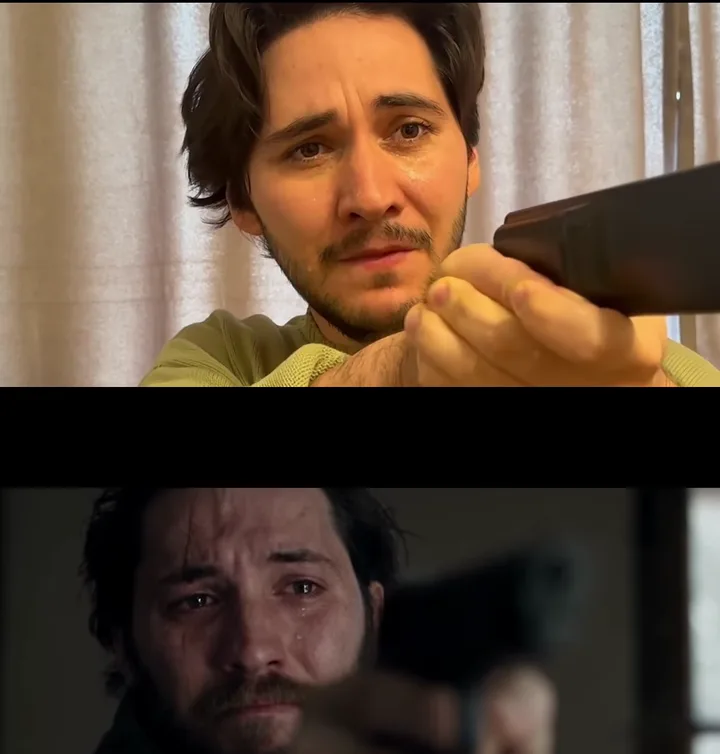
The trend clip stays cold and blue until the hug, then jumps into warm light. This effect follows the first 15 seconds of a viral remake: the standoff, the lowered gun, the lunge and the hard cut. Every clip here is from that trend clip, not an Oeneo AI result.

Cold open

The standoff in the blue kitchen

A tear-streaked close-up of the man behind a raised pistol, then the reveal over his shoulder: the girl he loves stands by the kitchen window, grey-skinned with clouded eyes. Photo 1 plays the man behind the gun, photo 2 the girl at the window.
The choice

The gun comes down

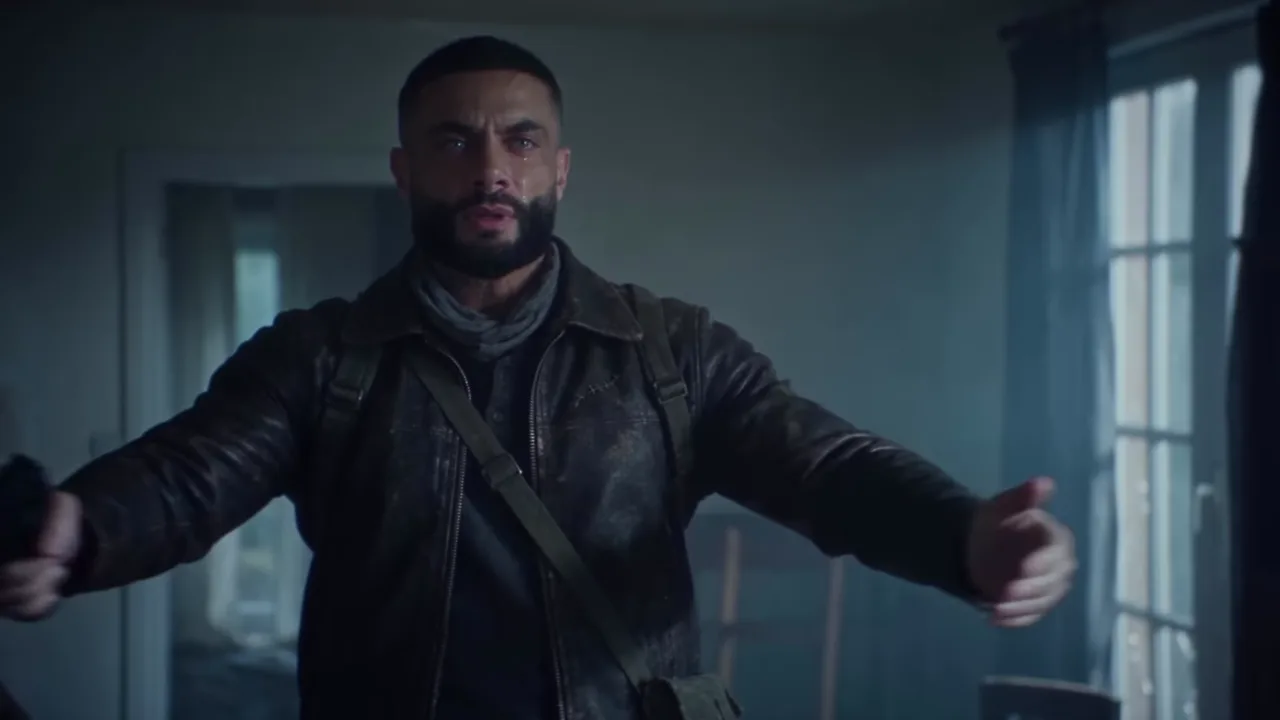
Tears, a two-handed aim that never fires, then the arms drop and open wide. Nobody is shot, in the trend clip or in this effect: the whole scene turns on refusing to pull the trigger.

The cut

The lunge lands as a hug in the wheat

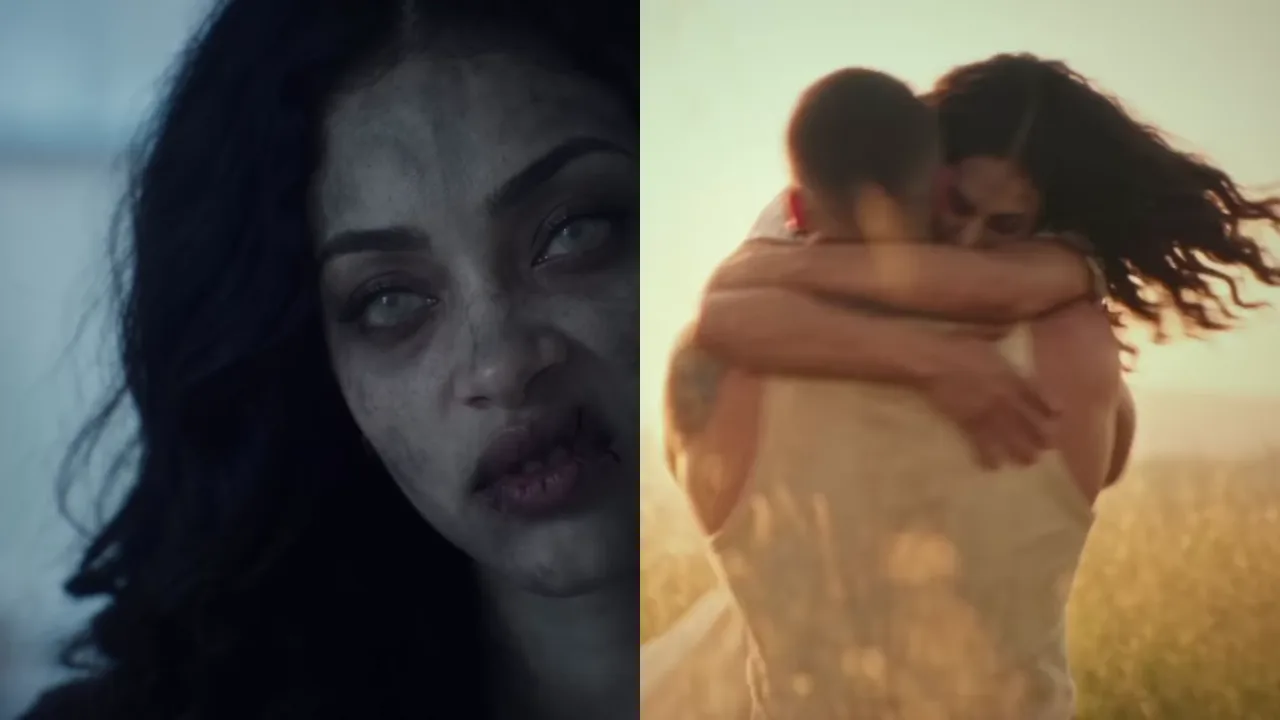
She snarls, he closes his eyes, she lunges into his arms, and on contact the cold kitchen becomes a sunlit wheat field where the same embrace keeps spinning. That match cut is the moment people replay. The effect aims for it at the same point, but generated timing can drift by a beat, so watch the cut before you post.

Trend clip stills: the same woman as a grey-skinned zombie in the kitchen on the left, and hugging in a golden wheat field after the cut on the right

Photo 2

One photo, two states

The girl in photo 2 plays both sides of the cut. Before it she is a zombie with grey skin, clouded eyes and dark veins, without blood or wounds; after it she is her own healthy self in the memory. The man in photo 1 stays human the whole way through.

Add your two photos

Which photo is the man with the gun, and which is the zombie girl?

Your two photos decide who is who; the trend clip decides what happens to them. Photo 1 plays the man who holds the gun, photo 2 the girl who has turned.

  • The man with the gun

    Photo 1
    From the photo
    Face, hair, skin tone and build
    In the kitchen
    Aims, cries, lowers the gun, opens both arms
    After the cut
    Same man, healthy, in light summer clothes

    Stays human in every shot.

  • The zombie girl

    Photo 2
    From the photo
    Face, hair, skin tone and build
    In the kitchen
    Grey skin, clouded eyes, dark veins
    After the cut
    Her own healthy face, smiling in the field

    The zombie look goes over her own face, so she stays recognizable.

  • From the trend clip

    Fixed
    Places
    Cold blue kitchen, then a golden wheat field
    Clothes
    Dark worn clothes, then light summer clothes
    Prop
    One handgun, never fired
    Camera
    Close-ups, the lunge and one hard cut

    Your own outfits don't carry over: the change of clothes across the cut is part of the story.

What photos work for each role, and what stays out?

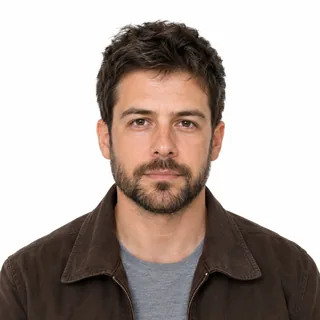
Use one sharp, front-facing photo per adult: the man for photo 1, the girl for photo 2. The clothes come from the trend clip, so a head-and-shoulders shot that shows the face and hair is enough for both roles.

Use

  1. Front-facing head-and-shoulders photo of a bearded man in a brown jacket on a white background

    Man with gun: a sharp, front-facing face

    The opening close-ups fill the frame with his face, tears and all. Even light and both eyes visible keep him recognizable.

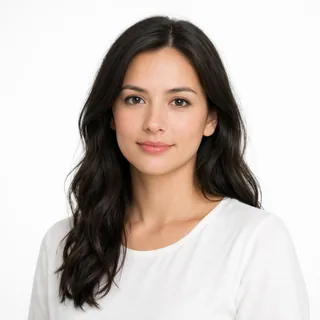
  2. Front-facing photo of a young woman with long dark wavy hair on a white background

    Zombie girl: the whole face and hair in view

    The zombie look is laid over her face, which then has to come back healthy after the cut. Forehead, eyes, mouth and hairline all help.

  3. Want to flip the roles?

    The slots follow the clip, but a woman can hold the gun and a man can turn. Both people need to be adults who agreed to appear.

Leave out

  1. Children and teens

    This effect is for adults only, because the scene points a gun at the person who turns. Don't upload photos of anyone under 18.

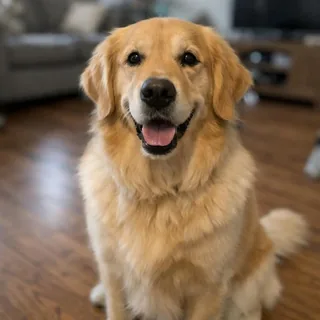
  2. Photo of a golden retriever sitting on a wooden floor

    Pets

    The pet versions you may have seen need a different setup. This effect casts two people, so a dog or cat photo won't work.

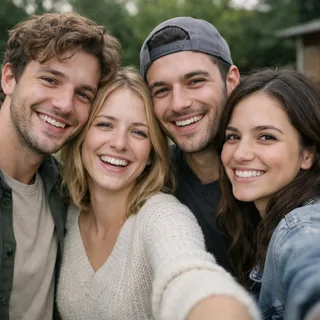
  3. Candid photo of four smiling friends standing close together

    Group photos

    Several faces in one photo make it unclear who should be cast. Crop to one person or pick another photo.

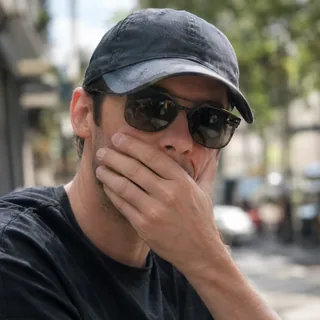
  4. Photo of a man in sunglasses and a cap with a hand over his mouth

    Sunglasses, caps or a hand over the face

    Hidden eyes and hairline leave less to match through the tears and the makeup. Photos also need at least 512px on the short side.

Locked by this effectNo bloodNo bites or woundsNo shot firedAdults only

Ask both people before you use their photos, and label the post as AI-generated when you share it.

Zombie AI trend or a zombie filter?

Searches for zombie AI mix up three things. This effect makes the two-person story with the cut. For one photo turned into a zombie face, there is the AI Halloween effect, which is still in development; AI zombie dramas are series to watch, not something you make from your photos.

CompareZombie AI trendZombie filterAI zombie drama
Photos you addTwo: the man and the girlOneNone
What happensGun lowered, hug, hard cutOne face turns zombieA story told over episodes
What you getA 12–15s videoAn image or a short clipEpisodes to watch
On Oeneo AIThis effectAI Halloween effect (in development)Not offered

Where did the zombie AI trend start?

It isn't from a movie. The format grew out of AI short films on Instagram, then spread through TikTok tutorials and app templates from October 1, 2026. The clips below come from the creators' public posts.

Aug 14, 2026 · @asrith_prakash

“Wherever You Go” sets up the cut

A zombie chases a crying woman and reaches for her, then the shot cuts to a golden field of memories. There's no gun and no hug yet, but the jump from a cold chase to a warm memory is already there.

Still from @techmaf's tutorial: his iPhone reference of aiming a prop above the generated CHOICE shot of a crying man with a pistol

Sep 15, 2026 · @techmaf

“CHOICE” adds the gun and the hug

Aytech Ashkhamakhov posted CHOICE: a man who can't shoot the one who turned, a hug, and a hard cut to the memory. In his tutorial he acts each shot on an iPhone first, then generates the scene. Instagram limits the original post to adult viewers.

Sep 26, 2026 · @damienstraker

A remake gives the trend its name

Damien Straker's own version, credited to @techmaf's idea and captioned “It doesn't matter what I am, you know who I am”, passed 470,000 likes under #aizombie. A day later @techmaf thanked viewers for turning it into a trend, and step-by-step videos followed.

What are the specs and credit costs for the zombie AI trend video?

Every value comes from the generator itself, and the Generate button shows the exact price for your settings.

What are the specs and credit costs for the zombie AI trend video?
Photos
2 adults, one per photo: the man with the gun, then the zombie girl
Photo files
PNG / JPG / WebP, up to 10 MB, at least 512px on the short side
Length
12–15 seconds, 15 by default
Aspect ratio
16:9 by default, like the trend clip; also 21:9, 4:3, 1:1, 3:4, 9:16, or Auto
Resolution
480p, 768p, 2K, or 4K; 768p by default
Audio
Generated with the video; no song from the trend is included
Prompt
Not needed; the story is built in
Content limits
No blood, bites, wounds or gunshots
Credits
270–958 per video; 360 for 15 seconds at 768p
Failed runs
Credits come back automatically if a video fails

FAQ

Zombie AI trend FAQ

What is the zombie AI trend?+

It's a two-person AI short film. The girl he loves has turned into a zombie; the man raises a gun and can't fire, the gun comes down, she lunges into a hug, and the scene cuts to a golden memory of them both. It's also called the zombie love story or the AI zombie hug.

How do I make the zombie AI trend video?+

Add the man's photo to “Man with gun” and the girl's to “Zombie girl”, check the length, aspect ratio and price, then press Generate. There's no prompt to write, and nothing is generated until you press the button.

Is the zombie AI trend video generator free?+

Browsing, adding photos and checking prices are free. Each video costs 270 to 958 credits depending on length and resolution, and 360 credits for the default 15-second 768p clip. New accounts get 10 free credits, which won't cover a video on their own.

Is the zombie AI trend from a movie?+

No. It comes from AI short films on Instagram: @techmaf's CHOICE, posted on September 15, 2026, set up the story, and @damienstraker's remake on September 26 spread it as the zombie AI trend.

Which photo turns into the zombie, and can we swap the roles?+

The photo in “Zombie girl” becomes the zombie girl, and the one in “Man with gun” stays human. The slots are named after the man and the girl in the trend clip. To flip the story, put a woman's photo in “Man with gun” and a man's in “Zombie girl”.

Is the zombie AI trend video gory?+

No. The zombie look stops at grey skin, clouded eyes and dark veins. There's no blood, bite or wound, and the gun is never fired; the story is about the hug.

Can I use a photo of a child or a pet?+

No. Both photos must show adults, because the scene points a gun at the person who turns, and the effect casts people, not animals. Use photos of adults who agreed to be in the video.

Does the video include the zombie AI trend song?+

No. The trend has no single official song; creators add different slow tracks. Your video comes with sound generated for the scene, and you can add music in TikTok, Reels or your editor.

Is this the same as a zombie filter?+

No. A zombie filter changes one face in one photo. This effect needs two people and makes a short story with a cut. A single-photo zombie look is planned as part of the AI Halloween effect, which is still in development.

How long is the video, and can I post it vertically?+

Videos run 12 to 15 seconds, 15 by default, in 16:9 like the trend clip. Switch to 9:16 before you generate for TikTok, Reels or Shorts. Resolutions: 480p, 768p, 2K, or 4K.

Why does the cut come early or a face look different?+

Each video is generated fresh, so the cut can land a beat early or late, and tears, zombie makeup and the fast lunge can soften a likeness. Sharper, front-facing photos help. If a run fails, the credits come back automatically.

Is this an official zombie AI trend template?+

No. It's a fan-made effect, not affiliated with @techmaf, @damienstraker or any app that offers a zombie template.

Zombie AI trend

Lower the gun and cut to your memory

Add two adult photos, the man with the gun and the zombie girl, then press Generate. Fan-made, not affiliated with the trend's creators.