

Animate Your Christmas Photo

Turn one Christmas photo into a 5-second video: snow, lights, a wave or a wiggle.

  • One click · no prompt
  • Picks up any Christmas template result
  • 9 motions for people, pets and decor
Example · Pet wiggle
Choose an effect

PNG / JPG / WebP · up to 10 MB · at least 512px on the short side

0/1 photos

Any Christmas photo; pick the motion that fits it and keep faces sharp.

Video settings

No prompt needed. Only upload photos of yourself or people who agreed to be featured; celebrity photos and film stills aren't allowed.

What is an animated Christmas photo?

An animated Christmas photo is a short video made from one still: the photo stays the opening frame and a single motion is added, such as falling snow or twinkling lights, while the people and the room keep their look.

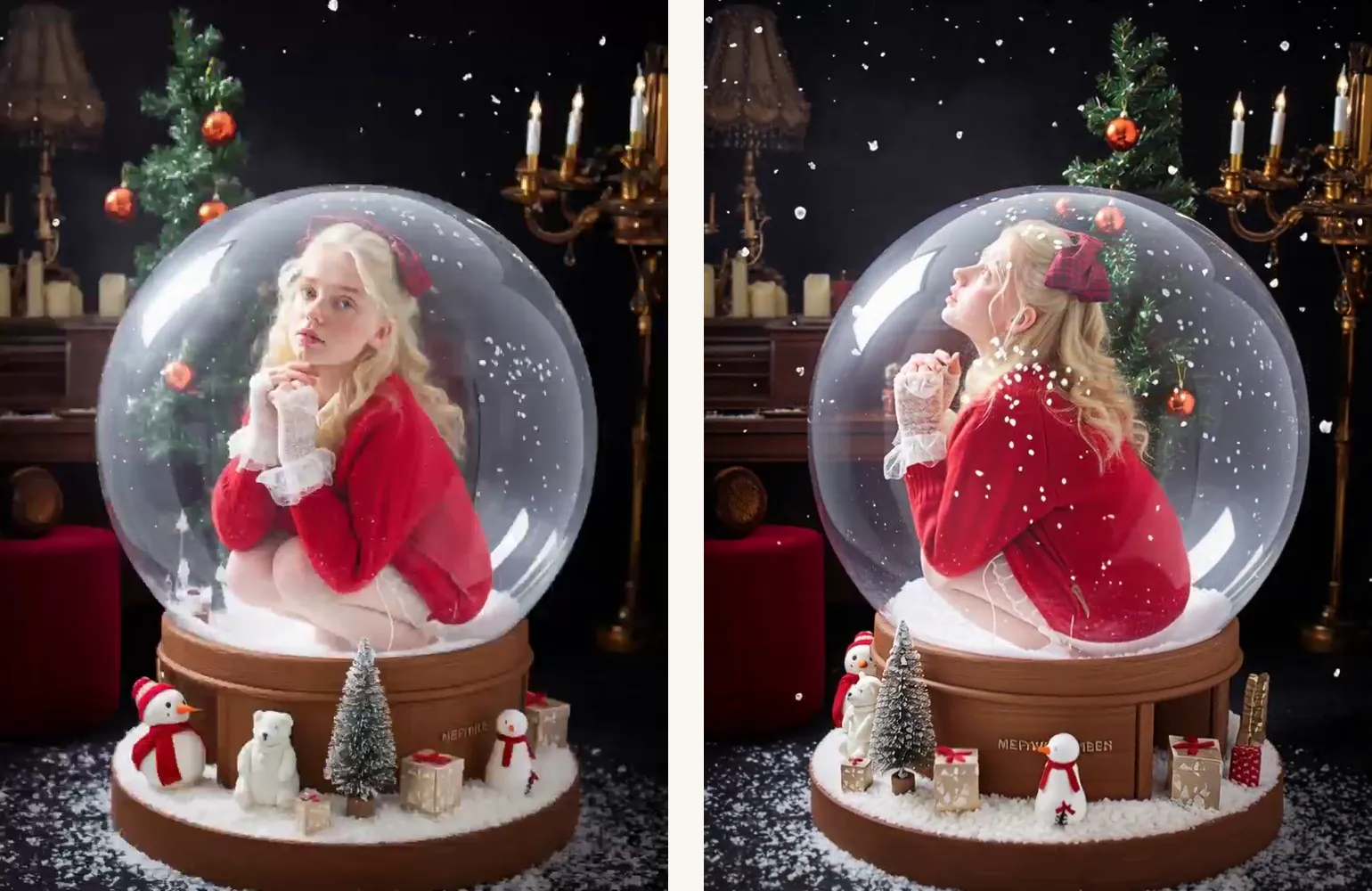
First and last frame of a snow globe clip: a young woman in a red sweater sits inside the globe, then looks up as snow drifts around her

Still to video

Your photo opens the video

The clip starts on your exact photo and only the motion you picked plays from there. Faces, outfits and decorations keep their place, so the video still looks like the picture you chose, whether you took it or made it with a Christmas template.

Browse Christmas templates
Not a filter

Not a cartoon, not a slideshow

Many animated Christmas pictures online are clip art, and photo video makers string stills together with transitions. Here one photo stays a photo and the things inside it move: snow, lights, a wave, a pet.

Which motion suits your Christmas photo?

Pick the motion by what is already in the photo. If the photo has nothing for a motion to act on, such as no Santa for a wave, you get a soft sparkle or snowfall instead.

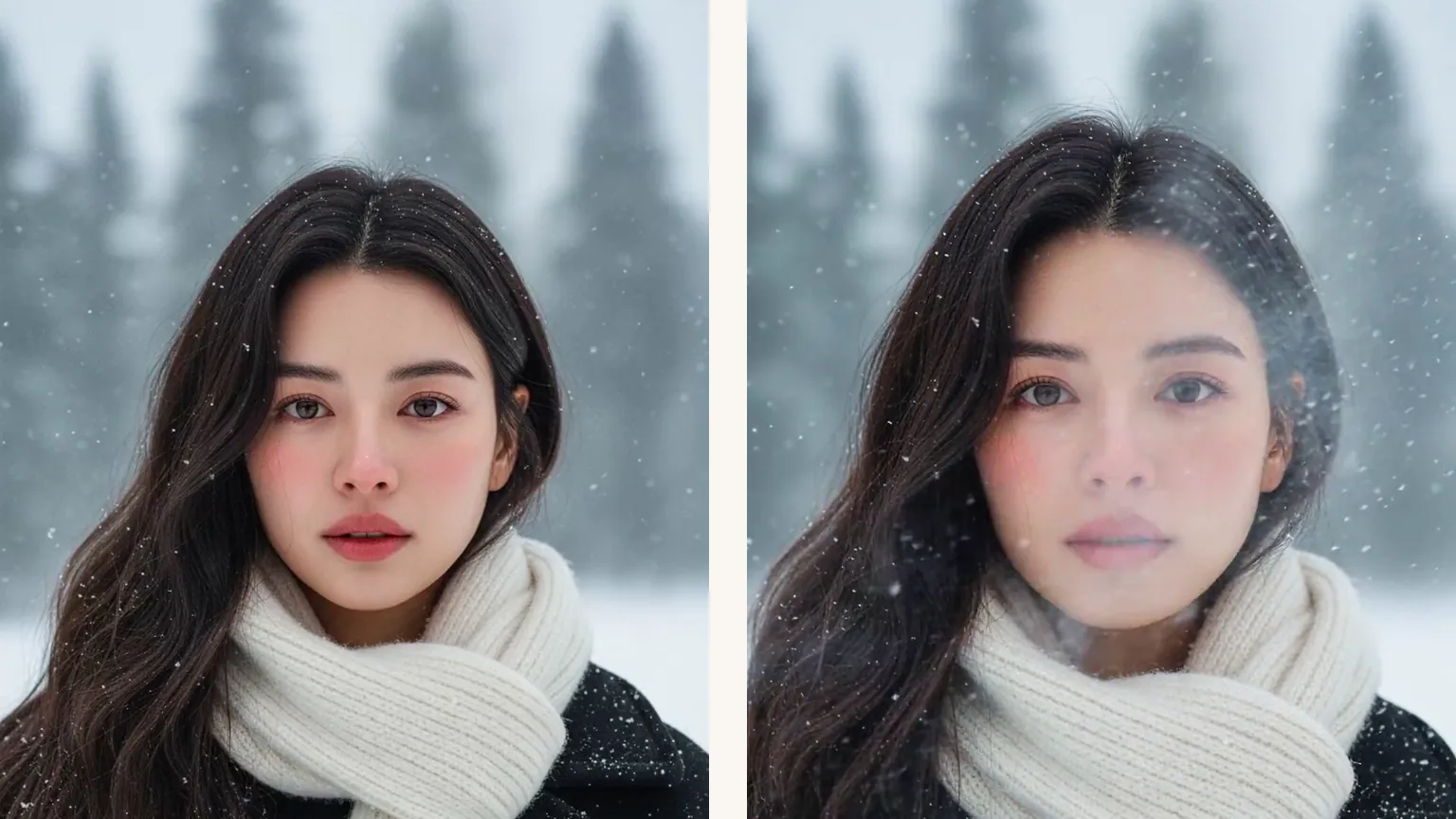
Two frames of a woman in a white scarf in a snowy pine forest: snow falling around her, then her breath showing in the cold air

Living photo · Snowfall

Portraits and family photos

Living photo adds a blink, a breath and a slightly bigger smile. Snowfall drifts flakes over outdoor portraits, porches and cabin scenes, the moving snow a still photo can't show.

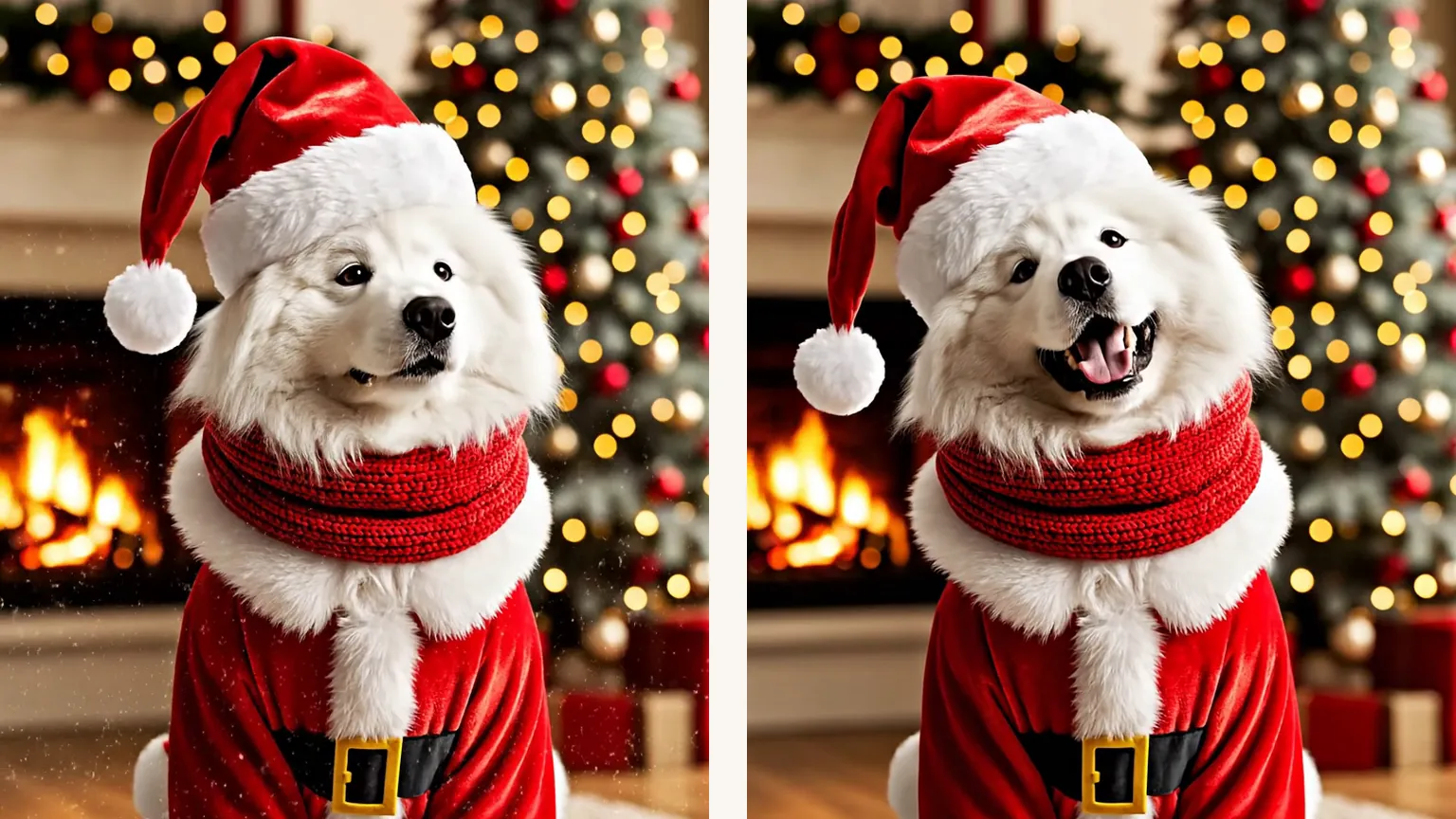
Two frames of a white fluffy dog in a Santa suit and hat by a fireplace and lit tree, first calm, then panting with a big smile

Pet wiggle

Dogs and cats in Christmas outfits

Your pet blinks, pants or tilts its head and the outfit moves with it, while fur markings, collar and the room stay as photographed. Pets on their own or next to their people both work.

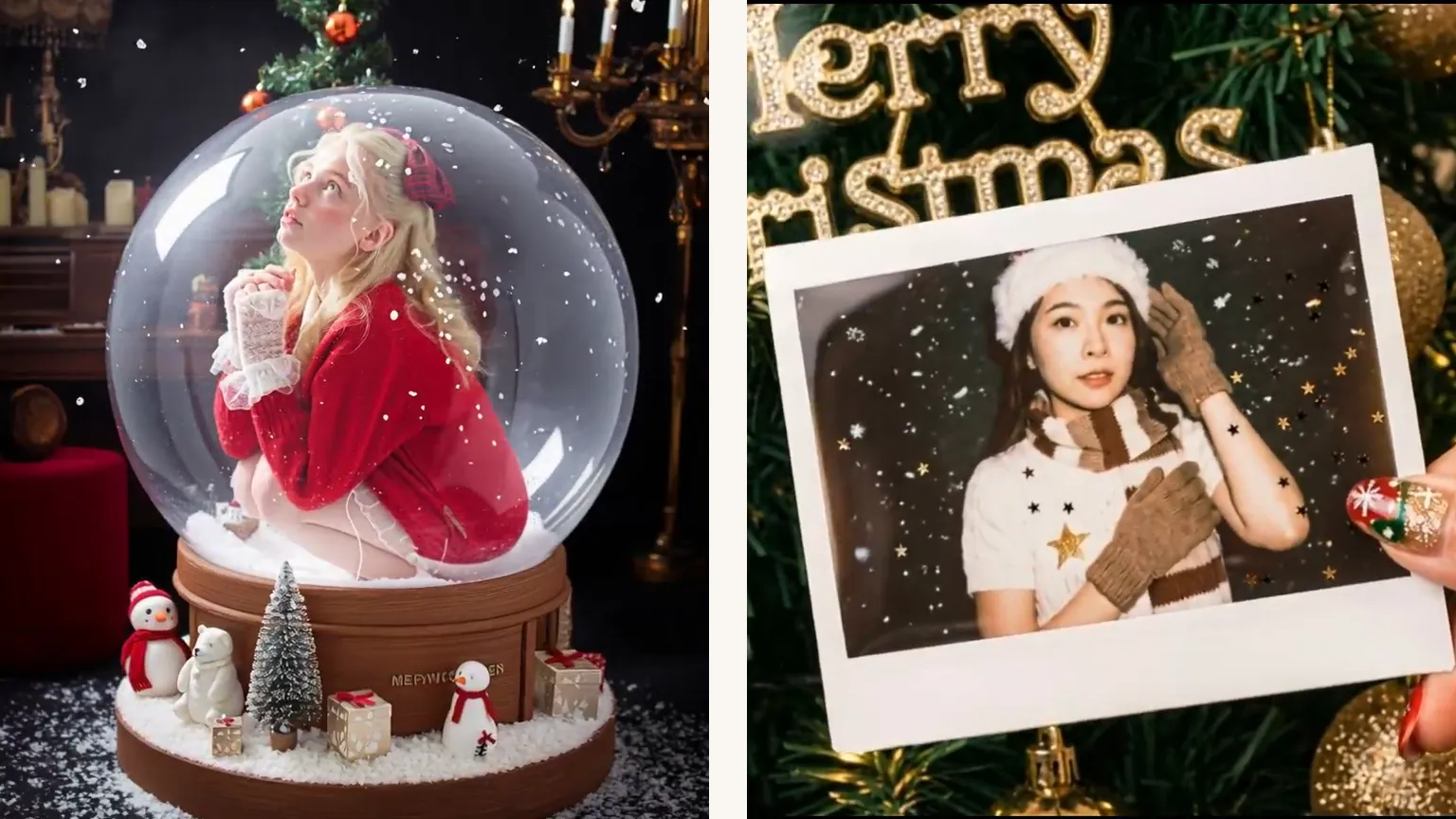
A young woman in a red sweater inside a snow globe on a candlelit table, next to a printed photo with gold stars drifting over it

Snow globe swirl · Ornament spin · Card sparkle

Snow globes, ornaments and cards

Snow swirls inside a snow globe, an ornament turns slowly on its ribbon, and gold sparkles drift across a card or printed photo. Small or curly lettering can wobble, so check a card's greeting before you send it.

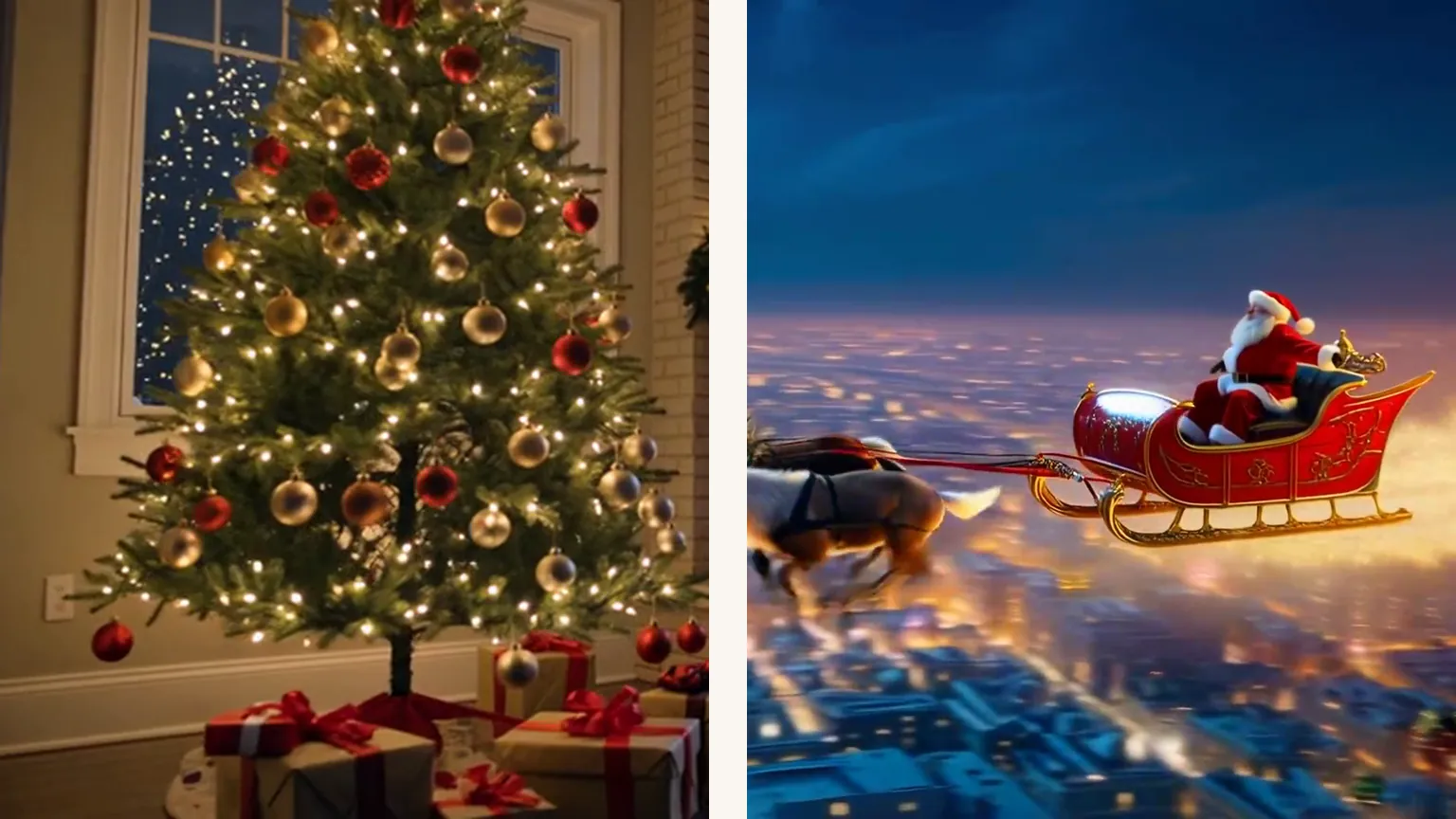
A Christmas tree full of twinkling lights beside a window, and a reindeer sleigh flying over a city at night

Twinkling lights · Santa waves · Sleigh flyby

Trees, lit rooms and photos with Santa

String lights and candles twinkle on a tree, a mantel or a lit-up house. When Santa is in the photo he turns to the camera and waves, and a reindeer sleigh can glide across the sky or past a window.

How do you animate a Christmas photo?

One photo makes one video. It can come straight from another Christmas template on this site or from your own camera roll.

  1. Example Christmas photo: a white fluffy dog in a Santa suit and hat sitting on a rug by a fireplace and a lit tree

    Your photoChristmas photo

    The whole scene, kept as it is: everyone in it, their clothes, pets and the room. The motion you pick is added on top; nobody is swapped or redrawn.

    • Faces and pets sharp and fully in the frame, not cut off at the edges
    • At least 512 px on the short side, so skip tiny thumbnails

Photos that animate cleanly

Works well

  • A curly-haired woman in a mustard sweater smiling at the camera on a white backgroundA clear, unfiltered photo with every face visible
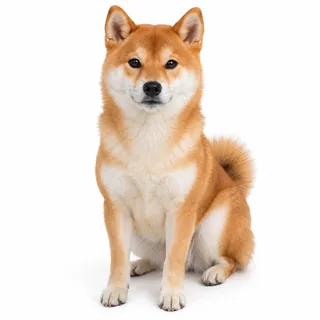
  • A Shiba Inu sitting and facing the camera, whole body in viewPets shown whole, eyes open

Animates poorly

  • A man in sunglasses and a low cap with a hand over his mouthFaces behind hands, scarves or sunglasses
  • A heavily pixelated, low-resolution head-and-shoulders photoTiny or heavily compressed screenshots
  • A selfie under a cartoon filter with cat ears, huge eyes and stickersStickers, frames or cartoon filters on top

From photo to clip

  1. Add the photo

    Tap Animate it under a finished Christmas photo and it lands in the slot above, or upload one from your device.

  2. Pick a motion and generate

    Choose the motion that fits the photo, change the length or resolution if you like, and check the price on the Generate button before you start.

  3. Download and share

    Save the MP4 and send it to family or post it; add a song in the app you post with if you want music.

Specs

Specs
Upload
1 photo · PNG / JPG / WebP · up to 10 MB · 512 px+ on the short side
Result
5–15 s video · 480p / 768p / 2K / 4K
Credits
60 for 5 s at 768p · up to 480
Motions
9: Snowfall, Twinkling lights, Living photo, Santa waves, Snow globe swirl, Pet wiggle, Sleigh flyby, Card sparkle, and Ornament spin
Shape
Follows your photo: a vertical photo makes a vertical video, a wide one stays wide
Sound
Soft sleigh bells and room tone · no song, no speech
Prompt
None: pick a look and generate
Visibility
Always private

Animated Christmas photo FAQ

Is animating a Christmas photo free?+

It uses credits: 60 for a 5-second video at 768p, and 50 to 480 for other lengths and resolutions. New accounts get 10 credits at sign-up, and the Generate button shows the exact price before anything is charged.

Will the faces in my photo change?+

They start exactly as photographed, because your photo is the first frame. Over a longer clip, small or turned-away faces can drift a little, so a sharp photo at the default 5 seconds keeps everyone closest to the original.

Does the video have sound? Can Santa talk?+

Every video you generate here comes with soft sleigh bells and room tone, but no song and no speech: Santa can wave, not talk or say a name. Add your own music when you post if you want a song.

How long can an animated Christmas photo be?+

Anywhere from 5 to 15 seconds; 5 seconds is the default and costs the least at any resolution. Short clips loop nicely on social media and keep faces steadiest.

Will the words on my Christmas card stay readable?+

Usually, but not always. Card sparkle is set to leave printed words alone, yet small or curly lettering can wobble for a moment, so watch the clip once before you send it; large, plain greetings hold up best.

Can I animate any photo, or only Christmas ones?+

Any photo works, but every motion is a Christmas one, so a beach photo will still get snow. Results from the other Christmas templates come over with one tap on Animate it; your own photos upload the usual way.

Can I animate photos of my kids?+

Yes. These are gentle motions that suit family photos with children, and every face starts exactly as photographed.

Can I post a clip of Santa waving?+

Yes, it's yours to share. If it looks realistic, turn on the AI-generated label when you post it publicly, as TikTok and other apps ask, and treat it as a family keepsake rather than proof of a visit.

Make your Christmas photo move

Bring one photo from this season, pick snow, lights, a wave or a wiggle, and send the clip to the people in it.